
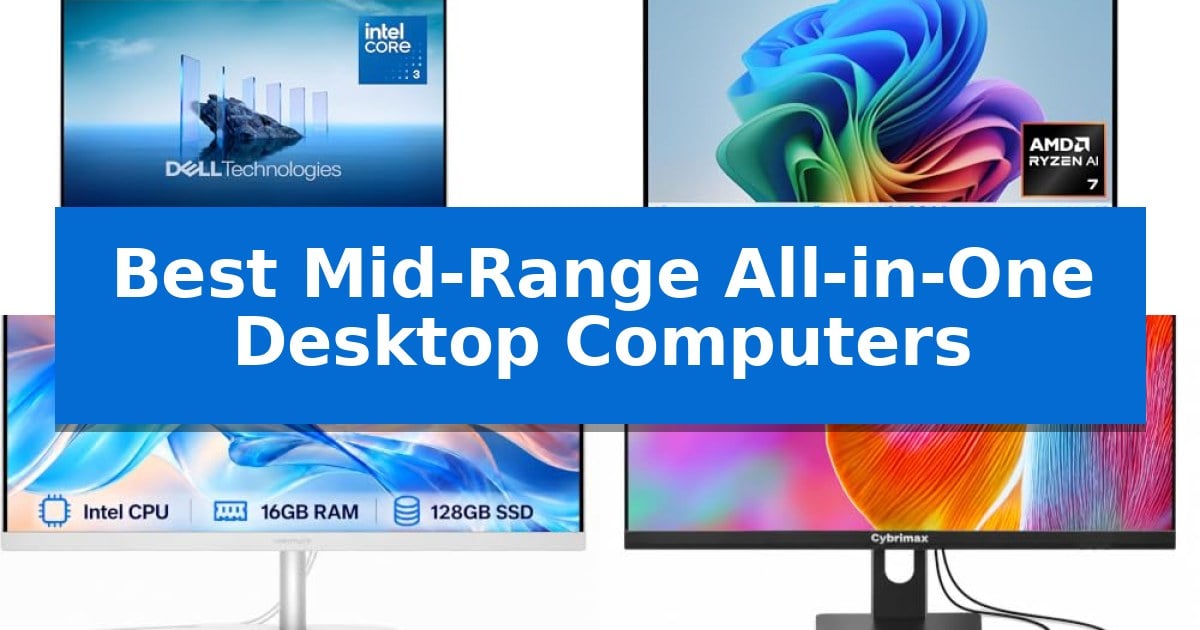
Finding the right balance between performance and desk space is the primary challenge when upgrading your workspace. The Best Mid-Range All-in-One Desktop Computers offer a streamlined solution by integrating the monitor, processor, and speakers into a single, cohesive unit that eliminates cable clutter.
Whether you are managing daily administrative tasks, attending virtual meetings, or streaming media, these systems provide the necessary computing power without the footprint of a traditional tower. We have evaluated the current market to help you identify which model best aligns with your specific productivity needs and available workspace.
You may also want to compare Best Mid-Range Active Noise-Cancelling Wired Headphones, Best Mid-Range Active Bookshelf Speakers, and Best Mid-Range 1440p Gaming Monitors.
Best Mid-Range All-in-One Desktop Computers
Quick Comparison
| Product | Best For | Key Strength | Score |
|---|---|---|---|
| Dell 23.8-Inch All-in-One Desktop | Best Overall | Space-saving all-in-one design reduces cable clutter. | 4.9 |
| HP OmniStudio 27-Inch All-in-One Desktop | Large Display with AI-Enhanced Performance | Integrated AI processing for enhanced multitasking and productivity. | 4.8 |
| HP OmniStudio 24-Inch All-in-One Desktop | Quiet Fanless Design for Shared Spaces | Fanless design ensures silent operation in shared spaces. | 4.5 |
| Cybrimax 24-Inch All-in-One Desktop | High-Speed Connectivity for Remote Work | Space-saving integrated design that reduces cable clutter. | 4.4 |
| STGSivir 21.5-Inch All-in-One Desktop | Compact Build with Included RGB Peripherals | Integrated design significantly reduces desk clutter and simplifies setup. | 4.8 |
How We Chose
- Display quality, focusing on resolution and blue-light reduction features.
- Processing capabilities and memory configurations for smooth multitasking.
- Integrated hardware features such as webcam quality and audio performance.
- Physical design, including footprint and adjustability for ergonomic comfort.
- Connectivity options, specifically wireless standards and port availability.
1 Dell 23.8-Inch All-in-One Desktop — Reliable Brand with Modern Features
The Dell 23.8-Inch All-in-One Desktop streamlines workspace organization by integrating a high-definition display and computing hardware into a single, space-saving chassis. This model features a 23.8-inch FHD IPS display with 99% sRGB color coverage, providing a clear visual experience for daily productivity and media consumption.
Engineered for long-term comfort, the display incorporates Dell ComfortView Plus technology to reduce blue light emissions during extended use. The system also includes a 5MP+IR camera with HDR technology, which adjusts to challenging lighting conditions, and a tilt-adjustable stand that moves from 0 to 20 degrees to help achieve an ideal viewing angle.
Audio performance is managed through dual Bluetooth speakers enhanced with Dolby Atmos spatial sound, designed to provide clear output for video calls and streaming. Connectivity is supported by Wi-Fi 6E and Bluetooth, while the inclusion of a keyboard and mouse ensures the system is ready for immediate setup.
To assist with system maintenance and data management, the package includes 1 Year Onsite Service and a 6-month subscription to Dell Migrate, a tool designed to help users transfer personal files to their new machine. The unit operates on Windows 11, providing a modern interface for multitasking and file management.
Best for: Home users and professionals seeking a space-efficient, all-in-one computing solution for daily tasks, video conferencing, and media streaming.
Skip if: Users who require high-performance discrete graphics for intensive gaming or professional-grade video editing will find the integrated Intel graphics insufficient.
PROS
- Space-saving all-in-one design reduces cable clutter.
- FHD IPS display with 99% sRGB for accurate color reproduction.
- Dolby Atmos speakers provide immersive audio for media.
- 1 Year Onsite Service offers convenient support options.
CONS
- Integrated Intel graphics limit suitability for demanding creative or gaming tasks.
- Fixed hardware configuration offers limited upgradeability compared to traditional desktop towers.
2 HP OmniStudio 27-Inch All-in-One Desktop — Large Display with AI-Enhanced Performance
The HP OmniStudio 27-Inch All-in-One Desktop integrates advanced computing capabilities directly into a streamlined 27-inch form factor, making it a compelling choice for those seeking a balance between workspace efficiency and modern performance. By combining a high-definition display with a dedicated AI processor, this system is engineered to handle multitasking and creative workflows without the clutter of a traditional tower setup.
At the heart of this machine is the AMD Ryzen AI 7 445 processor, which works alongside 16 GB of DDR5 RAM to provide the necessary bandwidth for responsive computing. The inclusion of AMD Radeon 840M graphics supports both productivity tasks and gaming, while the 512 GB PCIe NVMe M.2 solid-state drive ensures quick access to stored files and applications.
User comfort and communication are prioritized through several integrated design choices. The FHD IR camera features HDR auto-switch technology to maintain clear video quality in varying light, complemented by AI Noise reduction for cleaner audio during calls. To minimize eye strain during extended sessions, the display utilizes HP Eye Ease to manage blue light output while maintaining color accuracy.
The system is housed in a sleek, jet-black chassis measuring approximately 24.11 by 19.19 inches, featuring an adjustable stand that allows for ergonomic positioning. Audio is handled by DTS Sound Unbound, providing spatial 3D audio for media consumption. With Windows 11 Home and integrated Microsoft Copilot, the desktop is ready for immediate deployment in both home offices and creative environments.
Best for: Users who require a space-saving, AI-enhanced desktop for multitasking, video conferencing, and creative work.
Skip if: Users who prefer a modular desktop setup with the ability to upgrade individual components like the GPU or CPU over time.
PROS
- Integrated AI processing for enhanced multitasking and productivity.
- 27-inch FHD display with HP Eye Ease for reduced eye strain.
- FHD IR camera with HDR and Windows Hello facial recognition.
- DTS Sound Unbound for immersive 3D audio performance.
CONS
- Fixed all-in-one form factor limits future hardware upgrades.
- 512 GB storage capacity may require external drives for large media libraries.
3 HP OmniStudio 24-Inch All-in-One Desktop — Quiet Fanless Design for Shared Spaces
The HP OmniStudio 24-Inch All-in-One Desktop prioritizes a quiet, streamlined environment by utilizing a fanless design, making it a suitable choice for bedrooms or shared home offices where noise reduction is a priority. This system integrates the computing components directly into the display housing, providing a clean aesthetic that minimizes cable clutter on your desk.
Equipped with an Intel quad-core processor and 16GB of DDR5 RAM, this desktop is configured to handle everyday multitasking, such as managing multiple browser tabs, document editing, and participating in online classes. The 23.8-inch Full HD IPS display features slim, three-sided bezels and incorporates HP Eye Ease technology, which is designed to reduce blue light output for more comfortable viewing during extended sessions.
For communication and connectivity, the unit includes a 1080p pop-up webcam and dual microphones, which can be tucked away when not in use to maintain privacy. It supports Wi-Fi 6 for network connectivity and comes with 128GB of UFS flash storage for essential files and applications. The package includes a keyboard and mouse, providing a ready-to-use setup out of the box with Windows 11.
While the 128GB UFS storage is sufficient for basic document and media needs, users with large local media libraries or extensive software installations may find the capacity limited. The system is purpose-built for home productivity and general entertainment rather than high-performance tasks, emphasizing a balance between functional performance and a quiet, compact form factor.
Best for: Home users and students who need a quiet, space-saving computer for daily productivity, web browsing, and video conferencing.
Skip if: Users who require significant local storage for large files or high-performance hardware for gaming and intensive creative workflows.
PROS
- Fanless design ensures silent operation in shared spaces.
- 16GB DDR5 RAM provides ample memory for efficient multitasking.
- HP Eye Ease display technology helps reduce blue light for comfort.
- Pop-up 1080p webcam offers privacy when not in use.
CONS
- 128GB UFS storage is limited for users with large file collections.
- Non-upgradable storage may restrict long-term expansion.
4 Cybrimax 24-Inch All-in-One Desktop — High-Speed Connectivity for Remote Work
The Cybrimax 24-Inch All-in-One Desktop prioritizes a streamlined workspace by integrating the computer and display into a single, space-saving unit. This model is built for professionals and home office users who require a clean, cable-free environment without sacrificing the utility of a full-sized monitor.
Performance is driven by an i5 CPU paired with 8GB of dual-channel RAM, providing the necessary overhead for multitasking across complex documents and professional software. The inclusion of a 256GB SSD ensures rapid boot times and efficient file loading, which helps maintain productivity during demanding work sessions.
Visuals are handled by a 24-inch high-definition display, which provides the screen real estate needed for data analysis and design tasks. For remote collaboration, the integrated Privacy Protection webcam offers a secure solution for video conferencing, while the pre-installed Windows 11 operating system allows for immediate out-of-the-box functionality.
Connectivity is a core strength of this system, featuring WiFi 6 for stable network performance and Bluetooth 5.3 for pairing wireless peripherals such as headsets or tablets. This wireless capability, combined with the premium black integrated design, allows the desktop to fit into various professional settings, from home offices to small business environments.
Best for: Professionals and home office users seeking a space-saving, pre-configured desktop for multitasking and remote collaboration.
Skip if: Users who require high-end dedicated graphics for intensive 3D rendering or those who prefer the modularity of a traditional tower PC for future hardware upgrades.
PROS
- Space-saving integrated design that reduces cable clutter.
- WiFi 6 and Bluetooth 5.3 for stable, modern wireless connectivity.
- Privacy Protection webcam built-in for secure video conferencing.
- Ready-to-use with Windows 11 and drivers pre-installed.
CONS
- Fixed 256GB storage capacity may be limiting for users with large media libraries.
- Integrated graphics are not suitable for high-performance gaming or heavy video editing.
5 STGSivir 21.5-Inch All-in-One Desktop — Compact Build with Included RGB Peripherals
The STGSivir 21.5-Inch All-in-One Desktop streamlines workspace organization by integrating the computer components directly into the monitor housing, effectively reducing cable clutter. This 21.5-inch FHD display provides a 1920×1080 resolution, offering a high-definition visual experience suitable for daily office tasks, streaming, and creative projects.
Under the hood, this system is powered by an Intel Core i5 processor capable of reaching speeds up to 3.6GHz. It is paired with 16GB of RAM and a 512GB Solid State Drive, providing a foundation for multitasking and rapid boot times. The unit comes pre-installed with Windows 11 Home 64-bit, ensuring compatibility with modern software environments.
Connectivity is handled through a variety of ports, including USB 3.0, HDMI, and VGA outputs, alongside an RJ-45 Ethernet port for wired networking. For wireless needs, the system includes Wi-Fi 5 and Bluetooth capabilities. The integrated design also features a built-in webcam and speakers, which simplifies video conferencing setups without requiring additional peripherals.
To complete the package, the manufacturer includes an RGB keyboard and mouse, adding a distinct aesthetic touch to the setup. The entire system is supported by a 1-year warranty covering parts and labor, with the manufacturer providing lifetime technical support to assist with initial configuration or operational questions.
Best for: Home and office users who require a space-saving, integrated computing solution for daily productivity and multimedia tasks.
Skip if: Users who require high-end dedicated graphics for intensive gaming or professional-grade 3D rendering will find the integrated hardware insufficient for their needs.
PROS
- Integrated design significantly reduces desk clutter and simplifies setup.
- Includes 16GB of RAM which supports smooth multitasking for office applications.
- Full HD 1920×1080 display provides clear image quality for everyday use.
- Comes bundled with an RGB keyboard and mouse for an immediate out-of-the-box experience.
CONS
- Wi-Fi 5 connectivity is slower than the latest Wi-Fi 6 or 6E standards.
- The 21.5-inch screen size may feel restrictive for users accustomed to larger dual-monitor setups.
Best Mid-Range All-in-One Desktop Computers Buying Guide
Evaluating Display Quality
The display is the most critical component of an all-in-one system, as it serves as both your interface and your primary workspace. Look for Full HD (FHD) resolution to ensure text and images remain sharp during long work sessions.
Many modern models now include blue-light reduction technology, such as Dell ComfortView Plus or HP Eye Ease. These features are essential for reducing eye strain if you spend several hours a day in front of the screen.
Processing Power and Multitasking
For mid-range systems, the processor and RAM determine how many applications you can run simultaneously without lag. A system with at least 16GB of RAM is recommended for users who keep multiple browser tabs and productivity apps open at once.
Consider the type of storage included, as Solid State Drives (SSD) provide significantly faster boot times and file access compared to older mechanical hard drives. Ensure the storage capacity is sufficient for your document and media library.
Integrated Audio and Video
Since these computers are designed to save space, they often feature built-in webcams and speakers. Look for 1080p webcams with HDR support if you frequently participate in video conferences, as these provide better clarity in varying lighting conditions.
Spatial audio features, such as Dolby Atmos, can enhance your experience during media consumption. Check if the speakers are front-facing or integrated into the base, as this affects the direction and quality of the sound.
Connectivity and Wireless Standards
A clean desk relies on minimizing cables, making the wireless capabilities of your all-in-one computer vital. Ensure the model supports Wi-Fi 6 or 6E for stable, high-speed internet connections, especially if you are working remotely.
Bluetooth connectivity is equally important for pairing wireless peripherals like mice, keyboards, and headsets. Verify the version of Bluetooth supported to ensure compatibility with your existing wireless accessories.
Ergonomics and Physical Design
The physical footprint of your computer determines how much desk space remains for other tasks. Some models feature adjustable stands that allow you to tilt the screen, which is crucial for maintaining a comfortable posture throughout the day.
Consider whether the design includes a fanless cooling system, which can be a significant advantage if you share your workspace with others and require a quiet environment.
Frequently Asked Questions
Can I upgrade the RAM or storage on an all-in-one desktop?
Most all-in-one computers have limited upgradeability compared to traditional towers. It is best to choose a configuration that meets your needs at the time of purchase.
Are all-in-one desktops suitable for gaming?
While these systems are excellent for productivity and media, they typically use integrated graphics, which are not designed for high-end gaming.
Do these computers come with a keyboard and mouse?
Most of the models listed include a keyboard and mouse in the box, allowing for a complete plug-and-play setup.
How do I move my data from an old PC to a new all-in-one?
Many manufacturers provide migration tools, such as Dell Migrate, to help you transfer personal files and records to your new system.
What is the benefit of a fanless design?
A fanless design eliminates the noise generated by cooling fans, making the computer nearly silent and ideal for quiet home offices or shared living spaces.
Conclusion: Our Top Pick
When selecting the right system for your home office, the Dell 23.8-Inch All-in-One Desktop stands out as the most reliable choice. Its combination of a high-contrast FHD display, built-in blue-light reduction, and included onsite service provides a balanced, low-maintenance solution for daily productivity.
While other models offer specific advantages like larger screens or AI-enhanced processors, this unit delivers the most consistent performance for standard office tasks. Its focus on user comfort and clear audio makes it a dependable centerpiece for any workspace.