
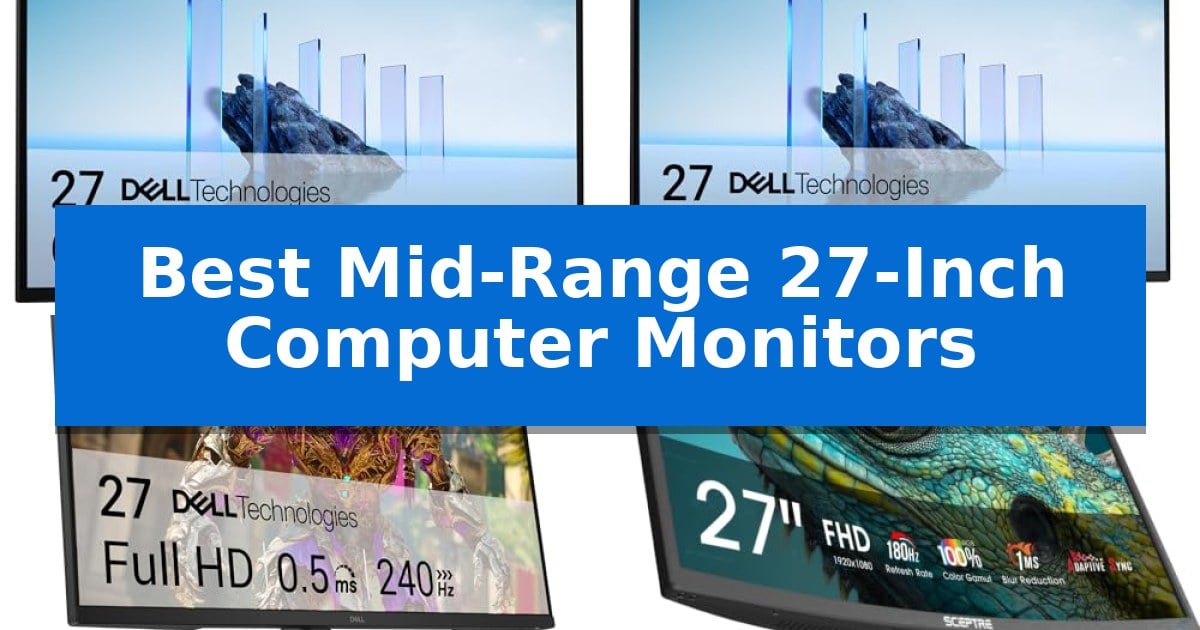
Finding the right balance between visual clarity and desktop space is essential for a productive workspace. The Best Mid-Range 27-Inch Computer Monitors offer a versatile middle ground, providing enough screen real estate for multitasking without overwhelming your desk area.
Whether you are upgrading for professional design work, competitive gaming, or general office efficiency, selecting the right panel technology and resolution is key. We have analyzed the latest 27-inch displays to help you navigate the current market and identify which features truly impact your daily computing experience.
You may also want to compare Best Mid-Range 8GB GPUs, Best Mid-Range 7.2 Channel AV Receivers, and Best Mid-Range 5.1 AV Receiver.
Best Mid-Range 27-Inch Computer Monitors
Quick Comparison
| Product | Best For | Key Strength | Score |
|---|---|---|---|
| Dell S2725DSM QHD Monitor | Best Overall | 144Hz refresh rate and 1ms MPRT for smooth visual transitions. | 4.9 |
| Dell S2725HSM FHD Monitor | Highly Adjustable Ergonomic Stand | Highly adjustable ergonomic stand with tilt, pivot, and swivel. | 4.6 |
| Dell SE2726HG Gaming Monitor | Ultra-Fast 240Hz Refresh Rate | 240Hz refresh rate for ultra-smooth motion. | 4.8 |
| Sceptre C275B-FW180T Curved Monitor | Immersive Curved Gaming View | 180Hz refresh rate for smooth motion. | 4.6 |
| Samsung S30GD Essential Monitor | Vivid IPS Color Accuracy | IPS panel provides consistent color accuracy and wide viewing angles. | 4.9 |
How We Chose
- Panel resolution and color accuracy for visual fidelity.
- Refresh rate and response time for motion clarity.
- Ergonomic adjustability including height, tilt, and swivel options.
- Connectivity standards such as HDMI and DisplayPort compatibility.
- Integrated features like built-in speakers and eye-care certifications.
1 Dell S2725DSM QHD Monitor — Sharp QHD Resolution Upgrade
Achieving a balance between fluid motion and visual clarity is the primary focus of the Dell 27 Plus QHD Monitor – S2725DSM, a display engineered to elevate desktop workflows and entertainment. This 27-inch panel utilizes QHD resolution paired with a 1500:1 contrast ratio to provide depth and detail, while the 144Hz refresh rate and 1ms Moving Picture Response Time (MPRT) work in tandem to minimize motion blur during fast-paced content.
Designed with user comfort in mind, the monitor features a 4-star TÜV-certified display that actively reduces harmful blue light emissions without sacrificing color accuracy. The physical design supports this focus on ergonomics, offering comprehensive height, tilt, pivot, and swivel adjustability to accommodate various desk setups and viewing preferences throughout the day.
Practicality is integrated through HDMI and DisplayPort 1.4 connectivity, ensuring broad compatibility with modern PC hardware. The inclusion of integrated dual 3W speakers provides an immediate audio solution, while the Dell Display and Peripheral Manager software offers a centralized interface to optimize workspace performance and monitor settings.
For those utilizing variable frame rate hardware, the inclusion of AMD FreeSync technology helps maintain a tear-free viewing experience. This monitor serves as a versatile tool for users who require a responsive, adjustable, and color-conscious display for their daily computing tasks.
Best for: Users seeking a versatile 27-inch QHD display that combines high refresh rates for smooth motion with ergonomic adjustability and integrated audio.
Skip if: Users requiring professional-grade color accuracy for specialized creative work or those who prefer a 4K resolution display for high-density pixel requirements.
PROS
- 144Hz refresh rate and 1ms MPRT for smooth visual transitions.
- TÜV-certified eye comfort features to reduce blue light exposure.
- Full ergonomic adjustability including pivot and swivel.
- Integrated 3W speakers for convenient audio output.
CONS
- Limited to 3W audio power, which may not satisfy users seeking high-fidelity sound.
- QHD resolution may be insufficient for users specifically requiring 4K clarity.
2 Dell S2725HSM FHD Monitor — Highly Adjustable Ergonomic Stand
The Dell 27 Plus Monitor – S2725HSM prioritizes physical versatility with its highly adjustable stand, allowing for height, tilt, pivot, and swivel positioning to suit various workspace configurations. This 27-inch display is built for fluid motion, featuring a 144Hz refresh rate and a 1ms Moving Picture Response Time (MPRT) that minimizes blur during fast-paced visuals.
Engineered for both utility and eye health, the monitor includes TÜV-certified technology designed to reduce harmful blue light emissions without sacrificing color accuracy. The display offers a 1500:1 contrast ratio, providing distinct clarity for everyday tasks and media consumption. For those requiring integrated audio, the unit houses dual 3W speakers, eliminating the immediate need for external desktop sound systems.
Integration with the Dell Display and Peripheral Manager software allows users to centralize control over their workspace settings. The monitor supports AMD FreeSync to assist in maintaining a tear-free experience during dynamic content playback. With its Ash White finish and compact footprint, it is designed to fit into modern office aesthetics while maintaining a professional profile.
The Dell 27 Plus Monitor – S2725HSM balances performance-oriented specs like high refresh rates with ergonomic design choices. While it provides a robust set of physical adjustments, users should note that the resolution is FHD (1920×1080), which is optimized for standard desktop workflows rather than high-density creative tasks requiring 4K clarity.
Best for: Users seeking a highly adjustable, ergonomic monitor with smooth refresh rates for general productivity and entertainment.
Skip if: Users who require high-resolution 4K displays for professional video editing or graphic design work.
PROS
- Highly adjustable ergonomic stand with tilt, pivot, and swivel.
- 144Hz refresh rate and 1ms MPRT for smooth motion.
- TÜV-certified eye comfort features to reduce blue light.
- Integrated dual 3W speakers for space-saving audio.
CONS
- FHD resolution may lack the sharpness of higher-density panels for detailed creative work.
3 Dell SE2726HG Gaming Monitor — Ultra-Fast 240Hz Refresh Rate
The Dell SE2726HG Gaming Monitor prioritizes fluid motion for competitive setups by integrating a high 240Hz refresh rate and a rapid 0.5ms response time. This combination is engineered to minimize input lag and motion blur, ensuring that fast-paced visuals remain crisp during intense gameplay.
Built with Fast IPS technology, this 27-inch display balances speed with visual fidelity. It offers 99% sRGB color coverage, providing vivid and accurate imagery that maintains consistency across wide viewing angles. The inclusion of AMD FreeSync Premium and HDMI VRR support works to eliminate screen tearing, facilitating a smoother experience for both PC and console users.
Designed for long-term use, the monitor features a TÜV Rheinland 3-star certified display, which effectively lowers blue light emissions without compromising color quality. The physical design includes a tilt-adjustable stand and a versatile port selection, featuring two HDMI ports and one DisplayPort 1.4, allowing for straightforward connectivity across multiple gaming devices.
While the Dell SE2726HG Gaming Monitor excels in motion handling and color accuracy, its FHD (1920×1080) resolution is a specific design choice for high-refresh-rate performance. This resolution ensures that the hardware can consistently hit the high frame rates required to utilize the 240Hz panel, though users seeking higher pixel density for productivity tasks may find the 1080p density limited at this screen size.
Best for: Competitive gamers who prioritize high frame rates and fluid motion over 4K resolution.
Skip if: Users who require high pixel density for professional graphic design or productivity work where 1440p or 4K resolutions are preferred.
PROS
- 240Hz refresh rate for ultra-smooth motion.
- Fast IPS technology with 0.5ms response time.
- 99% sRGB color coverage for vibrant visuals.
- AMD FreeSync Premium support for tear-free gaming.
CONS
- FHD (1920×1080) resolution may appear less sharp on a 27-inch screen compared to higher-resolution alternatives.
4 Sceptre C275B-FW180T Curved Monitor — Immersive Curved Gaming View
Achieving a fluid visual experience for both competitive gaming and creative workflows requires a display that balances high refresh rates with color accuracy. The Sceptre C275B-FW180T Curved Monitor addresses this by pairing an overclocked 180Hz refresh rate with a 1500R curvature, designed to provide an immersive field of view while maintaining responsiveness during fast-paced movement.
This 27-inch display prioritizes visual fidelity through its 100% sRGB color gamut, ensuring that colors appear vibrant for multimedia tasks. To support extended sessions, the monitor includes Blue-Light Shift technology, which adjusts the screen output to reduce eye strain. The minimal bezel design further enhances the experience, particularly for users looking to set up a seamless dual-monitor configuration without distracting gaps.
Connectivity is handled by a versatile array of ports, including two HDMI and two DisplayPort inputs, all capable of supporting the high 180Hz refresh rate. For users who prefer a decluttered workspace, the integrated speakers provide audio output directly from the monitor, eliminating the immediate need for external desktop speakers.
The monitor is built for performance-oriented users who demand a 1ms Blur Reduction (BR) response time to minimize ghosting. While the curved screen is optimized for focus, the inclusion of an Audio Out jack ensures that users can still connect high-fidelity headphones or external sound systems when the built-in audio is not sufficient for their specific needs.
Best for: Gamers and multitaskers who prioritize a high refresh rate and an immersive curved screen for both entertainment and productivity.
Skip if: Users who require a flat panel for professional graphic design work or those with limited desk space who cannot accommodate a 27-inch curved footprint.
PROS
- 180Hz refresh rate for smooth motion.
- 100% sRGB color gamut for accurate visuals.
- 1ms Blur Reduction to minimize visual lag.
- Dual HDMI and DisplayPort connectivity options.
CONS
- Curved display may not be ideal for all professional design tasks.
- Integrated speakers may lack the depth of dedicated audio systems.
5 Samsung S30GD Essential Monitor — Vivid IPS Color Accuracy
Achieving visual consistency across a workspace requires a display that balances color fidelity with responsive performance. The Samsung S30GD Essential Monitor utilizes an IPS panel to ensure that colors remain accurate and vibrant even when viewed from off-center angles, effectively preventing the color washing often seen on lesser panels. This 27-inch screen is engineered to serve both professional tasks and entertainment, providing a 100Hz refresh rate that smooths out motion blur during fast-paced video playback or gaming sessions.
The physical design emphasizes a clean, modern aesthetic with a super-slim profile and ultra-thin bezels, allowing the monitor to fit into compact desk setups without dominating the workspace. Beyond its appearance, the display includes Game Mode, which allows users to dynamically adjust contrast and color settings to bring out hidden details in darker environments. To support long-term comfort, the monitor features advanced eye care technology designed to mitigate screen flicker and reduce blue light exposure during extended periods of use.
Connectivity is simplified through direct device integration, which helps maintain a tidy desk by reducing cable clutter. While the monitor is supported by a tilt-only stand that lacks height or swivel adjustments, its lightweight and durable construction ensures it remains a stable addition to any desk. This model is a practical choice for those who prioritize a sharp, responsive visual experience in a streamlined, mid-range package.
Best for: Users seeking a reliable 27-inch IPS display that balances color accuracy for creative work with a 100Hz refresh rate for smoother motion.
Skip if: Users who require advanced ergonomic adjustments like height, swivel, or pivot, as this model features a tilt-only stand.
PROS
- IPS panel provides consistent color accuracy and wide viewing angles.
- 100Hz refresh rate reduces motion blur for smoother visuals.
- Ultra-thin bezels create a modern, space-saving aesthetic.
- Advanced eye care features help reduce fatigue during long sessions.
CONS
- Tilt-only stand limits ergonomic positioning options.
- No height or swivel adjustments available.
Best Mid-Range 27-Inch Computer Monitors Buying Guide
Understanding Panel Resolution
The resolution determines the sharpness of your text and images. While Full HD (1920×1080) is common and budget-friendly, QHD (2560×1440) provides a significant boost in pixel density on a 27-inch screen. This extra detail is particularly beneficial for productivity tasks where you need to view multiple windows side-by-side.
Choosing between these resolutions depends on your primary use case. If you prioritize high frame rates for gaming, 1080p may be sufficient. However, for creative work or general office use, the added clarity of QHD is a worthwhile investment for long-term comfort.
Refresh Rates and Motion Handling
A higher refresh rate—measured in Hertz (Hz)—results in smoother visual transitions. While standard office monitors typically operate at 60Hz or 100Hz, gaming-focused displays often reach 144Hz or 240Hz. This reduces motion blur, making fast-paced content appear much more fluid.
Response time is equally critical, especially for gaming. A lower Moving Picture Response Time (MPRT) or GtG time ensures that fast-moving objects do not leave trails. Look for monitors that offer 1ms or lower response times if you frequently engage in competitive gaming or high-speed video editing.
Ergonomics and Physical Adjustability
A monitor's stand is often overlooked but plays a major role in your physical comfort. Features like height adjustment, tilt, pivot, and swivel allow you to position the screen at eye level, which is crucial for maintaining good posture during long working hours.
Some entry-level models may only offer basic tilt functionality. If you share your workspace or frequently switch between landscape and portrait orientations, investing in a model with a fully adjustable ergonomic stand will significantly improve your daily workflow.
Connectivity and Peripheral Integration
Your monitor should act as a hub for your devices. Ensure the display features the necessary HDMI and DisplayPort inputs to support your PC, console, or laptop. Modern displays often include additional features like built-in speakers, which help keep your desk clutter-free by reducing the need for external audio gear.
Check for compatibility with your specific operating system and hardware. Some manufacturers provide proprietary software, such as a display manager, that allows you to control monitor settings directly from your computer, streamlining your setup process.
Eye Care and Visual Comfort
Extended screen time can lead to eye strain, making eye-care certifications a valuable feature. Many modern monitors are TÜV-certified, meaning they are designed to reduce harmful blue light emissions and screen flicker without sacrificing color accuracy.
Prioritizing displays with these features can help maintain your visual comfort throughout the day. Look for settings like 'Blue-Light Shift' or flicker-free technology, which are especially important if you work in low-light environments or spend many hours in front of your screen.
Frequently Asked Questions
Is QHD worth it for a 27-inch monitor?
Yes, QHD (1440p) provides a noticeable increase in sharpness compared to 1080p on a 27-inch display, making text easier to read and providing more workspace for multitasking.
Does a higher refresh rate matter for office work?
While not strictly necessary, a higher refresh rate (like 100Hz or 144Hz) makes scrolling and window animations feel smoother, which can contribute to a more responsive and pleasant user experience.
What is the benefit of an IPS panel?
IPS (In-Plane Switching) panels are known for their superior color accuracy and wide viewing angles, ensuring that colors remain consistent even when you are not looking at the screen head-on.
Can I use a gaming monitor for professional work?
Absolutely. Many modern gaming monitors, especially those with IPS panels and high color coverage (like 99% sRGB), are well-suited for creative tasks that require accurate color representation.
How do I know if a monitor is ergonomic?
An ergonomic monitor typically features a stand that allows for height adjustment, tilt, swivel, and sometimes pivot (rotation) to help you achieve an optimal viewing angle.
Conclusion: Our Top Pick
Selecting the right display involves balancing your specific needs for resolution, refresh rate, and physical design. For most users, the Dell S2725DSM QHD Monitor stands out as the most well-rounded choice in the mid-range category, offering a sharp QHD resolution, a smooth 144Hz refresh rate, and excellent ergonomic flexibility.
While other options like high-refresh-rate gaming panels or budget-friendly FHD models serve specific niches, the Dell S2725DSM provides a reliable, high-quality experience that fits seamlessly into both professional and personal setups. Its combination of visual clarity and user-focused design makes it a top recommendation for those seeking a dependable upgrade.