
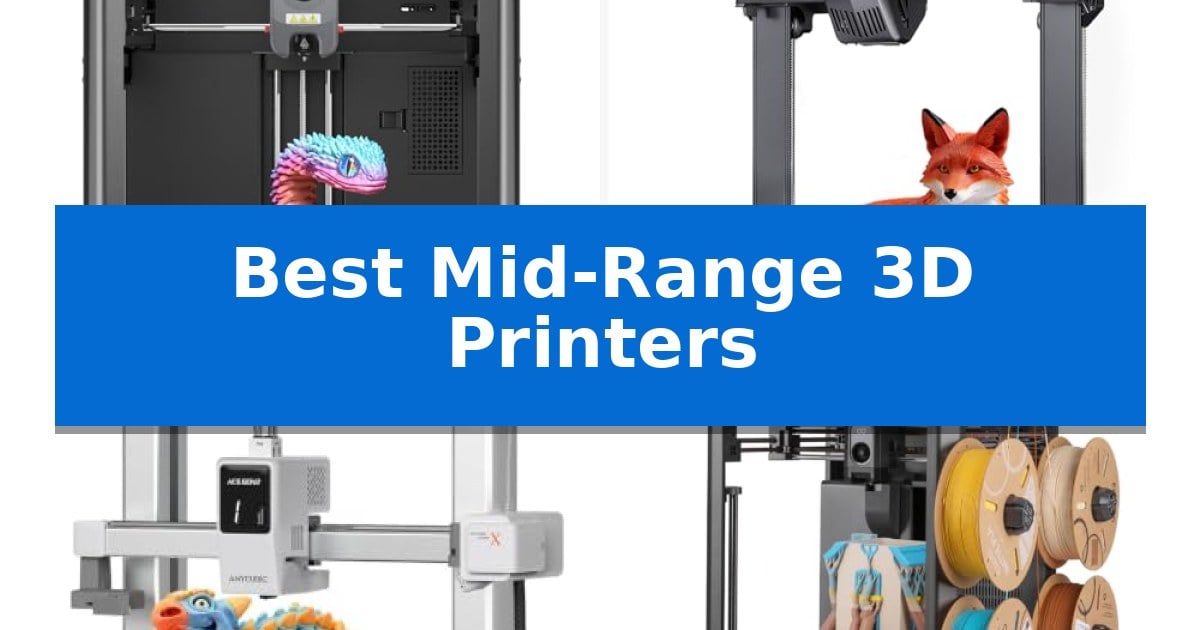
Finding the right machine in the current market requires balancing technical capability with ease of use. Whether you are prototyping functional parts or exploring creative hobbies, the Best Mid-Range 3D Printers offer a significant step up from entry-level units without the complexity of industrial systems.
This guide examines current models that emphasize speed, material compatibility, and automated workflows. By focusing on core structural designs and user-friendly interfaces, we help you identify which machine aligns with your specific production needs and workspace constraints.
You may also want to compare Best Mid-Range 2-in-1 Laptops, Best Mid-Profile Keyboards, and Best Mid-Priced Wireless Earbuds Under $100.
Best Mid-Range 3D Printers
Quick Comparison
| Product | Best For | Key Strength | Score |
|---|---|---|---|
| FLASHFORGE Adventurer 5M 3D Printer | Best Overall | 600mm/s maximum travel speed for rapid prototyping. | 4.9 |
| Creality Ender 3 V3 SE 3D Printer | Reliable Entry-Level Speed | CR Touch Auto Leveling for simplified first-layer calibration. | 4.5 |
| ANYCUBIC Kobra X 3D Printer | Versatile Multicolor Printing | Native 4-color printing expandable to 19 colors. | 4.9 |
| ELEGOO Centauri 2 Combo 3D Printer | Beginner-Friendly Multicolor | CANVAS 4-color printing system for effortless multi-color models. | 4.4 |
| Entina Tina2C 3D Printer | Compact Desktop Learning | Fully assembled out of the box for immediate use. | 4.8 |
How We Chose
- Mechanical Structure: We prioritize machines with stable motion systems, such as CoreXY, which support higher travel speeds and consistent layer alignment.
- Automation Features: We look for integrated auto-leveling and calibration systems that reduce manual setup time and improve first-layer reliability.
- Material Versatility: We assess the extruder temperature and nozzle design to determine compatibility with a wide range of filaments, including PLA, PETG, and TPU.
- Workflow Integration: We evaluate the ease of use regarding software ecosystems, remote monitoring capabilities, and maintenance requirements like nozzle accessibility.
1 FLASHFORGE Adventurer 5M 3D Printer — Fast CoreXY Speed
The FLASHFORGE Adventurer 5M 3D Printer utilizes a high-performance CoreXY structure to achieve travel speeds of up to 600mm/s, significantly reducing production cycles for rapid prototyping. This machine is engineered for efficiency, featuring a 32mm³/s high-flow nozzle and a rapid 35-second warm-up time to 200°C, allowing users to transition from design to physical object with minimal downtime.
Designed with user accessibility in mind, the printer simplifies the setup process through one-click automatic bed leveling, which ensures consistent first-layer adhesion without manual intervention. The 280°C direct drive extruder provides the thermal capacity needed for diverse material compatibility, while the included dual-fan cooling system and vibration compensation technology work to maintain print precision even at high speeds.
Maintenance and customization are streamlined by a 3-second nozzle swap system, enabling quick changes between optional nozzle sizes ranging from 0.25mm to 0.8mm. The 220x220x220mm build volume offers a versatile workspace, and the dual-sided PEI platform is specifically designed for easy print removal, reducing the risk of damaging delicate models during extraction.
For remote management, the Flash Studio software allows users to monitor print progress and adjust settings via mobile devices. This connectivity ensures that users can receive status alerts and oversee their projects from anywhere, providing a level of oversight that is essential for long-duration prints or busy creative workflows.
Best for: Makers and professionals who prioritize high-speed production and automated setup features in a compact, reliable desktop unit.
Skip if: Users requiring a significantly larger build volume than 220x220x220mm or those who prefer manual calibration over automated, sensor-driven leveling systems.
PROS
- 600mm/s maximum travel speed for rapid prototyping.
- One-click automatic bed leveling for consistent first layers.
- 3-second nozzle swap system for easy maintenance.
- Remote monitoring capabilities via the Flash Studio app.
CONS
- Fixed 220x220x220mm build volume may limit larger-scale projects.
2 Creality Ender 3 V3 SE 3D Printer — Reliable Entry-Level Speed
Achieving consistent print quality while balancing speed and ease of use is a common challenge for those exploring additive manufacturing. The Creality Ender 3 V3 SE 3D Printer addresses this by integrating a Sprite Direct Drive Extruder, which supports reliable filament feeding for materials like PLA, PETG, and TPU. This design choice ensures that users can transition between different project types without frequent extrusion issues.
Efficiency is central to this model, featuring 250mm/s high-speed printing capabilities with 2500mm/s² acceleration. To maintain precision at these speeds, the printer utilizes a stable motion system with dual synchronized Z-axis lead screws and precision Y-axis linear shafts. These components work in tandem to minimize vibration and Z wobble, promoting accurate layer alignment during extended print cycles.
Setup and maintenance are streamlined through the inclusion of CR Touch Auto Leveling and automatic Z-offset calibration. These features help users secure a reliable first layer with minimal manual intervention, making the machine accessible for those newer to the hobby. The assembly process is designed to be straightforward, requiring only a few steps to get the unit operational.
For a more comfortable workspace, the printer is equipped with a 32-bit silent mainboard that lowers operating noise. Post-processing is simplified by a flexible PC spring steel build plate, which allows for the quick and easy removal of finished models. These design considerations focus on improving the overall user experience during daily operation.
Best for: Beginners and hobbyists who need a reliable, fast-printing machine with automated calibration features.
Skip if: Users requiring a large-format build volume or those needing advanced enclosure features for specialized high-temperature engineering filaments.
PROS
- CR Touch Auto Leveling for simplified first-layer calibration.
- Sprite Direct Drive Extruder for consistent material compatibility.
- 32-bit silent mainboard for reduced operational noise.
- High-speed printing up to 250mm/s for faster project completion.
CONS
- Limited build volume compared to larger industrial-grade printers.
- Open-frame design lacks the environmental controls found in enclosed units.
3 ANYCUBIC Kobra X 3D Printer — Versatile Multicolor Printing
Achieving high-speed production with advanced color flexibility defines the ANYCUBIC Kobra X 3D Printer. This unit integrates a native 4-color system that can be expanded to 19 colors using four ACE 2 Pro units, allowing for complex, multi-material projects without the typical manual filament swap delays.
Engineered for efficiency, the printer achieves a maximum speed of 600mm/s, enabling a standard Benchy print in just 14 minutes. The inclusion of a hardened steel nozzle and vibration compensation ensures that high-speed movements do not compromise layer smoothness, while the LeviQ 3.0 auto-leveling system uses 49-point calibration to maintain a consistent first layer.
Usability is enhanced by an AI camera capable of spaghetti and foreign object detection, providing remote monitoring via the Anycubic App. The machine supports a wide range of materials, including PLA, PETG, TPU, PVA, and ASA, with a nozzle temperature reaching 300℃. Its 260mm x 260mm x 260mm build volume offers significant space for large-scale models.
Designed for modern workflows, the device features dual-band 2.4G/5G Wi-Fi and LAN connectivity for stable remote management. The top-mount spool holder design helps maintain a smaller desktop footprint, and the system operates at a quiet 45dB, making it suitable for home or school environments.
Best for: Makers and families seeking high-speed, multi-color printing capabilities with advanced AI monitoring and multi-material support.
Skip if: Users who require a compact, entry-level printer without the need for multi-color expansion or advanced AI-assisted monitoring features.
PROS
- Native 4-color printing expandable to 19 colors.
- High-speed performance up to 600mm/s.
- AI-powered monitoring for spaghetti and foreign object detection.
- Versatile multi-material compatibility including flexible filaments.
CONS
- Filament spools are not included and must be purchased separately.
- Requires additional ACE 2 Pro units to reach the maximum 19-color capacity.
4 ELEGOO Centauri 2 Combo 3D Printer — Beginner-Friendly Multicolor
Achieving vibrant, multi-color prints is often a complex hurdle, but the ELEGOO Centauri 2 Combo 3D Printer streamlines this process through its integrated CANVAS 4-color printing system. By utilizing independent motors and instant color switching, this machine removes the need for manual filament changes, allowing for seamless transitions during the build process.
Engineered for efficiency, the printer features a high-speed CoreXY system capable of reaching speeds up to 500mm/s with 20,000mm/s² acceleration. This mechanical architecture, supported by a rigid aluminum frame and precision linear guides, ensures that the printer maintains stability even when operating at these high velocities.
Reliability is bolstered by a suite of 22 intelligent sensors that provide real-time monitoring throughout the print cycle. Coupled with full auto-calibration and smart pre-print checks, the device minimizes the need for manual intervention, making it a practical choice for those who prioritize a consistent, automated workflow.
The user experience is further refined by the ELEGOO ecosystem, which includes the Nexprint Model Hub for discovering designs and the ELEGOO Matrix app for remote management. Practical design touches, such as a 5-inch touchscreen, a magnetic printhead cover, and a built-in nozzle wiper, simplify routine maintenance and daily operation.
Best for: Creators and beginners who want a streamlined, high-speed 3D printing experience with multi-color capabilities.
Skip if: Users who require a smaller footprint or those who do not need multi-color printing functionality may find simpler, single-extruder models more suitable.
PROS
- CANVAS 4-color printing system for effortless multi-color models.
- High-speed CoreXY architecture supporting up to 500mm/s.
- 22 intelligent sensors for real-time print monitoring and consistency.
- Integrated remote control via the ELEGOO Matrix app.
CONS
- Large physical footprint and weight may require significant desk space.
5 Entina Tina2C 3D Printer — Compact Desktop Learning
Starting a 3D printing hobby requires a balance of accessibility and utility, and the Entina Tina2C 3D Printer addresses this by arriving fully assembled with factory presets. Designed for beginners and STEM learning, this compact device allows users to initiate their first print in as little as 5 minutes, removing the barrier of complex initial calibration.
The printer integrates modern convenience through WiFi connectivity and the Poloprint Cloud app, which provides access to over 3,500 ready-to-print models. For those new to design, the app includes AI-powered tools such as text-to-3D and photo-to-3D, enabling custom project creation without requiring prior modeling expertise. It also supports standard slicing software like Cura and Simplify3D for more experienced users.
Engineered for a home environment, the unit features quiet operation and a space-saving footprint with a 3.9 x 3.9 x 3.9-inch build volume. Practical maintenance is simplified by a quick-swap nozzle and a flexible magnetic print bed, which allows for easy removal of finished parts with a simple bend. The inclusion of auto leveling further assists in maintaining consistent first-layer adhesion.
Reliability during operation is supported by power-loss recovery, which allows the printer to resume tasks after unexpected interruptions. With its compact design and integrated LED lighting, the Entina Tina2C 3D Printer serves as a functional tool for family activities and educational projects.
Best for: Beginners and students seeking a compact, plug-and-play 3D printer for home-based STEM projects and creative hobbyist tasks.
Skip if: Users who require a large build volume for industrial-sized prototypes or those who prefer a DIY kit experience with extensive hardware customization options.
PROS
- Fully assembled out of the box for immediate use.
- Auto leveling system improves first-layer consistency.
- WiFi-enabled app control with cloud-based model library.
- Flexible magnetic build plate simplifies print removal.
CONS
- Limited build volume of 3.9 inches per axis restricts large-scale projects.
Best Mid-Range 3D Printers Buying Guide
Understanding Print Speed and Acceleration
Modern printers often highlight high travel speeds and acceleration rates. These metrics are critical for reducing total print time, especially for large or complex geometries. A robust motion system, such as a CoreXY architecture, is essential to maintain precision when the print head moves rapidly across the build plate.
While high speed is beneficial, it must be supported by effective cooling and vibration compensation. Without these, high-speed printing can lead to artifacts or layer shifts. Always check if the printer includes software-based vibration compensation to ensure that speed does not come at the cost of surface quality.
The Importance of Auto-Leveling Systems
Manual bed leveling is often the most significant barrier for new users. Modern auto-leveling systems use sensors to map the build surface and automatically adjust the Z-offset, ensuring a consistent first layer every time. This feature is vital for preventing print failures caused by poor adhesion.
Look for systems that offer full-auto calibration, which minimizes the need for manual intervention. Some printers combine this with pre-print checks to verify the state of the build plate, further streamlining the start-to-finish workflow.
Extruder Design and Material Compatibility
The direct drive extruder is a standard in mid-range machines because it provides better control over filament retraction and is generally more reliable for flexible materials like TPU. The maximum nozzle temperature also dictates what materials you can use; a higher temperature ceiling allows for more advanced filaments like ASA or PETG.
Maintenance is another factor. Features like quick-swap nozzles allow you to change nozzle diameters or replace worn parts in seconds. This modularity is a significant advantage for users who frequently switch between high-detail prints and faster, structural prototypes.
Connectivity and Remote Management
Modern 3D printers are increasingly integrated into smart home ecosystems. Wi-Fi connectivity and dedicated mobile apps allow you to monitor print progress, adjust settings, and receive status alerts from anywhere. This is particularly useful for long print jobs that require occasional oversight.
Some printers include AI-powered cameras that can detect common issues like spaghetti-like failures or foreign objects on the build plate. These features provide peace of mind by allowing you to pause or cancel a print remotely if an error occurs.
Build Volume and Workspace Considerations
The build volume determines the maximum size of the objects you can print in a single piece. While larger volumes offer more flexibility, they also require more desk space and can take longer to heat up. Consider the scale of your typical projects before prioritizing a larger footprint.
Also, consider the physical dimensions and weight of the printer. A compact design is ideal for home offices or classrooms, but ensure the machine remains rigid enough to handle high-speed movements without excessive vibration.
Frequently Asked Questions
What is the main advantage of a CoreXY printer?
A CoreXY structure allows the print head to move independently of the build plate in the X and Y axes, which reduces the mass being moved and enables significantly higher speeds and acceleration without sacrificing precision.
Do I need an AI camera for my 3D printer?
An AI camera is not strictly necessary, but it is highly beneficial for remote monitoring. It can detect print failures, such as detached models, and alert you via an app, potentially saving filament and time.
Why is a direct drive extruder preferred?
Direct drive extruders place the motor directly above the nozzle, providing more consistent filament pressure and better retraction control. This makes them much more reliable for printing flexible materials like TPU compared to Bowden-style extruders.
How often should I use the auto-leveling feature?
Most modern printers with auto-leveling are designed to perform a calibration before every print. This ensures that any minor changes in the build plate or nozzle position are compensated for, resulting in a perfect first layer.
Can I use different nozzle sizes on these printers?
Yes, many mid-range printers are designed with modular nozzle systems. You can typically swap out the standard 0.4mm nozzle for smaller sizes to achieve finer detail or larger sizes to increase print speed and structural strength.
Conclusion: Our Top Pick
For those seeking a balance of speed, reliability, and ease of use, the FLASHFORGE Adventurer 5M 3D Printer stands out as the most capable option in this category. Its CoreXY design enables impressive travel speeds, while the one-click auto-leveling and quick-swap nozzle system significantly lower the barrier to entry for high-quality output.
While other models offer specific advantages like multicolor printing or compact footprints, the Adventurer 5M provides the most consistent and efficient experience for a wide range of applications. It is an excellent choice for makers who want to spend more time designing and less time troubleshooting.