
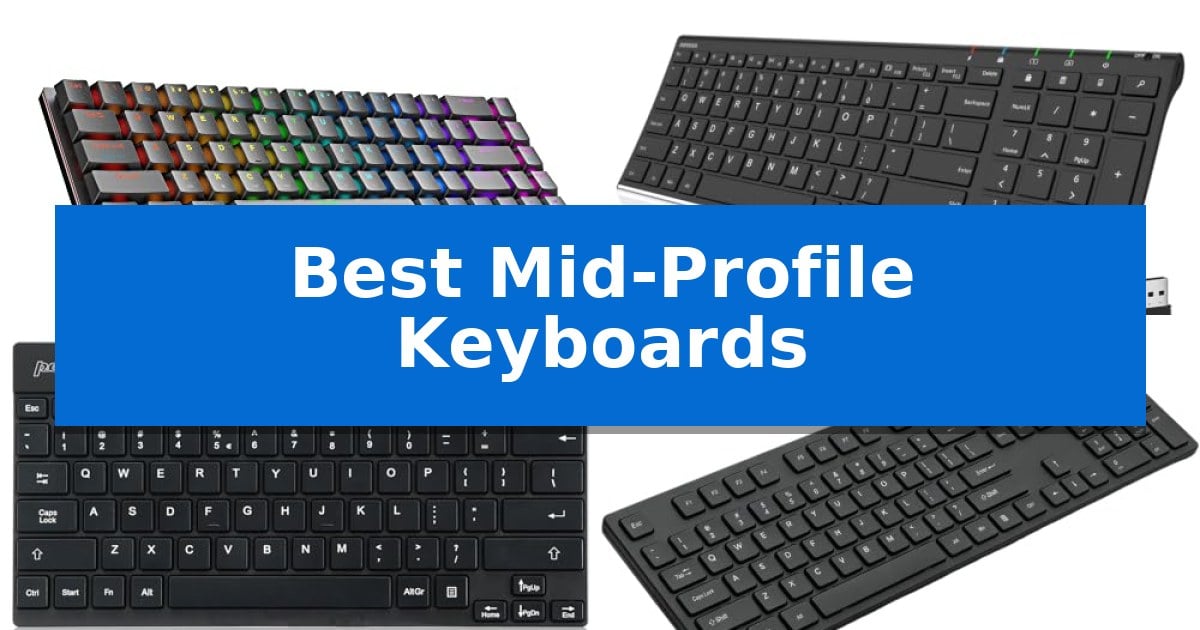
Finding the right balance between the long travel of traditional mechanical boards and the ultra-flat feel of laptop keys can be a challenge. Best Mid-Profile Keyboards offer a middle ground that provides tactile feedback without requiring excessive finger movement, making them ideal for both rapid typing and extended gaming sessions.
Whether you are looking for a sleek aluminum frame or a spill-resistant office workhorse, selecting the right profile can significantly impact your daily comfort and productivity. We have analyzed several models to help you understand which features align with your specific workspace needs.
You may also want to compare Best Mid-Priced Wireless Earbuds Under $100, Best Mid-Priced Wireless Earbuds, and Best Mid-Priced Wired Headphones.
Best Mid-Profile Keyboards
Quick Comparison
| Product | Best For | Key Strength | Score |
|---|---|---|---|
| Ranked G65 Guardian Mechanical Keyboard | Best Overall | Hot-swappable switch sockets for easy customization without soldering. | 4.9 |
| Arteck Stainless Steel Wireless Keyboard | Sleek Rechargeable Metal Build | Durable stainless steel construction provides a solid, premium feel. | 4.4 |
| Perixx PERIBOARD-426 Mini Keyboard | Compact Footprint for Minimalists | Compact and lightweight design fits easily into small workspaces or travel bags. | 4.8 |
| Sreiovy Ultra Slim Wired Keyboard | Spill-Resistant Office Essential | Spill-resistant design with integrated drain holes for added protection. | 4.8 |
| TwwTwwT Wired Keyboard and Mouse | Responsive Feedback for Daily Tasks | Space-saving narrow-bezel design for compact desks. | 4.6 |
How We Chose
- Key Travel and Tactile Feedback: Assessing the responsiveness and actuation feel of the switches.
- Build Material and Durability: Evaluating the chassis construction and keycap longevity.
- Connectivity and Compatibility: Checking for wired or wireless options and OS support.
- Ergonomic Features: Considering the layout, spill resistance, and adjustable angles.
- Space Efficiency: Measuring the footprint to ensure suitability for various desk sizes.
1 Ranked G65 Guardian Mechanical Keyboard — Premium Hot-Swappable Mechanical Feel
Achieving a balance between a slim aesthetic and mechanical responsiveness, the Ranked G65 Guardian Mechanical Keyboard utilizes a low-profile design to facilitate faster typing and gaming inputs. Its construction centers on a matte aluminum frame, which provides a rigid foundation that contributes to a deeper acoustic profile compared to standard plastic alternatives.
The keyboard features hot-swappable switch sockets, allowing users to replace or upgrade switches without the need for soldering. This flexibility is complemented by pre-lubed stabilizers, which are designed to reduce wire rattle during use. Internally, a 32-bit ARM processor handles inputs and macro execution, supporting customization through dedicated software.
For visual customization, the integrated RGB lighting system offers 16.8 million colors with five distinct backlight patterns. The keycaps are doubleshot, ensuring that the legends remain sharp over time. The unit connects via a detachable Type-C to Type-A cable, making it portable for travel or tournament use.
Compatibility extends to both Windows and Mac environments, though some key remapping may be required for optimal macOS integration. With its compact 65% layout and 68-key configuration, this keyboard is tailored for users looking to save desk space without sacrificing the tactile feedback of mechanical switches.
Best for: Users seeking a compact, hot-swappable mechanical keyboard with a slim profile for both gaming and office productivity.
Skip if: Users who require a full-sized layout with a dedicated number pad or those who prefer wireless connectivity.
PROS
- Hot-swappable switch sockets for easy customization without soldering.
- Full aluminum frame provides a solid, durable typing foundation.
- Low-profile design optimized for speed and desk aesthetics.
- Pre-lubed stabilizers to minimize unwanted wire noise.
CONS
- Wired-only connection limits desk placement flexibility.
- Software remapping may be necessary for full Mac OS compatibility.
2 Arteck Stainless Steel Wireless Keyboard — Sleek Rechargeable Metal Build
The Arteck Stainless Steel Wireless Keyboard provides a distinct heavy-duty feel through its stainless steel construction, balancing a slim profile with the inclusion of a full numeric keypad. This device is designed for users who prioritize a compact footprint without sacrificing the utility of a dedicated number pad for data entry tasks.
Connectivity is handled via a simple nano USB receiver, allowing for an immediate 2.4G wireless setup across Windows 11, 10, and 8 systems. The keyboard features low-profile keys engineered for quiet operation, which is beneficial for shared workspaces where noise reduction is a priority.
Portability and power management are central to its design, with the unit measuring 14.5 x 4.9 x 0.16 inches and weighing 12.7 ounces. The internal rechargeable lithium battery is rated for up to 6 months of use on a single charge, assuming a standard usage pattern of 2 hours per day, which minimizes the frequency of downtime for charging.
This model serves as a practical solution for those seeking a durable, minimalist aesthetic for their desk setup. It includes essential shortcuts for navigation and productivity, ensuring that the ultra-thin form factor does not limit core functionality for daily computing needs.
Best for: Users seeking a slim, rechargeable, and quiet wireless keyboard with a numeric keypad for Windows-based desktop or laptop setups.
Skip if: Users who require a mechanical switch feel, backlighting, or multi-device Bluetooth connectivity.
PROS
- Durable stainless steel construction provides a solid, premium feel.
- 6-month battery life reduces the need for frequent recharging.
- Ultra-thin and lightweight design saves desk space.
- Quiet low-profile keys suitable for office environments.
CONS
- 2.4G wireless only, lacking Bluetooth connectivity for tablets or mobile devices.
- Non-backlit keys may be difficult to use in low-light conditions.
3 Perixx PERIBOARD-426 Mini Keyboard — Compact Footprint for Minimalists
The Perixx PERIBOARD-426 Wired Mini Low Profile Keyboard serves as a specialized tool for users who need to maximize desk surface area without sacrificing essential typing utility. With a compact footprint measuring 10.87 by 5.43 inches and a lightweight build of 0.84 lb, this device is engineered for environments where space is at a premium, such as small home offices or crowded workstations.
Designed with a low profile key architecture, this keyboard features a short travel distance that facilitates a responsive and comfortable typing experience. The internal membrane switch mechanism provides a consistent tactile feel, making it a reliable choice for daily tasks. The unit is constructed from high-quality ABS material, ensuring durability for consistent use in both professional and personal settings.
Functionality is enhanced through the inclusion of built-in multimedia hot keys, which allow for rapid media control without the need to navigate through software interfaces. The keyboard utilizes a standard USB connection with a 4'9 foot cable, supporting a straightforward plug and play installation process for Windows 7, 8, and 10 systems. This setup eliminates the need for complex driver configurations, allowing users to integrate the device into their workflow immediately.
The Perixx PERIBOARD-426 is backed by a one-year limited warranty, providing support for the hardware. Its design prioritizes efficiency, making it a practical solution for those who require a minimalist setup that remains fully functional for standard computing needs.
Best for: Users who require a space-saving, compact keyboard for office or home setups with limited desk surface area.
Skip if: Users who prefer the distinct tactile feedback of mechanical switches or require a full-sized keyboard layout with a dedicated numeric keypad.
PROS
- Compact and lightweight design fits easily into small workspaces or travel bags.
- Low profile keys with short travel distance offer a responsive typing experience.
- Integrated multimedia hot keys provide convenient media control.
- Simple plug and play USB connectivity for immediate setup.
CONS
- Wired-only connection limits placement flexibility compared to wireless alternatives.
- Mini form factor lacks a dedicated numeric keypad, which may impact data entry tasks.
4 Sreiovy Ultra Slim Wired Keyboard — Spill-Resistant Office Essential
Maintaining a clean and functional workspace often starts with the hardware beneath your fingertips. The Sreiovy Ultra Slim Wired Keyboard addresses this by combining a low-profile, ultra-slim design with a spill-resistant structure featuring integrated bottom drain holes, ensuring that accidental liquid exposure does not compromise your equipment.
Designed for high-volume data entry and daily office tasks, this full-size 104-key layout provides a familiar typing experience. The keys are engineered for longevity, boasting a rating of up to 20 million keystrokes, which supports consistent use in demanding environments like schools, factories, or home offices.
Connectivity is handled via a 5FT USB cable, offering a reliable, plug-and-play solution that eliminates the need for battery management or wireless pairing concerns. Its compact dimensions of 17 by 5 inches ensure it fits easily onto crowded desks while maintaining a professional, streamlined aesthetic.
This keyboard is a practical choice for users who prioritize reliability and spill protection over advanced mechanical switches or wireless features. By focusing on essential productivity functions, it provides a stable interface for standard computing needs.
Best for: Office, school, and home environments where spill protection and a reliable, full-size wired connection are required.
Skip if: Users who require mechanical switches, wireless connectivity, or backlighting for low-light environments.
PROS
- Spill-resistant design with integrated drain holes for added protection.
- Full-size 104-key layout suitable for efficient data entry.
- 20 million keystroke lifespan for long-term durability.
- Plug-and-play USB connection with a generous 5FT cable.
CONS
- Wired-only connection limits desk placement flexibility.
- Membrane-style typing feel may not satisfy users seeking mechanical switch feedback.
5 TwwTwwT Wired Keyboard and Mouse — Responsive Feedback for Daily Tasks
The TwwTwwT Wired Keyboard and Mouse features a narrow-bezel design that prioritizes desk space efficiency while maintaining a full-size 104-key layout. This combination provides a practical solution for users who need a numeric keypad for data entry and spreadsheets without sacrificing significant workspace in home or office environments.
Designed for consistent daily use, the keyboard is rated for up to 20 million keystrokes and includes spill-resistant drain holes to help manage accidental liquid exposure. The inclusion of a kickstand allows for an adjustable typing angle, while the anti-slip feet ensure the unit remains stable during intensive document editing or research tasks.
The bundled mouse features an ambidextrous design with a 1200 DPI sensor and switches rated for 3 million clicks. Utilizing a high-performance chip, it is engineered to track across various surfaces. Both peripherals utilize 5 ft cables and offer USB plug-and-play connectivity, ensuring compatibility with Windows, Mac, and Linux systems without requiring additional software drivers.
This combo balances durability with functional simplicity. While the mid-profile keys offer responsive feedback, the wired nature of the devices ensures a constant connection, eliminating the need for battery management or wireless pairing concerns in a stationary workstation setup.
Best for: Users seeking a reliable, space-saving wired input solution for general office tasks, data entry, and home computing.
Skip if: Users who require wireless connectivity, mechanical switches, or specialized gaming features for their workstation.
PROS
- Space-saving narrow-bezel design for compact desks.
- Spill-resistant construction with integrated drain holes.
- Full-size layout including a dedicated numeric keypad.
- Plug-and-play USB connectivity for broad system compatibility.
CONS
- Wired-only connection limits cable-free desk management.
- Mid-profile keys may not satisfy users preferring mechanical or low-profile laptop-style switches.
Best Mid-Profile Keyboards Buying Guide
Understanding Key Profiles
The profile of a keyboard refers to the height of the keys and the distance they travel before registering a keystroke. Mid-profile keys are designed to reduce the strain associated with high-profile mechanical boards while providing more feedback than flat membrane alternatives.
Choosing the right profile often comes down to your primary use case. Gamers might prefer the faster actuation of low-profile switches, while office workers often prioritize the stability and familiar layout of a full-size mid-profile board.
Wired vs. Wireless Connectivity
Connectivity is a major factor in desk organization. Wired keyboards offer a reliable, latency-free connection that is perfect for competitive gaming or environments where battery management is a concern.
Conversely, wireless keyboards provide a clean, cable-free aesthetic. When choosing wireless, consider the battery life and the type of receiver, as some use dedicated USB dongles while others rely on Bluetooth for broader device compatibility.
Build Quality and Materials
The materials used in a keyboard's construction affect both its longevity and its sound profile. Aluminum frames often provide a more rigid, premium feel and a deeper acoustic signature compared to plastic housings.
Look for features like doubleshot keycaps, which ensure that the legends do not fade over time, and lubricated stabilizers to minimize rattling during intense typing sessions.
Ergonomics and Spill Protection
Long-term comfort is essential for anyone who spends hours at a computer. Features like adjustable kickstands allow you to set a typing angle that reduces wrist strain, while anti-slip feet keep the board stable.
For high-traffic environments like offices or schools, spill-resistant designs with built-in drain holes can prevent accidental liquid damage from ruining your hardware.
Layout and Size Considerations
The layout of your keyboard determines how much desk space you have left for your mouse. A 65% layout is excellent for minimalists who want to save space, whereas a full-size 104-key layout is necessary for those who rely on a dedicated numeric keypad for data entry.
Consider whether you need multimedia keys or programmable macros, as these can significantly speed up your workflow in professional or creative applications.
Frequently Asked Questions
What is the main benefit of a mid-profile keyboard?
Mid-profile keyboards provide a balance between the tactile satisfaction of mechanical switches and the speed of lower-profile keys, reducing finger travel distance while maintaining responsiveness.
Are hot-swappable switches worth it?
Yes, if you want the ability to customize your typing feel or replace a faulty switch without soldering, hot-swappable boards offer significantly more longevity and personalization.
Does the frame material affect typing?
Yes, aluminum frames generally offer a more solid, stable typing experience and can help dampen unwanted vibrations, leading to a more consistent sound profile.
Can I use a wired keyboard with a Mac?
Most USB-based keyboards are compatible with macOS, though you may need to remap certain keys or use software to ensure the function keys behave as expected.
How do I clean a spill-resistant keyboard?
While spill-resistant keyboards have drain holes to help liquid exit, they are not waterproof. Always disconnect the device before wiping it down and ensure it is completely dry before reconnecting.
Conclusion: Our Top Pick
When selecting from the available options, the Ranked G65 Guardian Mechanical Keyboard stands out for its combination of a durable aluminum frame, hot-swappable switches, and a compact 65% layout. It offers a premium feel that is well-suited for users who want a high-performance, customizable typing experience without the bulk of a traditional full-size board.
While other options like the Arteck or Sreiovy models provide excellent value for specific office needs, the Ranked G65 remains the top choice for those prioritizing build quality and switch flexibility. Please note that as a 65% board, it lacks a dedicated numeric keypad, so users who perform heavy data entry may need to consider an external number pad.