
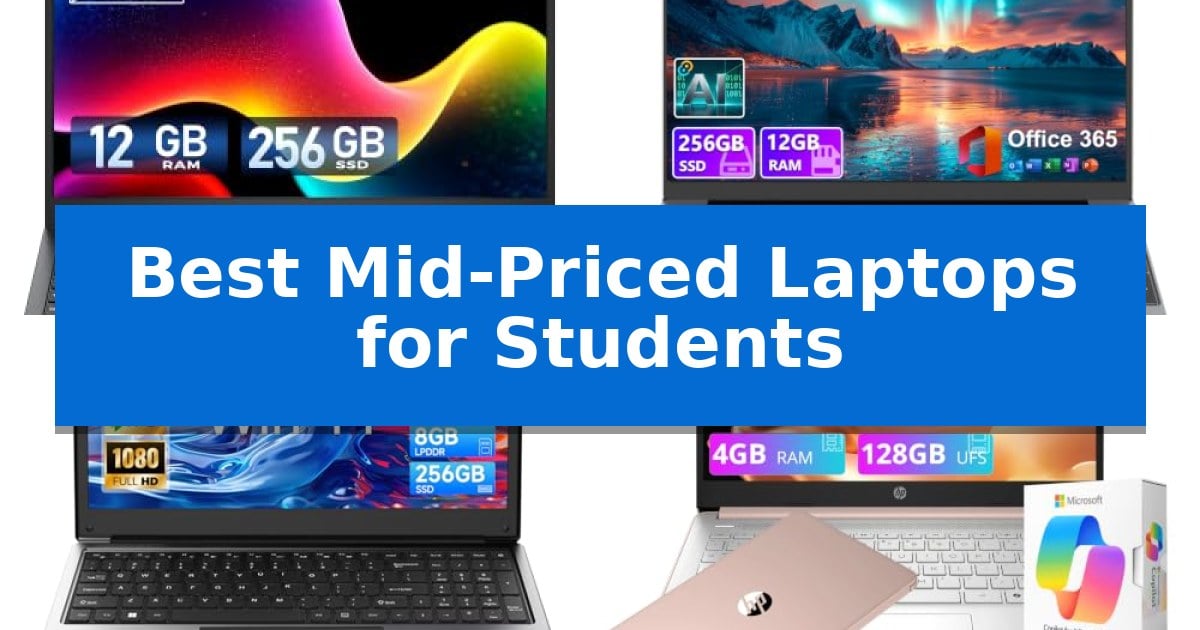
Navigating the academic landscape requires a reliable machine that can handle research, writing, and virtual collaboration without breaking the bank. Finding the Best Mid-Priced Laptops for Students often means balancing processing power with essential portability for long days on campus.
Our guide focuses on practical hardware specifications and design choices that directly impact your daily study routine. We have analyzed current market options to help you identify which features—from display quality to connectivity—are truly necessary for your specific educational needs.
You may also want to compare Best Mid-Priced Laptops for Gaming, Best Mid-Priced Laptops, and Best Mid-Priced Integrated Amplifier.
Best Mid-Priced Laptops for Students
Quick Comparison
| Product | Best For | Key Strength | Score |
|---|---|---|---|
| ZENSAUN Laptop | Best Overall | Fanless cooling system provides completely silent operation. | 4.9 |
| DRKAKO Student Laptop | Includes Office 365 | Pre-installed Office 365 subscription for immediate productivity. | 4.9 |
| Exilapsire Laptop | High-Speed AMD Performance | 16-inch Full HD IPS display with anti-glare coating for comfortable viewing. | 4.5 |
| HP Stream Laptop | Built-in AI Copilot | AI Copilot integration for automated study assistance. | 4.6 |
| Phatom Laptop | Lightweight Portable Design | Lightweight 3.46 lb design for easy portability. | 4.5 |
How We Chose
- Processor efficiency and RAM capacity for multitasking
- Display resolution and panel type for study ergonomics
- Portability metrics including weight and physical dimensions
- Connectivity options for peripheral and external display support
- Battery capacity and power management features
1 ZENSAUN Laptop — Quiet Fanless Design
The ZENSAUN Laptop distinguishes itself through a completely fanless cooling system, ensuring silent operation that is particularly advantageous for students working in quiet environments like libraries or late-night study sessions. This design choice eliminates the mechanical noise and potential dust accumulation associated with traditional cooling fans, providing a consistent, distraction-free workspace.
Equipped with a Pentium Gold 6500Y processor and 12GB of RAM, this device is configured to handle everyday academic multitasking, such as managing multiple browser tabs, document editing, and participating in video calls. The inclusion of a 256GB SSD facilitates rapid boot times and responsive file access, which helps maintain productivity during tight deadlines.
The 15.6-inch 1080P FHD IPS anti-glare display provides wide viewing angles and clear text, reducing eye strain during extended periods of research or online coursework. With a slim 0.8-inch profile and a weight of 3.5 lbs, the laptop balances screen real estate with the portability required for moving between classrooms and coffee shops.
Connectivity is a primary focus, featuring a comprehensive array of ports including 2x USB 3.2, a full-function USB C port, an HDMI output, and a TF card slot. This eliminates the need for external dongles when connecting to projectors, external monitors, or peripheral storage devices. The unit is supported by a 1-year manufacturer warranty.
Best for: Students and professionals requiring a silent, portable, and well-connected laptop for everyday academic and business tasks.
Skip if: Users who require high-performance computing for intensive tasks like video editing, 3D rendering, or modern gaming, as the Pentium Gold processor is optimized for efficiency rather than heavy workloads.
PROS
- Fanless cooling system provides completely silent operation.
- 12GB of RAM supports efficient multitasking for student applications.
- Comprehensive port selection includes USB-C, USB 3.2, and HDMI without requiring dongles.
- 1080P FHD IPS anti-glare screen minimizes eye strain.
CONS
- 6-hour battery life may require access to power outlets during long days on campus.
- Pentium Gold 6500Y processor is limited to light-to-moderate productivity tasks.
2 DRKAKO Student Laptop — Includes Office 365
The DRKAKO Student Laptop streamlines academic workflows by including a one-year subscription to Office 365, providing immediate access to essential tools like Word, Excel, and PowerPoint. This device is specifically configured for students who need a reliable machine for drafting essays, organizing spreadsheets, and managing presentations without the need for additional software purchases.
Equipped with a J4105 quad-core processor and 12GB of DDR4 RAM, this laptop handles everyday academic tasks such as web research, online lectures, and document creation with ease. The 256GB SSD ensures fast boot times and responsive file access, while the storage remains flexible with support for expansion up to 2TB via SSD or 1TB through a microSD card.
The 15.6-inch FHD IPS display features a 1920×1080 resolution and ultra-narrow bezels, creating an expansive workspace for reading research papers or streaming educational content. Its 180-degree lay-flat hinge design is particularly useful for collaborative group projects, allowing the screen to be shared easily among peers during study sessions.
Designed for portability, the unit weighs 3.7 lbs and measures 0.79 inches thin, making it a practical companion for carrying between classrooms and libraries. Connectivity is well-supported by dual-band Wi-Fi 5, USB 3.2, and a versatile USB-C port that handles data, video output, and charging, ensuring compatibility with a wide range of modern peripherals.
Best for: Students requiring a budget-friendly, portable device with pre-installed productivity software for coursework and research.
Skip if: Users who require high-performance hardware for intensive tasks like video editing, 3D rendering, or high-end gaming.
PROS
- Pre-installed Office 365 subscription for immediate productivity.
- Expandable storage options up to 2TB SSD or 1TB microSD.
- 180-degree lay-flat hinge for easy screen sharing.
- Versatile USB-C port supporting data, video, and charging.
CONS
- Limited processing power suited primarily for basic academic tasks.
- 6-hour battery life may require access to power during long school days.
3 Exilapsire Laptop — High-Speed AMD Performance
Balancing academic requirements with a budget often leads students to seek hardware that prioritizes essential functionality over unnecessary extras. The Exilapsire Laptop addresses this by pairing an AMD A9-9400 processor with a 16-inch Full HD IPS display, providing a clear, wide-screen workspace for document editing and research.
Performance for daily coursework is supported by 8GB of RAM and a 256GB SSD, which facilitate quick transitions between web browsing and productivity applications. The inclusion of a 9000mAh battery aims to provide extended usage time, while the dual-band Wi-Fi 5 and Bluetooth 5.0 connectivity ensure stable connections for online classes and peripheral pairing.
Design-wise, the device maintains a slim profile at 0.75 inches in height and a weight of 3 pounds, making it portable enough for transport between classrooms or study sessions. The chassis includes a versatile port selection, featuring USB 3.0, Type-C, and HDMI outputs, allowing for easy integration with external monitors or storage drives.
This model is built to handle standard student workloads, from managing multimedia content to multitasking through various school projects. With a one-year limited warranty included, it offers a straightforward solution for those who need a reliable, dedicated machine for their educational journey.
Best for: Students who need a lightweight, budget-conscious laptop for essential coursework, document editing, and web-based research.
Skip if: Users who require high-performance computing for intensive tasks like video editing, 3D rendering, or modern gaming.
PROS
- 16-inch Full HD IPS display with anti-glare coating for comfortable viewing.
- Portable design weighing only 3 pounds for easy transport.
- Comprehensive connectivity including USB Type-C and HDMI ports.
CONS
- AMD A9 processor is limited to basic productivity tasks.
- 256GB SSD may require external storage for large media collections.
4 HP Stream Laptop — Built-in AI Copilot
The HP Stream 14" HD Student&Business Laptop integrates an AI Copilot directly into the operating system, providing automated assistance for document editing, research, and content creation tasks. This feature is designed to streamline the academic workflow, allowing students to leverage smart tools for daily assignments and project management.
Equipped with an Intel Processor N150 and 4GB LPDDR5 RAM, this device is configured for stable performance during web browsing, online learning, and media streaming. The inclusion of 128GB UFS storage promotes faster boot times compared to traditional mechanical drives, while the 1TB cloud storage allocation provides a scalable solution for managing large digital libraries without local hardware constraints.
The laptop features a 14-inch HD anti-glare display housed in a chassis measuring 0.7 inches thick and weighing 3.09 lbs. Connectivity options include Wi-Fi 6 for improved network stability, a USB Type-C port, two USB Type-A ports, and an HDMI 1.4b output for external monitor support. These physical interfaces ensure compatibility with standard classroom peripherals and presentation hardware.
To support immediate academic productivity, the package includes a 1-year Microsoft 365 subscription. This provides access to essential office software, ensuring that students have the necessary tools for word processing and data management out of the box. The Intel Graphics integrated into the system handles standard video playback and light creative applications, balancing efficiency with functional display output.
Best for: Students requiring a portable, cloud-integrated device for web-based research, document writing, and online coursework.
Skip if: Users who require high-performance hardware for intensive video editing, 3D rendering, or running complex, resource-heavy software suites.
PROS
- AI Copilot integration for automated study assistance.
- 1TB cloud storage included for extensive file management.
- Wi-Fi 6 support for reliable connectivity in campus environments.
- Portable design weighing approximately 3.09 lbs.
CONS
- 4GB RAM may limit multitasking capacity for heavy users.
- 128GB UFS storage provides limited space for large local software installations.
5 Phatom Laptop — Lightweight Portable Design
Navigating academic demands requires a reliable machine that balances portability with essential functionality. The Phatom Laptop addresses this need with a lightweight 3.46 lb chassis and a 0.76-inch thin profile, making it a practical choice for students moving between classrooms, libraries, and home study spaces.
At the heart of this device is a Core M3 processor, which provides the necessary power for everyday school tasks including document creation, spreadsheet management, and web-based research. The 15.6-inch Full HD IPS display offers a 1920×1080 resolution, ensuring that notes, presentations, and online lessons remain clear and easy to read during long study sessions.
Storage and connectivity are tailored for student workflows. The system includes a 128GB SSD for quick file access, with the flexibility to expand storage up to 2TB if project requirements grow. Connectivity options are comprehensive, featuring USB 3.0 Type-A ports, a USB-C port for charging, and an HDMI 1.4 output for connecting to external monitors or projectors in a classroom setting.
Designed for the modern student, the laptop includes a 2.0MP webcam and dual microphones to facilitate clear video calls and online classes. The inclusion of dual-band Wi-Fi and Bluetooth 5.0 ensures stable connections, while the internal cooling fan helps maintain system stability during extended periods of use.
Best for: Students requiring a lightweight, portable laptop for essential coursework, web research, and online classes.
Skip if: Users needing high-performance hardware for intensive video editing, 3D rendering, or demanding gaming applications.
PROS
- Lightweight 3.46 lb design for easy portability.
- Full HD 1080P IPS display provides clear visuals for study materials.
- Expandable storage up to 2TB via M.2 2280 SATA SSD.
- Versatile connectivity including USB-C, HDMI, and dual-band Wi-Fi.
CONS
- Core M3 processor is limited to entry-level tasks.
- 4GB DDR3 memory may restrict multitasking capabilities.
Best Mid-Priced Laptops for Students Buying Guide
Processor and Memory Requirements
The processor serves as the brain of your laptop, determining how quickly you can switch between research tabs, word processors, and video conferencing software. For most students, a balanced chip provides enough speed for daily tasks without the high power consumption of enthusiast-grade hardware.
RAM is equally critical for a smooth experience. Having at least 8GB to 12GB of memory allows you to keep multiple applications open simultaneously. This prevents the system slowdowns that often occur when juggling heavy PDFs, browser windows, and note-taking apps during lectures.
Display Quality and Eye Comfort
Since you will likely spend hours reading digital textbooks and writing essays, the display is one of the most important components. Look for Full HD (1920×1080) resolution to ensure text remains sharp and legible, which helps reduce eye strain.
IPS technology is a preferred feature because it provides wider viewing angles and more consistent color reproduction. This is particularly useful when collaborating on group projects or sharing your screen during study sessions in libraries or common areas.
Portability and Build Design
A student laptop needs to be easy to transport across campus. Weight is a primary factor; models weighing under 4 pounds are generally comfortable to carry in a backpack for extended periods.
Consider the physical profile of the device as well. A slim design not only saves space in your bag but often indicates a more modern, travel-friendly construction. Some models even feature fanless cooling designs, which eliminate noise and are perfect for quiet library environments.
Connectivity and Peripheral Support
The ability to connect to external monitors, projectors, and storage drives is essential for academic presentations and data management. A variety of ports, including USB-C, USB 3.2, and HDMI, ensures you can connect your devices without relying on external dongles.
Check for additional slots like TF or microSD card readers, which provide an easy way to expand storage or transfer files from cameras and other mobile devices. Reliable Wi-Fi and Bluetooth connectivity are also non-negotiable for staying synced with online learning platforms.
Battery Life and Power Efficiency
Academic schedules often involve moving between classrooms where power outlets may not be readily available. A laptop with a high-capacity battery provides the freedom to work from anywhere without constant charging anxiety.
Look for devices that balance performance with power efficiency. Features like low-power processors and optimized operating systems help extend your runtime, ensuring your laptop stays powered through a full day of classes and study sessions.
Frequently Asked Questions
How much RAM do I really need for college?
For most students, 8GB to 12GB of RAM is sufficient to handle standard academic workloads, including web browsing, document editing, and video streaming.
Is a fanless laptop better for students?
Yes, a fanless design is ideal for students because it operates silently, making it perfect for use in quiet environments like libraries or during late-night study sessions.
Why is an IPS display important?
An IPS display offers better color accuracy and wider viewing angles compared to standard panels, which makes reading text and viewing images more comfortable over long periods.
Can I connect my laptop to a projector?
Most modern student laptops include HDMI or USB-C ports, which are the standard interfaces for connecting to projectors and external monitors for presentations.
What is the benefit of an SSD over a traditional hard drive?
An SSD (Solid State Drive) provides significantly faster boot times and quicker file access, which helps your laptop feel responsive and snappy during daily use.
Conclusion: Our Top Pick
Choosing the right laptop depends on your specific academic needs, but prioritizing performance, portability, and connectivity will ensure you have a reliable tool for your studies. Based on our analysis, the ZENSAUN Laptop stands out as a versatile choice for students who require a quiet, efficient, and well-connected device for their daily campus life.
With its fanless design, ample 12GB RAM, and comprehensive port selection, it addresses the most common challenges students face. While individual needs for storage or specialized software may vary, this model provides a balanced foundation for most academic tasks.