
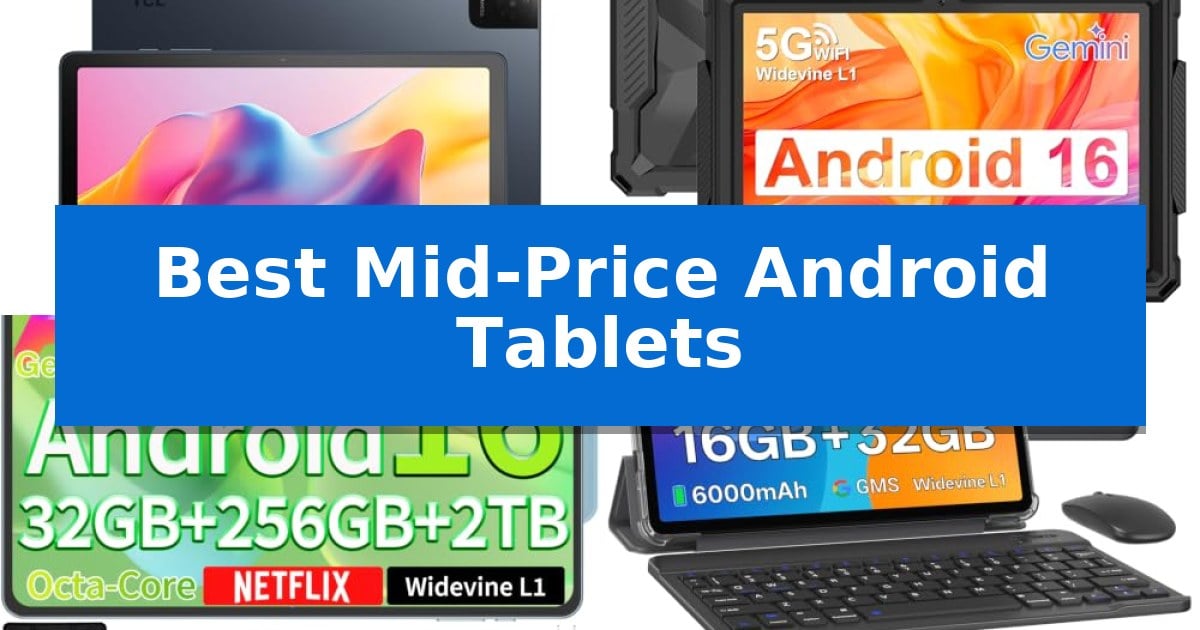
Finding the right balance between performance and cost can be challenging when shopping for a new device. The Best Mid-Price Android Tablets offer a compelling middle ground, providing enough power for daily tasks like streaming, document management, and light multitasking without the premium price tag of flagship models.
Whether you are a student needing a reliable companion for class notes, a professional managing emails on the go, or a family looking for an entertainment hub, these tablets deliver essential features. We have analyzed the latest options to help you identify which device best aligns with your specific usage requirements and budget constraints.
You may also want to compare Best Mid-Performance Laptop, Best Mid-Level Subwoofers, and Best Mid-Level Studio Headphones.
Best Mid-Price Android Tablets
Quick Comparison
| Product | Best For | Key Strength | Score |
|---|---|---|---|
| TCL TAB 10 Gen 4 | Best Overall | 10.1-inch FHD display with NXTVISION enhancement. | 4.9 |
| EHFiDC E10L Pro | Durable Design for Active Users | Widevine L1 certification for high-quality video streaming. | 4.7 |
| Suicoey T901 | Complete Productivity Bundle | Complete bundle includes keyboard, mouse, stylus, and case. | 4.7 |
| EDUAITABLET 1061DGY | Versatile 2-in-1 Study Companion | Complete 2-in-1 bundle including keyboard, mouse, and stylus. | 4.3 |
| TECLAST P35 | Reliable Daily Multitasking | Widevine L1 support for high-definition streaming on major platforms. | 4.6 |
How We Chose
- Display resolution and panel technology for clarity during media consumption.
- Processor efficiency and RAM capacity for smooth application switching.
- Battery longevity and charging speed for reliable mobile performance.
- Storage capacity and expansion options for managing files and media.
- Build quality and portability for comfortable long-term use.
1 TCL TAB 10 Gen 4 — Best for Immersive FHD Streaming
The TCL TAB 10 Gen 4 centers its experience around a 10.1-inch IPS FHD display, utilizing a 1920×1200 resolution that prioritizes visual clarity for streaming and reading. This tablet distinguishes itself with TCL NXTVISION technology, which actively enhances picture quality, paired with a dual-speaker system featuring a Sound Booster capable of increasing volume by up to 200% for more immersive audio output.
Engineered for daily productivity and entertainment, the device runs on an octa-core processor optimized by TCL NXTURBO software to manage heat and power consumption effectively. With 4GB of physical RAM and an additional 8GB of virtual RAM expansion, the tablet maintains responsiveness during multitasking, whether you are managing emails or switching between educational apps. The 128GB of internal storage provides ample space, further supported by a microSD slot that accommodates cards up to 1TB.
Portability is a core design focus, as the TCL TAB 10 Gen 4 features a slim 7.55mm profile and a lightweight unibody metal construction weighing only 395g. This build quality ensures the device remains durable for commutes or travel while maintaining a refined aesthetic. The 6000mAh battery supports 18W fast charging, allowing users to minimize downtime when away from power outlets.
Family-oriented features include integrated Kids Space and Google Family Link, providing parents with tools to manage screen time and filter content. The inclusion of an Eye Comfort mode and a 3.5mm headphone jack adds practical utility for students and readers alike. Connectivity is handled via Wi-Fi 5 and Bluetooth 5.1, ensuring reliable links for video calls using the 5MP front-facing camera.
Best for: Families and students seeking an affordable, portable tablet for streaming media and light productivity tasks.
Skip if: Users requiring high-performance hardware for intensive gaming or professional-grade creative software will find the processor and RAM configuration limiting.
PROS
- 10.1-inch FHD display with NXTVISION enhancement.
- Expandable storage up to 1TB via microSD card.
- Lightweight metal design weighing only 395g.
- Integrated parental controls via Kids Space and Family Link.
CONS
- Sound Booster feature is disabled when using headphones.
- Fast charging adapter is not included in the box.
2 EHFiDC E10L Pro — Durable Design for Active Users
Finding a reliable device for daily tasks shouldn't require a premium investment. The EHFiDC E10L Pro provides a versatile foundation for both productivity and entertainment, centered around a 10.1-inch HD eye protection display that utilizes low blue light technology to minimize strain during extended sessions.
Performance is driven by a 2.2GHz octa-core processor paired with 32GB of RAM, ensuring smooth multitasking across applications. The tablet runs on the Android 16 operating system, which includes integrated Gemini AI to assist with document editing, information searches, and Q&A tasks. For media consumption, the device is Widevine L1 certified, supporting high-definition streaming on major platforms.
Storage constraints are addressed through 128GB of internal capacity, which can be further expanded by up to 2TB via microSD card. The 6000mAh battery is rated for up to 10 hours of use and supports 18W fast charging to reduce downtime. Connectivity is managed via 5G WiFi, and the package includes a 360° rotatable shock-proof EVA case for added durability.
The tablet is equipped with a 2MP front camera and an 8MP rear camera for video calls and casual photography. Parents can utilize Family Link to manage usage time and app access, making the device suitable for shared household environments. It also comes with a 2-year warranty to support long-term operation.
Best for: Users seeking an affordable, durable tablet for media streaming, light multitasking, and family-friendly use.
Skip if: Users requiring high-performance gaming capabilities or professional-grade creative software will find the hardware limitations of this entry-level processor restrictive.
PROS
- Widevine L1 certification for high-quality video streaming.
- Expandable storage up to 2TB via microSD card.
- Includes a durable, rotatable EVA shock-proof case.
- Android 16 with integrated Gemini AI tools.
CONS
- Basic camera resolution (2MP/8MP) limits photography and high-end video conferencing quality.
- Entry-level processor may struggle with intensive gaming or heavy professional workloads.
3 Suicoey T901 — Complete Productivity Bundle
The Suicoey T901 distinguishes itself as a comprehensive productivity solution by including a keyboard, mouse, stylus, and protective case in a single bundle, making it ready for immediate use. This 10-inch tablet is built around the T606 octa-core processor, providing the necessary foundation for multitasking across work and study applications.
Equipped with Android 16 and integrated Gemini AI, the device offers intelligent features such as text translation, note summarization, and task organization. The 10-inch HD IPS display supports Widevine L1, ensuring compatibility for high-definition streaming from major platforms, while the dual stereo speakers enhance the overall media experience.
Storage and power are key considerations for mobile users; this tablet provides 32GB of internal storage, which is expandable up to 2TB via Micro SD card, and is powered by an 8000mAh battery. Connectivity is supported through 5G WiFi and Bluetooth 5.0, facilitating stable network connections and peripheral pairing.
The transition between tablet and PC modes allows for versatile operation, whether for lightweight office tasks or academic coursework. With its dual-camera setup and smart lens capabilities for object recognition, the Suicoey T901 serves as a functional tool for those seeking an all-in-one mobile office kit.
Best for: Students, office workers, and seniors who require a complete, out-of-the-box mobile computing solution with included peripherals.
Skip if: Users who require high-end processing power for intensive gaming or professional-grade video editing will find the T606 chipset and 1280×800 resolution insufficient.
PROS
- Complete bundle includes keyboard, mouse, stylus, and case.
- Expandable storage up to 2TB via Micro SD card.
- Widevine L1 support for HD streaming content.
- Large 8000mAh battery for extended usage.
CONS
- Lower screen resolution (1280×800) compared to premium tablets.
- Entry-level processor limits performance for demanding applications.
4 EDUAITABLET 1061DGY — Versatile 2-in-1 Study Companion
The EDUAITABLET 1061DGY simplifies mobile workflows by including a comprehensive 2-in-1 bundle that features a portable keyboard, mouse, and stylus right out of the box. This 10.1-inch device is built for users who need an immediate transition between tablet-based media consumption and laptop-style productivity for study or travel.
Equipped with a penta-core processor and the Android 16 operating system, this tablet prioritizes multitasking efficiency and updated privacy controls. The 10.1-inch IPS display supports Widevine L1 certification, which enables high-definition streaming on major platforms, providing a theater-like experience in a compact, 1.2-pound frame.
Storage and connectivity are central to its design, offering 16GB of RAM (4GB physical plus 12GB virtual) and internal storage that is expandable up to 1TB via microSD card. Users benefit from modern wireless standards, including Wi-Fi 6 for dual-band connectivity and Bluetooth 5.4, ensuring stable links to peripherals and networks.
Power management is handled by a 6000mAh battery rated for up to 6 hours of continuous video playback. The inclusion of a protective case, pre-applied screen protector, and a dedicated tablet stand makes this an accessible, all-in-one solution for those seeking a functional, mid-price mobile setup.
Best for: Students and travelers who require an all-in-one, ready-to-use bundle for light productivity and media streaming.
Skip if: Users who require high-performance hardware for intensive gaming or professional-grade creative software will find the processor and storage limitations restrictive.
PROS
- Complete 2-in-1 bundle including keyboard, mouse, and stylus.
- Widevine L1 support for high-definition streaming.
- Expandable storage up to 1TB via microSD card.
- Modern connectivity with Wi-Fi 6 and Bluetooth 5.4.
CONS
- Limited battery life of up to 6 hours for video playback.
- Base internal storage is relatively low at 32GB.
5 TECLAST P35 — Reliable Daily Multitasking
Finding a balance between cost and capability is essential when selecting a portable device for daily tasks. The TECLAST P35 addresses this by integrating a 10.1-inch HD IPS display with a Unisoc T7200 octa-core processor, providing a functional foundation for web browsing, streaming, and light multitasking.
This tablet distinguishes itself in the Best Mid-Price Android Tablets category by offering Widevine L1 DRM support, which enables high-definition playback on major streaming services—a feature often absent in budget-focused hardware. The device runs a clean version of Android 16, ensuring a straightforward interface without pre-installed bloatware.
For productivity and storage, the TECLAST P35 utilizes 3GB of physical RAM supplemented by 13GB of virtual expansion to manage app transitions. Users can store media and documents on the 32GB internal drive, which is further expandable up to 2TB via a TF card slot, making it a flexible option for those who carry large libraries of offline content.
Designed for versatility, the tablet includes a 6000mAh battery rated for 10-12 hours of video playback. Practical additions like a 3.5mm headphone jack, dual-band WiFi, and a dedicated Kids Mode with parental controls make the unit suitable for shared household use, while the inclusion of GPS and BDS positioning adds utility for navigation.
Best for: Users seeking an affordable, GMS-certified tablet for HD streaming, light productivity, and family-friendly use.
Skip if: Power users or gamers requiring high-performance chipsets, intensive multitasking capabilities, or large internal storage capacities out of the box.
PROS
- Widevine L1 support for high-definition streaming on major platforms.
- Clean Android 16 software with no pre-installed bloatware or ads.
- Extensive storage expansion via TF card slot supporting up to 2TB.
- Dual-band WiFi and GPS integration for reliable connectivity and navigation.
CONS
- Limited 32GB internal storage requires external cards for significant media libraries.
- 3GB physical RAM may limit performance during heavy multitasking.
Best Mid-Price Android Tablets Buying Guide
Display Quality and Viewing Experience
The display is the primary interface for any tablet, making resolution and panel type critical. Look for Full HD (FHD) resolution or higher to ensure text remains sharp and videos appear clear. Features like IPS technology provide wider viewing angles, which is essential if you share the screen with family members or colleagues.
Consider whether the device supports Widevine L1 certification, which is necessary for streaming high-definition content from platforms like Netflix or Prime Video. Without this, your streaming quality may be limited to standard definition regardless of the screen's native resolution.
Processing Power and Multitasking
For a smooth experience, the processor and RAM work in tandem to handle your apps. An octa-core CPU is standard in this category and generally sufficient for browsing, video calls, and office productivity. Pay attention to the RAM capacity, as higher amounts allow you to keep more apps open simultaneously without the system slowing down.
Many modern tablets now include virtual RAM expansion, which uses a portion of your storage to boost multitasking capabilities. While this does not replace physical RAM, it can help maintain performance when running multiple background processes.
Battery Life and Charging Efficiency
A tablet's utility is tied to its battery capacity, typically measured in milliampere-hours (mAh). A 6000mAh battery or larger is recommended for users who plan to use their device throughout the day for school or work. This capacity generally supports several hours of continuous video playback or web browsing.
Check for fast charging support, such as 18W charging, which significantly reduces the time you spend tethered to a wall outlet. Keep in mind that some manufacturers may not include a fast charger in the box, so verify the included accessories before purchasing.
Storage and Expandability
Internal storage fills up quickly with apps, photos, and offline media. While 128GB is a solid starting point, the ability to expand storage via a microSD card slot is a major advantage. Many of these tablets support cards up to 1TB, offering a cost-effective way to store large collections of files.
If you plan to store many high-resolution photos or downloaded videos, prioritize a device that explicitly lists high-capacity microSD support. This flexibility ensures your tablet remains useful even as your storage needs grow over time.
Build and Portability
The physical design affects how comfortable the device is to hold or carry. Metal unibody construction often provides a more durable and premium feel compared to plastic alternatives. Additionally, a slim profile and low weight are vital if you commute frequently or carry the tablet in a backpack.
Consider the inclusion of useful ports, such as a 3.5mm headphone jack for private listening and USB-C for modern charging and data transfer. These small hardware details can greatly enhance the overall convenience of your daily routine.
Frequently Asked Questions
Can these tablets replace a laptop?
These tablets are excellent for light productivity tasks like email, document editing, and web browsing. However, they may not replace a full laptop for specialized software or heavy-duty multitasking.
What is Widevine L1 and why does it matter?
Widevine L1 is a security certification that allows tablets to stream high-definition content from services like Netflix. Without it, you are often restricted to lower-quality video playback.
Is virtual RAM the same as physical RAM?
No, virtual RAM uses your storage space to act as temporary memory. It helps with multitasking but is generally slower than physical RAM.
Do these tablets support parental controls?
Yes, most modern Android tablets include features like Google Family Link and dedicated Kids Spaces, allowing parents to manage screen time and filter content.
Are keyboards included with these tablets?
Some models are sold as bundles with keyboards and mice, while others are sold as standalone tablets. Always check the product description to see if accessories are included in your specific package.
Conclusion: Our Top Pick
After reviewing the available options, the TCL TAB 10 Gen 4 stands out as the most well-rounded choice for most users. Its combination of a high-resolution FHD display, reliable octa-core performance, and a durable metal design makes it a versatile tool for both entertainment and light work.
While other models offer specific advantages like included keyboard bundles, the core display quality and software optimization of the TCL TAB 10 Gen 4 provide the most consistent experience for families, students, and professionals alike.