
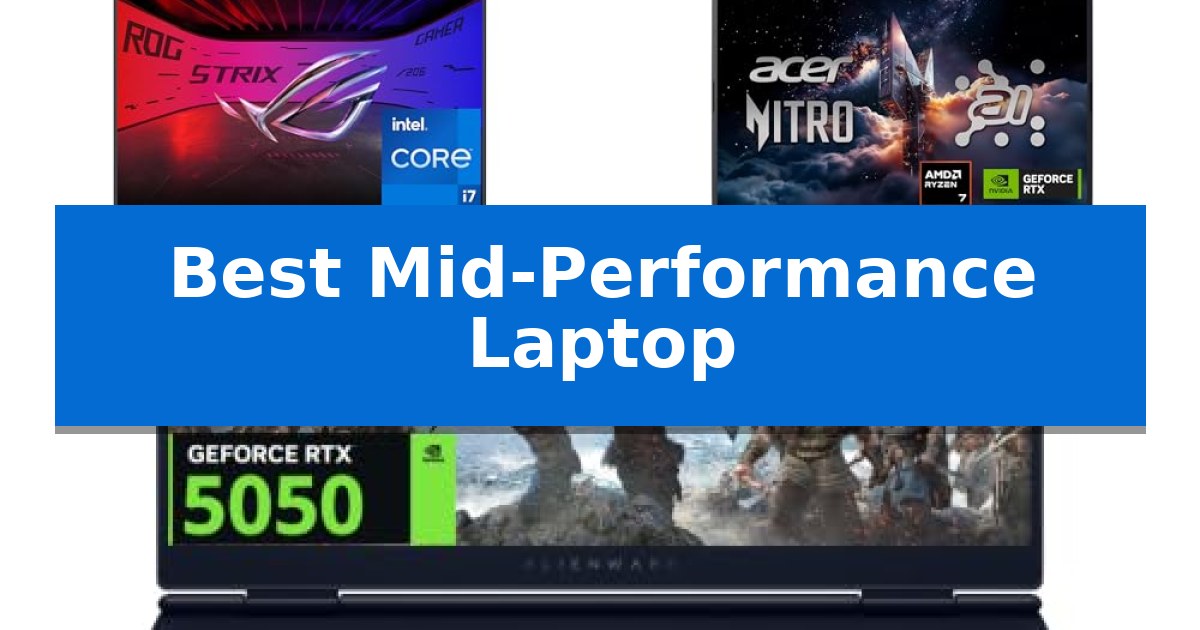
Finding a reliable machine that handles both demanding creative software and modern gaming without breaking the bank is a common challenge. You need a device that balances processing power, thermal management, and display quality to ensure your workflow remains smooth and your entertainment stays immersive.
We have analyzed the current market to identify the Best Mid-Performance Laptop options available today. By focusing on hardware specifications like processor efficiency, dedicated graphics capabilities, and display fidelity, we have narrowed down the choices to help you find a machine that fits your specific needs without unnecessary complexity.
You may also want to compare Best Mid-Level Subwoofers, Best Mid-Level Studio Headphones, and Best Mid-Level Point and Shoot Camera.
Best Mid-Performance Laptop
Quick Comparison
| Product | Best For | Key Strength | Score |
|---|---|---|---|
| ASUS ROG Strix G16 Gaming Laptop | Best Overall | Advanced ROG Intelligent Cooling with liquid metal for sustained performance. | 4.9 |
| Acer Nitro V 16S Gaming Laptop | AI-Enhanced Efficiency for Creators | AI-Powered Performance via AMD Ryzen 7 260 and NVIDIA RTX 5060 GPU. | 4.5 |
| Dell Alienware Aurora 16 Gaming Laptop | Reliable Multitasking for Daily Use | High-bandwidth 16GB DDR5 RAM for responsive multitasking. | 4.8 |
How We Chose
- Processing capability and multitasking efficiency through current-generation CPU and RAM specifications.
- Graphics performance for gaming and creative rendering tasks.
- Display quality, focusing on refresh rates, color coverage, and resolution.
- Thermal management and cooling solutions to maintain consistent performance under load.
- Connectivity options and port selection for peripheral integration.
1 ASUS ROG Strix G16 Gaming Laptop — Balanced Power for Modern Gaming
Finding a Best Mid-Performance Laptop that balances thermal management with processing capability is essential for users who demand consistent power during intensive workflows. The ASUS ROG Strix G16 (2025) Gaming Laptop addresses this by integrating an advanced ROG Intelligent Cooling system, which features an end-to-end vapor chamber, tri-fan technology, and Conductonaut extreme liquid metal to maintain efficiency during sustained workloads.
At the heart of this machine lies an Intel Core i7 Processor 14650HX paired with an NVIDIA GeForce RTX 5060 Laptop GPU. This hardware combination leverages DLSS 4 and Max-Q technologies to handle modern graphical demands effectively. Multitasking is supported by 16GB of DDR5-5600MHz memory, while the 1TB PCIe Gen 4 SSD ensures rapid data access for large files and applications.
The visual experience is centered on a 165Hz FHD+ 16:10 display treated with a specialized ACR film. This coating is specifically engineered to enhance contrast and minimize glare, providing a clear viewing experience for both gaming and creative tasks. The high refresh rate supports fluid motion, making it a versatile choice for users who switch between productivity and entertainment.
Design utility is highlighted by a 360° RGB light bar that integrates with peripherals for a cohesive aesthetic. For professional environments, the laptop includes a dedicated Stealth Mode, allowing users to disable all lighting instantly. This feature provides a refined, understated appearance without requiring any compromise to the internal hardware performance.
Best for: Gamers and creators who require a balance of high-end thermal management and modern processing power for demanding applications.
Skip if: Users who require a lightweight, ultra-portable device, as this model weighs approximately 5.84 pounds and is built for stationary performance.
PROS
- Advanced ROG Intelligent Cooling with liquid metal for sustained performance.
- 165Hz FHD+ display with anti-glare ACR film.
- Wi-Fi 7 connectivity for high-speed networking.
- Customizable 360° RGB light bar with a dedicated Stealth Mode.
CONS
- Substantial weight of 5.84 pounds may limit portability for some users.
2 Acer Nitro V 16S Gaming Laptop — AI-Enhanced Efficiency for Creators
The Acer Nitro V 16S Gaming Laptop distinguishes itself with a specialized AMD Ryzen 7 260 CPU that delivers up to 38 AI Overall TOPS, providing a foundation for both demanding gaming sessions and AI-accelerated creative workflows. This machine is built to handle intensive tasks while maintaining a focus on high-fidelity visual output.
Equipped with the NVIDIA GeForce RTX 5060 Laptop GPU featuring Blackwell architecture, the system utilizes 572 AI TOPS to drive advanced ray tracing and neural rendering. The integration of DLSS 4 with Multi Frame Generation and fifth-generation Tensor Cores allows for enhanced frame rates and image reconstruction, ensuring fluid performance during complex graphical sequences.
Visual clarity is managed by a 16-inch WUXGA 1920 x 1200 display that covers 100% of the sRGB color gamut, making it suitable for color-accurate work. The 180Hz refresh rate supports fast-paced motion, reducing blur during rapid action. The chassis houses 32GB of DDR5 5600MHz memory across two slots and a 1TB PCIe Gen 4 SSD, with an additional M.2 slot available for future storage expansion.
Designed for versatility, the laptop balances internal power with a 0.79-inch thin profile. Connectivity is supported by Wi-Fi 6, and the unit includes a one-year International Travelers Limited Warranty. This combination of high-speed memory, expandable storage, and AI-optimized processing makes it a capable tool for users requiring a balance of portable design and desktop-class feature sets.
Best for: Gamers and creators who require AI-accelerated performance and a color-accurate display for both entertainment and professional tasks.
Skip if: Users who require a lightweight ultrabook for basic office productivity or those needing a smaller form factor than a 16-inch display.
PROS
- AI-Powered Performance via AMD Ryzen 7 260 and NVIDIA RTX 5060 GPU.
- High-refresh 180Hz display with 100% sRGB color coverage.
- Expandable storage with an available PCIe M.2 slot.
- 32GB DDR5 memory for efficient multitasking.
CONS
- 16-inch form factor may be too large for users prioritizing extreme portability.
- Wi-Fi 6 standard is not the latest generation available.
3 Dell Alienware Aurora 16 Gaming Laptop — Reliable Multitasking for Daily Use
The Dell Alienware Aurora 16 Gaming Laptop provides a high-resolution 16-inch WQXGA display with a 120Hz refresh rate, designed to deliver fluid visuals for both gaming and intensive multimedia tasks. This machine balances processing power and graphical capability in a portable 5.49 lb form factor, making it a functional choice for users who require a desktop-class experience in a mobile package.
Equipped with an Intel Core 7 240H processor and 16GB of DDR5 RAM, the laptop is built to handle resource-heavy applications and seamless multitasking. The inclusion of an NVIDIA GeForce RTX 5050 with 8GB of GDDR7 memory supports demanding graphic effects, while the 2TB total storage capacity—split between a 1TB SSD and a 1TB docking station set—ensures ample space for large file collections.
Connectivity is a primary focus for this model, featuring Wi-Fi 7 and Bluetooth 5.4 for reliable network performance. The chassis includes a versatile array of ports, such as dual USB-A, dual Type-C with DisplayPort output, HDMI 2.1, and an RJ45 network port, allowing for integration into various workstation setups. The backlit keyboard enhances usability in low-light environments.
The package includes a comprehensive 7-in-1 docking station, a 32GB MicroSD card with an adapter, and necessary cables, providing immediate utility for data management and peripheral expansion. Running on Windows 11 Pro, this system is configured to support professional and creative workflows alongside gaming requirements.
Best for: Users who need a high-performance mobile workstation with extensive connectivity and included storage expansion for gaming and creative tasks.
Skip if: Users who prioritize extreme portability or a lighter chassis will find the 5.49 lb weight and 16-inch footprint less convenient for frequent travel.
PROS
- High-bandwidth 16GB DDR5 RAM for responsive multitasking.
- Extensive connectivity including Wi-Fi 7 and HDMI 2.1.
- Comprehensive accessory bundle featuring a 7-in-1 docking station and additional storage.
- Smooth 120Hz WQXGA display for immersive visuals.
CONS
- Heavier 5.49 lb build may impact portability.
- Seal opened for upgrades which may be a consideration for those preferring factory-sealed units.
Best Mid-Performance Laptop Buying Guide
Understanding Processor and Graphics Balance
The core of any mid-performance laptop is the synergy between the CPU and the GPU. Look for processors that offer high clock speeds for snappy daily tasks, paired with dedicated graphics cards that can handle modern rendering and gaming requirements.
A balanced system ensures that neither component bottlenecks the other. This prevents thermal throttling and keeps your system responsive during intensive multitasking or long gaming sessions.
Display Specifications for Clarity
Your display is your primary interface, so prioritize high refresh rates if you value fluid motion in games. For creative work, look for color accuracy ratings, such as sRGB coverage, to ensure your visual output is consistent.
Resolution also plays a key role; a 16:10 aspect ratio is increasingly common, providing more vertical screen real estate which is beneficial for document editing and creative timelines.
Memory and Storage Considerations
Modern applications and games demand significant memory. Aim for at least 16GB of DDR5 RAM to ensure your system can handle multiple background processes without stuttering.
Storage speed is equally important. PCIe Gen 4 SSDs provide the fast read and write speeds necessary for quick boot times and rapid loading of large project files or game assets.
Thermal Management and Build Quality
High performance generates heat, making an effective cooling system essential. Look for laptops featuring multi-fan designs or vapor chambers that move heat away from critical components efficiently.
A well-built chassis not only protects internal components but also contributes to better airflow. Check for ventilation placement to ensure the laptop can breathe properly when placed on a desk.
Connectivity and Expansion
Ensure your laptop has the necessary ports to connect your external peripherals, such as monitors, mice, and storage drives. USB-C with DisplayPort output and HDMI 2.1 are standard for modern setups.
Wireless connectivity is also vital. Wi-Fi 7 or high-speed Wi-Fi 6 support ensures stable and fast internet connections, which is critical for online gaming and cloud-based workflows.
Frequently Asked Questions
What makes a laptop mid-performance?
A mid-performance laptop typically features a capable mid-range CPU and a dedicated GPU, providing enough power for gaming and creative tasks without the extreme cost of high-end workstation or enthusiast-grade hardware.
Is 16GB of RAM enough for 2026 standards?
Yes, 16GB of DDR5 RAM is generally sufficient for most gaming and productivity workflows. However, if you frequently run heavy virtual machines or complex video editing projects, you may want to consider models that allow for memory upgrades.
How important is the display refresh rate?
For gaming, a higher refresh rate like 165Hz or 180Hz significantly improves visual fluidity. For general office work, a standard 60Hz or 120Hz display is usually adequate.
Can I use these laptops for professional creative work?
Yes, many mid-performance laptops feature color-accurate displays and powerful GPUs that are well-suited for photo editing, graphic design, and video production.
What is the benefit of a 16:10 aspect ratio?
The 16:10 aspect ratio provides more vertical space compared to traditional 16:9 screens, which is highly beneficial for viewing more lines of code, document pages, or timeline tracks in creative software.
Conclusion: Our Top Pick
When selecting the ASUS ROG Strix G16 Gaming Laptop, you are choosing a machine that excels at balancing high-level processing power with advanced thermal management. Its combination of a 165Hz display and robust cooling makes it a reliable choice for users who need consistent performance during both gaming and demanding creative sessions.
While other options like the Acer Nitro V 16S offer higher RAM capacity for specific multitasking needs or the Dell Alienware Aurora 16 provides unique storage bundles, the ASUS model stands out for its well-rounded feature set and efficient cooling architecture. It remains our top recommendation for those seeking a dependable, high-performance experience.