
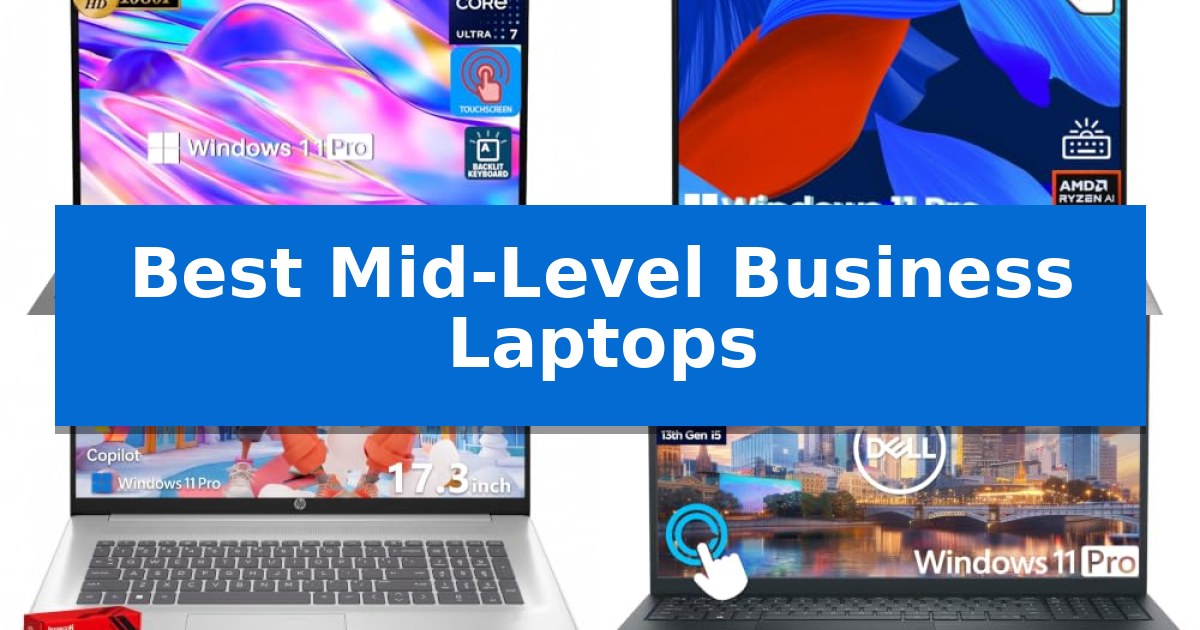
Finding the right hardware for professional tasks requires balancing raw processing power with daily usability. The Best Mid-Level Business Laptops must handle demanding office applications, heavy multitasking, and video conferencing without compromising on portability or battery efficiency.
Our selection focuses on machines that integrate modern processors and sufficient memory to support your workflow. Whether you prioritize screen real estate for data entry or a compact design for travel, these devices provide the necessary tools for consistent productivity in a professional environment.
You may also want to compare Best Mid-Level Bookshelf Speakers, Best Mid-Level Bluetooth Headphones, and Best Mid-Level AV Receiver.
Best Mid-Level Business Laptops
Quick Comparison
| Product | Best For | Key Strength | Score |
|---|---|---|---|
| Dell Ultra 7 Business Laptop | Best Overall | High-speed 32GB DDR5 RAM for seamless multitasking. | 4.9 |
| Dell Ryzen AI 7 Business Laptop | Spacious Touchscreen for Productivity | 32GB DDR5 RAM provides substantial overhead for heavy multitasking. | 4.4 |
| HP Ryzen 5 Business Laptop | Expansive Screen for Data Entry | Expansive 17.3-inch Full HD IPS display for increased workspace. | 4.8 |
| Dell Inspiron 15 Business Laptop | Versatile Setup for Remote Work | 10-core 13th Gen Intel i5 processor for efficient multitasking. | 4.8 |
| ASUS Vivobook Business Laptop | Compact Design for Mobile Professionals | High-capacity 24GB RAM for superior multitasking performance. | 4.9 |
How We Chose
- Processor efficiency for multitasking and AI-assisted workloads.
- Memory and storage configurations to support demanding software.
- Display quality, including resolution, touch capability, and anti-glare features.
- Physical design, focusing on weight, keyboard ergonomics, and port connectivity.
- Operating system and software integration for professional environments.
1 Dell Ultra 7 Business Laptop — AI-Powered Multitasking Performance
The Dell Ultra 7 Business Laptop integrates an Intel Core Ultra 7 255U processor with a dedicated NPU for AI acceleration, positioning it as a specialized tool for users requiring efficient multitasking and data analysis. This machine leverages Windows 11 Pro and a dedicated Copilot key to streamline professional workflows, providing a modern interface for AI-assisted productivity.
Designed for high-demand environments, the device features 32GB of DDR5 5600MT/s RAM and a 1TB PCIe NVMe SSD, ensuring rapid software loading and file transfers. The 15.6-inch FHD touchscreen includes an anti-glare coating and ComfortView software, which are intended to mitigate eye strain during extended work sessions while maintaining a 3-sided narrow bezel design for an expanded visual workspace.
Connectivity and ergonomics are central to its business-focused design. The laptop includes Wi-Fi 6, Bluetooth, and a versatile USB 3.2 Gen 1 Type-C port with full-function support. Users benefit from a lifted hinge design that promotes an ergonomic typing angle, complemented by a full-size backlit keyboard that includes a separate numeric keypad and a dedicated calculator hotkey for input-heavy tasks.
Portability and power management are addressed through a 41Wh battery equipped with ExpressCharge technology, capable of reaching 80% capacity in one hour. For collaboration, the system incorporates an HD 720p webcam and AI-enhanced noise reduction for the microphone, ensuring that communication remains clear in various office or remote settings.
Best for: Business professionals and students who require AI-accelerated multitasking, high-capacity memory, and a dedicated numeric keypad for data-heavy workflows.
Skip if: Users who prioritize extreme portability or long-duration battery life may find the 41Wh battery and 4.28-pound weight limiting for frequent travel.
PROS
- High-speed 32GB DDR5 RAM for seamless multitasking.
- Dedicated NPU for AI-accelerated business applications.
- ExpressCharge technology enables 80% battery capacity in one hour.
- Full-size backlit keyboard with numeric keypad and calculator hotkey.
CONS
- 41Wh battery capacity may be insufficient for extended unplugged use.
- 4.28-pound weight is relatively heavy for a 15.6-inch business laptop.
2 Dell Ryzen AI 7 Business Laptop — Spacious Touchscreen for Productivity
The Dell Ryzen AI 7 Business Laptop centers its design around a spacious 16-inch FHD+ touchscreen, providing a 16:10 aspect ratio that offers extra vertical workspace for managing spreadsheets and complex documents. This device is built for professionals who require a balance of screen real estate and responsive performance, powered by the AMD Ryzen AI 7 350 processor.
Equipped with 32GB of DDR5 RAM and a 1TB SSD, this laptop is engineered to handle intensive multitasking, such as maintaining numerous browser tabs alongside productivity applications and video conferencing tools. The inclusion of Windows 11 Pro ensures that users have access to professional-grade management and security features, while the integrated AMD Radeon Graphics supports daily visual tasks and presentations.
The chassis is designed with a focus on business utility, featuring a built-in fingerprint reader for secure access and a backlit keyboard for working in varied lighting conditions. With a 50 TOPS NPU, the processor is optimized to assist with modern productivity workflows, including content drafting and information summarization via Microsoft Copilot.
This 16-inch model serves as a versatile workstation for those who prioritize screen space and memory capacity in a portable form factor. While it offers significant utility for office-based tasks, users should consider their specific desk footprint, as the 16-inch display and overall dimensions are tailored for those who value a larger canvas over a compact, ultra-portable design.
Best for: Business professionals and home office users who need a large, high-capacity touchscreen workstation for multitasking and document-heavy workflows.
Skip if: Users who require an ultra-compact, lightweight device for frequent travel or those who do not need a 16-inch display for their daily tasks.
PROS
- 32GB DDR5 RAM provides substantial overhead for heavy multitasking.
- Spacious 16-inch FHD+ touchscreen with a 16:10 aspect ratio.
- Includes Windows 11 Pro for professional business environments.
- 1TB SSD offers ample storage for large files and applications.
CONS
- 16-inch form factor may be less portable than smaller laptop alternatives.
- Relies on integrated graphics, which is suited for productivity rather than high-end gaming or professional 3D rendering.
3 HP Ryzen 5 Business Laptop — Expansive Screen for Data Entry
For professionals and students requiring an expansive digital workspace, the HP 17 Inch FHD Laptop Computer for Business & Students offers a 17.3-inch Full HD IPS display that prioritizes screen real estate for complex multitasking. This device is built around the AMD Ryzen 5 7430U processor, which utilizes 6 cores and 12 threads to manage productivity workflows and business applications with consistent efficiency.
The laptop integrates modern workflow tools, including a dedicated Copilot AI key for streamlined research and content creation. Its hardware configuration features 32GB of RAM and a 1TB SSD, providing the capacity necessary for handling large datasets and multiple open applications simultaneously. The inclusion of Windows 11 Pro further supports enterprise-level security and management requirements.
Designed for a functional workstation environment, the chassis includes a full-size keyboard with a numeric keypad, which is essential for data entry tasks. Connectivity options are robust, featuring Wi-Fi 6 and Bluetooth 5.4, alongside a variety of USB-C, USB-A, and HDMI ports to support external monitors and peripherals. The integrated HP Fast Charge technology allows the battery to reach 50% capacity in approximately 45 minutes, reducing downtime during busy workdays.
While the large 17.3-inch form factor provides an immersive viewing experience, it is optimized for stationary use rather than high-mobility scenarios. The anti-glare IPS panel with 178-degree viewing angles ensures consistent visibility across the wide display, making it a practical choice for users who spend significant time analyzing spreadsheets or managing presentations.
Best for: Users who prioritize a large, expansive display and numeric keypad for intensive data entry and office productivity tasks.
Skip if: Users who require a highly portable or lightweight device for frequent travel, as the 17.3-inch form factor is designed for stationary workstation use.
PROS
- Expansive 17.3-inch Full HD IPS display for increased workspace.
- High-capacity 32GB RAM and 1TB SSD for seamless multitasking.
- Dedicated Copilot AI key for integrated productivity assistance.
- Full-size keyboard with numeric keypad for efficient data entry.
CONS
- Large 17.3-inch form factor may limit portability for frequent commuters.
4 Dell Inspiron 15 Business Laptop — Versatile Setup for Remote Work
The Dell Inspiron 15 Business Laptop offers a comprehensive hardware package for professionals and students, anchored by a 10-core 13th Gen Intel i5-1334U processor. This configuration supports efficient multitasking with 16GB of DDR4 RAM and a dual-storage solution consisting of a 512GB PCIe NVMe SSD paired with an additional 500GB external drive, providing a balance of high-speed system performance and ample external capacity.
Designed for versatility, the device features a 15.6-inch Full HD IPS touchscreen, allowing for intuitive navigation through touch gestures. The inclusion of a 6-in-1 USB-C hub, wireless mouse, and essential cables ensures that the laptop is ready for immediate integration into a home or office workspace without requiring additional peripheral purchases.
Security and productivity are central to the user experience, as the system runs on Windows 11 Pro. This operating system provides hardware-based isolation and encryption tools, making it a suitable choice for business environments that prioritize data protection. The integrated HD camera and dual-array microphones are optimized for clear communication during remote meetings.
While the laptop provides a robust set of tools, its 3.66-pound weight and 15.6-inch form factor prioritize screen real estate over extreme portability. The reliance on an external drive for the full 1TB of advertised storage capacity means users must manage two separate storage volumes to access all their files.
Best for: Professionals and students who require a complete, out-of-the-box workstation with integrated security features and touchscreen functionality.
Skip if: Users who prioritize ultra-portable, lightweight hardware or those who require a single, high-capacity internal drive for all their storage needs.
PROS
- 10-core 13th Gen Intel i5 processor for efficient multitasking.
- 15.6-inch Full HD IPS touchscreen display for intuitive interaction.
- Comprehensive accessory bundle including a 6-in-1 USB-C hub and wireless mouse.
- Windows 11 Pro provides advanced security and encryption features.
CONS
- Total storage is split between an internal SSD and an external drive.
- Weight of 3.66 lbs may be less ideal for frequent travelers compared to smaller ultrabooks.
5 ASUS Vivobook Business Laptop — Compact Design for Mobile Professionals
Equipped with a 10-core Intel i5-1334U processor and 24GB of high-bandwidth RAM, the ASUS Vivobook Business Laptop is built to handle intensive multitasking, from running complex productivity suites to managing numerous browser tabs simultaneously. This machine provides a robust foundation for professionals who require consistent performance across modern business applications.
The 14-inch FHD display features a three-sided slim-bezel NanoEdge design, offering a clear 1920 x 1080 resolution that maximizes screen real estate for document editing and video conferencing. For added security, an integrated privacy shield slides over the webcam, ensuring physical control over your visual privacy during remote meetings.
Storage flexibility is a primary strength of this model, pairing a 512GB M.2 NVMe SSD for fast system responsiveness with an additional 500GB external drive for expanded file capacity. The inclusion of a 6-in-1 USB-C hub further enhances connectivity, providing essential ports like 4K HDMI and SD/TF card readers to support a versatile mobile workspace.
Running on Windows 11 Pro, the laptop offers enterprise-grade hardware-based isolation and encryption features to safeguard sensitive data. The package is rounded out with a suite of productivity tools and essential accessories, including a wireless mouse and necessary cabling, making it a comprehensive solution for small business and commercial use.
Best for: Professionals and students who need a high-memory, multitasking-ready laptop with included peripheral connectivity for a complete mobile office setup.
Skip if: Users who require dedicated high-end graphics hardware for professional 3D rendering or intensive gaming will find the integrated Intel graphics insufficient.
PROS
- High-capacity 24GB RAM for superior multitasking performance.
- Dual-storage configuration including a fast 512GB NVMe SSD and 500GB external drive.
- Comprehensive accessory bundle featuring a 6-in-1 USB-C hub and wireless mouse.
- Integrated webcam privacy shield for enhanced security.
CONS
- DDR4 RAM technology is standard rather than the faster DDR5 found in newer premium platforms.
- Integrated graphics limit the device's capability for heavy creative or gaming workloads.
Best Mid-Level Business Laptops Buying Guide
Processor and AI Capabilities
The central processing unit (CPU) serves as the foundation for your laptop's performance. Modern business machines now frequently include dedicated neural processing units (NPUs) to handle AI-driven tasks, such as background noise reduction during calls or predictive text features within productivity suites.
When selecting a device, look for processors that offer a balance between high-frequency performance for complex calculations and power efficiency for extended battery life. A multi-core architecture is essential for running multiple applications simultaneously without system lag.
Memory and Storage Standards
For professional use, 16GB of RAM is generally considered the baseline, though 24GB or 32GB configurations provide significantly more headroom for memory-intensive browser tabs and data-heavy applications. High-speed DDR5 memory further enhances the responsiveness of your system.
Storage speed is equally critical. PCIe NVMe SSDs are the standard for fast boot times and rapid file access. Ensure your chosen model offers sufficient capacity to store large project files, and consider whether external storage options are included to supplement your internal drive.
Display and Visual Ergonomics
The display is your primary interface. A Full HD (FHD) resolution is standard, but the aspect ratio and screen size should align with your specific tasks. A 16:10 aspect ratio provides more vertical space, which is beneficial for viewing long spreadsheets or documents.
Look for anti-glare coatings and blue light reduction software to minimize eye strain during long work sessions. Touchscreen functionality can also improve navigation efficiency, allowing for intuitive scrolling and interaction with interactive presentations.
Connectivity and Portability
A business laptop must accommodate various peripherals. Essential ports include USB-C with full-function support, HDMI for external monitors, and USB-A for legacy devices. Wi-Fi 6 compatibility is vital for maintaining stable, high-speed connections in busy office or home environments.
Weight and build quality determine how easily a device can be transported. A laptop that weighs under four pounds is generally ideal for mobile professionals, while features like lifted hinges can improve typing ergonomics and airflow.
Keyboard and Input Comfort
Since data entry is a core business task, the keyboard layout and feedback are crucial. A full-size keyboard with a dedicated numeric keypad is highly recommended for those who frequently work with financial data or complex spreadsheets.
Backlit keys are essential for working in low-light conditions, and dedicated hotkeys—such as a Copilot key or calculator shortcuts—can significantly streamline your workflow by providing instant access to necessary tools.
Frequently Asked Questions
How much RAM do I need for business tasks?
For standard office work, 16GB is sufficient. However, if you frequently run complex data analysis, video editing software, or dozens of browser tabs, 24GB or 32GB is recommended for smoother performance.
Is a touchscreen necessary for a business laptop?
It is not strictly necessary, but it can enhance productivity by providing an intuitive way to navigate documents, zoom into charts, or interact with presentations during meetings.
Why is Windows 11 Pro preferred for business?
Windows 11 Pro includes advanced security features like hardware-based isolation, encryption, and professional-grade management tools that are not typically found in the Home edition, making it better suited for enterprise environments.
What is the benefit of a dedicated AI key?
A dedicated AI key, such as the Copilot key, provides instant access to intelligent assistance for tasks like drafting emails, summarizing long documents, or researching information, saving time on repetitive administrative work.
How does screen aspect ratio affect my work?
A 16:10 aspect ratio provides more vertical screen space compared to the traditional 16:9, allowing you to see more rows in a spreadsheet or more text in a document without scrolling as frequently.
Conclusion: Our Top Pick
When evaluating the Best Mid-Level Business Laptops, the Dell Ultra 7 Business Laptop stands out as the most balanced choice for modern professionals. Its combination of an AI-accelerated processor, 32GB of high-speed RAM, and a responsive touchscreen display ensures it can handle demanding multitasking while maintaining excellent efficiency.
This model is particularly well-suited for those who need a reliable, high-performance machine that integrates seamlessly into a professional workflow. With its robust storage and thoughtful ergonomic design, it provides the necessary foundation for sustained productivity in any office or remote setting.