
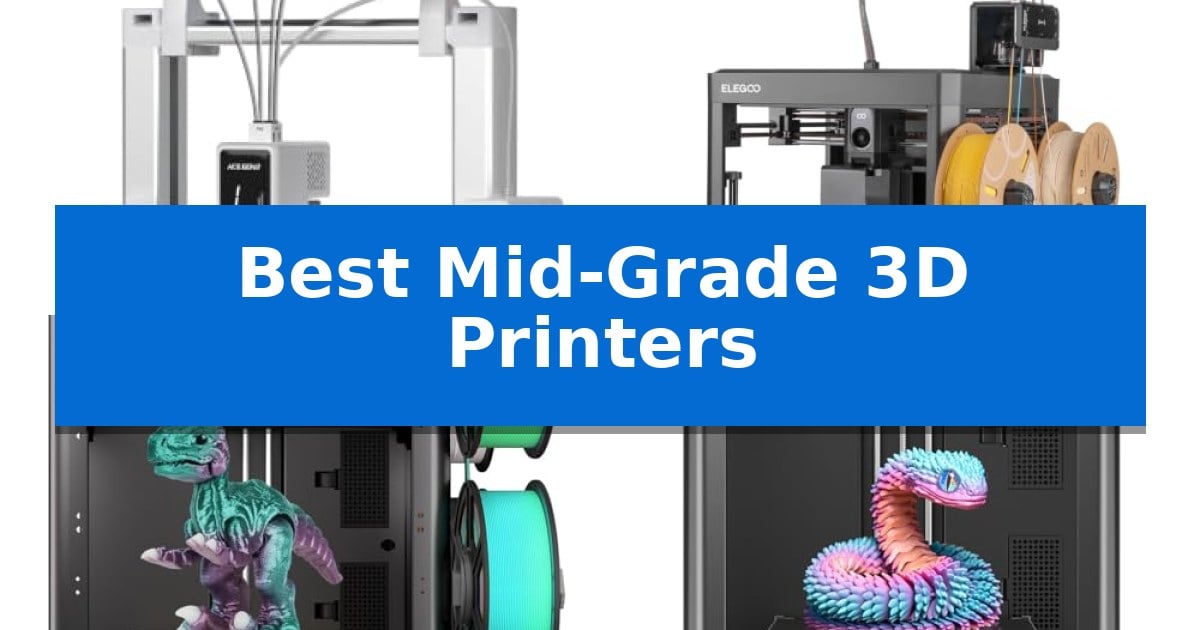
Finding the right machine for your desktop workshop requires balancing speed, material versatility, and ease of use. The current market for Best Mid-Grade 3D Printers has shifted toward integrated multi-color systems and AI-assisted monitoring, which significantly reduce the manual labor previously required for complex prints.
Whether you are prototyping functional parts or creating intricate models, selecting a printer that integrates well with your existing design software is essential. This guide examines five distinct models, focusing on their specific capabilities in speed, material compatibility, and automated workflows to help you make an informed decision for your creative space.
You may also want to compare Best Mid-Fi Closed-Back Headphones, Best Mid-Budget Surround Sound Speakers, and Best Mid-Budget Laptops.
Best Mid-Grade 3D Printers
Quick Comparison
| Product | Best For | Key Strength | Score |
|---|---|---|---|
| Anycubic Kobra X 3D Printer | Best Overall | Native 4-color printing with expansion up to 19 colors. | 4.9 |
| ELEGOO Centauri 2 Combo 3D Printer | Smart Multi-Color Workflow | CANVAS 4-color printing with automated filament management. | 4.4 |
| FLASHFORGE AD5X 3D Printer | Compact Multi-Material Productivity | Intelligent Filament System (IFS) for seamless multi-material and 4-color printing. | 4.3 |
| FLASHFORGE Adventurer 5M 3D Printer | High-Speed CoreXY Performance | High-speed CoreXY architecture supporting up to 600mm/s travel. | 4.4 |
| AOSEED X-MAKER JOY AI 3D Printer | AI-Powered Creative Design | AI-powered model generation via voice, text, or image prompts. | 4.8 |
How We Chose
- Multi-color and multi-material handling capabilities.
- Maximum print speed and acceleration performance.
- Automated calibration and bed leveling systems.
- Connectivity options and remote management software.
- Safety features and build volume dimensions.
1 Anycubic Kobra X 3D Printer — Fast Multicolor Printing
The Anycubic Kobra X 3D Printer distinguishes itself with a native 4-color printing capability, allowing for intricate multi-material projects without the manual labor of swapping filaments. By integrating with up to four ACE 2 Pro units, users can expand their palette to 19 colors, making it a versatile choice for those looking to move beyond single-color prototypes.
Engineered for efficiency, this machine features a max speed of 600mm/s, which significantly reduces production time for complex models. The inclusion of a hardened steel nozzle and vibration compensation technology ensures that high-speed output maintains structural integrity and smooth surface finishes, even when pushing the printer to its limits.
Usability is prioritized through the LeviQ 3.0 auto bed leveling system, which utilizes a 49-point calibration algorithm to guarantee a level print surface. This setup process is designed to be completed within 15 minutes of unboxing, catering to users who require a reliable, ready-to-use workflow for home or educational environments.
Connectivity and monitoring are handled via dual-band Wi-Fi (2.4G/5G) and the Anycubic App, providing remote control and live status updates. The integrated AI camera adds a layer of security by offering spaghetti detection and foreign object detection, helping to prevent material waste during long, unattended print jobs.
Best for: Makers and families seeking a fast, automated multicolor printing experience with advanced remote monitoring capabilities.
Skip if: Users who require a compact footprint or those who do not have the additional space required for the external ACE 2 Pro multi-color expansion units.
PROS
- Native 4-color printing with expansion up to 19 colors.
- High-speed performance reaching 600mm/s.
- LeviQ 3.0 49-point auto bed leveling for consistent first layers.
- AI-powered monitoring with spaghetti detection.
CONS
- Filament not included in the package.
- Requires significant desk space when using multiple ACE 2 Pro units.
2 ELEGOO Centauri 2 Combo 3D Printer — Smart Multi-Color Workflow
The ELEGOO Centauri 2 Combo 3D Printer streamlines complex projects by integrating CANVAS 4-color printing directly into its workflow. This system utilizes independent motors and RFID filament recognition to manage color switching and auto-refills, removing the need for manual intervention during multi-color prints.
Engineered for high-output environments, the printer features a CoreXY system capable of reaching speeds up to 500mm/s with 20,000mm/s² acceleration. The structure relies on a rigid aluminum frame and precision linear guides to maintain stability, while 22 intelligent sensors continuously monitor print status to ensure consistency from the first layer to the final result.
Usability is enhanced through a 5-inch touchscreen interface and a suite of maintenance-focused design choices, including a magnetic printhead cover, a nozzle wiper, and a semi-automatic belt tensioner. These features are intended to simplify routine upkeep and keep the machine operational with minimal downtime.
The device integrates into the broader ELEGOO ecosystem, allowing users to access models via the Nexprint Model Hub, prepare files using ELEGOOSlicer, and manage printing tasks remotely through the ELEGOO Matrix app. This end-to-end software support aims to provide a cohesive experience from initial design to the finished physical object.
Best for: Makers who prioritize a streamlined, high-speed workflow for multi-color 3D printing projects.
Skip if: Users who require a smaller footprint or prefer a simpler, single-color printing system without the complexity of multi-material management.
PROS
- CANVAS 4-color printing with automated filament management.
- High-speed CoreXY architecture supporting up to 500mm/s.
- Comprehensive 22-sensor monitoring for print consistency.
- Integrated remote control via the ELEGOO Matrix app.
CONS
- Large physical footprint requiring significant dedicated workspace.
- Complex multi-material system may require more maintenance than standard single-nozzle printers.
3 FLASHFORGE AD5X 3D Printer — Compact Multi-Material Productivity
Achieving high-speed, multi-material output in a compact footprint is the primary focus of the FLASHFORGE AD5X 3D Printer. This machine utilizes an Intelligent Filament System (IFS) to manage four spools simultaneously, enabling users to print in multiple colors and materials without the bulk typical of traditional multi-material setups.
The printer is engineered for efficiency, boasting a maximum print speed of 600mm/s and acceleration up to 20000mm/s². To maintain accuracy at these speeds, it features a rigid, all-metal CoreXY structure paired with advanced vibration suppression algorithms. These components work in tandem to minimize layer alignment shifts and mechanical errors during high-speed operation.
Reliability is supported by a full auto-leveling sensor that maps multiple points across the print bed. This system ensures consistent nozzle-to-bed distance and promotes even first-layer adhesion. The FLASHFORGE AD5X 3D Printer maintains broad compatibility, supporting materials such as PLA, TPU, PETG, SILK, PLA-CF, and PETG-CF, allowing for diverse project requirements.
Designed with space efficiency in mind, the unit measures approximately 14.8 inches in length and 16.26 inches in width. Its modular, lightweight design houses the filament system side-by-side, making it a practical choice for environments where workspace is limited but high-performance output is required.
Best for: Users who require multi-material, multi-color printing capabilities within a compact, space-saving desktop footprint.
Skip if: Users who require a significantly larger build volume than what a compact 14-inch wide machine provides.
PROS
- Intelligent Filament System (IFS) for seamless multi-material and 4-color printing.
- High-speed performance with 600mm/s printing and 20000mm/s² acceleration.
- All-metal CoreXY structure provides high rigidity to reduce vibration-related errors.
- Full auto-leveling sensor ensures precise first-layer adhesion.
CONS
- Compact physical dimensions may limit the maximum size of individual print projects.
4 FLASHFORGE Adventurer 5M 3D Printer — High-Speed CoreXY Performance
Achieving rapid production cycles requires hardware capable of high-speed movement without sacrificing structural integrity. The FLASHFORGE Adventurer 5M 3D Printer utilizes a robust CoreXY structure to reach a 600mm/s maximum travel speed and 20000mm/s² acceleration, positioning it as a capable tool for those prioritizing efficiency in prototyping.
Ease of use is central to this model's design, featuring one-click automatic bed leveling that eliminates manual calibration. The system includes a 280°C direct drive extruder paired with dual-fan cooling, which helps maintain print quality during high-speed operations. For maintenance, the 3-second nozzle swap mechanism allows users to quickly switch between standard 0.4mm nozzles and optional sizes ranging from 0.25mm to 0.8mm.
The printer is equipped with a dual-sided PEI platform for reliable adhesion and straightforward part removal. To support modern workflows, the device integrates with Flash Studio for remote print monitoring and setting adjustments, providing mobile control over the production process.
With a build volume of 220x220x220mm, this machine balances a compact footprint with sufficient capacity for most mid-grade projects. The inclusion of vibration compensation technology further assists in maintaining precision during rapid movements, making it a functional choice for users seeking a balance between speed and output quality.
Best for: Users who require rapid prototyping and efficient, high-speed printing with minimal manual calibration.
Skip if: Users who need a significantly larger build volume than 220x220x220mm or those who prefer a fully enclosed chamber for advanced material compatibility.
PROS
- High-speed CoreXY architecture supporting up to 600mm/s travel.
- One-click automatic bed leveling for simplified setup.
- Quick 3-second nozzle swap system for easy maintenance.
- Remote monitoring via mobile app integration.
CONS
- Limited build volume of 220x220x220mm may constrain larger projects.
5 AOSEED X-MAKER JOY AI 3D Printer — AI-Powered Creative Design
The AOSEED X-MAKER JOY AI 3D Printer distinguishes itself with a specialized AI-powered design suite that allows children to generate 3D models through voice, text, or image prompts. This enclosed, leveling-free unit is engineered for safety and ease of use, featuring a pinch-resistant design and quiet operation suitable for home or classroom environments.
Performance is driven by a high-speed core capable of reaching 400mm/s peak print speeds, allowing small toy projects to complete in approximately 20 minutes. The system includes filament runout detection to prevent failed prints and a quick-release nozzle for simplified maintenance. Precision is rated at 0.05 mm, ensuring detailed output for various STEM projects and personalized creations.
Connectivity is managed via fast Wi-Fi with one-tap control through a dedicated app, which also supports real-time monitoring via a built-in camera. This camera functionality extends to automatic time-lapse video creation, enabling users to document their creative process. The printer is compatible with iOS, Android, and Windows, providing versatile access for different household devices.
The package arrives as an all-in-one starter kit, including 8 rolls of PLA filament, a magnetic build plate, and essential tools. While the printer supports single-color printing, the included software provides access to over 20,000 pre-tested models, offering an extensive library for immediate use right out of the box.
Best for: Families and students seeking an intuitive, safe, and fast 3D printing experience with AI-assisted model generation.
Skip if: Users requiring multi-color printing capabilities or those needing a large-format build volume for professional engineering prototypes.
PROS
- AI-powered model generation via voice, text, or image prompts.
- Leveling-free platform for simplified setup and operation.
- High-speed printing with peak speeds up to 400mm/s.
- Enclosed, pinch-resistant design for enhanced safety.
CONS
- Single-color printing only, requiring assembly for multi-color designs.
- Proprietary ecosystem focus limits advanced manual slicing customization.
Best Mid-Grade 3D Printers Buying Guide
Understanding Multi-Color Systems
Modern mid-grade printers often utilize specialized systems to manage multiple filaments. These systems, such as the ACE 2 Pro or CANVAS integration, allow for automatic color switching during a single print job. This eliminates the need for manual filament swaps and reduces the amount of waste generated during purging cycles.
When choosing a system, consider how the printer manages filament transitions. Some models use independent motors and RFID recognition to ensure the correct material is fed, which is particularly useful for beginners who want to avoid complex manual configurations.
The Importance of CoreXY Architecture
The CoreXY motion system is a hallmark of high-speed printing. By keeping the print bed stationary on the Z-axis while the printhead moves on the X and Y axes, these printers can achieve much higher acceleration and travel speeds without compromising structural stability.
This architecture is vital for users who prioritize rapid prototyping. When paired with vibration compensation algorithms, CoreXY machines can maintain sharp edges and smooth surfaces even when operating at speeds exceeding 500mm/s.
Automated Calibration and First-Layer Success
Consistent first-layer adhesion is the foundation of a successful 3D print. Many current printers now feature full-auto bed leveling, which uses sensors to map the print surface and adjust the nozzle height in real-time. This technology removes the guesswork from manual leveling.
Look for systems that offer 49-point calibration or similar high-density mapping. These systems ensure that even if your print bed has slight imperfections, the printer can compensate to maintain a perfectly flat surface for your model.
Connectivity and Remote Monitoring
Remote management has become a standard expectation for mid-grade machines. Dual-band Wi-Fi and dedicated mobile apps allow you to start, stop, and monitor prints from your smartphone. This is particularly beneficial for long prints that require oversight.
Advanced models also include AI cameras capable of detecting common failures like spaghetti prints or foreign objects on the build plate. These features provide peace of mind by allowing the printer to pause automatically if a problem is detected.
Material Compatibility and Nozzle Temperature
The ability to print with a variety of materials—such as PLA, PETG, TPU, and carbon-fiber-reinforced filaments—depends heavily on the printer's hotend and extruder design. A high-temperature nozzle, often rated up to 300°C or 350°C, is necessary for more demanding engineering-grade materials.
Ensure the printer you choose supports the specific filament types you intend to use. Direct drive extruders are generally preferred for flexible materials like TPU, as they provide better control over filament tension compared to Bowden-style setups.
Frequently Asked Questions
Do I need special software to use these printers?
Most of these printers come with proprietary slicing software or are compatible with standard industry slicers. Some manufacturers provide an integrated ecosystem, such as Nexprint or Flash Studio, which simplifies the process from model selection to printing.
Can I use third-party filaments?
Yes, most mid-grade 3D printers are compatible with standard filament spools. However, some multi-color systems may require specific spool sizes or RFID-tagged spools for the best automated experience.
What is the benefit of an enclosed printer?
Enclosed printers offer better temperature control, which is essential for printing materials that are prone to warping, such as ASA or ABS. They also provide a safer environment, especially in homes with children or pets.
How often should I replace the nozzle?
Nozzle lifespan depends on the materials you use. Abrasive filaments like carbon fiber will wear down a standard brass nozzle quickly. Hardened steel nozzles are recommended for these materials and will last significantly longer.
Is assembly difficult for a beginner?
Many modern mid-grade printers arrive partially assembled or feature a modular design that allows for setup in as little as 15 minutes. Always check the manufacturer's documentation for specific assembly requirements.
Conclusion: Our Top Pick
Selecting the right printer depends on whether you prioritize multi-color creative freedom, raw speed, or ease of use for family projects. For most users, the Anycubic Kobra X 3D Printer offers the most balanced feature set, combining native 4-color printing with high-speed performance and AI monitoring.
While other models in this guide excel in specific areas like compact design or specialized AI-driven toy creation, the Kobra X provides the versatility needed to handle a wide range of tasks. Ensure you have a dedicated space for the unit and consider purchasing extra filament, as the starter kits often do not include the material required for your first full-scale project.