
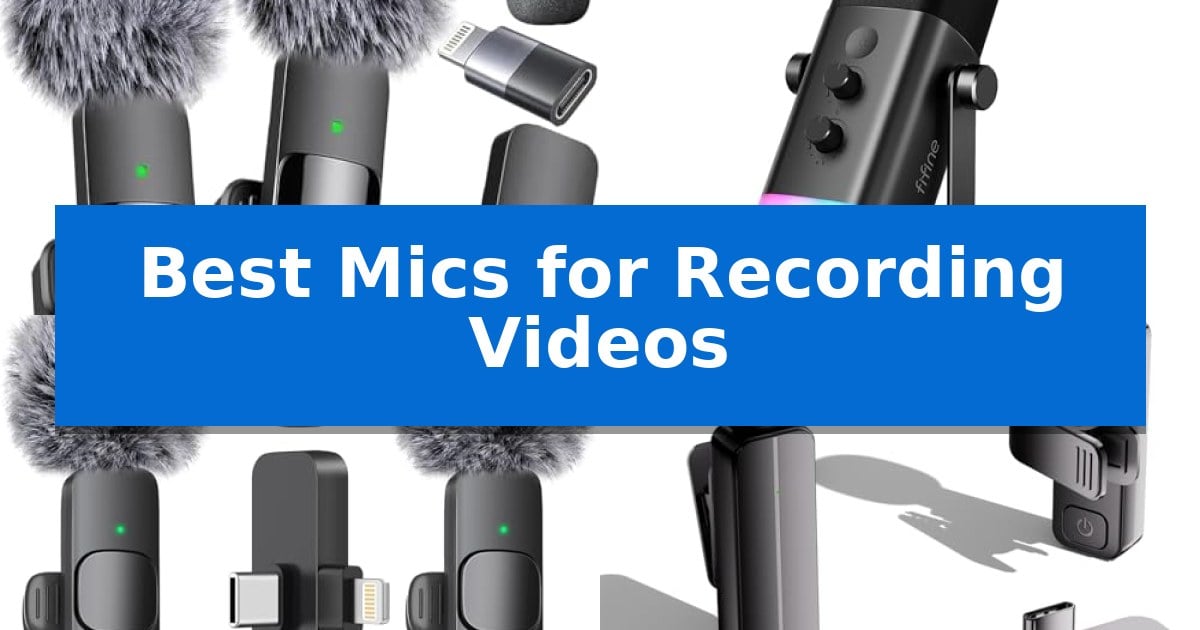
Achieving professional-grade sound is often the biggest hurdle for video creators, yet it is the most critical factor in audience retention. Whether you are filming a quick social media update or a detailed tutorial, clear audio ensures your message is heard without the distraction of background noise or muffled speech.
Finding the Best Mics for Recording Videos requires balancing your specific environment, device compatibility, and workflow needs. We have analyzed a range of microphones, from ultra-portable wireless lavaliers to robust desktop condensers, to help you identify the right tool for your next production.
You may also want to compare Best Mics for Recording Video, Best Mics for Recording Creepypastas, and Best Mics for Home Recording.
Best Mics for Recording Videos
Quick Comparison
| Product | Best For | Key Strength | Score |
|---|---|---|---|
| Mini Mic Pro Wireless Lavalier Microphone | Best Overall | Plug-and-play compatibility with both USB-C and Lightning devices. | 4.9 |
| FIFINE AmpliGame AM8 Dynamic Microphone | Studio-Grade Audio for Desktop Setups | Dual-connection flexibility with both USB and XLR outputs. | 4.8 |
| MAYBESTA Wireless Mini Microphone | Instant Pairing for Quick Content | Dual-plug receiver supports both USB-C and Lightning devices. | 4.3 |
| Bulatry Wireless Mini Lavalier Microphone | Long-Range Freedom for Outdoor Shoots | Universal compatibility with USB-C and Lightning devices. | 4.8 |
| FIFINE T669 Studio Condenser Microphone | Complete Kit for Voiceovers | Plug-and-play USB connectivity eliminates the need for extra hardware. | 4.3 |
How We Chose
- Device Compatibility: We assessed how easily each microphone connects to smartphones, laptops, and professional interfaces.
- Audio Capture Quality: We reviewed frequency response and noise-reduction capabilities to ensure clear vocal reproduction.
- Portability and Build: We prioritized designs that suit either mobile vlogging or stationary studio setups.
- Ease of Use: We looked for plug-and-play functionality that minimizes setup time for creators.
- Versatility: We considered additional features like mute buttons, monitoring jacks, and multi-device support.
1 Mini Mic Pro Wireless Lavalier Microphone — Ultra-Portable for Daily Vlogging
Capturing professional-grade audio for your content doesn't require a bulky setup, as the Mini Mic Pro Wireless Lavalier Microphone offers a streamlined, ultra-portable solution for creators. Weighing under an ounce, this device is designed to clip directly onto clothing, making it an unobtrusive choice for vlogging, interviews, or voiceovers while on the move.
The system prioritizes ease of use through a plug-and-play design that eliminates the need for complex apps or Bluetooth pairing. It includes both USB-C and Lightning adapters, ensuring broad compatibility with iPhones, Android devices, tablets, and laptops right out of the box. This versatility allows you to switch between different recording devices without friction.
To ensure high-quality audio in various environments, the microphone features noise-cancelling technology and comes equipped with wind protection accessories, including high-density foam and a dead cat cover. These additions help maintain clear sound even when filming outdoors or in challenging acoustic conditions.
For extended recording sessions, the rechargeable battery provides up to 8 hours of continuous use on a single charge. A practical design feature allows you to charge your smartphone or tablet simultaneously while the microphone is in use, preventing power interruptions during long shoots.
Best for: Content creators and vloggers who need a compact, plug-and-play wireless audio solution for mobile devices.
Skip if: Users who require professional XLR connectivity, multi-channel mixing, or advanced manual gain control for complex studio productions.
PROS
- Plug-and-play compatibility with both USB-C and Lightning devices.
- Ultra-portable, lightweight design weighing less than one ounce.
- Included wind protection for improved outdoor audio clarity.
- Simultaneous device charging while the microphone is in operation.
CONS
- Limited to mobile and laptop connectivity without support for traditional professional audio interfaces.
2 FIFINE AmpliGame AM8 Dynamic Microphone — Studio-Grade Audio for Desktop Setups
The FIFINE AmpliGame AM8 Dynamic Microphone offers a versatile dual-connection design, allowing creators to switch between USB and XLR interfaces depending on their recording setup. This flexibility makes it a practical choice for those who want to start with a simple plug-and-play USB connection and eventually upgrade to a dedicated audio interface for more professional control.
Designed specifically for vocal clarity, this cardioid dynamic microphone utilizes a 50Hz-16KHz frequency response to capture balanced audio while naturally rejecting off-axis background noise. The inclusion of a tap-to-mute button with an LED indicator provides immediate privacy control during live streams, ensuring that users can manage their audio output without navigating complex software menus.
For those focused on aesthetics and monitoring, the microphone features a controllable RGB ring with multiple modes and colors, which can be synced with other desktop gear. Additionally, the integrated headphones jack allows for real-time audio monitoring, while the dedicated gain knob provides tactile control over input levels, helping to reduce the need for extensive post-production adjustments.
The build quality is tailored for convenience, featuring built-in 3/8'' and 5/8'' metal threads that allow it to mount directly onto most standard microphone stands without requiring extra adapters. A noise-canceling windscreen is also included to help minimize hum from nearby electronics, ensuring cleaner audio capture for podcasts, gaming, or video production.
Best for: Content creators and gamers who want a versatile microphone that can start as a simple USB device and transition to an XLR setup.
Skip if: Users who require a wireless microphone or those who need a compact, portable lavalier-style mic for mobile video recording.
PROS
- Dual-connection flexibility with both USB and XLR outputs.
- Integrated tap-to-mute with LED status indicator.
- Real-time monitoring via a built-in headphones jack.
- Universal mounting with built-in 3/8'' and 5/8'' threads.
CONS
- RGB and function keys are inactive when using the XLR connection.
- XLR cable not included in the package.
3 MAYBESTA Wireless Mini Microphone — Instant Pairing for Quick Content
Capturing high-quality audio for content creation often involves complex setups, but the MAYBESTA Wireless Mini Microphone simplifies the process with its dual-plug receiver. This design allows for seamless connectivity with both USB-C and Lightning-equipped devices, eliminating the need for external adapters or dedicated applications.
Designed for immediate use, the system features automatic pairing that activates as soon as the receiver is plugged in and the microphone is powered on. This removes the reliance on Bluetooth menus or manual configuration, allowing creators to begin recording instantly. The extended plug design is particularly useful, as it is engineered to connect securely even when a protective phone case is attached.
The omnidirectional microphone is paired with a noise-reduction chip and a windscreen to help isolate the speaker's voice from ambient background hum. For added control during production, a mute function allows users to silence the audio feed without interrupting the recording session, reducing the need for post-production editing.
Built for portability, the MAYBESTA Wireless Mini Microphone is lightweight and compact, making it suitable for daily carry. Its stable wireless range and integrated rechargeable battery are intended to support extended recording sessions, from morning vlogs to evening livestreams, without frequent power interruptions.
Best for: Content creators who need a plug-and-play wireless audio solution for smartphones without dealing with adapters or complex software.
Skip if: Users who require professional-grade XLR inputs, manual gain control, or multi-channel mixing capabilities for complex studio setups.
PROS
- Dual-plug receiver supports both USB-C and Lightning devices.
- Automatic pairing provides instant setup without Bluetooth menus.
- Extended plug design fits most smartphones with cases on.
- Integrated mute function allows for quick audio control during recording.
CONS
- Limited to mobile devices due to the integrated receiver design.
- Lacks manual gain adjustment for fine-tuning input levels.
4 Bulatry Wireless Mini Lavalier Microphone — Long-Range Freedom for Outdoor Shoots
The Bulatry Wireless Mini Lavalier Microphone simplifies mobile production by offering a 2-in-1 signal receiver that supports both USB-C and Lightning connections, ensuring compatibility across various smartphones, tablets, and laptops without needing extra adapters.
Designed for high-fidelity capture, this system features a 360-degree omnidirectional microphone paired with an AI-powered noise reduction chip. This combination is engineered to isolate the speaker's voice from background interference, making it a practical choice for outdoor vlogging or recording in busy environments.
Reliability during long sessions is supported by a 6-hour battery life per microphone, with a full recharge possible in under one hour. Users can also maintain power during extended shoots by utilizing the simultaneous recording and charging capability.
The system provides significant flexibility with an extended 65ft wireless range and an ultra-low latency of 0.0009 seconds. For precise audio control, the unit includes real-time audio monitoring, allowing creators to verify sound quality directly while recording.
Portability is a key design focus, as each microphone weighs only 10g. The included storage pouch keeps the dual-mic setup and receiver organized, making it an efficient solution for creators who need to travel light without sacrificing audio functionality.
Best for: Content creators and mobile journalists who need a portable, dual-mic wireless solution for smartphones and tablets.
Skip if: Users requiring professional-grade XLR connectivity or those who need to record more than two audio sources simultaneously.
PROS
- Universal compatibility with USB-C and Lightning devices.
- AI-powered noise reduction for clearer voice capture.
- Real-time audio monitoring for immediate quality control.
- Ultra-low latency of 0.0009 seconds for synchronized audio.
CONS
- Limited to two microphones per receiver.
- No native support for devices lacking USB-C or Lightning ports.
5 FIFINE T669 Studio Condenser Microphone — Complete Kit for Voiceovers
Achieving clear, professional audio for video content often requires moving beyond built-in camera or computer microphones. The FIFINE T669 Studio Condenser USB Microphone provides a comprehensive, all-in-one solution designed for creators who need a reliable setup for voiceovers, podcasts, and streaming.
This microphone features a cardioid condenser capsule, which is engineered to capture audio primarily from the front while minimizing ambient noise. It connects directly to PCs and laptops via a USB output, allowing for a simple plug-and-play experience without the need for external audio interfaces or complex driver installations.
The included durable boom arm stand offers significant flexibility, featuring 180-degree vertical rotation and 135-degree extension. This allows for precise positioning to keep the microphone close to the speaker while keeping the workspace clear of obstructions. The kit also includes a double pop filter to reduce plosive sounds and a studio-grade shock mount to help stabilize the unit during use.
Built for home and project studios, the microphone is constructed with a rugged design capable of handling high sound pressure levels. With an 8.2-foot USB cable and a heavy-duty C-clamp mount, this kit provides the necessary components to start recording immediately, making it a practical choice for those looking to improve their production quality with a single, integrated purchase.
Best for: Content creators and podcasters seeking an all-in-one, plug-and-play USB microphone kit for voice recording.
Skip if: Users requiring compatibility with gaming consoles like the Xbox or those needing an XLR-based professional studio setup will find this USB-only microphone unsuitable.
PROS
- Plug-and-play USB connectivity eliminates the need for extra hardware.
- Comprehensive kit includes a boom arm, shock mount, and double pop filter.
- Cardioid polar pattern effectively isolates the voice from ambient background noise.
- Adjustable boom arm provides 30 inches of reach for flexible positioning.
CONS
- Incompatible with Xbox systems.
- USB-only interface limits integration with traditional professional audio mixers.
Best Mics for Recording Videos Buying Guide
Understanding Microphone Types
Choosing between a lavalier microphone and a condenser microphone depends entirely on your recording environment. Lavalier mics are designed for mobility, clipping onto your clothing to capture audio close to the source, which is ideal for outdoor shoots or walking-and-talking vlogs.
Conversely, condenser microphones are typically stationary and excel in controlled indoor environments. They provide a richer, more detailed sound profile, making them the standard choice for voiceovers, podcasts, and streaming where the microphone remains on a desk or boom arm.
Connectivity and Compatibility
Before purchasing, verify the connection type required for your primary recording device. Many modern mobile-focused mics now include USB-C and Lightning adapters, allowing for direct, app-free recording on smartphones and tablets.
For desktop users, look for USB plug-and-play capability to avoid the complexity of external audio interfaces. If you plan to upgrade your setup later, some microphones offer XLR connectivity, which provides a pathway to professional mixing boards and higher-fidelity audio chains.
Noise Reduction and Environmental Control
Background noise can ruin an otherwise perfect take. Look for microphones that feature active noise cancellation or directional pickup patterns like cardioid, which focuses on the sound directly in front of the mic while rejecting off-axis ambient noise.
If you frequently record outdoors, prioritize models that include wind protection. Accessories like high-density foam covers or 'dead cat' wind muffs are essential for preventing wind hum from compromising your audio quality.
Monitoring and Control Features
Real-time audio monitoring is a powerful tool for ensuring your levels are correct before you finish a long recording session. Microphones with a built-in headphone jack allow you to hear exactly what the camera or computer is capturing, preventing surprises during playback.
Physical controls, such as a mute button with an LED indicator, add a layer of convenience. These features allow you to quickly silence the input without stopping your recording, which is particularly useful during live streams or long-form interviews.
Power and Battery Management
Wireless systems rely on internal batteries, so consider the battery life per charge to ensure it aligns with your typical shoot length. Some models allow for simultaneous charging, enabling you to power your device while the microphone is in use, which is a significant advantage for long-duration recording.
Desktop microphones that draw power via USB eliminate battery concerns entirely. However, if you choose a wireless system, ensure the charging process is straightforward, such as USB-C, to maintain compatibility with your existing cables and power bricks.
Frequently Asked Questions
Do I need an app to use these microphones?
Most of the modern wireless microphones listed are designed for plug-and-play performance. They connect directly to your device's port and function immediately without the need for additional apps or Bluetooth pairing.
Can I use a wireless lavalier mic with a phone case on?
Many wireless lavalier microphones feature extended plugs specifically designed to reach past most standard phone cases, allowing you to connect and record without removing your protection.
What is the benefit of a cardioid pickup pattern?
A cardioid pickup pattern is directional, meaning it captures sound primarily from the front of the microphone while rejecting noise from the sides and rear. This is highly effective for isolating your voice in noisy environments.
Is an XLR connection necessary for video recording?
An XLR connection is generally reserved for professional setups using external audio interfaces or mixers. For most content creators using phones or laptops, a USB or direct-plug wireless mic is more than sufficient.
How do I reduce wind noise when recording outdoors?
Using dedicated wind protection, such as high-density foam covers or 'dead cat' (furry) wind muffs, is the most effective way to block wind noise from entering your microphone capsule.
Conclusion: Our Top Pick
Selecting the right microphone depends on your specific production style, whether you need the freedom of a wireless lavalier for vlogging or the high-fidelity capture of a desk-mounted condenser. Prioritizing compatibility with your current devices and ensuring the mic has the necessary environmental noise control will significantly improve your production value.
For most creators looking for a versatile, portable, and high-quality audio solution, the Mini Mic Pro Wireless Lavalier Microphone stands out as the top choice. Its plug-and-play design, dual-adapter compatibility for both iPhone and Android, and included wind protection make it an excellent, reliable tool for daily content creation.