
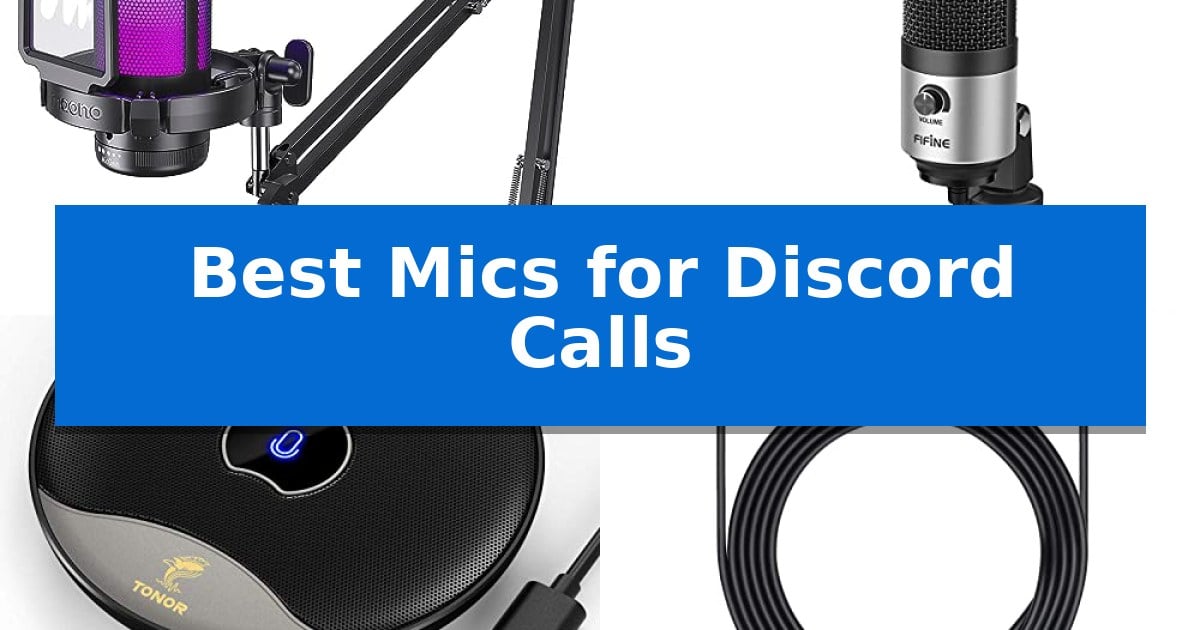
Finding the right microphone for your online communication can significantly improve how you interact with friends and teammates. Whether you are coordinating a strategy in a competitive game or simply hanging out in a voice channel, having reliable audio ensures your message is heard without unnecessary background interference.
Our guide explores the Best Mics for Discord Calls by focusing on practical features like noise reduction, connectivity, and physical design. We have evaluated several USB-based options to help you determine which microphone best fits your specific desk setup and communication needs.
You may also want to compare Best Mics for Audiobook Recording, Best Mics for Audio Clarity, and Best Mics for Apex Legends.
Best Mics for Discord Calls
Quick Comparison
| Product | Best For | Key Strength | Score |
|---|---|---|---|
| MAONO DGM20S USB Gaming Microphone | Best Overall | Zero-latency monitoring via the 3.5mm headphone jack. | 4.9 |
| FIFINE K669S USB Microphone | Reliable Desktop Audio Clarity | Plug and play functionality for quick setup on PCs and laptops. | 4.4 |
| TONOR TM20 USB Conference Microphone | Ideal for Group Conversations | 360° omnidirectional pickup for capturing multiple voices in a room. | 4.7 |
| Movo M1 USB Lavalier Microphone | Hands-Free Mobility for Calls | Plug-and-play USB connectivity requires no drivers or external interfaces. | 4.3 |
| MRSDY V5-P USB Gaming Microphone | Latency-Free Voice Monitoring | Latency-free monitoring via 3.5mm headphone jack | 4.5 |
How We Chose
- Voice Pickup Quality: Assessing the microphone's ability to capture speech clearly while minimizing ambient noise.
- Connectivity and Setup: Prioritizing plug-and-play USB functionality that requires no complex drivers or external audio interfaces.
- Physical Ergonomics: Evaluating the utility of included stands, boom arms, or clip-on designs for desk space management.
- Control Features: Checking for essential hardware controls like gain knobs, mute buttons, and headphone monitoring jacks.
- Compatibility: Verifying support for common operating systems and gaming consoles to ensure broad usability.
1 MAONO DGM20S USB Gaming Microphone — Best for Team Communication
Clear communication is essential for coordinated team play, and the MAONO DGM20S USB Gaming Microphone is built specifically to streamline this process. Featuring a dedicated cardioid pickup pattern, this microphone focuses on capturing your voice while minimizing peripheral noise, ensuring your callouts remain crisp during intense Discord sessions.
The MAONO DGM20S USB Gaming Microphone simplifies your setup with plug-and-play USB connectivity compatible with PC, Mac, and PS5/PS4, requiring no additional drivers. For those who prefer tactile control, the unit includes an on-mic gain knob and a one-touch tap-to-mute function, allowing you to adjust levels or silence your feed instantly without navigating software menus.
Designed for a clean desk aesthetic, the microphone comes with an adjustable metal boom arm and a shock mount to isolate the device from vibrations. The integrated 3.5mm headphone jack provides zero-latency monitoring, so you can hear exactly what your teammates hear in real-time. Additionally, the controllable RGB lighting offers customizable visual flair to match your existing gaming hardware.
While the hardware is robust, users should note that the noise cancellation software for more precise audio adjustment is available exclusively for Windows users. The microphone is not compatible with Xbox consoles, making it a specialized choice for PC and PlayStation gamers looking for a comprehensive, all-in-one audio solution.
Best for: Gamers and streamers who need a complete, desk-mounted microphone kit with physical controls for Discord and team communication.
Skip if: Users who require Xbox compatibility or those who prefer a compact, portable microphone without a boom arm setup.
PROS
- Zero-latency monitoring via the 3.5mm headphone jack.
- Includes a complete boom arm and shock mount kit.
- Physical tap-to-mute and gain control for quick adjustments.
- Plug-and-play USB connectivity for PC and PlayStation.
CONS
- Not compatible with Xbox consoles.
- Advanced noise cancellation software is limited to Windows.
2 FIFINE K669S USB Microphone — Reliable Desktop Audio Clarity
Achieving clear audio during virtual meetings often requires moving beyond standard integrated hardware. The FIFINE K669S USB Microphone provides a dedicated solution for users seeking to improve their voice quality in Discord, Zoom, and other communication platforms.
This metal condenser microphone is engineered for simplicity, featuring plug and play connectivity that allows for immediate recognition on both desktops and laptops. Users can manage their audio levels directly via the gain knob control located on the front of the device, which also functions as a mute switch when turned all the way down.
Designed for versatility, the mic includes a pivot mount that enables precise angle adjustments for various desk setups. Whether positioned closer to a monitor for casual chatting or moved to the edge of a desk for recorded presentations, the directional condenser capsule is sensitive enough to capture clear audio even at lower volumes.
The package includes a tripod stand and a 6ft non-detachable USB cable, offering a compact footprint suitable for home offices or travel. While the unit is compatible with most PC setups, users with only USB-C ports will require a genuine lightning adapter to ensure a stable connection.
Best for: Remote workers and gamers who need a compact, easy-to-use USB microphone for clear voice communication on desktop or laptop computers.
Skip if: Users who require an Xbox-compatible microphone or those whose primary computer setup lacks standard USB-A ports without the use of additional adapters.
PROS
- Plug and play functionality for quick setup on PCs and laptops.
- Integrated gain knob control for easy volume adjustment and muting.
- Durable metal construction with a compact, space-saving design.
- Includes a pivot mount and tripod stand for flexible positioning.
CONS
- Non-detachable USB cable limits replacement options if damaged.
- Incompatible with Xbox gaming consoles.
- Requires an adapter for USB-C only devices.
3 TONOR TM20 USB Conference Microphone — Ideal for Group Conversations
Capturing audio for group conversations requires a device capable of picking up multiple speakers simultaneously, and the TONOR TM20 USB Conference Microphone addresses this with its 360° omnidirectional pickup pattern. This design allows the microphone to record voices from all directions within a 5-meter (16.4ft) range, ensuring consistent timbre regardless of where participants are seated in the room.
For users managing online meetings, the TONOR TM20 USB Conference Microphone integrates noise reduction technology designed to block ambient noise and eliminate echo. This focus on audio clarity is paired with a one-button mute function, which features a built-in indicator light—glowing blue when active and red when muted—to provide immediate visual confirmation of your status during calls.
Ease of use is a primary design goal, as the unit is a Plug and Play device. It connects via a USB 2.0 interface and requires no additional driver software, maintaining compatibility with both Windows and macOS systems. This straightforward setup makes it a practical choice for those who need to switch between different meeting platforms like Zoom, Skype, or WebEx without complex configuration.
While the device is optimized for group settings, it is important to note that this is a dedicated microphone and does not function as a speaker. Its compact form factor, measuring approximately 5.79 inches in width and length, allows it to sit unobtrusively on a desk or conference table while providing the necessary coverage for collaborative digital communication.
Best for: The TONOR TM20 USB Conference Microphone is best for group conference calls and online meetings where multiple participants need to be heard clearly from a single device.
Skip if: Skip this microphone if you require a device that also functions as a speaker or if you need a high-fidelity studio microphone for solo professional recording.
PROS
- 360° omnidirectional pickup for capturing multiple voices in a room.
- Plug and Play USB 2.0 connectivity with no driver requirements.
- Built-in noise reduction and echo elimination technology.
- One-button mute with a clear visual status indicator light.
CONS
- Not a speaker, meaning it cannot output audio from your meeting participants.
- Wired connection via USB 2.0, which may limit placement options compared to wireless alternatives.
4 Movo M1 USB Lavalier Microphone — Hands-Free Mobility for Calls
Maintaining a clear voice during long Discord sessions often requires moving away from the desk, and the Movo M1 USB Lavalier Microphone provides a hands-free solution for this exact need. By clipping directly to your clothing, this omnidirectional microphone captures your voice consistently, even when you are not sitting perfectly still in front of a traditional boom arm or desk stand.
The Movo M1 USB Lavalier Microphone prioritizes simplicity with its plug-and-play design. It connects directly to a laptop, PC, or Mac via a standard USB port, eliminating the need for complex audio interfaces, external software, or driver installations. This makes it an efficient choice for users who want to improve their audio quality for video calls, online classes, or streaming without a complicated setup process.
A standout feature is the 20-foot cord, which offers significant mobility compared to standard desktop microphones. This length allows you to stand up, present from across a desk, or move around your room while remaining connected to your computer. The package includes an aluminum lapel clip for secure attachment and two foam windscreens designed to soften breath and wind noise, ensuring your audio remains clear during active use.
While this microphone excels at providing mobility and low-profile placement, it is a dedicated lavalier system. It is best suited for users who prefer a discreet, wearable mic over a stationary desk-mounted unit. Because it relies on a long wired connection, users should ensure their workspace can accommodate the 20-foot cable without becoming a tripping hazard.
Best for: Users who need hands-free mobility and a discreet, clip-on microphone for Discord calls, webinars, or online classes.
Skip if: Users who prefer a stationary desk microphone or those who cannot manage a 20-foot cable in their workspace.
PROS
- Plug-and-play USB connectivity requires no drivers or external interfaces.
- 20-foot cord provides extensive range for movement during calls.
- Omnidirectional pickup ensures consistent voice capture even when clipped to clothing.
- Low-profile design keeps the desk clear of bulky stands or boom arms.
CONS
- Wired connection may create cable management challenges in some setups.
5 MRSDY V5-P USB Gaming Microphone — Latency-Free Voice Monitoring
The MRSDY V5-P USB Gaming Microphone simplifies voice communication during Discord calls by offering real-time, latency-free monitoring through an integrated 3.5mm headphone jack. This feature allows users to hear their own voice alongside game audio, ensuring consistent volume levels without the need for additional software or complex routing.
Designed for immediate use, this plug and play condenser microphone connects via a 78-inch (2m) USB cable, eliminating the need for external drivers. It includes a dedicated quick-mute button located on the base for instant privacy, which provides visual feedback by changing the built-in dynamic RGB lighting from a gradient pattern to solid green when muted.
To improve audio clarity in shared environments, the microphone features built-in noise cancellation technology. This helps suppress common background sounds such as keyboard typing or mouse clicking. Users can further customize their output using the integrated volume gain knob, which increases sensitivity to ensure clear voice capture during streaming or group chats.
The unit is compact, measuring 3.54 x 3.54 x 6.3 inches, making it suitable for crowded desk setups. It is compatible with PC, Mac, PS4, and PS5 systems, providing a versatile solution for users who switch between console and computer gaming platforms.
Best for: Gamers and streamers who need a compact, plug-and-play microphone with physical mute controls and real-time audio monitoring for Discord.
Skip if: Users who require a professional-grade XLR microphone setup or those who prefer a boom arm mount rather than the included desktop stand.
PROS
- Latency-free monitoring via 3.5mm headphone jack
- Plug and play connectivity with no driver requirements
- Integrated noise cancellation to reduce background distractions
- Physical quick-mute button with RGB status indicator
CONS
- Fixed desktop stand design limits positioning options
- No software-based customization for advanced EQ adjustments
Best Mics for Discord Calls Buying Guide
Understanding Pickup Patterns
Most USB microphones for Discord utilize a cardioid pickup pattern, which is designed to focus on sound directly in front of the mic while rejecting noise from the sides and rear. This is ideal for solo users who want to minimize the sound of their keyboard or room environment.
Alternatively, omnidirectional microphones capture sound from all directions. These are better suited for group conversations where multiple people are speaking around a single device, though they may pick up more unwanted background noise in a typical home office.
The Importance of Hardware Controls
Having physical controls directly on the microphone allows for quick adjustments without needing to tab out of your game or application. A gain knob is essential for balancing your input volume so you are neither too quiet nor distorting the audio.
A tap-to-mute function or a dedicated mute button provides immediate privacy. Look for indicators, such as LED lights, that clearly show whether your mic is active or muted to prevent accidental broadcasts during your calls.
Connectivity and Compatibility
For most users, USB plug-and-play connectivity is the gold standard. It eliminates the need for complex audio interfaces or specialized software, allowing you to connect directly to your PC, Mac, or console and start talking immediately.
Always verify if the microphone is compatible with your specific hardware. While most USB mics work across Windows and macOS, some may have limitations regarding console support, such as incompatibility with specific gaming systems like the Xbox.
Monitoring and Latency
Zero-latency monitoring is a feature that allows you to hear your own voice through headphones plugged directly into the microphone. This helps you maintain a consistent speaking volume and ensures you can hear exactly what your teammates are hearing.
Without this feature, you might experience a slight delay in your own voice, which can be distracting. If you prefer to hear yourself while speaking, a microphone with a built-in 3.5mm headphone jack is a highly recommended upgrade.
Desk Space and Mounting
Consider how much desk space you are willing to dedicate to your audio setup. A boom arm can elevate the microphone off your desk, reducing vibration and freeing up surface area, but it requires a sturdy mounting point.
If you have limited space, a compact tripod stand or a small desktop base might be more practical. For those who move around frequently or want a low-profile look, a lavalier microphone that clips onto your clothing is an effective alternative to a desk-mounted unit.
Frequently Asked Questions
Do I need special software to use these microphones?
Most of the microphones listed are plug-and-play, meaning they work immediately upon connection via USB without requiring extra drivers. Some models may offer optional software for advanced noise adjustment on Windows.
Can I use these microphones with my gaming console?
Many USB microphones are compatible with PS4 and PS5. However, compatibility varies by brand and model, and some microphones are explicitly not compatible with Xbox consoles.
What is the benefit of a boom arm?
A boom arm allows you to position the microphone closer to your mouth for better sound quality while keeping it off your desk, which helps reduce the pickup of vibrations from keyboard typing.
How do I know if my mic is muted?
Many modern USB microphones feature built-in LED indicators, such as changing from blue to red, to provide a clear visual status of whether the microphone is currently active or muted.
Is a condenser microphone better than a lavalier?
It depends on your use case. Condenser microphones generally offer higher audio fidelity for desk-based setups, while lavalier microphones offer greater mobility and a hands-free experience.
Conclusion: Our Top Pick
For most users seeking a balance of performance and desk convenience, the MAONO DGM20S USB Gaming Microphone stands out as the top choice. Its inclusion of a boom arm, noise reduction capabilities, and easy-to-access hardware controls makes it a versatile solution for Discord communication.
While other options like the Movo M1 provide excellent mobility for those who prefer a clip-on style, the MAONO DGM20S provides the most complete, ready-to-use package for gamers and streamers who want to improve their audio setup without needing additional accessories.