
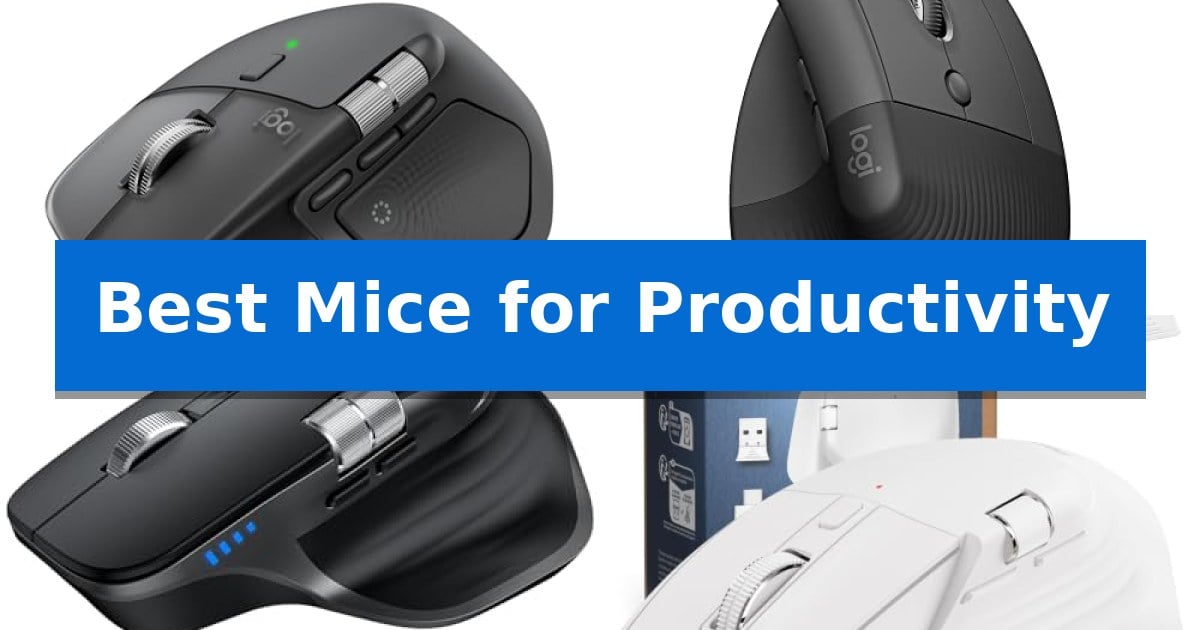
Finding the right input device can significantly impact your daily efficiency and physical comfort. Whether you are managing complex spreadsheets, navigating creative software, or simply trying to reduce wrist strain during long hours, the Best Mice for Productivity offer specialized features designed to streamline your digital workspace.
Selecting an appropriate mouse involves balancing ergonomic design with functional requirements like connectivity, button customization, and sensor precision. In this guide, we examine five distinct models to help you identify which features—such as haptic feedback, vertical orientation, or multi-device switching—best support your specific professional needs.
You may also want to compare Best Mice for PC, Best Mice for Overwatch, and Best Mice for Office Work.
Best Mice for Productivity
Quick Comparison
| Product | Best For | Key Strength | Score |
|---|---|---|---|
| Logitech MX Master 4 Wireless Mouse | Best Overall | Customizable Haptic Sense Panel for tactile feedback on shortcuts. | 4.9 |
| Logitech Lift Vertical Ergonomic Mouse | Natural Posture for All-Day Comfort | 57-degree vertical angle promotes a more natural forearm posture. | 4.3 |
| TECKNET Wireless Side Scroll Mouse | Efficient Horizontal Navigation | Dedicated side scroll wheel for efficient horizontal navigation. | 4.4 |
| PHILIPS Ergonomic Wireless Mouse | Versatile Dual-Connector Productivity | Multi-device connectivity via Bluetooth and dual USB-A/C receiver. | 4.5 |
| Logitech M240 Compact Silent Mouse | Portable Design for Quiet Work | 90% reduced click sound for a quiet working environment. | 4.6 |
How We Chose
- Ergonomic design and posture support
- Connectivity options and multi-device switching capabilities
- Customization of buttons and navigation tools
- Sensor precision and surface tracking
- Build quality and noise reduction features
1 Logitech MX Master 4 Wireless Mouse — Advanced Haptic Feedback for Precision
Precision control and tactile feedback define the Logitech MX Master 4 Wireless Mouse, a peripheral engineered to streamline complex digital workflows. Its standout feature is the Haptic Sense Panel, which provides customizable haptic feedback for specific actions, shortcuts, and notifications, allowing users to feel their inputs as they navigate demanding software environments.
Designed for high-intensity productivity, the mouse integrates the Actions Ring, a dynamic, customizable overlay that adapts to the active application to place essential tools and adjustments directly at the cursor. This is complemented by the MagSpeed scroll wheel, capable of scrolling 1,000 lines per second with pixel-level stopping accuracy, ensuring rapid yet controlled navigation through long documents or spreadsheets.
Ergonomics remain a priority, as the Logitech MX Master 4 Wireless Mouse features a natural tilt and an integrated thumb scroll wheel to reduce hand stress during extended sessions. The device also incorporates Quiet Clicks, which reduce click noise by 90% compared to standard models, making it suitable for shared workspaces or environments where minimizing distractions is essential.
Connectivity is handled via a high-performance USB-C dongle with an advanced radio chip and optimized antenna, or through versatile Bluetooth pairing. The build emphasizes sustainability, utilizing 54% recycled plastic in Graphite models and 100% recycled cobalt in the battery, while maintaining compatibility with both Windows and MacOS systems to support diverse professional setups.
Best for: Professionals and creators who require high-precision navigation, customizable haptic shortcuts, and ergonomic support for long-duration workflows.
Skip if: Users who prefer a lightweight, ambidextrous design or those who do not require advanced haptic and software-integrated shortcut features.
PROS
- Customizable Haptic Sense Panel for tactile feedback on shortcuts.
- MagSpeed scroll wheel for high-speed, precise navigation.
- Actions Ring provides app-specific tool overlays.
- Quiet Clicks technology reduces operational noise by 90%.
CONS
- Ergonomic right-handed design may not suit all user preferences.
- Feature-rich interface requires software customization to fully utilize.
2 Logitech Lift Vertical Ergonomic Mouse — Natural Posture for All-Day Comfort
Maintaining a natural forearm posture during long work sessions is the primary focus of the Logitech Lift Vertical Ergonomic Wireless Mouse. By utilizing a unique 57-degree vertical shape, this device is engineered to reduce strain on the wrist and forearm, providing a more comfortable resting position for small to medium-sized hands.
Beyond its ergonomic design, the mouse features a softly textured grip and a dedicated thumb rest to enhance daily usability. Productivity is supported through four customizable buttons and a SmartWheel designed for seamless, precise scrolling. The inclusion of whisper-quiet clicks ensures that the device remains unobtrusive in shared office environments or focused home workspaces.
Connectivity is flexible, offering support for both Bluetooth Low Energy and the included Logi Bolt USB-A receiver. This allows for broad compatibility across Windows, macOS, iPadOS, Chrome OS, and Linux systems. The hardware is also built with sustainability in mind, incorporating certified post-consumer recycled plastic in its construction.
Designed for longevity, the Logitech Lift Vertical Ergonomic Wireless Mouse is rated for up to two years of battery life. It has been developed and approved according to criteria established by leading ergonomists, making it a specialized tool for users seeking to improve their desk-bound comfort.
Best for: Small to medium-handed users seeking to alleviate wrist and forearm strain during extended daily computer tasks.
Skip if: Users with large hands or those who prefer a traditional low-profile mouse design will likely find the vertical orientation uncomfortable or difficult to grip.
PROS
- 57-degree vertical angle promotes a more natural forearm posture.
- Whisper-quiet clicks minimize noise in quiet work environments.
- Dual connectivity via Bluetooth or Logi Bolt USB receiver.
- Customizable buttons allow for personalized productivity workflows.
CONS
- Size constraint limits the ergonomic benefit for users with larger hands.
- Vertical form factor requires an adjustment period for those accustomed to standard mice.
3 TECKNET Wireless Side Scroll Mouse — Efficient Horizontal Navigation
Navigating complex spreadsheets and design canvases becomes significantly more intuitive with the TECKNET Wireless Side Scroll Mouse, which features a dedicated side-mounted scroll wheel for effortless horizontal navigation. This design choice directly addresses the common friction of manual view adjustments, allowing users to move across wide documents or timelines with a simple flick of the thumb.
Beyond its specialized scrolling capability, the mouse is built for high-efficiency multitasking. It supports seamless connectivity across three devices simultaneously, utilizing two Bluetooth 5.3/5.0 channels and a 2.4GHz USB-A receiver. Users can toggle between these connections with a single button, making it a practical choice for those managing multiple workstations or devices without needing to re-pair.
Precision and comfort remain central to its operation. The device is equipped with a high-performance sensor offering 6-level adjustable DPI control up to 4800, indicated by an LED light for quick status checks. The inclusion of a precision-crafted metal scroll wheel provides a distinct tactile feel, while the silent-click switches ensure the device remains unobtrusive in shared office or library environments.
Power management is handled through a rechargeable internal battery that supports up to 3 months of use on a single 1.5 to 2-hour charge, based on 2 hours of daily activity. The mouse also incorporates an auto-sleep feature after 10 minutes of inactivity to preserve power. With a 36-month warranty available upon registration, it offers a durable, low-maintenance solution for daily professional tasks.
Best for: Professionals who frequently navigate wide spreadsheets, timelines, or design files and require multi-device connectivity.
Skip if: Users who require programmable buttons or those using macOS who need full functionality for side buttons, as these are not supported on that platform.
PROS
- Dedicated side scroll wheel for efficient horizontal navigation.
- 3-device connectivity via Bluetooth and 2.4GHz USB-A.
- 6-level adjustable DPI up to 4800 for varied precision needs.
- Silent-click switches for quiet operation in focused environments.
CONS
- Non-programmable buttons limit custom shortcut mapping.
- Side buttons are not supported when used with macOS.
4 PHILIPS Ergonomic Wireless Mouse — Versatile Dual-Connector Productivity
Maintaining a consistent workflow across multiple devices often requires a specialized input tool, and the PHILIPS Ergonomic Wireless Mouse addresses this by integrating a multi-device Bluetooth connection alongside a dual 2.4G receiver that supports both USB-A and USB-C. This design eliminates the need for bulky hubs, allowing professionals to switch between an iPad, Mac, and Windows PC instantly.
Designed for long-term comfort, the mouse features a contoured right-handed shell with an anti-slip thumb rest to reduce wrist fatigue during extended work sessions. The noise-reduced switches provide a library-quiet clicking experience, making it suitable for shared workspaces where minimizing distractions is a priority.
For data-heavy tasks, the inclusion of a thumb-side horizontal scroll wheel complements the main tactile wheel, enabling efficient navigation through wide spreadsheets. Users can further customize their experience by mapping macros to the side buttons using the dedicated Philips software (Model: SPK7858B).
Precision is managed by an advanced optical sensor with 5-level adjustable DPI (800 to 4000), which allows for on-the-fly tracking adjustments across different surfaces. The 500mAh rechargeable battery supports up to 25 days of heavy use, while the emergency top-up feature provides one hour of tracking from just a 5-minute charge.
Best for: Professionals who need to switch between multiple devices and require horizontal scrolling for spreadsheet management.
Skip if: Users who prefer a symmetrical or ambidextrous design, as this mouse is specifically contoured for right-handed use.
PROS
- Multi-device connectivity via Bluetooth and dual USB-A/C receiver.
- Horizontal scroll wheel for efficient spreadsheet navigation.
- Silent click switches for quiet office environments.
- Rechargeable battery with quick-charge capability.
CONS
- Right-handed ergonomic design limits suitability for left-handed users.
- Software-dependent macro mapping requires installation of specific Philips software.
5 Logitech M240 Compact Silent Mouse — Portable Design for Quiet Work
Maintaining a quiet workspace is essential for focus, and the Logitech M240 Compact Silent Mouse addresses this by offering a 90% reduced click sound while retaining a tactile feel. This device is designed for professionals who need a reliable, distraction-free input tool that fits easily into a bag for travel.
Connectivity is handled through Bluetooth wireless technology, which eliminates the need for a USB receiver or extra ports. This pair and play functionality allows for a quick setup across various operating systems, including Windows, macOS, Linux, ChromeOS, iPadOS, and Android. It is also a Works with Chromebook certified product, ensuring broad compatibility for diverse hardware setups.
The mouse features an ambidextrous, compact design that supports a natural hand position for both left- and right-handed users. Its energy-efficient architecture provides up to 18-month battery life with an integrated auto-sleep feature, reducing the frequency of maintenance. Additionally, the construction incorporates certified post-consumer recycled plastic, with 48% recycled content in the Graphite model.
Operating at a range of up to 10 meters (33 feet), the mouse provides consistent wireless performance. While it includes three non-customizable buttons, its simplicity is its primary strength for users seeking a straightforward, portable solution for productivity tasks.
Best for: Mobile professionals and office workers who require a quiet, compact, and dongle-free mouse for multi-platform productivity.
Skip if: Users who require advanced programmable buttons, high-precision DPI adjustments, or a larger ergonomic form factor for extended desktop use.
PROS
- 90% reduced click sound for a quiet working environment.
- Bluetooth connectivity removes the need for USB receivers.
- 18-month battery life with energy-efficient auto-sleep.
- Compact, ambidextrous design suitable for travel.
CONS
- Non-customizable buttons limit advanced productivity workflows.
- Small form factor may not suit users preferring larger, contoured ergonomic mice.
Best Mice for Productivity Buying Guide
Ergonomics and Physical Comfort
The physical shape of a mouse is the most critical factor for long-term comfort. Vertical mice are designed to promote a more natural forearm posture, reducing the twisting motion often associated with standard flat mice. This can be particularly beneficial for users experiencing wrist strain during extended work sessions.
When choosing an ergonomic device, consider the size of your hand and your preferred grip style. Models with softly textured grips and dedicated thumb rests provide additional stability, ensuring that your hand remains relaxed while you navigate through your daily tasks.
Connectivity and Multi-Device Management
Modern professional setups often involve multiple computers or tablets. Mice that support multi-device switching allow you to toggle between different machines seamlessly, often using a single button or software-based transition. This eliminates the need for multiple peripherals on your desk.
Look for versatile connectivity options, including Bluetooth and dedicated USB receivers. Using a USB-C dongle or advanced radio chip can provide a more reliable connection in environments with high wireless interference, ensuring your workflow remains uninterrupted.
Navigation and Customization
Efficient navigation is essential for productivity. Features like side scroll wheels allow for effortless horizontal movement, which is a major advantage when working with wide spreadsheets or large design canvases. These tools reduce the need for constant cursor dragging.
Customizable buttons and dynamic overlays enable you to map your most-used shortcuts directly to your mouse. By placing filters, adjustments, or application-specific tools at your fingertips, you can significantly speed up repetitive tasks and maintain your focus.
Sensor Precision and Tracking
The quality of the optical sensor determines how accurately your mouse tracks on different surfaces. High DPI (dots per inch) settings allow for faster cursor movement, while lower settings provide the precision needed for detailed editing work. Many modern mice offer adjustable DPI levels to suit different tasks.
A high-quality sensor ensures that your cursor does not lag or drift, even on challenging surfaces like glass or bare wood. This consistency is vital for professionals who rely on pixel-perfect accuracy for their daily projects.
Noise Reduction and Build Quality
In shared office spaces or quiet environments, the sound of clicking can be a distraction. Quiet-click technology reduces noise by a significant margin, providing a soft, satisfying feel without the loud mechanical snap. This allows you to work in libraries or open-plan offices without disturbing others.
Build quality also includes the use of durable, sustainable materials. Many manufacturers are now incorporating recycled plastics and improved stain-resistant coatings to ensure that your device remains functional and aesthetically pleasing over years of heavy use.
Frequently Asked Questions
What is the benefit of a vertical mouse?
A vertical mouse promotes a more natural forearm posture, which can help reduce wrist strain and discomfort during long hours of computer use.
Can I use one mouse for multiple computers?
Yes, many modern productivity mice feature multi-device switching, allowing you to pair with and toggle between two or more computers via Bluetooth or a USB receiver.
Why would I need a side scroll wheel?
A side scroll wheel is specifically designed for horizontal navigation, making it much easier to view wide spreadsheets, long web pages, or large design canvases.
Are silent clicks less responsive?
No, silent-click mice are engineered to provide the same tactile feedback and responsiveness as standard mice, but with significantly reduced noise levels.
Does DPI matter for office work?
Yes, adjustable DPI allows you to customize the cursor speed to match your screen resolution and the specific requirements of your software, improving overall control.
Conclusion: Our Top Pick
Selecting the right tool depends on your specific workflow, but for those seeking the most advanced features, the Logitech MX Master 4 Wireless Mouse stands out as a comprehensive solution. Its combination of haptic feedback, high-precision MagSpeed scrolling, and customizable action overlays provides a level of control that can significantly enhance daily productivity.
While other models offer specific benefits like vertical ergonomics or portability, the Logitech MX Master 4 Wireless Mouse integrates these professional-grade features into a single, reliable package. It is an ideal choice for users who demand both comfort and advanced functionality to power through heavy, complex workflows.