
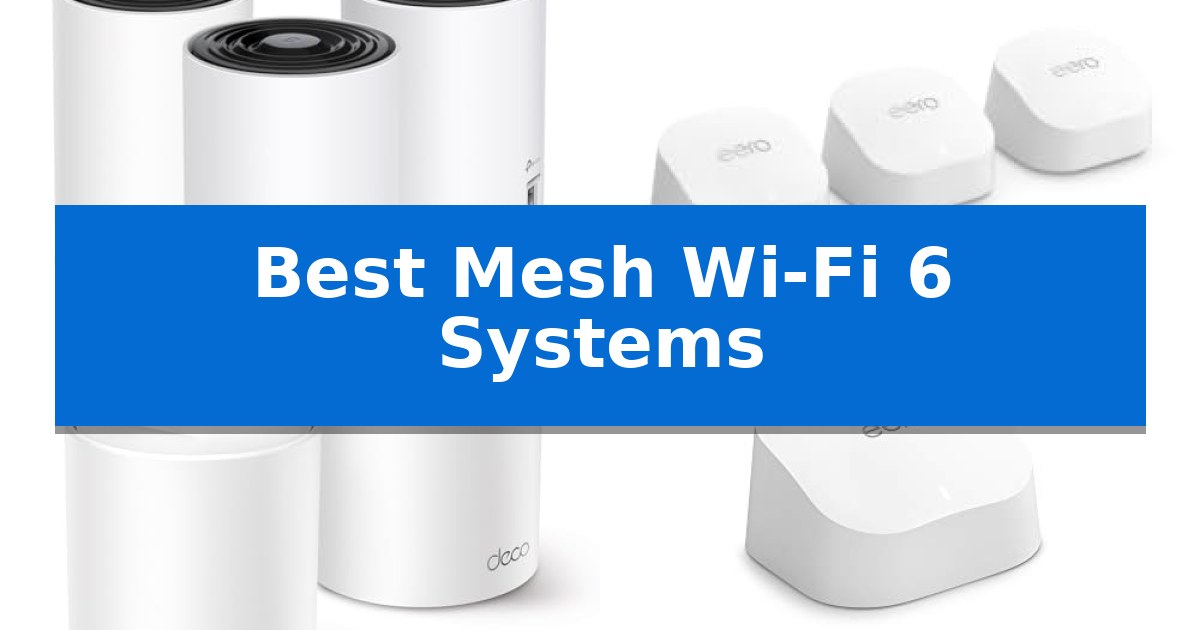
Struggling with inconsistent internet signals or frustrating dead zones in your home? Upgrading your network infrastructure is often the most effective way to ensure reliable, high-speed connectivity for every device. The Best Mesh Wi-Fi 6 Systems utilize advanced wireless standards to provide seamless coverage across large areas, effectively replacing traditional routers that often fail to reach distant rooms.
By deploying multiple interconnected nodes, these systems create a unified network that intelligently manages traffic and reduces interference. Whether you are working from home, streaming high-definition content, or managing a dense collection of smart home devices, selecting the right hardware is essential for maintaining a stable and efficient digital environment.
You may also want to compare Best Mesh Wi-Fi 5 Systems, Best Mesh Routers with Ethernet Ports, and Best Mesh Routers with Built-in Switch Ports.
Best Mesh Wi-Fi 6 Systems
Quick Comparison
| Product | Best For | Key Strength | Score |
|---|---|---|---|
| TP-Link Deco XE75 Mesh System | Best Overall | Dedicated 6 GHz band for reduced interference and stable backhaul. | 4.9 |
| Amazon eero 6+ Mesh System | Easiest to Maintain | Gigabit speed support for high-performance internet plans. | 4.5 |
| TP-Link Deco W4500 Mesh System | Budget-Friendly Whole-Home Coverage | Wi-Fi 6 efficiency with OFDMA and MU-MIMO support for high-density device environments. | 4.7 |
| Amazon eero 6 Mesh Router | Compact Pick for Tight Spaces | Wi-Fi 6 support for faster, more efficient wireless connectivity. | 4.7 |
How We Chose
- Coverage area and signal penetration capabilities.
- Support for modern Wi-Fi 6 standards and multi-band efficiency.
- Ease of installation and network management via mobile applications.
- Integration features for smart home ecosystems and security protocols.
- Device capacity and ability to maintain low latency during heavy usage.
1 TP-Link Deco XE75 Mesh System — Best for Advanced Tri-Band Performance
The TP-Link Deco XE75 Mesh System leverages a dedicated 6 GHz band to provide a high-capacity, interference-free backhaul, ensuring reliable data transmission between nodes. By offloading traffic to this modern frequency, the system allows WiFi 6E devices to operate without competing with legacy hardware, which is essential for maintaining network efficiency in environments with many connected devices.
Designed to cover up to 7,200 square feet, this tri-band system delivers total speeds of up to 5,400 Mbps across its 2.4 GHz, 5 GHz, and 6 GHz bands. The AI-Driven Mesh technology actively monitors network conditions and client behavior, automatically optimizing connection paths to sustain seamless performance as users move throughout the home.
Security is managed through TP-Link HomeShield, which includes network and IoT protection, parental controls, and quality of service management. As a signatory of the CISA Secure-by-Design pledge, the system incorporates advanced security protocols directly into its architecture. Setup is streamlined via the Deco app, which provides visual installation guidance and remote management capabilities, including compatibility with Alexa for basic voice commands.
This system is compatible with all major internet service providers, though it requires a separate modem to establish an internet connection. The primary trade-off is that the full benefits of the 6 GHz band are restricted to WiFi 6E-compatible hardware, making this system most effective for households looking to integrate newer, high-performance wireless standards.
Best for: Large households requiring high-capacity, interference-free connectivity for numerous devices across a wide area.
Skip if: Users who do not have WiFi 6E-compatible devices or a high-speed internet plan that would benefit from tri-band throughput.
PROS
- Dedicated 6 GHz band for reduced interference and stable backhaul.
- AI-Driven Mesh that learns and optimizes network performance automatically.
- Comprehensive TP-Link HomeShield security features included.
- Broad compatibility with all major internet service providers.
CONS
- Requires a separate modem for internet connectivity.
- 6 GHz band benefits are limited to compatible WiFi 6E devices.
2 Amazon eero 6+ Mesh System — Easiest to Maintain
Managing a reliable home network often requires balancing speed with coverage, especially when multiple devices compete for bandwidth. The Amazon eero 6+ Mesh System addresses this by utilizing the 160 MHz radio channel, which provides the necessary overhead for high-demand tasks like video conferencing and streaming across the entire household.
This system is built around the TrueMesh technology, which intelligently routes data traffic to minimize dead spots and signal drop-offs. Designed for modern internet plans, it supports speeds up to a Gigabit, ensuring that your hardware does not become a bottleneck for your high-speed connection.
Beyond its primary networking capabilities, the Amazon eero 6+ Mesh System functions as a built-in smart home hub. By supporting Thread and Zigbee protocols, it allows for direct integration with compatible smart devices and Alexa, effectively reducing the need for additional standalone bridges or hubs in your setup.
Setup is handled through a dedicated mobile application that provides guided instructions, making it accessible for users who prefer a streamlined installation process. The system is designed to receive automatic updates, ensuring that security and performance optimizations are applied over time without manual intervention.
Best for: Users seeking a simple, integrated mesh network that doubles as a smart home hub for Thread and Zigbee devices.
Skip if: Users who require advanced manual network configuration settings or professional-grade routing features not provided by the eero app.
PROS
- Gigabit speed support for high-performance internet plans.
- Integrated smart home hub for Thread and Zigbee connectivity.
- TrueMesh technology for intelligent traffic routing and coverage.
- Automatic software updates for ongoing security.
CONS
- Subscription required for advanced network management and security features.
3 TP-Link Deco W4500 Mesh System — Budget-Friendly Whole-Home Coverage
Achieving consistent, whole-home connectivity often requires moving beyond a single router to a multi-unit setup. The TP-Link Deco W4500 Mesh System addresses this by utilizing three individual AX1500 units to establish a unified network, providing coverage for areas up to 5,600 square feet.
This system leverages Wi-Fi 6 technology to deliver aggregate speeds of up to 1,500 Mbps, split between 1,201 Mbps on the 5 GHz band and 300 Mbps on the 2.4 GHz band. By incorporating OFDMA and MU-MIMO capabilities, the hardware is engineered to handle simultaneous data transmission for up to 120 devices, which helps maintain stability in environments with high traffic.
The mesh architecture is designed for seamless roaming, allowing the network to auto-select the strongest connection point as you move between rooms. This approach aims to reduce latency for activities like gaming and video chatting, ensuring a more responsive experience compared to traditional single-point routers.
For those managing a household, the system includes integrated parental controls to help monitor and manage internet usage. While this system offers robust coverage, it is best suited for users looking to upgrade to Wi-Fi 6 standards without the complexity of configuring multiple independent access points.
Best for: Users seeking to eliminate Wi-Fi dead zones in large homes while upgrading to Wi-Fi 6 for multiple device support.
Skip if: Users requiring multi-gigabit wired backhaul or advanced enterprise-grade networking features beyond standard parental controls.
PROS
- Wi-Fi 6 efficiency with OFDMA and MU-MIMO support for high-density device environments.
- Unified network coverage spanning up to 5,600 square feet with three included units.
- Low latency performance optimized for real-time applications like gaming and video conferencing.
- Seamless roaming that automatically directs devices to the best available signal.
CONS
- Renewed status may not appeal to those requiring brand-new hardware.
- Limited 90-day warranty compared to standard new-product coverage.
4 Amazon eero 6 Mesh Router — Compact Pick for Tight Spaces
Managing a reliable home network requires hardware that can handle modern traffic demands without creating bottlenecks. The Amazon eero 6 Mesh Router addresses this by utilizing Wi-Fi 6 technology, which supports faster wireless speeds and increased capacity compared to older standards, allowing for the connection of 75+ devices simultaneously.
Designed to eliminate dead zones, this system features TrueMesh technology that intelligently routes traffic to minimize drop-offs and buffering. It is rated to cover up to 1,500 sq. ft. and supports internet plans up to 900 Mbps, making it a practical solution for streaming 4K video, gaming, and handling multiple video conferences at once.
Beyond its primary routing duties, the unit includes a built-in Zigbee smart home hub. This allows you to connect compatible smart home devices directly to your network via Alexa, removing the need for additional individual hubs. The system is managed through the eero app, which provides guided setup and remote network management tools.
The hardware is built for longevity with automatic updates that deliver security patches and performance improvements over time. Its compact footprint, measuring approximately 3.91 x 3.82 x 2.42 inches, allows for discreet placement in various home environments. Users can also expand their coverage by adding additional eero hardware as their space or connectivity needs evolve.
Best for: Small to medium-sized homes looking for a compact, easy-to-manage Wi-Fi 6 mesh system with integrated smart home hub capabilities.
Skip if: Users with very large homes requiring extensive multi-node coverage or those needing specialized, high-end routing features like advanced port forwarding or multi-gigabit wired backhaul.
PROS
- Wi-Fi 6 support for faster, more efficient wireless connectivity.
- Integrated Zigbee hub simplifies smart home device management.
- TrueMesh technology helps maintain stable connections across the coverage area.
- Automatic software updates ensure the system remains secure and current.
CONS
- Single-pack coverage is limited to 1,500 sq. ft., requiring additional units for larger spaces.
- No multi-gigabit Ethernet ports for users with ultra-fast wired backhaul requirements.
Best Mesh Wi-Fi 6 Systems Buying Guide
Understanding Mesh Networking
A mesh network consists of a main router connected to your modem and several satellite nodes placed throughout your home. Unlike traditional range extenders, which often create separate networks or halve your bandwidth, mesh systems communicate with each other to form a single, cohesive network. This allows your devices to automatically connect to the node with the strongest signal as you move from room to room.
The primary advantage of this architecture is seamless roaming. Your phone or laptop will not drop its connection when transitioning between nodes, ensuring that video calls and streaming remain uninterrupted. This is particularly beneficial in multi-story homes or layouts with thick walls that typically obstruct wireless signals.
The Importance of Wi-Fi 6 Standards
Wi-Fi 6 (802.11ax) represents a significant leap forward in wireless technology, designed specifically to handle the high density of devices found in modern households. It improves efficiency by allowing the router to communicate with multiple devices simultaneously, rather than queuing them one by one. This reduces congestion and improves overall throughput.
When shopping for the Best Mesh Wi-Fi 6 Systems, look for features like OFDMA and MU-MIMO, which are core components of the Wi-Fi 6 standard. These technologies enable the system to manage traffic more intelligently, ensuring that bandwidth-heavy tasks like 4K streaming do not negatively impact the performance of smaller smart home sensors.
Evaluating Coverage Requirements
Before purchasing, assess the total square footage of your living space and the number of physical obstructions. While manufacturers provide maximum coverage ratings, these are often based on ideal, open-floor-plan conditions. In reality, walls, furniture, and appliances can significantly reduce the effective range of each node.
For larger homes, a 3-pack system is generally recommended to ensure that every corner receives a strong signal. If you live in a smaller apartment or a compact home, a single high-performance mesh router may be sufficient, with the option to add more nodes later if your needs change.
Security and Network Management
Modern mesh systems offer robust security features that go beyond basic password protection. Many include built-in tools for scanning your network, identifying vulnerable IoT devices, and providing parental controls to manage screen time or filter content. These features are typically managed through a dedicated mobile app, which simplifies the setup process.
Prioritize systems that offer automatic firmware updates. This ensures that your network remains protected against the latest security threats without requiring manual intervention. Some manufacturers also provide optional subscription services for advanced threat protection and detailed network reporting.
Smart Home Integration
Many mesh routers now function as smart home hubs, allowing you to connect and control Zigbee or Thread-enabled devices directly through the router. This can eliminate the need for multiple proprietary hubs, reducing clutter and simplifying your smart home setup.
Check for compatibility with voice assistants like Alexa, which can allow you to manage guest networks or toggle connectivity with simple voice commands. This level of integration makes managing a complex home network significantly more intuitive for the average user.
Frequently Asked Questions
Do I need a separate modem for these mesh systems?
Yes, in most cases, these mesh systems function as routers and require a separate modem provided by your internet service provider to supply the incoming internet signal.
Can I mix and match different mesh router brands?
Generally, no. Mesh systems are designed to work within their own proprietary ecosystem to ensure seamless communication between nodes. It is best to stick to a single brand and series.
How many nodes do I need for a 2,000 square foot home?
For a 2,000 square foot home, a 2-pack or 3-pack system is usually sufficient to ensure full coverage, depending on the layout and the number of interior walls.
Does Wi-Fi 6 improve speed for older devices?
While Wi-Fi 6 is backward compatible with older devices, those devices will not see the same performance gains as Wi-Fi 6-compatible hardware. However, the overall network efficiency will still benefit from the improved traffic management.
Are these systems difficult to set up?
Most modern mesh systems are designed for simplicity. They typically involve downloading a mobile app and following step-by-step visual instructions to connect the nodes and configure your network settings.
Conclusion: Our Top Pick
Selecting the right networking hardware is a foundational step in creating a reliable home environment. After reviewing the available options, the TP-Link Deco XE75 Mesh System stands out as the most versatile choice for most households. Its tri-band performance, including the 6GHz band, provides the necessary bandwidth to handle high-demand tasks while ensuring stable connections for a large number of devices.
While other options like the eero 6+ offer excellent ease of maintenance, the TP-Link system's combination of advanced tri-band technology and comprehensive security features makes it a robust investment. Ensure your home's layout is considered when placing nodes to maximize the benefits of this high-performance mesh network.