
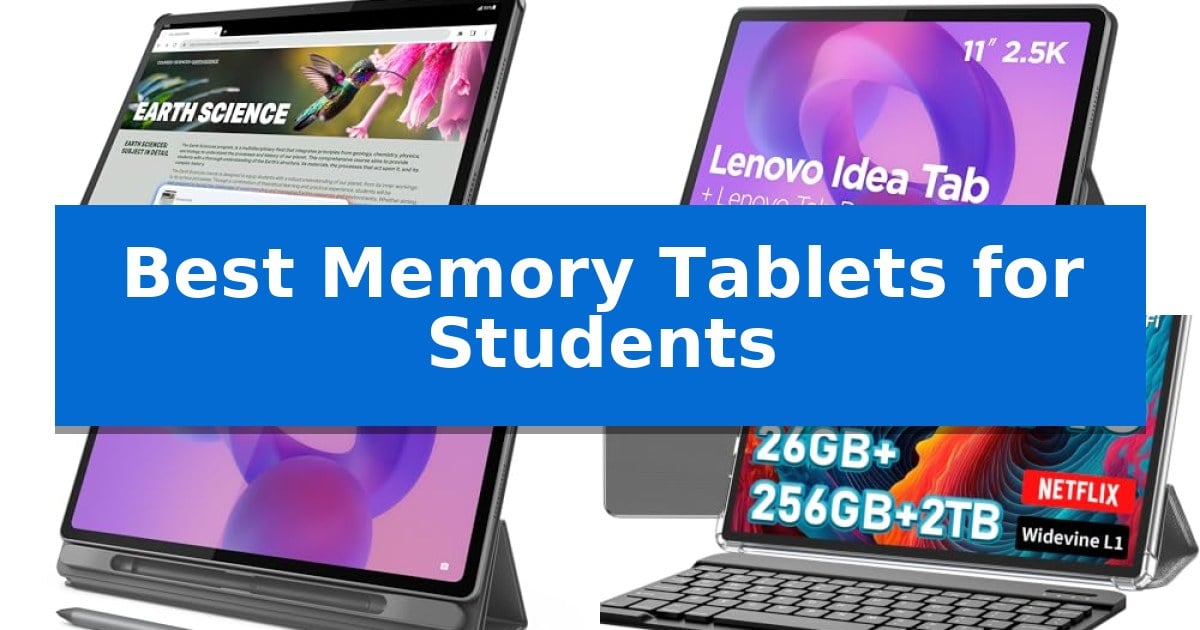
Finding the right device for your academic journey can significantly impact your daily productivity and focus. Whether you are drafting research papers, organizing lecture notes, or managing complex study schedules, having a reliable tablet is essential for staying on top of your coursework.
Our guide explores the Best Memory Tablets for Students to help you identify which features—from AI-integrated note-taking to high-resolution displays—best suit your specific learning style. We focus on practical performance and portability to ensure your next device supports your educational goals effectively.
You may also want to compare Best Memory Stick Duo Card, Best Memory RAM for Ryzen 7 9800X3D, and Best Memory RAM for AMD Ryzen 7 2700.
Best Memory Tablets for Students
Quick Comparison
| Product | Best For | Key Strength | Score |
|---|---|---|---|
| Lenovo Idea Tab Pro | Best Overall | AI-enhanced productivity with Google Gemini and Circle to Search. | 4.9 |
| Lenovo Idea Tab 11 | Balanced Performance for Daily Study | High-resolution 2.5K display with a 90Hz refresh rate for smooth navigation. | 4.7 |
| Lenovo Idea Tab Plus | Lightweight Design for Campus Mobility | Ultra-portable design weighing just over one pound. | 4.5 |
| Relndoo Android 16 Tablet | Complete Productivity Bundle Included | Extensive storage options with 256GB ROM and 2TB expansion support. | 4.9 |
| Lenovo Tab One | Compact Portability for Quick Notes | Extremely lightweight and compact design for easy portability. | 4.5 |
How We Chose
- Processor efficiency for smooth multitasking during research.
- Display resolution and blue light reduction for comfortable reading.
- Battery endurance to support full days of campus activity.
- Integration of AI tools for note-taking and document searching.
- Portability and physical design for ease of transport.
1 Lenovo Idea Tab Pro — AI-Powered Multitasking for Students
Navigating academic workloads requires a device that balances portability with high-end processing, and the Lenovo Idea Tab Pro addresses this by integrating the MediaTek Dimensity 8300 processor. This tablet is built to handle intensive multitasking, ensuring that students can transition between research, streaming, and productivity apps without interruption.
The device features a expansive 12.7” 3K LCD display that is Low Blue Light certified, prioritizing eye comfort during extended study sessions. For those who need to switch between different reading environments, the tablet offers adjustable mono and chromatic visual modes, allowing for a more tailored viewing experience.
Efficiency is central to the design, highlighted by the inclusion of Google Gemini for AI-assisted research and the Circle to Search feature. By using the included Tab Pen Plus, students can quickly query information directly from their screen, streamlining the research process and reducing the need for manual screenshots or external searches.
Designed for long days on campus, the tablet provides up to 11 hours of video streaming and supports 45W quick charging to minimize downtime. The hardware is complemented by quad JBL Dolby Atmos speakers and a 360Hz touch sampling rate, making it a versatile tool for both academic presentations and media consumption.
Best for: Students who require an AI-integrated, high-resolution tablet for research, note-taking, and multimedia study.
Skip if: Users who require a full desktop operating system or specialized professional software not available on mobile platforms.
PROS
- AI-enhanced productivity with Google Gemini and Circle to Search.
- High-resolution 12.7” 3K display with eye-care certification.
- Included accessories including the Tab Pen Plus and a folio case.
- Fast charging capability with 45W support.
CONS
- Limited to mobile-based applications compared to traditional laptops.
2 Lenovo Idea Tab 11 — Balanced Performance for Daily Study
Managing a busy academic schedule requires tools that balance portability with high-performance multitasking. The Lenovo Idea Tab 11 addresses this by integrating a high-resolution 11-inch 2.5K IPS touchscreen with a 90Hz refresh rate, designed to provide a smooth visual experience for both detailed note-taking and extended study sessions.
At the core of this device is the MediaTek Dimensity 6300 processor, which supports AI-enhanced multitasking to keep up with demanding coursework. Students can utilize the included Tab Pen and folio case to organize thoughts, sketch diagrams, or perform complex calculations using pre-installed learning apps like Lenovo AI Note, Squid, Nebo, and MyScript Calculator.
The tablet prioritizes long-term usability with a battery rated for up to 12 hours of video playback, supported by 20W fast charging to minimize downtime between classes. For those working in shared spaces, the quad Dolby Atmos-tuned speakers provide clear audio, while the TÜV Rheinland Low Blue Light hardware certification helps reduce eye fatigue during long hours of screen time.
Connectivity and workflow integration are handled through Smart Connect, allowing for seamless task transitions across multiple devices without the need for cables. The inclusion of Circle to Search with Google further streamlines research, enabling students to quickly look up information or translate text directly from their current screen without switching applications.
Best for: Students who need a versatile, all-in-one tablet solution for digital note-taking, research, and media consumption with integrated stylus support.
Skip if: Users who require a full desktop operating system or specialized professional software that is not compatible with mobile-based learning applications.
PROS
- High-resolution 2.5K display with a 90Hz refresh rate for smooth navigation.
- Comprehensive accessory bundle including a Tab Pen and folio case.
- AI-enhanced productivity apps pre-installed to assist with organization and calculations.
- TÜV Rheinland-certified low blue light hardware to support eye comfort.
CONS
- Limited to mobile-based applications which may not replace full desktop software for specific technical majors.
3 Lenovo Idea Tab Plus — Lightweight Design for Campus Mobility
Balancing academic demands requires tools that prioritize portability and efficient workflow, and the Lenovo Idea Tab Plus is engineered specifically for this mobile lifestyle. Weighing just over a pound and measuring a slim 0.25 inches in height, this device is designed to slide effortlessly between notebooks in a student's bag.
The tablet features a 12.1-inch 2.5K IPS touchscreen with a 90Hz refresh rate, providing a sharp, responsive interface for research and note-taking. To protect eyes during long study sessions, the display includes TÜV Rheinland Low Blue Light certification and reaches up to 800 nits of brightness for clarity in varied lighting conditions.
Performance is driven by the MediaTek Dimensity 6400 processor paired with 8GB of memory, supporting multitasking across the four pre-installed learning apps: Lenovo Notepad, Squid, Nebo, and MyScript Calculator. The integration of Circle to Search, powered by Google, allows students to quickly look up information or translate text using the included Lenovo Tab Pen or simple touch gestures.
For collaborative projects, the tablet offers effortless file sharing, enabling users to drag and drop documents and photos between devices without cables. The hardware is rounded out by quad Dolby Atmos tuned speakers for clear audio and a battery capable of up to 13 hours of YouTube streaming, supported by quick-charge capabilities for minimal downtime between classes.
Best for: Students who need a lightweight, highly portable tablet for note-taking, research, and collaborative study sessions.
Skip if: Users who require a full desktop operating system or high-performance workstation capabilities for intensive video editing or specialized engineering software.
PROS
- Ultra-portable design weighing just over one pound.
- High-resolution 2.5K display with 90Hz refresh rate.
- Integrated learning suite including specialized note-taking and calculation apps.
- Seamless file sharing capabilities for cross-device productivity.
CONS
- Limited to mobile-based learning applications rather than full desktop software environments.
4 Relndoo Android 16 Tablet — Complete Productivity Bundle Included
Equipped with an integrated Gemini AI assistant, the Relndoo Android 16 Tablet functions as a versatile personal tool for students, enabling tasks like drafting emails, summarizing documents, and troubleshooting through voice or text input. This 10-inch device is designed to serve as a comprehensive productivity hub, arriving as a complete bundle that includes a keyboard, mouse, stylus, and a protective case.
The tablet is powered by an octa-core processor utilizing a 12 nm process, featuring two high-performance Cortex-A75 cores and six power-efficient Cortex-A55 cores. To support multitasking and academic workloads, it offers 26GB of RAM (6GB physical plus 20GB virtual) and 256GB of internal storage, which can be further expanded by up to 2TB via a TF-card slot. An 8,000 mAh battery provides the endurance necessary for extended study sessions or media consumption.
Visuals are handled by a 10.1-inch HD display that supports Widevine L1, ensuring stable 1080P Full-HD streaming for educational or entertainment platforms. Connectivity is enhanced by 5G WiFi and Bluetooth 5.0, which facilitate faster file downloads and stable pairing with the included wireless peripherals. The device also features front and rear HD cameras suitable for video classes and online collaboration.
This Best Memory Tablets for Students choice prioritizes a seamless transition between work and leisure. By including a keyboard and mouse, the tablet allows students to switch from content consumption to document creation without needing additional accessories. While the hardware is robust, users should note that the 2TB expansion requires a separate purchase of a TF-card.
Best for: Students who require a comprehensive, all-in-one productivity bundle with high storage capacity for coursework and media.
Skip if: Users who prefer a high-end, professional-grade tablet for intensive graphic design or heavy video editing might find the processor specifications limiting.
PROS
- Extensive storage options with 256GB ROM and 2TB expansion support.
- Complete productivity bundle including keyboard, mouse, and stylus.
- Integrated Gemini AI for document summarization and drafting.
- Widevine L1 support for high-quality 1080P streaming.
CONS
- TF-card not included for the 2TB storage expansion.
- Processor architecture is optimized for daily tasks rather than high-end gaming or professional creative software.
5 Lenovo Tab One — Compact Portability for Quick Notes
The Lenovo Tab One offers a highly portable solution for students who need a lightweight device for daily academic tasks and media consumption. Weighing less than a pound and featuring an 8.7-inch display, this tablet is designed to fit easily into a backpack or purse, making it a practical choice for those on the move.
Equipped with the MediaTek Helio G85 processor and 4 GB of memory, the device is built to handle fluid browsing and streaming. Students can benefit from the 12.5 hours of YouTube streaming capacity, which supports long study sessions or downtime without frequent recharging. The inclusion of a 15W fast-charging capability further reduces the time spent tethered to a power outlet.
The tablet includes a folio case that provides both protection and a built-in stand for hands-free viewing, which is useful for following digital tutorials or attending virtual lectures. Additionally, the integration of Google Kids Space and access to YouTube Kids provides curated, age-appropriate content for younger students, while the Android 14 operating system ensures access to current software features and security updates.
Visual and audio quality are supported by an HD display with 480 nits of brightness and dual Dolby Atmos speakers. While the 64 GB of storage is sufficient for basic document management and apps, users should consider their specific storage needs for large media files or extensive offline content.
Best for: Students requiring a highly portable, lightweight device for streaming, web browsing, and light academic research.
Skip if: Users who require high-performance processing for intensive multitasking, professional creative software, or large-scale local file storage.
PROS
- Extremely lightweight and compact design for easy portability.
- Long-lasting battery with up to 12.5 hours of streaming.
- Includes a protective folio case with a built-in stand.
- Supports 15W fast charging to minimize downtime.
CONS
- Limited to 64 GB of internal storage.
- 8.7-inch display may feel small for complex document editing or split-screen multitasking.
Best Memory Tablets for Students Buying Guide
Processor Performance and Multitasking
For students, the processor is the engine of productivity. A high-performance chipset, such as those found in the MediaTek Dimensity series, ensures that switching between research browsers, note-taking apps, and video lectures remains fluid without lag.
When selecting a tablet, prioritize models that offer smooth multitasking capabilities. This allows you to keep multiple applications open simultaneously, which is crucial for referencing source material while writing assignments.
Display Quality and Eye Comfort
Students often spend hours reading digital textbooks and PDFs. A high-resolution display, such as a 2.5K or 3K LCD/IPS panel, provides the sharp text clarity necessary to reduce eye strain during long study sessions.
Look for Low Blue Light certification and adjustable visual modes. These features allow you to transition between chromatic and monochromatic settings, making it easier to read for extended periods without fatigue.
Battery Life and Charging Speed
A reliable tablet must last through a full day of classes and library sessions. Look for devices that offer all-day battery life, specifically those capable of 10 to 13 hours of continuous video streaming or document work.
Fast-charging technology is an equally important consideration. A 45W or 20W quick charge feature can significantly reduce the time you spend tethered to a wall outlet, ensuring your device is ready when you are.
AI-Enhanced Productivity Tools
Modern tablets now include AI-powered assistants like Google Gemini to help streamline research. These tools can summarize lengthy documents, draft emails, and troubleshoot complex study topics instantly.
Features like Circle to Search allow you to quickly identify information on your screen without switching apps. This functionality is a major time-saver for students who frequently need to look up definitions or translate text while studying.
Portability and Accessories
Campus mobility requires a device that is lightweight and easy to carry. Tablets weighing around one pound or less are ideal for slipping into backpacks alongside heavy textbooks.
Check if the tablet includes essential accessories like a stylus or folio case. Having a dedicated pen for sketching and note-taking, combined with a protective case that doubles as a stand, adds significant value and utility to your purchase.
Frequently Asked Questions
Do I need a tablet with a lot of RAM for school?
For standard student tasks like web browsing, note-taking, and streaming, 4GB to 8GB of memory is generally sufficient. If you plan on heavy multitasking or using advanced AI apps, 8GB is recommended.
Is a stylus necessary for a student tablet?
A stylus is highly beneficial if you prefer handwriting your notes, sketching diagrams, or annotating PDFs. Many modern tablets include a pen, which enhances your ability to organize study materials.
How does AI help with studying on a tablet?
AI tools can help summarize long articles, provide instant answers to questions via features like Circle to Search, and assist in drafting or editing written assignments quickly.
What display features should I look for to protect my eyes?
Look for tablets with Low Blue Light certification and adjustable color modes. These features help reduce eye strain during long periods of reading or writing.
Can I use these tablets for gaming as well?
Yes, many of these tablets feature high refresh rates and powerful processors that are capable of handling casual gaming and high-frame-rate media playback during your study breaks.
Conclusion: Our Top Pick
After reviewing the available options, the Lenovo Idea Tab Pro stands out as the most well-rounded choice for students. Its combination of a high-resolution 3K display, efficient MediaTek Dimensity 8300 processor, and integrated AI tools provides a robust platform for both intensive study sessions and downtime.
While other models offer specific benefits like extreme portability or bundled accessories, the Lenovo Idea Tab Pro delivers the best balance of performance, visual clarity, and smart features. It is a reliable investment for any student looking to enhance their academic workflow with a versatile, high-powered device.