
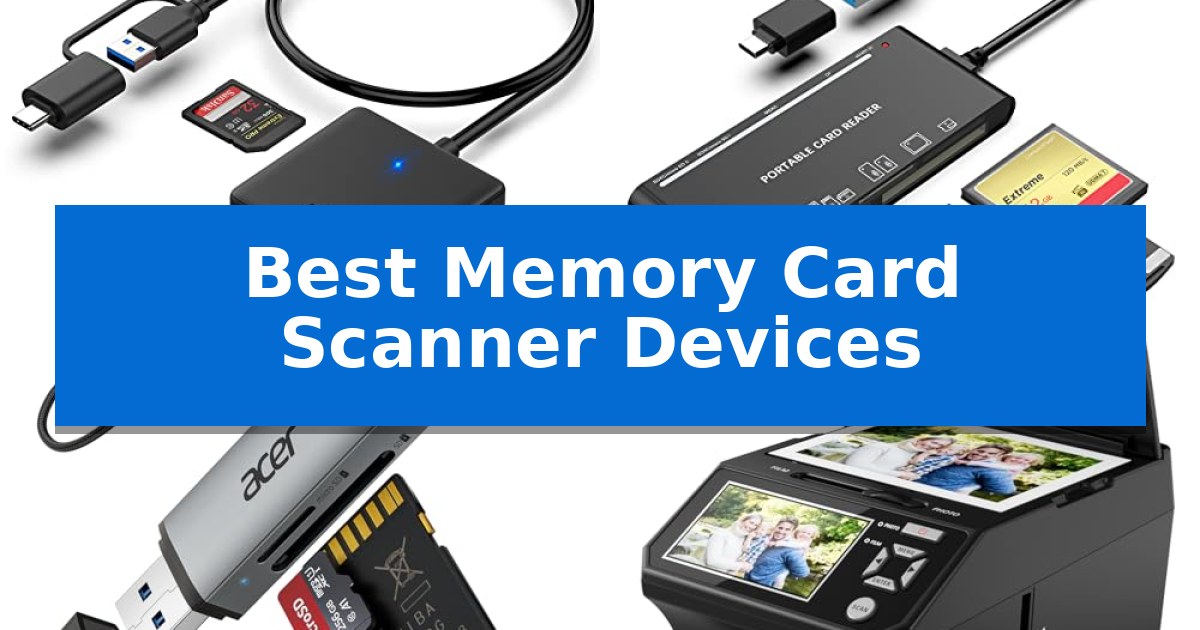
Managing physical media and digital storage requires reliable hardware that bridges the gap between legacy formats and modern computing. Whether you are looking to preserve vintage film negatives or simply need a high-speed way to move data from multiple cards, finding the Best Memory Card Scanner Devices is essential for maintaining an efficient digital archive.
Our guide evaluates current options ranging from versatile multi-card readers to dedicated standalone film digitizers. By focusing on connection standards, format support, and ease of use, we help you identify the right tool to simplify your media management and protect your precious memories for years to come.
You may also want to compare Best Memory Card Readers for CF Cards, Best Memory Card Readers, and Best Memory Card Reader for Photos.
Best Memory Card Scanner Devices
Quick Comparison
| Product | Best For | Key Strength | Score |
|---|---|---|---|
| BENFEI 4-in-1 Memory Card Reader | Best Overall | Simultaneous read and write capability for four different card types. | 4.9 |
| Rocketek 7-in-1 Multi Card Reader | Versatile Multi-Format Support | Simultaneous multi-card reading and writing for up to five cards. | 4.8 |
| Acer USB-C Dual Slot Card Reader | Fast Transfers for Modern Devices | Dual-header design supports both USB-C and USB-A connections. | 4.8 |
| DigitPro Photo and Film Scanner | Digitize Archives Without Computers | Standalone operation requires no computer or software installation. | 4.7 |
| DigitConvert Slide and Film Scanner | High-Resolution Negative Conversion | High-resolution 22MP sensor for detailed digital conversions. | 4.6 |
How We Chose
- Format Versatility: Assessing the range of supported card types and film sizes to ensure broad compatibility.
- Interface Standards: Evaluating the use of USB-C and USB 3.0 for modern connectivity and data transfer speeds.
- Standalone Capability: Checking for the ability to operate without a computer, which is critical for dedicated digitizers.
- Build and Design: Considering the physical footprint and the inclusion of protective features for travel or long-term use.
- Simultaneous Processing: Prioritizing devices that allow for multi-card reading to maximize productivity.
1 BENFEI 4-in-1 Memory Card Reader — Reads Four Cards Simultaneously
Managing multiple memory cards across different devices often leads to clutter and slow transfer times. The BENFEI 4-in-1 Memory Card Reader addresses this by providing a centralized hub that allows for the simultaneous reading and writing of four distinct card types: SD, Micro SD, MS, and CF. Its integrated design simplifies workflows for users who frequently move data between cameras, smartphones, and computers.
Engineered for versatility, this adapter features a 2-in-1 USB-C and USB 3.0 interface, ensuring compatibility with both modern Thunderbolt 3-equipped laptops and legacy USB-A ports. The device utilizes an advanced IC chip to maintain signal stability during high-speed data transfers, supporting UHS-I mode with transfer rates up to 160MB/sec. This performance enables quick access to high-resolution photos and HD video files.
The reader is designed for broad compatibility across various ecosystems, including macOS, Windows, and Android devices. It is particularly useful for users of newer hardware like the iPhone 15 series or MacBook Pro, as it bridges the gap between older storage media and modern connection standards. The device is backed by an 18-month unconditional warranty, providing long-term support for your hardware investment.
While the reader offers extensive format support, it is important to note that it is incompatible with standard Memory Stick, Memory Stick Micro (M2), and CF Type I cards. Additionally, users working with large SDXC cards should ensure their operating system supports the exFAT file format to avoid connectivity issues. Its compact build makes it a practical tool for those needing a reliable, multi-format solution in a single, portable package.
Best for: Users who need to manage multiple card formats simultaneously across both USB-C and USB-A devices.
Skip if: Users who specifically require support for CF Type I, standard Memory Stick, or Memory Stick Micro (M2) cards.
PROS
- Simultaneous read and write capability for four different card types.
- Dual-interface design featuring both USB-C and USB 3.0 connectors.
- High-speed data transfer support in UHS-I mode up to 160MB/sec.
- Broad compatibility with modern smartphones, tablets, and laptops.
CONS
- Incompatible with specific formats including CF Type I and Memory Stick Micro (M2).
- File system dependency requires modern OS support for exFAT on large capacity cards.
2 Rocketek 7-in-1 Multi Card Reader — Versatile Multi-Format Support
The Rocketek 7-in-1 Multi Card Reader provides a centralized interface for managing diverse digital storage media, featuring dedicated slots for CF, SD, TF, Micro SD, XD, and MS cards. This adapter hub is engineered to handle multiple formats simultaneously, allowing users to read and write to five different cards at once to streamline data management workflows.
Designed for broad system compatibility, the device utilizes a 2-in-1 connector design that integrates both USB-C and USB 3.0 interfaces. This dual-connection approach ensures plug-and-play functionality across a wide range of hardware, including modern laptops, tablets, and smartphones running Windows, Mac OS, Linux, Android, or Chrome OS, without requiring additional drivers.
Data throughput is supported by 5Gbps Super Speed Transfer capabilities, which facilitates rapid file movement between memory cards and connected computers. The hardware is backward compatible with USB 2.0 and 1.1 ports, ensuring it remains functional even when used with older equipment.
The reader supports high-capacity storage, including SDXC cards up to 2TB and high-speed UDMA CF cards. Constructed for durability, the unit is backed by a 12-month warranty, providing a reliable solution for users who frequently swap between various memory card standards.
Best for: Users who need to manage multiple memory card formats simultaneously across both USB-C and USB-A devices.
Skip if: Users who require an integrated card reader for a specific internal PC slot or those who do not need to read multiple cards at the same time.
PROS
- Simultaneous multi-card reading and writing for up to five cards.
- Dual USB-C and USB 3.0 connectivity for broad device compatibility.
- High-speed 5Gbps data transfer for efficient file management.
- Wide support for SDXC up to 2TB and high-speed CF cards.
CONS
- External form factor requires a cable connection rather than being an internal component.
3 Acer USB-C Dual Slot Card Reader — Fast Transfers for Modern Devices
The Acer USB-C Dual Slot Card Reader streamlines file management for mobile professionals by offering a dual-header design that connects directly to both USB-C and USB-A devices. This compact adapter eliminates the need for extra cables or software, allowing for immediate file access across laptops, tablets, and smartphones.
Engineered for efficiency, the device features simultaneous dual-card reading, which enables users to access data from both microSD and SD cards at the same time. It supports 5Gbps data transfer speeds via USB 3.0, ensuring that high-resolution photos and video files move quickly between storage media and your workstation.
Built with heat-resistant aluminum, the reader is designed for durability during extended use. Its slim, lightweight profile includes protective covers for both ends to shield ports from dust and liquid, making it a practical addition to any camera bag or laptop sleeve.
Compatibility is broad, supporting Windows, macOS, and most Android devices, including modern hardware like the iPhone 15/16 and iPad Pro. Because it is a plug-and-play solution, it requires no driver installation, providing a straightforward interface for photographers and creators who need to move media on the go.
Best for: Photographers and creators who need a portable, plug-and-play solution to transfer media between multiple devices using USB-C or USB-A ports.
Skip if: Users who require support for specialized memory formats like CFexpress, XQD, or Memory Stick cards, as this reader is limited to SD and microSD slots.
PROS
- Dual-header design supports both USB-C and USB-A connections.
- Simultaneous dual-card reading for microSD and SD formats.
- Heat-resistant aluminum construction for improved durability.
- Plug-and-play functionality requires no drivers or software.
CONS
- Limited card compatibility as it does not support CFexpress, XQD, or SIM cards.
- Thick device cases may prevent the connector from fully inserting into some smartphones or tablets.
4 DigitPro Photo and Film Scanner — Digitize Archives Without Computers
Preserving family archives requires a reliable method to convert aging physical media into modern formats without the complexity of traditional flatbed scanners. The DigitPro Photo and Film Scanner simplifies this task by functioning as a standalone digitizer, eliminating the need for computer software, drivers, or external applications during the conversion process.
Designed for versatility, this device handles a wide range of media, including 35mm slides, 135 and 110 film negatives, and printed photos up to 5R in size. Users can monitor the process in real-time using the extra-large 5-inch HD viewing screen, which provides a clear preview of the image before it is saved. The system uses one-touch buttons to capture images, which are then stored directly onto the included 8GB SD card for easy transfer to a computer later.
The scanner operates as a complete kit, shipping with necessary film and slide holders, photo trays, and a cleaning brush to ensure high-quality results. By bypassing the need for a connected PC, the unit offers a streamlined workflow for digitizing large collections of vintage negatives and printed photos. It is backed by a 3-year warranty, providing long-term support for the hardware.
While this unit excels at rapid digitization, it is a dedicated hardware solution meant for specific media types. Users looking for high-end professional archival scanning or those who require advanced image manipulation software during the scanning process may find the simplicity of this standalone device limiting compared to professional-grade flatbed alternatives.
Best for: Individuals seeking a simple, standalone solution to digitize 35mm slides, film negatives, and physical photos without using a computer.
Skip if: Users who require professional-grade resolution, advanced color correction software, or the ability to scan documents larger than 5R photos.
PROS
- Standalone operation requires no computer or software installation.
- Integrated 5-inch HD screen allows for immediate previewing and editing.
- Includes a complete bundle with an 8GB SD card and necessary film holders.
- Backed by a 3-year warranty for added peace of mind.
CONS
- Limited to specific media sizes like 35mm, 110 film, and photos up to 5R.
- Hardware-dependent workflow lacks the advanced editing capabilities of PC-based scanning software.
5 DigitConvert Slide and Film Scanner — High-Resolution Negative Conversion
Transforming aging physical media into lasting digital archives is simplified with the DigitConvert Slide and Film Scanner, which features a 22MP sensor designed to capture high-resolution images from 35mm slides, 110/126 negatives, and Super 8 film. This device eliminates the need for complex computer software by offering one-touch scanning directly to an SD card, making it a practical solution for those looking to digitize collections without a steep technical learning curve.
The unit is built around a 5-inch HD LCD screen that provides an immediate preview of your scans. Beyond its primary function, the scanner includes a Gallery Mode, which allows the device to double as a desktop digital photo frame when not in use. This dual-purpose design adds utility to your workspace or living area while keeping your memories accessible.
Connectivity options are straightforward, with the scanner supporting PC and Mac export via an included Type-C to USB cable. For those who prefer a larger viewing experience, the device can connect directly to a television using the provided HDMI cable, facilitating easy slideshow presentations. The system requires a constant power connection, ensuring consistent performance during long scanning sessions.
The package is a complete all-in-one kit, providing five dedicated film adapters, a cleaning brush, and all necessary cables. With a 36-month warranty included, the scanner offers a reliable path for preserving various film formats into standard JPEG files, balancing ease of use with versatile output options.
Best for: Users who need a standalone, all-in-one device to digitize various film and slide formats without relying on complex computer software.
Skip if: Users who require a portable, battery-operated scanner, as this device must be plugged into a power source during operation.
PROS
- High-resolution 22MP sensor for detailed digital conversions.
- Large 5-inch HD screen for immediate preview and editing.
- Versatile compatibility with 35mm, 110, 126, and Super 8 film formats.
- Dual-functionality as a digital photo frame via Gallery Mode.
CONS
- Requires constant power connection during use, limiting placement options.
- SD card not included, requiring a separate purchase for storage.
Best Memory Card Scanner Devices Buying Guide
Understanding Connectivity Standards
Modern memory card scanners and readers rely heavily on USB-C and USB 3.0 interfaces. A USB-C connection is increasingly vital for compatibility with current laptops, tablets, and smartphones, providing a reversible and high-bandwidth link for your data.
When selecting a device, ensure it supports the UHS-I or higher transfer standards if you frequently move large files like high-definition video or RAW photos. Backward compatibility with USB 2.0 is a useful feature if you occasionally need to connect to older legacy systems.
Standalone vs. Computer-Dependent Scanners
Dedicated film and photo scanners often feature standalone operation, meaning they do not require a computer or software installation to function. These devices typically include an integrated LCD screen for previewing and editing images directly on the unit.
If you prefer a streamlined workflow, a standalone scanner that saves directly to an SD card is highly efficient. Conversely, if you are comfortable with post-processing software, a standard multi-card reader connected to your computer provides more flexibility for file management and organization.
Format Support and Compatibility
The Best Memory Card Scanner Devices must accommodate the specific media you possess. While most readers handle standard SD and Micro SD cards, users with older cameras may require support for Compact Flash (CF) or Memory Stick (MS) formats.
Always verify the file system support, particularly for high-capacity cards. Many devices require exFAT formatting for cards larger than 64GB, so ensure your chosen scanner is compatible with the file systems used by your specific camera or recording equipment.
Productivity Features
For professional or high-volume users, simultaneous reading is a significant time-saver. Devices that allow you to insert multiple cards at once and access them as separate drives can drastically reduce the time spent swapping media.
Look for features like one-touch scanning buttons on film digitizers, which simplify the process of converting negatives to JPEGs. These small design choices can make a substantial difference when you are processing hundreds of slides or photos.
Durability and Portability
If you frequently work on location, the physical build of your card reader matters. Aluminum housings are often preferred for their heat dissipation properties and durability, ensuring the device remains stable during long data transfer sessions.
Consider the inclusion of protective covers for the ports, which help shield the connectors from dust and debris. A compact, lightweight design is also beneficial for fitting into camera bags or laptop sleeves without adding unnecessary bulk.
Frequently Asked Questions
Do I need special software to use these card readers?
Most modern memory card readers are plug-and-play, meaning they do not require additional drivers or software. They are recognized by your computer as external storage drives.
Can I connect these scanners directly to my smartphone?
Many USB-C based card readers are compatible with smartphones and tablets that feature a USB-C port, allowing you to view and transfer files directly to your mobile device.
What is the benefit of a 5-inch screen on a film scanner?
A larger screen provides a clearer preview of your negatives or slides, making it easier to adjust color, brightness, and orientation before finalizing the digital conversion.
Are these devices compatible with all SD card capacities?
Most current readers support high-capacity cards, but always check the manufacturer's specifications regarding file system support like exFAT, especially for cards 64GB and larger.
Do I need to plug in a film scanner to a power source?
Standalone film and slide scanners typically require a constant power connection via the included power adapter to operate the scanning light and internal processing components.
Conclusion: Our Top Pick
Selecting the right tool for your digital archive depends on whether you need a high-speed data bridge or a dedicated conversion station. For those seeking a versatile and reliable data solution, the BENFEI 4-in-1 Memory Card Reader stands out as the top choice due to its ability to handle four card types simultaneously and its dual USB-C/USB 3.0 connectivity.
While the BENFEI reader is excellent for general file management, users focusing on legacy media should consider the dedicated film scanners in our list to ensure high-resolution results. Regardless of your choice, prioritizing devices with modern interfaces will ensure your workflow remains efficient as your digital collection grows.