
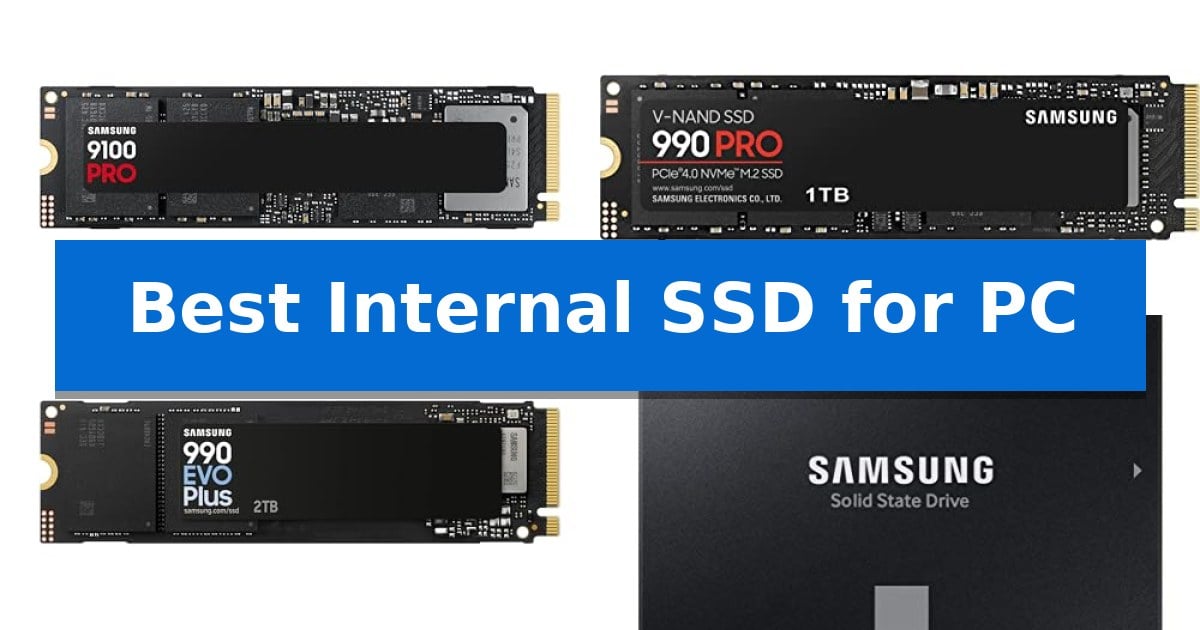
Finding the Best Internal SSD for PC requires balancing your motherboard's interface capabilities with your specific storage needs. Whether you are building a high-end workstation for AI tasks or simply looking to revive an older desktop with a faster boot drive, the right choice depends on matching the drive's speed and form factor to your hardware.
Our guide evaluates current market options, ranging from cutting-edge PCIe 5.0 drives to reliable SATA III upgrades. By understanding the differences in interface bandwidth and thermal management, you can select a drive that eliminates bottlenecks and provides the capacity required for your gaming library or creative projects.
Best Internal SSD for PC in 2026
Quick Comparison
| Product | Best For | Key Strength | Score |
|---|---|---|---|
| Samsung 9100 PRO SSD | Best Overall | PCIe 5.0 interface delivers industry-leading sequential speeds. | 4.9 |
| Samsung 990 PRO SSD | High-End PCIe 4.0 Performance | High-performance PCIe 4.0 sequential speeds up to 7,450 MB/s. | 4.7 |
| Samsung 990 EVO Plus SSD | Versatile Gen 4 and 5 Support | Versatile interface support for both PCIe 4.0 x4 and PCIe 5.0 x2. | 4.9 |
| Samsung 870 EVO SSD | Reliable SATA III Upgrade | High sequential speeds that maximize the SATA III interface limit. | 4.4 |
| PNY CS900 SSD | Budget-Friendly SATA Performance | Significant performance improvement over traditional hard drives. | 4.8 |
How We Chose
- Interface compatibility with PCIe 5.0, 4.0, and SATA standards.
- Sequential read and write speed capabilities for data-heavy workflows.
- Thermal management features to maintain consistent performance under load.
- Form factor and capacity options for diverse desktop and laptop configurations.
- Software support for drive health monitoring and firmware updates.
1 Samsung 9100 PRO SSD — Blazing PCIe 5.0 Speed
The Samsung 9100 PRO SSD introduces a significant leap in storage technology by utilizing the PCIe 5.0 interface, which enables sequential read and write speeds of up to 14,700/13,400 MB/s. This drive is designed to handle intensive workloads, making it a viable component for users focused on AI computing, high-end gaming, and demanding workstation tasks.
Engineered for efficiency, the drive incorporates a 5nm controller that improves power efficiency by up to 49% compared to previous generations. This hardware design, paired with advanced thermal control, helps maintain consistent performance under heavy data loads. The drive also supports random read/write speeds of up to 1,850K/2,600K IOPS, facilitating faster game loading and smoother multitasking for complex applications.
Compatibility is a core focus, as the Samsung 9100 PRO SSD is suitable for a variety of systems, including desktop PCs, laptops, and the PlayStation 5 when paired with an appropriate heatsink. It is available in capacities reaching up to 8TB, providing substantial room for large game libraries and massive creative project files.
Maintenance and security are managed through the Samsung Magician Software, which provides users with tools for firmware updates, drive health monitoring, and encryption. As a product from a company that produces its own DRAM and NAND components in-house, it offers a standardized approach to quality control for internal storage upgrades.
Best for: High-performance workstations, AI development, and enthusiast gaming setups requiring maximum PCIe 5.0 bandwidth.
Skip if: Systems lacking PCIe 5.0 support or adequate thermal management for high-speed M.2 drives will not realize the full potential of this hardware.
PROS
- PCIe 5.0 interface delivers industry-leading sequential speeds.
- 5nm controller enhances power efficiency by up to 49%.
- High random IOPS for fast application responsiveness.
- Available in capacities up to 8TB.
CONS
- Requires PCIe 5.0 compatible hardware to achieve advertised speeds.
- May necessitate additional cooling solutions depending on the host device.
2 Samsung 990 PRO SSD — High-End PCIe 4.0 Performance
Maximizing storage throughput for high-end computing requires hardware that can handle intense data demands without thermal throttling. The Samsung 990 PRO SSD addresses this by utilizing a specialized nickel-coated controller designed for effective thermal management, ensuring consistent operation even during heavy-duty workstation tasks.
Engineered for the PCIe 4.0 interface, this drive delivers sequential read and write speeds up to 7,450 MB/s and 6,900 MB/s respectively. These figures are complemented by significant improvements in random performance, offering up to 1400K/1550K IOPS. Such specifications provide a substantial advantage for users managing large file transfers or demanding gaming environments, including DirectStorage-enabled titles.
Efficiency is a core design focus, with the drive offering up to 50% improved performance per watt compared to its predecessor. This power efficiency allows for high-performance computing without excessive energy draw, making it a suitable choice for both high-end desktop builds and compatible laptops that adhere to the PCI-SIG D8 standard.
To maintain drive longevity and peak performance, the included Samsung Magician Software provides a comprehensive suite of optimization tools. Users can monitor drive health, protect sensitive data, and install critical firmware updates directly through the interface, ensuring the hardware remains reliable over its five-year manufacturer warranty period.
Best for: High-end gaming rigs and professional workstations requiring maximum PCIe 4.0 throughput and power efficiency.
Skip if: Users with older systems limited to PCIe 3.0 interfaces or those requiring massive multi-terabyte storage capacities beyond the 1TB model.
PROS
- High-performance PCIe 4.0 sequential speeds up to 7,450 MB/s.
- Improved power efficiency providing up to 50% better performance per watt.
- Advanced thermal control via a nickel-coated controller.
- Comprehensive management through Samsung Magician software.
CONS
- Requires PCIe 4.0 compatibility to reach advertised maximum speeds.
3 Samsung 990 EVO Plus SSD — Versatile Gen 4 and 5 Support
Upgrading your PC storage requires a balance of speed and efficiency, and the Samsung 990 EVO Plus SSD addresses this by utilizing the latest NAND memory technology. This drive is designed to handle demanding tasks, offering sequential read and write speeds of up to 7,250 MB/s and 6,300 MB/s respectively, which significantly accelerates large file transfers.
The drive features a nickel-coated controller that provides exceptional thermal control, allowing the hardware to maintain performance while consuming less power. This efficiency is particularly beneficial for maintaining system stability during extended use. Furthermore, the inclusion of Intelligent TurboWrite 2.0 technology ensures that large-file performance remains consistent, even when handling complex data workloads.
Compatibility is a core strength of the Samsung 990 EVO Plus SSD, as it is optimized to support both PCIe 4.0 x4 and PCIe 5.0 x2 interfaces. This dual-standard support provides flexibility for various motherboard configurations, ensuring users can maximize bandwidth based on their specific system architecture.
Maintenance is streamlined through the Samsung Magician Software, which provides a centralized hub for firmware updates, drive health monitoring, and advanced encryption options. This ensures the drive remains optimized throughout its lifecycle, keeping the internal storage performing as intended over time.
Best for: Users seeking a versatile, high-speed storage upgrade that supports both PCIe 4.0 and PCIe 5.0 interfaces for modern PC builds.
Skip if: Users requiring extreme PCIe 5.0 x4 bandwidth for specialized professional workloads may find the x2 lane limitation of this drive insufficient for their specific throughput needs.
PROS
- Versatile interface support for both PCIe 4.0 x4 and PCIe 5.0 x2.
- High-speed sequential performance reaching up to 7,250 MB/s read.
- Efficient thermal management via a nickel-coated controller.
- Comprehensive drive management through Samsung Magician Software.
CONS
- PCIe 5.0 x2 limitation restricts maximum potential bandwidth compared to full x4 Gen 5 drives.
4 Samsung 870 EVO SSD — Reliable SATA III Upgrade
The Samsung 870 EVO SSD utilizes a standard 2.5-inch SATA form factor to provide a straightforward storage upgrade for desktop PCs and laptops. By maximizing the SATA interface, this drive achieves sequential read and write speeds of up to 560 MB/s and 530 MB/s, respectively.
Engineered for reliability, the drive features up to 600 TBW (Terabytes Written) and includes a 5-year limited warranty. It is designed to handle demanding workloads, ranging from daily computing tasks to intensive 8K video processing, supported by a larger variable buffer that helps maintain consistent performance.
Compatibility is a core focus, with the drive tested across major chipsets, motherboards, and NAS systems. Users can manage the drive's health, monitor status, and perform firmware updates using the Samsung Magician 6 software. The drive also supports AES 256-bit encryption, TCG/Opal, and IEEE1667 standards for data security.
Installation is simplified through the included migration software, which assists in transferring data during the upgrade process. As a product from a brand that produces its own DRAM and NAND components in-house, the Samsung 870 EVO SSD offers a cohesive hardware solution for professionals and everyday users alike.
Best for: Users seeking a reliable, high-performance storage upgrade for a PC or laptop with an available 2.5-inch SATA drive bay.
Skip if: Users requiring the faster speeds of NVMe M.2 drives or those with systems lacking a 2.5-inch SATA interface.
PROS
- High sequential speeds that maximize the SATA III interface limit.
- Robust reliability with up to 600 TBW endurance rating.
- Comprehensive management via Samsung Magician software.
- Broad compatibility tested across various host systems and NAS devices.
CONS
- SATA interface limitations compared to modern NVMe storage standards.
5 PNY CS900 SSD — Budget-Friendly SATA Performance
Upgrading a sluggish computer often begins with replacing a mechanical drive, and the PNY CS900 500GB 2.5" SATA III Internal SSD is engineered to provide a direct performance boost for everyday computing. By utilizing high-speed flash storage, this drive significantly improves OS boot times and reduces application load delays compared to traditional hard drives.
The PNY CS900 SSD delivers sequential read speeds of up to 550MB/s and sequential write speeds of up to 500MB/s. These specifications ensure that data-heavy tasks and general system responsiveness are handled more efficiently. Its 2.5-inch form factor is designed for broad compatibility with both laptops and desktop computers, making it a versatile choice for various hardware configurations.
Beyond raw speed, the drive features ultra-low power consumption, which is particularly beneficial for laptop users looking to maintain battery efficiency. The unit is also backwards compatible with SATA II 3GB/sec interfaces, allowing it to function in older systems while still providing a noticeable upgrade over legacy storage media.
With a compact design measuring approximately 3.9 inches in length and 2.7 inches in width, the drive fits easily into standard 2.5-inch drive bays. It is backed by a 3-year warranty, providing long-term support for your storage investment.
Best for: Everyday users, creators, and gamers looking for a cost-effective performance upgrade from a traditional hard drive.
Skip if: Users requiring NVMe speeds or those with systems lacking a 2.5-inch SATA drive bay.
PROS
- Significant performance improvement over traditional hard drives.
- Ultra-low power consumption for better energy efficiency.
- Broad compatibility with SATA III and SATA II interfaces.
- 3-year warranty included for peace of mind.
CONS
- SATA III interface limit is slower than modern NVMe alternatives.
Best Internal SSD for PC Buying Guide
Understanding Interface Standards
The interface determines the maximum theoretical speed of your drive. PCIe 5.0 represents the current performance ceiling, offering massive bandwidth for professional-grade workstations and high-end gaming. PCIe 4.0 remains the sweet spot for most modern builds, providing excellent speed for daily tasks and gaming without the premium cost of Gen5 hardware.
For older systems or secondary storage, SATA III drives are the standard. While significantly slower than NVMe alternatives, they are highly compatible with legacy motherboards and offer a cost-effective way to replace mechanical hard drives with silent, reliable solid-state technology.
Form Factor and Physical Compatibility
Most modern internal SSDs use the M.2 2280 form factor, which plugs directly into the motherboard. This compact design eliminates the need for cables, making it ideal for clean, minimalist PC builds. Always check your motherboard manual to ensure it supports the specific M.2 keying and length required.
For systems lacking M.2 slots, the 2.5-inch SATA form factor is the primary alternative. These drives require both a data cable and a power connection from your power supply unit. They are versatile and easy to install in almost any desktop or laptop chassis that has an available drive bay.
Thermal Management and Efficiency
High-performance drives, particularly those utilizing PCIe 5.0, generate significant heat during sustained operations. Many drives include advanced controllers or heat-spreading designs to prevent thermal throttling. If your motherboard does not have built-in M.2 heatsinks, consider choosing a drive with an integrated cooling solution.
Power efficiency is equally important for laptop users and compact builds. Drives with advanced controllers can deliver high performance while consuming less power, which helps manage overall system temperatures and can improve battery life in portable devices.
Capacity for Your Workflow
Your storage needs dictate the capacity you should target. A 500GB or 1TB drive is often sufficient for an operating system and essential applications. However, if you are a gamer with a large library or a creator working with 4K video files, 2TB to 8TB models provide the necessary headroom to avoid constant file management.
Consider your future growth when selecting capacity. Upgrading an internal drive later can be a time-consuming process involving data migration. Choosing a slightly larger capacity than you currently need can save you from the hassle of cloning your drive in the future.
Drive Health and Maintenance
Reliability is supported by software tools provided by the manufacturer. Most major brands offer dedicated software, such as Magician Software, which allows you to monitor drive health, check for firmware updates, and perform secure erasures.
Regularly checking your drive's status through these utilities helps you identify potential issues before they lead to data loss. Keeping your firmware updated ensures that your drive maintains optimal performance and compatibility with your operating system over time.
Frequently Asked Questions
Can I use a PCIe 5.0 SSD in a PCIe 4.0 slot?
Yes, most PCIe 5.0 SSDs are backward compatible with PCIe 4.0 slots, but the drive will be limited to the maximum speed of the PCIe 4.0 interface.
Do I need a heatsink for my M.2 SSD?
High-performance NVMe drives, especially Gen5 models, benefit significantly from heatsinks to prevent thermal throttling during heavy workloads.
Is an SSD worth it for an old computer?
Yes, upgrading from a mechanical hard drive to an SSD is the single most effective way to improve boot times and general system responsiveness on an older PC.
What is the difference between NVMe and SATA SSDs?
NVMe drives use the PCIe bus for much higher data transfer speeds, while SATA drives use a legacy interface that is slower but widely compatible with older hardware.
How do I move my OS to a new SSD?
You can use disk cloning software, often provided by the SSD manufacturer, to copy your entire operating system and files from your old drive to the new one.
Conclusion: Our Top Pick
Choosing the right storage drive is essential for a responsive and reliable PC. For those seeking the absolute peak of performance, the Samsung 9100 PRO SSD stands out as the premier choice. Its PCIe 5.0 capabilities provide the bandwidth necessary for the most demanding AI tasks, high-end gaming, and professional workstations, ensuring your system remains fast for years to come.
While the 9100 PRO is the top performer, ensure your motherboard supports PCIe 5.0 to fully utilize its speed. If your system is limited to PCIe 4.0 or you are looking for a more budget-conscious upgrade, the other Samsung and PNY models in this list offer excellent reliability and performance tailored to different hardware constraints and use cases.