
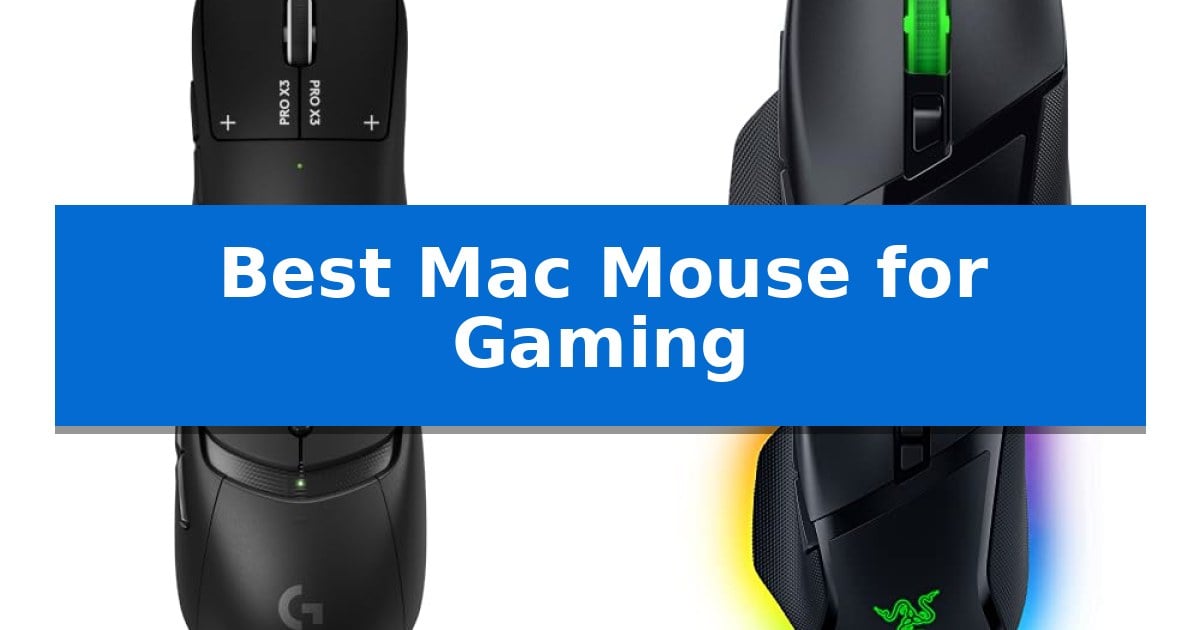
Finding the right peripheral for a high-performance setup requires balancing responsiveness with seamless macOS integration. Whether you are navigating complex strategy games or demanding fast-paced competitive shooters, selecting the Best Mac Mouse for Gaming ensures your hardware keeps pace with your reflexes without sacrificing comfort.
Our selection focuses on mice that offer reliable wireless connectivity, high-precision sensors, and programmable buttons that function effectively within the macOS environment. By evaluating these tools against specific gaming needs, we help you identify the hardware that best complements your existing Mac setup.
You may also want to compare Best Mac Monitors with Built-in Webcams, Best Mac Monitors for Photo Editing, and Best Mac Monitor for Graphic Design.
Best Mac Mouse for Gaming
Quick Comparison
| Product | Best For | Key Strength | Score |
|---|---|---|---|
| Logitech G PRO X3 SUPERSTRIKE Gaming Mouse | Best Overall | Haptic Inductive Trigger system for customizable actuation | 4.9 |
| Razer Basilisk V3 X HyperSpeed Gaming Mouse | Versatile Dual-Wireless Connectivity | Dual-wireless connectivity allows for seamless switching between low-latency gaming and power-efficien… | 4.8 |
| Logitech G309 LIGHTSPEED Gaming Mouse | Flexible Power and Charging Options | Dual-mode connectivity via LIGHTSPEED wireless and Bluetooth. | 4.5 |
| Razer Basilisk V3 Wired Gaming Mouse | Precision Control with Tilt Wheel | Focus+ 26K DPI optical sensor for high-accuracy tracking. | 4.6 |
| Logitech G305 LIGHTSPEED Gaming Mouse | Reliable Wireless for Travel | LIGHTSPEED wireless technology ensures a 1 ms report rate for lag-free performance. | 4.4 |
How We Chose
- macOS Compatibility: Ensuring seamless integration with Mac hardware and software drivers.
- Sensor Precision: Analyzing DPI ranges and tracking accuracy for consistent performance.
- Connectivity Reliability: Comparing low-latency wireless technologies against traditional wired options.
- Ergonomics and Build: Assessing weight, button placement, and overall shape for extended play sessions.
- Customization Options: Evaluating the utility of programmable buttons and onboard profile storage.
1 Logitech G PRO X3 SUPERSTRIKE Gaming Mouse — Elite Performance for Esports
The Logitech G PRO X3 SUPERSTRIKE Gaming Mouse utilizes a unique Haptic Inductive Trigger system that replaces traditional mechanical switches with an electromagnetic field. This design provides 10 distinct actuation points and 5 reset points, offering a highly customizable click experience for competitive gaming on Mac and PC.
Engineered alongside professional esports athletes, this mouse features the HERO 2 sensor, which tracks at over 930 IPS and supports up to 48,000 DPI. The device is built for speed and responsiveness, utilizing LIGHTSPEED wireless technology to achieve an 8 kHz polling rate, ensuring a tournament-grade connection during high-stakes matches.
Physical design choices prioritize weight reduction and durability, featuring a 0.7 mm thin-wall case and extra-large UHMWPE feet for smooth gliding. The mouse is designed for marathon sessions, offering up to 135 hours of battery life on a single charge. Power management is flexible, allowing for USB-C recharging or integration with the POWERPLAY mouse pad system.
Advanced customization, including the configuration of the programmable buttons and trigger sensitivity, requires the use of Logitech G HUB Software. This software integration ensures that users can tailor the sensor and click performance to their specific gaming requirements.
Best for: Competitive gamers seeking an ultra-lightweight, high-polling rate wireless mouse with advanced electromagnetic trigger customization.
Skip if: Users who prefer a heavier mouse with a traditional mechanical click feel or those who do not wish to use Logitech G HUB software for advanced feature configuration.
PROS
- Haptic Inductive Trigger system for customizable actuation
- 8 kHz polling rate via LIGHTSPEED wireless
- Ultra-lightweight construction with durable UHMWPE feet
- 135-hour battery life with USB-C or POWERPLAY charging
CONS
- Requires Logitech G HUB Software for advanced features
- POWERPLAY mouse pad sold separately
2 Razer Basilisk V3 X HyperSpeed Gaming Mouse — Versatile Dual-Wireless Connectivity
The Razer Basilisk V3 X HyperSpeed Gaming Mouse distinguishes itself through its signature ergonomic shape, which accommodates various grip styles while providing nine programmable controls. This design choice allows users to map complex macros and shortcuts directly to the mouse, enhancing efficiency for both competitive gaming and productivity tasks on a Mac setup.
Performance is driven by the Razer 5G Advanced 18K Optical Sensor, which provides pixel-precise tracking across diverse game genres. The inclusion of Razer Mechanical Mouse Switches Gen-2 ensures consistent actuation, with a durability rating of up to 60 million clicks. These switches utilize gold-plated contact points to maintain reliability over extended use.
Connectivity options offer versatility for different environments. Users can leverage Razer HyperSpeed Wireless for low-latency performance during intense gaming sessions or switch to Bluetooth to maximize battery efficiency. The device supports up to 285 hours of battery life on HyperSpeed mode, or up to 535 hours via Bluetooth, using a single AA battery.
The physical build incorporates 100% PTFE mouse feet to facilitate smooth movement across surfaces. While the mouse features Razer Chroma RGB for aesthetic customization, it also includes onboard profile storage, allowing users to maintain their preferred settings without needing constant software access.
Best for: Gamers and power users who require a versatile, ergonomic wireless mouse with extensive button customization and dual-connectivity options.
Skip if: Users who prefer an ultra-lightweight mouse or those who require a built-in rechargeable battery instead of a replaceable AA battery.
PROS
- Dual-wireless connectivity allows for seamless switching between low-latency gaming and power-efficient Bluetooth modes.
- Nine programmable controls provide extensive flexibility for macros and custom commands.
- Ergonomic shape supports multiple grip styles for improved comfort during long sessions.
- High-precision 18K optical sensor ensures accurate tracking across various game types.
CONS
- AA battery power requires periodic replacement rather than simple USB recharging.
- Weight profile may be heavier than specialized ultra-lightweight competitive gaming mice.
3 Logitech G309 LIGHTSPEED Gaming Mouse — Flexible Power and Charging Options
The Logitech G309 LIGHTSPEED Gaming Mouse offers a distinct advantage for Mac users by providing dual-mode connectivity, allowing you to switch between low-latency LIGHTSPEED wireless and Bluetooth for versatile setup compatibility. This flexibility ensures that whether you are gaming on a desktop or working on a laptop, the connection remains stable and responsive.
Engineered for precision, this mouse features the HERO 25K sensor, which tracks movement to the sub-micron level without smoothing. The integration of LIGHTFORCE optical-mechanical switches delivers the speed of optical actuation with the tactile feedback of a mechanical switch, providing a reliable experience for competitive gaming sessions.
Customization and weight management are central to its design. The mouse includes 6 programmable buttons for mapping custom shortcuts, and the weight is adjustable based on your power preference: it weighs 86g with the included AA battery or 68g when used with the POWERPLAY wireless charging system. This allows for a lighter feel during extended play sessions.
For power management, the device offers over 300 hours of battery life on a single AA battery, or you can achieve unlimited playtime by pairing it with the POWERPLAY wireless charging system. The package includes the mouse, receiver, extender cable, AA battery, and grip tape to help you tailor the handling to your specific needs.
Best for: Gamers who require a lightweight, dual-mode wireless mouse with flexible power options for both desktop and mobile Mac setups.
Skip if: Users who prefer a wired-only connection or those who require more than six programmable buttons for complex macro-heavy workflows.
PROS
- Dual-mode connectivity via LIGHTSPEED wireless and Bluetooth.
- Adjustable weight options ranging from 68g to 86g.
- HERO 25K sensor for sub-micron tracking precision.
- Unlimited battery life potential with POWERPLAY integration.
CONS
- Limited to 6 programmable buttons which may not suit all gaming genres.
- POWERPLAY system required for weight reduction and charging is sold separately.
4 Razer Basilisk V3 Wired Gaming Mouse — Precision Control with Tilt Wheel
Precision gaming requires hardware that balances responsiveness with physical comfort, and the Razer Basilisk V3 Wired Gaming Mouse addresses this through its iconic ergonomic design featuring a dedicated thumb rest. This form factor is engineered to support the hand during extended sessions, ensuring that buttons remain optimally positioned for rapid access during intense gameplay.
At the core of its performance is the Focus+ 26K DPI optical sensor, which provides high-resolution tracking with zero smoothing for pixel-precise accuracy. Complementing this sensor are the Optical Mouse Switches Gen 2, which deliver a 0.2ms actuation speed and are rated for up to 70 million clicks, minimizing the risk of unintended inputs.
The mouse offers significant customization through 11 programmable buttons, allowing users to assign complex macros or secondary functions for specific in-game actions. The HyperScroll Tilt Wheel adds further versatility, enabling users to switch between a free-spin mode for rapid scrolling and a tactile mode for precise, stepped feedback.
Aesthetic and functional personalization is managed via 11 Razer Chroma RGB lighting zones, which can be customized with over 16.8 million colors. These zones integrate with over 150 supported games to provide dynamic lighting effects. Users can further optimize the device by utilizing the Razer Synapse app to adjust settings and performance parameters.
Best for: Gamers who require high-precision tracking and extensive button programmability within an ergonomic, right-handed form factor.
Skip if: Users who prefer an ambidextrous shape, a wireless connection, or an ultra-lightweight mouse chassis.
PROS
- Focus+ 26K DPI optical sensor for high-accuracy tracking.
- 11 programmable buttons for extensive macro support.
- HyperScroll Tilt Wheel with dual-mode functionality.
- Optical Mouse Switches Gen 2 for rapid, durable actuation.
CONS
- Wired-only connection limits desk placement flexibility.
- Ergonomic design is specifically optimized for right-handed users.
5 Logitech G305 LIGHTSPEED Gaming Mouse — Reliable Wireless for Travel
The Logitech G305 LIGHTSPEED Wireless Gaming Mouse distinguishes itself through its integration of LIGHTSPEED wireless technology, which provides a 1 ms report rate designed for competition-level responsiveness. This device balances high-performance sensor capabilities with a portable, durable form factor that includes convenient on-board nano receiver storage.
At the core of its performance is the HERO optical sensor, offering up to 12,000 DPI and 400 IPS precision. This sensor is engineered for power efficiency, allowing the mouse to operate for up to 250 hours of continuous gameplay on a single AA battery. Users can further optimize power consumption by switching to Endurance mode via Logitech G HUB software, which extends battery life to approximately 9 months.
Designed for maneuverability, the mouse weighs only 3.4 oz. Its mechanical design incorporates 6 programmable buttons, allowing for customization to suit specific gaming needs. The compact dimensions make it a practical choice for those who require a consistent gaming experience across both desktop setups and while traveling with a gaming laptop.
While the device offers robust wireless performance, it relies on a standard AA battery rather than an integrated rechargeable battery, which necessitates periodic replacements. Its lightweight build prioritizes portability and speed, making it a functional tool for gamers who value a minimalist, cable-free environment.
Best for: Gamers who require a portable, lag-free wireless mouse that performs reliably across both desktop and mobile gaming setups.
Skip if: Users who prefer a rechargeable built-in battery or require a larger, more ergonomic shape for extended desktop-only sessions.
PROS
- LIGHTSPEED wireless technology ensures a 1 ms report rate for lag-free performance.
- HERO optical sensor provides high precision up to 12,000 DPI.
- Extended battery life reaching up to 250 hours of continuous gameplay.
- Lightweight, compact design with integrated nano receiver storage for portability.
CONS
- Requires AA battery rather than a built-in rechargeable power source.
- Fixed compact size may not suit users who prefer larger ergonomic profiles.
Best Mac Mouse for Gaming Buying Guide
Understanding Sensor Performance
The sensor is the heart of any gaming mouse, determining how accurately your physical movements translate to on-screen actions. High-end sensors, such as those found in the latest Logitech and Razer models, offer high DPI (dots per inch) settings and excellent tracking speeds, which are crucial for maintaining precision during intense gameplay.
For Mac users, it is important to ensure that the mouse sensor performs consistently on various surfaces. While many modern sensors are highly capable, the ability to adjust sensitivity via software allows you to fine-tune the mouse to your specific playstyle and desk surface.
Wireless vs. Wired Connectivity
Wireless technology has evolved significantly, with modern protocols offering latency that is virtually indistinguishable from wired connections. For a clean desk setup, wireless mice provide freedom of movement, though they require battery management or charging solutions.
Wired mice remain a reliable choice for those who prefer a 'set it and forget it' approach without worrying about battery life. When choosing between the two, consider your desk layout and whether the convenience of a wireless connection outweighs the simplicity of a wired cable.
Ergonomics and Grip Styles
The shape and weight of a mouse significantly impact your comfort during long gaming sessions. Ergonomic designs often feature thumb rests and contoured sides to support different grip styles, such as palm, claw, or fingertip grips.
Lighter mice are generally preferred for fast-paced games as they require less effort to move, while heavier mice can provide more stability. Always consider the physical dimensions of the mouse to ensure it fits your hand size comfortably.
Programmable Buttons and Macros
Programmable buttons allow you to map complex commands or macros directly to your mouse, saving time and improving reaction speed. This is particularly useful in MMOs or strategy games where quick access to multiple abilities is essential.
When using a Mac, check that the manufacturer's software supports macOS for button remapping. Onboard memory is a valuable feature, as it allows you to save your custom profiles directly to the mouse, ensuring your settings remain consistent even if you switch between different computers.
Battery Life and Charging
For wireless gaming mice, battery life is a critical factor. Some models offer hundreds of hours of play on a single AA battery, while others use rechargeable internal batteries that can be topped up via USB-C or proprietary charging pads.
Consider how often you are willing to charge your device. If you prefer a maintenance-free experience, look for models with long-lasting battery life or those that integrate with wireless charging systems to keep your mouse powered during use.
Frequently Asked Questions
Do I need special software to use these gaming mice on a Mac?
Most gaming mice function as standard pointing devices on macOS without extra software. However, to access advanced features like button remapping, DPI adjustment, and RGB lighting control, you will typically need to install the manufacturer's official software, such as Logitech G HUB or Razer Synapse.
Are wireless gaming mice reliable for competitive play on Mac?
Yes, modern wireless technologies like Logitech's LIGHTSPEED and Razer's HyperSpeed are designed to provide ultra-low latency that matches or exceeds the performance of wired connections, making them perfectly suitable for competitive gaming.
Can I use a wired gaming mouse with a MacBook that only has USB-C ports?
Yes, you can use a USB-C to USB-A adapter or a docking station to connect a traditional wired USB-A gaming mouse to your MacBook. Many newer gaming mice are also transitioning to USB-C connectivity.
What is the benefit of a high DPI sensor?
A high DPI (dots per inch) sensor allows the mouse to track movement with greater sensitivity. While very high DPI settings are not always necessary, they provide more granular control and allow you to adjust the cursor speed to match your personal preference and display resolution.
Does the weight of the mouse affect gaming performance?
Weight is a matter of personal preference. Ultra-lightweight mice are often favored for fast-paced shooters because they are easier to flick quickly, whereas slightly heavier mice can offer more controlled, deliberate movements for precision tasks.
Conclusion: Our Top Pick
Choosing the right gaming mouse for your Mac setup depends on your specific needs regarding connectivity, weight, and button configuration. By prioritizing devices that offer robust macOS support and high-performance sensors, you ensure a responsive and comfortable gaming experience.
The Logitech G PRO X3 SUPERSTRIKE Gaming Mouse stands out as our top recommendation due to its advanced sensor technology, ultra-lightweight design, and reliable wireless performance. It provides the necessary tools for competitive play while maintaining the high standards required for a premium Mac gaming setup.