
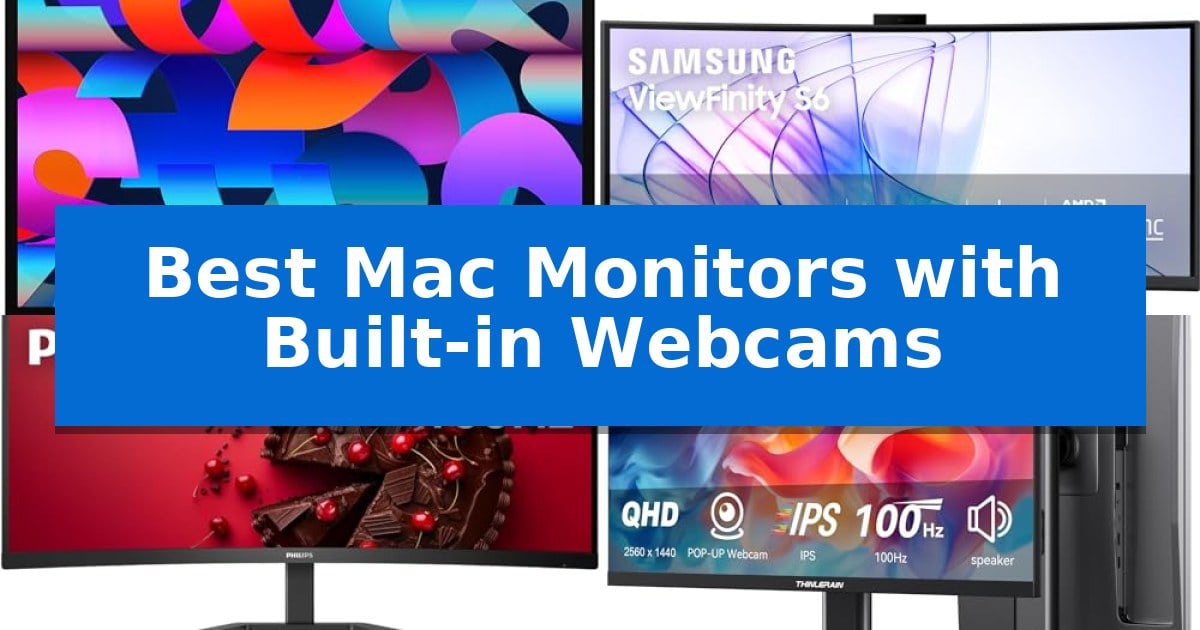
Finding the right display for your Apple workspace often involves balancing screen quality with the need for a clean, clutter-free desk. The Best Mac Monitors with Built-in Webcams simplify your setup by eliminating the need for external peripherals, providing an all-in-one solution for video calls, remote collaboration, and daily productivity.
Whether you are a creative professional needing color accuracy or a remote worker looking for a reliable conferencing hub, these monitors integrate essential hardware directly into the display. By choosing a model with a built-in camera, you ensure that your video feed is perfectly positioned while maintaining a minimalist aesthetic on your desk.
You may also want to compare Best Mac Monitors for Photo Editing, Best Mac Monitor for Graphic Design, and Best Mac Minis.

Best Mac Monitors with Built-in Webcams
Quick Comparison
| Product | Best For | Key Strength | Score |
|---|---|---|---|
| Apple Studio Display | Best Overall | 12MP Center Stage camera provides automated framing for video calls. | 4.9 |
| Samsung ViewFinity S65VC Monitor | Ultra-Wide Productivity Hub | Built-in retractable webcam with Windows Hello support for secure, convenient login. | 4.3 |
| Philips 34-Inch Curved Monitor | Immersive Workspace Upgrade | Integrated 5MP Windows Hello webcam for secure, fast logins. | 4.8 |
| Thinlerain 27-Inch 2K Monitor | High-Resolution Pop-Up Camera | Integrated 3MP pop-up webcam with physical privacy retraction. | 4.7 |
| CUNPU 27-Inch QHD Monitor | Fluid 120Hz Conferencing | Integrated 5MP pop-up webcam provides privacy and reduces desk clutter. | 4.9 |
How We Chose
- Display Resolution and Color Accuracy: Assessing the clarity and color reproduction for creative and general office tasks.
- Camera Integration and Privacy: Evaluating the resolution of the built-in webcam and the presence of privacy-focused design features.
- Connectivity Standards: Checking for Thunderbolt or USB-C support to ensure single-cable power and data transfer for Mac laptops.
- Ergonomic Adjustability: Reviewing the stand's ability to tilt, swivel, or adjust in height for long-term comfort.
- Audio Performance: Considering the quality of integrated microphones and speakers for clear communication.
1 Apple Studio Display — Seamless Integration for Mac
Achieving a streamlined workspace often requires minimizing cable clutter and device sprawl, which is where the Apple Studio Display excels by integrating a high-performance camera and audio system directly into the monitor housing. This 27-inch 5K Retina display serves as a central hub for Mac users, combining visual precision with built-in communication tools that eliminate the need for external peripherals.
The monitor features a 12MP Center Stage camera that automatically adjusts to keep you in frame during video calls, complemented by a studio-quality three-mic array for clear audio capture. For visual tasks, the display offers 14.7 million pixels, 600 nits of brightness, and P3 wide color support, ensuring color accuracy and detail for professional workflows.
Audio performance is handled by a six-speaker system with Spatial Audio, utilizing four force-cancelling woofers and two high-performance tweeters to deliver a balanced soundstage. Connectivity is equally robust, featuring two Thunderbolt 5 ports for high-speed data and device charging, along with two additional USB-C ports for peripherals.
Design flexibility is a core component of the Apple Studio Display, which includes a standard tilt-adjustable stand. Users requiring specific ergonomic setups can opt for a tilt- and height-adjustable stand or a VESA mount adapter, allowing the display to integrate into various desk configurations seamlessly.
Best for: Mac users who require a high-resolution 5K display with integrated professional-grade video conferencing and audio capabilities.
Skip if: Users who prefer a non-Apple ecosystem or those who require a display with a higher refresh rate than the standard 60Hz for gaming or specialized motion work.
PROS
- 12MP Center Stage camera provides automated framing for video calls.
- Six-speaker Spatial Audio system offers high-fidelity sound without external speakers.
- Thunderbolt 5 connectivity enables high-speed data transfer and laptop charging.
- 5K Retina resolution delivers high pixel density for sharp image quality.
CONS
- Limited ergonomic options require choosing a specific stand or VESA mount at the time of purchase.
- Fixed refresh rate may not meet the needs of users requiring high-refresh-rate gaming performance.
2 Samsung ViewFinity S65VC Monitor — Ultra-Wide Productivity Hub
The Samsung ViewFinity S65VC Monitor integrates a retractable webcam directly into its 34-inch 1000R curved display, offering a streamlined solution for users who prioritize desk space and video conferencing efficiency. By housing the camera within the monitor frame, this unit maintains a clean aesthetic while providing biometric authentication through Windows Hello.
Designed for high-productivity environments, the monitor features a 21:9 aspect ratio and a 100Hz refresh rate paired with AMD FreeSync to minimize motion stutter. The inclusion of a built-in KVM switch allows for seamless control of two connected sources using a single keyboard and mouse, which is particularly useful for managing multiple workstations simultaneously.
Connectivity is handled via a single USB-C port that provides power delivery and data transmission, alongside a dedicated LAN port for stable network access on devices lacking an Ethernet jack. The integrated speakers further reduce peripheral clutter, allowing for a more efficient workspace without the need for external audio hardware.
To support long-term use, the display is TUV-certified for intelligent eye care, automatically adjusting brightness and color temperature based on ambient conditions. The ergonomic stand offers height, tilt, and swivel adjustments, ensuring the display can be positioned for optimal comfort throughout the workday.
Best for: Professionals who require a wide-screen workspace and integrated video conferencing tools for a clutter-free desk setup.
Skip if: Users who prefer a flat display or those who require a higher resolution than Ultra-WQHD for specialized color-critical design work.
PROS
- Built-in retractable webcam with Windows Hello support for secure, convenient login.
- Integrated KVM switch enables efficient multitasking across two connected devices.
- USB-C connectivity provides power and data over a single cable.
- 1000R curved display matches the human field of sight to reduce eye strain.
CONS
- Fixed 34-inch form factor may be too large for compact desk environments.
- Ultra-WQHD resolution may not meet the requirements of users needing 4K or higher pixel density.
3 Philips 34-Inch Curved Monitor — Immersive Workspace Upgrade
The Philips 34-Inch Curved Monitor streamlines remote professional setups by integrating a 5MP webcam, noise-canceling microphone, and speakers directly into its 34-inch ultra-wide chassis. This all-in-one design is specifically engineered for users who require a high-resolution display while maintaining a clean, cable-managed workspace.
At the core of this monitor is a 3440 x 1440 UWQHD resolution panel with a 21:9 aspect ratio, providing significant screen real estate for multitasking. The 1500R curvature is intended to enhance immersion and improve color accuracy across the display, which covers 123.24% of the sRGB color gamut and 99.25% of the NTSC gamut.
Connectivity is simplified through a single USB-C docking solution that supports data transfer, video signaling, and up to 65W of Power Delivery to a connected laptop. This allows for a single-cable connection that simultaneously charges the host device while driving the high-resolution display.
For security and convenience, the integrated 5MP webcam features advanced sensors compatible with Windows Hello, enabling facial recognition login in under two seconds. The inclusion of a height-adjustable stand ensures that the monitor can be positioned to suit individual ergonomic preferences during long work sessions.
Best for: Professionals who need an ultra-wide display and integrated conferencing tools for a simplified, single-cable desk setup.
Skip if: Users who require a flat screen or those who already have a dedicated high-end external webcam and audio interface.
PROS
- Integrated 5MP Windows Hello webcam for secure, fast logins.
- 65W USB-C Power Delivery allows for single-cable laptop charging and display connectivity.
- Ultra-wide 21:9 aspect ratio provides expansive room for multitasking.
- 1500R curved VA panel designed to reduce eye strain and improve immersion.
CONS
- VA panel technology may not be preferred by users who prioritize specific viewing angle requirements over contrast.
- Large 34-inch footprint requires significant desk space.
4 Thinlerain 27-Inch 2K Monitor — High-Resolution Pop-Up Camera
Integrating a high-resolution display with a dedicated video conferencing solution, the Thinlerain 27-Inch 2K Monitor simplifies desk setups by combining visual clarity with a 3MP pop-up webcam. This design choice allows the camera to retract completely when not in use, providing a physical privacy solution without requiring external accessories.
The monitor features a 27-inch 2K (2560×1440) IPS display that covers 100% sRGB color gamut and offers 178° viewing angles. With a 100Hz refresh rate, it provides smoother motion for daily tasks and media consumption compared to standard 60Hz panels. The 350-nit brightness ensures visibility in varied lighting conditions, while the integrated microphone and dual speakers further reduce peripheral clutter.
Ergonomics are prioritized through an ultra-flex multi-function stand that supports height, tilt, swivel, and 90° pivot adjustments. This allows users to switch to a vertical portrait orientation, which is particularly useful for document review or coding. The monitor includes HDMI and DisplayPort inputs for video, while the included USB-C cables are required to enable the webcam, microphone, and speaker functionality.
To ensure a seamless transition into a workspace, the package includes all necessary cabling, including USB-C to USB-C and USB-C to USB-A options. This all-in-one approach is designed to eliminate the need for additional hubs or cable management, providing a unified station for professional communication and high-resolution display needs.
Best for: Professionals and remote workers who need an integrated, clutter-free video conferencing solution with a high-resolution 2K display.
Skip if: Users who require Thunderbolt 3/4 connectivity for laptop charging or those who prefer a 4K resolution display for professional-grade creative work.
PROS
- Integrated 3MP pop-up webcam with physical privacy retraction.
- 100Hz refresh rate for smoother visual performance.
- Highly adjustable stand supporting portrait mode rotation.
- Comprehensive cable kit included for immediate setup.
CONS
- USB-C connection required to enable webcam and audio features.
- No integrated power delivery for charging laptops through the monitor.
5 CUNPU 27-Inch QHD Monitor — Fluid 120Hz Conferencing
Managing a professional workspace requires balancing high-resolution visual output with the practical demands of frequent video conferencing. The CUNPU 27-Inch QHD Monitor streamlines this process by integrating a pop-up 5MP 2K HD webcam, a dual-channel stereo microphone, and built-in speakers into a single, cohesive unit. This all-in-one design eliminates the clutter of external peripherals, making it a functional choice for remote professionals and students.
The display features a 2560×1440 QHD resolution panel that covers 99% of the sRGB color gamut, ensuring accurate color reproduction for productivity tasks. To support fluid motion, the monitor offers a 120Hz refresh rate via HDMI 2.0 and DP 1.4, while AMD FreeSync and G-Sync compatibility work to minimize screen tearing. These specifications provide a responsive experience suitable for both intensive work sessions and casual multimedia use.
Prioritizing user comfort, the monitor utilizes DC dimming technology to eliminate screen flicker, which helps reduce eye strain during extended hours of use. The physical design is highly adaptable, featuring a stand with 5.31 inches of height travel, as well as swivel, pivot, and tilt adjustments. For users with limited desk space, the unit includes a quick-release base and is VESA mount compatible, allowing for flexible installation.
Connectivity is managed through HDMI 2.0, DP 1.4, and a 3.5mm audio output. The integrated webcam and audio components interface with your computer via a USB-B 2.0 upstream connection, ensuring that the conferencing hardware functions as a unified system with your PC.
Best for: Remote professionals and students who require an all-in-one display solution for frequent video conferencing and high-resolution productivity tasks.
Skip if: Users who require integrated USB-C power delivery for single-cable laptop charging or those who need 4K resolution for professional-grade creative color grading.
PROS
- Integrated 5MP pop-up webcam provides privacy and reduces desk clutter.
- 120Hz refresh rate offers smoother motion compared to standard 60Hz office monitors.
- Fully adjustable ergonomic stand supports height, tilt, swivel, and pivot movements.
- DC dimming technology helps minimize eye fatigue during extended work sessions.
CONS
- No USB-C power delivery for single-cable laptop charging.
- USB-B 2.0 upstream requirement necessitates an extra cable connection for the webcam.
Best Mac Monitors with Built-in Webcams Buying Guide
Display Resolution and Panel Technology
The resolution of your monitor dictates the sharpness of your text and images. For Mac users, high-density displays are preferred to match the clarity of Retina screens. Look for QHD or 5K resolutions to ensure that your workspace remains crisp and detailed during extended use.
Panel technology also plays a significant role in your experience. IPS panels generally offer superior color accuracy and wider viewing angles, making them ideal for design work. Curved VA panels can provide an immersive experience, though they may have different color characteristics compared to flat IPS screens.
Webcam and Audio Integration
A built-in webcam should offer sufficient resolution for professional video calls. Many modern monitors include 5MP sensors or specialized features like Center Stage to keep you in the frame. These integrated cameras are designed to work seamlessly with macOS, often requiring only a single USB-C connection.
Integrated microphones and speakers help reduce desk clutter. Look for models with noise-canceling microphones to ensure your voice remains clear during meetings, even in busy environments. These features are essential for users who want to avoid the hassle of external audio hardware.
Connectivity and Power Delivery
USB-C and Thunderbolt connectivity are critical for Mac users. These standards allow you to transmit video, data, and power over a single cable, effectively turning your monitor into a docking station. This simplifies your setup and keeps your workspace organized.
Check the Power Delivery (PD) wattage of the monitor to ensure it can charge your specific Mac model. A monitor that provides enough power will keep your laptop charged while you work, eliminating the need for a separate power brick.
Ergonomics and Adjustability
An ergonomic stand is vital for maintaining comfort throughout the workday. Look for monitors that offer height adjustment, tilt, and swivel capabilities. These adjustments allow you to position the screen at eye level, reducing neck and eye strain.
Some monitors also support VESA mounting, which gives you the flexibility to use a monitor arm. This is a great option if you want to reclaim desk space or achieve a specific viewing angle that a standard stand cannot provide.
Privacy and Security Features
Privacy is a growing concern for remote workers. Many monitors now feature pop-up webcams that can be retracted when not in use, providing a physical barrier against unwanted access. This design is both secure and aesthetically pleasing.
Some models also include Windows Hello or similar biometric authentication sensors. While these are primarily designed for Windows, they often provide a high-quality camera sensor that works reliably for video conferencing on any platform, including macOS.
Frequently Asked Questions
Do these monitors work with all Mac models?
Most monitors with USB-C or Thunderbolt connectivity are compatible with modern Mac computers. Ensure your Mac has a compatible port and that you use the correct cable to enable all features, including the webcam and data transfer.
Do I need extra software to use the built-in webcam?
Generally, no. Most built-in webcams are recognized as standard UVC (USB Video Class) devices by macOS, meaning they work immediately with applications like Zoom, Teams, and FaceTime without extra drivers.
Can I use a VESA mount with these monitors?
Many of the models listed support VESA mounting. Check the specific product details to confirm the VESA pattern compatibility, which is typically 100x100mm for most 27-inch and 34-inch displays.
Will the monitor charge my MacBook?
If the monitor supports USB-C Power Delivery, it can charge your MacBook. Check the wattage provided by the monitor to ensure it meets the power requirements of your specific laptop model.
What is the benefit of a pop-up camera?
A pop-up camera provides physical privacy by allowing you to hide the lens when it is not in use. It also helps maintain a clean, sleek look for your monitor when you are not on a video call.
Conclusion: Our Top Pick
After reviewing the available options, the Apple Studio Display stands out as the premier choice for Mac users. Its 5K Retina display provides unmatched clarity, while the 12MP Center Stage camera and integrated audio system are specifically optimized for the macOS ecosystem, ensuring a seamless and high-quality experience.
While other monitors offer excellent productivity features like ultra-wide screens or high refresh rates, the Apple Studio Display remains the most cohesive solution for those deeply integrated into the Apple workflow. Its combination of high-resolution visuals and reliable, built-in conferencing hardware makes it a top-tier investment for any professional setup.