
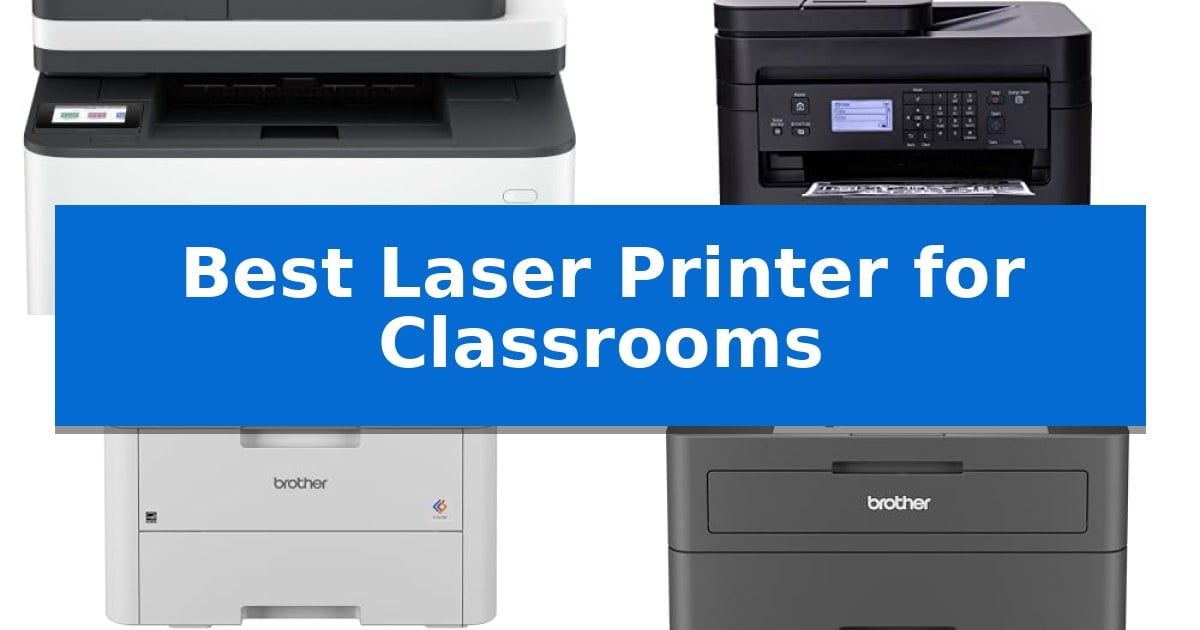
Managing a classroom requires constant preparation, from printing lesson plans to distributing handouts for dozens of students. Finding the Best Laser Printer for Classrooms means balancing the need for rapid, high-volume output with the space constraints and budget realities of a school environment.
A dependable printer must handle daily demands without frequent jams or complex maintenance. Whether you need a compact unit for a shared desk or a robust machine for high-volume handouts, selecting the right hardware ensures your teaching materials are ready when you need them most.
Best Laser Printer for Classrooms in 2026: Reliable High-Volume Printing
Quick Comparison
| Product | Best For | Key Strength | Score |
|---|---|---|---|
| HP LaserJet Pro 3101sdw Laser Printer | Best Overall | High-speed printing up to 35 pages per minute. | 4.9 |
| Canon imageCLASS MF273dw Laser Printer | Reliable Multifunction for Teachers | Fast 30 PPM print speed for efficient batch printing. | 4.5 |
| Brother Color Laser Printer | Best for Vibrant Lesson Materials | 19 PPM print speed for efficient document production | 4.7 |
| Brother HL-L2405W Laser Printer | Compact Choice for Shared Desks | Compact design fits easily on crowded teacher desks. | 4.4 |
| Canon Color imageCLASS MF662Cdw Printer | Extended Warranty for School Use | 3-year limited warranty provides long-term peace of mind for institutional use. | 4.6 |
How We Chose
- Print Speed: Evaluating pages per minute to ensure timely delivery of large handouts.
- Connectivity: Assessing wireless and mobile printing options for seamless integration with school devices.
- Paper Handling: Checking for automatic document feeders and high-capacity trays to reduce manual intervention.
- Durability: Considering build quality and warranty coverage for long-term reliability in high-use environments.
- Maintenance: Focusing on ease of toner replacement and overall user-friendly design.
1 HP LaserJet Pro 3101sdw Laser Printer — Fastest for High-Volume Handouts
Managing high-volume document workflows requires hardware that balances speed with consistent output, and the HP LaserJet Pro 3101sdw Laser Printer is engineered specifically for these demands. With print speeds reaching up to 35 ppm, this monochrome all-in-one device minimizes downtime during busy periods, ensuring that reports and handouts are ready when needed.
The printer integrates essential office functions, including printing, copying, and scanning, into a single footprint. To streamline multi-page tasks, it features an automatic document feeder and supports automatic two-sided printing, which helps conserve paper while maintaining professional document standards. The inclusion of a 250-sheet input tray further supports sustained productivity for small teams.
Connectivity is handled through a dependable wireless system designed to maintain a stable link, reducing the frustration of dropped connections during critical tasks. The unit is built with a focus on reliability, intended to handle the high demands of a professional environment through consistent, sharp toner output.
Users should note that this device is designed to operate exclusively with cartridges featuring original HP chips or circuitry. This system is maintained through periodic firmware updates, which ensures the printer remains compatible with authorized supplies while blocking non-HP alternatives.
Best for: Small teams and classrooms requiring fast, reliable monochrome printing, scanning, and copying with high-volume document needs.
Skip if: Users who require color printing capabilities or those who prefer the flexibility of using third-party or remanufactured toner cartridges.
PROS
- High-speed printing up to 35 pages per minute.
- All-in-one functionality including integrated scanning and copying.
- Automatic two-sided printing and a 50-sheet auto document feeder for efficiency.
- Dependable wireless connectivity for consistent network performance.
CONS
- Restricted to original HP cartridges due to chip-based security measures.
- Monochrome-only output limits document versatility.
2 Canon imageCLASS MF273dw Laser Printer — Reliable Multifunction for Teachers
Managing high-volume document needs in a classroom requires a device that balances speed with consistent output. The Canon imageCLASS MF273dw Laser Printer is built to handle these demands, featuring a 30 pages per minute print speed and a rapid first print out time of approximately 5.3 seconds, ensuring that instructional materials are ready without long wait times.
This wireless 3-in-1 machine serves as a versatile hub for printing, copying, and scanning, which is essential for digitizing student work or duplicating handouts. The inclusion of auto 2-sided printing helps reduce paper waste, a practical consideration for high-traffic educational environments. Its compact design, measuring roughly 15.4 inches in width, allows it to fit on shared classroom desks or storage cabinets.
The printer utilizes the Toner 071 or 071 High-Capacity cartridges, providing flexibility in supply management based on the volume of printing required throughout the school year. With a 1-year limited warranty included, the unit offers a baseline of support for its core mechanical functions.
While the device is well-equipped for monochrome text and document tasks, it is strictly a black-and-white laser printer. Educators who require color printing for charts or visual aids will need to supplement this unit with a separate color-capable device.
Best for: Teachers and administrators who need a reliable, fast monochrome printer for high-volume handouts and document scanning.
Skip if: Users who require color printing for classroom projects or visual aids will find this monochrome-only device insufficient.
PROS
- Fast 30 PPM print speed for efficient batch printing.
- Auto 2-sided printing to minimize paper usage.
- Wireless 3-in-1 functionality covering print, copy, and scan needs.
- Quick 5.3-second first print out for immediate task completion.
CONS
- Monochrome-only output limits printing to black and white.
- No color printing capability for graphics or charts.
3 Brother Color Laser Printer — Best for Vibrant Lesson Materials
Maintaining a dynamic classroom environment requires reliable resources, and the Brother Color Laser Printer (HL-L3220CDW) supports this need with its 19 PPM output speed. This device is engineered to handle the high-volume demands of educators, ensuring that lesson materials, handouts, and vibrant graphics are ready when needed without lengthy wait times.
Efficiency is central to its design, featuring automatic duplex printing that helps conserve paper during large print runs. The inclusion of a 250-sheet paper tray minimizes the frequency of refills, allowing teachers to focus on instruction rather than printer maintenance. For specialized projects, a manual feed slot provides the flexibility to handle envelopes and unique media types.
Connectivity is streamlined through advanced wireless capabilities, enabling printing directly from laptops, tablets, and smartphones. This mobile integration is supported by compatibility with major cloud services, making it straightforward to print documents from various devices used throughout the classroom. Security protocols are built-in to protect sensitive information during the transmission process.
With a compact footprint of 15.7 by 15.7 inches, this printer fits into busy classroom spaces where surface area is at a premium. While it delivers professional-quality text and graphics, users should note that it is designed primarily for standard document tasks rather than high-resolution photo printing. It serves as a robust, utilitarian tool for daily educational documentation.
Best for: Teachers and administrators who require a reliable, high-speed color laser printer for frequent classroom handouts and lesson materials.
Skip if: Users who primarily need to print high-resolution photographic images or require a device with an integrated scanner and copier.
PROS
- 19 PPM print speed for efficient document production
- Automatic duplex printing to reduce paper consumption
- Wireless and mobile connectivity for flexible device integration
- 250-sheet paper tray capacity reduces manual refills
CONS
- Lacks integrated scanning or copying capabilities
- Not optimized for high-resolution photo printing
4 Brother HL-L2405W Laser Printer — Compact Choice for Shared Desks
Maintaining a consistent flow of handouts and assignments requires reliable hardware that fits into tight classroom spaces. The Brother HL-L2405W Wireless Compact Monochrome Laser Printer addresses this need with a space-saving footprint of 14.2 by 14 inches, ensuring it occupies minimal desk area while providing high-quality black and white output.
Designed for efficiency, this printer handles high-volume tasks with print speeds up to 30ppm. The 250-sheet paper tray reduces the frequency of refills during busy grading periods, while the integrated manual feed slot offers the versatility to print on envelopes or specialty media without needing to swap out the main paper supply.
Connectivity is streamlined for modern classroom environments, featuring dual-band wireless (2.4GHz/5GHz) support. This allows educators to print directly from mobile devices using the Brother Mobile Connect App, providing the flexibility to manage print jobs remotely or on-the-go. For a more traditional setup, a standard USB interface is also available for direct connection to a single workstation.
To manage ongoing operational costs, the device supports the Refresh EZ Print Subscription Service, which automates toner replenishment. By utilizing Brother Genuine TN830 or TN830XL replacement toner, users can maintain print quality while potentially reducing supply expenses through the subscription model.
Best for: Educators needing a compact, reliable monochrome laser printer for high-volume document printing in limited workspace environments.
Skip if: Users who require color printing for charts, diagrams, or artistic projects will need a different type of printer as this model is strictly monochrome.
PROS
- Compact design fits easily on crowded teacher desks.
- Fast print speeds up to 30ppm for efficient document production.
- Dual-band wireless connectivity allows for flexible mobile printing.
- 250-sheet paper tray minimizes the need for frequent paper reloading.
CONS
- Monochrome-only output limits the ability to print color-coded materials.
- No automatic document feeder for scanning or copying multiple pages.
5 Canon Color imageCLASS MF662Cdw Printer — Extended Warranty for School Use
Managing high-volume document needs in an educational setting requires a device that balances speed with consistent output. The Canon Color imageCLASS MF662Cdw Printer addresses this through its 26 ppm print speed and a quick first print time of approximately 10.3 seconds, ensuring that lesson materials and administrative paperwork are ready without significant delays.
Designed for versatility, this 3-in-1 device handles printing, scanning, and copying within a single footprint. Teachers and staff can leverage the 5-inch color touchscreen to navigate the Application Library, which provides customizable access to frequently used tasks. The inclusion of automatic 2-sided printing helps manage paper consumption, a practical consideration for high-volume classroom environments.
Connectivity is streamlined for modern classrooms through wireless setup and support for mobile printing via the Canon PRINT app, Apple AirPrint, and Mopria Print Service. The printer is also Chromebook compatible, ensuring it integrates into existing digital workflows. For ongoing maintenance, the system utilizes high-capacity toner cartridges to extend the time between replacements.
Durability and long-term support are central to its design, backed by a 3-year limited warranty. The unit is ENERGY STAR certified and EPEAT Silver rated, reflecting its focus on energy efficiency. With a 250-sheet standard cassette and a 1-sheet multipurpose tray, it provides the necessary paper handling capacity for daily classroom demands.
Best for: Classrooms and school offices requiring a reliable, wireless 3-in-1 color laser printer with an extended warranty for high-volume document tasks.
Skip if: Users who require ultra-high-speed industrial printing or those with extremely limited desk space who do not need scanning and copying functionality.
PROS
- 3-year limited warranty provides long-term peace of mind for institutional use.
- Fast 26 ppm print speeds reduce waiting time for busy educators.
- Mobile printing support including AirPrint and Mopria for easy device integration.
- Customizable 5-inch color touchscreen simplifies complex workflows.
CONS
- Medium-sized footprint may occupy significant space on smaller teacher desks.
- Standard paper capacity of 250 sheets may require frequent refilling in very high-volume environments.
Best Laser Printer for Classrooms Buying Guide
Understanding Print Speed and Capacity
In a classroom, time is a precious resource. A printer with a high pages per minute (PPM) rating allows you to generate large stacks of worksheets or tests in minutes rather than hours. Look for models that offer at least 25-30 PPM to keep up with the demands of a full class schedule.
Equally important is the paper capacity. A printer with a 250-sheet input tray minimizes the frequency of refills, allowing you to focus on instruction rather than printer maintenance. For teachers who frequently copy multi-page documents, an automatic document feeder (ADF) is an essential feature that saves significant time.
Connectivity and Mobile Integration
Modern classrooms often rely on a mix of laptops, tablets, and mobile devices. A printer with wireless connectivity allows you to send documents directly from your device without needing a physical USB connection. This flexibility is vital for teachers who move between different workstations or need to print on the fly.
Check for compatibility with mobile printing apps or standard protocols like AirPrint. These features ensure that you can print materials from your tablet or phone, making it easier to share digital resources as physical handouts during a lesson.
Monochrome vs. Color Output
Deciding between monochrome and color depends on your specific teaching needs. Monochrome laser printers are generally more cost-effective and faster for printing text-heavy documents like quizzes, essays, and reading assignments.
If your lessons require vibrant diagrams, charts, or colorful visuals, a color laser printer is necessary. While these units may have higher upfront costs and toner expenses, the ability to produce high-quality color materials can significantly enhance student engagement and clarity.
Space and Ergonomics
Classroom space is often limited, so the physical footprint of the printer matters. Compact designs are ideal for shared desks or small storage areas, ensuring the machine doesn't clutter your workspace.
Consider the accessibility of the controls. A clear, intuitive interface—such as a color touchscreen—makes it easier to navigate settings, check toner levels, and troubleshoot minor issues without needing advanced technical knowledge.
Reliability and Maintenance
A printer that frequently breaks down is a major disruption. Look for brands known for award-winning reliability and robust build quality. Features like automatic two-sided printing (duplexing) not only save paper but also reduce the frequency of paper tray management.
Always review the warranty terms provided by the manufacturer. A longer limited warranty provides peace of mind, ensuring that your equipment is protected against defects and that you have access to support when you need it most.
Frequently Asked Questions
Do I need a color laser printer for my classroom?
If you primarily print text-based documents, a monochrome printer is more economical. However, if your curriculum involves charts, maps, or visual aids, a color laser printer is a better investment.
What is an automatic document feeder (ADF)?
An ADF allows you to stack multiple pages into the printer to be scanned or copied automatically, rather than placing each page on the glass one by one.
How can I save on toner costs?
Many manufacturers offer high-capacity toner cartridges, which provide a lower cost per page. Additionally, using draft mode for internal documents can extend the life of your toner.
Is wireless printing secure in a school network?
Most modern laser printers include built-in security protocols to safeguard your documents. Ensure your printer is connected to a secure, password-protected school Wi-Fi network.
What is duplex printing?
Duplex printing is the automatic printing on both sides of a sheet of paper, which helps reduce paper consumption and creates more professional-looking handouts.
Conclusion: Our Top Pick
Selecting the right printer is a significant decision that impacts your daily efficiency. After reviewing the options, the HP LaserJet Pro 3101sdw Laser Printer stands out as our top recommendation for classroom environments.
This model excels due to its impressive print speeds and reliable performance, making it ideal for high-volume handouts. While it is a monochrome unit, its efficiency, wireless capabilities, and robust feature set provide the consistency that teachers need to keep their classrooms running smoothly.