
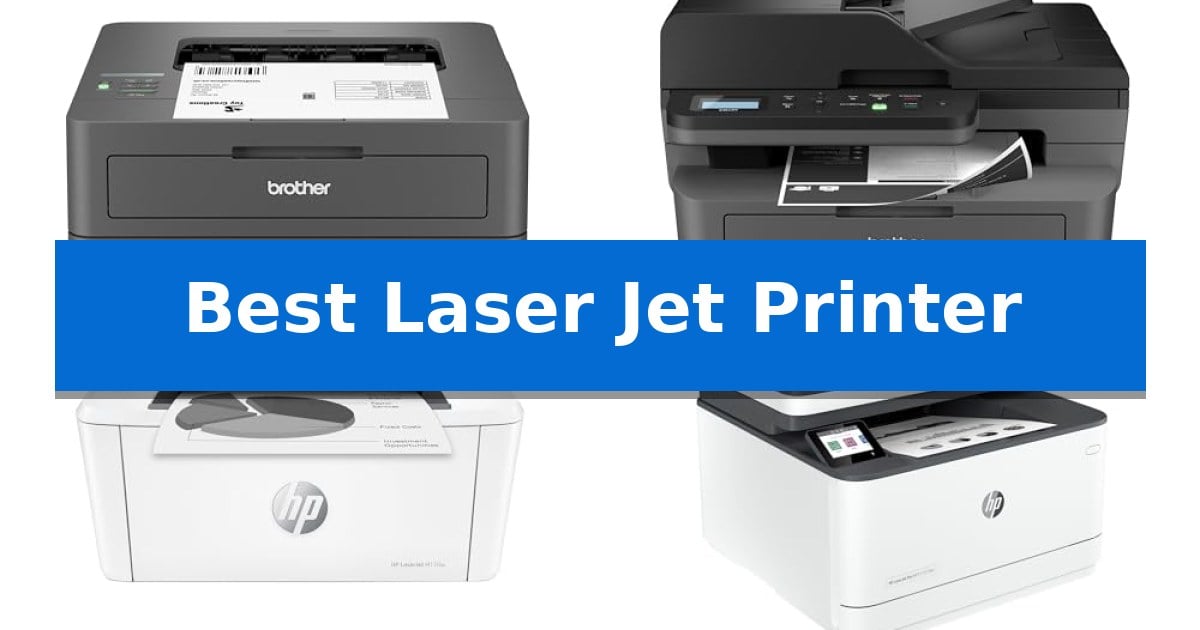
Finding the Best Laser Jet Printer requires balancing your specific volume requirements with the physical constraints of your workspace. Whether you need a simple monochrome machine for daily reports or a versatile all-in-one unit for a small team, selecting the right hardware ensures reliable document output without constant maintenance interruptions.
Our analysis focuses on how these printers handle connectivity, paper capacity, and print speeds to match your daily workflow. By examining the distinct advantages of compact home-office designs versus high-capacity office solutions, you can identify the model that best supports your productivity goals.
Best Laser Jet Printer in 2026
Quick Comparison
| Product | Best For | Key Strength | Score |
|---|---|---|---|
| Brother HL-L2405W Laser Printer | Best Overall | Compact dimensions suitable for small home office setups. | 4.9 |
| Brother DCP-L2640DW Laser Printer | Efficient All-in-One Productivity | High-speed monochrome printing up to 36 ppm. | 4.6 |
| HP LaserJet M110w Printer | Smallest Footprint for Tight Spaces | World's smallest laser printer in its class for maximum space efficiency. | 4.5 |
| HP LaserJet Pro 3101fdw Printer | High-Volume Small Team Solution | Fast print speeds reaching up to 35 pages per minute. | 4.3 |
| HP Color LaserJet Pro MFP 3301sdw | Vivid Color for Professional Documents | Fast 26 ppm print speeds for both color and black documents. | 4.5 |
How We Chose
- Print speed and volume capacity for consistent daily output.
- Physical footprint and weight to ensure compatibility with various desk setups.
- Connectivity options including dual-band wireless, Ethernet, and mobile application support.
- Multi-function capabilities such as integrated scanning, copying, and faxing.
- Toner efficiency and subscription compatibility for long-term document management.
1 Brother HL-L2405W Laser Printer — Compact Pick for Home Offices
The Brother HL-L2405W Laser Printer is designed for those who prioritize consistent, monochrome output in a space-saving footprint. Measuring just 7.2 inches in height and 14 inches in width, this device fits easily into home offices where desk real estate is at a premium.
Performance is centered on efficiency, offering print speeds of up to 30ppm for single-sided documents. The unit includes a 250-sheet paper tray to minimize frequent refills, alongside a manual feed slot that provides the flexibility to handle envelopes and specialty media without needing to swap out the main paper supply.
Connectivity is a primary focus, featuring dual-band wireless (2.4GHz/5GHz) support to ensure a stable connection to multiple devices. Users can also manage printing tasks remotely via the Brother Mobile Connect App, which allows for tracking toner levels and ordering supplies on the go. For those who prefer a direct connection, a standard USB interface is also available.
Maintenance is streamlined through the Refresh EZ Print Subscription Service, which helps monitor toner usage and offers potential savings on Brother Genuine TN830 or TN830XL toner cartridges. The printer is backed by a 1-year limited warranty, providing access to online, call, or live chat support for the duration of the printer's life.
Best for: Home office users who require a compact, reliable monochrome printer with flexible wireless connectivity and mobile printing capabilities.
Skip if: Users who require color printing, integrated scanning, or high-volume automatic duplexing, as this model is strictly a monochrome single-function printer.
PROS
- Compact dimensions suitable for small home office setups.
- Dual-band wireless connectivity for reliable device integration.
- High-capacity 250-sheet paper tray reduces the frequency of paper loading.
- Mobile printing support via the Brother Mobile Connect App.
CONS
- Monochrome-only output limits the printer to black and white documents.
- Single-function design lacks built-in scanning or copying capabilities.
2 Brother DCP-L2640DW Laser Printer — Efficient All-in-One Productivity
The Brother DCP-L2640DW Laser Printer is engineered for small business environments that require a compact 3-in-1 solution capable of handling printing, scanning, and copying tasks in a single footprint. This monochrome laser device prioritizes workflow efficiency by offering print speeds up to 36 ppm and an integrated 50-page auto document feeder for streamlined multi-page processing.
Connectivity is a central focus of this model, featuring dual-band wireless (2.4GHz / 5GHz) and Ethernet capabilities to support secure multi-device environments. Users can also utilize the Brother Mobile Connect App to manage print and scan tasks remotely from mobile devices, providing flexibility for those who need to complete work on-the-go.
Designed for high-volume monochrome output, the printer supports duplex printing to help manage paper usage. The system is optimized for use with Brother Genuine TN830 or TN830XL replacement toner, and users can leverage the Refresh EZ Print Subscription Service to automate supply replenishment and potentially reduce toner costs.
Measuring 16.1 inches in width and 12.5 inches in height, the unit maintains a manageable size for office desks while housing robust hardware. It includes a standard USB interface for direct local connections, ensuring compatibility with various office network setups and individual workstation configurations.
Best for: Small businesses and home offices requiring a compact, high-speed monochrome multi-function printer with flexible wireless and mobile connectivity.
Skip if: Users who require color printing capabilities or those with extremely limited desk space who do not need an auto document feeder.
PROS
- High-speed monochrome printing up to 36 ppm.
- Dual-band wireless and Ethernet connectivity for flexible networking.
- 50-page auto document feeder for efficient multi-page scanning and copying.
- Mobile app integration for remote management and supply tracking.
CONS
- Monochrome-only output limits the device to black and white documents.
- Requires specific Brother Genuine toner for optimal operation and subscription service compatibility.
3 HP LaserJet M110w Printer — Smallest Footprint for Tight Spaces
The HP LaserJet M110w Printer is engineered for those who prioritize a minimal physical footprint, holding the distinction of being the world's smallest laser printer in its class. Measuring just 6.26 inches in height and 13.63 inches in width, this device is designed to integrate into tight workspaces where traditional office equipment would be prohibitive.
Performance is centered on efficiency for small teams or individual users, delivering fast print speeds of up to 21 black-and-white pages per minute. This monochrome laser technology is built to handle professional-quality documents and reports, ensuring consistent output for 1-3 users. The hardware includes wireless connectivity with self-reset capabilities, which helps maintain a stable connection to your network without manual intervention.
Usability is enhanced through the HP Smart app, which allows users to scan documents directly to the cloud and manage print tasks from a smartphone or tablet. The printer is compatible with a wide range of operating systems, including Microsoft, Mac, AirPrint, Android, and Chromebook, providing flexibility for diverse device environments.
It is important to note that this printer is designed to operate exclusively with cartridges containing original HP chips or circuitry. The system will actively block cartridges that utilize non-HP chips, and the device will receive periodic firmware updates to enforce this compatibility standard. This design choice ensures that the printer functions with authorized consumables to maintain its operational integrity.
Best for: Small teams or individual users needing a compact, monochrome laser printer for professional-quality document production.
Skip if: Users who require color printing, high-volume multi-function features like scanning or copying hardware, or those who prefer using third-party or remanufactured toner cartridges.
PROS
- World's smallest laser printer in its class for maximum space efficiency.
- Fast print speeds up to 21 pages per minute.
- Wireless connectivity with self-reset technology for reliable network uptime.
- Mobile printing support via the HP Smart app for cloud and smartphone integration.
CONS
- Proprietary cartridge requirement restricts the use of non-HP chips or circuitry.
- Monochrome-only output limits functionality for users needing color documents.
4 HP LaserJet Pro 3101fdw Printer — High-Volume Small Team Solution
Maintaining document workflows in a busy office requires hardware that balances speed with consistent output. The HP LaserJet Pro 3101fdw Printer is designed for small teams of up to seven people, offering an all-in-one solution that handles printing, scanning, copying, and faxing within a single footprint.
Efficiency is central to this model, which delivers print speeds of up to 35 pages per minute for single-sided black-and-white documents. To further streamline high-volume tasks, the device includes auto 2-sided printing and an auto document feeder, reducing the need for manual intervention during multi-page scanning or copying jobs.
Connectivity remains a priority for modern workspaces. The printer features intelligent Wi-Fi that actively monitors for the most stable connection, ensuring the machine stays ready for incoming print jobs. It also supports wireless printing from various platforms, including PCs, tablets, and mobile devices, with additional support for Ethernet and Bluetooth interfaces.
Security and compatibility are integrated into the core design. The HP LaserJet Pro 3101fdw Printer comes equipped with HP Wolf Pro Security, providing customizable settings to protect sensitive data. It is compatible with a wide range of operating systems and standards, such as AirPrint, Mac, Microsoft, Android, and Chromebook, making it a versatile addition to diverse office environments.
Best for: Small workgroups of up to seven people requiring a fast, secure, and versatile all-in-one monochrome laser printing solution.
Skip if: Users who require color printing or those working in environments where the physical footprint of a multi-function laser unit is too large for the available desk space.
PROS
- Fast print speeds reaching up to 35 pages per minute.
- Comprehensive all-in-one functionality including fax, scan, copy, and print.
- Robust security features with HP Wolf Pro Security.
- Flexible connectivity options including intelligent Wi-Fi, Ethernet, and Bluetooth.
CONS
- Monochrome-only output limits the device to black-and-white document production.
- Physical dimensions of 19.25 inches in length and width may require significant dedicated office space.
5 HP Color LaserJet Pro MFP 3301sdw — Vivid Color for Professional Documents
Maintaining professional document quality in a fast-paced office environment requires hardware that balances speed with consistent output. The HP Color LaserJet Pro MFP 3301sdw addresses this need by integrating high-speed printing capabilities with a robust, all-in-one design that handles printing, scanning, and copying in a single footprint.
Engineered for small teams, this device delivers print speeds of up to 26 ppm for both black and color documents. It utilizes next-generation TerraJet toner technology, which is designed to produce more vivid colors, ensuring that reports and business materials maintain a professional appearance. The inclusion of an auto document feeder and auto 2-sided printing further streamlines high-volume tasks.
The unit features a 250-sheet input tray to minimize the frequency of paper refills during busy workdays. It is compatible with Original HP 218A standard and 218X high-yield LaserJet toner cartridges, allowing users to choose the capacity that best fits their monthly printing volume. The design is compact for an all-in-one, measuring approximately 16.5 inches in height.
Operational security and consistency are prioritized through the use of Original HP toner cartridges equipped with proprietary chips. The system is designed to block cartridges that lack these specific chips or circuitry, with firmware updates provided to maintain this measure. This ensures that the printer remains ready for the high demands of a business environment.
Best for: Small teams requiring a compact, all-in-one solution for high-quality color document production and efficient multi-page scanning.
Skip if: Users who require the flexibility to use third-party or non-HP toner cartridges, as this device enforces strict compatibility with Original HP chips.
PROS
- Fast 26 ppm print speeds for both color and black documents.
- All-in-one functionality including integrated scanning, copying, and wireless printing.
- Automatic 2-sided printing and document feeder to enhance office productivity.
- TerraJet toner formulation for improved color vibrancy.
CONS
- Strict cartridge compatibility requires the use of Original HP chips.
- Limited to standard office paper handling capacities compared to larger enterprise-grade floor units.
Best Laser Jet Printer Buying Guide
Connectivity and Integration
Modern laser printers rely on dual-band wireless (2.4GHz/5GHz) to maintain a stable connection in busy home environments. This allows for seamless printing from mobile devices, tablets, and computers without requiring a physical USB tether.
For small teams, Ethernet connectivity provides a more robust, wired alternative that ensures consistent access across a local network. Always verify that your chosen model supports the specific operating systems and mobile apps used by your team.
Print Speed and Volume
Pages per minute (ppm) is the primary metric for assessing how quickly a printer handles high-volume tasks. Home-office models typically prioritize a smaller footprint, while business-oriented units increase speed to handle multi-page documents rapidly.
Consider the auto document feeder (ADF) if your workflow involves frequent scanning or copying of multi-page reports. This feature significantly reduces manual labor compared to flatbed-only scanning.
Physical Footprint and Design
The physical dimensions of a printer are critical for those with limited desk space. Some manufacturers offer ultra-compact designs that fit into tight corners, though these often sacrifice features like an ADF or high-capacity paper trays.
Assess your available surface area and weight capacity before choosing. A multi-function printer will naturally require more vertical and horizontal space than a single-function monochrome unit.
Toner Management and Costs
Laser printers utilize toner cartridges that vary in yield and cost. Many manufacturers offer subscription services that track usage and automatically ship replacements, which can help manage long-term operating expenses.
Check if your printer is restricted to original manufacturer chips. Some models will block third-party cartridges, meaning you must factor in the cost of genuine toner when calculating the total cost of ownership.
Duplex Printing Capabilities
Auto 2-sided printing is a standard feature for reducing paper consumption and creating professional-looking documents. This functionality is particularly useful for reports and internal documentation.
Ensure the printer supports automatic duplexing if you frequently print long documents. Manual duplexing requires user intervention, which can be inefficient for high-volume environments.
Frequently Asked Questions
What is the main difference between a monochrome and color laser printer?
A monochrome laser printer uses only black toner, making it ideal for text-heavy documents and reports. A color laser printer includes cyan, magenta, yellow, and black toners, allowing for vivid color output on presentations and marketing materials.
Do all laser printers support mobile printing?
Most modern laser printers include mobile connectivity via proprietary apps or standard protocols like AirPrint. However, you should check the specific model's specifications to confirm compatibility with your mobile operating system.
Why does my printer require specific toner chips?
Some manufacturers implement security measures that require original chips to ensure print quality and printer reliability. These printers will typically reject cartridges that do not contain the authorized circuitry.
How much space should I allocate for a laser printer?
Dimensions vary significantly. Compact monochrome printers can be as small as 14 inches wide, while multi-function units with document feeders may require 16 to 20 inches of width and additional height for the scanner assembly.
Is a laser printer better than an inkjet for home use?
Laser printers are generally faster and more cost-effective for high-volume text printing. Inkjet printers are often preferred for high-quality photo printing or when color accuracy is the primary requirement.
Conclusion: Our Top Pick
For most users seeking a reliable, space-saving solution, the Brother HL-L2405W Laser Printer stands out as the most practical choice. Its combination of a compact footprint, high-speed monochrome output, and flexible wireless connectivity makes it ideal for home offices where desk space is at a premium.
While it lacks the scanning and copying features found in larger multi-function units, its focus on consistent, high-quality text printing ensures it performs its primary role exceptionally well. If your workflow requires frequent scanning or faxing, you may want to consider a multi-function alternative, but for pure document production, this model remains our top recommendation.