
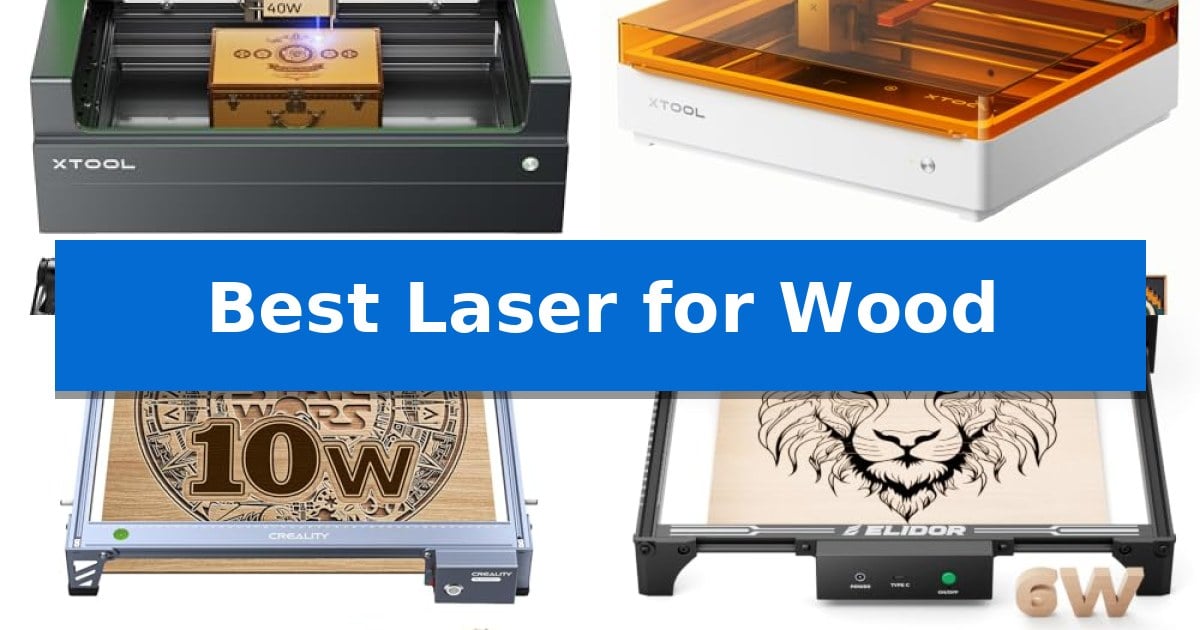
Finding the right tool for your workshop can be a challenge, especially when you need consistent results on natural materials. The Best Laser for Wood must balance raw cutting power with the fine detail required for intricate engraving, ensuring your projects look professional every time.
Whether you are a hobbyist creating personalized gifts or a small business owner scaling production, selecting the right machine depends on your specific material needs and workspace constraints. We have analyzed the latest models to help you navigate the options and choose a laser that fits your creative workflow.
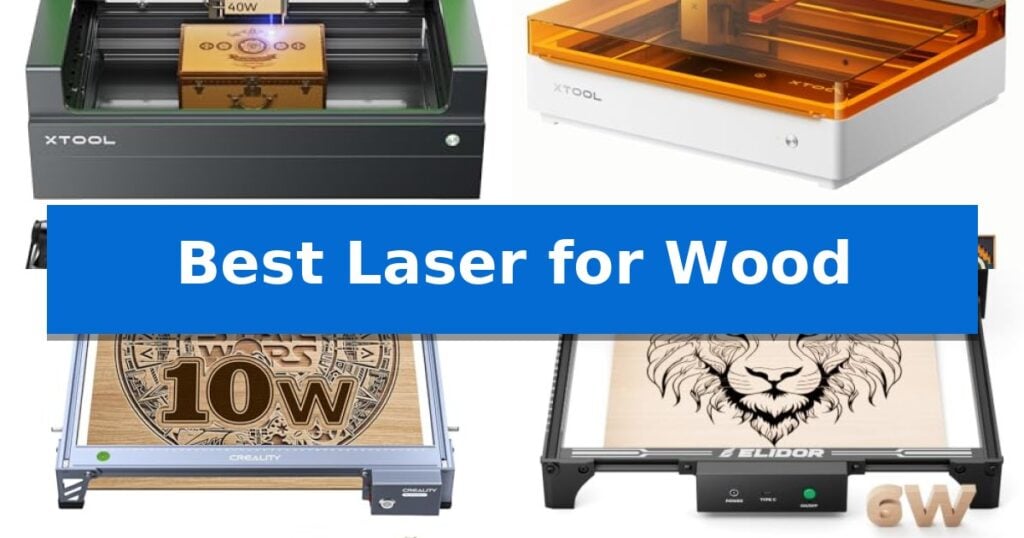
Best Laser for Wood in 2026
Quick Comparison
| Product | Best For | Key Strength | Score |
|---|---|---|---|
| xTool S1 Laser Engraver | Best Overall | 40W laser power for efficient single-pass cutting on thick wood. | 4.9 |
| xTool M2 Laser Engraver | Smart Camera for Easy Alignment | Built-in dual cameras for accurate, real-time workspace preview. | 4.9 |
| Creality Falcon 10W Laser Engraver | Fast Cutting in One Pass | 10W output power enables efficient single-pass cutting on wood and acrylic. | 4.7 |
| ELIDOR Z6 Laser Engraver | Portable Design for Home Workshops | High-precision 0.01 mm accuracy for detailed designs. | 4.7 |
| Twotrees TTS-55 Pro Laser Engraver | Advanced Compression for Fine Detail | High-precision 0.08mm laser spot for detailed engraving. | 4.8 |
How We Chose
- Cutting capacity and material thickness compatibility
- Engraving resolution and spot size accuracy
- Software intuitiveness and design template availability
- Safety features including enclosure design and flame detection
- Operational speed for batch production
1 xTool S1 Laser Engraver — High-Speed Precision for Large Projects
Achieving precise cuts on wood projects requires a machine that balances raw power with intuitive control. The xTool S1 40W Laser Cutter and Laser Engraver distinguishes itself with a 40W laser module capable of slicing through 18mm cherry wood in a single pass, providing a significant advantage for those transitioning from hobbyist tools to more demanding fabrication tasks.
Beyond its cutting capacity, the machine features Auto-focus and Pin-point Positioning technology, which simplify the setup process for complex engravings. The 23.93" x 15.16" bed accommodates large-scale projects, while the AutoPassthrough Technology allows for working on materials up to 118 inches long, expanding the creative possibilities for larger signage or furniture components.
Safety and build quality are central to the design. The unit is constructed with a 3mm aerospace-grade aluminum frame and includes a protective cover that filters 99% of laser light, removing the need for external goggles. For added security, the system integrates 5 flame sensors and an emergency stop button, ensuring the machine halts operation if environmental conditions change.
Ease of use is managed through the xTool Creative Space (XCS) software, which comes pre-loaded with parameters for over 400 materials. This reduces the learning curve for new users, while the AI-powered design tools assist in generating unique patterns, making the xTool S1 Laser Engraver a versatile choice for both beginners and experienced makers.
Best for: Makers and small business owners who need high-power cutting and engraving capabilities for large-format wood projects.
Skip if: Users with limited workspace or those who do not require the high-wattage output and large bed size for their specific projects.
PROS
- 40W laser power for efficient single-pass cutting on thick wood.
- AutoPassthrough Technology supports materials up to 118 inches in length.
- Class 1 safety enclosure with built-in flame sensors for secure operation.
- Intuitive software with pre-tested parameters for over 400 materials.
CONS
- Large physical footprint requires significant dedicated workbench space.
2 xTool M2 Laser Engraver — Smart Camera for Easy Alignment
The xTool M2 Laser Engraver simplifies the creative process by integrating built-in dual cameras that provide a real-time preview of your workspace. This visual feedback, combined with motion control, enables a "Place & Go" workflow that eliminates the need for manual alignment and reduces material waste during home DIY projects.
Designed for versatility, this machine features a 10W diode laser capable of precision cutting and engraving on materials such as wood, leather, felt, and paper. The fully enclosed design meets Class 1 safety standards, ensuring the unit is safe for home environments while providing real-time monitoring during operation.
The xTool M2 Laser Engraver is supported by the xTool Studio software, which includes an integrated AI image generator and a library of ready-to-use templates. This software environment is built to lower the barrier to entry for beginners, allowing users to move from design to a finished product in minutes without requiring advanced technical skills.
While the base unit offers significant functionality, it also supports expansion for more complex tasks. Users can add a CMYK Inkjet module (sold separately) for full-color printing or a 3W IR laser (sold separately) for fine engraving on metal and plastic surfaces, allowing the system to scale alongside your creative goals.
Best for: Home crafters and DIY makers seeking a safe, beginner-friendly laser engraver with integrated camera-based alignment for wood and other soft materials.
Skip if: Users who require high-power industrial cutting capabilities or those who need an open-frame laser system for oversized materials that exceed the enclosed workspace dimensions.
PROS
- Built-in dual cameras for accurate, real-time workspace preview.
- Class 1 enclosed design enhances safety for home use.
- Beginner-friendly software with AI image generation and templates.
- Modular architecture allows for future upgrades like color printing or IR laser modules.
CONS
- Additional modules like the CMYK Inkjet or IR laser are sold separately.
- Enclosed design limits the maximum size of materials that can be processed.
3 Creality Falcon 10W Laser Engraver — Fast Cutting in One Pass
Precision in woodworking often hinges on the ability to execute clean, consistent cuts without excessive material waste. The Creality Falcon 10W Laser Engraver addresses this by utilizing a 10W output power laser module capable of slicing through 5mm basswood or 3mm black acrylic in a single pass. Its structural integrity is supported by an all-aluminum alloy frame and a steel shaft wheel guide rail, providing the stability necessary for intricate projects.
Accuracy is a primary focus of this machine, which features a 0.06mm x 0.06mm super fine spot focus. This allows for precise control, with engraving and cutting accuracy maintained within 0.004 inches and a repositioning accuracy of less than 0.007 inches. For users concerned with safety, the integrated anti-UV filter acrylic on the laser module is designed to block 97% of UV rays during operation.
Operating the device is flexible, supporting both LightBurn for advanced users and LaserGRBL for those newer to laser work. Connectivity options include Wi-Fi, USB cable, and SD card, facilitating data transfer across Windows, Mac, and Linux systems. The setup process is streamlined with a tool-free focusing plate, allowing for quick adjustments before beginning a project.
Maintenance and support are built into the ownership experience, with a 1-year free parts replacement policy and ongoing technical service. The machine's design includes a belt tension adjustment device to ensure consistent movement, making it a functional choice for those looking to integrate laser cutting into their workshop workflow.
Best for: Makers and hobbyists requiring a precise, versatile laser for cutting and engraving wood, acrylic, and leather with high accuracy.
Skip if: Users who require a high-volume industrial production laser or those who need to cut materials significantly thicker than 5mm in a single pass.
PROS
- 10W output power enables efficient single-pass cutting on wood and acrylic.
- High-precision spot focus of 0.06mm ensures detailed engraving results.
- Tool-free focusing plate simplifies the setup and calibration process.
- Multi-platform software compatibility including LightBurn and LaserGRBL.
CONS
- Limited material thickness capacity compared to industrial-grade laser cutters.
- Assembly required upon arrival, though designed for quick 10-20 minute setup.
4 ELIDOR Z6 Laser Engraver — Portable Design for Home Workshops
Achieving precise, personalized designs on wood and other materials requires a tool that balances fine detail with operational flexibility. The ELIDOR Z6 Laser Engraver distinguishes itself with a fine 0.04 × 0.14 mm laser spot, enabling engraving accuracy up to 0.01 mm for crisp text and intricate graphics.
Designed for versatility, this machine handles a wide range of materials including wood, leather, acrylic, and metal. It operates at speeds up to 10,000 mm/min, making it suitable for both hobbyists and small business creators looking to produce custom keychains, tumblers, or personalized home décor.
Portability is a core feature of the ELIDOR Z6 Laser Engraver, which weighs only 2.13 kg (4.7 lbs) and offers a 300 × 300 mm working area. This compact footprint makes it an efficient choice for home workshops, classrooms, or mobile projects where space is limited.
Integration into existing workflows is straightforward due to its compatibility with popular software like LaserGRBL and LightBurn. It supports common file formats such as NC, DXF, and BMP across Windows, macOS, and Linux, providing a flexible, beginner-friendly experience for various DIY projects.
For users prioritizing safety in their workspace, the unit can be paired with a protective enclosure to establish a Class 1 laser system. This addition helps manage the environment while maintaining the machine's high-precision output for detailed woodworking tasks.
Best for: Hobbyists and small business creators needing a portable, high-precision laser for detailed wood and multi-material engraving projects.
Skip if: Users requiring a high-volume industrial production machine or those who need a pre-enclosed system without purchasing additional accessories.
PROS
- High-precision 0.01 mm accuracy for detailed designs.
- Compact and lightweight design for easy portability.
- Wide software compatibility including LightBurn and LaserGRBL.
- Versatile material support covering wood, metal, and acrylic.
CONS
- Class 1 safety requires purchasing a separate protective enclosure.
5 Twotrees TTS-55 Pro Laser Engraver — Advanced Compression for Fine Detail
The Twotrees TTS-55 Pro Laser Engraver centers its performance around an upgraded 5500mW laser module paired with a metal air-assisted nozzle, a combination engineered to improve cutting depth and safety during operation. This unit provides a 300 x 300 mm work area, offering sufficient space for diverse DIY projects ranging from custom wood signs to intricate leather detailing.
Equipped with LD+FAC+C-Lens compression technology, the laser achieves a 0.08 x 0.46 mm super fine spot focus, which is essential for maintaining high accuracy during detailed engraving tasks. The machine utilizes a dual-core 32-bit MCU to support high-speed operation, reaching engraving speeds of up to 30,000mm/min, while maintaining a focus on precision with an engraving accuracy of up to 0.1mm.
Connectivity and workflow flexibility are addressed through built-in Wi-Fi, allowing users to manage projects via a mobile app or web interface, alongside traditional TF card offline engraving capabilities. The hardware is designed for broad software compatibility, functioning seamlessly with LaserGRBL and LightBurn across Windows, macOS, and Linux platforms.
The physical design incorporates a red laser shield to enhance safety during use. The system is intended for hobbyists and makers who require a balance between cutting power—capable of handling 5mm plywood or 3mm acrylic—and the fine detail required for surface engraving. The package includes the necessary installation tools and access to 24/7 support to assist with setup.
Best for: Hobbyists and small-scale makers needing a versatile, high-speed laser for precision wood and acrylic cutting.
Skip if: Users requiring industrial-grade power for thick materials or those who prefer a pre-assembled, plug-and-play unit without any setup requirements.
PROS
- High-precision 0.08mm laser spot for detailed engraving.
- Integrated air assist support for cleaner, deeper cuts.
- Versatile connectivity including Wi-Fi and offline TF card support.
- Broad software compatibility with industry-standard tools like LightBurn.
CONS
- Manual assembly required for initial setup.
- 5.5W power limitation restricts cutting thickness on dense materials.
Best Laser for Wood Buying Guide
Understanding Laser Power and Cutting Depth
The laser power rating, typically measured in watts, is the primary indicator of how thick a material a machine can cut in a single pass. For wood projects, a higher wattage allows for faster cutting speeds and the ability to process denser hardwoods without charring or needing multiple passes.
When choosing a laser, consider the material thickness you plan to work with most often. While lower-wattage machines are excellent for surface engraving and thin veneers, they may struggle with thicker plywood or solid lumber, requiring more time and potentially compromising edge quality.
Precision and Spot Size
The laser spot size determines the level of detail your machine can achieve. A smaller, more compressed spot size results in sharper lines and more intricate engraving, which is essential for portraits, fine text, and complex graphic designs.
Look for machines that utilize advanced compression technology to maintain a tight focus over the entire working area. This ensures that your designs remain crisp from the center of the bed to the edges, preventing distortion or blurring in your finished wood pieces.
Software and Workflow Integration
The software interface is the bridge between your creative ideas and the physical product. A user-friendly platform that supports AI-powered design generation or offers a library of templates can significantly reduce the learning curve for beginners.
Compatibility with industry-standard software like LightBurn is a major advantage for experienced users. It provides granular control over power, speed, and pass settings, allowing for more complex projects and a more efficient production workflow.
Safety and Workspace Environment
Because laser engraving involves high heat and potential smoke, enclosed designs are highly recommended for home and classroom environments. These units often include protective covers that filter harmful light, eliminating the need for separate safety goggles.
Integrated flame sensors and emergency stop buttons provide an essential layer of security. These features automatically halt the machine if an issue is detected, protecting both the user and the equipment during longer, unattended cutting sessions.
Work Area and Versatility
The bed size dictates the maximum dimensions of your projects. If you plan on creating large signs or batch-producing items like coasters or tags, a larger working area is necessary to maximize efficiency and minimize the need for repositioning materials.
Consider whether the machine supports passthrough technology, which allows you to feed longer materials through the unit. This feature is a game-changer for creators who want to work on projects that exceed the standard dimensions of the machine's bed.
Frequently Asked Questions
What is the difference between a diode laser and a CO2 laser for wood?
Diode lasers are generally more compact and affordable, making them ideal for home hobbyists and detailed engraving. CO2 lasers typically offer higher power for faster cutting of thicker materials but are often larger and more expensive.
Do I need an air assist system for wood engraving?
An air assist system is highly recommended for wood. It blows air directly onto the cutting point, which clears smoke and debris, prevents charring, and allows for deeper, cleaner cuts.
Is it safe to use a laser engraver indoors?
Yes, provided the machine is properly enclosed and vented. Always ensure you have a ventilation system to exhaust smoke and fumes outside, and use a machine with a certified protective cover.
Can I engrave on curved wood surfaces?
Some advanced laser engravers feature specialized technology or rotary attachments that allow for engraving on curved surfaces like tumblers, spoons, or bowls.
How do I determine the right settings for my wood project?
Most modern laser software comes with pre-tested material parameters. It is always best to perform a small test cut on a scrap piece of the same wood to fine-tune your power and speed settings before starting your final project.
Conclusion: Our Top Pick
When selecting the best laser for wood, the xTool S1 Laser Engraver stands out as the most versatile option for both hobbyists and serious makers. Its combination of high-power output, large bed size, and advanced safety features makes it a reliable choice for a wide range of projects, from intricate engravings to deep cuts in thick lumber.
While other models offer portability or specific niche benefits, the xTool S1 provides the most balanced performance for those who prioritize precision and productivity. Its user-friendly software and robust build quality ensure that it can handle demanding workloads while remaining accessible for those just starting their laser crafting journey.