
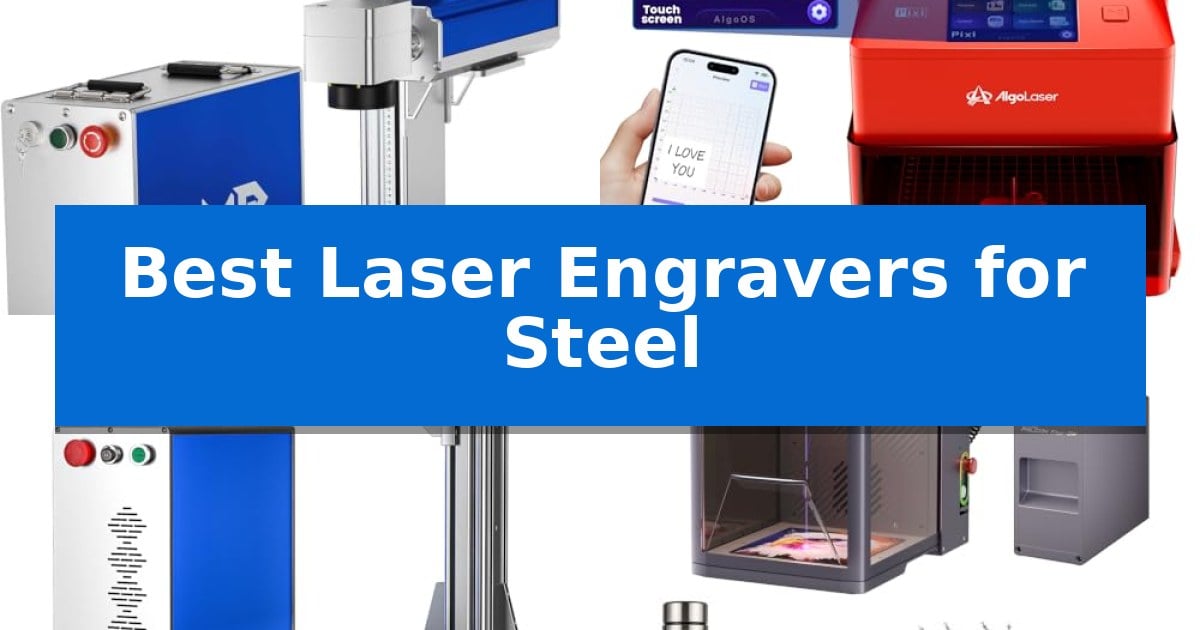
Finding the right equipment for permanent metal marking requires balancing laser power, wavelength, and material compatibility. Whether you are personalizing jewelry, etching industrial components, or creating custom steel nameplates, selecting the correct technology is essential for achieving clean, high-contrast results without damaging your workpiece.
Our guide explores the Best Laser Engravers for Steel currently available, focusing on systems that offer the necessary precision for professional and hobbyist applications. We evaluate these machines based on their laser source, workspace versatility, and ease of operation to ensure you can make an informed decision for your specific project requirements.
Best Laser Engravers for Steel in 2026
Quick Comparison
| Product | Best For | Key Strength | Score |
|---|---|---|---|
| Monport 60W Fiber Laser Engraver | Best Overall | 60W Raycus Fiber Laser Source provides long-term reliability with a 100,000-hour estimated lifespan. | 4.9 |
| AlgoLaser Pixi 1064nm Laser Engraver | Compact Choice for Metal Marking | 1064nm infrared laser optimized for clean metal marking. | 4.5 |
| OMTech 30W Fiber Laser Engraver | High-Speed Precision for Jewelry | Long-lasting 30W fiber laser source with over 100,000 hours of service life. | 4.4 |
| Creality Falcon T1 Fiber Laser Engraver | Versatile Modular Industrial Platform | 15s tool-free module swap for rapid transitions between laser technologies. | 4.8 |
| Therble 10W Handheld Laser Marker | Portable Pick for On-Site Marking | True cordless portability with dual removable 9900mAh batteries for on-site industrial marking. | 4.8 |
How We Chose
- Laser Source Technology: We prioritized fiber and infrared lasers, which are specifically engineered for high-contrast marking on stainless steel and other metals.
- Work Area and Flexibility: We assessed the physical workspace dimensions and the compatibility with rotary attachments for marking non-flat objects like tubes or bottles.
- Operational Efficiency: We examined features such as autofocus, red-dot guidance, and software compatibility that streamline the transition from design to finished product.
- Build Quality and Stability: We looked for robust construction and cooling systems that support consistent performance during extended marking sessions.
- Portability vs. Stationary Use: We distinguished between compact desktop units for small studios and handheld options designed for on-site industrial marking.
1 Monport 60W Fiber Laser Engraver — Best for Deep Metal Engraving
Achieving precise metal marking requires a machine capable of consistent power delivery and stable operation. The Monport 60W Fiber Laser Engraver addresses this by integrating a power supply directly into the unit, which helps maintain a stable fiber laser source during operation. This setup is specifically engineered to handle various metals, including stainless steel, gold, silver, and brass.
The machine features a 60W Raycus Fiber Laser Source with an estimated lifetime of up to 100,000 hours, providing long-term utility for frequent marking tasks. To manage thermal output during extended use, the manufacturer has upgraded the configuration with two dedicated cooling fans. These additions help dissipate heat, ensuring the laser remains reliable throughout deep engraving or marking projects.
Usability is supported by a built-in workspace grid that includes removable positioning bars, allowing for accurate material alignment. For those working with non-flat items, the system supports an optional rotary axis to accommodate tubes, bottles, and pipes. The focus process is streamlined via a manual focus-height wheel and a vertical supporting tower equipped with a ruler for consistent height measurements.
Safety and control have been prioritized through a consolidated interface that combines three power buttons into one, complemented by a dedicated panic button. An external red dot locator is included to assist with quick calibration and focus setup, helping to reduce preparation time before starting a job.
Best for: Users requiring a dedicated, stable fiber laser system for deep engraving and precise marking on various metal surfaces.
Skip if: Users who need to engrave non-metallic materials or require a portable, lightweight device for hobbyist crafting.
PROS
- 60W Raycus Fiber Laser Source provides long-term reliability with a 100,000-hour estimated lifespan.
- Integrated power supply and dual cooling fans enhance operational stability.
- Built-in workspace grid with removable bars facilitates precise material placement.
- Manual focus-height wheel and vertical ruler ensure accurate setup for different material thicknesses.
CONS
- Rotary axis required for curved surfaces is not included in the base package.
- Heavy-duty design and fixed-station footprint may limit portability.
2 AlgoLaser Pixi 1064nm Laser Engraver — Compact Choice for Metal Marking
Achieving precise surface marking on metal components requires specialized hardware, and the AlgoLaser Pixi 1064nm Laser Engraver is engineered specifically for this task. Unlike standard diode lasers, this unit utilizes a 1064nm infrared laser to create clean, fine marks on materials like stainless steel, aluminum, and jewelry without the need for high-power cutting capabilities.
The device prioritizes a streamlined workflow through its 3.5" touchscreen and integrated AlgoOS smart control system. This interface allows users to preview and initiate projects directly from the machine, eliminating the requirement for a constant PC connection. Its compact desktop design ensures it fits into small creative spaces, making it a practical choice for personalization studios and hobbyists focused on metal tags, nameplates, and custom gifts.
Operation is designed for surface-level detail rather than deep engraving or cutting. For optimal results on reflective metals, the manufacturer suggests utilizing slower marking speeds or laser marking spray to improve consistency. The system includes a 1-year warranty and emphasizes safety, requiring users to wear proper laser safety goggles during operation.
This engraver serves as a dedicated tool for those prioritizing fine detail on metal surfaces. By focusing on marking rather than cutting, it provides a specialized solution for creators who need to produce logos, patterns, and text on hard materials in a controlled, desktop-friendly environment.
Best for: Small business owners and creators needing precise, detailed surface marking on metal items like jewelry, tags, and nameplates.
Skip if: Users who require a machine capable of cutting through wood or performing deep engraving on thick materials will find this surface-marking-only device insufficient.
PROS
- 1064nm infrared laser optimized for clean metal marking.
- Standalone operation via 3.5" touchscreen and AlgoOS.
- Compact footprint suitable for small workshops and home studios.
- Versatile material compatibility including stainless steel, aluminum, and coated metals.
CONS
- Not designed for cutting or deep engraving applications.
- Reflective surfaces may require additional marking spray or slower speeds for best results.
3 OMTech 30W Fiber Laser Engraver — High-Speed Precision for Jewelry
Achieving precise, high-speed metal marking requires a system built for the unique thermal properties of steel and precious metals. The OMTech 30W Fiber Laser Engraver utilizes a high-speed galvanometric system paired with a compact F-theta field lens to deliver consistent results with less than 1% distortion, making it a specialized tool for detailed jewelry and industrial marking.
At the core of this machine is a 30W Solid-State Laser source, engineered for durability with an average service life exceeding 100,000 hours. This laser enables rapid etching on various surfaces, including aluminum, steel, gold, and silver. The system operates at speeds up to 10,000 mm/s, allowing for efficient throughput in professional or hobbyist environments.
The 175x175mm workbed provides a 6.9×6.9 inch area for projects, supported by a laser locator for accurate calibration and focusing. For those working with curved surfaces, the unit includes a 4-pin port for easy connection to an optional rotary axis. Operation is managed through the included EzCad2 software, which is compatible with Windows and supports a wide variety of image formats.
Safety and ease of use are integrated into the design, featuring an emergency stop button and included protective eyewear. While the OMTech 30W Fiber Laser Engraver offers high-performance marking capabilities, users should note that the rotary axis required for cylindrical engraving is sold separately, and the system is specifically optimized for marking rather than deep cutting.
Best for: Jewelry makers and industrial professionals requiring high-speed, precise marking on steel, precious metals, and gemstones.
Skip if: Users looking for a machine capable of deep cutting through thick metal sheets or those who do not have a Windows-based computer for the required software.
PROS
- Long-lasting 30W fiber laser source with over 100,000 hours of service life.
- High-speed galvanometric system ensures rapid and accurate marking.
- Precision F-theta field lens maintains low distortion across the 6.9×6.9 inch work area.
- Integrated 4-pin port for seamless connection to rotary axis accessories.
CONS
- Rotary axis not included, requiring a separate purchase for curved surface engraving.
- Software limited to Windows environments for operation.
4 Creality Falcon T1 Fiber Laser Engraver — Versatile Modular Industrial Platform
Achieving precise industrial-grade markings on metal requires a system that balances speed with extreme accuracy. The Creality Falcon T1 Fiber Laser Engraver distinguishes itself through a 5-in-1 modular platform that allows users to swap between specialized laser technologies, including fiber and diode modules, in just 15 seconds without tools.
Engineered for professional environments, this machine supports engraving speeds up to 10,000mm/s with a repeat accuracy of 0.001mm. Its high-speed galvo technology and intelligent motion control are designed to handle demanding tasks on materials like stainless steel, aluminum, brass, and titanium, making it a robust choice for prototyping and high-volume production.
Usability is enhanced by the Falcon Design Space software, which integrates AI-powered tools such as one-tap engraving, background removal, and smart batch layout. These features streamline the transition from digital design to physical output, reducing the time spent on file preparation for complex projects.
Safety and scalability remain core to its design, featuring a Class 1 enclosed system equipped with auto-focus, flame detection, and emergency stop protection. The platform is built to grow with your business, offering compatibility with rotary attachments and conveyor systems, ensuring that your initial investment remains relevant as your production needs evolve.
Best for: Professional users and businesses requiring a versatile, high-speed, and scalable laser platform for precision marking on metals and various other materials.
Skip if: Hobbyists looking for a simple, low-cost desktop engraver for occasional light-duty projects may find the industrial-grade features and modular complexity of this system unnecessary.
PROS
- 15s tool-free module swap for rapid transitions between laser technologies.
- High-speed galvo performance with 0.001mm precision.
- Class 1 safety system including auto-focus and flame detection.
- AI-powered software suite for automated batch processing and design.
CONS
- Significant physical footprint and weight (66 lbs) requires a dedicated, stable workspace.
- Modular system requires purchasing specific laser modules to unlock full material versatility.
5 Therble 10W Handheld Laser Marker — Portable Pick for On-Site Marking
Achieving permanent, high-contrast identification on industrial materials often requires a tool that moves beyond the limitations of a fixed workstation. The Therble 10W Handheld Laser Marker addresses this by integrating a powerful 10W industrial laser system into a portable, battery-operated form factor, allowing for direct marking on large or fixed workpieces in environments ranging from workshops to construction sites.
Designed for professional traceability and branding, this device supports a wide array of materials including stainless steel, coated metals, plastics, and wood. The unit features a 5-inch HD touchscreen paired with a Linux-based operating system, enabling users to manage designs, import files via USB, and preview marking positions without the need for an external computer or complex software setup.
Efficiency in high-volume settings is supported by smart variable data capabilities, which allow for the automatic generation of serial numbers, QR codes, barcodes, and date codes. This functionality is essential for businesses focused on inventory control and product identification, ensuring consistent output across batches.
The hardware is built for continuous commercial use, incorporating an integrated cooling fan and a safety protection switch to maintain reliability during extended operation. Powered by dual removable 9900mAh batteries, the marker provides the flexibility needed for on-site marking tasks where power access may be limited.
Best for: Professional industrial users and mobile production teams requiring portable, cordless laser marking for traceability and branding on fixed or large-scale metal and plastic components.
Skip if: Users who require a high-precision desktop laser system for intricate artistic engraving or those who do not need the portability of a battery-powered, handheld unit.
PROS
- True cordless portability with dual removable 9900mAh batteries for on-site industrial marking.
- Standalone operation via an integrated 5-inch HD touchscreen, eliminating the need for a PC.
- Smart batch marking features for automated generation of serial numbers, QR codes, and barcodes.
- Versatile material compatibility including stainless steel, plastics, leather, and wood.
CONS
- Handheld form factor may lack the extreme stability required for highly detailed, microscopic artistic engravings compared to fixed-gantry desktop systems.
Best Laser Engravers for Steel Buying Guide
Understanding Laser Sources for Steel
The most critical factor when engraving steel is the laser wavelength. Fiber lasers and 1064nm infrared lasers are the industry standards for this material because they interact effectively with metal surfaces. Unlike diode lasers, which are often better suited for wood or acrylic, these specialized lasers create permanent, high-contrast marks by altering the surface properties of the metal.
When choosing between these, consider your primary use case. Fiber lasers are generally more powerful and capable of deeper engraving, making them ideal for industrial applications. Infrared markers are often more compact and user-friendly for detailed surface marking on jewelry or small custom gifts.
Workspace and Material Compatibility
Before purchasing, evaluate the physical size of the items you intend to mark. A machine with a larger work area provides more freedom, but if you frequently work with curved surfaces like rings or pipes, ensure the unit supports a rotary axis. This accessory is essential for maintaining focus across non-flat geometries.
Also, check the maximum height clearance of the machine. If you are marking thick steel plates or bulky components, a system with an adjustable vertical tower or a removable base will offer the necessary flexibility to accommodate different material thicknesses.
Software and Workflow Integration
The efficiency of your engraving process depends heavily on the software ecosystem. Many professional-grade engravers are compatible with LightBurn, which is widely regarded for its intuitive interface and robust feature set. Ensure the machine you select supports the file formats and design tools you are already comfortable using.
Look for machines that offer standalone operation via a touchscreen. This feature allows you to manage batch marking or preview designs without needing a dedicated PC connected to the laser, which is particularly useful in busy workshop environments.
Safety and Maintenance
Laser engraving involves high-energy beams that require strict safety protocols. Always prioritize machines that include Class 1 safety enclosures or provide adequate protective eyewear. Proper ventilation is also crucial, as marking certain coated metals can release fumes that should be filtered or exhausted away from your workspace.
Maintenance is generally straightforward for fiber systems, but keep an eye on cooling requirements. Machines with integrated cooling fans or robust heat dissipation designs will last longer and maintain more stable laser output over their estimated 100,000-hour service life.
Portability vs. Stationary Performance
Decide whether your workflow requires a fixed station or mobility. Desktop fiber lasers are excellent for consistent, high-volume production in a dedicated area. However, if you need to mark large, immovable equipment or components on a construction site, a handheld laser marker is the superior choice.
Handheld units often feature battery-powered operation, allowing for cordless freedom. While they may sacrifice some of the stability of a heavy-duty desktop frame, they provide unmatched versatility for field-based identification and asset management.
Frequently Asked Questions
Can these laser engravers cut through thick steel?
Most of the listed machines are designed for surface marking and etching rather than high-power industrial cutting. They are optimized for creating permanent, high-contrast marks on steel surfaces.
Do I need a computer to operate these machines?
Many modern laser engravers now feature built-in touchscreens and standalone operating systems, allowing you to load designs via USB or internal storage without a constant PC connection.
What is the difference between fiber and diode lasers for metal?
Fiber lasers operate at a wavelength that is highly absorbed by metal, resulting in clean, permanent marks. Standard diode lasers often struggle to mark bare metal effectively without the use of chemical marking sprays.
Are these machines suitable for beginners?
Yes, many systems include red-dot locators and manual focus wheels to simplify the setup process. However, users should always read the safety manual and wear appropriate protective gear.
Can I engrave curved objects like rings?
Yes, provided the machine supports a rotary axis attachment. This allows the laser to rotate the object while marking, ensuring the focus remains sharp across the entire surface.
Conclusion: Our Top Pick
Selecting the right tool for steel marking depends on whether you prioritize deep engraving power or portable marking convenience. For most professional and high-detail applications, a dedicated fiber laser system offers the best balance of speed, precision, and long-term reliability.
Our top recommendation is the Monport 60W Fiber Laser Engraver. Its powerful 60W Raycus source and upgraded cooling system make it a robust choice for those who need consistent, deep engraving on a variety of metals. While it is a stationary unit, the inclusion of a workspace grid and support for rotary accessories provides the versatility needed for both small jewelry projects and larger steel components.