
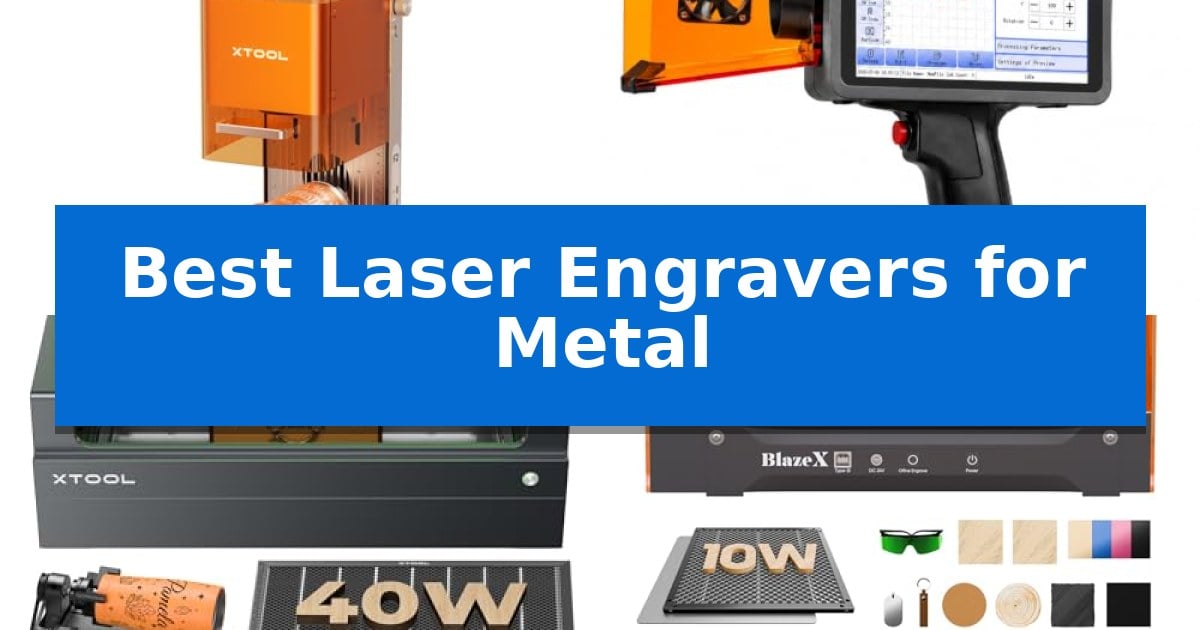
Finding the right equipment for metal marking requires balancing laser power, wavelength, and workspace requirements. Whether you are looking to create permanent serial numbers for industrial components or add intricate designs to custom jewelry, selecting the Best Laser Engravers for Metal depends heavily on your specific material needs and production volume.
Our guide evaluates current market options based on their ability to handle various metal types, from coated surfaces to raw stainless steel. We focus on essential technical specifications like laser type, portability, and software integration to help you determine which machine fits your workshop or mobile business setup.
Best Laser Engravers for Metal in 2026
Quick Comparison
| Product | Best For | Key Strength | Score |
|---|---|---|---|
| xTool F2 Dual Laser Engraver | Best Overall | Dual-laser system combines 5W IR for metal marking and 15W diode for cutting/embossing. | 4.9 |
| Therble Portable Laser Marker | Industrial Choice for Metal | True cordless portability with dual high-capacity removable batteries. | 4.3 |
| xTool S1 Laser Engraver | High-Power Large Project Pick | 40W high-power laser capable of efficient engraving on metal and thick wood. | 4.5 |
| BlazeX M3 Laser Engraver | Smart Camera Precision | Smart camera guidance for precise design placement. | 4.8 |
| Creality Falcon Laser Engraver | Versatile DIY Metal Engraving | High-precision 0.06mm spot focus for detailed engraving. | 4.4 |
How We Chose
- Laser Source Compatibility: Evaluating whether the unit uses infrared (IR) or diode lasers for effective metal marking or engraving.
- Operational Precision: Assessing alignment accuracy, camera-assisted positioning, and motion resolution for high-detail work.
- Workpiece Versatility: Checking for features like passthrough technology or rotary support for handling cylindrical and oversized items.
- Safety and Environment: Reviewing enclosure designs, fume extraction capabilities, and safety certifications for indoor use.
- Workflow Efficiency: Considering setup time, software compatibility, and batch processing features for scaling production.
1 xTool F2 Dual Laser Engraver — Best for Vivid Metal Marking
Achieving precise, high-contrast results on metallic surfaces requires specialized hardware capable of handling diverse material properties. The xTool F2 5W IR & 15W Diode Dual Laser Engraver distinguishes itself by integrating two distinct laser sources into a single, compact desktop unit, allowing users to switch between deep metal marking and intricate diode-based engraving without changing machines.
This system utilizes a 5W infrared laser specifically calibrated for vivid, dark marking on various metals, while the 15W diode laser provides the power necessary for 3D embossing and cutting through thicker materials. The inclusion of a built-in 50MP camera enables real-time workspace visualization, facilitating up to 0.1 mm alignment accuracy that minimizes material waste during setup.
Efficiency is a core design focus, with the device supporting industry-leading speeds of up to 6000mm/s. For users scaling from personal projects to commercial batch production, the machine is compatible with the Slide Extension and RA3 accessory, which streamline the processing of items like coasters and phone cases. The fully enclosed, leak-proof chassis includes a built-in fan and supports an optional purifier, making it suitable for indoor workshop or retail environments.
Designed for immediate deployment, the xTool F2 arrives fully assembled and features pre-configured material settings to simplify the initial workflow. Weighing 4.6 kg, the unit offers a portable solution for on-site customization at markets or pop-up events, balancing professional-grade versatility with a footprint optimized for desktop use.
Best for: Small-batch commercial customization and on-site metal marking where portability and dual-laser versatility are required.
Skip if: Users requiring a large-format engraving area will find the compact desktop dimensions of this unit restrictive for oversized projects.
PROS
- Dual-laser system combines 5W IR for metal marking and 15W diode for cutting/embossing.
- 50MP camera provides high-precision workspace visualization and alignment.
- Ultra-fast operation reaching speeds up to 6000mm/s for efficient batch processing.
- Portable, fully enclosed design suitable for safe indoor use and mobile service.
CONS
- Compact footprint limits the maximum size of materials that can be processed at one time.
2 Therble Portable Laser Marker — Industrial Choice for Metal
The Therble Portable Laser Marker eliminates the need for a stationary workbench by utilizing a 10W handheld laser system capable of creating permanent, high-contrast marks directly on large or fixed workpieces. This device is engineered for industrial-grade traceability, allowing users to apply serial numbers, QR codes, and barcodes to materials ranging from stainless steel and coated metals to plastics, wood, and glass.
Designed for total mobility, the unit operates on dual removable 9900mAh batteries, enabling cordless use in warehouses, construction sites, or on-site production environments. The system is entirely self-contained, featuring an integrated 5-inch HD touchscreen and a Linux-based interface that removes the requirement for an external computer or complex software setup.
Efficiency is managed through smart variable data capabilities, which automatically generate batch numbers and production dates for streamlined inventory control. Users can import custom graphics via USB in standard formats like JPG, PNG, and BMP, ensuring the machine adapts to specific branding or component identification needs.
Built for continuous commercial operation, the Therble Portable Laser Marker includes an integrated cooling fan and a safety protection switch. It provides a practical, reliable solution for professional manufacturing teams that require high-precision marking performance without the constraints of a fixed-position laser engraver.
Best for: Professional manufacturing and mobile production teams requiring permanent, on-site marking of large or fixed metal and industrial components.
Skip if: Users who require a high-volume, stationary desktop laser engraver with a large workspace area for batch-processing small parts.
PROS
- True cordless portability with dual high-capacity removable batteries.
- Standalone operation via an integrated 5-inch HD touchscreen.
- Versatile material compatibility including stainless steel, plastics, and wood.
- Smart batch marking features for automated serial numbers and QR codes.
CONS
- Handheld design may be less efficient than a stationary desktop unit for high-volume, repetitive small-part marking.
3 xTool S1 Laser Engraver — High-Power Large Project Pick
Achieving precise, high-speed results on metallic surfaces requires a machine capable of both significant power and structural stability. The xTool S1 40W Laser Cutter and Laser Engraver utilizes a robust 40W laser module to handle demanding engraving tasks, offering a spacious 23.93" x 15.16" work area that accommodates large-scale projects like multiple dog tags or expansive signage in a single session.
Engineered for consistent performance, this unit features a 3mm aerospace-grade aluminum frame designed to maintain stability during high-speed operations of up to 600mm/s. The system incorporates xTool’s patented Pin-point Positioning technology, which assists in maintaining accuracy when working on complex or curved surfaces, such as metal tumblers or plates.
Usability is prioritized through the xTool Creative Space (XCS) software, which includes pre-tested parameters for over 400 materials to streamline the setup process. For those managing long or oversized items, the AutoPassthrough technology allows for the processing of materials up to 118 inches in length, extending the machine's utility beyond its standard bed size.
Safety remains a core design focus, featuring an enclosed, Class 1 certified protective cover that filters 99% of laser light, removing the necessity for external goggles. The machine also includes five integrated flame sensors, an emergency stop button, and a lid-open detection system, all designed to automatically halt operations if a potential hazard is identified during the engraving process.
Best for: Users requiring a high-power, enclosed system for engraving large batches of metal items or oversized projects with high precision.
Skip if: Users who require a portable, open-frame laser system or those who do not need the advanced safety enclosures and large-format capabilities of this unit.
PROS
- 40W high-power laser capable of efficient engraving on metal and thick wood.
- AutoPassthrough technology supports projects up to 118 inches long.
- Class 1 safety enclosure with integrated flame sensors and lid-open protection.
- Aerospace-grade aluminum frame provides high structural stability.
CONS
- Large physical footprint may not be suitable for small or space-constrained workshops.
4 BlazeX M3 Laser Engraver — Smart Camera Precision
Precision in metal engraving often hinges on the ability to visualize the final output before the laser makes its first mark. The BlazeX M3 Laser Engraver addresses this with an integrated high-definition smart camera, allowing users to preview designs directly on the material through a PC. This feature ensures accurate placement, which is essential when working with small or expensive metal components.
Designed as a 2-in-1 laser cutter and engraver, the unit utilizes a high-density laser beam to achieve 0.01mm ultra-precision. This capability allows for the creation of intricate patterns on metal, glass, and leather, while also providing the power needed for clean cuts on wood and acrylic. The system is built for versatility, supporting a wide range of DIY projects within a single, compact footprint.
Safety and environmental control are prioritized through the Class 1 Safety rating and an integrated enclosure. The machine includes a built-in fan to exhaust smoke and odors, significantly improving the workspace environment. Furthermore, the device features intelligent protection sensors that automatically halt operation if the lid is opened or the unit is tilted, providing a secure environment for home or studio use.
The BlazeX M3 Laser Engraver offers extensive software compatibility, working seamlessly with LightBurn, LaserGRBL, and CutLabX across Windows, macOS, iOS, and Android. For users looking to expand their capabilities, the ecosystem supports professional add-ons like a Rotary Roller for cylindrical items and an Air Assist module to enhance cutting edge detail and clarity.
Best for: Beginners and hobbyists who require high-precision engraving with visual design placement and a safe, enclosed workspace.
Skip if: Users who need to engrave large-scale industrial metal plates or require a high-wattage laser for rapid, heavy-duty metal cutting.
PROS
- Smart camera guidance for precise design placement.
- 0.01mm ultra-precision for detailed metal engraving.
- Class 1 safety enclosure with integrated smoke exhaust.
- Wide software compatibility including LightBurn and LaserGRBL.
CONS
- Requires separate accessory purchases for advanced features like rotary engraving.
5 Creality Falcon Laser Engraver — Versatile DIY Metal Engraving
Achieving precise detail on metallic surfaces requires a machine capable of high-frequency focus and stable mechanical movement. The Creality Falcon Laser Engraver utilizes a 0.06mm x 0.06mm super fine spot focus, which allows for intricate marking on metal consumables with an accuracy controlled within 0.004 inches.
Built with an all-aluminum alloy structure and a steel shaft wheel guide rail, this engraver is engineered to maintain stability during operation. The inclusion of a strong belt tension adjustment device ensures that the movement remains consistent, reducing the risk of errors during the engraving process. For users who need to cut materials, the 10W output power provides enough force to slice through 5mm basswood or 3mm black acrylic in a single pass at speeds reaching 10000mm/m.
Usability is a core focus, with the device offering multi-connectivity options including Wi-Fi, USB, and SD card support. It is compatible with LightBurn for advanced users and LaserGRBL for those newer to the craft, ensuring a flexible workflow across Windows, Mac, and Linux systems. Safety is addressed through an anti-UV filter acrylic cover on the laser module, which is designed to filter 97% of UV rays.
Setting up the machine is streamlined, with assembly typically taking between 10 and 20 minutes. The tool-free focusing plate simplifies the calibration process, allowing for quick adjustments before starting a project. Every unit is backed by a 1-year free parts replacement policy and ongoing technical support to assist with operational questions.
Best for: Makers and hobbyists who require a versatile, high-precision machine capable of both detailed metal engraving and light material cutting.
Skip if: Users who require industrial-grade fiber laser power for deep metal etching or high-volume commercial production will find the 10W diode output insufficient.
PROS
- High-precision 0.06mm spot focus for detailed engraving.
- Sturdy aluminum alloy frame with steel shaft guide rails.
- Versatile software compatibility including LightBurn and LaserGRBL.
- Tool-free focusing for rapid setup.
CONS
- Diode laser limitations regarding deep metal penetration compared to fiber alternatives.
Best Laser Engravers for Metal Buying Guide
Understanding Laser Types for Metal
The most critical factor when choosing between the Best Laser Engravers for Metal is the laser source. Infrared (IR) lasers are generally superior for marking bare metal because they provide high absorption rates, resulting in crisp, dark, or vivid marks without damaging the underlying structure.
Diode lasers are often more versatile for multi-material workshops but may require specialized coatings or higher power outputs to mark certain metals effectively. Always verify if your chosen machine is optimized for the specific metal alloys you intend to process.
Precision and Positioning Features
For small-batch production or detailed jewelry work, alignment accuracy is paramount. Look for machines that incorporate high-resolution cameras, which allow you to visualize the workspace and place designs with sub-millimeter precision.
This feature significantly reduces material waste by ensuring that your engraving is perfectly aligned before the laser fires. Advanced systems also offer auto-focus and material presets, which streamline the setup process for different metal thicknesses.
Portability Versus Industrial Capacity
Your choice should reflect your workspace constraints. If you need to perform on-site marking for large or fixed workpieces, a handheld laser marker with battery-powered operation offers unmatched flexibility. These units are designed for industrial traceability and quick, mobile identification tasks.
Conversely, if you are running a stationary workshop, a desktop unit with an enclosed design is often more efficient. These machines provide better fume management and noise reduction, making them safer for consistent, long-term use in shared or residential environments.
Software and Workflow Integration
The efficiency of your engraving process is heavily dependent on software compatibility. The Best Laser Engravers for Metal typically support industry-standard software like LightBurn or proprietary platforms that offer AI-driven design tools and batch processing capabilities.
Ensure the machine supports the file formats you use most frequently, such as vector files for logos or variable data formats for serial numbers and barcodes. Seamless software integration allows for faster design iteration and more reliable production runs.
Safety Standards and Fume Management
Engraving metal can produce fumes and particulates, especially if the metal is coated or painted. A fully enclosed design is highly recommended to contain smoke and prevent stray laser reflections from reaching your eyes.
Many modern units include built-in fans or compatibility with external air purifiers. Prioritize models with safety sensors that automatically halt operation if the lid is opened or if a flame is detected, providing peace of mind during extended operation.
Frequently Asked Questions
Can all laser engravers mark every type of metal?
No. Laser-metal interaction depends on the laser wavelength and power. Infrared lasers are typically required for bare metal, while diode lasers may only work on coated or anodized metals.
Do I need a computer to operate these machines?
It depends on the model. Some industrial handheld markers feature built-in touchscreens and standalone operating systems, while desktop models usually require a connection to a PC running engraving software.
What is the benefit of a 50MP camera in a laser engraver?
A high-resolution camera allows for precise visual alignment of your design on the material, ensuring that engravings are placed exactly where intended without manual measurement.
Are these laser engravers safe for home use?
Enclosed models with Class 1 safety ratings are generally safe for home use as they filter harmful laser light and contain fumes, provided they are used with proper ventilation.
Can I engrave cylindrical metal objects like tumblers?
Yes, provided the machine supports a rotary accessory or has sufficient Z-axis clearance to accommodate the curvature of the object.
Conclusion: Our Top Pick
Selecting the right equipment is essential for achieving professional results on metal surfaces. After reviewing the available options, the xTool F2 Dual Laser Engraver stands out as the most versatile choice for those needing both infrared marking capabilities for metal and diode power for other materials.
Its combination of a 50MP camera for precise alignment, high-speed operation, and a compact, enclosed design makes it an excellent fit for both personal customization projects and small-batch commercial production.