
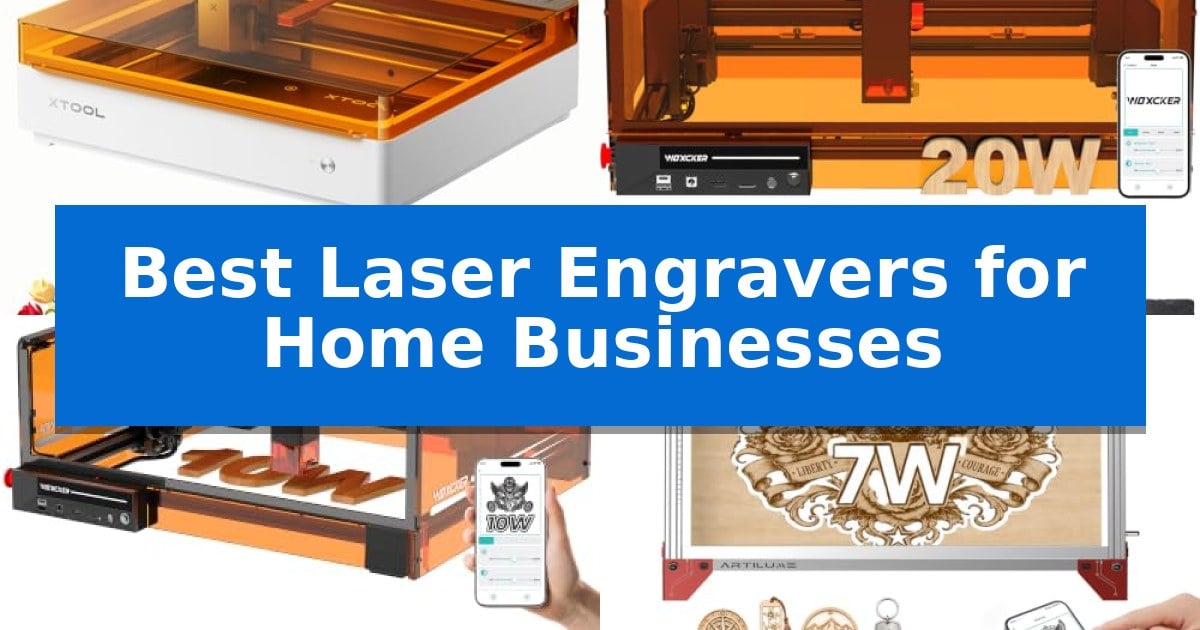
Starting a creative side hustle or expanding a small workshop requires tools that balance precision with reliable output. Finding the Best Laser Engravers for Home Businesses involves evaluating how different machines handle specific materials, manage production workflows, and fit into your existing workspace environment.
Whether you are focusing on personalized gifts, batch production of custom signage, or intricate woodcraft, selecting the right engraver is a foundational step. This guide examines key models to help you identify which machine aligns with your specific production goals and operational requirements.
Best Laser Engravers for Home Businesses in 2026: Scale Your Production
Quick Comparison
| Product | Best For | Key Strength | Score |
|---|---|---|---|
| xTool M2 Laser Engraver | Best Overall | Built-in dual cameras for accurate workspace preview and alignment. | 4.9 |
| Woxcker L2 Max 20W Laser Engraver | High-Power Batch Production | High-speed performance reaching up to 20,000mm/min for faster project turnaround. | 4.8 |
| Woxcker L2 Max 10W Laser Engraver | Enclosed Design for Safety | 360° fully enclosed design for improved safety and noise reduction. | 4.9 |
| Artilume A4 Laser Engraver | Large Format Workspace | Spacious 400x400mm engraving area for large or multiple small projects. | 4.7 |
| Twotrees TTS-10 Pro Laser Engraver | High-Speed Precision Engraving | 10000mW optical power for deep and fast material processing. | 4.8 |
How We Chose
- Production Capacity: Assessing the machine's ability to handle batch work and speed requirements.
- Material Versatility: Evaluating the range of compatible materials such as wood, leather, acrylic, and coated metals.
- Operational Safety: Reviewing enclosed designs and safety features like flame detection and emergency stops.
- Precision and Detail: Analyzing the laser focus and engraving accuracy for intricate designs.
- Workflow Integration: Considering software compatibility and ease of setup for various skill levels.
1 xTool M2 Laser Engraver — Smart Dual-Camera Workflow
The xTool M2 Laser Engraver streamlines the transition from design to production with its built-in dual cameras, which provide a real-time workspace preview to ensure precise alignment. This feature enables a "Place & Go" workflow, significantly reducing the potential for material waste by allowing users to see exactly where their design will be etched before the laser fires.
Designed with a fully enclosed, Class 1 safety rating, this machine is built for home environments where safety and air quality are primary concerns. The unit comes standard with a 10W diode laser, capable of processing over 300 materials including wood, leather, felt, and paper. Its innovative dual-mode architecture allows for future expansion, as users can integrate a separately sold CMYK Inkjet module for full-color printing or a 3W IR laser for specialized work on metal and plastic.
Software integration is handled through xTool Studio, which includes an AI image generator and a library of customizable templates. This ecosystem is intended to lower the barrier to entry for new business owners, allowing for rapid creation of personalized gifts, home decor, and custom merchandise without requiring advanced graphic design skills.
While the xTool M2 Laser Engraver offers a comprehensive suite of features for creative production, it is important to note that specialized components like the rotary attachment and the inkjet module are sold as separate add-ons. The base unit provides a robust foundation for standard engraving and cutting tasks, but users looking for advanced rotary engraving or full-color printing will need to account for these additional hardware requirements.
Best for: Home business owners who prioritize ease of use, safety, and precise material alignment for personalized craft production.
Skip if: Users who require high-power industrial cutting capabilities or those who do not need the integrated camera and software ecosystem.
PROS
- Built-in dual cameras for accurate workspace preview and alignment.
- Class 1 safety enclosure suitable for home and family environments.
- Versatile material compatibility across wood, leather, fabric, and paper.
- Beginner-friendly xTool Studio software with integrated AI design tools.
CONS
- Modular add-ons like the CMYK Inkjet module and rotary tool are sold separately.
- 10W diode laser may be limited for heavy-duty industrial cutting compared to higher-wattage systems.
2 Woxcker L2 Max 20W Laser Engraver — High-Power Batch Production
The Woxcker L2 Max 20W Laser Engraver streamlines small business production by combining a powerful 20W laser with a generous 300x300mm work area, allowing for efficient batch processing of custom signs, ornaments, and wood products. This system is designed to handle both cutting and engraving tasks, offering the versatility needed for diverse creative projects.
Equipped with advanced point-compression technology, the device achieves a fine 0.01mm square focus, which is essential for rendering sharp, crisp details on logos, names, and intricate artwork. It supports a wide range of materials, including wood, coated metal, leather, acrylic, glass, and stone, providing a broad foundation for product customization.
Workflow efficiency is a primary focus, with the unit capable of reaching speeds up to 20,000mm/min to reduce production time. The machine is housed in a 360° fully enclosed frame that helps contain fumes, dust, and operating noise, while integrated safety features—such as flame detection, 15° tilt protection, automatic shutdown, and an emergency stop—provide necessary oversight during operation.
For connectivity and control, the system is compatible with LightBurn, LaserGRBL, and CutLabX software. Users can manage projects via Wi-Fi, USB, an app, or a TF card, offering flexible integration into existing home workshop setups.
Best for: Small business owners and DIY creators who need a high-speed, enclosed laser system for batch production and detailed engraving on various materials.
Skip if: Users who require a larger work area than 300x300mm or those who prefer an open-frame design for easier access to oversized materials.
PROS
- High-speed performance reaching up to 20,000mm/min for faster project turnaround.
- 360° fully enclosed design to contain fumes, dust, and noise while shielding the user.
- Advanced 0.01mm square focus for high-precision engraving of intricate designs.
- Comprehensive safety suite including flame detection and automatic shutdown.
CONS
- Fixed 300x300mm work area may limit the size of projects compared to larger industrial machines.
3 Woxcker L2 Max 10W Laser Engraver — Enclosed Design for Safety
Scaling a small business often requires the ability to produce consistent, high-quality custom goods efficiently. The Woxcker L2 Max 10W Laser Engraver addresses this need with a 360° fully enclosed design, which actively contains fumes, dust, and operating noise, making it suitable for home-based workshop environments.
Performance is driven by a 10W laser capable of engraving wood, coated metal, glass, leather, and stone. The unit utilizes advanced point-compression technology to achieve a 0.01mm square focus, ensuring that intricate logos, text, and fine patterns remain sharp and detailed. For batch production, the machine supports high-speed operation up to 20,000mm/min, allowing for faster turnaround on personalized items within its 300×300mm work area.
Usability is prioritized through a five-part modular assembly that simplifies the initial setup, saving approximately 30–40 minutes compared to traditional belt-adjustment systems. The device offers versatile connectivity, including Wi-Fi, USB, APP, and TF-card offline control, and maintains compatibility with industry-standard software like LightBurn and LaserGRBL.
Safety features are integrated throughout the system to protect the user and the workspace. The Woxcker L2 Max 10W Laser Engraver includes lid-open auto-stop, flame detection, an emergency stop, a safety lock, and 15° tilt-stop protection. These mechanisms provide a controlled environment for creators who prioritize safety alongside precision.
Best for: Home-based makers and small business owners who require a safe, enclosed, and precise laser engraving solution for batch production.
Skip if: Users who need to engrave large-format materials exceeding the 300x300mm work area or those requiring higher laser power for deep cutting of thick materials.
PROS
- 360° fully enclosed design for improved safety and noise reduction.
- 0.01mm ultra-precision focus for high-detail engraving.
- High-speed engraving up to 20,000mm/min for increased productivity.
- Modular assembly reduces setup time significantly.
CONS
- Fixed 300x300mm work area limits the size of projects.
- 10W power output is optimized for engraving and light marking rather than heavy-duty cutting.
4 Artilume A4 Laser Engraver — Large Format Workspace
The Artilume A4 Laser Engraver provides a substantial 400x400mm working area, catering to home businesses that require flexibility for projects ranging from personalized gifts to batch production of keychains and signs. Its design centers on a rugged anodized aluminum alloy frame and ABS housing, ensuring a stable, vibration-free platform for detailed work.
Equipped with a 32-bit motherboard and a 0.04×0.04mm ultra-fine compressed laser spot, this machine achieves an engraving precision of up to 0.01mm. The system supports speeds up to 10,000mm/min, allowing for efficient reproduction of intricate vector and raster designs. For those requiring cleaner cutting results, the unit includes a reserved air-assisted interface compatible with various external air pumps.
Usability is a core focus, with the device offering both mobile and desktop workflows. The MKSLaser mobile app facilitates one-click engraving for beginners, while advanced users can utilize USB connectivity to run LightBurn or LaserGRBL on Windows and Mac systems. The machine supports a wide array of file formats, including JPEG, PNG, DXF, and BMP, accommodating diverse creative needs.
Designed for efficiency, the engraver operates with a low power consumption of under 48W. The package includes essential accessories such as a desktop protective plate, basswood boards, and a tool kit, providing a ready-to-use setup. With a laser module lifespan exceeding 10,000 hours and a 14-month warranty on quality-related issues, it serves as a durable tool for consistent home-based production.
Best for: Home business owners who need a large, 400x400mm workspace for batch production and detailed engraving on materials like wood, leather, and acrylic.
Skip if: Users who require a fully enclosed laser system for smoke extraction or those who need a higher-wattage laser for cutting thicker materials.
PROS
- Spacious 400x400mm engraving area for large or multiple small projects.
- High-precision 0.04×0.04mm laser spot for detailed engraving and cutting.
- Versatile software compatibility including LightBurn, LaserGRBL, and a dedicated mobile app.
- Sturdy anodized aluminum frame ensures stability during operation.
CONS
- Requires separate air pump purchase to utilize the air-assist interface for cleaner cuts.
- Open-frame design lacks built-in smoke filtration or enclosure.
5 Twotrees TTS-10 Pro Laser Engraver — High-Speed Precision Engraving
Precision and versatility define the Twotrees TTS-10 Pro Laser Engraver, a tool engineered for small-scale production of custom goods. Featuring a 10000mW optical power blue light diode laser, this machine provides the necessary intensity for detailed work on materials like wood, bamboo, acrylic, and anodized metal.
The 300x300mm engraving area offers a balanced workspace for creating personalized items such as jewelry, keychains, and small signage. Built with a full metal frame and a reliable motion system utilizing dual Y-axis motors and GT2-6mm synchronous belts, the unit is designed for consistent operation in a home business environment.
Usability is enhanced by a 32-bit dual-core MCU mainboard that supports both online and TF card offline engraving. This allows users to manage projects via mobile app, web interface, or by loading files directly from the included 4GB card. The system is compatible with industry-standard software like LightBurn and LaserGRBL, simplifying the workflow for exporting designs.
Safety and support are prioritized through compliance with CE, FCC, ROHS, FDA, and UL62368 certifications. The manufacturer provides a 12-month warranty and an online wiki with video tutorials to assist with setup and maintenance, ensuring that operators have the resources needed to integrate the machine into their production line.
Best for: Small business owners and hobbyists requiring a reliable, mid-sized laser for personalized wood, acrylic, and coated metal products.
Skip if: Users needing to engrave bare stainless steel or uncoated metals, or those requiring a workspace larger than 12 inches.
PROS
- 10000mW optical power for deep and fast material processing.
- 32-bit dual-core MCU enables efficient offline engraving via TF card.
- Full metal frame construction ensures structural stability during operation.
- Broad software compatibility with LightBurn and LaserGRBL.
CONS
- Not suitable for bare stainless steel or uncoated metals without surface preparation.
- 300x300mm workspace may limit the size of larger signage or projects.
Best Laser Engravers for Home Businesses Buying Guide
Understanding Laser Power and Material Compatibility
The laser power rating, typically measured in watts, is the primary factor in determining what your machine can cut or engrave. A 10W laser is generally sufficient for detailed engraving and light cutting on materials like paper, leather, and thin wood. If your business model involves cutting thicker materials like oak or plywood, a 20W laser provides the necessary energy to complete those tasks efficiently.
Always verify the material compatibility of a machine before purchase. While most diode lasers handle organic materials well, engraving on metal often requires specific surface treatments or coatings. Understanding these limitations prevents wasted material and ensures your final product meets professional standards.
Workspace and Safety Requirements
Home businesses often operate in shared living spaces, making enclosed designs a critical safety feature. An enclosure helps contain fumes, dust, and noise, while also providing protection against direct laser exposure. Look for models that include integrated ventilation or air-assist ports to maintain a clean working environment.
Safety certifications, such as Class 1 laser safety ratings, indicate that the machine has built-in protections to minimize risks to the operator. Features like flame detection, tilt-stop protection, and emergency shut-off switches are essential for unattended or long-duration operation in a home workshop.
Software and Workflow Efficiency
The efficiency of your business depends on how quickly you can move from a design concept to a finished product. Many modern engravers support industry-standard software like LightBurn and LaserGRBL, which offer robust control over power, speed, and pathing. Ensure the machine you choose is compatible with your preferred design workflow.
Some models include dual-camera systems or AI-driven software that allows for real-time workspace previews. These features significantly reduce setup time by helping you align designs accurately on your material, minimizing the risk of errors and material waste during batch production.
Work Area and Scalability
The physical dimensions of the work area dictate the maximum size of the items you can process. A 300x300mm area is standard for many small business projects like coasters and keychains, while a 400x400mm area offers more flexibility for larger signs or multiple items in a single pass.
Consider whether the machine supports rotary attachments or other modular upgrades. As your business grows, the ability to engrave cylindrical objects like tumblers or mugs can open up new product lines without requiring a completely new machine investment.
Maintenance and Long-Term Reliability
Consistent performance requires regular maintenance, such as cleaning the laser lens and checking belt tension. Machines with modular designs are often easier to assemble and maintain, as individual components can be accessed or replaced without complex recalibration.
Look for manufacturers that provide clear documentation, video tutorials, and accessible technical support. A reliable machine is one that minimizes downtime, allowing you to focus on fulfilling customer orders rather than troubleshooting hardware issues.
Frequently Asked Questions
Can these laser engravers cut through metal?
Most diode laser engravers are designed for engraving on coated or anodized metal. They typically cannot cut through bare metal sheets. Always check the manufacturer's specifications for material compatibility.
Do I need an air assist system?
An air assist system helps clear smoke and debris from the cutting path, which results in cleaner edges and more precise engravings. It is highly recommended for cutting tasks.
What software is best for beginners?
Many machines come with proprietary software or support user-friendly options like LightBurn, which is widely used for its balance of ease-of-use and advanced control features.
How do I ensure safety in a home environment?
Use a machine with a fully enclosed design, ensure proper ventilation for fumes, and always wear appropriate laser safety goggles if the machine is not fully shielded.
Can I use these machines for batch production?
Yes, many of these models feature high-speed engraving capabilities and large work areas, making them suitable for producing multiple personalized items efficiently.
Conclusion: Our Top Pick
For home business owners seeking a balance of safety, versatility, and ease of use, the xTool M2 Laser Engraver stands out as a highly capable choice. Its integrated dual-camera system and enclosed design simplify the transition from design to production, making it an excellent tool for those who prioritize precision and a streamlined workflow.
While other models offer specific advantages in power or work area size, the xTool M2 provides a comprehensive feature set that supports a wide range of creative projects. By evaluating your specific material needs and production volume, you can select the machine that best supports your business growth.