
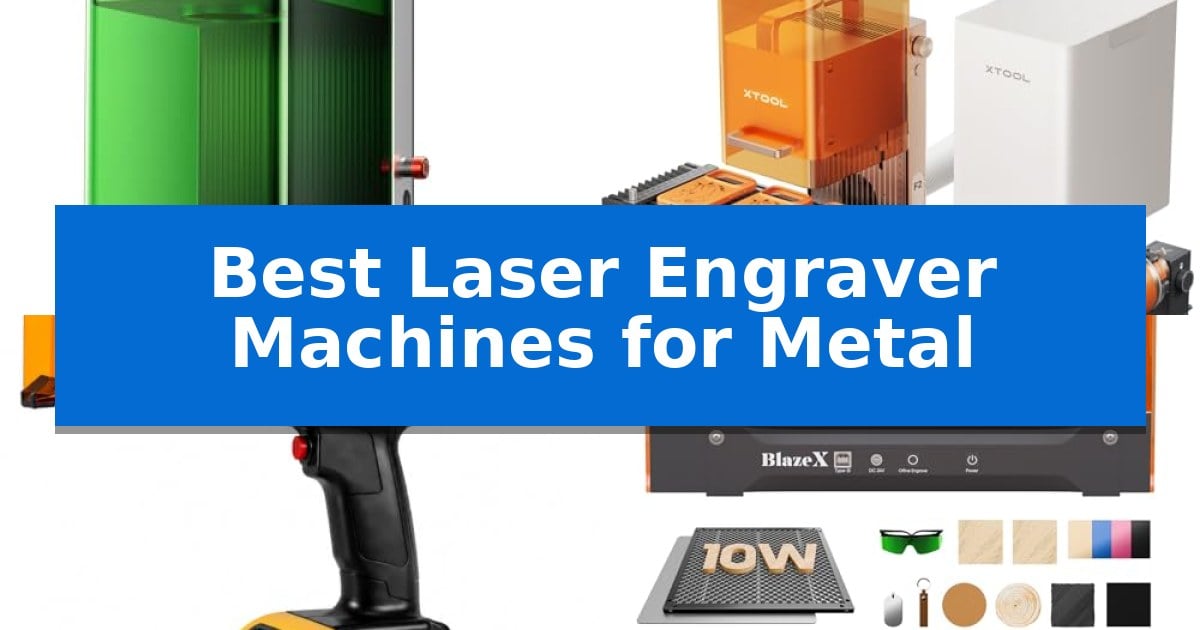
Finding the right equipment for permanent metal identification requires balancing laser power, material compatibility, and operational workflow. Whether you are customizing jewelry, marking industrial components, or batch-processing promotional items, selecting the correct hardware is essential for achieving high-contrast, durable results.
Our guide evaluates the Best Laser Engraver Machines for Metal based on their specific laser technology, material handling capabilities, and integration features. We focus on machines that provide the precision and reliability necessary for both hobbyist projects and professional-grade production environments.
Best Laser Engraver Machines for Metal in 2026
Quick Comparison
| Product | Best For | Key Strength | Score |
|---|---|---|---|
| xTool F1 Ultra Dual Laser Engraver | Best Overall | 20W fiber and diode dual lasers for versatile material compatibility. | 4.9 |
| xTool F2 Dual Laser Engraver | Vivid Color Marking on Metal | Dual-laser versatility combining 5W IR and 15W diode for marking and cutting. | 4.5 |
| Therble Portable Laser Marker | Best for Industrial On-Site Marking | True cordless portability with dual 9900mAh batteries. | 4.6 |
| BlazeX M3 Laser Engraver | Smart Camera for Precise Metalwork | Smart camera guidance for real-time design preview and material alignment. | 4.3 |
| Carverall K15 Pro Laser Engraver | Upgradeable for Bare Metal Projects | Upgradeable design allows for future expansion to bare metal engraving. | 4.6 |
How We Chose
- Laser Source Type: Assessing the effectiveness of fiber versus diode lasers for specific metal types.
- Operational Speed and Batch Capability: Evaluating throughput for high-volume or commercial projects.
- Precision and Alignment: Analyzing camera systems and focus mechanisms for accurate, waste-free marking.
- Portability and Setup: Determining the ease of use for both stationary workshops and mobile on-site applications.
- Material Compatibility: Reviewing the range of metals and secondary materials each machine can process.
1 xTool F1 Ultra Dual Laser Engraver — Fastest Dual-Laser Metal Marking
Achieving precise, high-speed metal marking requires hardware capable of handling both deep engraving and intricate detail. The xTool F1 Ultra 20W Fiber & Diode Dual Laser Engraver addresses this by integrating a 20W fiber laser specifically engineered for metals like gold, silver, copper, and stainless steel, alongside a 20W diode laser for non-metal materials.
This machine reaches speeds up to 10,000mm/s, allowing for rapid batch processing. Its 16MP SMART CAMERA system and Auto Streamline Production capabilities enable the device to recognize shapes and automatically fill patterns, which is particularly useful for high-volume customization tasks. The unit features a 220mm x 220mm working area, providing significant space for varied project sizes without requiring lens swaps.
For those focused on high-value output, the system supports 3D embossing and deep engraving on metal, wood, and rock. The design is fully enclosed to filter strong light and includes efficient smoke extraction, making it suitable for in-store environments where safety and cleanliness are priorities. It also utilizes Artimind AI to assist in generating designs and embossing patterns.
While the machine is highly capable, users should note that the Auto Conveyor required for expanded batch production is sold separately. The system is built for professional-grade productivity, offering a robust solution for businesses needing to transition quickly from design to finished product.
Best for: Professional creators and business owners requiring high-speed, batch-processing capabilities for metal engraving and diverse material cutting.
Skip if: Users who do not require high-speed batch production or the dual-laser versatility may find a dedicated, single-purpose laser engraver more cost-effective.
PROS
- 20W fiber and diode dual lasers for versatile material compatibility.
- 10,000mm/s ultra-fast engraving speed for high productivity.
- 16MP smart camera for automated shape recognition and batch processing.
- Large 220mm x 220mm working area for expansive projects.
CONS
- Auto Conveyor for expanded production is sold separately.
- Class 4 laser requires strict adherence to safety protocols.
2 xTool F2 Dual Laser Engraver — Vivid Color Marking on Metal
Achieving precise, vivid color marking on metal requires a specialized approach that goes beyond standard diode capabilities. The xTool F2 Dual Laser Engraver addresses this by integrating a 5W infrared laser alongside a 15W diode laser, allowing for both deep, dark metal marking and intricate 3D embossing on a wide variety of materials.
Efficiency is central to the design of this system, which boasts industry-leading speeds up to 6000mm/s. This performance allows for rapid batch processing, particularly when utilizing the optional slide extension for items like coasters or phone cases. The inclusion of a 50MP camera provides a clear visualization of the workspace, ensuring 0.1 mm alignment accuracy to minimize material waste during complex projects.
Designed for versatility and portability, the unit weighs only 4.6 kg, making it a practical choice for on-site customization at markets or pop-up events. The fully enclosed, leak-proof housing includes a built-in fan and supports an optional air purifier to maintain a clean environment, allowing for safe operation in workshops or retail spaces.
Setup is streamlined for immediate use, as the machine arrives fully assembled. Users can rely on built-in material presets to reduce manual configuration, while the system remains expandable through accessories like the RA3 rotary tool. This combination of high-speed performance and user-friendly features makes it a robust tool for scaling from personal hobbyist projects to professional commercial services.
Best for: Small business owners and hobbyists requiring high-speed, precise metal marking and versatile material engraving in a portable, enclosed form factor.
Skip if: Users who primarily need to cut through very thick industrial-grade metals or require a larger workspace than the compact, portable design provides.
PROS
- Dual-laser versatility combining 5W IR and 15W diode for marking and cutting.
- High-speed operation reaching up to 6000mm/s for efficient batch processing.
- Integrated 50MP camera for precise workspace visualization and alignment.
- Portable, enclosed design suitable for safe indoor use and on-site services.
CONS
- Compact form factor may limit the size of projects compared to large-format open-frame engravers.
3 Therble Portable Laser Marker — Best for Industrial On-Site Marking
The Therble Portable Laser Marker distinguishes itself through a truly mobile design, powered by dual 9900mAh batteries that eliminate the need for a workbench or constant power tethering. This industrial-grade tool is engineered for on-site marking, allowing users to bring the engraving process directly to large, fixed, or heavy workpieces in warehouses and construction environments.
Operation is streamlined through an integrated 5-inch HD touchscreen and a Linux-based system, removing the requirement for an external computer or complex software setup. Users can import files via USB, preview marking positions, and initiate engraving immediately. The device supports a variety of file formats, including JPG, PNG, and BMP, facilitating the quick application of logos, QR codes, and serial numbers.
Designed for professional manufacturing, the 10W laser system provides high-contrast, permanent identification on materials ranging from stainless steel and coated metals to plastics, wood, and leather. The unit includes an integrated cooling fan and a safety protection switch to support continuous commercial use, ensuring reliability during batch marking tasks.
This system excels in environments where product traceability and asset management are critical. By automating variable data generation, such as date codes and batch numbers, it helps improve inventory control and manufacturing efficiency without the logistical constraints of stationary desktop laser engravers.
Best for: Industrial professionals and mobile teams requiring on-site, cordless permanent marking on metal and other materials.
Skip if: Users who require a high-powered desktop laser for deep engraving or large-format production runs will find the handheld form factor and 10W power limit restrictive.
PROS
- True cordless portability with dual 9900mAh batteries.
- Standalone operation via an integrated 5-inch HD touchscreen.
- Versatile material compatibility including stainless steel, plastics, and wood.
- Efficient batch marking with automated serial number and QR code generation.
CONS
- Limited to 10W power, which may not suit deep engraving tasks.
- Handheld design is less stable for high-precision, repetitive stationary tasks compared to fixed-gantry systems.
4 BlazeX M3 Laser Engraver — Smart Camera for Precise Metalwork
Achieving precise, repeatable results on metallic surfaces requires a system that bridges the gap between digital design and physical execution. The BlazeX M3 Laser Engraver addresses this by integrating a high-definition smart camera that allows users to preview designs directly on the material via PC software. This visual alignment capability eliminates guesswork, ensuring that complex patterns are positioned exactly where intended before the laser engages.
Engineered for versatility, this machine features a high-density laser beam capable of 0.01mm ultra-precision engraving. While it excels at marking metal and glass, the system also functions as a cutter for wood and acrylic. The unit arrives as an all-in-one vision kit, bundling a protective enclosure, a honeycomb laser bed, and a tool kit, which simplifies the initial setup process for those new to laser fabrication.
Safety and environmental control are central to its design, as evidenced by its Class 1 Safety rating. The integrated enclosure filters harmful radiation, while an onboard fan system actively exhausts smoke and odors to maintain a cleaner workspace. For users looking to expand their capabilities, the machine supports an accessory ecosystem that includes a rotary roller for cylindrical items and air assist modules to improve edge clarity and detail definition.
The BlazeX M3 Laser Engraver maintains broad software compatibility, working with LightBurn, LaserGRBL, and CutLabX across Windows, macOS, iOS, and Android platforms. This flexibility ensures that the hardware integrates into existing digital workflows without requiring proprietary software lock-in, making it a functional choice for home studios and educational environments.
Best for: Hobbyists and creators who require precise visual alignment and safety-enclosed operation for engraving metal and wood projects.
Skip if: Users who require high-power industrial cutting capabilities for thick metal sheets, as this 10W system is optimized for engraving and light cutting.
PROS
- Smart camera guidance for real-time design preview and material alignment.
- Class 1 Safety enclosure with integrated smoke and odor exhaust.
- 0.01mm ultra-precision laser beam for detailed metal and glass work.
- Wide software compatibility including LightBurn and LaserGRBL.
CONS
- 10W power output limits the thickness of material that can be cut in a single pass.
- Requires additional accessory purchases like the rotary roller to unlock full cylindrical engraving potential.
5 Carverall K15 Pro Laser Engraver — Upgradeable for Bare Metal Projects
Achieving precise detail on metal surfaces requires a machine that balances power with fine-tuned control, and the Carverall K15 Pro Laser Engraver addresses this by offering a 10W diode module designed for consistent performance. This unit is specifically engineered to handle coated metals, wood, and acrylic, providing a versatile solution for home studios and small businesses that need to move beyond basic hobbyist tools.
The machine features an 11.8×7.9-inch A4 work area, which is sized to accommodate the majority of daily projects like custom coasters, pet tags, and leather goods without occupying excessive desk space. For users concerned with long-term utility, the system is designed to be upgradeable; while the base diode handles coated metals, it can be expanded with an optional 1W IR laser head to support bare metal engraving on stainless steel and aluminum.
Usability is a core focus, evidenced by the inclusion of the free CutLabX software, which supports cross-platform operation across computers, tablets, and phones. The Carverall K15 Pro Laser Engraver also simplifies the workflow with one-touch smart focus and offline engraving capabilities, allowing users to load files onto a TF card to run batch jobs without a constant PC connection.
To ensure reliability during extended use, the module incorporates a dual-fan heat control system that extends the diode life to 15,000 hours. The package includes four heightening columns, enabling the engraving of taller items such as gift boxes or skateboards, making it a practical choice for those who need a compact yet adaptable tool for diverse crafting requirements.
Best for: Small business owners and home crafters who need a compact, upgradeable machine for engraving coated metals and various organic materials.
Skip if: Users who require high-power industrial-grade fiber lasers for deep engraving on bare metal or those needing a workspace larger than an A4 sheet.
PROS
- Upgradeable design allows for future expansion to bare metal engraving.
- Compact A4 footprint fits easily on standard desks while handling most common project sizes.
- Offline engraving via TF card enables batch processing without a dedicated computer.
- One-touch smart focus eliminates manual calibration guesswork.
CONS
- Requires an optional IR laser head to engrave bare metal surfaces.
- Limited to A4 workspace, which may restrict larger-format projects.
Best Laser Engraver Machines for Metal Buying Guide
Understanding Laser Sources for Metal
The effectiveness of a laser engraver on metal depends heavily on the laser source. Fiber lasers are generally the gold standard for bare metal, as they provide the high peak power and short pulse duration required to etch or anneal surfaces like stainless steel, brass, and titanium without damaging the underlying structure.
Conversely, diode lasers are often used for coated metals. While they may not mark bare metal as effectively as fiber, they offer excellent versatility for engraving wood, leather, and acrylic. Many modern systems now utilize dual-laser technology, combining both sources to provide a single machine capable of handling a vast array of materials.
Evaluating Precision and Alignment
For intricate designs or small components, alignment accuracy is critical. Machines equipped with high-resolution smart cameras allow users to visualize the workspace directly through software, ensuring the design is perfectly positioned before the laser fires. This feature significantly reduces material waste, especially when working with expensive blanks.
Look for systems that offer auto-focus capabilities or one-touch focus mechanisms. These features eliminate the guesswork associated with manual height adjustments, ensuring that the laser beam remains at the optimal focal point for consistent, high-resolution results across the entire engraving area.
Workflow and Batch Processing
If your goal is to scale production, consider machines that support automated workflows. Features like auto-conveyors and software that can intelligently recognize and fill patterns on multiple pieces allow for continuous, non-stop operation. This is a vital consideration for businesses moving from single-item customization to batch production.
Software compatibility also plays a major role in efficiency. Ensure the machine supports industry-standard software like LightBurn or dedicated manufacturer suites that offer material presets. These tools simplify the process of setting power, speed, and frequency, allowing you to achieve professional results with minimal trial and error.
Safety and Environmental Considerations
Laser engraving generates smoke, fumes, and intense light, making safety a top priority. Fully enclosed designs are highly recommended, as they filter out harmful radiation and prevent accidental exposure. These enclosures also help contain smoke, which can be extracted through built-in fans or external air purifiers.
For professional or in-store environments, look for machines that include fire safety alarms and emergency stop buttons. These features provide essential protection, ensuring that the machine can be operated safely in front of customers or in shared workspaces without compromising the integrity of the environment.
Portability vs. Stationary Power
The choice between a portable marker and a stationary desktop unit depends on your specific use case. Handheld laser markers are ideal for on-site marking of large, fixed workpieces or components that cannot be moved to a workbench. These units are often battery-powered, offering the freedom to work in warehouses or construction sites.
Desktop units, while less mobile, typically offer more robust features like larger working areas, integrated camera systems, and higher power outputs. If your work is primarily studio-based or involves high-volume batch processing, a stationary machine will generally provide a more stable and efficient platform for your projects.
Frequently Asked Questions
Can these machines engrave all types of metal?
Most fiber-based lasers can mark a wide range of metals, including gold, silver, copper, stainless steel, and titanium. Diode lasers are typically limited to coated or anodized metals.
Do I need a computer to operate these engravers?
Many modern laser engravers offer offline operation via touchscreens or mobile apps, though using a computer with software like LightBurn provides the most control for complex designs.
What is the difference between engraving and marking?
Engraving physically removes material to create depth, while marking usually refers to changing the surface color or texture through heat without significant material removal.
Are these machines safe for home use?
Yes, provided they feature a fully enclosed design with proper light filtering and smoke extraction. Always follow the manufacturer's safety guidelines and wear appropriate laser safety glasses.
Can I upgrade my machine later?
Some models are designed to be modular, allowing you to add accessories like rotary rollers, air purifiers, or even different laser heads as your business or project needs grow.
Conclusion: Our Top Pick
Selecting the right equipment is a significant step toward professionalizing your metal marking projects. After reviewing the available options, the xTool F1 Ultra Dual Laser Engraver stands out as the most versatile choice due to its dual-laser system, which combines the power of a 20W fiber laser for bare metal with a 20W diode laser for other materials.
Its ability to handle 3D embossing, combined with the 16MP smart camera and potential for automated batch production, makes it a robust solution for both hobbyists and small business owners. While it represents a significant investment, the efficiency and precision it offers provide a clear path for scaling your creative output.