
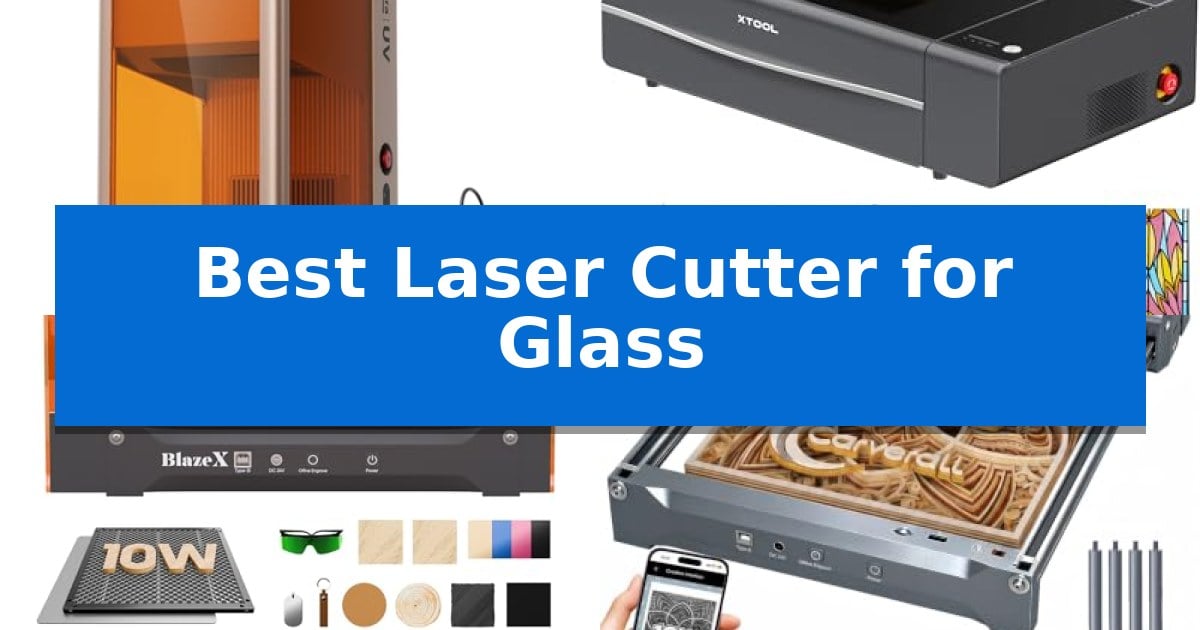
Finding the right equipment for glass projects requires balancing laser type, material handling, and precision. Whether you are looking to create intricate 3D designs or need a reliable desktop machine for batch production, selecting the Best Laser Cutter for Glass depends heavily on your specific creative goals and workspace constraints.
Our guide examines five distinct laser systems, ranging from specialized UV engravers designed for crystal to powerful CO2 cutters capable of handling diverse materials. By understanding the technical differences between these machines, you can choose a tool that delivers clean, professional results without the frustration of trial and error.
Best Laser Cutter for Glass in 2026: Precision Glass Engraving
Quick Comparison
| Product | Best For | Key Strength | Score |
|---|---|---|---|
| xTool F2 Ultra UV Laser Engraver | Best Overall | Micron-level precision with a spot size under 10μm. | 4.9 |
| xTool P2S CO2 Laser Cutter | Powerful Desktop CO2 Performance | 55W CO2 laser provides high absorption efficiency for glass and ceramic. | 4.8 |
| BlazeX M3 Laser Engraver | Smart Camera Guided Precision | 0.01mm ultra-precision for detailed work on glass and metal. | 4.9 |
| Carverall K15 Pro Laser Engraver | Beginner Friendly AI Control | High-precision 0.01mm resolution for detailed 4K-quality engraving. | 4.3 |
| ELIDOR Laser Engraver and Cutter | Compact Portable Design | High-precision 0.01 mm accuracy for detailed graphics. | 4.4 |
How We Chose
- Laser Source Compatibility: Assessing whether the machine uses UV or CO2 technology to process glass and crystal without causing thermal stress.
- Precision and Detail: Evaluating the laser spot size and accuracy to ensure clean, sharp edges on delicate or transparent materials.
- Workspace and Ergonomics: Considering the physical footprint, enclosure safety, and ease of material loading for various project sizes.
- Software and Workflow Integration: Reviewing the ease of design alignment, autofocus capabilities, and compatibility with standard design software.
- Expansion Potential: Analyzing the availability of accessories like rotary rollers for cylindrical objects and air assist systems for improved finishing.
1 xTool F2 Ultra UV Laser Engraver — Best for 3D Glass Engraving
Achieving intricate designs inside glass and crystal requires specialized equipment, and the xTool F2 Ultra UV Laser Engraver provides a dedicated solution for this task. By utilizing a 5W UV laser source, this device is capable of processing fragile and transparent materials that standard CO2 lasers often struggle to handle effectively.
The machine is engineered for high-precision work, featuring a UV spot size smaller than 10μm. This allows for micron-level accuracy, ensuring that engravings on glass, acrylic, and crystal are clean and free from charring, burning, or yellowing. Because it functions as a cold light source, it eliminates the need for pre-coating or polishing, streamlining the production process for custom gifts and trophies.
Usability is a core focus, with the unit including dual 48MP cameras that facilitate automated focus and alignment. The accompanying software supports 2D-to-3D generation, which simplifies the creation of complex inner-glass designs for users who may not have advanced modeling skills. For those scaling up their operations, the system supports a high speed of 15,000 mm/s to assist with rapid batch production.
The xTool F2 Ultra UV Laser Engraver is fully enclosed, making it suitable for operation in compact workspaces or at craft fairs. It is also designed for expansion, offering compatibility with accessories like a conveyor for batch processing or a rotary attachment for 360° engraving on curved surfaces like tumblers. This versatility allows the engraver to adapt as your customization business grows.
Best for: Small business owners and creators needing high-precision 3D engraving on glass, crystal, and heat-sensitive materials.
Skip if: Users who primarily need to cut thick wood or metal, as this UV laser is optimized for glass and delicate materials rather than heavy-duty industrial cutting.
PROS
- Micron-level precision with a spot size under 10μm.
- Cold light source prevents charring and yellowing on glass.
- Dual 48MP cameras for automated alignment and focus.
- Versatile material support including crystal, acrylic, and ceramics.
CONS
- Class 4 laser requires strict adherence to safety protocols.
- Specialized UV wavelength is less effective for heavy-duty metal or thick wood cutting.
2 xTool P2S CO2 Laser Cutter — Powerful Desktop CO2 Performance
Achieving precise results on delicate materials requires a machine capable of both high-intensity output and fine-tuned control. The xTool P2S 55W CO2 Laser Cutter distinguishes itself through its 55W custom CO2 laser tube, which provides the high absorption efficiency necessary for detailed work on glass, ceramic, and slate alongside robust cutting capabilities for thicker materials like acrylic and wood.
Beyond its core laser power, the unit integrates a LiDAR Ranging System that enables 0.001'' autofocus, ensuring that every engraving on a curved or flat surface remains sharp and accurate. The inclusion of dual 16MP cameras allows for real-time, high-resolution previews, simplifying the alignment process for complex designs. This system is further supported by an Auto-Passthrough feature for oversized materials and a Riser Base that accommodates objects up to 8.4 inches in height.
Productivity is addressed through engraving speeds of up to 600mm/s and smart batch processing, which streamlines the creation of custom designs or serial numbers. For those working with cylindrical items like tumblers or mugs, the machine is compatible with the RA2 Pro Rotary attachment, while its 3D Curve Engraving capability automatically generates 3D models to maintain focus across non-flat surfaces.
Safety and maintenance are prioritized through an enclosed design featuring AI fire detection, an emergency stop, and an upgraded 233.3 CFM exhaust fan for efficient smoke removal. The xTool P2S also features a dual-cylinder air pump and stronger exhaust fans to ensure cleaner cuts, making it a comprehensive tool for users who require both versatility and precision in their workshop.
Best for: Creators and small businesses requiring a versatile, high-power desktop CO2 laser for both precise glass engraving and cutting thick materials.
Skip if: Users with limited workspace or those who do not require the advanced 55W power and large-format capabilities of a professional-grade desktop unit.
PROS
- 55W CO2 laser provides high absorption efficiency for glass and ceramic.
- LiDAR Ranging System ensures precise 0.001'' autofocus.
- Dual 16MP cameras for real-time, high-resolution workspace previews.
- Expandable working area with Auto-Passthrough and Riser Base compatibility.
CONS
- Large physical footprint requires significant dedicated workspace.
- Class 4 laser classification necessitates strict adherence to safety protocols.
3 BlazeX M3 Laser Engraver — Smart Camera Guided Precision
Achieving intricate detail on delicate surfaces requires more than just raw power; it demands the high-density beam and 0.01mm ultra-precision found in the BlazeX M3 Laser Engraver. This machine is designed to handle complex patterns on challenging materials like glass and metal while maintaining the versatility to cut through wood and acrylic for diverse DIY projects.
The integration of a high-definition smart camera significantly simplifies the workflow by allowing users to preview designs directly on the material via a PC. This feature ensures precise placement, effectively eliminating material waste before the laser even fires. The system is fully compatible with LightBurn, CutlabX, and LaserGRBL, providing a flexible software environment for both Windows and macOS users.
Safety and usability are central to the design, featuring a Class 1 Safety rating that filters harmful radiation and an integrated fan system that manages smoke and noise. The machine includes a comprehensive All-in-One Vision Kit, which bundles a protective enclosure, a honeycomb laser bed, and various engraving materials, allowing for a straightforward setup right out of the box.
For those looking to expand their capabilities, the BlazeX M3 Laser Engraver supports a professional accessory ecosystem, including a Rotary Roller for cylindrical items and an Air Assist system to improve cutting edge clarity. These modular upgrades allow the device to grow alongside your creative needs, making it a capable tool for home studios and educational settings.
Best for: Beginners and hobbyists who require precise, camera-guided engraving on glass, metal, and wood within a safe, enclosed workspace.
Skip if: Users requiring high-volume industrial production or those who need to engrave items larger than the provided enclosure dimensions.
PROS
- 0.01mm ultra-precision for detailed work on glass and metal.
- Smart camera guidance for accurate design placement and waste reduction.
- Class 1 Safety rating with integrated smoke and noise management.
- Wide software compatibility including LightBurn and LaserGRBL.
CONS
- Requires separate accessory purchases like the Rotary Roller for specific cylindrical projects.
- Enclosure size constraints may limit the dimensions of the materials you can process.
4 Carverall K15 Pro Laser Engraver — Beginner Friendly AI Control
Achieving precise detail on delicate surfaces requires a machine that balances power with fine-tuned control. The Carverall K15 Pro Laser Engraver distinguishes itself with 4K clarity at 0.01mm precision, allowing users to execute intricate designs on materials like glass, coated metal, and acrylic without the blurriness often associated with standard laser modules.
Designed for versatility, this 2-in-1 diode laser features a compact A4 workspace that fits easily under a desk, making it a practical choice for home studios. It simplifies the creative process with one-touch smart focus and offline control via TF card, removing the need for a constant PC connection during batch projects. The dual-fan diode module is engineered for heat management, supporting consistent performance across long engraving sessions.
The system is built to grow alongside your projects. While it arrives ready for wood and acrylic, it is upgradeable with an optional 1W IR laser head for specialized tasks like marking stainless steel. With CutLabX software compatibility and support for popular platforms like LightBurn, the machine offers a flexible workflow for both beginners and those managing small business merchandise.
Reliability is supported by a 1-year warranty and a modular design that extends the laser life to 15,000 hours. Whether you are creating custom tumblers, jewelry, or detailed signage, the Carverall K15 Pro Laser Engraver provides a robust, space-saving solution for precision-focused crafting.
Best for: Home-based creators and small business owners needing a compact, upgradeable machine for detailed engraving on glass, acrylic, and wood.
Skip if: Users requiring a large-format workspace or those needing to cut thick materials beyond the supported 12mm plywood or 8mm acrylic limits.
PROS
- High-precision 0.01mm resolution for detailed 4K-quality engraving.
- Compact A4 footprint ideal for small home workspaces.
- Upgradeable module system allows for future expansion into bare metal engraving.
- Offline batch processing via TF card for improved workflow efficiency.
CONS
- Requires optional IR laser head for engraving bare metals like stainless steel.
- Limited to A4-sized projects, which may restrict larger scale crafts.
5 ELIDOR Laser Engraver and Cutter — Compact Portable Design
Achieving precise, detailed designs on glass requires a machine capable of fine-tuned control, and the ELIDOR Laser Engraver and Cutter addresses this with a high-precision laser spot measuring just 0.04 × 0.14 mm. This level of detail allows for an engraving accuracy of up to 0.01 mm, making it a viable tool for creators looking to add custom text, portraits, or intricate graphics to glass surfaces alongside other materials like leather, wood, and acrylic.
Beyond its precision, the device is built for accessibility and workspace efficiency. It features a 300 × 300 mm working area while maintaining a lightweight, portable build of only 2.13 kg. This compact footprint is designed to fit into home workshops or mobile craft setups without requiring a dedicated industrial space. For those prioritizing safety, the unit can be paired with an optional protective enclosure to establish a Class 1 laser system.
Workflow integration is streamlined through broad software compatibility, as the machine works with both LaserGRBL and LightBurn. It supports common file formats such as NC, DXF, BMP, JPG, and PNG, allowing users to import designs across Windows, macOS, and Linux platforms. With speeds reaching up to 10,000 mm/min, it balances the need for detailed output with the efficiency required for small-scale production or personalized DIY projects.
Best for: DIY makers and hobbyists who need a compact, portable machine for detailed engraving on glass and other craft materials.
Skip if: Users requiring a high-volume industrial production machine or those who need to cut through thick materials beyond the capabilities of a standard laser module.
PROS
- High-precision 0.01 mm accuracy for detailed graphics.
- Compact and lightweight design for easy portability.
- Wide software compatibility including LightBurn and LaserGRBL.
- Versatile material support including glass, metal, and wood.
CONS
- Requires a separate enclosure to achieve a Class 1 safety rating.
- Limited working area of 300 × 300 mm for larger projects.
Best Laser Cutter for Glass Buying Guide
Understanding Laser Types for Glass
The Best Laser Cutter for Glass is often determined by the laser source. UV lasers are generally superior for 3D inner engraving within crystal and glass because they operate with a cold light source, preventing the charring or yellowing often seen with other methods. This makes them ideal for high-detail, delicate work.
Conversely, CO2 lasers are highly effective for surface engraving and cutting. They rely on high absorption efficiency to mark glass surfaces. While they may not achieve the same internal 3D effects as UV lasers, they offer significant power for cutting through thicker materials like acrylic or wood, providing a more versatile solution for multi-material workshops.
Precision and Spot Size
When working with glass, the laser spot size is a critical technical specification. A smaller spot size, often measured in microns, allows for higher resolution and finer detail. Machines that offer micron-level accuracy are essential for projects involving complex graphics or small text where clarity is paramount.
High-precision machines often incorporate advanced autofocus systems to maintain the focal point across the surface of the glass. This reduces the risk of errors and ensures that every pass is consistent, which is particularly important when working on expensive or one-of-a-kind glass pieces.
Safety and Enclosure Requirements
Glass engraving can produce fine particulate matter and requires robust safety measures. A fully enclosed design is highly recommended to contain smoke and debris, especially when working in home studios or shared workspaces. These enclosures often include integrated exhaust fans to maintain air quality.
Look for machines that carry a Class 1 safety rating if you prioritize eye protection and low-noise operation. These systems typically feature sensors that automatically stop the laser if the lid is opened, providing a safer environment for beginners and hobbyists.
Workflow and Software Integration
Modern laser engravers are increasingly defined by their software capabilities. Features like dual-camera systems allow for real-time design previews, ensuring that your artwork is perfectly aligned on the glass before the laser fires. This significantly reduces material waste.
Compatibility with industry-standard software like LightBurn or dedicated manufacturer apps can streamline your process. Look for systems that support 2D-to-3D generation, which can simplify complex modeling tasks and make professional-grade results accessible to those without extensive design experience.
Versatility and Accessories
If you plan to engrave tumblers, wine bottles, or other curved glass objects, a rotary roller accessory is an essential investment. This tool rotates the object during the engraving process, allowing the laser to maintain focus on the curved surface.
Consider whether the machine supports auto-passthrough or riser bases, which expand the working area for larger or taller projects. These modular features ensure that your equipment can grow alongside your business or creative ambitions, preventing the need for a full system upgrade later.
Frequently Asked Questions
Can all laser cutters engrave glass?
No, not all laser cutters are suitable for glass. Diode lasers often struggle with transparent materials because the beam passes through without being absorbed. UV and CO2 lasers are the industry standards for glass due to their specific wavelengths and absorption characteristics.
Do I need to pre-coat glass before engraving?
Some CO2 laser processes require a marking spray or tape to help the laser absorb into the glass surface. However, advanced UV laser systems can often achieve clean, permanent results without the need for pre-coating or polishing.
What is the benefit of a rotary attachment?
A rotary attachment is necessary for engraving cylindrical items like tumblers, mugs, and bottles. It rotates the object in sync with the laser movement, ensuring the design remains sharp and undistorted around the circumference of the glass.
Is a Class 1 laser safer for home use?
Yes, Class 1 laser systems are designed to be fully enclosed and safe for operation in residential or educational settings. They prevent direct exposure to the laser beam and often include safety interlocks to stop the machine if the enclosure is opened.
How do I choose between UV and CO2 lasers?
Choose a UV laser if your primary focus is 3D inner engraving or high-detail work on crystal and glass. Choose a CO2 laser if you need a versatile machine that can also cut through thick materials like acrylic and wood while performing surface engraving on glass.
Conclusion: Our Top Pick
Selecting the right tool for your glass projects requires a clear understanding of your specific needs, whether that is the intricate 3D capabilities of a UV laser or the high-speed, multi-material versatility of a CO2 system. Each model in this guide offers unique advantages, from advanced camera-guided alignment to expandable workspace options that accommodate larger projects.
For those seeking the most specialized solution for glass, the xTool F2 Ultra UV Laser Engraver stands out as our top recommendation. Its ability to perform 3D inner engraving with micron-level precision makes it an exceptional choice for creators focused on high-quality glass and crystal work. With its enclosed design and user-friendly software, it provides a reliable and efficient path to professional-grade results.