

Dealing with a mysterious check engine light can be stressful, often leading to expensive trips to the mechanic for simple issues. Using one of the Best iOS OBD2 Scanners allows you to transform your iPhone into a professional-grade diagnostic tool, giving you the power to read, understand, and clear trouble codes from the comfort of your driver's seat.
These compact Bluetooth adapters connect wirelessly to your smartphone, providing real-time vehicle data and maintenance insights without the need for bulky cables. Whether you are a DIY enthusiast looking to perform basic repairs or a car owner wanting to monitor your vehicle's health, selecting the right scanner ensures you have reliable, accurate information whenever a warning light appears.
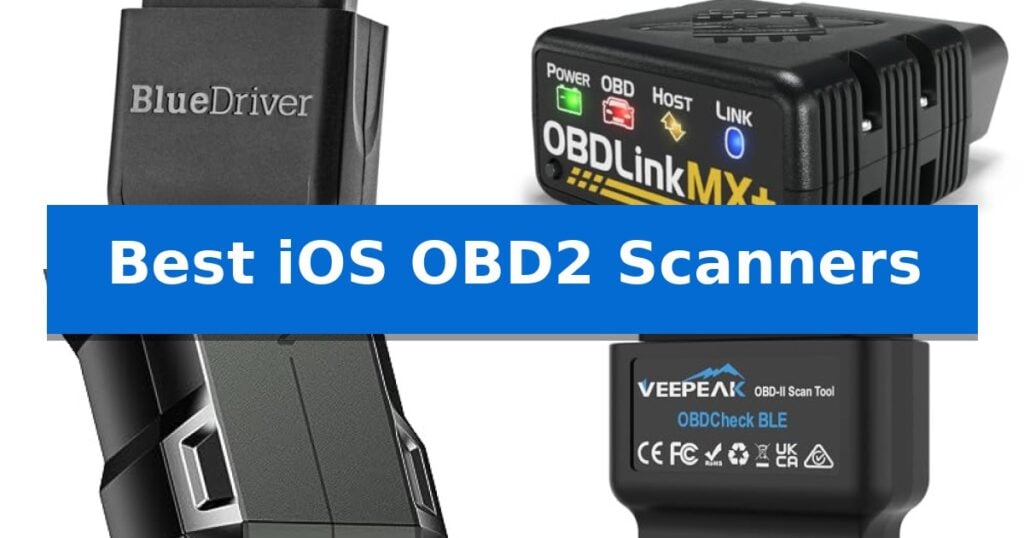
Best iOS OBD2 Scanners in 2026
Quick Comparison
| Product | Best For | Key Strength | Score |
|---|---|---|---|
| BlueDriver Pro OBD2 Scanner | Best Overall | No subscription fees or hidden costs for full access to features. | 4.9 |
| OBDLink MX+ OBD2 Scanner | Advanced OEM-Level Vehicle Support | Enhanced OEM Support for major vehicle brands. | 4.6 |
| TOPDON TopScan Lite OBD2 Scanner | Bi-Directional Controls for DIYers | Bi-directional control allows for active testing of vehicle components. | 4.4 |
| Veepeak OBDCheck BLE OBD2 Scanner | Reliable Standard Diagnostic Entry | Bluetooth LE connectivity for easy pairing with iOS and Android devices. | 4.9 |
| OBDLink CX Bimmercode OBD2 Adapter | Specialized Coding for BMW Owners | Full compatibility with BimmerCode protocols and features. | 4.9 |
How We Chose
- Wireless connectivity stability and ease of pairing with iOS devices.
- Depth of diagnostic coverage, including support for ABS, SRS, and TPMS systems.
- Compatibility with popular third-party diagnostic and coding applications.
- Availability of real-time data streaming and freeze-frame reporting.
- Clarity of repair guidance and the presence of subscription-free features.
1 BlueDriver Pro OBD2 Scanner — Professional Diagnostics Without Subscriptions
The BlueDriver Pro OBD2 Scanner transforms a smartphone into a comprehensive diagnostic tool by connecting wirelessly to the vehicle's OBDII port. This device eliminates the need for bulky cables or dedicated handheld hardware, providing a streamlined interface for monitoring vehicle health directly from an iPhone or Android device.
Designed for versatility, the scanner supports a wide range of gas-powered vehicles manufactured from 1996 onwards, including select light-duty trucks and diesel models. It offers enhanced diagnostics for critical systems such as the Check Engine light, ABS, SRS, Airbag, TPMS, and transmission, providing deeper insights than standard code readers.
Users benefit from technician-verified repair reports that are matched to the specific VIN, offering clear definitions, potential causes, and confirmed fixes. The tool also enables real-time data monitoring, freeze frame analysis, and smog readiness checks, ensuring users have access to professional-grade information without ongoing costs.
A key advantage of this system is the no-subscription model, which grants full access to all features and future app updates with a one-time purchase. The scanner is built for consistent use, whether for routine maintenance, preparing for a long road trip, or evaluating a used vehicle before purchase.
Best for: Vehicle owners seeking professional-grade diagnostic capabilities and verified repair reports on a smartphone without recurring subscription fees.
Skip if: Users who require a standalone handheld diagnostic tool with a built-in screen or those driving vehicles manufactured before 1996.
PROS
- No subscription fees or hidden costs for full access to features.
- Wireless Bluetooth connectivity eliminates bulky cables and hardware clutter.
- Enhanced diagnostic coverage for ABS, SRS, TPMS, and transmission systems.
- Technician-verified repair reports matched to the specific vehicle VIN.
CONS
- Requires a smartphone or tablet to function as the display interface.
- Compatibility limitations for some older or non-standard vehicle models.
2 OBDLink MX+ OBD2 Scanner — Advanced OEM-Level Vehicle Support
The OBDLink MX+ OBD2 Bluetooth Scanner distinguishes itself by transforming your smartphone or tablet into a professional-grade diagnostic hub. Unlike basic code readers, this adapter provides Enhanced OEM Support for a wide range of manufacturers, including Ford, GM, Mazda, Nissan, Toyota, Honda, Hyundai, and Kia, allowing users to access deeper vehicle data beyond standard engine codes.
Designed for versatility, the device is a recommended adapter for popular diagnostic software such as FORScan, Torque, BimmerCode, and Dashcommand. It goes beyond simple check engine light resets by enabling access to live parameters for critical systems like ABS, SRS, and TPMS. This depth of data makes it a practical choice for enthusiasts who need to monitor specific vehicle health metrics in real-time.
Safety and longevity are prioritized through integrated over-voltage and battery drain protection, ensuring the device does not compromise your vehicle's electrical system when left plugged in. The unit also supports firmware updates, allowing the hardware to remain current as diagnostic requirements evolve. Its compact design ensures it remains unobtrusive while connected to the vehicle's diagnostic port.
Before integrating this scanner into your workflow, it is essential to consult the manufacturer's troubleshooting guide to verify specific vehicle compatibility and feature availability. While the hardware provides a robust connection, the depth of diagnostic capability remains dependent on the specific software application used in conjunction with the adapter.
Best for: Automotive enthusiasts and DIY mechanics who require deep, manufacturer-specific diagnostic data and compatibility with advanced third-party software.
Skip if: Users seeking a simple, standalone code reader with a built-in screen will find this app-dependent, wireless-only adapter less convenient for basic tasks.
PROS
- Enhanced OEM Support for major vehicle brands.
- Broad compatibility with professional-grade diagnostic apps.
- Integrated battery drain protection for safe long-term connection.
- Access to advanced live parameters like ABS and SRS.
CONS
- Requires a separate mobile app for all diagnostic functions.
- Feature availability is dependent on vehicle-specific support.
3 TOPDON TopScan Lite OBD2 Scanner — Bi-Directional Controls for DIYers
The TOPDON TopScan Lite OBD2 Scanner transforms a smartphone into a professional-grade diagnostic tool by enabling bi-directional control, allowing users to send commands directly to the ECU to test components like injectors, cooling fans, and windows. This capability helps identify faulty parts without the need for extensive disassembly, streamlining the troubleshooting process for DIY mechanics.
Beyond basic code reading, this device performs full-system diagnostics across 10,000+ vehicle models, providing a comprehensive health report. It integrates the TopFix AI assistant, which offers step-by-step repair solutions and guidance derived from a vast repair database, including TSB factory bulletins and DLC locators. The hardware supports modern protocols such as CAN-FD and offers compatibility with FCA, Renault, and Nissan gateway unlocks for unrestricted access to vehicle systems.
Maintenance is simplified through 8+ hot reset functions, including oil, throttle, EPB, steering angle, DPF, ABS, BMS, and airbag resets. While the unit provides continuous access to core diagnostic functions, advanced features like bi-directional control and AI-driven repair logs are included for the first year, after which a subscription model applies to maintain those specific capabilities.
Designed for portability, the scanner measures approximately 3.31 by 1.98 inches and weighs less than a tenth of a pound. It is compatible with both iOS and Android platforms, ensuring that users can leverage their existing mobile devices to perform complex vehicle maintenance and diagnostics efficiently.
Best for: DIY car owners who require professional-grade bi-directional control and AI-assisted repair guidance on their iOS or Android devices.
Skip if: Users who prefer a one-time purchase without a subscription model for advanced features like bi-directional control and AI repair logs after the first year.
PROS
- Bi-directional control allows for active testing of vehicle components.
- Full-system diagnostics cover a wide range of vehicle models and systems.
- AI-powered repair database provides actionable, step-by-step solutions.
- Broad protocol support including CAN-FD and FCA gateway compatibility.
CONS
- Subscription required for advanced features after the first year of ownership.
4 Veepeak OBDCheck BLE OBD2 Scanner — Reliable Standard Diagnostic Entry
The Veepeak OBDCheck BLE OBD2 Scanner provides a compact, wireless solution for monitoring vehicle health directly from your smartphone. By utilizing Bluetooth LE connectivity, this device bridges the gap between your car's onboard diagnostic port and compatible iOS or Android applications, allowing for real-time sensor data tracking and engine code management.
Designed for standard OBD-II diagnostics, this scanner enables users to read and clear trouble codes, view freeze frame data, and check I/M readiness status. It is compatible with most 1996 and newer light trucks and cars in the US, offering a versatile tool for DIY vehicle monitoring without requiring complex wired setups.
The device relies on third-party software to function, supporting a range of generic and vehicle-specific apps like Car Scanner ELM OBD2, OBD Fusion, and BimmerLink. This modular approach allows users to select the application that best fits their specific diagnostic needs, whether for general engine health or more specialized vehicle data.
While it excels at standard diagnostics, the scanner is not a dedicated service tool and does not support advanced functions such as injector coding, EPB resets, or ABS bleeding. Users should verify app compatibility for their specific vehicle make and model to ensure the desired diagnostic features are supported before purchase.
Best for: DIY vehicle owners who want to monitor engine health and clear trouble codes using their smartphone.
Skip if: Users requiring specialized service functions like ABS bleeding, oil resets, or injector coding, as this is a standard diagnostic tool.
PROS
- Bluetooth LE connectivity for easy pairing with iOS and Android devices.
- Supports standard OBD-II functions including reading and clearing check engine codes.
- Compatible with a wide range of third-party diagnostic apps for flexible functionality.
- Compact design fits easily into most vehicle OBD-II ports.
CONS
- Not a full-system scanner; lacks support for specialized service procedures.
- App-dependent functionality means advanced features vary by software and vehicle.
5 OBDLink CX Bimmercode OBD2 Adapter — Specialized Coding for BMW Owners
Modern vehicle customization often requires a reliable bridge between your mobile device and the car's internal systems. The OBDLink CX Bimmercode Bluetooth 5.1 OBD2 Adapter is engineered specifically for BMW and Mini owners who want to perform advanced car coding and diagnostics directly from their iOS or Android devices.
This adapter is built to maintain a rock-solid connection, which is critical when writing data to an ECU. By prioritizing stability, the device helps prevent data corruption or dropped packets that could otherwise interfere with the coding process. It is officially recommended by the BimmerCode team for its full compatibility with their software, ensuring that users can access the complete range of supported vehicle protocols and features.
Designed for convenience, the OBDLink CX Bimmercode Bluetooth 5.1 OBD2 Adapter features an advanced sleep mode and overvoltage protection. These safety measures allow the device to remain plugged into the OBD II port without draining the vehicle battery or risking electrical damage. The setup process is streamlined through in-app pairing, making it accessible for users who need to monitor live parameters or clear check-engine lights quickly.
While the adapter is a powerful tool for coding, it is important to note that the BimmerCode app is sold separately. Users should verify their specific vehicle's compatibility via the official troubleshooting guide before purchase to ensure the desired coding features are supported for their model year.
Best for: BMW and Mini owners looking for a stable, dedicated adapter to perform advanced coding and diagnostics via the BimmerCode app.
Skip if: Owners of non-BMW or non-Mini vehicles, as this adapter is specialized for those specific ecosystems.
PROS
- Full compatibility with BimmerCode protocols and features.
- Advanced sleep mode allows for permanent installation without battery drain.
- Rock-solid connection minimizes the risk of ECU data corruption.
- Includes overvoltage protection for added hardware safety.
CONS
- BimmerCode app is not included in the purchase price.
- Limited to BMW and Mini vehicle platforms.
Best iOS OBD2 Scanners Buying Guide
Understanding OBD2 Compatibility
The OBD2 standard is mandatory for all light-duty vehicles sold in the United States since 1996. While the physical port is universal, the data protocols and proprietary modules used by different manufacturers vary significantly.
When choosing a scanner, verify that the device supports the specific protocols required by your vehicle's make and model. Some advanced features, such as ABS or SRS diagnostics, may require specific hardware or app support that generic scanners cannot provide.
Bluetooth vs. Wi-Fi Connectivity
Most modern iOS-compatible scanners utilize Bluetooth Low Energy (BLE) to maintain a stable connection with your iPhone while allowing you to keep your cellular data active. This is a major advantage over older Wi-Fi-based adapters, which often require you to disconnect from the internet to pair with the device.
A reliable wireless connection is essential for monitoring live data streams while driving or performing diagnostic tests. Ensure your chosen adapter supports the latest Bluetooth standards for the most consistent performance.
The Role of Third-Party Apps
The hardware is only half of the equation; the diagnostic app you use determines what you can actually see and do. Many scanners are designed to work with specialized software like BimmerCode, FORScan, or generic ELM327-compatible apps.
Check if your preferred scanner is recommended by the developers of the apps you intend to use. Some advanced features, such as vehicle coding or service resets, are often locked behind specific app subscriptions or require a compatible adapter to function correctly.
Live Data and Monitoring
Beyond reading trouble codes, a high-quality scanner provides real-time vehicle data, such as engine RPM, coolant temperature, and fuel trim. This information is invaluable for identifying intermittent issues that do not immediately trigger a dashboard warning light.
Look for devices that offer freeze-frame data, which captures a snapshot of your vehicle's sensor readings at the exact moment a fault code was triggered. This feature is critical for diagnosing complex engine performance problems.
Subscription Models and Updates
Some diagnostic tools operate on a one-time purchase model, while others require ongoing subscription fees to unlock advanced features or access updated repair databases. Consider your long-term needs before committing to a device.
Regular firmware updates are important to ensure your scanner remains compatible with newer vehicle models and evolving diagnostic protocols. A tool that receives frequent software support will provide better value over the life of your vehicle.
Frequently Asked Questions
Will these scanners work on all vehicles?
Most scanners support all gas-powered vehicles sold in the US from 1996 onwards. However, advanced diagnostics for specific modules like ABS or SRS may vary by manufacturer and app compatibility.
Can I leave the scanner plugged in permanently?
Many modern Bluetooth scanners feature advanced sleep modes and low power consumption, allowing them to be left in the OBD2 port without draining your car battery. Always check the manufacturer's specifications.
Do I need a separate app to use these scanners?
Yes, these adapters require a compatible app on your iPhone to display data. Some brands provide their own proprietary app, while others rely on popular third-party diagnostic software.
Can these scanners clear my check engine light?
Yes, all the listed scanners can read and clear standard OBD2 trouble codes. Note that if the underlying mechanical issue is not fixed, the light may return.
What is the difference between a code reader and a full-system scanner?
A basic code reader typically only accesses the engine control module. A full-system scanner can communicate with other vehicle modules, such as transmission, airbag, and anti-lock braking systems.
Conclusion: Our Top Pick
Choosing the right diagnostic tool depends on your specific vehicle and how much control you want over your car's systems. For most users, the BlueDriver Pro OBD2 Scanner stands out as the most versatile option due to its comprehensive diagnostic capabilities and lack of subscription fees.
If you own a BMW or require specialized OEM-level support, other options like the OBDLink series may be more appropriate for your specific coding needs. Always verify your vehicle's compatibility with the manufacturer's documentation before making your final purchase.