
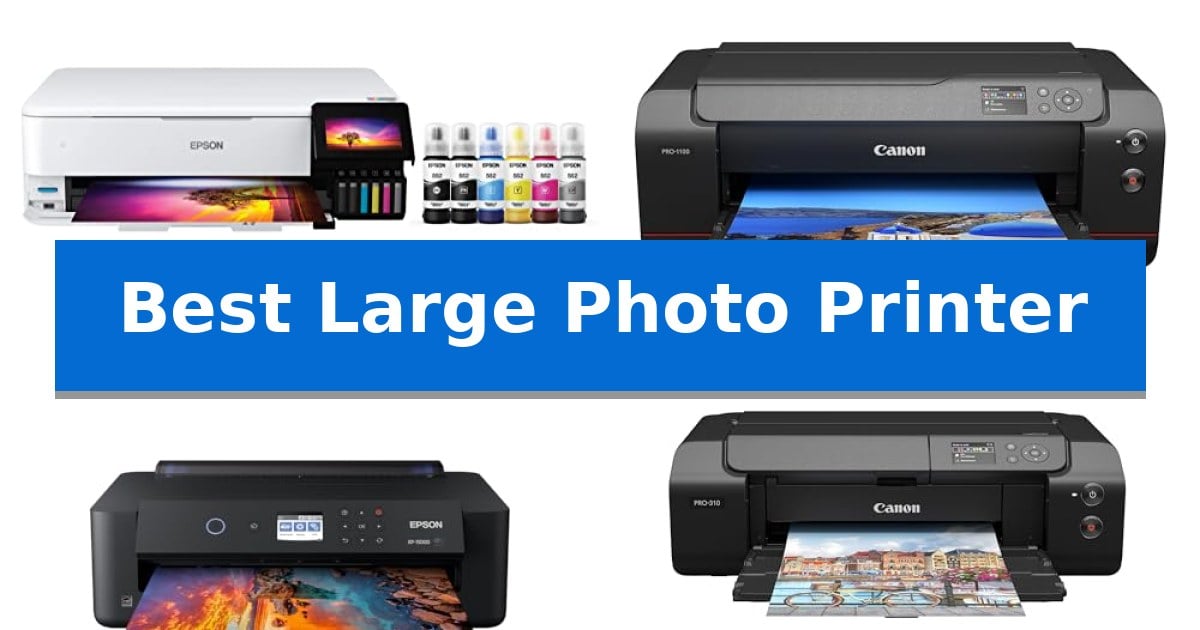
Finding the right equipment for high-quality, wide-format output requires balancing color accuracy with long-term operational costs. Whether you are a professional photographer or a dedicated hobbyist, the Best Large Photo Printer needs to handle various media types while maintaining sharp, consistent detail across larger dimensions.
This guide examines five top-tier printers designed for creative workflows. We focus on ink efficiency, color gamut, and media handling capabilities to help you decide which model aligns with your specific studio requirements and output volume.
Best Large Photo Printer in 2026: High-Volume Creative Projects
Quick Comparison
| Product | Best For | Key Strength | Score |
|---|---|---|---|
| Epson EcoTank ET-8550 Photo Printer | Best Overall | Cartridge-free printing significantly reduces waste and long-term ink costs. | 4.9 |
| Canon imagePROGRAF PRO-1100 Photo Printer | Professional Gallery Quality | 11 pigment-based ink system with Chroma Optimizer for superior gloss and color depth. | 4.9 |
| Epson Expression Photo XP-15000 Printer | Compact Wide-Format Design | 6-color Claria Photo HD ink system with red and gray for superior color accuracy. | 4.8 |
| Canon imagePROGRAF PRO-310 Photo Printer | Advanced Pigment Ink System | 9-color pigment ink system ensures high-fidelity, gallery-quality color reproduction. | 4.6 |
| Epson Expression Photo XP-980 Printer | Versatile Creative All-in-One | Supports wide-format borderless printing up to 11" x 17". | 4.9 |
How We Chose
- Ink System Efficiency: Assessing the cost-per-print and the complexity of ink replacement systems.
- Color Gamut and Accuracy: Evaluating the pigment or dye-based ink systems for professional color reproduction.
- Media Flexibility: Checking support for various paper finishes, thicknesses, and borderless print sizes.
- Workflow Integration: Considering connectivity options and software tools for professional print management.
- Physical Footprint: Analyzing the space requirements relative to the maximum print width.
1 Epson EcoTank ET-8550 Photo Printer — Lowest Cost Per Print
High-volume creative projects often require a balance between print quality and long-term operating costs. The Epson EcoTank Photo ET-8550 addresses this by utilizing a cartridge-free 6-color ink system, which significantly reduces the frequency of ink replacements compared to traditional cartridge-based models. By employing Claria ET Premium 6-color inks, this unit is engineered to deliver sharp text and vibrant color reproduction suitable for lab-quality photo and graphic output.
Designed for versatility in home studios, this wide-format all-in-one printer supports media up to 13 x 19 inches. The system is built for efficiency, allowing users to print, scan, and copy from a single device. Its high-accuracy printhead is optimized for both detailed creative projects and standard document tasks, providing a consistent output speed of up to 16 ppm.
A primary advantage of the Epson EcoTank Photo ET-8550 is its focus on sustainability and value. The printer ships with up to 2 years of ink in the box, and the high-yield ink bottles are designed to minimize waste, with each set providing an equivalent volume to approximately 100 individual ink cartridges. This design choice helps lower the cost per print, making it a practical choice for creators who print frequently.
The unit measures 29.8 inches in length and 20.6 inches in width, requiring dedicated space in a workspace. While it offers robust functionality, users should ensure their environment can accommodate its footprint. With its wireless connectivity and integrated scanner, it serves as a comprehensive hub for digital and physical creative workflows.
Best for: Creators and home studio users who require wide-format photo printing and want to minimize long-term ink replacement costs.
Skip if: Users with limited desk space or those who only print documents occasionally and do not require wide-format or high-quality photo capabilities.
PROS
- Cartridge-free printing significantly reduces waste and long-term ink costs.
- Supports wide-format printing up to 13 x 19 inches for creative projects.
- Includes 2 years of ink in the box for immediate, high-volume use.
- 6-color Claria ET Premium ink system provides high-accuracy color reproduction.
CONS
- Large physical footprint of 29.8 x 20.6 inches requires significant desk space.
- Weight of 24.5 pounds makes the unit less portable than smaller desktop printers.
2 Canon imagePROGRAF PRO-1100 Photo Printer — Professional Gallery Quality
Achieving gallery-grade results requires precision, and the Canon imagePROGRAF PRO-1100: 17” Professional Wireless Inkjet Photo Printer is engineered to handle the complexities of high-end output. By utilizing an 11 pigment-based ink system paired with a dedicated Chroma Optimizer, this printer focuses on delivering a broad color gamut while ensuring improved gloss uniformity and effective anti-bronzing for professional-grade photographic prints.
At the heart of its performance is the LUCIA PRO II ink system, which is designed to enhance image clarity and provide deeper, more faithful reproduction in darker areas. To manage the high volume of data required for such detailed prints, the device incorporates L-COA PRO technology, ensuring rapid processing without sacrificing quality. The inclusion of an Air Feeding System further supports accuracy by preventing paper skew during the printing process.
Usability is addressed through integrated Professional Print & Layout software, which functions as a standalone application or a seamless plug-in for Adobe and Digital Photo Professional suites. For those who demand consistency, the printer features advanced management tools, including Color Calibration, Media Configuration, and an Accounting Manager, allowing for a highly controlled and professional workflow.
Reliability is a core design focus, evidenced by the anti-clogging FINE print head technology that maintains precise ink ejection over time. With a robust build and a 1-year warranty, this printer is designed to integrate into a serious studio environment, providing a stable platform for photographers who need consistent, high-quality results for their artistic works.
Best for: Professional photographers and artists who require high-precision, large-format color reproduction and a controlled, professional-grade printing workflow.
Skip if: Casual users or those with limited workspace, as the unit's 83-pound weight and 28.5-inch width require a dedicated, sturdy station.
PROS
- 11 pigment-based ink system with Chroma Optimizer for superior gloss and color depth.
- LUCIA PRO II ink system provides enhanced scratch resistance and image clarity.
- Air Feeding System ensures precise paper handling and prevents skewing.
- Professional management tools including color calibration and media configuration.
CONS
- Substantial physical footprint and weight may limit placement options in smaller studios.
3 Epson Expression Photo XP-15000 Printer — Compact Wide-Format Design
The Epson Expression Photo HD XP-15000 is engineered for photographers and home studios requiring high-quality, wide-format output in a space-conscious design. By utilizing a 6-color Claria Photo HD ink system—which includes dedicated gray and red inks—this printer achieves an ultra-wide color gamut and enhanced black-and-white print performance on media up to 13 inches by 19 inches.
Designed to maximize desktop efficiency, this A3 plus printer features a compact footprint that is 30 percent smaller than its predecessor. It accommodates diverse creative needs through a 50-sheet rear tray specifically for specialty media and cardstock, while a 200-sheet front tray supports high-volume document tasks with auto 2-sided printing capabilities.
The system is built for precision, supporting borderless printing across a wide range of sizes from 4 inches by 6 inches up to the full 13-inch by 19-inch capacity. To streamline maintenance, the printer integrates with Dash Replenishment, allowing the device to track ink usage and automatically order supplies when levels run low.
Users should note that the Epson printing system is designed for exclusive use with Epson Genuine Cartridges. Utilizing non-genuine ink may result in damage not covered under the manufacturer's limited warranty, making it essential to maintain the system with authorized supplies to ensure consistent print quality and hardware longevity.
Best for: Photographers and home studio creators who require professional-grade, wide-format photo printing in a compact desktop footprint.
Skip if: Users who require a high-volume office workhorse with an integrated scanner or those who prefer using third-party ink alternatives.
PROS
- 6-color Claria Photo HD ink system with red and gray for superior color accuracy.
- Compact wide-format design that fits easily on standard desktops.
- Versatile media handling with a dedicated 50-sheet rear tray for specialty paper.
- Auto 2-sided printing to improve efficiency for document-heavy projects.
CONS
- Exclusive reliance on Epson Genuine Cartridges to maintain warranty coverage.
- Limited to printing functions without integrated scanning or copying capabilities.
4 Canon imagePROGRAF PRO-310 Photo Printer — Advanced Pigment Ink System
Achieving professional-grade print quality at home requires a tool designed for precision, and the Canon imagePROGRAF PRO-310 Professional 13" Wireless Inkjet Photo Printer is built specifically for this purpose. Featuring a sophisticated 9-color pigment-based ink system paired with a dedicated Chroma Optimizer, this printer is engineered to produce gallery-quality results with exceptional color accuracy and detail.
The LUCIA PRO II ink system is a standout feature, providing enhanced gloss uniformity and increased scratch resistance, which ensures your prints remain durable and vibrant over time. For those focusing on monochrome work, the inclusion of Matte Black ink allows for deeper black density and a wider range of dark area reproduction, making it a versatile choice for diverse photography styles.
Usability is prioritized through integrated smart features designed to streamline the printing workflow. The Anti-Clogging System and Skew Correction work together to maintain consistent output quality, reducing the risk of wasted media. Users can easily monitor ink levels and adjust printer settings via the intuitive 3.0-inch color LCD monitor located on the front panel.
While this printer offers high-end output, it is a substantial piece of equipment measuring 28.7 inches in length and weighing 31.6 pounds. It is best suited for dedicated studio spaces where its size can be accommodated. The wireless connectivity ensures it fits into a modern digital workflow, providing a reliable solution for photographers who demand professional results without leaving their workspace.
Best for: Professional photographers and serious hobbyists who require gallery-quality, large-format prints with precise color management and deep black reproduction.
Skip if: Casual users or those with limited desk space who do not require professional-grade pigment ink systems or the large footprint of a 13-inch dedicated photo printer.
PROS
- 9-color pigment ink system ensures high-fidelity, gallery-quality color reproduction.
- LUCIA PRO II ink provides superior scratch resistance and improved gloss uniformity.
- Anti-Clogging System and Skew Correction enhance productivity and reduce media waste.
- Matte Black ink delivers deeper black density for professional-grade monochrome prints.
CONS
- Large physical footprint requires significant dedicated workspace.
- Heavier build compared to standard home office inkjet printers.
5 Epson Expression Photo XP-980 Printer — Versatile Creative All-in-One
Achieving professional-grade results for creative projects requires a device capable of handling diverse media formats with precision. The Epson Expression Photo XP-980 Printer distinguishes itself by offering wide-format printing capabilities, allowing users to produce borderless prints up to 11" x 17" using a specialized 6-color Claria Photo HD ink system.
Designed for versatility, this all-in-one unit integrates a high-resolution flatbed scanner and copier alongside its printing functions. Users can manage tasks through a 4.3" color touchscreen that includes an Easy Mode for simplified navigation. The system supports flexible paper handling with separate trays for plain and photo paper, plus a dedicated rear feed for specialty media.
Connectivity is streamlined through wireless printing options, enabling direct output from laptops, desktops, smartphones, and tablets. The inclusion of Wi-Fi Direct allows for router-free connections, while the Epson Smart Panel and Creative Print mobile apps provide additional tools for remote control, photo restoration, and custom project creation.
This printer is engineered to balance speed and quality, delivering 4" x 6" borderless photos in as fast as 11 seconds. To maintain system integrity and print quality, the manufacturer specifies that the device is designed for use exclusively with Epson Genuine Cartridges, noting that non-genuine alternatives may cause damage not covered under the limited warranty.
Best for: Creative professionals and home users who require a versatile, wide-format printing solution for photos and custom projects.
Skip if: Users who primarily need high-volume document printing or those who prefer using third-party ink supplies for cost savings.
PROS
- Supports wide-format borderless printing up to 11" x 17".
- Includes a 6-color Claria Photo HD ink system for high-quality output.
- Features versatile paper handling with dedicated trays and a rear feed.
- Offers convenient wireless connectivity via Wi-Fi Direct and mobile apps.
CONS
- Requires exclusive use of Epson Genuine Cartridges to maintain warranty coverage.
Best Large Photo Printer Buying Guide
Understanding Ink Systems
The choice between pigment-based and dye-based ink systems is fundamental for photo quality. Pigment inks are generally favored for their longevity, scratch resistance, and archival quality, making them ideal for gallery-grade prints.
Dye-based inks, conversely, often provide more vibrant color saturation and are frequently found in high-volume, cost-effective printers. Consider your primary output goal—archival stability versus vibrant, high-volume production—when selecting your ink type.
Media Handling and Versatility
A wide-format printer must accommodate more than just standard photo paper. Look for models that offer dedicated rear-feed trays for specialty media, such as heavy cardstock, fine art paper, or canvas.
The ability to handle borderless printing across multiple sizes is also critical for professional presentations. Ensure the printer's paper path supports the specific dimensions and textures you intend to use for your creative projects.
Connectivity and Software
Modern photo printers should integrate seamlessly into your existing digital workflow. Wireless connectivity and mobile app support allow for convenient printing from tablets and smartphones, which is useful for quick proofs.
For professional photographers, specialized print management software is essential. These tools assist with color calibration, layout management, and media configuration, ensuring that the final output matches your digital edit exactly.
Operational Costs
The initial price of the hardware is only one part of the investment. High-capacity ink tanks or bottles can significantly lower the cost-per-print over time, especially for creators who produce large volumes of work.
Consider the frequency of ink replacement and whether the printer uses individual cartridges or a bulk-fill system. Reducing waste and minimizing downtime for maintenance are key factors in maintaining a productive studio environment.
Space and Ergonomics
Large-format printers occupy significant desk or floor space. Before purchasing, verify the physical dimensions and ensure you have adequate clearance for paper trays and maintenance access.
Some models feature compact designs that fold down when not in use, while others are stationary units requiring a dedicated stand. Evaluate your available workspace to ensure the printer fits comfortably without hindering your daily operations.
Frequently Asked Questions
What is the main difference between pigment and dye inks?
Pigment inks are typically more resistant to fading and water, making them better for archival prints. Dye inks offer deeper color saturation and are often more affordable for high-volume printing.
Can these printers handle fine art paper?
Yes, most wide-format photo printers include a rear-feed path specifically designed for thicker, specialty media like fine art paper or cardstock.
Do I need a dedicated computer for these printers?
While many models support wireless printing from mobile devices, professional-grade printers often require a computer to utilize advanced color calibration and print management software.
How often do I need to perform print head maintenance?
Maintenance frequency depends on usage. Models with anti-clogging technology and automated maintenance cycles help reduce the need for manual intervention.
Are these printers suitable for office documents?
While they are optimized for photos and graphics, many wide-format printers can also handle standard document printing, though they may be slower than dedicated office laser printers.
Conclusion: Our Top Pick
Choosing the right printer depends on your specific balance of output quality and volume. For creators who prioritize long-term savings without sacrificing professional results, the Epson EcoTank ET-8550 Photo Printer stands out due to its cartridge-free ink system and versatility in handling various media sizes.
While other models in this list offer specialized pigment ink systems for gallery-grade longevity, the Epson EcoTank provides the most efficient path for high-volume creative work. It is an ideal choice for home studios looking to manage costs while maintaining high-accuracy color reproduction.