
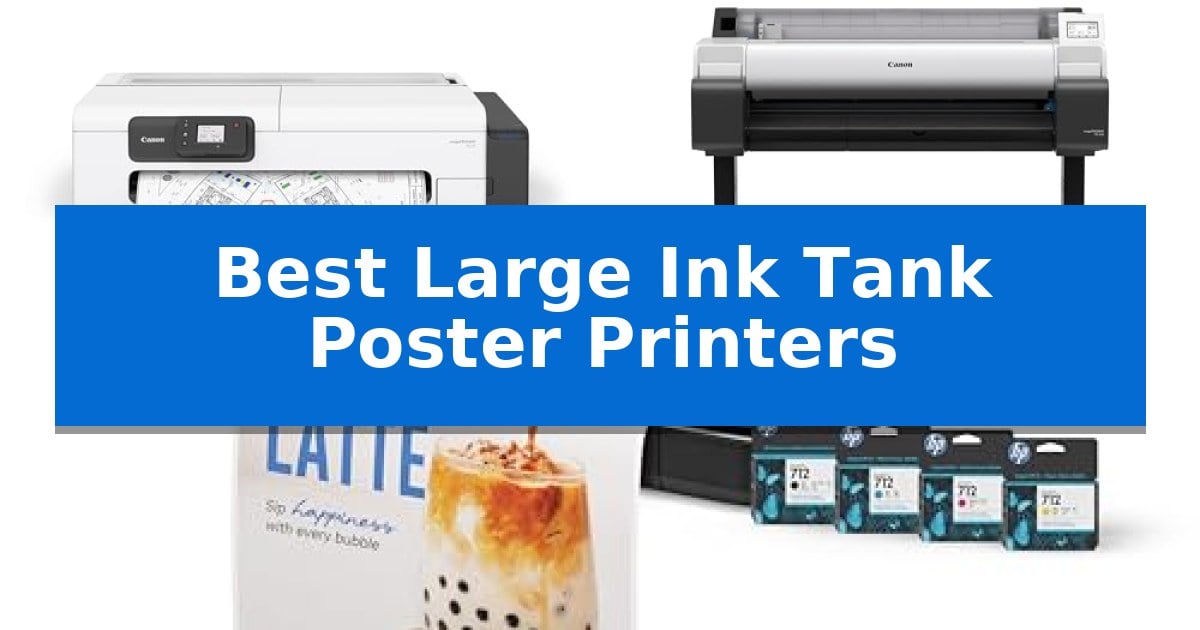
Producing high-impact visual materials requires reliable hardware capable of handling oversized media without sacrificing image clarity. Finding the Best Large Ink Tank Poster Printers involves balancing print resolution, media handling versatility, and the total cost of ownership over time.
Whether you are an architect needing precise technical drawings or a designer creating vibrant signage, selecting the right machine ensures your workflow remains productive. This guide evaluates top-tier options designed to handle professional-grade output while simplifying the complexities of wide-format printing.
Best Large Ink Tank Poster Printers in 2026
Quick Comparison
| Product | Best For | Key Strength | Score |
|---|---|---|---|
| Canon imagePROGRAF TC-21 Large Format Printer | Best Overall | Full set of ink included (280 ml total) out of the box. | 4.9 |
| Canon imagePROGRAF TM-340 Large Format Printer | High-Precision Wide Output | Automatic media detection reduces setup time and manual configuration errors. | 4.6 |
| HP DesignJet T210 Large Format Printer | Efficient CAD and Poster Printing | Includes up to 1-year of ink with an extra set of cartridges. | 4.6 |
How We Chose
- Media Handling Versatility: Assessing the ability to manage both roll and cut-sheet media for diverse project types.
- Ink Efficiency and Capacity: Evaluating the volume of ink provided and the ease of tank maintenance to minimize downtime.
- Connectivity and Workflow Integration: Analyzing wired and wireless options for seamless printing from various devices.
- Ease of Setup and Maintenance: Reviewing the accessibility of internal components and the intuitiveness of control panels.
- Output Precision: Considering the resolution and color accuracy capabilities for professional signage and technical documents.
1 Canon imagePROGRAF TC-21 Large Format Printer — Best for Professional Poster Production
The Canon imagePROGRAF TC-21 Large Format Printer simplifies professional poster production by shipping with a full set of 280 ml of ink, providing 70 ml per color to ensure you are ready for high-volume tasks immediately. This 24-inch desktop unit integrates an automatic roll and cut sheet paper feeder, allowing for versatile media handling without constant manual intervention.
Designed for efficiency in tight spaces, the printer features a tiltable touchscreen control panel and animated installation guides that streamline the setup process. Users can manage maintenance tasks, such as refilling ink tanks and replacing paper rolls, through convenient top and front interior access points.
Connectivity options include high-speed USB and Ethernet for stable network integration, alongside built-in Wi-Fi for wireless printing from computers, smartphones, or tablets. The device is both ENERGY STAR and EPEAT Gold rated, reflecting its focus on power efficiency for office environments.
This 4-color ink system is engineered to produce crisp text and vibrant images, making it a practical choice for creating attention-grabbing posters on various roll and sheet media. Its compact footprint and automated features make it a reliable tool for professional-grade output.
Best for: Small offices or creative studios requiring a compact, network-connected solution for high-quality 24-inch posters and technical documents.
Skip if: Users who require specialized large-format printing beyond 24 inches or those who need more than a 4-color ink configuration for high-end photographic color accuracy.
PROS
- Full set of ink included (280 ml total) out of the box.
- Automatic roll and cut sheet feeder for versatile media handling.
- Intuitive tiltable touchscreen with animated setup guides.
- Flexible connectivity including Wi-Fi, Ethernet, and USB.
CONS
- Limited to 24-inch width capacity.
- 4-color ink system may not meet specialized professional photo printing requirements.
2 Canon imagePROGRAF TM-340 Large Format Printer — High-Precision Wide Output
Producing professional-grade signage and technical drawings requires hardware that balances precision with operational efficiency. The Canon imagePROGRAF TM-340 36" Large Format Printer simplifies this workflow by integrating automatic media selection, which detects the type, width, and remaining length of loaded media without manual input. This feature reduces configuration errors and setup time, allowing users to switch between different paper stocks seamlessly.
Designed for high-output environments, this 5-color pigment ink printer is engineered to produce crisp text and vibrant images across diverse media. To maintain consistent output, the device features automatic color calibration, ensuring that repeated print jobs remain uniform throughout the production run. The unit ships with a 300 ml ink set, providing a complete solution for immediate deployment in creative studios or technical offices.
Usability is a core focus of the Canon imagePROGRAF TM-340, which includes an intuitive tiltable touchscreen and animated guides to assist with setup and routine maintenance. The unit is built for connectivity, offering both high-speed USB and Ethernet interfaces to integrate into existing office networks. As an ENERGY STAR and EPEAT Gold rated device, it is designed to meet modern office efficiency standards while handling large-format tasks.
The printer includes a dedicated stand with a catch basket, which helps manage output in busy environments. While the 36-inch wide output capability is ideal for posters and technical plots, the unit's 130.5 lbs weight and substantial footprint require a dedicated, stable location. This hardware is best suited for professional environments that prioritize consistent, high-quality wide-format production over portability.
Best for: Professional offices and creative studios requiring consistent, high-quality 36-inch wide posters and technical plots with minimal manual calibration.
Skip if: Users with limited floor space or those who do not require wide-format 36-inch output will find this dedicated large-format system unnecessarily bulky.
PROS
- Automatic media detection reduces setup time and manual configuration errors.
- 5-color pigment ink system produces sharp, vibrant results on various media types.
- Integrated tiltable touchscreen simplifies navigation and maintenance tasks.
- Energy-efficient design with EPEAT Gold and ENERGY STAR ratings.
CONS
- Large physical footprint requires significant dedicated floor space.
- Heavy construction (130.5 lbs) makes initial placement and relocation difficult.
3 HP DesignJet T210 Large Format Printer — Efficient CAD and Poster Printing
Professional-grade wide-format printing requires precision and efficiency, especially when managing high-volume CAD drawings or large-scale posters. The HP DesignJet T210 Large Format 24-inch Poster Printer streamlines these workflows by integrating HP Click Software, which enables users to drag and drop files like PDF, JPEG, and TIFF for automated nesting and error checking.
Designed for versatility, this unit handles 24-inch wide media rolls and supports sheet-fed printing via an optional automatic sheet feeder. It is engineered for productivity, delivering prints in as little as 45 seconds per A1/D size page. The inclusion of a full set of extra ink cartridges provides up to one year of high-quality output, making it a cost-effective solution for architects, designers, and small businesses.
The printer simplifies complex tasks through 1-Click Printing and remote management capabilities via the HP Smart app. Whether working from a smartphone, tablet, or desktop, users can monitor their print jobs from anywhere. Its compact footprint—measuring 40 inches in width—ensures it fits into professional environments without sacrificing the ability to handle professional-grade blueprints, maps, and indoor signage.
Maintenance is optimized through efficiency-focused engineering, utilizing 95% less ink for routine maintenance compared to many competitor plotter printers. With 500MB of memory and an automatic horizontal cutter, the system is built to minimize waste and manual intervention, allowing professionals to focus on their designs rather than printer management.
Best for: Entrepreneurs, architects, and designers who require a compact, efficient solution for in-house CAD, blueprint, and poster printing.
Skip if: Users who require printing media wider than 24 inches or those who do not have a workflow compatible with HP-GL/2 or standard PDF/JPEG formats.
PROS
- Includes up to 1-year of ink with an extra set of cartridges.
- HP Click Software automates nesting and reduces paper waste.
- Remote management via the HP Smart app for mobile printing.
- Efficient maintenance using 95% less ink than competitor plotters.
CONS
- Optional accessory required for automatic sheet feeding.
- Limited to 24-inch width media rolls.
Best Large Ink Tank Poster Printers Buying Guide
Understanding Media Compatibility
The Best Large Ink Tank Poster Printers must accommodate the specific dimensions and types of media your projects require. Most professional units support 24-inch or 36-inch wide rolls, which are standard for posters and technical blueprints.
Check if the printer includes an automatic sheet feeder if you frequently switch between roll media and smaller cut sheets. This feature prevents manual intervention, allowing you to transition between different project sizes without stopping your workflow.
Ink System Efficiency
Large format printing consumes significant ink, making the initial ink supply and tank capacity critical factors. Look for models that ship with a full set of high-capacity ink tanks, as this significantly reduces the immediate need for replacements.
Consider the pigment ink technology used in the device. Pigment-based inks generally offer better resistance to fading and moisture, which is essential for posters intended for indoor or temporary outdoor display.
Connectivity and Software
Modern wide-format printers should integrate easily into your existing digital environment. Wi-Fi connectivity is a major advantage for offices that need to print directly from smartphones, tablets, or multiple networked computers.
Look for proprietary software suites, such as HP Click, which can automate tasks like PDF error checking and auto-nesting. These tools are designed to reduce paper waste and save time by optimizing the layout of your prints before they hit the media.
Maintenance and Accessibility
Wide-format machines require regular upkeep, so the physical design of the printer matters. Models with top and front interior access make it much easier to replace paper rolls and refill ink tanks without needing to move or disassemble the unit.
An intuitive touchscreen control panel with animated guides can significantly shorten the learning curve for new users. These interfaces provide step-by-step instructions for maintenance tasks, ensuring the printer remains in optimal working condition.
Technical Precision and Speed
For technical line drawings and CAD work, line accuracy is paramount. Ensure the printer supports the necessary file formats, such as HP-GL/2 or DWF, to maintain the integrity of your technical designs.
Evaluate the print speed in terms of pages per hour for standard sizes like A1 or D. While speed is important, it should not come at the expense of the color calibration and sharpness required for high-quality poster production.
Frequently Asked Questions
What is the primary difference between a plotter and a poster printer?
While the terms are often used interchangeably, plotters are traditionally optimized for vector-based technical drawings like blueprints, whereas poster printers are tuned for high-resolution, vibrant graphics and images.
Do I need a dedicated stand for these printers?
Many 24-inch models are designed as desktop units, while 36-inch models typically require a dedicated stand and catch basket to manage the larger, heavier output rolls effectively.
How often do I need to perform color calibration?
Automatic color calibration features, found on many professional models, handle this process for you. It is recommended to run calibration whenever you switch to a new type of media to ensure consistent color reproduction.
Can these printers handle outdoor signage?
Most large ink tank printers are designed for indoor use. If you need outdoor signage, ensure you are using compatible water-resistant media and pigment-based inks, though these are still generally intended for short-term display.
Is wireless printing reliable for large files?
Yes, modern Wi-Fi and Ethernet connectivity are robust enough for large files. However, for extremely high-resolution graphic files, a wired Ethernet connection is often preferred for maximum speed and stability.
Conclusion: Our Top Pick
Choosing the right wide-format printer depends on your specific balance of technical precision and graphic vibrancy. For most professional users, the Canon imagePROGRAF TC-21 Large Format Printer stands out as the most versatile option, offering a compact footprint without compromising on professional-grade output quality.
Its ability to handle both roll and sheet media, combined with a generous initial ink supply, makes it an efficient choice for those who need to produce high-quality posters and technical documents in-house. While other models offer wider 36-inch output or specialized CAD features, the TC-21 provides the best overall balance of ease-of-use and professional performance for a wide range of creative and business applications.