
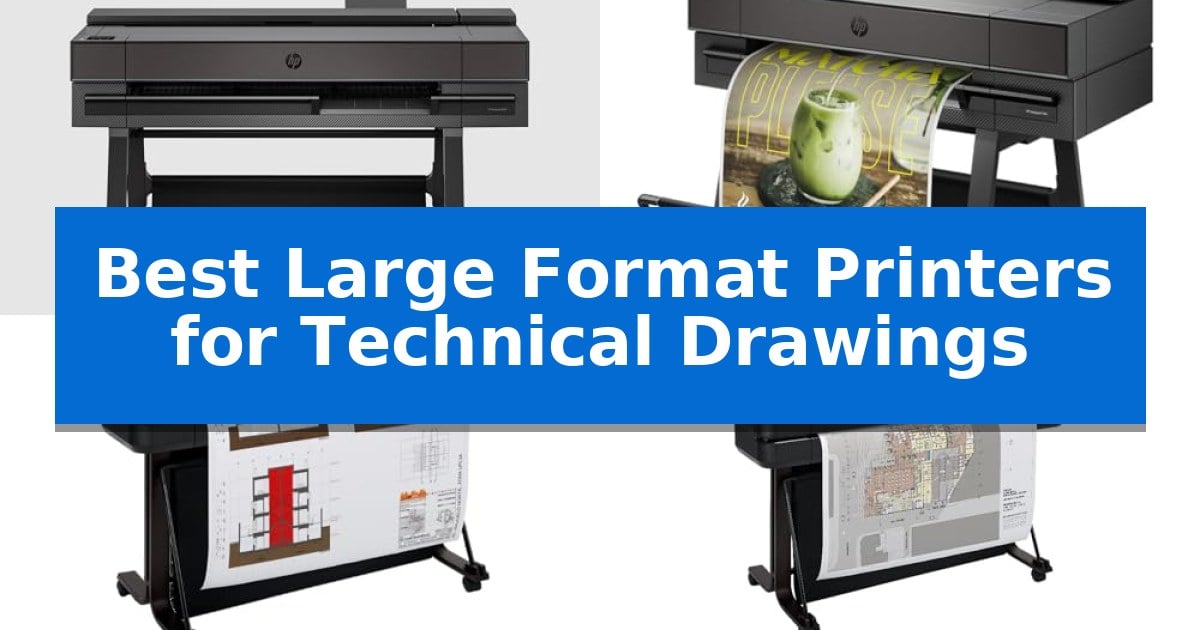
Architects, engineers, and construction professionals require precise, high-resolution output to bring complex designs to life. Finding the Best Large Format Printers for Technical Drawings involves balancing print accuracy, media handling versatility, and workflow integration to ensure that every line and dimension is rendered with absolute clarity.
Whether you are producing detailed CAD schematics, GIS maps, or large-scale renders, the right hardware can significantly reduce downtime and material waste. We have analyzed current market offerings to help you identify the plotter that best aligns with your specific production volume and workspace constraints.
Best Large Format Printers for Technical Drawings in 2026
Quick Comparison
| Product | Best For | Key Strength | Score |
|---|---|---|---|
| HP DesignJet T850 Plotter Printer | Best Overall | Integrated 50-sheet input tray for seamless switching between roll and sheet media. | 4.9 |
| HP DesignJet T870 Plotter Printer | Fast High-Volume Technical Prints | Automated media switching between rolls and sheets for versatile project handling. | 4.7 |
| HP DesignJet T650 Plotter Printer | Reliable Onsite Support Included | Automatic sheet/roll switching eliminates manual media handling. | 4.3 |
| HP DesignJet T630 Plotter Printer | Versatile 36-inch Wide Format Output | Automatic sheet/roll switching for versatile media handling. | 4.4 |
| Canon imagePROGRAF TC-21M Printer | Compact Multifunction CAD Solution | Integrated flatbed scanner allows for direct enlargement of smaller technical originals. | 4.5 |
How We Chose
- Print precision and resolution for clear, legible technical text and fine lines.
- Media handling capabilities, including roll-to-sheet switching and automatic cutting.
- Workflow software integration, specifically tools like HP Click for automated nesting and error checking.
- Connectivity options such as Wi-Fi, Ethernet, and mobile printing support for remote team access.
- Physical footprint and installation requirements for office or site-based environments.
1 HP DesignJet T850 Plotter Printer — Precise 36-inch CAD and Render Printing
Achieving precise line quality for technical drawings requires a reliable output device capable of handling varied media types without constant manual intervention. The HP DesignJet T850 Large Format 36-inch Color Plotter Printer (2Y9H0A) addresses this need by integrating a 50-sheet input tray alongside its 36-inch roll feed, allowing professionals to switch between half-size prints and large-format documents seamlessly.
Designed for AEC, GIS, and MCAD workflows, this plotter utilizes pigment-based HP Flex Tech Inks to ensure crisp text and accurate renders. The unit features an automatic horizontal cutter and a dedicated media bin, which streamlines the transition from printing to final document handling. With 1 GB of memory and the HP Click software, users can preview print jobs to reduce waste and minimize the need for reprints.
Connectivity is a primary focus, offering Gigabit Ethernet and Wi-Fi 802.11 b/g/n support. The device is compatible with a wide range of platforms, including Apple AirPrint, the HP app for mobile devices, and standard drivers for Windows, macOS, and Chrome OS. This flexibility allows for remote printing and efficient integration into existing office network environments.
Maintenance and energy efficiency are managed through auto-scheduled on/off usage and optimized ink maintenance routines. The HP DesignJet T850 Large Format 36-inch Color Plotter Printer provides a robust solution for technical environments that demand consistent, high-quality output across various paper types, including bond, coated, and heavyweight media.
Best for: AEC, GIS, and MCAD professionals who require a versatile, network-connected plotter for high-precision technical drawings and renders.
Skip if: Users who do not require large-format printing or those with limited office space who cannot accommodate a 55.4-inch wide device.
PROS
- Integrated 50-sheet input tray for seamless switching between roll and sheet media.
- Pigment-based HP Flex Tech Inks for high-quality, crisp technical output.
- Comprehensive connectivity including Wi-Fi, Ethernet, and mobile printing support.
- Automatic horizontal cutter and media bin for efficient document handling.
CONS
- Large physical footprint requires significant dedicated floor space.
- Weight of 155 pounds makes the unit difficult to relocate once installed.
2 HP DesignJet T870 Plotter Printer — Fast High-Volume Technical Prints
Precision in technical line-drawings and renders is essential for architects and engineers, and the HP DesignJet T870 Large Format 24-inch Plotter Printer addresses this with its ability to produce crisp text and accurate line quality. This unit is designed to streamline professional workflows by automating multi-size projects, allowing users to switch between media sources without manual intervention.
The printer features an automatic sheet feeder for 13-inch by 19-inch sheets and a roll feed system for media up to 24 inches wide. With its automatic horizontal cutter and integrated media bin, the device manages output efficiently. Integration with HP Click software further improves productivity by enabling drag-and-drop printing for common file formats like PDF, TIFF, and DWF, while also providing auto-nesting to minimize paper waste.
Connectivity options include Gigabit Ethernet and Wi-Fi 802.11 b/g/n, supporting remote management via the HP Smart app. The system is built for speed, capable of producing up to 120 A1/D size prints per hour. It includes 1GB of memory to handle complex files and utilizes a four-color ink system with the HP 739 Printhead for consistent results.
Maintenance is simplified through design efficiencies that use up to 95% less ink for routine cleaning compared to other models. To ensure long-term reliability, the package includes a 2-year Care Pack with onsite and phone support, providing professional users with a safety net for their technical printing operations.
Best for: Architects, engineers, and educators requiring high-precision, automated wide-format printing for technical drawings and maps.
Skip if: Users who require printing widths greater than 24 inches or those who do not have the space for a dedicated floor-standing plotter unit.
PROS
- Automated media switching between rolls and sheets for versatile project handling.
- HP Click software integration reduces paper and ink waste through auto-nesting.
- 2-year onsite support included for professional reliability.
- High-speed output capable of 120 A1/D prints per hour.
CONS
- 24-inch maximum width limits usage for larger architectural blueprints.
- Requires dedicated floor space due to its 43-inch width and 37-inch height.
3 HP DesignJet T650 Plotter Printer — Reliable Onsite Support Included
Precision and efficiency define the HP DesignJet T650 Plotter Printer, a specialized tool engineered for architects, engineers, and construction professionals who require high-quality technical line-drawings and renders. This 24-inch large format printer streamlines complex workflows by integrating an automatic sheet feeder alongside a roll feed, allowing for seamless transitions between different media sizes without manual intervention.
The device is built for productivity, capable of producing an A1/D size print in as little as 26 seconds. With 1GB of memory and support for common CAD applications, it ensures that intricate files—including PDF, JPEG, TIFF, and HP-GL/2 formats—are processed with crisp text and accurate line quality. The inclusion of the HP Click software further enhances this by providing auto-nesting and PDF error checking to minimize paper and ink waste.
Connectivity is a primary focus, offering Gigabit Ethernet, Wi-Fi 802.11, and USB 2.0 options. Users can manage printing tasks remotely via the HP Smart app, enabling one-click printing from mobile devices or desktops. To support long-term reliability, the unit includes a 2-year onsite and phone support warranty, providing professional assistance for covered technical issues.
While the HP DesignJet T650 Plotter Printer offers significant space-saving benefits through its compact 24-inch design, it is specifically optimized for technical documents and posters. Its reliance on the HP 712 ink system and 713 printhead ensures consistent output, though users should ensure their specific media requirements align with the 24-inch roll width limit.
Best for: Architects and engineers who need a reliable, space-efficient solution for printing technical line drawings and large-format documents in a professional office environment.
Skip if: Users who require printing widths greater than 24 inches or those who primarily print high-volume photographic art may find the limitations of this compact plotter restrictive.
PROS
- Automatic sheet/roll switching eliminates manual media handling.
- HP Click software reduces paper and ink waste through auto-nesting.
- 2-year onsite warranty provides professional support for technical issues.
- Compact 24-inch footprint fits easily into smaller office spaces.
CONS
- 24-inch maximum width restricts printing for larger architectural blueprints.
- Dedicated ink system requires specific HP 712 cartridges and 713 printheads.
4 HP DesignJet T630 Plotter Printer — Versatile 36-inch Wide Format Output
Precision is the cornerstone of technical drafting, and the HP DesignJet T630 Large Format 36-inch Plotter Printer is engineered to handle complex line-drawings, maps, and renders with high accuracy. This unit is designed for professional environments like architecture and construction firms that require consistent, crisp text and detailed line-quality for large-scale documentation.
The printer offers significant versatility through its automatic sheet feeder accessory, which allows for seamless transitions between large-format 36-inch rolls and smaller 13-inch by 19-inch sheets. Workflow efficiency is further supported by an automatic horizontal cutter and a built-in media bin, ensuring that prints are handled cleanly and organized upon completion.
Connectivity is a major focus, featuring Gigabit Ethernet, Wi-Fi 802.11 b/g/n, and Hi-Speed USB 2.0 to integrate into various office network setups. Users can leverage the included HP Click software to streamline the printing process, enabling drag-and-drop functionality for common file types like PDF, TIFF, and DWF while providing auto-nesting to minimize paper waste.
While the device is robust, its physical footprint is substantial, measuring 52 inches in width and weighing 123 pounds. Prospective users should ensure their workspace can accommodate this size, as the integrated stand and media bin are essential components of its operational design.
Best for: Architects and engineers who require a reliable, network-connected printer for high-precision technical line-drawings and large-format renders.
Skip if: Users with limited office floor space or those who do not require wide-format printing beyond standard desktop sizes.
PROS
- Automatic sheet/roll switching for versatile media handling.
- HP Click software reduces paper waste through auto-nesting.
- Integrated stand and media bin for organized output.
- Flexible Gigabit Ethernet and Wi-Fi connectivity options.
CONS
- Large physical footprint requires significant dedicated floor space.
- Heavy 123-pound chassis limits mobility once installed.
5 Canon imagePROGRAF TC-21M Printer — Compact Multifunction CAD Solution
The Canon imagePROGRAF TC-21M Printer offers a space-saving solution for technical environments by integrating a 24-inch large format plotter with a letter-sized flatbed scanner. This dual-functionality allows users to perform enlarge copies of smaller technical documents directly on the device, streamlining the workflow for those who need to scale up schematics or reference materials without external equipment.
Designed for versatility, the printer features an auto sheet feeder that accommodates up to 100 sheets of letter-size paper or 50 sheets of 11-inch by 17-inch paper. This capability provides significant flexibility for mixed-media printing, allowing users to switch between standard office documents and larger technical drawings without constant manual intervention.
Usability is centered around a 2.7-inch tiltable touchscreen LCD, which simplifies navigation through print settings and maintenance tasks. The inclusion of a dedicated USB flash drive port enables direct printing of large format files, removing the need for a constant PC connection during high-pressure project phases.
Connectivity options include Wi-Fi and LAN, supporting modern office setups that rely on networked resources. Furthermore, the cloud printing and scanning integration allows for remote access to files, ensuring that technical teams can manage their output from various locations within the workspace.
Best for: Small offices or technical teams requiring a compact, dual-purpose device for both standard document scanning and large-format technical plotting.
Skip if: Users who require high-volume production printing or specialized media handling beyond 24-inch widths will find the compact nature of this unit limiting.
PROS
- Integrated flatbed scanner allows for direct enlargement of smaller technical originals.
- Auto sheet feeder supports efficient handling of letter and 11" x 17" documents.
- USB flash drive port enables convenient, PC-free printing.
- Compact footprint fits easily into smaller office spaces.
CONS
- 24-inch width limitation may not suit projects requiring larger architectural blueprints.
- Single-roll design lacks the capacity of high-volume production plotters.
Best Large Format Printers for Technical Drawings Buying Guide
Evaluating Print Precision and Line Quality
For technical drawings, the primary requirement is line accuracy. Printers designed for CAD and GIS applications must be capable of rendering fine details without blurring or bleeding. Look for models that utilize pigment-based inks, which provide better resistance to moisture and fading, ensuring that your blueprints remain legible even in harsh field conditions.
High DPI resolution is essential for crisp text and intricate symbols. While many standard printers focus on color vibrancy, a dedicated plotter prioritizes the sharpness of vector lines. Ensure the device supports the specific line-weight requirements of your CAD software to avoid scaling issues during the printing process.
Media Handling and Workflow Efficiency
The ability to handle multiple media sizes without manual intervention is a major productivity booster. Many modern plotters feature automatic sheet feeders and roll-to-sheet switching, allowing you to toggle between large-format rolls and smaller cut sheets for quick reference prints without interrupting your workflow.
Consider the media bin capacity and the presence of an automatic horizontal cutter. These features allow for unattended printing, meaning you can send a batch of drawings to the printer and collect them neatly stacked in the bin once the job is complete, rather than manually trimming each page.
Software Integration and Connectivity
Modern technical printing relies heavily on software that can interpret complex file formats like PDF, DWF, and HP-GL/2. Printers that include integrated software, such as HP Click, offer significant advantages by providing print previews, auto-nesting to save paper, and error checking before the ink hits the page.
Connectivity is equally vital for collaborative teams. Look for devices that offer Gigabit Ethernet for stable wired connections and Wi-Fi/mobile app support. This allows team members to print directly from their tablets or laptops, facilitating faster communication between the design office and the construction site.
Physical Footprint and Workspace Considerations
Large format printers are significant investments in terms of floor space. Before purchasing, verify the physical dimensions and weight of the unit to ensure it fits within your designated workspace. Some models are designed for compact office environments, while others are built for high-volume production areas.
Consider the accessibility of the printer. If the unit is intended for a shared office, ensure that the control panel is user-friendly, such as a tiltable touchscreen LCD, which makes it easier for multiple users to operate the machine without needing specialized training.
Maintenance and Long-Term Support
Technical printers require regular maintenance to ensure consistent output. Look for models that feature efficient ink maintenance routines and user-replaceable printheads. These features help minimize downtime and reduce the cost of ownership over the life of the machine.
Check for the availability of onsite support packages. In professional settings where a printer outage can halt a project, having a manufacturer-backed warranty that includes onsite service can be the difference between a minor inconvenience and a major project delay.
Frequently Asked Questions
What is the difference between a plotter and a standard large format printer?
A plotter is specifically designed to draw continuous lines using vector data, making it ideal for CAD and architectural schematics. Standard large format printers are often optimized for high-resolution photo or poster printing, which may not provide the same level of line precision required for technical drawings.
Do I need a 36-inch or 24-inch printer?
The choice depends on your standard drawing size. A 36-inch printer is necessary for D-size or E-size architectural plans. If your work is primarily limited to 11×17 or A1-size prints, a 24-inch model will offer a smaller footprint and lower cost.
Can these printers handle different types of paper?
Yes, most professional plotters are compatible with a wide range of media, including bond paper, coated paper, heavyweight film, and glossy photo paper. Always check the printer's specifications for supported roll diameters and thickness.
How does auto-nesting save money?
Auto-nesting software arranges multiple print jobs on a single roll of paper to minimize empty space. By reducing the amount of wasted paper between prints, you can significantly lower your long-term material costs.
Is wireless printing reliable for large CAD files?
While Wi-Fi is convenient for smaller files, large, complex CAD files are best printed over a wired Gigabit Ethernet connection to ensure data integrity and faster transfer speeds, especially in busy office environments.
Conclusion: Our Top Pick
Selecting the right plotter is essential for maintaining accuracy and efficiency in technical design. After evaluating the available options, the HP DesignJet T850 Plotter Printer stands out as the most versatile choice for professionals requiring a balance of high-resolution output and streamlined media handling.
With its 36-inch width capacity, integrated input tray for seamless switching between rolls and sheets, and robust software support, it provides the reliability needed for demanding AEC and engineering workflows. Its combination of precise line quality and efficient ink management makes it a dependable foundation for any technical office.