
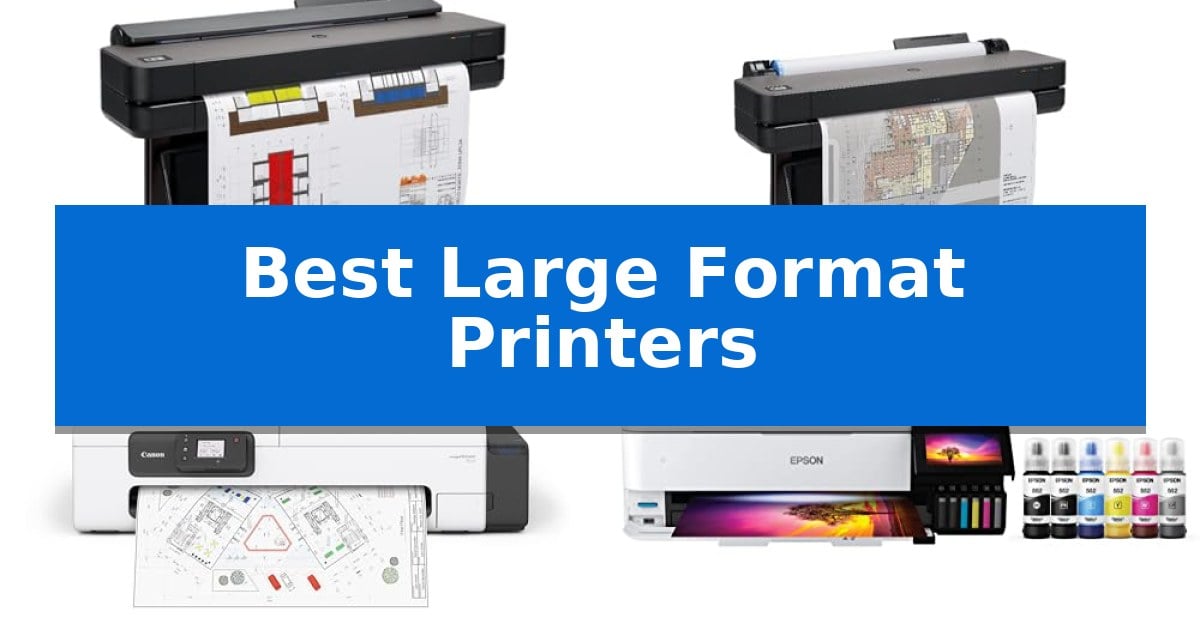
Selecting the right equipment for wide-format output requires balancing specific technical needs with available workspace. Whether you are an architect requiring precise line-quality for CAD drawings or a studio artist needing vibrant color reproduction, the Best Large Format Printers must align with your daily media volume and software ecosystem.
This guide evaluates current plotter and wide-format solutions based on their media handling capabilities, connectivity, and workflow integration. We focus on how these machines manage different paper sizes and software requirements to help you identify the hardware that best fits your professional output demands.
Best Large Format Printers in 2026: Streamline Technical Workflows
Quick Comparison
| Product | Best For | Key Strength | Score |
|---|---|---|---|
| HP DesignJet T650 Large Format Plotter | Best Overall | Automatic media switching between rolls and sheets saves significant setup time. | 4.9 |
| HP DesignJet T630 Large Format Plotter | Versatile Media Handling for Architects | Versatile media handling with automatic switching between rolls and sheets. | 4.5 |
| Canon imagePROGRAF TC-21 Plotter Printer | Easiest Setup for Desktop Use | Ships with 280 ml of ink, offering the highest capacity in its class. | 4.7 |
| Epson EcoTank ET-8550 Photo Printer | Superior Color for Creative Studios | Cartridge-free printing significantly reduces plastic waste and long-term ink costs. | 4.8 |
| HP DesignJet T210 Large Format Plotter | Compact Choice for Precise CAD | Compact footprint ideal for smaller office environments. | 4.8 |
How We Chose
- Media Versatility: Evaluating the ability to handle both roll-fed technical media and cut-sheet photo paper.
- Workflow Integration: Assessing software compatibility, including driver support for CAD applications and automated nesting features.
- Connectivity Options: Reviewing the availability of Gigabit Ethernet, Wi-Fi, and mobile app support for remote management.
- Maintenance Efficiency: Considering ink usage for routine cleaning and the ease of replacing printheads or media rolls.
- Physical Footprint: Analyzing dimensions and stand configurations to determine suitability for various workspace sizes.
1 HP DesignJet T650 Large Format Plotter — Best for High-Volume Technical Prints
The HP DesignJet T650 Large Format Plotter streamlines technical workflows by integrating an automatic sheet feeder that allows users to switch between 36-inch media rolls and smaller sheets without manual intervention. This design choice targets professionals who frequently alternate between large-scale blueprints and standard-sized technical documents.
Engineered for precision, this unit delivers crisp text and accurate line quality essential for architects and engineers. It features a robust 1GB memory and is capable of producing an A1/D size print in as little as 25 seconds, supporting a throughput of up to 82 prints per hour. The included HP Click software further enhances efficiency by providing auto-nesting and PDF error checking to minimize paper and ink waste.
Connectivity options are comprehensive, featuring Gigabit Ethernet, Hi-Speed USB 2.0, and Wi-Fi 802.11 for flexible integration into office networks. Users can manage printing tasks remotely via the HP Smart app, enabling one-click printing from mobile devices or desktops. The system also includes an automatic horizontal cutter to ensure clean edges on every project.
To support long-term reliability, the printer comes with a 2-year HP Care Pack providing onsite support. While it offers significant space-saving benefits through its compact footprint, users should ensure their workspace accommodates the 52-inch width to fully utilize the 36-inch roll capacity.
Best for: Architects, engineers, and construction professionals requiring high-volume, precise technical line drawings and multi-size document printing.
Skip if: Users who require high-resolution photographic color reproduction or those with extremely limited office floor space that cannot accommodate a 52-inch wide device.
PROS
- Automatic media switching between rolls and sheets saves significant setup time.
- HP Click software reduces material waste through auto-nesting and file error alerts.
- 2-year onsite warranty provides professional-grade support and peace of mind.
- Fast print speeds of up to 82 A1/D prints per hour for high-demand environments.
CONS
- Physical footprint requires a dedicated 52-inch wide space for operation.
- Specific ink requirements necessitate the use of HP 712 cartridges and HP 713 printheads.
2 HP DesignJet T630 Large Format Plotter — Versatile Media Handling for Architects
Precision is the hallmark of the HP DesignJet T630 Large Format 36-inch Plotter Printer, a device engineered to handle demanding technical workflows. Architects and construction professionals rely on its ability to produce crisp, accurate line-drawings and detailed maps, ensuring that complex renders maintain their integrity from screen to paper.
This printer offers significant versatility through its automatic sheet/roll switch and included automatic sheet feeder, which accommodates media up to 13-inch by 19-inch. For larger projects, it supports 36-inch wide media rolls, utilizing an automatic horizontal cutter to streamline the finishing process. The inclusion of a dedicated media bin and stand keeps large-format output organized and accessible.
Integration into professional environments is supported by flexible connectivity options, including Gigabit Ethernet and Wi-Fi 802.11 b/g/n. The HP Click Software simplifies the printing process by allowing users to drag and drop files—such as PDF, TIFF, and DWF—directly from CAD applications, while providing auto-nesting features to minimize paper waste.
While this unit is a robust solution for technical documentation, its physical footprint of 52 inches in width and 123 pounds in weight requires a dedicated workspace. It is a specialized tool designed for those who prioritize consistent line quality and efficient, high-volume document handling over general-purpose office printing.
Best for: Architects, engineers, and construction professionals who require high-precision technical line-drawings and large-format document printing.
Skip if: Users who need a compact, general-purpose printer for standard office documents or those without the floor space for a 36-inch wide-format device.
PROS
- Versatile media handling with automatic switching between rolls and sheets.
- HP Click Software reduces waste through auto-nesting and simplified file management.
- High-precision output ideal for technical line-drawings and complex renders.
- Flexible connectivity including Wi-Fi and Gigabit Ethernet for seamless network integration.
CONS
- Large physical footprint requires significant dedicated office space.
- Heavy construction makes the unit difficult to relocate once installed.
3 Canon imagePROGRAF TC-21 Plotter Printer — Easiest Setup for Desktop Use
The Canon imagePROGRAF TC-21 Plotter Printer simplifies large-format production by integrating a 24-inch desktop roll printer with an automatic sheet feeder in a compact footprint. This unit is designed for environments that require high-quality output for posters and technical documents without the space requirements of traditional floor-standing plotters.
Efficiency is central to the design, as the device ships with a full set of ink totaling 280 ml, providing 70 ml per color. The 4-color ink system is engineered to produce vibrant images and crisp text across a variety of roll and cut sheet media. Users can manage operations through an intuitive tiltable touchscreen control panel, which features animated installation guides to streamline the initial setup process.
Maintenance and accessibility are prioritized through a design that allows for top and front interior access, making it straightforward to refill ink tanks or replace paper rolls. The printer supports flexible connectivity options, including high-speed USB, Ethernet, and built-in Wi-Fi, allowing users to print directly from computers, smartphones, or tablets.
As an ENERGY STAR and EPEAT Gold rated device, this printer balances productivity with power-conscious operation. It is a suitable solution for professionals who need reliable, wide-format printing capabilities within a desktop-friendly form factor.
Best for: Small offices or home workspaces requiring a compact, desktop-friendly solution for printing posters and technical documents up to 24 inches wide.
Skip if: Users who require high-volume industrial production or specialized media handling beyond standard roll and cut sheet paper may find the desktop form factor limiting.
PROS
- Ships with 280 ml of ink, offering the highest capacity in its class.
- Versatile media handling with both automatic roll and sheet feeding.
- Intuitive touchscreen interface with animated guides for easy maintenance.
- Flexible connectivity including Wi-Fi, Ethernet, and USB.
CONS
- Desktop-only design may not suit users needing high-volume floor-standing capacity.
4 Epson EcoTank ET-8550 Photo Printer — Superior Color for Creative Studios
Achieving high-quality prints for creative projects often requires a specialized approach to ink management and paper handling. The Epson EcoTank Photo ET-8550 addresses this by utilizing a cartridge-free system that relies on high-yield ink bottles rather than traditional, wasteful cartridges. This design choice is specifically engineered for creators and home studios that require consistent, lab-quality output for graphics and photography.
At the core of this wide-format printer is the Claria ET Premium 6-color ink set, which works in tandem with a high-accuracy printhead to produce vibrant colors and sharp text. The system is built to handle media up to 13 x 19 inches, providing the versatility needed for large-scale creative work. By replacing standard cartridges with high-capacity tanks, the unit significantly reduces the frequency of ink replenishment.
Efficiency is a major focus, as the printer ships with up to 2 years of ink included in the box. This setup is designed to minimize interruptions during long print runs, while the all-in-one functionality allows for seamless scanning and copying alongside printing. The system is also environmentally conscious, as the high-yield bottles are designed to eliminate the plastic waste typically associated with individual ink cartridges.
For those managing ongoing creative costs, the Epson EcoTank Photo ET-8550 offers a practical economic advantage. Printing 4" x 6" photos can be significantly more cost-effective compared to traditional cartridge-based methods. This printer is a robust solution for users who prioritize long-term ink savings and high-resolution output for professional or personal creative endeavors.
Best for: Creators and home studio users who require high-quality, wide-format photo printing and want to reduce long-term ink costs through a cartridge-free system.
Skip if: Users who require a compact, lightweight desktop printer or those who do not have a regular need for high-resolution, wide-format photo and graphic output.
PROS
- Cartridge-free printing significantly reduces plastic waste and long-term ink costs.
- Includes up to 2 years of ink in the box for high-volume productivity.
- Supports wide-format printing up to 13 x 19 inches for creative versatility.
- Utilizes 6-color Claria ET Premium inks for high-accuracy photo and graphic reproduction.
CONS
- The unit has a substantial footprint, measuring approximately 29.8 inches in length and weighing 24.5 pounds, which may limit placement options in smaller workspaces.
5 HP DesignJet T210 Large Format Plotter — Compact Choice for Precise CAD
The HP DesignJet T210 Large Format Plotter is engineered for professionals who require high-precision output for technical line drawings, maps, and professional sewing patterns. Its compact design allows for efficient placement in smaller workspaces while providing the capability to handle large-format media rolls up to 24 inches wide.
Efficiency is central to this model, featuring HP Click Software that simplifies workflows through automated PDF error checking, alerts, and auto-nesting. This software helps reduce paper waste and ink consumption, while the integrated automatic horizontal cutter ensures clean, professional finishes for every print job.
Connectivity options include Gigabit Ethernet, Hi-Speed USB 2.0, and Wi-Fi 802.11 b/g/n, allowing for flexible integration into existing office networks. Users can also manage printing tasks remotely using the HP Smart app from mobile devices or desktops, supporting a variety of file formats including PDF, JPEG, TIFF, and HP-GL/2.
Designed for productivity, the printer delivers A1/D size prints in as little as 45 seconds, with a throughput capacity of up to 59 prints per hour. It utilizes HP 712 Original Ink cartridges and the HP 713 Printhead, which are optimized to provide cost-saving efficiencies, specifically using 95% less ink for routine maintenance compared to many competitor plotter printers.
Best for: Technical professionals and small offices needing precise, space-saving large-format printing for CAD drawings and posters.
Skip if: Users requiring media widths exceeding 24 inches or those needing high-volume production speeds beyond the capabilities of a compact plotter.
PROS
- Compact footprint ideal for smaller office environments.
- HP Click Software automates nesting and reduces paper waste.
- Efficient ink usage with 95% less ink required for routine maintenance.
- Versatile connectivity including Wi-Fi, Ethernet, and mobile app support.
CONS
- Limited to 24-inch media width for standard roll-fed operations.
- Optional accessory required for automatic sheet feeding of smaller formats.
Best Large Format Printers Buying Guide
Understanding Media Handling
The primary differentiator in large-format printing is how a machine manages media. Many professional plotters utilize roll-fed systems for high-volume technical drawings, while others include automatic sheet feeders for smaller, wide-format documents. Choosing the right configuration depends on whether your output is primarily long-form blueprints or individual posters.
Look for features like an automatic horizontal cutter and auto-switching between media sources. These capabilities reduce manual intervention, allowing you to print multi-size projects without pausing your workflow to swap paper rolls or sheets.
Software and Workflow Integration
Modern printers often include proprietary software, such as HP Click, which simplifies the printing process by allowing drag-and-drop functionality for common file types like PDF, JPEG, and TIFF. This software often includes auto-nesting features that optimize paper usage by arranging multiple files to minimize waste.
Ensure the printer's driver is compatible with your primary design or CAD applications. Seamless integration means you can send files directly from your design software, reducing the risk of errors and ensuring that line-weights and colors are rendered accurately.
Connectivity and Remote Management
For busy offices, Gigabit Ethernet is essential for fast, reliable data transfer, especially when dealing with large, high-resolution files. Wi-Fi connectivity provides additional flexibility, allowing for placement away from hardwired network ports.
Many modern units now support mobile app integration, enabling you to manage print queues, check ink levels, and initiate prints from a smartphone or tablet. This is particularly useful for teams that need to monitor production status from different locations.
Ink Efficiency and Maintenance
Operating costs are heavily influenced by ink usage, particularly during routine maintenance cycles. Some models are engineered to use significantly less ink for printhead cleaning compared to competitors, which can lead to long-term savings in high-volume environments.
Consider the type of ink system used. Cartridge-free tank systems are often preferred by creative studios for their lower cost-per-print and reduced waste, while professional plotters may use specialized ink sets designed for high-precision technical line-drawings.
Space and Ergonomics
Large-format printers are significant investments in physical space. Before purchasing, verify the dimensions against your available floor or desk area. Some models are designed as desktop units, which are ideal for smaller studios, while others require a dedicated stand and media bin.
Accessibility for maintenance is also critical. Look for designs that offer top and front interior access, which makes it easier to refill ink tanks, clear paper jams, and replace media rolls without needing to move the entire unit.
Frequently Asked Questions
What is the difference between a plotter and a standard wide-format printer?
A plotter is typically designed for technical line-drawings and CAD applications, focusing on precision and speed for vector-based files. A wide-format photo printer is optimized for high-resolution color reproduction and photographic quality.
Can I print on different paper sizes with these machines?
Yes, most large-format printers support various media widths. Many models include automatic sheet feeders that allow you to print on smaller sizes, such as 13-inch by 19-inch sheets, alongside standard roll-fed media.
How do I ensure my prints are accurate for CAD drawings?
Using the manufacturer's provided drivers and software, such as HP Click, ensures that your print settings are optimized for CAD applications. These tools often include PDF error checking to prevent layout issues.
Are these printers suitable for home office use?
Compact models, particularly those designed for desktop use, can fit in a home office. However, you must ensure you have sufficient space for the printer's footprint and the necessary ventilation.
What maintenance is required for these printers?
Routine maintenance typically involves replacing ink cartridges or refilling tanks, clearing the paper path, and occasionally replacing the printhead. Following the manufacturer's maintenance schedule is key to longevity.
Conclusion: Our Top Pick
For professionals requiring a balance of speed, precision, and workflow automation, the HP DesignJet T650 Large Format Plotter stands out as the most capable choice. Its ability to handle multiple media sizes automatically and its integration with efficient software tools make it a reliable asset for architects and engineers managing high-volume technical output.
While other models offer specific advantages for creative studios or compact spaces, the T650's combination of 36-inch roll capacity, included onsite warranty support, and optimized ink usage for maintenance makes it our top recommendation for demanding technical environments.