
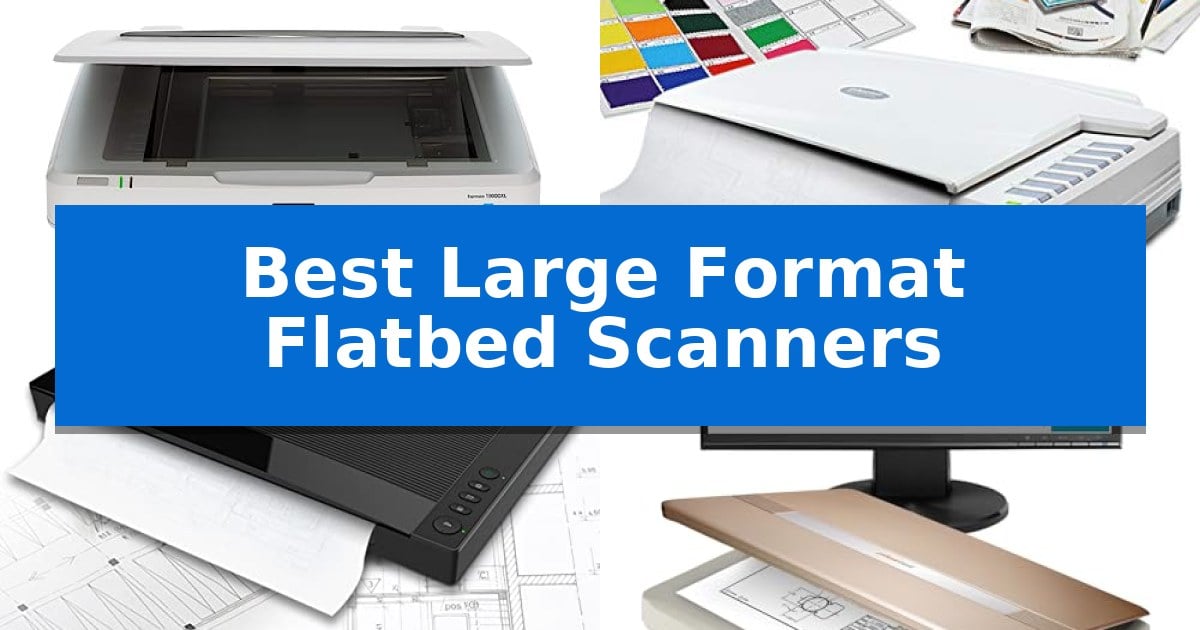
When your projects involve blueprints, fine art, or oversized historical archives, standard letter-sized scanners simply cannot handle the load. Finding the Best Large Format Flatbed Scanners requires balancing high-resolution optical sensors with a scanning surface large enough to capture your entire document in a single pass.
Whether you are an engineer working with CAD drawings or an archivist preserving delicate photos, the right hardware ensures your digital copies retain the detail and color accuracy of the original. We have analyzed the top-performing A3-sized flatbed scanners to help you choose the model that fits your specific workflow requirements.
Best Large Format Flatbed Scanners in 2026
Quick Comparison
| Product | Best For | Key Strength | Score |
|---|---|---|---|
| Epson Expression 13000XL Flatbed Scanner | Best Overall | Large 12.2" x 17.2" scanning area for oversized media | 4.9 |
| Plustek OpticPro A320E Flatbed Scanner | Best for Large Bound Books | Large 12" x 17" scan area for oversized materials. | 4.9 |
| VIISAN VF3240 A3 Flatbed Scanner | Fastest High-Resolution Workflow | Large A3 scanning area accommodates oversized documents up to 12" x 17". | 4.5 |
| Plustek OpticSlim 1680 Flatbed Scanner | Compact Design for Large Documents | High-speed scanning capabilities for large-format documents. | 4.9 |
| Plustek OS1180 A3 Flatbed Scanner | Reliable Choice for Graphic Design | Large format scanning capability up to 11.7" x 17". | 4.6 |
How We Chose
- Optical Resolution: We prioritized scanners offering at least 1200 DPI to ensure fine lines and textures are captured with precision.
- Scanning Speed: We compared the time required to digitize A3-sized documents to identify units suitable for high-volume office environments.
- Software Compatibility: We checked for TWAIN and ICA driver support to ensure seamless integration with existing design and archival software.
- Build and Design: We assessed the physical dimensions and frameless designs to determine how easily each scanner accommodates oversized or bound materials.
- Color Accuracy: We looked for advanced sensor technologies that maintain color fidelity for professional-grade photo and art reproduction.
1 Epson Expression 13000XL Flatbed Scanner — Professional Archival Color Accuracy
Preserving high-fidelity detail from oversized originals requires hardware designed specifically for expansive media. The Epson Expression 13000XL Large Format Flatbed Photo Scanner addresses this need with a generous 12.2" x 17.2" scanning area, allowing for the digitization of large-format photographs, documents, and artwork without the need for stitching smaller sections together.
Engineered for archival-grade results, this scanner utilizes Epson MatrixCCD and ReadyScan LED technologies to ensure color accuracy and clarity. It achieves a high 2400 x 4800 dpi resolution and a 3.8 Dmax, which provides the dynamic range necessary to capture subtle tonal transitions in both highlights and shadows. The inclusion of Epson Micro Step Drive technology further enhances the precision of the scan head movement.
Workflow efficiency is a primary focus, supported by batch scanning capabilities that allow users to process multiple images simultaneously. For legacy media, the Easy Photo Fix technology provides one-touch color restoration and automatic dust removal, streamlining the cleanup process for faded or damaged prints. The unit also includes LaserSoft Imaging SilverFast Ai software with calibration targets to maintain professional standards.
Integration into existing professional setups is straightforward due to the included TWAIN driver, which ensures compatibility with a wide range of imaging software. While the base unit is optimized for reflective media, it supports an optional Transparency Unit (sold separately) for those who need to digitize film up to 12" x 16.5". This modular approach allows the scanner to adapt to diverse archival requirements.
Best for: Professional archivists and photographers who require high-resolution, color-accurate digitization of large-format reflective media.
Skip if: Users who primarily scan standard letter-sized documents or those who lack the desk space for a large-format footprint.
PROS
- Large 12.2" x 17.2" scanning area for oversized media
- High 2400 x 4800 dpi resolution for detailed archival work
- Easy Photo Fix technology for automated restoration of faded photos
- Includes professional SilverFast Ai software with calibration targets
CONS
- Transparency Unit for film scanning is sold separately
- Large physical footprint requires significant workspace
2 Plustek OpticPro A320E Flatbed Scanner — Best for Large Bound Books
The Plustek OpticPro A320E is a specialized tool designed to handle oversized documents, featuring a generous 12" x 17" scan area. This large-format capability makes it a practical choice for digitizing maps, architectural drawings, and large bound books that exceed the capacity of standard letter-sized flatbed scanners.
Equipped with CCD sensors, this unit is engineered for high-quality color scanning. It offers a rapid 7.8-second scan speed for a full 12" x 17" area, which helps maintain efficiency when processing multiple pages. The inclusion of batch scanning functionality allows users to capture multiple images simultaneously and save them as separate PDF files, streamlining the workflow for larger projects.
The device integrates with Doc Action software, which provides direct access to various post-scan destinations such as email, FTP web folders, and local storage. It also includes an OCR function to create searchable PDF content, enhancing the utility of digitized documents for archival or research purposes.
Compatibility is addressed through TWAIN and WIA support, ensuring the scanner works with a wide range of industry-standard software applications. The Plustek OpticPro A320E is designed to operate across Windows, Mac, and Linux environments, providing flexibility for different workstation setups.
Best for: Professional users and archivists who need to digitize large-format documents, maps, or bound books up to A3 size.
Skip if: Users who only require standard letter-sized scanning and have limited desk space, as the 31.25-inch length of this unit requires a significant footprint.
PROS
- Large 12" x 17" scan area for oversized materials.
- CCD sensors optimized for color accuracy.
- Batch scanning capability for increased productivity.
- OCR functionality for creating searchable PDF files.
CONS
- Large physical footprint may not fit on smaller desks.
- Limited to 64-bit versions of Windows for full compatibility.
3 VIISAN VF3240 A3 Flatbed Scanner — Fastest High-Resolution Workflow
Digitizing oversized documents requires a specialized tool capable of handling dimensions that standard office equipment simply cannot accommodate. The VIISAN VF3240 A3 Flatbed Scanner is engineered specifically for this purpose, featuring a large scanning area that supports materials up to 12" x 17". This makes it a practical choice for architects, engineers, and businesses needing to archive blueprints, CAD drawings, or large-format legal records.
Efficiency is central to its design, highlighted by a 4-second scan speed at 200 DPI. For high-resolution requirements, the device supports up to 2400 x 2400 DPI optical resolution with 48-bit color depth, ensuring that fine details in technical drawings or artistic prints are captured with precision. The inclusion of a frameless glass design allows for edge-to-edge scanning, which is essential when dealing with bound materials or oversized sheets that might otherwise be obstructed by a scanner housing.
Operation is streamlined through an integrated four-button control panel that provides quick access to scan, email, print, and PDF functions. The unit also features an Intelligent Auto-Scan function, which initiates the capture process as soon as the lid is closed, facilitating a faster workflow for repetitive tasks. Because it utilizes a CIS sensor and LED light source, the scanner requires no warm-up time, allowing for immediate use upon activation.
Compatibility is broad, supporting Windows 7 through 11 and MacOS 10.15 or later. Users should note that while the hardware is capable of high-resolution output, software drivers—such as the WIA driver on Windows—may impose specific resolution limits. The scanner includes a universal power adapter, making it suitable for various international power environments without the need for additional converters.
Best for: Professionals and offices requiring high-speed, edge-to-edge digitization of large-format documents like blueprints, CAD drawings, and oversized reports.
Skip if: Users who need to scan 3D objects, thick books with uneven spines, or items that require a CCD sensor for depth of field, as this device is optimized specifically for flat paper documents.
PROS
- Large A3 scanning area accommodates oversized documents up to 12" x 17".
- Fast 4-second scan speed at 200 DPI improves productivity for high-volume tasks.
- Frameless design enables easy placement and scanning of edge-to-edge materials.
- No warm-up time required due to the efficient LED light source.
CONS
- CIS sensor technology is limited to flat materials and is not suitable for 3D objects.
- Software-dependent resolution limits may apply depending on the operating system and driver used.
4 Plustek OpticSlim 1680 Flatbed Scanner — Compact Design for Large Documents
Digitizing large-format documents requires a scanner capable of handling tabloid, ledger, and A3 sizes without compromising on efficiency. The Plustek OpticSlim 1680 addresses this need with a specialized design that processes 11.7×17-inch documents in as little as 3 seconds at 300 DPI in grayscale mode, or 5 seconds in color.
Designed for high-volume workflows, the device features a Dual View Design that allows users to quickly verify image adjustment effects before finalizing scans. This focus on intuitive operation is further supported by four pre-configured, one-touch buttons, which can be customized to handle specific destinations, file types, and naming conventions, streamlining repetitive tasks.
Compatibility is a core strength of this model, as it is both TWAIN and ICA compliant. This ensures seamless integration with a wide range of software applications and hardware systems across both Windows (7 through 11) and macOS (10.12 to 15.x).
With a compact footprint measuring 23 by 16 by 3 inches, the scanner is engineered to fit into professional environments where desk space is at a premium. The unit weighs 9.52 pounds, providing a stable base for scanning larger media without requiring an oversized footprint.
Best for: Professionals and offices requiring high-speed digitization of large-format documents like tabloid or A3 pages in a compact workspace.
Skip if: Users who require an Automatic Document Feeder (ADF) for multi-page scanning, as this is a flatbed-only device.
PROS
- High-speed scanning capabilities for large-format documents.
- One-key operation with four customizable buttons for efficient workflow.
- Broad compatibility via TWAIN and ICA drivers for Windows and Mac.
- Compact design that saves valuable desk space.
CONS
- Flatbed-only design requires manual placement for every scan.
- No automatic document feeder for batch processing of multiple pages.
5 Plustek OS1180 A3 Flatbed Scanner — Reliable Choice for Graphic Design
Digitizing large-scale documents, architectural plans, or artistic prints requires a specialized tool capable of capturing expansive surfaces without the need for stitching software. The Plustek OS1180 A3 Flatbed Scanner is engineered specifically for this purpose, offering a generous scan area of 11.7" x 17" to accommodate tabloid and A3-sized materials in a single pass.
Efficiency is central to the design of this unit, which utilizes an LED light source to eliminate warm-up time, allowing for immediate operation. This choice not only saves energy but also ensures that users can begin scanning tasks without delay. The device is built to handle diverse media, supporting 48-bit color and 16-bit gray-scale modes to maintain high fidelity for both detailed artwork and standard text documents.
Usability is streamlined through a one-touch button interface, which simplifies repetitive workflows by providing quick access to preset functions. For those managing large volumes of paperwork, the scanner includes a powerful software bundle featuring ABBYY for enhanced OCR accuracy and DocAction for efficient file sharing, making it a practical addition to libraries, schools, or professional design offices.
Measuring 23.18 inches in width and weighing approximately 9.52 pounds, the scanner maintains a relatively compact footprint for its large-format capability. Its design focuses on providing a straightforward, reliable interface for users who require consistent, high-quality digital captures of oversized media without the complexity of multi-step processing.
Best for: Graphic designers, librarians, and office professionals who need to digitize A3 or tabloid-sized documents and artwork efficiently.
Skip if: Users who require high-speed automatic document feeding for multi-page reports or those with limited desk space who do not need to scan large-format media.
PROS
- Large format scanning capability up to 11.7" x 17".
- No warm-up time due to the integrated LED light source.
- One-touch button operation for streamlined workflows.
- Includes comprehensive software for OCR and file management.
CONS
- Manual feed design requires individual placement for each scan.
- Large physical footprint may occupy significant desk space.
Best Large Format Flatbed Scanners Buying Guide
Understanding Optical Resolution
Optical resolution is the most critical factor when digitizing high-detail documents like architectural blueprints or fine art. A higher DPI (dots per inch) allows you to capture smaller details without pixelation, which is essential if you plan to enlarge your scans later.
Most professional applications require at least 1200 DPI, though some specialized photo scanners offer up to 2400 DPI. Always ensure your chosen scanner supports the resolution necessary for your specific output requirements, as software interpolation can often lead to loss of clarity.
The Importance of TWAIN and ICA Drivers
Compatibility with your existing computer setup is non-negotiable. TWAIN drivers are the industry standard for Windows, while ICA drivers are essential for macOS users to ensure the scanner communicates properly with your operating system.
Without proper driver support, you may find yourself unable to use your preferred scanning or editing software. Always verify that the manufacturer provides updated driver support for your specific operating system version before making a purchase.
Scanning Speed vs. Image Quality
There is often a trade-off between scanning speed and the final resolution of the image. While some scanners boast 4-second scan times, these speeds are usually achieved at lower resolutions like 200 DPI.
If your primary goal is high-volume document digitization, prioritize speed. However, if you are archiving rare photos or detailed illustrations, focus on the scanner's ability to maintain high resolution even at slower, more deliberate speeds.
Frameless Design for Bound Materials
A frameless design is a significant advantage when scanning large bound books, magazines, or odd-shaped items that do not lay perfectly flat. By removing the raised edge around the glass, you can place the spine of a book directly on the scanner surface.
This design feature prevents the gutter of a book from being obscured or distorted, leading to cleaner, more professional-looking digital copies of textbooks and historical records.
Color Restoration and Archival Tools
For those digitizing old family photos, look for scanners that include color restoration software. These tools can automatically remove dust, scratches, and faded tones from aging prints with a single touch.
These built-in software features can save hours of manual post-processing time, making them a valuable addition for anyone focused on long-term digital archiving.
Frequently Asked Questions
Can these scanners handle 3D objects?
Most flatbed scanners, especially those using CIS sensor technology, are designed specifically for flat documents. They are not recommended for scanning 3D objects, clothing, or items that do not lay completely flat against the glass.
Do I need a special driver for my Mac?
Yes, ensure your scanner supports ICA drivers for macOS. Most modern large-format scanners include support for both TWAIN (Windows) and ICA (macOS), but you should always check the manufacturer's website for the latest compatibility updates.
What is the maximum size these scanners can handle?
The scanners in this category typically support A3 or Tabloid-sized paper, which is approximately 11.7" x 17" or 12" x 17" depending on the specific model.
Can I scan film with these scanners?
Some models, like the Epson Expression 13000XL, offer optional transparency units that allow for film scanning. Always check if your specific model supports this feature or if it requires an additional accessory purchase.
How do I clean the scanner glass?
Use a soft, lint-free cloth and a non-abrasive glass cleaner. Avoid spraying liquid directly onto the scanner; instead, spray the cloth lightly to prevent moisture from seeping into the internal components.
Conclusion: Our Top Pick
For users requiring the highest level of detail and color accuracy, the Epson Expression 13000XL Flatbed Scanner stands out as the most capable option. Its combination of high 2400 x 4800 DPI resolution and specialized MatrixCCD technology makes it the ideal choice for professional archival work where preserving the integrity of the original is paramount.
While other models offer faster speeds for office documents, the Epson provides the necessary tools for high-end photo and art reproduction. If your priority is professional-grade results and long-term archival quality, this scanner is the most reliable investment for your workspace.