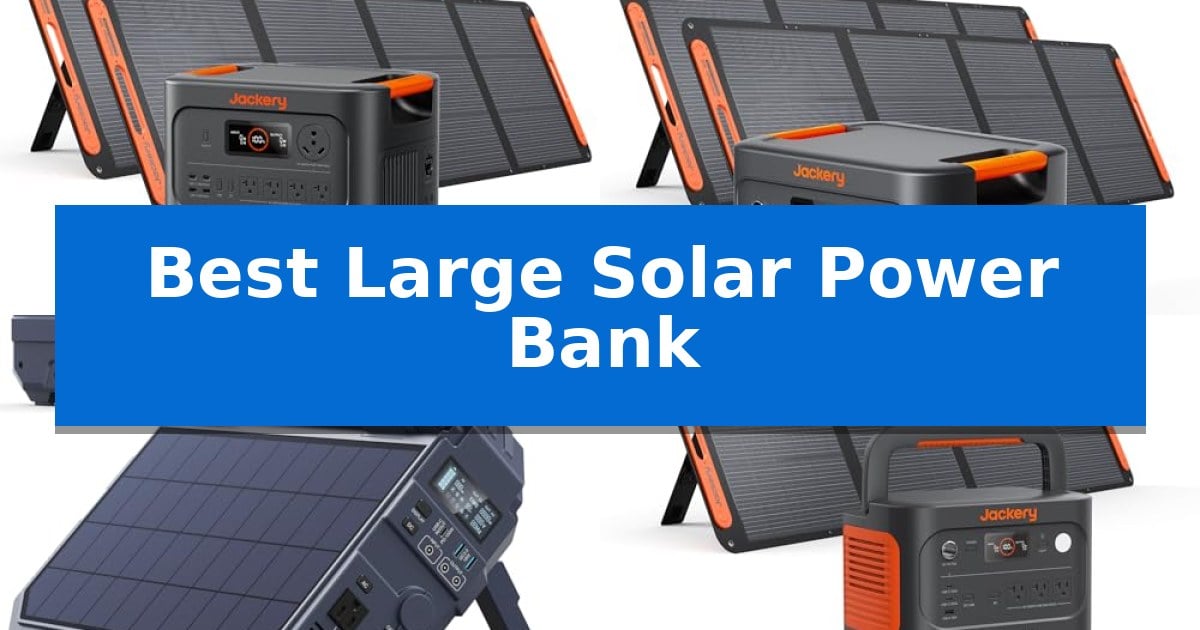
Best Large Solar Power Bank in 2026

Best Large Solar Power Bank

Finding a dependable energy source during a grid failure or while camping requires more than just a standard battery. A Best Large Solar Power Bank provides the necessary capacity to keep essential appliances, medical devices, and communication tools running when traditional power is unavailable.

Selecting the right unit involves balancing total energy storage with portability and charging speed. Whether you need a heavy-duty solution for whole-home emergency backup or a rugged, multi-device charger for remote travel, understanding your specific power requirements is the first step toward true energy independence.
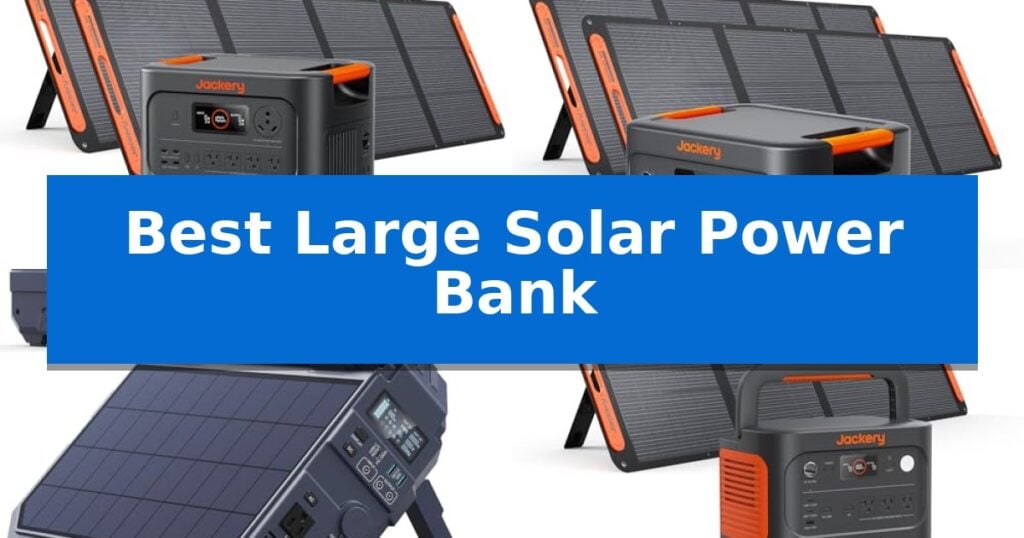
Best Large Solar Power Bank in 2026

Our Top Picks
  1. Reliable Whole-Home Emergency Power Jackery HomePower 3000 Solar Generator
  2. Versatile Off-Grid Energy Solution BROWEY S1600 Portable Power Station
  3. Fastest Charging for Outdoor Trips Jackery Explorer 1000 v2 Solar Generator
  4. Ultimate Multi-Device Hand-Crank Backup FEELLE Solar Power Bank

Quick Comparison

Product Best For Key Strength Score
Jackery HomePower 3600 Plus Solar Generator Best Overall Expandable capacity up to 21kWh per unit for long-duration outages. 4.9
Jackery HomePower 3000 Solar Generator Reliable Whole-Home Emergency Power 3600W AC output capable of handling high-draw home appliances. 4.4
BROWEY S1600 Portable Power Station Versatile Off-Grid Energy Solution Integrated solar panel design allows for simultaneous charging and device power. 4.4
Jackery Explorer 1000 v2 Solar Generator Fastest Charging for Outdoor Trips 1,500W AC output with a 3,000W surge peak for high-demand appliances. 4.6
FEELLE Solar Power Bank Ultimate Multi-Device Hand-Crank Backup 50000mAh massive capacity for multiple device charges 4.4

How We Chose

  • Total energy capacity measured in Watt-hours (Wh) for extended runtime.
  • AC output wattage to determine which appliances can be powered simultaneously.
  • Charging flexibility, including solar input efficiency and AC recharge times.
  • Battery chemistry and cycle life for long-term reliability and safety.
  • Port selection and compatibility for powering diverse electronic devices.

1 Jackery HomePower 3600 Plus Solar Generator — Best for Heavy-Duty Home Backup

Maintaining power during an outage requires a robust solution, and the Jackery HomePower 3600 Plus Solar Generator stands out by offering a massive 3584Wh capacity that is expandable to 21kWh per unit. This system is engineered to support essential home appliances, delivering a 3600W AC output capable of reaching 7200W in parallel configurations.

Safety and longevity are central to its design, featuring high-temp resistant ceramic membrane battery cells tested at 302 °F to prevent thermal runaway. The unit is rated for 6,000 cycles, providing a reliable lifespan for long-term home backup needs, even in extreme conditions as low as -4 °F.

Usability is prioritized through a plug-and-play design that integrates with an MTS for straightforward home connection. Despite its high capacity, it utilizes automotive-grade CTB technology, making it 34% smaller and 29.3% lighter than comparable models, while the luggage-style wheels and telescopic handle ensure it remains portable for household use.

Versatility extends to its power management, offering 4 charging options including hybrid AC+DC, which allows for a full recharge in just 2 hours. Whether relying on solar, AC, or a gas generator, the system provides a flexible, quiet, and clean energy source for extended outages.

Best for: Homeowners seeking a high-capacity, expandable, and portable power solution for extended emergency backup and appliance support.

Skip if: Users requiring a compact, lightweight power bank for small electronics or mobile charging will find this heavy-duty unit excessive in size and capacity.

PROS

  • Expandable capacity up to 21kWh per unit for long-duration outages.
  • High-output 3600W AC power capable of running heavy-duty appliances.
  • Automotive-grade CTB technology reduces weight and size for better portability.
  • Fast 2-hour recharge capability via hybrid AC+DC input.

CONS

  • Heavy physical footprint at 77.16 pounds, despite portability features.
  • Separate shipping for the power station and solar panels may lead to staggered arrivals.

2 Jackery HomePower 3000 Solar Generator — Reliable Whole-Home Emergency Power

Maintaining power during an emergency requires a system that balances high capacity with rapid deployment, and the Jackery HomePower 3000 Solar Generator addresses this with its 3072Wh capacity and 3600W AC output. This system is engineered to support essential household appliances like refrigerators, lights, and WiFi routers for extended periods, providing a reliable buffer when grid power is unavailable.

The unit utilizes LiFePO4 battery chemistry, which is rated for 4,000 cycles while retaining 70% capacity, ensuring longevity for frequent use. Integration is simplified by a UL-certified UPS that features a ≤20ms switch time, allowing it to maintain power to sensitive electronics like medical refrigerators and security cameras without interruption during sudden outages.

Designed for versatility, the generator includes a variety of output options, including dual 100W PD ports for fast-charging mobile devices and a built-in TT-30 RV port for direct plug-and-play connectivity. Its charging flexibility is a key advantage; it can reach full capacity in 2.2 hours via AC or be replenished using the included 2x200W SolarSaga panels for off-grid energy independence.

Portability is often a challenge for high-capacity stations, but this model incorporates CTB technology to reduce its physical footprint. It is 47% smaller and 43% lighter than comparable 3kWh models, while the honeycomb-style bottom shell provides the structural stability needed for home or outdoor placement.

Best for: Homeowners and RV users seeking a high-capacity, portable backup power solution for essential appliances during emergencies.

Skip if: Users who require a lightweight, pocket-sized power bank for mobile phone charging only, as this unit is designed for heavy-duty stationary or RV use.

PROS

  • 3600W AC output capable of handling high-draw home appliances.
  • ≤20ms UPS functionality for seamless power transition.
  • LiFePO4 battery longevity with 4,000 charge cycles.
  • Compact design using CTB technology for improved space efficiency.

CONS

  • Large physical footprint and weight compared to standard consumer power banks.
  • Separate shipping of the power station and solar panels may lead to staggered arrivals.

3 BROWEY S1600 Portable Power Station — Versatile Off-Grid Energy Solution

Reliable power in remote locations often requires a balance between portability and capacity, a challenge addressed by the BROWEY S1600 Portable Power Station. This unit distinguishes itself with an integrated solar panel design, allowing for energy collection while simultaneously powering connected devices, ensuring continuous operation during extended off-grid stays.

Engineered for versatility, the BROWEY S1600 Portable Power Station provides a 1024Wh capacity paired with a 1600W pure sine wave output, capable of sustaining essential appliances like refrigerators and CPAP machines. The inclusion of LiFePO4 battery cells supports a lifespan of over 3000 cycles, offering a durable solution for long-term emergency backup or frequent camping use.

The system features eight output ports, including USB-C PD 100W fast charging, to accommodate a wide range of electronics. Recharging is streamlined through multiple inputs; using the AC adapter alongside the USB-C port allows for an 80% charge in approximately three hours, providing a practical turnaround time for users needing to restore power quickly.

Safety and maintenance are managed by an advanced Battery Management System (BMS), which provides protection against overvoltage, overheating, and short circuits. With a weight of approximately 26.5 pounds and a compact footprint, the device is designed to be a manageable, clean energy alternative to traditional fuel-based generators.

Best for: Users requiring a portable, long-lasting energy source for camping, RV trips, or home emergency backup that supports simultaneous charging and power delivery.

Skip if: Users who require a lightweight, pocket-sized power bank for mobile phone charging, as this unit's 26.5-pound weight and large capacity are designed for stationary or vehicle-based power needs.

PROS

  • Integrated solar panel design allows for simultaneous charging and device power.
  • LiFePO4 battery chemistry provides a long service life of 3000+ cycles.
  • 1600W pure sine wave output supports high-draw appliances.
  • Fast charging capability reaches 80% capacity in 3 hours via dual inputs.

CONS

  • Significant weight of 26.5 pounds limits portability for hiking or backpacking.
  • Fixed form factor may be less modular than systems with external-only solar panels.

4 Jackery Explorer 1000 v2 Solar Generator — Fastest Charging for Outdoor Trips

Maintaining power during off-grid excursions or emergency situations requires a reliable energy source that balances capacity with portability. The Jackery Explorer 1000 v2 Solar Generator addresses this need by combining a 1,070Wh capacity with a lightweight 23.8 lb frame, making it a practical solution for those who require substantial power without excessive bulk.

Engineered for versatility, this unit features a 1,500W AC output with a 3,000W surge peak, allowing it to support demanding appliances like AC units and refrigerators. Users can manage their power consumption through the Jackery App, which provides access to specific charging modes, including a 30 dB quiet overnight setting and an emergency mode that achieves a full charge in one hour.

The system utilizes a durable LFP battery chemistry, which supports over 4,000 charge cycles while maintaining 70% of its original capacity, offering a lifespan that exceeds 10 years. Connectivity options are broad, including three pure sine wave AC ports, two USB-C ports with 100W PD fast charging, one USB-A port, and a DC car port, enabling the simultaneous operation of multiple devices.

Included with the generator is a 200W solar panel, providing a renewable charging method that can reach an 80% charge in six hours. With a foldable handle and integrated LED lighting, the device is built for mobility and ease of use in various outdoor environments, backed by a 5-year coverage plan.

Best for: Outdoor enthusiasts and homeowners needing a portable, long-lasting power solution for camping, RV trips, or emergency backup.

Skip if: Users requiring significantly higher capacity for extended off-grid living or those who need a fixed, permanent home solar installation.

PROS

  • 1,500W AC output with a 3,000W surge peak for high-demand appliances.
  • Long-lasting LFP battery rated for over 4,000 charge cycles.
  • Fast charging capabilities including a 1-hour emergency mode via app.
  • Portable design weighing only 23.8 lbs with a foldable handle.

CONS

  • Separate shipping for the generator and solar panel components.
  • App-dependent features required to unlock the fastest charging speeds.

5 FEELLE Solar Power Bank — Ultimate Multi-Device Hand-Crank Backup

The FEELLE Solar Power Bank distinguishes itself with a massive 50000mAh capacity and an integrated hand crank generator, ensuring you have a reliable power source even when sunlight is unavailable. This device is engineered for those who venture into remote areas, providing a versatile solution that combines solar energy harvesting with manual power generation.

Designed for high-demand outdoor use, the unit features four built-in solar panels that utilize advanced sunlight conversion technology to improve absorption efficiency. It supports multi-device charging through four integrated cables—USB-C, Phone, Micro, and USB-A—alongside three additional ports, allowing you to power up to six devices simultaneously. The 3.0A USB-C port facilitates fast charging, capable of bringing an iPhone from 0% to 60% in approximately 30 minutes.

For convenience, the 15W magnetic wireless charging pad snaps compatible devices into position for efficient power transfer. The unit is built for rugged environments, utilizing premium silicone and durable ABS+PC materials with shockproof bumpers. It also includes a multifunction LED flashlight with SOS and strobe modes, plus an integrated high-precision compass for navigation.

While the high-density lithium polymer battery offers significant energy storage, the device is substantial in size and weight, measuring 7.24 x 3.54 x 1.97 inches and weighing just over one pound. It is a comprehensive tool for emergency preparedness and extended camping, backed by a 3-year warranty.

Best for: Backpackers and campers who require a high-capacity, multi-functional power source with manual backup options for extended off-grid excursions.

Skip if: Users seeking a lightweight, pocket-sized portable charger for daily urban commuting will find this unit too bulky and heavy for their needs.

PROS

  • 50000mAh massive capacity for multiple device charges
  • Integrated hand crank generator for emergency power
  • Four built-in cables and three ports for six-device simultaneous charging
  • Durable shockproof construction with IP-rated port covers

CONS

  • Substantial physical dimensions and weight compared to standard power banks
  • Magnetic charging efficiency is reduced by thick phone cases

Best Large Solar Power Bank Buying Guide

Understanding Capacity and Output

The most critical factor when choosing a Best Large Solar Power Bank is the relationship between capacity and output. Capacity, measured in Watt-hours, dictates how long your devices will run, while output, measured in Watts, determines what you can plug in. For home backup, you need enough capacity to run a refrigerator or medical equipment for hours or days, whereas outdoor use focuses on keeping phones and cameras charged.

Always check the surge wattage of your appliances. Many devices, such as pumps or compressors, require a significant power spike to start. Ensure your chosen power station can handle these surges without triggering a safety shutdown.

Battery Chemistry and Longevity

Modern power stations increasingly rely on LiFePO4 (Lithium Iron Phosphate) battery chemistry. This technology is preferred for its safety profile and significantly longer cycle life compared to traditional lithium-ion batteries. A high-quality LiFePO4 battery can often provide thousands of cycles while maintaining a high percentage of its original capacity.

Consider the lifespan of the unit in terms of years. Investing in a system that offers 3,000 to 6,000 cycles ensures that your backup power remains functional for a decade or more, providing better long-term value.

Solar Charging Efficiency

Since these are solar-capable devices, the efficiency of the MPPT (Maximum Power Point Tracking) controller is vital. This internal component optimizes the energy harvested from solar panels, ensuring you get the fastest possible charge even in less-than-ideal sunlight conditions.

Look for units that support hybrid charging, which allows you to combine solar input with AC wall power. This feature can drastically reduce recharge times during emergencies when you need to restore power quickly.

Portability vs. Power

There is an inherent trade-off between the size of the battery and its portability. Large-capacity units often weigh over 50 pounds, making them difficult to move without integrated wheels and telescopic handles. If you plan to use your power bank primarily for home backup, weight may be less of a concern than total capacity.

For mobile applications like RVing or camping, prioritize units that utilize compact battery technology. Some newer models offer high energy density in a smaller footprint, allowing you to carry significant power without sacrificing too much storage space.

Safety and Protection Features

Reliability during an outage depends on the unit's internal management systems. Look for advanced BMS (Battery Management System) features that protect against overvoltage, overheating, and short circuits. These systems are essential for preventing thermal runaway and ensuring the safety of your home and devices.

Additionally, verify if the unit includes a UPS (Uninterruptible Power Supply) function. This allows the power station to switch to battery power instantly during a grid failure, preventing your sensitive electronics like routers or computers from losing power even for a second.

Frequently Asked Questions

How long will a large solar power bank last during a power outage?

The runtime depends entirely on the total capacity of the battery and the power draw of your devices. A 3000Wh unit can typically keep a standard refrigerator running for 1 to 2 days, but this will decrease if you add more appliances.

Can I use these devices indoors?

Yes, unlike gas-powered generators, solar power stations are emission-free and silent, making them safe for indoor use during emergencies.

Do I need to buy solar panels separately?

Many models are sold as kits including solar panels, but some are sold as standalone units. Always check the product description to see if panels are included in your purchase.

What is the difference between AC output and surge wattage?

AC output is the continuous power the unit can provide, while surge wattage is the maximum power it can provide for a few seconds to start high-draw appliances.

How do I maintain the battery health?

Most modern LiFePO4 batteries are low-maintenance. However, it is generally recommended to keep the unit charged to at least 50% if storing it for long periods and to avoid extreme temperature exposure.

Conclusion: Our Top Pick

Choosing the right energy solution depends on your specific needs, whether you are preparing for extended home outages or seeking off-grid independence. The Jackery HomePower 3600 Plus Solar Generator stands out for its high output capacity and expandable design, making it a robust choice for heavy-duty home backup requirements.

While this unit offers significant power, ensure you have the appropriate space for storage and that your home's critical circuits are compatible with its output specifications. For those with smaller power needs or more mobile lifestyles, other options in this guide may offer a better balance of weight and performance.

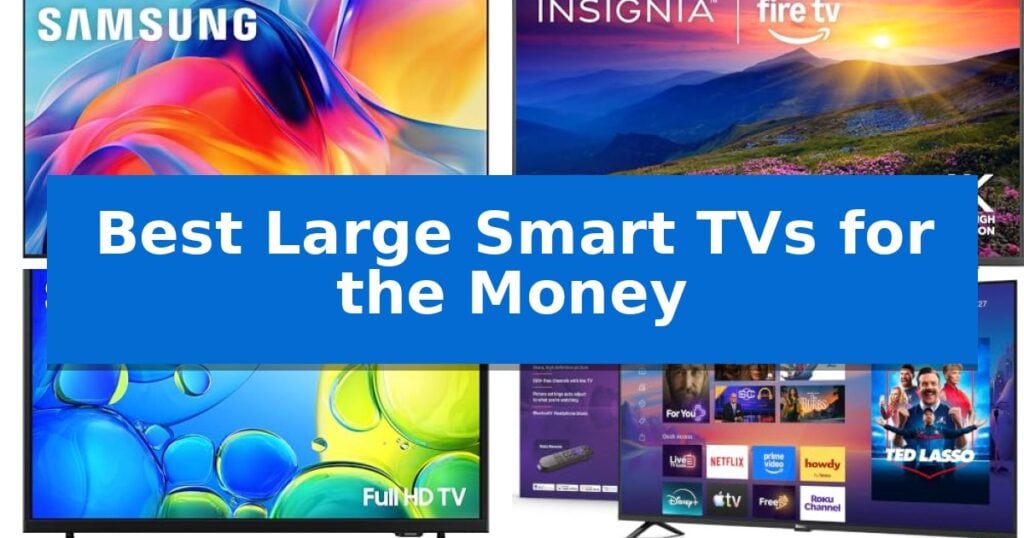
Best Large Smart TVs for the Money in 2026

Best Large Smart TVs for the Money

Finding the right display for your living room often involves balancing screen size with advanced picture quality and smart functionality. When you are searching for the Best Large Smart TVs for the Money, the goal is to identify a model that provides reliable performance without unnecessary costs.

Our guide focuses on current display technologies, streaming ecosystems, and essential connectivity options to ensure you get the most value from your investment. Whether you need a primary screen for movies or a secondary display for a bedroom, these selections prioritize clarity, ease of use, and long-term utility.

Best Large Smart TVs for the Money in 2026

Our Top Picks
  1. Large Screen 4K Value Insignia F50 Series Smart TV
  2. Reliable Full HD Experience Samsung F6000 Smart TV
  3. Easiest Interface for Streaming Roku Select Series Smart TV
  4. Vibrant Color Technology Hisense QD4SR Series Smart TV

Quick Comparison

Product Best For Key Strength Score
Samsung M70H Series Smart TV Best Overall Mini LED Processor 4K for enhanced brightness and contrast. 4.9
Insignia F50 Series Smart TV Large Screen 4K Value Integrated Fire TV smart hub for seamless streaming and home automation control. 4.7
Samsung F6000 Smart TV Reliable Full HD Experience Bezel-less design minimizes visual clutter. 4.5
Roku Select Series Smart TV Easiest Interface for Streaming Bluetooth Headphone Mode for private listening. 4.4
Hisense QD4SR Series Smart TV Vibrant Color Technology Hi-QLED technology for true-to-life color rendering. 4.7

How We Chose

  • Display Technology: We prioritized models utilizing advanced backlighting like Mini LED or high-contrast LED panels for better depth.
  • Streaming Ecosystem: We evaluated the native operating systems for speed, app availability, and ease of navigation.
  • Connectivity Standards: We checked for essential ports like HDMI eARC and wireless options that support modern home theater setups.
  • Resolution and Scaling: We assessed the ability of each unit to handle 4K content and upscale lower-resolution signals effectively.
  • Value Proposition: We compared the feature set against the price point to ensure each model offers a practical return on investment.

1 Samsung M70H Series Smart TV — Premium Mini LED Performance

The Samsung M70H Series Smart TV utilizes a specialized Mini LED Processor 4K to manage brightness and contrast, ensuring that highlights and deep blacks are rendered with distinct clarity. This 65-inch display is engineered for users who prioritize visual precision, leveraging Supreme Mini LED Dimming to enhance depth across various lighting conditions.

For those focused on fluid motion, the Motion Xcelerator + DLG 120Hz technology optimizes refresh rates to maintain sharpness during fast-paced sports or gaming sessions. The inclusion of a dedicated Gaming Hub centralizes access to consoles and cloud services, while Soccer Mode provides specific settings to improve motion clarity and turf vibrancy for a more immersive viewing experience.

Color accuracy is managed through the Pure Color Spectrum technology, which supports one billion colors, and the Color Booster feature, which intensifies hues to create a more vivid picture. These tools allow the display to handle diverse content types, from high-action sports to cinematic media, with consistent color saturation.

Beyond hardware, the Samsung M70H Series Smart TV integrates Endless Free Content via Samsung TV Plus, offering access to over 2,700 streaming options and 750 subscription-free channels. This ecosystem approach ensures that the television remains functional as a primary entertainment hub without requiring additional hardware or recurring service fees for basic viewing.

Best for: Users seeking a large-format display that balances high-end Mini LED picture quality with integrated gaming features and free streaming access.

Skip if: Viewers who require a smaller screen size or those who prefer an OLED panel for specific contrast characteristics not provided by Mini LED technology.

PROS

  • Mini LED Processor 4K for enhanced brightness and contrast.
  • Motion Xcelerator + DLG 120Hz for smooth motion in sports and gaming.
  • Gaming Hub for centralized access to cloud and console gaming.
  • Endless Free Content via Samsung TV Plus.

CONS

  • Fixed 65-inch form factor may not suit all room dimensions.

2 Insignia F50 Series Smart TV — Large Screen 4K Value

Upgrading your home theater setup often hinges on finding a display that balances screen real estate with smart functionality. The INSIGNIA 55-inch Class F50 Series LED 4K UHD Smart Fire TV delivers a expansive 4K viewing experience, utilizing HDR10 to enhance contrast and color depth across a wide range of content.

This model functions as a central hub for your entertainment, integrating the Fire TV interface to provide direct access to major streaming platforms and ad-supported services. Beyond streaming, it acts as a smart home hub, allowing users to manage compatible devices, view camera feeds, and control lighting or thermostats directly through the television.

For audio, the inclusion of DTS Virtual-X Sound aims to provide an immersive three-dimensional audio experience using the built-in speakers. Connectivity is handled through a versatile array of ports, including three HDMI inputs and support for HDMI eARC, which ensures high-quality audio transmission to external sound systems.

Installation is straightforward with VESA 200 x 200 compatibility for wall mounting. The unit also features built-in parental controls, enabling users to restrict content access by rating or channel, providing a practical layer of management for household viewing habits.

Best for: Users seeking an integrated smart home hub and streaming interface in a large-format 4K display.

Skip if: Users requiring advanced gaming-specific features like high-refresh-rate panels or specialized VRR technology.

PROS

  • Integrated Fire TV smart hub for seamless streaming and home automation control.
  • HDR10 support for improved contrast and color detail.
  • HDMI eARC capability for high-quality external audio connectivity.
  • Built-in parental controls for content management.

CONS

  • Standard 60Hz refresh rate limitations for high-end gaming.
  • Reliance on external subscriptions for full content library access.

3 Samsung F6000 Smart TV — Reliable Full HD Experience

The Samsung 40-Inch Class Full HD F6000 Smart TV (2025 Model) centers its design around a slim, bezel-less frame that prioritizes screen real estate while minimizing physical distractions. This unit is built to serve as a versatile home entertainment hub, utilizing One UI Tizen to provide direct access to streaming apps and a wide array of content.

Visual performance is supported by HDR and Mega Contrast technology, which work to expand the dynamic range between light and dark areas of the screen. The inclusion of PurColor ensures that the display produces a broad spectrum of hues, aiming for a more lifelike image quality during standard viewing.

For audio, the device features Object Tracking Sound Lite, which uses a virtual top channel to place sound relative to the action on screen. Users with compatible soundbars can further enhance the output via Q Symphony, allowing the TV and external speakers to operate in unison for a more nuanced soundstage.

Security and connectivity are integrated through Samsung Knox Security, which protects the system against unauthorized apps and phishing while securing connected IoT devices. Additionally, the Mobile to TV with Sound Mirroring feature allows for wireless casting, making it straightforward to transition from personal device content to the larger display.

Best for: Users seeking a compact, feature-rich smart TV that integrates seamlessly with existing Samsung audio hardware and mobile ecosystems.

Skip if: Those requiring a screen larger than 40 inches or users who do not own compatible Samsung soundbars to leverage Q Symphony features.

PROS

  • Bezel-less design minimizes visual clutter.
  • Integrated Knox Security protects sensitive data and IoT connections.
  • Object Tracking Sound Lite provides spatial audio positioning.
  • Q Symphony enables synchronized audio with compatible soundbars.

CONS

  • Q Symphony requires specific compatible Samsung soundbar models sold separately.
  • Screen mirroring performance may vary depending on the mobile application used.

4 Roku Select Series Smart TV — Easiest Interface for Streaming

The Roku Select Series Smart TV streamlines home entertainment by integrating a 1080p Full HD display with a simplified, intuitive interface designed for quick navigation. This 40-inch model is built to serve as a versatile centerpiece for bedrooms or kitchens, utilizing Roku Smart Picture technology to automatically optimize incoming signals for improved clarity and appropriate picture modes.

Beyond its display capabilities, this television prioritizes user convenience through a no-nonsense voice remote that allows for hands-free searching across thousands of apps. The inclusion of Bluetooth Headphone Mode offers a practical solution for private listening, enabling users to connect wireless headphones to maintain a quiet environment while watching content.

Connectivity and smart home integration are central to the design. The device supports Apple AirPlay for seamless media sharing from Apple devices and works with major voice assistants including Siri, Alexa, and Google Assistant. For audio, the internal speakers are specifically engineered to prioritize clear speech and higher volume output, ensuring dialogue remains audible during playback.

Setup is designed to be straightforward, requiring only minutes to get the system running. The home screen provides personalized picks and quick access to frequently watched sports and entertainment, reducing the time spent searching for content. Additionally, the unit features a display-off mode that allows users to continue listening to audio, making it a functional choice for background music or news.

Best for: Users seeking a straightforward, voice-controlled streaming experience in smaller living spaces like bedrooms or kitchens.

Skip if: Those who require 4K resolution or larger screen sizes for a primary home theater setup.

PROS

  • Bluetooth Headphone Mode for private listening.
  • Voice-controlled remote for simplified navigation.
  • Apple AirPlay support for easy media sharing.
  • Clear speech-focused audio design.

CONS

  • 1080p resolution may not meet the needs of users seeking 4K clarity.
  • 40-inch size is limited to smaller room applications.

5 Hisense QD4SR Series Smart TV — Vibrant Color Technology

The Hisense 32-Inch Class QD4SR Series Hi-QLED HD Smart Roku TV offers a streamlined entertainment experience by integrating Hi-QLED technology, which is designed to render shades and skin tones with enhanced realism. This 32-inch model is built for users who prioritize a straightforward, intuitive setup without the complexity often found in larger, high-end display systems.

At the heart of the device is the Roku OS, which serves as a centralized hub for streaming. The interface utilizes a grid-based layout and unified iconography to simplify navigation, allowing for one-tap access to various streaming platforms. This design choice aims to minimize the time spent searching through menus, making it a practical choice for family environments where ease of use is a priority.

The television is equipped with Full Array LED backlighting and a slim bezel design, allowing it to fit into smaller spaces while maintaining a modern aesthetic. To ensure the software remains current, the Roku TV smart system supports automatic, self-upgrading software updates, providing access to new apps and features as they become available without manual intervention.

Beyond its hardware, the unit provides access to a significant library of content, including over 5,000 free movies and shows. With Dolby Audio support and compatibility with Alexa, the TV integrates into existing smart home setups, offering voice-controlled convenience for managing entertainment playback.

Best for: Small living spaces or bedrooms where a user wants an intuitive, all-in-one streaming interface with vibrant color reproduction.

Skip if: Users seeking a large-format display for high-end gaming or those requiring 4K resolution, as this model is limited to a 32-inch HD form factor.

PROS

  • Hi-QLED technology for true-to-life color rendering.
  • Roku OS with a user-friendly, grid-based interface.
  • Automatic software updates to keep the system current.
  • Slim bezel design for a compact footprint.

CONS

  • 32-inch screen size may be too small for primary living room viewing.
  • HD resolution limits detail compared to 4K alternatives.

Best Large Smart TVs for the Money Buying Guide

Understanding Display Technology

The type of backlighting used in your television significantly influences the contrast and brightness you experience. Mini LED technology, for instance, uses smaller LEDs to provide more precise control over local dimming, resulting in deeper blacks and brighter highlights compared to standard LED screens.

When shopping, consider how your room lighting affects your choice. Brighter rooms often benefit from screens with higher peak brightness, while darker environments allow you to appreciate the contrast ratios offered by more advanced dimming technologies.

Smart Platform Integration

The operating system is the gateway to your content. Platforms like Roku OS or Tizen offer distinct interfaces, with some prioritizing a vast library of free, ad-supported channels and others focusing on a more integrated smart home experience.

Look for a platform that supports your preferred streaming services and offers frequent software updates. A responsive interface that allows for quick app launching and easy searching is essential for a frustration-free viewing experience.

Connectivity and Audio Options

Your TV should act as a central hub for your devices. Ensure the model has enough HDMI ports to accommodate your game consoles, Blu-ray players, and soundbars. Support for HDMI eARC is particularly important if you plan to use a high-quality external sound system.

Wireless connectivity is also vital for modern setups. Features like Bluetooth headphone mode allow for private listening, while support for casting protocols like AirPlay makes it easy to share content from your mobile devices directly to the big screen.

Resolution and Upscaling

While 4K Ultra HD is the current standard for large screens, the quality of the internal processor is what determines how well your TV handles non-4K content. Effective upscaling ensures that older movies or standard broadcast television look sharp and clear on a high-resolution display.

For smaller screens or secondary rooms, 1080p Full HD remains a viable and cost-effective choice. It provides sufficient detail for smaller viewing distances without the premium cost associated with higher resolution panels.

Placement and Mounting

Before purchasing, verify the physical dimensions and weight of the unit to ensure it fits your furniture or wall mount. Most modern TVs are VESA compatible, allowing for a wide range of mounting solutions that can help save space and improve viewing angles.

Consider the weight of the TV if you intend to mount it on a wall, as larger screens require sturdy hardware and proper installation to ensure safety and stability over time.

Frequently Asked Questions

What is the benefit of Mini LED over standard LED?

Mini LED technology uses significantly smaller light sources, allowing for more granular control over local dimming zones. This results in superior contrast, deeper black levels, and brighter highlights.

Does the smart platform matter if I use a streaming stick?

While a streaming stick can bypass the built-in interface, a native smart platform that is fast and intuitive is still beneficial for quick access to basic settings, inputs, and free, built-in streaming channels.

What is HDMI eARC and why do I need it?

HDMI eARC (Enhanced Audio Return Channel) allows for the transmission of high-quality, uncompressed audio signals from your TV to a compatible soundbar or receiver, ensuring you get the best possible sound from your external speakers.

Can I use my TV as a smart home hub?

Some smart TVs are designed to integrate with smart home ecosystems, allowing you to view camera feeds or control connected lighting and thermostats directly from the TV interface.

How do I know if a TV is wall-mountable?

Check the specifications for VESA compatibility. This standard indicates the distance between the mounting holes on the back of the TV, which must match the pattern on your wall mount bracket.

Conclusion: Our Top Pick

After evaluating the current market, the Samsung M70H Series Smart TV stands out as the most well-rounded option for those seeking a balance of advanced display technology and smart features. Its use of Mini LED processing and high-end color technology provides a significant visual upgrade for home entertainment.

While it represents a premium choice, the combination of a 120Hz refresh rate for smooth motion and a robust gaming hub makes it a versatile investment. If you prioritize picture quality and long-term performance, this model offers the most compelling value in its class.

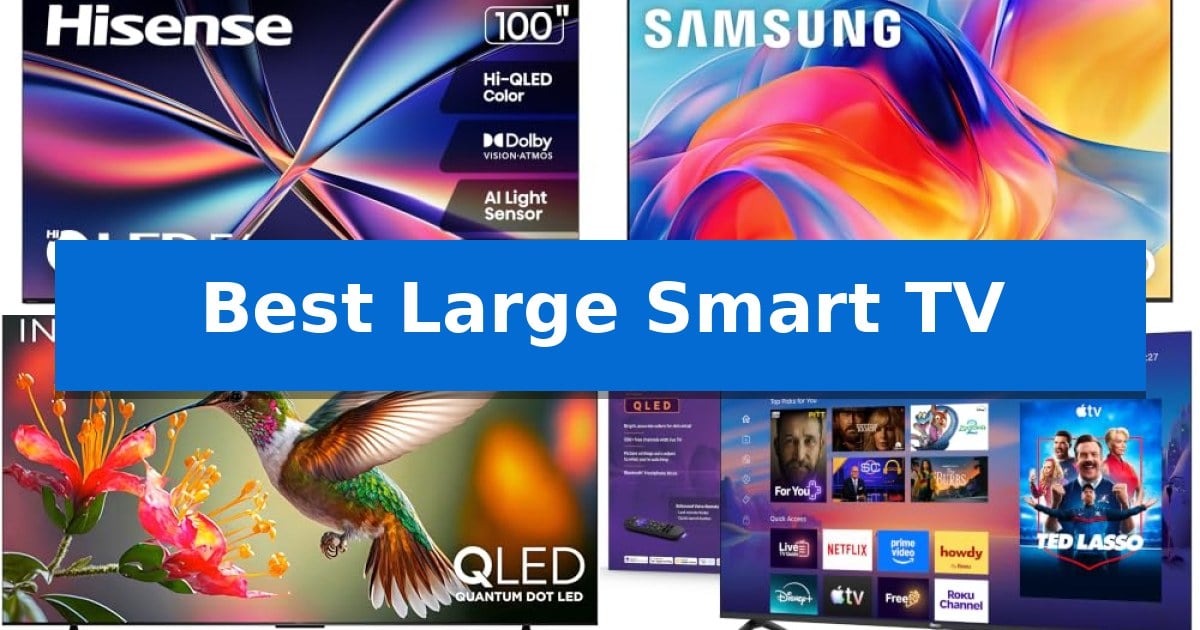
Best Large Smart TV in 2026

Best Large Smart TV

Finding the Best Large Smart TV for your living space requires balancing screen size with the specific display technologies that define your viewing experience. Whether you are prioritizing high-contrast gaming or a streamlined interface for daily streaming, the right panel can transform how you interact with your media.

Our guide evaluates five distinct models to help you navigate the trade-offs between advanced QLED color accuracy, Mini LED precision, and user-friendly smart operating systems. By focusing on core technical specifications and real-world utility, we simplify the selection process for your next home entertainment upgrade.

Best Large Smart TV in 2026

Our Top Picks
  1. High-contrast precision for sports Samsung M70H Series Mini LED TV
  2. Vibrant colors on a budget Insignia QF Series QLED Smart TV
  3. Simplest interface for streaming Roku Select Series QLED Smart TV
  4. Accessible entry to large displays Insignia F50 Series LED Smart TV

Quick Comparison

Product Best For Key Strength Score
Hisense E6 Series QLED Smart TV Best Overall Native 144Hz refresh rate for smooth gaming performance. 4.9
Samsung M70H Series Mini LED TV High-contrast precision for sports Mini LED HDR provides superior contrast and brightness compared to standard HDR displays. 4.9
Insignia QF Series QLED Smart TV Vibrant colors on a budget Quantum Dot Technology for enhanced color and brightness. 4.4
Roku Select Series QLED Smart TV Simplest interface for streaming Roku Smart Picture automatically optimizes signal quality. 4.5
Insignia F50 Series LED Smart TV Accessible entry to large displays Massive 75-inch display with 4K UHD resolution for immersive viewing. 4.6

How We Chose

  • Panel Technology: Assessing the impact of QLED and Mini LED systems on color depth and contrast.
  • Motion Handling: Evaluating refresh rates and motion processing features for sports and high-speed gaming.
  • Smart Ecosystem: Comparing the ease of navigation and app integration across different operating platforms.
  • Connectivity: Reviewing the availability of high-speed HDMI inputs and support for advanced audio formats.
  • Adaptive Features: Considering how built-in light sensors and AI upscaling contribute to consistent image quality.

1 Hisense E6 Series QLED Smart TV — Massive screen for immersive gaming

A massive 100-inch display transforms a standard living room into a dedicated cinema space, and the Hisense 100" Class E6 Series QLED 4K UHD Smart Fire TV is engineered to anchor that experience. By utilizing QLED Color technology, this model leverages quantum dots to produce over a billion shades, ensuring that fine details in high-resolution content remain vibrant and accurate.

Performance for high-speed content is managed through a Native 144Hz Panel and AMD FreeSync Premium, which provide a variable refresh rate between 48Hz and 144Hz. This configuration is designed to minimize lag during fast-paced gaming sessions. For cinematic viewing, the inclusion of Filmmaker Mode automatically adjusts settings to preserve the original aspect ratio, frame rate, and color intended by the director.

The integration of a Total HDR Solution—supporting Dolby Vision, HDR 10+ Adaptive, HDR 10, and HLG—allows the television to optimize contrast and brightness based on the specific HDR format of the source material. Complementing the visual output, Dolby Atmos support provides immersive audio, while the AI 4K Upscaler uses machine learning to improve the clarity of lower-resolution broadcasts and home videos.

Usability is centered around the Fire TV interface, which consolidates live channels and streaming applications into a single home screen. Users can utilize the Voice Remote with Alexa to launch content, check sports scores, or manage smart home devices. Additionally, an AI Light Sensor monitors ambient room brightness to automatically adjust screen output, balancing viewing quality with energy efficiency.

Best for: This television is best for users seeking a massive, cinema-sized display for high-refresh-rate gaming and immersive HDR movie viewing.

Skip if: Skip this model if your room dimensions cannot accommodate a 100-inch display or if you require a smaller, more compact television for limited wall space.

PROS

  • Native 144Hz refresh rate for smooth gaming performance.
  • Comprehensive HDR support including Dolby Vision and HDR 10+.
  • Quantum dot QLED technology for enhanced color accuracy.
  • AI-driven upscaling and light sensing for optimized picture quality.

CONS

  • Extremely large physical footprint requires significant wall or stand space.
  • Heavy unit weight necessitates careful installation and mounting considerations.

2 Samsung M70H Series Mini LED TV — High-contrast precision for sports

Achieving a theater-like experience at home requires a display that balances sheer scale with precise light control. The Samsung 85-Inch Class M70H Series utilizes a dedicated Mini LED Processor 4K to manage brightness and contrast, ensuring that deep blacks and vibrant highlights remain distinct even on a massive 85-inch panel.

Visual fidelity is driven by Pure Color Spectrum technology, which reproduces one billion colors to maintain realism across diverse content types. For those prioritizing fluid motion, the Motion Xcelerator + DLG 120Hz feature optimizes refresh rates, providing the sharpness necessary for fast-paced sports and competitive gaming sessions.

The television integrates a Gaming Hub that consolidates console and cloud-based gaming into a single interface, simplifying access to various titles. Sports enthusiasts can engage Soccer Mode, which applies specialized settings to enhance the vibrancy of turf greens and improve motion clarity by 40% for better tracking of on-field action.

Beyond hardware, the device offers Endless Free Content via Samsung TV Plus, providing access to over 2,700 streaming options without requiring a subscription. This combination of high-end display technology and integrated streaming services makes the Samsung M70H Series Mini LED TV a versatile centerpiece for large-format home entertainment.

Best for: Users who want a massive, high-contrast display optimized for sports viewing and integrated cloud gaming.

Skip if: Those with limited wall or stand space who require a smaller form factor than an 85-inch display.

PROS

  • Mini LED HDR provides superior contrast and brightness compared to standard HDR displays.
  • Motion Xcelerator + DLG 120Hz ensures fluid, sharp visuals for sports and gaming.
  • Gaming Hub centralizes access to cloud services and consoles for simplified navigation.
  • Endless Free Content offers immediate access to 2,700+ streaming channels out of the box.

CONS

  • Large 85-inch footprint requires significant physical space for installation.
  • Weight of 63.7 pounds necessitates a sturdy mounting solution or heavy-duty stand.

3 Insignia QF Series QLED Smart TV — Vibrant colors on a budget

The INSIGNIA 75-inch Class QF Series LED 4K UHD QLED Smart Fire TV centers your home entertainment around a metal bezel-less design that prioritizes a sleek, edge-to-edge aesthetic. By integrating Quantum Dot Technology (QLED), this display enhances brightness and color accuracy, ensuring that high-resolution 4K content appears vibrant and lifelike across its expansive 75-inch panel.

Performance is supported by Direct LED Backlight technology, which works to maintain uniform brightness and rich contrast. The inclusion of High Dynamic Range (HDR) with Dolby Vision allows the television to process advanced HDR formats, providing finer detail in both shadows and highlights. For audio, the system features Dolby Atmos spatial audio processing, designed to create a more immersive soundscape for movies and gaming.

Connectivity is a primary focus, featuring four HDMI inputs, including one with eARC support for seamless integration with soundbars, gaming consoles, and set-top boxes. The Fire TV Smart OS serves as the central hub, providing direct access to over 500,000 streaming movies and episodes from services like Netflix, Prime Video, and Disney+. Users can navigate this library or control smart home devices using the included Voice Remote with Alexa.

This model balances its large-scale display with practical design choices, such as a thin profile and a back panel that blends into various room environments. While it offers a comprehensive suite of streaming and connectivity options, the 75-inch footprint requires significant wall or stand space, making it a dedicated centerpiece for larger living areas.

Best for: This TV is best for users seeking a large-format display with integrated streaming services and voice control for a primary living room setup.

Skip if: Skip this model if you have limited space or require specialized gaming features beyond standard high-speed HDMI connectivity.

PROS

  • Quantum Dot Technology for enhanced color and brightness.
  • Metal bezel-less design provides a modern, sleek aesthetic.
  • Four HDMI inputs including eARC for versatile peripheral connectivity.
  • Integrated Fire TV OS with extensive streaming app support.

CONS

  • Large 75-inch size requires significant physical space for installation.

4 Roku Select Series QLED Smart TV — Simplest interface for streaming

The Roku Select Series QLED Smart TV centers your home entertainment around a 65-inch 4K QLED display that utilizes HDR10 to deliver bright, accurate colors. Designed for those who prioritize a streamlined experience, this television features an uncluttered remote with a lost remote finder and a simplified interface that minimizes time spent searching for content.

Performance is bolstered by Roku Smart Picture technology, which automatically cleans up incoming signals and optimizes picture modes based on the source. The unit is built for versatility, offering Bluetooth Headphone Mode for private listening and a frameless design that provides a modern, clean aesthetic for any living space.

Integration into a smart home is straightforward, as the TV supports voice control via Roku Voice, Siri, Alexa, and Google Assistant. Users can also utilize Apple AirPlay to share media directly from their Apple devices, making it a functional hub for various types of digital content.

The audio system is specifically engineered for clear speech and louder sound, addressing common concerns regarding thin television audio. While the interface is designed for simplicity, the inclusion of personalized picks and a fast-launching app ecosystem ensures that high-demand features remain accessible without complex navigation.

Best for: Users who prioritize a simple, fast-navigating streaming interface and seamless smart home integration.

Skip if: Viewers seeking advanced gaming-specific features or high-end panel technologies beyond standard QLED and HDR10 capabilities.

PROS

  • Roku Smart Picture automatically optimizes signal quality.
  • Bluetooth Headphone Mode allows for private audio listening.
  • Frameless design offers a modern, minimalist aesthetic.
  • Broad smart home compatibility including Siri, Alexa, and Google Assistant.

CONS

  • Standard 65-inch form factor may not suit smaller rooms or compact entertainment centers.

5 Insignia F50 Series LED Smart TV — Accessible entry to large displays

Expanding your home theater to a cinematic scale often requires balancing screen real estate with smart functionality. The Insignia 75" Class F50 Series LED 4K UHD Smart Fire TV addresses this by integrating a massive 75-inch display with the Fire TV ecosystem, allowing for seamless access to over 1 million streaming movies and TV episodes.

Visual fidelity is driven by 4K Ultra HD resolution and High Dynamic Range (HDR10), which work together to produce sharper contrast and a wider range of color details. The Direct LED (DLED) backlighting ensures uniform brightness across the large panel, enhancing color accuracy compared to standard edge-lit displays.

Usability is centered on the Alexa Voice Remote, which simplifies navigation by allowing users to search apps, switch inputs, or launch content using voice commands. For audio integration, the TV supports DTS Virtual-X Sound for a three-dimensional audio experience and includes HDMI eARC support to streamline connections to soundbars or AV receivers without extra cabling.

Versatility is a key design priority, featuring three HDMI ports, a USB port, and both Ethernet and Wi-Fi connectivity to accommodate various home theater components. The unit is VESA mount compatible (400 x 300), providing flexibility for wall-mounted setups, while built-in parental controls allow for content restriction via PIN, making it a practical choice for shared living spaces.

Best for: Users seeking a large-format 4K display with integrated smart streaming and voice-controlled home theater management.

Skip if: Viewers requiring advanced gaming-specific features like high-refresh-rate VRR or those with limited wall or stand space for a 75-inch chassis.

PROS

  • Massive 75-inch display with 4K UHD resolution for immersive viewing.
  • Alexa Voice Remote provides intuitive, hands-free control over apps and inputs.
  • HDMI eARC support simplifies audio setup with external sound systems.
  • Direct LED backlighting offers improved contrast and color accuracy.

CONS

  • Large physical footprint requires significant wall or stand space for installation.

Best Large Smart TV Buying Guide

Understanding Display Technology

The choice between QLED and Mini LED panels is fundamental to your viewing experience. QLED technology utilizes quantum dots to produce a wider spectrum of vibrant, accurate colors, which is ideal for cinematic content and general entertainment.

Conversely, Mini LED systems focus on precision lighting, allowing for deeper blacks and brighter highlights. This contrast-heavy approach is particularly beneficial for sports and high-dynamic-range content where detail in shadows and bright areas must coexist.

Motion and Gaming Performance

For gamers, the refresh rate is a critical metric. Displays offering 144Hz or 120Hz panels provide significantly smoother motion, reducing blur during fast-paced action sequences or competitive gaming sessions.

Features like Variable Refresh Rate (VRR) and AMD FreeSync Premium further enhance this by synchronizing the display with your console or PC, effectively eliminating screen tearing and input lag for a more responsive experience.

Smart OS and Streaming Integration

The Smart TV operating system dictates how you interact with your content. Platforms like Fire TV or Roku offer distinct approaches to app organization, voice control integration, and live channel navigation.

Choosing an interface that feels intuitive is essential. Look for systems that provide quick access to your most-used services and support robust voice search capabilities, which can significantly reduce the time spent scrolling through menus.

Connectivity and Audio Standards

Modern home theater setups rely on high-speed HDMI inputs to handle data from consoles and soundbars. Ensuring your TV supports eARC is vital for passing high-quality, uncompressed audio directly to a compatible sound system.

Beyond HDMI, check for wireless connectivity options such as Bluetooth for private listening modes. These features allow you to expand your audio setup without the clutter of additional cables, maintaining a clean aesthetic in your living room.

Room Environment and Placement

Consider the ambient light in your room when selecting a screen size and brightness level. Large displays benefit from features like AI Light Sensors, which automatically adjust brightness to maintain clarity regardless of the time of day.

Always verify the VESA mount compatibility if you plan to wall-mount your television. A secure, properly sized mount is necessary to support the weight and dimensions of larger panels, ensuring both safety and optimal viewing angles.

Frequently Asked Questions

What is the benefit of a 144Hz panel?

A 144Hz panel updates the image 144 times per second, providing much smoother motion than standard 60Hz screens. This is particularly noticeable in fast-action sports and high-performance gaming.

Does QLED technology improve color accuracy?

Yes, QLED uses quantum dots to produce a broader range of colors, which helps the TV display more vibrant and realistic hues compared to traditional LED backlighting.

Why is eARC important for my soundbar?

eARC (Enhanced Audio Return Channel) allows the TV to send high-quality, uncompressed audio signals to a soundbar or receiver, ensuring you get the best possible sound from your movies and games.

Can I use voice commands with these TVs?

Most modern smart TVs, including those with Fire TV or Roku, support voice control via remotes or compatible smart home assistants like Alexa, allowing you to launch apps and search for content hands-free.

What is the advantage of Mini LED dimming?

Mini LED dimming allows for more precise control over the backlight, resulting in deeper black levels and higher contrast ratios, which makes the picture look more detailed and lifelike.

Conclusion: Our Top Pick

For those seeking the ultimate combination of size and performance, the Hisense E6 Series QLED Smart TV stands out as our top recommendation. Its massive 100-inch display, paired with a native 144Hz panel and advanced QLED color technology, provides an immersive experience that excels in both high-speed gaming and cinematic viewing.

While other models offer excellent value or specific smart features, the Hisense E6 provides the most comprehensive feature set for users who prioritize screen real estate and motion clarity. It effectively bridges the gap between a high-end gaming monitor and a cinema-grade home theater display.

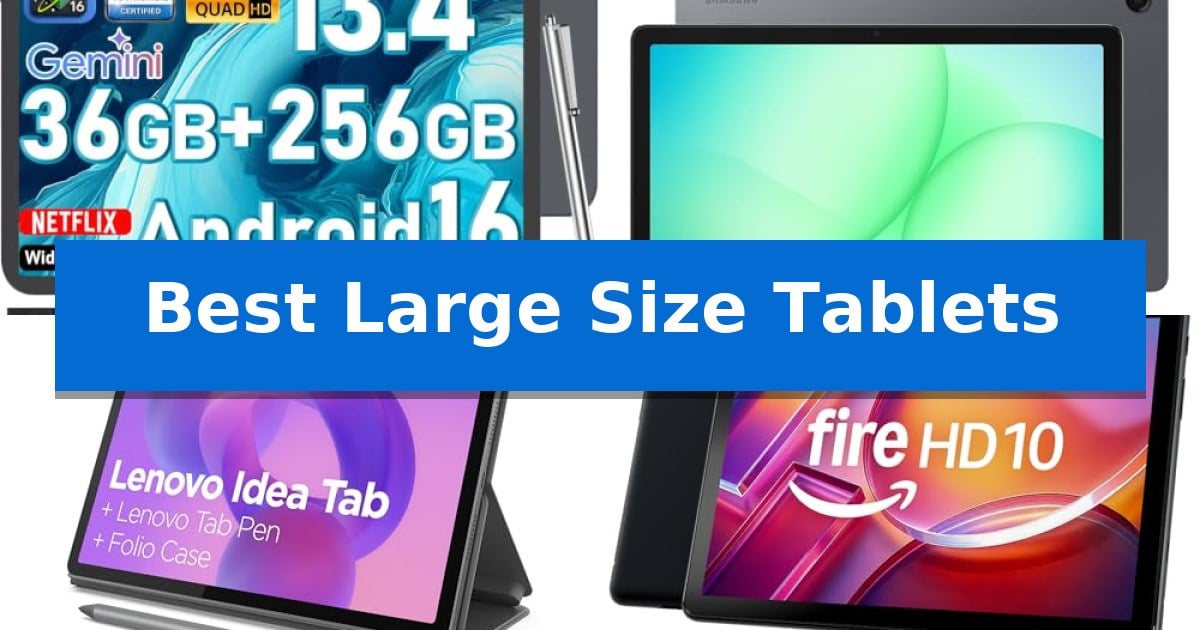
Best Large Size Tablets in 2026

Best Large Size Tablets

Finding the right device for an expansive digital workspace often leads users to seek out the Best Large Size Tablets. These devices bridge the gap between portable handhelds and traditional laptops, offering a substantial canvas for complex tasks, media consumption, and creative projects.

Whether you need a dedicated screen for academic research, a versatile tool for remote work, or a high-definition display for streaming, selecting the right model requires balancing screen real estate with portability. This guide examines current options to help you determine which features best align with your daily requirements.

Best Large Size Tablets in 2026

Our Top Picks
  1. Fluid 90Hz family-sized display Samsung Galaxy Tab A11+
  2. Optimized for academic productivity Lenovo Idea Tab
  3. Reliable streaming and reading Amazon Fire HD 10 Tablet
  4. High-capacity multitasking performance Evermyth Android 16 Tablet

Quick Comparison

Product Best For Key Strength Score
JJGJ P90 Android Tablet Best Overall Expansive 13-inch 2K IPS display for enhanced visual clarity. 4.9
Samsung Galaxy Tab A11+ Fluid 90Hz family-sized display Fluid 90Hz 11-inch display for smooth visuals. 4.6
Lenovo Idea Tab Optimized for academic productivity Integrated productivity suite including AI Note and specialized calculation apps. 4.7
Amazon Fire HD 10 Tablet Reliable streaming and reading 10.1-inch 1080p Full HD display for clear media consumption. 4.7
Evermyth Android 16 Tablet High-capacity multitasking performance Expandable storage up to 1TB via TF card. 4.4

How We Chose

  • Display resolution and screen size for visual clarity.
  • Processor capability and RAM for multitasking performance.
  • Battery capacity and power management for mobile use.
  • Connectivity standards including Wi-Fi and Bluetooth versions.
  • In-box accessory bundles that enhance productivity.

1 JJGJ P90 Android Tablet — Expansive 13-inch viewing area

Maximizing screen real estate for productivity and media consumption requires a device that balances portability with an expansive viewing area. The JJGJ P90 Android Tablet addresses this by integrating a 13-inch 2K IPS display, providing a significantly broader canvas than standard tablets for multitasking and immersive visual tasks.

Under the hood, this tablet utilizes the UNISOC T615 octa-core processor paired with 36GB of RAM, which is configured as 6GB of physical memory plus 30GB of virtual expansion. This architecture is designed to support smooth operation across multiple open applications, while the 256GB of internal storage provides a baseline for local files, further expandable up to 2TB via a TF card slot.

The device runs on Android 16 and features an integrated Gemini AI engine, which assists with automated document summarization, email drafting, and content translation. These AI-driven tools are intended to streamline office-related workflows, allowing users to transition from entertainment to a PC-like environment using the included keyboard and mouse accessories.

Powering these features is a 10000mAh battery, engineered to sustain all-day usage for travel or extended study sessions. Connectivity is managed through dual-band Wi-Fi and Bluetooth 5.0, ensuring stable links to peripherals or wireless networks, while the dual-camera system facilitates video calls and basic photography needs.

Best for: Users who require a large-screen Android device for multitasking, document management, and AI-assisted productivity tasks.

Skip if: Users who prioritize a lightweight, compact form factor for one-handed use or those needing high-end gaming performance.

PROS

  • Expansive 13-inch 2K IPS display for enhanced visual clarity.
  • Integrated Gemini AI for automated productivity tasks.
  • Comprehensive accessory bundle including keyboard, mouse, and stylus.
  • High-capacity 10000mAh battery for extended use.

CONS

  • Large form factor may be cumbersome for mobile use.
  • Requires external storage for maximum capacity beyond 256GB.

2 Samsung Galaxy Tab A11+ — Fluid 90Hz family-sized display

The Samsung Galaxy Tab A11+ offers a balanced approach to mobile computing by pairing an expansive 11-inch display with a 90Hz refresh rate, ensuring fluid motion for streaming and daily tasks. This tablet is built to handle multitasking with ease, supported by an upgraded chipset and up to 8GB of memory, making it a capable companion for both productivity and entertainment.

Designed for versatility, the device features a slim and light profile that remains portable for on-the-go use. The inclusion of quad speakers with Dolby Atmos provides an immersive audio experience, while the 5 MP front camera ensures clarity during video calls. Users can also leverage intelligent software tools like Google Gemini and Circle to Search to streamline everyday interactions.

Storage needs are addressed through a 128GB internal capacity, which is further bolstered by expandable storage options. To minimize downtime, the tablet incorporates a long-lasting battery paired with fast-charging capabilities, allowing users to quickly return to their activities. The unit is backed by a 2-year manufacturer warranty, emphasizing its role as a reliable household device.

While the Samsung Galaxy Tab A11+ excels in media consumption and general utility, it is important to consider your specific performance requirements. Its hardware is optimized for day-to-day activities and family-oriented tasks rather than high-intensity professional creative workflows or heavy-duty gaming, ensuring it fits well within a home or casual mobile environment.

Best for: Families and individuals seeking a versatile, large-screen tablet for streaming, video calls, and everyday multitasking.

Skip if: Users requiring a high-performance device for professional-grade video editing, complex 3D rendering, or competitive gaming.

PROS

  • Fluid 90Hz 11-inch display for smooth visuals.
  • Expandable storage to accommodate large files and media libraries.
  • Quad speakers with Dolby Atmos for immersive audio.
  • Slim and lightweight design for enhanced portability.
  • 2-year manufacturer warranty for added peace of mind.

CONS

  • Performance optimized for general tasks rather than intensive professional workloads.

3 Lenovo Idea Tab — Optimized for academic productivity

The Lenovo Idea Tab is designed to streamline academic workflows through its integrated suite of productivity tools, including Lenovo AI Note, Squid, Nebo, and MyScript Calculator. This 11-inch tablet features a 2.5K IPS touchscreen with a 90Hz refresh rate, providing a responsive interface for note-taking and research tasks.

Powered by the MediaTek Dimensity 6300 processor, the device supports AI-enhanced multitasking for demanding study sessions. The inclusion of the Tab Pen and a folio case allows for immediate use, while the Circle to Search with Google feature enables users to perform instant lookups or translations directly from the screen without switching applications.

Visual and audio quality are prioritized with a display that covers 72% NTSC and features TÜV Rheinland Low Blue Light hardware certification to reduce eye strain during extended use. The quad-speaker system is tuned with Dolby Atmos, intended to provide clear audio for both educational content and media playback.

Connectivity and power management are addressed through Smart Connect, which facilitates task transitions across devices, and a battery rated for up to 12 hours of YouTube playback. When power is low, the included 20W charger supports rapid replenishment to minimize downtime between classes or study marathons.

Best for: Students and academics who require a dedicated, portable device for note-taking, research, and integrated study management.

Skip if: Users who require a professional-grade desktop operating system for heavy creative software or those who prefer a larger screen size beyond 11 inches.

PROS

  • Integrated productivity suite including AI Note and specialized calculation apps.
  • High-resolution 2.5K 90Hz display for smooth navigation and clear text.
  • Included accessories consisting of a Tab Pen and folio case for immediate utility.
  • TÜV Rheinland Low Blue Light hardware for reduced eye fatigue.

CONS

  • Limited to 20W charging, which may be slower than high-wattage alternatives.
  • Integrated graphics (Arm Mali-G57 MC2) are optimized for general tasks rather than intensive gaming.

4 Amazon Fire HD 10 Tablet — Reliable streaming and reading

Selecting the Best Large Size Tablets requires balancing screen real estate with portability and build quality. The Amazon Fire HD 10 Tablet addresses these needs with a 10.1-inch Full HD display, providing a high-definition canvas for streaming media and digital reading. Its chassis is engineered from strengthened aluminosilicate glass, which offers significant durability for daily handling and transport.

Under the hood, an octa-core processor paired with 4 GB of RAM ensures a responsive interface for multitasking and app navigation. This hardware configuration is designed to handle streaming and light productivity tasks without significant lag. Users benefit from a battery capable of up to 13 hours of video playback, which minimizes the need for mid-day charging during extended entertainment sessions.

Practicality is enhanced through flexible storage options, starting at 32 GB or 64 GB, with the ability to expand capacity by up to 1 TB via a micro-SD card. For those interested in creative input, the device supports the Made for Amazon Stylus Pen, which utilizes 4,096 levels of pressure sensitivity for precise note-taking or sketching. Integration with Alexa allows for hands-free management of smart home devices, while Amazon Kids provides a structured environment with parental controls.

This refurbished model is tested to meet quality standards and includes a limited warranty, making it a cost-effective entry point for users seeking a reliable large-screen tablet. It serves as a dedicated media consumption device that prioritizes ease of use and long-term durability in a compact, lightweight form factor.

Best for: Users seeking an affordable, durable 10.1-inch tablet primarily for streaming, reading, and light productivity tasks.

Skip if: Users who require high-performance professional creative software or a tablet ecosystem that supports a wide range of non-Amazon productivity applications.

PROS

  • 10.1-inch 1080p Full HD display for clear media consumption.
  • Expandable storage up to 1 TB via micro-SD card.
  • Durable aluminosilicate glass construction.
  • 13-hour battery life for extended video playback.

CONS

  • Stylus Pen sold separately, requiring an additional purchase for writing or drawing features.
  • Limited to the Amazon ecosystem for app and content integration.

5 Evermyth Android 16 Tablet — High-capacity multitasking performance

Managing multiple digital tasks requires a device that balances processing power with accessible storage, and the Evermyth Android 16 Tablet addresses this with a robust 5-core processor capable of reaching 1.8GHz. This tablet is engineered to handle multitasking, whether for streaming media, attending online classes, or managing daily productivity workflows.

The device features a 10-inch HD IPS in-cell display with a 1280×800 resolution, utilizing low-blue-light technology to mitigate eye strain during extended use. Its internal configuration includes 24GB of RAM—comprised of 3GB physical and 21GB virtual memory—alongside 64GB of internal storage, which can be further expanded up to 1TB via a TF card slot.

Connectivity is handled through modern standards, including Wi-Fi 6 for stable dual-band networking and Bluetooth 5.4 for peripheral integration. Powering these features is a 6000mAh battery, designed to provide up to 8 hours of mixed usage or 3 days of standby time, with convenient recharging via the integrated USB-C port.

For those needing to capture content or participate in video conferencing, the tablet includes a 5MP front-facing camera and an 8MP rear camera. Its slim, lightweight design makes it a portable solution for users who require a versatile screen for both entertainment and light professional tasks.

Best for: Users seeking a versatile, budget-friendly 10-inch tablet for daily multitasking, media streaming, and light productivity.

Skip if: Users who require high-end gaming performance, professional-grade creative software, or extensive local storage without the need for external memory cards.

PROS

  • Expandable storage up to 1TB via TF card.
  • Wi-Fi 6 and Bluetooth 5.4 for modern, stable connectivity.
  • Low-blue-light display technology to reduce eye strain.
  • Versatile multitasking supported by 24GB total RAM configuration.

CONS

  • 64GB base storage may be limited for users with large media libraries.
  • 1280×800 resolution is standard definition rather than Full HD.

Best Large Size Tablets Buying Guide

Display Quality and Resolution

The primary advantage of choosing from the Best Large Size Tablets is the screen real estate. Look for 2K or Full HD IPS displays that provide sharp image details and accurate color reproduction. Higher resolution is essential when using the device for document editing or detailed creative work.

Consider the refresh rate, as a 90Hz display offers more fluid motion compared to standard screens. This is particularly noticeable when scrolling through web pages or navigating complex interfaces, contributing to a more responsive feel during daily use.

Processing Power and Multitasking

A tablet's ability to handle multiple applications simultaneously depends on its octa-core processor and available RAM. Models with 36GB or 24GB of RAM allow you to keep office tools, browsers, and media apps running without significant lag.

For users who rely on AI-enhanced workflows, checking for integrated engines like Gemini AI can provide immediate benefits for tasks such as document summarization or content creation. Ensure the processor is optimized for your specific workload, whether that involves light browsing or intensive multitasking.

Storage and Expandability

Large tablets often serve as primary storage for media and project files. While internal storage like 256GB is a solid starting point, the ability to expand via TF-card slots up to 1TB or 2TB is a critical feature for long-term usability.

Having expandable storage prevents the need to frequently delete files or clear cache, making the device more reliable for business trips or extended periods without cloud access.

Battery Life and Portability

A large screen requires a substantial battery to remain functional throughout the day. Look for capacities around 10000mAh to ensure you can stream, work, and browse without needing frequent recharges.

Consider the weight and build of the tablet. While larger screens add to the footprint, a slim, lightweight design makes the device easier to transport between home, school, or the office.

Connectivity and Accessories

Modern connectivity, such as Wi-Fi 6 and Bluetooth 5.4, ensures stable internet access and seamless pairing with external peripherals like keyboards, mice, and wireless headphones.

Bundled accessories, including a stylus, keyboard, and protective case, provide immediate value and transform the tablet into a 2-in-1 device suitable for both entertainment and PC-like office tasks.

Frequently Asked Questions

What is the main benefit of a 13-inch tablet over a 10-inch model?

A 13-inch tablet offers a broader viewing field, which is significantly better for multitasking, split-screen productivity, and immersive media consumption, effectively reducing the need to zoom or scroll frequently.

Can these tablets replace a laptop for academic work?

Yes, many of these tablets include keyboards and stylus support, allowing them to function as efficient tools for note-taking, research, and document editing, especially when paired with productivity apps.

How important is the refresh rate for a tablet display?

A higher refresh rate, such as 90Hz, provides smoother visual transitions and more fluid navigation, which improves the overall user experience during gaming, scrolling, and interface interaction.

Do I need a tablet with expandable storage?

If you plan to store large files, high-resolution videos, or extensive document libraries locally, expandable storage via a TF-card slot is highly recommended to avoid running out of space.

Are these tablets suitable for video calls?

Most large tablets are equipped with front-facing cameras designed for video conferencing, with many offering clear resolution to ensure high-quality communication for work or family calls.

Conclusion: Our Top Pick

Selecting the right device depends on your specific balance of screen size and portability. For those prioritizing an expansive workspace and comprehensive utility, the JJGJ P90 Android Tablet stands out as a versatile choice due to its large 13-inch 2K display and included accessory kit.

This model effectively combines high-capacity storage and a robust battery to support both professional tasks and entertainment. While its size makes it a substantial device, the inclusion of a keyboard, mouse, and stylus provides the flexibility needed to switch between media consumption and productive office work seamlessly.

Best Large Silent Mouse in 2026

Best Large Silent Mouse

Finding the right peripheral for a larger hand size often leads to frustration with cramped, standard-sized designs that cause strain during extended use. A Best Large Silent Mouse addresses this by combining a contoured, palm-filling shape with whisper-quiet switches, ensuring your workspace remains both comfortable and distraction-free.

Whether you are navigating complex spreadsheets or managing multiple devices, the right ergonomic mouse can significantly improve your daily workflow. We have evaluated the latest options to help you identify which model offers the best balance of size, silent performance, and connectivity for your specific needs.

Best Large Silent Mouse in 2026

Our Top Picks
  1. Customizable buttons for large hands Logitech Signature M650 L Wireless Mouse
  2. Essential comfort for larger palms Logitech Signature M550 L Wireless Mouse
  3. Rechargeable ergonomic large-hand design TECKNET Wireless Mouse

Quick Comparison

Product Best For Key Strength Score
Logitech Signature Plus M750 L Wireless Mouse Best Overall SilentTouch technology significantly reduces click noise for a quieter environment. 4.9
Logitech Signature M650 L Wireless Mouse Customizable buttons for large hands SilentTouch technology significantly reduces click noise. 4.6
Logitech Signature M550 L Wireless Mouse Essential comfort for larger palms Full-size contoured design tailored for larger hands. 4.6
TECKNET Wireless Mouse Rechargeable ergonomic large-hand design Ergonomic large-hand design with dedicated thumb rest. 4.9

How We Chose

  • Physical dimensions and palm support profile for ergonomic comfort.
  • Silent-click technology implementation for noise reduction.
  • Multi-device connectivity options including Bluetooth and dedicated receivers.
  • Customization capabilities for side buttons and scroll wheel functionality.
  • Battery longevity and power management efficiency.

1 Logitech Signature Plus M750 L Wireless Mouse — Advanced multi-device productivity

Maintaining a quiet workspace is essential for focus, and the Logitech Signature Plus M750 L Wireless Mouse addresses this with SilentTouch technology, which reduces click noise by 90 percent. Designed specifically for users with larger hands, this mouse features a contoured shape with a soft thumb area and rubber side grips to provide ergonomic support during extended periods of use.

Beyond its quiet operation, the device offers versatile navigation through the SmartWheel, allowing users to toggle between line-by-line precision for detailed documents and super-fast scrolling for navigating long web pages. The mouse is built for productivity, offering customizable side buttons that can be programmed via Logitech Options+ to handle frequent tasks like copy/paste or navigation shortcuts.

Connectivity is a core strength, as the mouse supports Easy-Switch and Flow technology, enabling users to pair with up to three devices via Bluetooth and seamlessly transfer files or text across Windows and macOS systems. It maintains broad compatibility across Windows, macOS, Linux, ChromeOS, iPadOS, and Android, ensuring it fits into diverse digital environments.

Efficiency is further supported by a 24-month battery life powered by a single AA battery, minimizing the need for frequent maintenance. The inclusion of a USB receiver provides an alternative connection method, ensuring reliable performance across various setups.

Best for: Users with larger hands who require a quiet, multi-device capable mouse for productivity across different operating systems.

Skip if: Users who prefer a compact, travel-sized mouse or those who require specialized high-DPI gaming sensors.

PROS

  • SilentTouch technology significantly reduces click noise for a quieter environment.
  • SmartWheel provides both precision and fast-scrolling capabilities.
  • Multi-device support with Easy-Switch and Flow for seamless workflow.
  • Ergonomic design tailored for larger hands with rubberized grips.

CONS

  • Requires a single AA battery, which adds weight compared to internal rechargeable options.

2 Logitech Signature M650 L Wireless Mouse — Customizable buttons for large hands

Finding a quiet workspace often begins with the tools you use, and the Logitech Signature M650 L Wireless Mouse is engineered specifically to minimize auditory distractions. By utilizing SilentTouch technology, this device reduces click noise by 90 percent, allowing for a focused environment whether you are in a busy office or a quiet home setup.

Designed with a focus on ergonomics, this full-size mouse features a contoured shape, a soft thumb area, and rubber side grips to provide comfort during extended use. The "L" designation indicates it is tailored for larger hands, ensuring a natural fit that supports long hours of productivity.

Efficiency is central to the design, highlighted by the SmartWheel scrolling system. This feature allows for line-by-line precision when reviewing documents and switches automatically to super-fast scrolling for navigating long web pages. Users can further tailor their workflow by using the Logitech Options+ software to customize the side buttons for specific shortcuts like copy/paste or back/forward navigation.

Connectivity and longevity are key strengths of this model. It supports Bluetooth Low Energy and includes a Logi Bolt USB receiver for flexible wireless pairing across Windows, macOS, Linux, ChromeOS, iPadOS, and Android platforms. The device is powered by a single AA battery, which provides up to 24 months of battery life, minimizing the need for frequent maintenance.

Best for: Users with larger hands who require a quiet, ergonomic, and long-lasting wireless mouse for multi-device productivity.

Skip if: Users who prefer a compact, travel-sized mouse or those who require a high-performance gaming sensor with adjustable DPI settings.

PROS

  • SilentTouch technology significantly reduces click noise.
  • SmartWheel scrolling provides both precision and speed.
  • 24-month battery life reduces maintenance frequency.
  • Customizable side buttons enhance workflow efficiency.

CONS

  • Large form factor may be too bulky for users with smaller hands or those seeking a portable travel mouse.

3 Logitech Signature M550 L Wireless Mouse — Essential comfort for larger palms

Finding a peripheral that balances physical scale with a quiet environment is essential for focused work. The Logitech Signature M550 L Wireless Mouse is engineered specifically for larger hands, providing a full-size, contoured shape that aims to reduce strain during extended sessions.

This mouse integrates SilentTouch technology, which is designed to reduce click noise by 90 percent compared to standard models. This feature allows for a quieter workspace, whether you are in a shared office or a home environment. The inclusion of a SmartWheel enables users to toggle between line-by-line precision for detailed documents and super-fast scrolling for navigating lengthy web pages.

Connectivity is handled via Bluetooth Low Energy or the included Logi Bolt USB receiver, offering flexibility for different setups. The device is built for longevity, boasting a 24-month battery life on a single AA battery. Its design incorporates rubber side grips and a soft thumb area to maintain hand comfort, while the construction utilizes certified post-consumer recycled plastic.

Compatibility is broad, supporting Windows, macOS, Linux, Chrome OS, ipadOS, and Android. The mouse is fully optimized for Windows 11, ensuring seamless integration for modern operating systems.

Best for: Users with larger hands who require a quiet, full-sized mouse for productivity and document navigation.

Skip if: Users who prefer a compact, travel-sized device or those who require advanced gaming-grade sensors and programmable buttons.

PROS

  • Full-size contoured design tailored for larger hands.
  • SilentTouch technology reduces click noise by 90%.
  • SmartWheel provides both precision and fast-scrolling modes.
  • Dual connectivity options via Bluetooth or Logi Bolt receiver.

CONS

  • Single AA battery requirement may be less convenient than rechargeable internal batteries.
  • Full-size dimensions may be less portable for mobile users.

4 TECKNET Wireless Mouse — Rechargeable ergonomic large-hand design

Finding a peripheral that balances physical scale with a quiet work environment is essential for those who spend long hours at a desk. The TECKNET Wireless Mouse addresses this by combining an ergonomic, large-hand design with whisper-quiet buttons, ensuring that your workspace remains distraction-free during intensive tasks.

This device is engineered for productivity, featuring 6-level adjustable DPI settings ranging from 800 to 4800. This sensitivity range allows for precise cursor control, whether you are performing detailed graphic design work or navigating standard office applications. The inclusion of multi-device switching via 2.4G and dual Bluetooth (5.0 & 3.0) connectivity enables seamless transitions between up to three devices, acting as a central hub for your various workstations.

Durability and power management are central to its design. The mouse is built to withstand up to 10 million clicks, providing long-term reliability for heavy users. Furthermore, the integrated 700mAh rechargeable battery supports up to 90 days of continuous use on a single charge, significantly reducing the need for frequent downtime.

Designed specifically for comfort, the chassis incorporates a thoughtfully designed thumb rest and widened palm support to accommodate larger hands. While it offers extensive compatibility across Windows, Android, macOS, and Linux, users should note that its large, ergonomic footprint is optimized for specific hand sizes rather than ultra-compact travel setups. It is backed by a 36-month warranty upon registration, reflecting a commitment to long-term operational performance.

Best for: Users with larger hands who require a quiet, multi-device capable mouse for extended daily productivity.

Skip if: Users who prefer a compact, low-profile mouse for travel or those with smaller hands who may find the ergonomic grip too bulky.

PROS

  • Ergonomic large-hand design with dedicated thumb rest.
  • Multi-device connectivity supporting up to three simultaneous pairings.
  • 90-day battery life via a 700mAh rechargeable internal battery.
  • Whisper-quiet buttons rated for 10 million clicks.

CONS

  • Large physical footprint may not suit users seeking a portable or compact mouse.

Best Large Silent Mouse Buying Guide

Ergonomics and Hand Size

The primary advantage of a large mouse is the support it provides to the palm and fingers, which helps prevent cramping during long sessions. Look for a contoured shape that allows your hand to rest naturally rather than forcing a claw-like grip.

Rubber side grips and a dedicated thumb rest are essential features. These materials provide better traction and reduce the effort required to move the mouse, which is particularly beneficial for users who spend hours at their desk.

Silent Click Technology

Silent switches are designed to reduce the audible feedback of clicks by up to 90 percent compared to standard mice. This is a critical feature for shared office environments, quiet home workspaces, or late-night computing sessions.

While the sound is dampened, the tactile response remains functional. It is important to note that the sensation of a silent click may feel slightly softer than a traditional mechanical switch, which is a trade-off for the noise reduction.

Connectivity and Multi-Device Use

Modern wireless mice often support both Bluetooth and dedicated USB receivers. Bluetooth is ideal for tablets and laptops, while a dedicated receiver, such as a Logi Bolt, often provides a more stable connection in environments with heavy wireless interference.

Multi-device support allows you to pair a single mouse with up to three devices. This is highly efficient for users who switch between a desktop, a laptop, and a tablet, as it eliminates the need to re-pair the device every time.

Customization and Productivity

Many advanced mice include programmable side buttons that can be mapped to specific shortcuts like copy, paste, or browser navigation. Using software, you can tailor these buttons to your most frequent tasks to save time.

Smart scrolling features, such as line-by-line precision or hyper-fast scrolling, allow you to navigate long documents or web pages quickly. Being able to toggle between these modes with a simple flick of the wheel adds significant versatility.

Battery Life and Maintenance

Battery longevity is a key factor for wireless peripherals. Many high-efficiency models can operate for up to 24 months on a single AA battery, significantly reducing the frequency of maintenance.

Some rechargeable models offer the convenience of a built-in battery, which can be charged via USB. While this removes the need for disposable batteries, it does require occasional downtime for charging, so consider your preference for battery type.

Frequently Asked Questions

Are silent mice less durable than standard mice?

No, silent mice use specialized switches designed for longevity. Many models are rated for millions of clicks, ensuring they remain reliable for years of daily use.

Can I use a large mouse if I have smaller hands?

While a large mouse is designed for optimal comfort for larger palms, it can be used by anyone. However, those with smaller hands may find it harder to reach all buttons comfortably.

Do silent mice work on all surfaces?

Most modern optical mice are designed to track accurately on a wide variety of surfaces, including wood, plastic, and fabric. However, a high-quality mouse pad is always recommended for the best tracking performance.

Is Bluetooth connectivity as fast as a USB receiver?

For standard office and productivity tasks, Bluetooth is highly responsive and reliable. USB receivers are generally preferred for gaming or environments where wireless signal interference is a concern.

How do I customize the buttons on these mice?

Most manufacturers provide dedicated software that you can download to your computer. This interface allows you to remap buttons, adjust cursor sensitivity, and manage multi-device settings.

Conclusion: Our Top Pick

When selecting the right peripheral for your workspace, the Logitech Signature Plus M750 L Wireless Mouse stands out as the most well-rounded option. Its combination of a large, ergonomic profile, highly effective SilentTouch technology, and multi-device productivity features makes it an excellent choice for those who need a reliable, quiet, and comfortable tool for extended daily use.

While other models offer specific benefits like rechargeable batteries or different DPI ranges, the M750 L provides the most consistent performance across various platforms. Its ability to switch seamlessly between devices and its long battery life ensure that it remains a practical, low-maintenance addition to any professional or home office setup.

Best Large Sensor Mirrorless Camera in 2026

Best Large Sensor Mirrorless Camera

Finding the right camera involves balancing sensor size, portability, and the specific demands of your photography or video projects. A Best Large Sensor Mirrorless Camera provides the depth and detail required for professional-grade results, whether you are shooting high-speed action or cinematic video.

Our guide examines current mirrorless options, focusing on how sensor performance, autofocus capabilities, and connectivity features impact your daily workflow. By understanding these technical differences, you can select the tool that best aligns with your creative goals.

Best Large Sensor Mirrorless Camera in 2026

Our Top Picks
  1. AI-powered APS-C subject tracking Sony Alpha a6700 Mirrorless Camera
  2. Compact APS-C for content creators Canon EOS R50 Mirrorless Camera
  3. Accessible entry-level APS-C sensor Canon EOS R100 Mirrorless Camera

Quick Comparison

Product Best For Key Strength Score
Canon EOS R6 Mark II Mirrorless Camera Best Overall 40 fps high-speed continuous shooting for action photography. 4.9
Sony Alpha a6700 Mirrorless Camera AI-powered APS-C subject tracking Dedicated AI processor for highly accurate subject tracking. 4.6
Canon EOS R50 Mirrorless Camera Compact APS-C for content creators Advanced Dual Pixel CMOS AF II with deep learning subject tracking. 4.6
Canon EOS R100 Mirrorless Camera Accessible entry-level APS-C sensor Compact and lightweight body design for maximum portability. 4.4

How We Chose

  • Sensor format and effective megapixel count for image detail.
  • Autofocus speed and subject tracking reliability in diverse lighting.
  • Video resolution, frame rates, and thermal management for long-form recording.
  • Connectivity options including wireless transfer and wired data speeds.
  • Physical ergonomics and viewfinder quality for accurate composition.

1 Canon EOS R6 Mark II Mirrorless Camera — Advanced full-frame sensor performance

Capturing dynamic action with precision requires a camera capable of high-speed performance and intelligent tracking. The Canon EOS R6 Mark II Mirrorless Camera distinguishes itself with an electronic shutter capable of 40 fps continuous shooting, allowing photographers to freeze fast-moving subjects like athletes or wildlife with high-resolution detail.

At the heart of this system is a 24.2 Megapixel Full-Frame CMOS Sensor paired with the DIGIC X Image Processor. This combination is engineered to deliver sharp, low-noise images across varying lighting conditions. The camera also features advanced subject acquisition, which automatically identifies and tracks people, animals, horses, trains, and aircraft without requiring manual mode switching.

For video creators, the device offers 6K oversampled uncropped 4K recording at up to 60 fps, supporting extended sessions with up to 6 hours of continuous Full-HD capture. The 3.0-inch Vari-angle Touchscreen and a 120 fps electronic viewfinder provide versatile composition options, ensuring clear visibility even when shooting from challenging angles or tracking rapid movement.

Connectivity is streamlined through built-in 5GHz Wi-Fi and Bluetooth 5, facilitating quick transfers via the Canon Camera Connect app. For professional workflows, the USB Type-C port supports data transfer speeds up to 10Gbps, making it a robust tool for photographers and videographers who require efficient file management.

Best for: Photographers and videographers who need high-speed subject tracking and versatile 4K video capabilities in a full-frame mirrorless system.

Skip if: Users who require ultra-high resolution for large-format printing may find the 24.2-megapixel sensor less suitable than higher-resolution alternatives.

PROS

  • 40 fps high-speed continuous shooting for action photography.
  • Advanced subject detection for humans, animals, and vehicles.
  • 6K oversampled 4K video recording with no overheating limitations.
  • 10Gbps USB-C connectivity for rapid file transfers.

CONS

  • 24.2MP sensor resolution may be limiting for extreme cropping or large-scale prints.

2 Sony Alpha a6700 Mirrorless Camera — AI-powered APS-C subject tracking

The Sony Alpha a6700 Mirrorless Camera centers its performance around a 26.0MP APS-C format Exmor R back-illuminated CMOS sensor, paired with the BIONZ XR processing power to deliver high-resolution imagery. This combination is engineered to provide significant detail and clarity, making it a capable tool for those who prioritize sensor performance in a compact body.

A standout feature of this model is its dedicated AI processor, which enables Real-time Recognition for precise subject tracking. This technology is designed to maintain focus on subjects reliably, assisting in capturing sharp images during dynamic shooting scenarios. The camera also supports advanced video workflows, offering 4K/60p 6K oversampled 4:2:2 10-bit recording in both Long GOP and All Intra formats.

For creators focused on high-speed motion, the camera supports high frame rate 4K 120p recording. The inclusion of Log shooting and LUT handling provides flexibility for color grading in post-production, catering to users who require professional-grade control over their video output. These features are housed in a chassis measuring approximately 4.8 inches in length and 2.5 inches in height, weighing just under one pound.

The Sony Alpha a6700 Mirrorless Camera balances these advanced imaging capabilities with a design that includes vlog-friendly functions. It is a versatile option for users who need a high-performance sensor that fits into a portable, modern mirrorless system without sacrificing specialized processing power.

Best for: Creators and photographers who require advanced AI-driven subject tracking and high-resolution 4K video capabilities in a compact APS-C form factor.

Skip if: Users who specifically require a full-frame sensor or those who do not need AI-assisted autofocus and advanced log-shooting video features.

PROS

  • Dedicated AI processor for highly accurate subject tracking.
  • 26.0MP back-illuminated CMOS sensor for exceptional image quality.
  • Supports 4K/60p 6K oversampled 10-bit recording for professional video workflows.
  • Capable of high frame rate 4K 120p recording.

CONS

  • APS-C sensor size may not meet the requirements of users specifically seeking full-frame performance.

3 Canon EOS R50 Mirrorless Camera — Compact APS-C for content creators

Achieving high-quality imagery in a portable form factor is the primary focus of the Canon EOS R50 Mirrorless Camera. This device centers on a 24.2 Megapixel CMOS (APS-C) sensor paired with the DIGIC X processor, providing the foundation for detailed photography and video capture in a compact body that weighs approximately one pound.

For those prioritizing speed and subject tracking, the camera features Dual Pixel CMOS AF II technology. This system covers the entire frame with 651 AF zones, utilizing deep learning to maintain focus on people, animals, and vehicles. The inclusion of 12 fps continuous shooting with the electronic first curtain shutter—or up to 15 fps with the electronic shutter—enables the capture of fast-moving subjects with precision.

Video capabilities are tailored for content creators, offering 6K oversampled uncropped 4K recording at up to 30 fps. The camera also supports Full-HD high-frame rate recording at 120 fps for smooth slow-motion effects. Usability is enhanced by a 2.36-million-dot EVF and a vari-angle touchscreen, which simplifies composition from difficult angles. A dedicated Movie for Close-up Demo Mode automatically shifts focus to subjects held near the lens, streamlining product-focused video production.

Connectivity and low-light performance round out the feature set. The Advanced A+ Assist mode expands the camera's ability to handle challenging lighting, such as night or backlit scenes, by automatically adjusting settings. Integrated Bluetooth and Wi-Fi facilitate wireless file transfers and remote control via the Canon Camera Connect app, ensuring a streamlined workflow for mobile-focused creators.

Best for: Content creators and photographers needing a lightweight, high-performance APS-C camera with advanced subject tracking for both stills and 4K video.

Skip if: Users who require professional-grade weather sealing, dual card slots, or a full-frame sensor for specialized low-light or high-resolution professional work.

PROS

  • Advanced Dual Pixel CMOS AF II with deep learning subject tracking.
  • 6K oversampled 4K video recording for high-clarity content.
  • Compact and lightweight design weighing approximately one pound.
  • Vari-angle touchscreen for flexible composition and vlogging.

CONS

  • Limited physical controls compared to higher-end professional mirrorless bodies.
  • Single memory card slot which may be a limitation for professional redundancy.

4 Canon EOS R100 Mirrorless Camera — Accessible entry-level APS-C sensor

The Canon EOS R100 Mirrorless Camera is engineered for portability, serving as the smallest and lightest body within the EOS R series. This design choice prioritizes mobility for those transitioning to a system that supports interchangeable lenses without the bulk of traditional DSLR setups.

At the heart of the device is a 24.1 megapixel CMOS (APS-C) sensor, which provides the foundation for image clarity and the ability to achieve natural bokeh in portraits. It is paired with the DIGIC 8 image processor, a component that enables the camera's core shooting functionality and 4K video recording capabilities.

For those focusing on video or fast-moving subjects, the system includes Dual Pixel CMOS AF with coverage across 143 zones. This autofocus technology supports human face and eye detection, as well as animal and vehicle detection, helping to maintain focus during both still photography and video capture.

The camera offers versatile recording options, including 4K video at up to 24 fps, Full HD at 60 fps, and HD at 120 fps for slow-motion effects. With a continuous shooting rate of up to 6.5 shots per second in One-Shot AF mode, it provides a functional entry point for creators looking to explore various styles of photography and videography.

Best for: Beginner photographers and creators seeking a compact, lightweight mirrorless system with interchangeable lenses.

Skip if: Users requiring advanced professional features like high-speed burst rates for sports or extensive 4K video frame rate options.

PROS

  • Compact and lightweight body design for maximum portability.
  • 24.1 megapixel APS-C sensor for high-quality image detail.
  • Advanced Dual Pixel CMOS AF with intelligent subject detection.
  • Versatile video modes including 4K and 120 fps HD recording.

CONS

  • Limited 4K frame rate restricted to 24 fps.

Best Large Sensor Mirrorless Camera Buying Guide

Understanding Sensor Formats

The choice between full-frame and APS-C sensors is the most significant decision for any photographer. Full-frame sensors generally offer superior low-light performance and a shallower depth of field, which is ideal for portraiture and professional studio work.

APS-C sensors, conversely, provide a smaller, more lightweight footprint. This makes them highly effective for travel, vlogging, and situations where mobility is prioritized without sacrificing the image quality benefits of an interchangeable lens system.

Autofocus and Subject Tracking

Modern autofocus systems now utilize deep learning to recognize subjects beyond just human faces. Advanced cameras can track animals, vehicles, and even specific types of transport like trains or aircraft.

When selecting a camera, consider the number of AF zones and the coverage area. A system that covers 100% of the frame ensures that your subject remains sharp even when positioned near the edges of your composition.

Video Performance and Thermal Management

For video creators, the ability to record high-resolution footage without overheating is critical. Look for cameras that offer oversampled 4K recording, which uses the full sensor width to produce sharper, more detailed video files.

Check for high frame rate capabilities, such as 120 fps or 180 fps, which allow for smooth slow-motion playback. Reliable thermal management ensures that you can record for extended periods without interruption.

Connectivity and Workflow Integration

Efficient file transfer is essential for modern creators. Cameras equipped with 5GHz Wi-Fi and Bluetooth 5 allow for rapid wireless sharing to mobile devices, streamlining the process of posting content to social networks.

For studio or professional environments, USB-C wired connectivity is a major advantage. High-speed data transfer ports enable direct tethering to computers, ensuring that your workflow remains fast and stable during long sessions.

Ergonomics and Viewfinder Quality

The physical design of the camera affects how you shoot. A vari-angle touchscreen is indispensable for composing shots from difficult angles or for self-recording during vlogs.

A high-resolution OLED electronic viewfinder with a fast refresh rate provides a clear, lag-free representation of your subject. This is particularly important when tracking fast-moving subjects or working in bright outdoor conditions where rear screens may be harder to see.

Frequently Asked Questions

What is the main advantage of a full-frame sensor?

A full-frame sensor typically offers better performance in low-light conditions and allows for a shallower depth of field, which helps in isolating subjects from the background.

Are APS-C cameras suitable for professional work?

Yes, many APS-C cameras offer high-resolution sensors and advanced autofocus systems that are more than capable of handling professional photography and video production, especially when portability is a factor.

Why does oversampled 4K matter?

Oversampled 4K video is captured at a higher resolution and then downscaled to 4K. This process results in significantly higher image clarity and reduced noise compared to standard 4K recording.

Do I need a camera with animal and vehicle detection?

If you frequently photograph wildlife, sports, or fast-moving subjects, these features significantly improve your hit rate by automatically locking focus on the subject without manual intervention.

How important is the refresh rate of an electronic viewfinder?

A high refresh rate, such as 120 fps, ensures that the image in the viewfinder remains smooth and responsive, which is vital for tracking moving subjects accurately.

Conclusion: Our Top Pick

Choosing the right camera depends on your specific needs, but the Canon EOS R6 Mark II Mirrorless Camera stands out as a versatile, high-performance option. Its full-frame sensor and advanced subject detection make it a reliable choice for both high-speed photography and demanding video projects.

While other models offer specific benefits like increased portability or entry-level accessibility, the R6 Mark II provides a well-rounded feature set that supports a wide range of creative workflows. It is an excellent investment for those seeking consistent, high-quality results across diverse shooting environments.

Best Large Screen Workhorse Laptop in 2026

Best Large Screen Workhorse Laptop

Finding a reliable machine that balances expansive screen real estate with the processing power needed for demanding professional tasks is essential. Whether you are managing complex spreadsheets, editing high-resolution media, or juggling multiple enterprise applications, the Best Large Screen Workhorse Laptop serves as the foundation of your daily productivity.

Our analysis focuses on identifying devices that offer the necessary thermal management, port selection, and processing headroom to handle heavy workloads without compromise. By evaluating key hardware specifications and ergonomic design, we help you select a workstation that aligns with your specific professional requirements.

Best Large Screen Workhorse Laptop in 2026

Our Top Picks
  1. Premium AI-Powered Multitasking HP OmniBook 5 16
  2. Versatile Creator Powerhouse ASUS Vivobook 16 Flip
  3. Exceptional All-Day Battery Lenovo Yoga 7i 16
  4. Maximum Desktop-Style Workspace HP 17.3 Laptop

Quick Comparison

Product Best For Key Strength Score
Lenovo ThinkPad L16 Gen 1 Best Overall High-capacity 64GB DDR5 RAM for seamless multitasking. 4.9
HP OmniBook 5 16 Premium AI-Powered Multitasking Intel Core Ultra 9 processor with AI Boost NPU for efficient multitasking. 4.5
ASUS Vivobook 16 Flip Versatile Creator Powerhouse High-capacity 75Wh battery for extended productivity. 4.3
Lenovo Yoga 7i 16 Exceptional All-Day Battery Flexible 360-degree design for multiple usage modes 4.8
HP 17.3 Laptop Maximum Desktop-Style Workspace 17.3-inch anti-glare display for expansive workspace 4.5

How We Chose

  • Processing power and memory capacity for handling intensive multitasking.
  • Display resolution, brightness, and anti-glare properties for visual clarity.
  • Connectivity options including Thunderbolt, HDMI, and peripheral support.
  • Build quality and durability certifications for reliable daily operation.
  • Battery efficiency and rapid-charging capabilities for mobile workflows.

1 Lenovo ThinkPad L16 Gen 1 — Enterprise-Grade Reliability

Reliable productivity in a demanding professional environment requires hardware that balances processing power with rugged build quality. The Lenovo ThinkPad L16 Gen 1 addresses this need by combining a high-performance Intel Core Ultra 7 255U processor with a durable, MIL-STD-810H certified chassis designed to survive the rigors of frequent travel and intensive fieldwork.

At the heart of this machine is an AI-ready architecture featuring 64GB of DDR5 RAM and a 2TB SSD, ensuring that multitasking across complex spreadsheets, multiple browser tabs, and professional applications remains fluid. The 16-inch WUXGA touchscreen provides a spacious, 400-nit anti-glare workspace that is Eyesafe Certified 2.0, making it suitable for long hours of collaboration or content review.

Connectivity is a standout feature for users managing a multi-monitor setup. With dual Thunderbolt 4 ports, HDMI 2.1, and an RJ-45 Ethernet jack, this laptop integrates seamlessly into both office docking stations and remote home setups. The inclusion of a dedicated numeric keypad and a 5MP IR camera with a privacy shutter further enhances its utility for finance professionals and those who spend significant time in video conferences.

While it offers significant power, the device remains practical for mobile workers through its rapid charging capability, which restores 80% of battery capacity in just one hour. By balancing enterprise-grade security features like Windows 11 Pro with a robust port selection, the Lenovo ThinkPad L16 Gen 1 serves as a dependable, long-term asset for small business users and students alike.

Best for: Business professionals and students who require a durable, high-memory workstation for multitasking and multi-display office setups.

Skip if: Users seeking an ultra-portable or lightweight device will find the 16-inch form factor and 3.96-pound weight less convenient for frequent, on-the-go travel.

PROS

  • High-capacity 64GB DDR5 RAM for seamless multitasking.
  • MIL-STD-810H durability for reliable fieldwork.
  • Versatile connectivity including 2x Thunderbolt 4 and HDMI 2.1.
  • Rapid charging support for 80% power in one hour.

CONS

  • Heavier 3.96-pound chassis may be cumbersome for frequent commuters.
  • 16-inch footprint requires more desk and bag space than smaller alternatives.

2 HP OmniBook 5 16 — Premium AI-Powered Multitasking

The HP OmniBook 5 16 is engineered for professionals and creators who require a spacious, high-resolution workspace without sacrificing portability. At just 0.73 inches thin and weighing 3.52 lbs, this device integrates a 16-inch 2K touchscreen that provides a 16:10 aspect ratio, offering extra vertical room for complex spreadsheets, creative timelines, and multitasking workflows.

Performance is driven by the Intel Core Ultra 9 processor, which utilizes 16 cores and 3nm technology to handle data-intensive tasks. The inclusion of an Intel AI Boost NPU and Intel Arc 140T graphics supports demanding applications, while 32GB of LPDDR5 memory ensures responsiveness during heavy multitasking. The system also features a PCIe Gen4 NVMe M.2 SSD for rapid file access and application loading.

Connectivity is a priority for this workstation, featuring a full-size backlit keyboard with a dedicated numeric keypad for efficient data entry. The port selection includes two USB-C 10Gbps ports with Power Delivery and DisplayPort support, two USB-A ports, and an HDMI 2.1 output, allowing for seamless integration into multi-monitor setups. Wireless performance is maintained via Wi-Fi 6E and Bluetooth 5.3.

Designed for modern business communication, the laptop includes an HP True Vision 1080p FHD webcam equipped with temporal noise reduction and dual-array microphones. Windows Studio Effects are integrated to enhance video call quality, complemented by stereo speakers with DTS Ultra. The 59Wh battery supports HP Fast Charge, capable of reaching approximately 50% capacity in 30 minutes using the included 100W USB-C adapter.

Best for: Professionals and creators who need a high-performance, large-screen workstation that remains portable enough for travel.

Skip if: Users who require a dedicated high-end discrete GPU for intensive 3D rendering or gaming will find the integrated Intel Arc graphics insufficient.

PROS

  • Intel Core Ultra 9 processor with AI Boost NPU for efficient multitasking.
  • 16-inch 2K touchscreen with a 16:10 aspect ratio for increased workspace.
  • Comprehensive connectivity including HDMI 2.1 and USB-C with DisplayPort.
  • Fast-charge capability reaching 50% in 30 minutes.

CONS

  • Integrated Intel Arc 140T graphics may limit performance in graphics-heavy professional tasks compared to dedicated GPUs.
  • 59Wh battery capacity is relatively modest for a 16-inch high-performance machine.

3 ASUS Vivobook 16 Flip — Versatile Creator Powerhouse

The ASUS Vivobook 16 Flip distinguishes itself through its MIL-STD-810H military-grade durability and a high-capacity 75Wh battery rated for up to 36 hours of use, making it a robust choice for professionals who require consistent reliability. This 16-inch 2-in-1 device is engineered to balance portability with the demands of a modern workspace.

Performance is driven by the Intel Core Ultra 7 258V processor paired with 32GB LPDDR5x memory and a 2TB PCIe SSD. The inclusion of an integrated NPU capable of 47 TOPS of AI performance supports demanding multitasking and AI-driven applications. For visual tasks, the 16-inch WUXGA OLED display offers a 95% DCI-P3 color gamut, providing high color accuracy for creators and designers.

Connectivity is a primary strength, featuring Thunderbolt 4, HDMI 2.1, and Wi-Fi 7 support. The system allows for an expanded workspace by supporting two external monitors at 4K@60Hz without requiring a docking station. The hardware is rounded out by a 5MP camera with a privacy shutter and a backlit keyboard designed for precision in various lighting conditions.

As a Copilot+ PC, the laptop integrates seamlessly with Windows 11 tools to assist with productivity and collaboration. While it offers significant power, users should note that the device is a 16-inch form factor, which prioritizes screen real estate over ultra-compact portability.

Best for: Professionals and creators who need a durable, high-performance 2-in-1 laptop with extensive external display support for multitasking.

Skip if: Users who require an ultra-lightweight or smaller form factor for frequent travel may find the 16-inch footprint less convenient.

PROS

  • High-capacity 75Wh battery for extended productivity.
  • MIL-STD-810H durability for reliable daily use.
  • 47 TOPS AI performance via integrated NPU.
  • Dual 4K monitor support via Thunderbolt 4 and HDMI 2.1.

CONS

  • 16-inch form factor may be too large for some mobile workflows.
  • Resealed unit due to SSD upgrade may be a consideration for some buyers.

4 Lenovo Yoga 7i 16 — Exceptional All-Day Battery

The Lenovo Yoga 7i 16 distinguishes itself as a versatile productivity tool through its flexible 360-degree hinge, allowing users to transition between laptop, tablet, tent, and stand modes. This design choice, combined with a 16-inch WUXGA touchscreen, provides a expansive workspace for multitasking, document management, and creative workflows.

Engineered for modern professional demands, the device features the Intel Core Ultra 7 256V processor with an integrated NPU capable of over 40 TOPS. This hardware supports AI-enhanced tasks and efficient performance, complemented by 16GB of LPDDR5X memory running at 8533MHz and Intel Arc 140V graphics. The inclusion of a 512GB PCIe SSD ensures rapid access to essential files and applications.

Connectivity and longevity are central to its utility. The laptop includes Wi-Fi 7 and a robust port selection, including Thunderbolt 4, HDMI 2.1, and USB-A. A 70Wh battery supports up to 26.5 hours of local video playback, while Rapid Charge Express technology restores up to 3 hours of usage from a 15-minute charge, minimizing downtime during travel.

The package is rounded out with practical professional inclusions, such as Windows 11 Pro and a lifetime Office Pro license. User-focused features like the backlit keyboard, FHD IR camera with a privacy shutter, and four 3D microphones with noise cancellation make this a comprehensive solution for remote communication and office tasks.

Best for: Professionals and creators who require a flexible, high-endurance 2-in-1 device for multitasking and mobile productivity.

Skip if: Users who prioritize a dedicated discrete GPU for intensive 3D rendering or gaming, or those who prefer a traditional clamshell laptop without touchscreen functionality.

PROS

  • Flexible 360-degree design for multiple usage modes
  • High-efficiency Intel Core Ultra 7 256V with AI-ready NPU
  • Exceptional battery life with rapid charging capabilities
  • Comprehensive connectivity including Wi-Fi 7 and Thunderbolt 4

CONS

  • Integrated graphics may limit performance in heavy professional 3D workloads
  • Fixed 16GB memory configuration cannot be upgraded

5 HP 17.3 Laptop — Maximum Desktop-Style Workspace

When your workflow demands expansive screen real estate without sacrificing processing power, the HP 17.3 Laptop provides a substantial 17.3-inch anti-glare display designed to keep multiple applications visible simultaneously. This device serves as a stationary hub for productivity, utilizing the AMD Ryzen 5 7430U processor to manage intensive multitasking across its 6 cores and 12 threads.

The internal architecture is built for heavy data handling, featuring 32 GB of DDR4 RAM and a 1 TB PCIe SSD. This combination ensures that users can maintain high-bandwidth operations, such as running multiple programs or managing large file sets, without the typical slowdowns associated with lower memory configurations.

Connectivity is prioritized through integrated Wi-Fi 6 and Bluetooth 5.3, ensuring stable wireless performance for remote collaboration or cloud-based tasks. The inclusion of a 720p HD camera with a privacy shutter and dual array microphones supports clear communication, while the Windows 11 Pro environment offers enhanced security and AI-assisted workflow tools via Copilot.

Designed for those who prefer a desktop-like experience, this laptop includes a variety of ports, including USB Type-C, USB Type-A, and HDMI, for seamless peripheral integration. While its size offers a generous workspace, it is engineered as a stationary workhorse, providing a reliable foundation for office-based projects and multimedia needs.

Best for: Users requiring a large, stationary display and high memory capacity for intensive multitasking and professional office workflows.

Skip if: Users who prioritize portability, frequent travel, or a lightweight form factor for on-the-go computing.

PROS

  • 17.3-inch anti-glare display for expansive workspace
  • 32 GB RAM for smooth multitasking
  • 1 TB PCIe SSD for extensive storage
  • Windows 11 Pro for advanced productivity features

CONS

  • Large 17.3-inch form factor reduces portability
  • 4.58-pound weight makes it less ideal for travel

Best Large Screen Workhorse Laptop Buying Guide

Processor and Memory Requirements

A true workhorse requires a modern processor capable of handling multi-threaded applications. Look for high-core-count CPUs that include dedicated neural processing units (NPUs) to assist with AI-enhanced tasks and background system optimization.

Memory is equally critical for large-scale projects. We recommend at least 32GB of high-speed RAM to ensure that your system remains responsive when running multiple resource-heavy applications simultaneously.

Display Quality and Screen Real Estate

For a 16-inch or 17-inch laptop, the display should offer more than just size. High-resolution panels with a 16:10 aspect ratio are preferred, as they provide additional vertical space for viewing long documents and complex timelines.

Anti-glare coatings and high brightness levels are vital for maintaining visibility in various lighting conditions. Features like Eyesafe certification help reduce eye strain during long sessions of data entry or content creation.

Connectivity and Peripheral Integration

A workstation laptop must serve as a central hub for your peripherals. Ensure the device includes multiple high-speed ports, such as Thunderbolt 4, which allows for daisy-chaining external displays and high-speed data transfers.

The inclusion of legacy ports like HDMI 2.1 and Ethernet (RJ-45) remains important for professionals who frequently connect to office networks or legacy projection equipment without needing additional dongles.

Durability and Portability Trade-offs

Large-screen laptops are inherently less portable than their 13-inch counterparts. Prioritize models that feature MIL-STD-810H certification, which ensures the chassis can withstand the rigors of travel and frequent movement between workspaces.

Consider the weight and power adapter size when planning your commute. While a larger screen is beneficial for productivity, it often requires a more substantial battery and cooling system, which adds to the overall weight of the device.

Operating System and Security Features

For business environments, Windows 11 Pro is the standard, offering essential tools like BitLocker encryption and Remote Desktop capabilities. These features are critical for maintaining data integrity and secure access to company resources.

Look for integrated security hardware, such as fingerprint readers and IR cameras with privacy shutters. These additions provide convenient biometric authentication while ensuring that your visual privacy is protected during video conferences.

Frequently Asked Questions

Why choose a 16-inch laptop over a smaller model?

A 16-inch laptop provides significantly more screen real estate, which reduces the need for constant window switching and allows for side-by-side multitasking, ultimately increasing your workflow efficiency.

Is a touchscreen necessary for a workhorse laptop?

While not strictly required for all tasks, a touchscreen can be highly beneficial for intuitive navigation, quick annotations, and interacting with creative software, provided the display has an anti-glare coating.

How important is RAM speed in a professional laptop?

High-speed RAM, such as DDR5, significantly reduces latency when loading large files or switching between memory-intensive applications, ensuring a smoother experience during complex workflows.

Can these laptops handle light creative work?

Yes, most modern workhorse laptops equipped with integrated AI-boosted graphics are more than capable of handling light photo editing, video rendering, and graphic design tasks.

What is the benefit of MIL-STD-810H certification?

This certification indicates that the laptop has undergone rigorous testing for durability against environmental factors like shock, vibration, and temperature extremes, making it more reliable for travel.

Conclusion: Our Top Pick

For professionals seeking the most reliable and capable machine, the Lenovo ThinkPad L16 Gen 1 stands out as our top recommendation. Its combination of enterprise-grade durability, high-speed memory, and versatile connectivity makes it an ideal choice for demanding daily professional workloads.

While other models offer specific advantages in portability or display technology, the balance of performance and build quality found in the Lenovo ThinkPad L16 Gen 1 provides the most consistent experience for users who require a dependable, long-term workstation.

Best Large Screen TVs for Watching Sports in 2026: See Every Play

Best Large Screen TVs for Watching Sports

Finding the right display for live action requires more than just a big screen. When you are tracking a fast-moving ball or a quick play, motion handling and color accuracy become the difference between a blurry mess and a crisp, immersive experience. The Best Large Screen TVs for Watching Sports must balance high refresh rates with smart processing to ensure that every movement stays fluid and sharp.

Whether you are looking for a singular, high-performance display to anchor your living room or a specialized multi-screen setup to keep up with multiple games at once, your choice depends on how you consume your content. We have analyzed the latest options to help you determine which technology best fits your game-day needs.

Best Large Screen TVs for Watching Sports in 2026: See Every Play

Our Top Picks
  1. Vibrant colors for game day Roku Select Series QLED TV
  2. Watch four games simultaneously TRONVISION 4-Screen Home Jumbotron

Quick Comparison

Product Best For Key Strength Score
Roku Pro Series OLED TV Best Overall 120Hz refresh rate for smooth motion during sports. 4.9
Roku Select Series QLED TV Vibrant colors for game day Roku Smart Picture technology optimizes signal quality for sports. 4.4
TRONVISION 4-Screen Home Jumbotron Watch four games simultaneously Simultaneous viewing of up to four different games or sources. 4.5

How We Chose

  • Refresh rate and motion processing for blur-free action.
  • Panel technology for contrast and color vibrancy.
  • Smart features that optimize signal quality for live broadcasts.
  • Multi-screen flexibility for simultaneous game tracking.
  • Ease of setup and integration with existing home entertainment systems.

1 Roku Pro Series OLED TV — 120Hz for smooth motion

The Roku Pro Series OLED TV is engineered for sports enthusiasts who prioritize motion clarity and a simplified viewing experience. Featuring a 120Hz refresh rate, this display is specifically tuned to handle fast-paced action, ensuring that every play remains sharp and fluid during live broadcasts.

Beyond its motion handling, the television utilizes OLED technology to deliver deep, true blacks and vibrant color reproduction. The integration of Roku Smart Picture Max automatically adjusts settings based on the content, removing the need for manual calibration when switching from a pre-game show to the main event. For those who enjoy immersive sound, the inclusion of Dolby Vision and Dolby Atmos support helps bring stadium-like audio and high-contrast visuals into the living room.

Usability is a core focus of this model. The backlit voice remote includes a remote finder button on the TV chassis, ensuring you never lose control of your stream. For late-night viewing, the Bluetooth Headphone Mode allows for private listening, while the tool-less stands offer two height options to accommodate different soundbar setups or media consoles.

Designed with a slim profile and integrated cable management, the Roku Pro Series OLED TV maintains a clean aesthetic in any room. With Freesync Premium, ALLM, and VRR support, it also provides a capable platform for gaming during the off-season, making it a versatile choice for a primary entertainment hub.

Best for: Sports fans who want a high-refresh-rate OLED display with a simplified, user-friendly interface.

Skip if: Users who require a screen size larger than 65 inches or those who prefer a more complex, manual picture-tuning interface.

PROS

  • 120Hz refresh rate for smooth motion during sports.
  • OLED technology provides superior contrast and deep black levels.
  • Roku Smart Picture Max automatically optimizes settings for the content.
  • Backlit voice remote with a built-in remote finder feature.

CONS

  • Limited to a 65-inch screen size based on current specifications.
  • Tool-less stand design offers only two height adjustments.

2 Roku Select Series QLED TV — Vibrant colors for game day

The Roku Select Series QLED TV elevates the viewing experience for sports enthusiasts through its integrated Roku Smart Picture technology, which automatically optimizes incoming signals to ensure the most accurate picture mode for fast-moving action. This 55-inch display utilizes QLED and HDR10 to deliver bright, vibrant colors, ensuring that every detail on the field remains sharp and clear during high-stakes games.

Beyond its visual capabilities, this television simplifies the game-day setup with a user-friendly interface and a voice-enabled remote. The remote includes a lost remote finder feature, ensuring you never miss the kickoff searching for your controller. For those who prefer a private listening experience, Bluetooth Headphone Mode allows you to enjoy the broadcast without disturbing others in the house.

The device is designed for modern living with a sleek, frameless aesthetic that keeps the focus entirely on the screen. Integration with smart home ecosystems is seamless, supporting Apple AirPlay, Siri, Alexa, and Google Assistant. This allows for effortless content sharing from mobile devices directly to the television, making it easy to display pre-game highlights or stats.

While the television excels at streaming live sports and local news, it also functions as a versatile hub for broader entertainment. The Roku Home Screen provides quick access to personalized picks and frequently watched apps, reducing the time spent scrolling. The inclusion of clear speech-focused speakers ensures that commentary remains audible, even in busy environments.

Best for: Sports fans who prioritize a simple, voice-controlled interface and quick access to live streaming apps on a vibrant 4K QLED display.

Skip if: Users who require advanced gaming-specific features like high-refresh-rate HDMI 2.1 ports or those seeking a screen size larger than 55 inches.

PROS

  • Roku Smart Picture technology optimizes signal quality for sports.
  • Bluetooth Headphone Mode for private listening.
  • Frameless design provides a modern, clean look.
  • Voice remote with built-in lost remote finder.

CONS

  • Limited to 55-inch size within this specific model series.
  • No specialized gaming ports mentioned for high-end console performance.

3 TRONVISION 4-Screen Home Jumbotron — Watch four games simultaneously

Transforming a dedicated entertainment space into a stadium-like environment is achievable with the TRONVISION 4-Screen Home Jumbotron, which features a distinctive four-screen configuration designed specifically for simultaneous viewing. This system provides a centralized hub for sports enthusiasts, allowing for the display of four different games or content streams at once, making it a centerpiece for watch parties or commercial sports bars.

The TRONVISION 4-Screen Home Jumbotron arrives as a complete, plug-and-play package that includes four 24-inch Smart HD TVs, a precision-built mounting frame, and all necessary hardware. By utilizing the included HDMI splitter, users can either display four independent sources or mirror a single feed across all screens, offering flexibility for various event types ranging from football Sundays to multi-player gaming sessions.

Designed for ease of installation, the unit requires no special tools and features a lightweight frame that weighs under 40 lbs, ensuring it can be mounted in game rooms, garages, or offices without excessive structural demands. The aesthetic is further enhanced by integrated LED bottom accent lighting and an illuminated backlight panel, which contribute to the stadium-inspired visual appeal.

This system serves as a comprehensive solution for those looking to consolidate multiple displays into one cohesive unit. While the 24-inch screen size is optimized for a multi-monitor layout, it is important to consider the total footprint of the 28.4-inch high by 26.1-inch wide assembly when planning your space to ensure it fits your intended wall or mount location.

Best for: Sports enthusiasts and commercial venues looking to display multiple games simultaneously in a single, cohesive, stadium-inspired setup.

Skip if: Users who prefer a single, massive ultra-large display for immersive cinematic viewing rather than a multi-screen grid for tracking multiple events.

PROS

  • Simultaneous viewing of up to four different games or sources.
  • Complete package includes all necessary TVs, mounts, and cabling.
  • Plug-and-play design allows for straightforward assembly without special tools.
  • Stadium-inspired aesthetics with integrated LED accent and backlight panels.

CONS

  • Fixed screen size of 24 inches per monitor may be too small for large-distance viewing.
  • Multi-screen footprint requires specific wall or mounting space compared to a single large television.

Best Large Screen TVs for Watching Sports Buying Guide

Refresh Rate and Motion Clarity

For sports, a 120Hz refresh rate is the gold standard. This high frequency allows the TV to update the image more often, which is essential for keeping fast-moving objects like hockey pucks or footballs from blurring as they traverse the screen.

Look for displays that feature advanced motion smoothing or variable refresh rate technologies. These features help bridge the gap between broadcast frame rates and the TV's native capability, resulting in a smoother, more natural look during high-intensity plays.

Panel Technology: OLED vs. QLED

OLED technology offers individual pixel control, resulting in perfect blacks and infinite contrast. This is particularly beneficial for sports watched in darker rooms, as it makes the bright colors of team jerseys and stadium lights pop against the background.

QLED technology excels in brighter environments. By using quantum dots to enhance color volume, these screens can maintain vivid, accurate colors even when there is significant ambient light in the room, making them a reliable choice for daytime viewing.

Multi-Screen Viewing Options

If you are a fan of fantasy sports or want to keep tabs on multiple games simultaneously, a single large screen might not be enough. Specialized multi-screen configurations allow you to dedicate individual displays to different feeds.

These setups often include dedicated hardware like HDMI splitters to ensure that your source signal is distributed evenly without lag. This is a significant upgrade for dedicated man caves or home bars where tracking multiple events is a priority.

Smart Features and Connectivity

Modern sports viewing relies heavily on streaming platforms. A TV with a fast, intuitive operating system ensures that you can jump between apps and live sports channels without frustrating delays or menu lag.

Look for features like Bluetooth Headphone Mode, which allows you to listen to the game privately without disturbing others in the house. Additionally, voice-controlled remotes can make searching for specific games or sports apps much faster than manual navigation.

Installation and Ergonomics

Consider the physical footprint of your display. Large screens require stable, well-designed stands or wall mounts that can handle the weight and size of the unit. Some models offer adjustable stand heights, which is helpful if you plan to place a soundbar beneath the screen.

Cable management is another often-overlooked factor. A clean setup not only looks better but also makes it easier to swap out devices or troubleshoot connections when you are in the middle of a game-day watch party.

Frequently Asked Questions

What is the most important feature for watching sports on a TV?

A high refresh rate, ideally 120Hz, is the most critical feature to ensure fast-moving action remains clear and fluid without motion blur.

Is OLED better than QLED for sports?

OLED provides superior contrast and black levels, which is great for dark rooms, while QLED is generally better at maintaining color vibrancy in bright, sunlit rooms.

Can I watch multiple games on one TV?

Standard TVs usually only show one source at a time. To watch multiple games simultaneously, you would need a specialized multi-screen system or an external multi-viewer device.

Does the TV's smart platform matter?

Yes, a responsive smart platform allows for quicker access to live sports streaming apps, reducing the time spent navigating menus before the game starts.

How do I prevent motion blur during fast plays?

Ensure your TV is set to a 'Sports' or 'Motion' picture mode, which typically engages the display's internal processing to optimize frame rates and reduce ghosting.

Conclusion: Our Top Pick

When choosing the right display for your home, the Roku Pro Series OLED TV stands out as the top pick for sports enthusiasts. Its combination of a 120Hz refresh rate and OLED technology ensures that fast-paced action is rendered with exceptional clarity and vibrant color accuracy, providing a premium viewing experience for any game.

While other options like multi-screen setups offer unique utility for tracking multiple events, the Roku Pro Series OLED TV provides the best balance of picture quality, ease of use, and motion handling for a singular, high-impact display. It is a reliable choice for those who prioritize a seamless, high-quality picture for their favorite sports.

Best Large Screen TVs for the Price in 2026

Best Large Screen TVs for the Price

Finding the right television often feels like a balancing act between screen size, picture quality, and your total budget. When searching for the Best Large Screen TVs for the Price, it is essential to look beyond the marketing jargon and focus on the display technology and streaming capabilities that directly impact your daily viewing experience.

Whether you are upgrading your primary living room setup or adding a display to a secondary space, the right choice depends on how you consume media. We have analyzed several current models to help you identify which features provide the most utility and long-term value for your specific home setup.

Best Large Screen TVs for the Price in 2026

Our Top Picks
  1. Affordable Full HD Streaming Roku 40-Inch Select Series Smart TV
  2. Compact Tizen OS Experience FPD 32-Inch Smart TV
  3. Entry-Level Streaming Value Roku Hiro 24-Inch Smart TV
  4. Simple Non-Smart Display TuTu 22-Inch FHD TV

Quick Comparison

Product Best For Key Strength Score
Roku 43-Inch Select Series Smart TV Best Overall Frameless design provides a modern, clean look. 4.9
Roku 40-Inch Select Series Smart TV Affordable Full HD Streaming Bluetooth Headphone Mode for private listening. 4.9
FPD 32-Inch Smart TV Compact Tizen OS Experience Integrated Tizen OS for seamless streaming access. 4.9
Roku Hiro 24-Inch Smart TV Entry-Level Streaming Value Integrated Roku streaming platform for simple navigation. 4.3
TuTu 22-Inch FHD TV Simple Non-Smart Display Ad-free experience due to the absence of a smart OS. 4.8

How We Chose

  • Display resolution and HDR support for visual clarity.
  • Smart operating system responsiveness and app availability.
  • Connectivity options including HDMI ports and wireless streaming features.
  • Physical dimensions and build quality for versatile room placement.
  • Audio output capabilities and external device compatibility.

1 Roku 43-Inch Select Series Smart TV — 4K Clarity on a Budget

The Roku 43-Inch Select Series Smart TV prioritizes a clean, modern aesthetic with its frameless design, allowing the display to serve as the focal point of your entertainment space. This 43-inch flat screen utilizes 4K resolution paired with HDR10 to enhance visual clarity and color depth, ensuring content appears sharp and vibrant.

Navigation is streamlined through the integrated Roku interface, which features a simplified Home Screen and personalized content recommendations to reduce time spent searching for shows. The included voice remote allows for hands-free control, enabling users to search across apps or manage playback using voice commands. Compatibility extends to major smart home ecosystems, including Siri, Alexa, and Google Assistant, while Apple AirPlay support facilitates easy media sharing from Apple devices.

For audio, the television is engineered for clear speech and increased volume levels. A notable feature for shared living spaces is Bluetooth Headphone Mode, which allows for private listening without disturbing others. The system also includes Roku Smart Picture technology, which automatically optimizes incoming signals and selects the appropriate picture mode for the content being displayed.

Setup is designed to be quick, requiring only minutes to get the device operational. The system supports automatic updates, ensuring the software remains current without manual intervention. With a focus on accessibility, the platform provides a wide selection of free live TV, news, and sports, making it a functional choice for those seeking a straightforward, all-in-one streaming experience.

Best for: Users seeking an affordable, easy-to-use 4K smart TV with integrated streaming and voice control features.

Skip if: Users requiring advanced gaming-specific display technologies or those who prefer a larger screen size beyond 43 inches.

PROS

  • Frameless design provides a modern, clean look.
  • Bluetooth Headphone Mode enables private listening.
  • Roku Smart Picture automatically optimizes signal quality.
  • Voice remote simplifies searching and navigation.

CONS

  • 43-inch screen size may be too small for large living rooms.
  • Limited to standard LED display technology without specialized gaming features.

2 Roku 40-Inch Select Series Smart TV — Affordable Full HD Streaming

The Roku 40-Inch Select Series Smart TV simplifies home entertainment by integrating a 1080p Full HD display with an intuitive, fast-launching interface. Designed for smaller spaces like bedrooms or kitchens, this flat-screen LED television utilizes Roku Smart Picture technology to automatically clean up incoming signals and optimize settings for various content types.

Navigation is streamlined through a clean, uncluttered Home Screen and a dedicated voice remote. Users can search across thousands of apps, control streaming playback, or access personalized picks without navigating complex menus. The system also supports voice commands via Roku Voice, Siri, Alexa, and Google Assistant for hands-free operation.

Connectivity and versatility are central to the design, featuring fast Wi-Fi for quick app loading and Bluetooth Headphone Mode, which allows for private listening without disturbing others. For those with Apple devices, Apple AirPlay integration enables the seamless sharing of videos, photos, and music directly to the screen.

Audio performance is tailored for clarity, with speakers engineered for distinct speech and increased volume. A practical feature for audio-focused users is the ability to turn off the display while keeping the sound active using the star key on the remote, effectively turning the television into a dedicated audio player.

Best for: This television is best for users seeking a straightforward, compact streaming solution for bedrooms or kitchens that integrates easily with existing smart home ecosystems.

Skip if: Skip this model if you require 4K resolution or a larger screen size for a primary living room home theater setup.

PROS

  • Bluetooth Headphone Mode for private listening.
  • Roku Smart Picture optimization for clear visuals.
  • Integrated Apple AirPlay and multi-platform voice control.
  • Simple, uncluttered remote and user interface.

CONS

  • Limited to 1080p Full HD resolution.
  • 40-inch size may be too small for primary viewing areas.

3 FPD 32-Inch Smart TV — Compact Tizen OS Experience

Finding the Best Large Screen TVs for the Price often requires balancing essential smart features with display quality, and the FPD 32-Inch Smart TV provides a versatile solution for smaller spaces. This unit integrates Tizen OS directly, offering immediate access to major streaming platforms like Netflix and Prime Video without the need for external hardware.

Beyond standard streaming, the FPD 32-Inch Smart TV includes the Samsung Gaming Hub, which enables access to over 1,000 cloud-based games from services like Xbox Cloud Gaming and NVIDIA GeForce NOW. By connecting a controller, users can bypass the need for a dedicated console, making it a functional choice for casual gaming setups in bedrooms or dorms.

The display features 720P HD resolution with HDR10 support, designed to produce sharp detail and vibrant color reproduction. Audio performance is handled by Dolby Audio, providing integrated sound for media consumption. The inclusion of SmartThings allows the television to serve as a central controller for compatible smart home devices, adding utility beyond simple entertainment.

Connectivity is streamlined through Miracast, which enables wireless screen mirroring from laptops or mobile devices. With access to 350+ free live channels via Samsung TV Plus, the device provides immediate content variety out of the box. Its compact dimensions make it suitable for environments where space is a primary constraint, offering a comprehensive feature set in a 32-inch form factor.

Best for: Small living spaces like bedrooms or dorms that require an all-in-one streaming and cloud gaming solution.

Skip if: Users seeking 4K resolution or larger display sizes for primary home theater environments.

PROS

  • Integrated Tizen OS for seamless streaming access.
  • Samsung Gaming Hub supports cloud gaming without a console.
  • SmartThings compatibility allows for smart home device management.
  • 350+ free live channels included via Samsung TV Plus.

CONS

  • 720p resolution may lack the detail of higher-end 4K displays.
  • 32-inch screen size is limited to smaller room applications.

4 Roku Hiro 24-Inch Smart TV — Entry-Level Streaming Value

Finding a reliable display for personal entertainment doesn't always require a massive investment. The Roku Hiro 24-Inch Smart TV provides a compact, all-in-one solution for streaming, utilizing a dedicated Roku interface that centralizes access to popular apps and free live channels.

This 720p HD LED display is designed for smaller spaces, measuring approximately 21.1 inches in width. It features Roku Smart Picture technology, which automatically adjusts settings based on the content being viewed, helping to maintain visual clarity without manual calibration. The unit includes 3 HDMI ports, allowing for the connection of multiple external devices such as gaming consoles or media players alongside the built-in smart features.

Audio performance is supported by Dolby Audio integration, and the device offers practical connectivity options including Bluetooth for pairing headphones. This allows for private listening, which is a useful feature for shared living environments. The setup is straightforward, requiring only an internet connection to begin streaming from the home screen.

The Roku Hiro 24-Inch Smart TV is a functional choice for those prioritizing ease of use and a compact footprint. While it lacks the high-resolution panels found in larger premium models, its 60Hz refresh rate and integrated streaming ecosystem offer a balanced experience for casual viewing and daily media consumption.

Best for: Users seeking a compact, easy-to-use smart TV for small rooms, dorms, or secondary viewing areas.

Skip if: Users requiring 4K resolution, large-screen immersion, or high-end gaming features like variable refresh rates.

PROS

  • Integrated Roku streaming platform for simple navigation.
  • Bluetooth connectivity for private headphone listening.
  • Three HDMI ports for versatile device connections.
  • Roku Smart Picture for automatic mode optimization.

CONS

  • Limited to 720p resolution.
  • 24-inch screen size may be too small for primary living room setups.

5 TuTu 22-Inch FHD TV — Simple Non-Smart Display

The TuTu 22-Inch FHD TV offers a specialized, non-smart viewing experience for those who prefer to curate their own entertainment ecosystem. By omitting a built-in operating system, this display avoids the common pitfalls of smart TVs, such as forced advertisements, background tracking, and software-related performance degradation over time.

Designed as a dedicated streaming hub, this 22-inch Full HD 1080p display is built to integrate seamlessly with external hardware. Users can connect devices like Roku, Fire Stick, Apple TV, or gaming consoles to the unit, effectively turning the screen into a straightforward, high-definition monitor for any digital source. This plug-and-play approach removes the learning curve associated with complex smart menus.

For those who rely on local broadcasts, the unit includes a future-ready ATSC tuner. This allows for direct access to free over-the-air HD channels, providing a reliable way to view local news, sports, and emergency broadcasts without a subscription. The integrated Dolby Audio technology further enhances the experience by providing clear sound, which is particularly beneficial in smaller rooms where external soundbars might be impractical.

The television is engineered for energy efficiency and long-term reliability. By stripping away unnecessary bloatware, the device maintains a consistent, responsive operation. Its compact form factor makes it an ideal choice for secondary viewing areas, such as kitchens, bedrooms, or home offices, where a simple, high-quality display is preferred over a complex smart system.

Best for: Users who prefer a simple, ad-free display for streaming sticks, gaming consoles, or local broadcast television.

Skip if: Users who require built-in smart apps, integrated streaming services, or voice control features directly within the television.

PROS

  • Ad-free experience due to the absence of a smart OS.
  • Plug and play simplicity with no complex setup.
  • Integrated ATSC tuner for free over-the-air HD broadcasts.
  • Dolby Audio for clear, integrated sound.

CONS

  • No built-in smart apps or streaming services.
  • Limited to 22-inch screen size which may not suit large rooms.

Best Large Screen TVs for the Price Buying Guide

Understanding Display Resolution

The difference between 4K UHD and 1080p Full HD is most noticeable as screen size increases. For larger displays, 4K resolution provides a significantly higher pixel density, which is crucial for maintaining image sharpness when sitting at a standard viewing distance.

If you are choosing a smaller screen for a kitchen or bedroom, 1080p Full HD is often sufficient and can be more cost-effective. Always match the resolution to your primary content sources to ensure you are getting the best image quality possible.

Smart OS and Streaming Ecosystems

Modern smart TVs rely on integrated operating systems like Roku or Tizen OS to manage your content. A responsive interface that supports your favorite streaming apps is vital for a frustration-free experience.

Consider whether you prefer a platform that offers a wide range of free live channels or one that integrates seamlessly with your existing smart home devices. The ability to receive automatic updates ensures your TV remains compatible with new streaming services over time.

Connectivity and External Devices

Even the best smart TVs benefit from external hardware like gaming consoles or dedicated streaming sticks. Look for a sufficient number of HDMI ports to accommodate your devices without needing to constantly swap cables.

Wireless features such as Bluetooth Headphone Mode allow for private listening, which is a major benefit for shared living spaces. Additionally, support for protocols like Apple AirPlay makes it easy to mirror content directly from your mobile devices.

Audio Performance Considerations

While many flat-screen TVs feature slim profiles that limit speaker size, some models are specifically engineered for clear speech and improved audio output. If you frequently watch dialogue-heavy content, prioritize models that emphasize vocal clarity.

For a more immersive experience, check if the TV supports external audio solutions. Most modern TVs offer easy pairing options, but having a solid foundation of built-in sound is always a plus for casual viewing.

Placement and Design

The physical footprint of your TV is just as important as the screen size. A frameless design can help a larger screen blend into your room decor more effectively, making the display feel like a natural part of your home.

Measure your available space carefully, including the width and height of the unit with and without the stand. Proper placement not only improves your viewing angle but also ensures the TV is secure and well-ventilated.

Frequently Asked Questions

What is the main benefit of 4K resolution?

4K resolution provides four times the pixels of 1080p, resulting in sharper images and more detailed textures, which is especially beneficial on larger screens.

Do I need a smart TV if I have a streaming device?

While you can use a streaming device with any TV that has an HDMI port, a smart TV provides a more integrated experience with a single remote and unified interface.

How does Bluetooth Headphone Mode work?

This feature allows you to pair wireless headphones directly to the TV, enabling you to listen to your audio privately without disturbing others in the room.

Is HDR10 important for picture quality?

Yes, HDR10 helps the TV display a wider range of colors and better contrast, making bright areas brighter and dark areas more detailed for a more lifelike image.

Can I control my TV with my voice?

Many modern smart TVs support voice control through platforms like Roku Voice, Alexa, or Google Assistant, allowing you to search for content and control playback hands-free.

Conclusion: Our Top Pick

When selecting the right television, the Roku 43-Inch Select Series Smart TV stands out as the most balanced choice for those seeking high-definition clarity and a user-friendly interface. Its combination of 4K HDR10 support and the intuitive Roku platform ensures that you have access to a vast library of content with minimal setup time.

While other models may offer different sizes or specific OS preferences, this unit provides the most consistent performance for its price point. Its frameless design and thoughtful features, such as Bluetooth Headphone Mode and voice control, make it a versatile addition to any modern home entertainment setup.

Best Large Screen TVs for Sports in 2026: Elevate Your Game Day View

Best Large Screen TVs for Sports

Watching your favorite teams requires more than just a standard display; it demands motion clarity and vibrant color reproduction to capture every fast-paced play. Finding the Best Large Screen TVs for Sports involves balancing screen size with advanced processing power to ensure that high-speed action remains fluid and sharp.

Whether you are hosting a watch party or setting up a dedicated home theater, the right television can transform how you experience live events. We have analyzed the latest displays to help you identify which technology best suits your viewing habits and space requirements.

Best Large Screen TVs for Sports in 2026: Elevate Your Game Day View

Our Top Picks
  1. Vivid Mini-LED Picture Roku Plus Series Smart TV
  2. Bright 4K for Game Day Roku Select Series Smart TV
  3. Watch Four Games Simultaneously TRONVISION Home Jumbotron

Quick Comparison

Product Best For Key Strength Score
Roku Pro Series Smart TV Best Overall 120Hz refresh rate for smooth motion in sports and gaming. 4.9
Roku Plus Series Smart TV Vivid Mini-LED Picture Mini-LED backlighting provides rich detail and high-contrast imagery. 4.5
Roku Select Series Smart TV Bright 4K for Game Day QLED and HDR10 technology for bright, accurate picture quality. 4.3
TRONVISION Home Jumbotron Watch Four Games Simultaneously Complete 4-screen package includes all necessary hardware, cables, and TVs. 4.6

How We Chose

  • Motion Handling: Assessing refresh rates and motion-smoothing technologies that prevent blur during rapid camera pans.
  • Display Technology: Comparing OLED and Mini-LED panels for contrast, black levels, and overall brightness in various lighting conditions.
  • Smart Features: Evaluating the ease of access to live sports streaming apps and integrated voice controls.
  • Versatility: Considering screen sizes and unique configurations that allow for multiple simultaneous viewing angles.
  • Connectivity: Checking for ports and wireless capabilities that support consistent, high-bandwidth streaming.

1 Roku Pro Series Smart TV — Best for Fast-Action Sports

The Roku 65-Inch Pro Series Smart TV distinguishes itself with a 120Hz refresh rate specifically engineered to maintain clarity during fast-paced athletic events. This high-refresh capability ensures that motion-heavy content, such as football or racing, remains smooth, while integrated Freesync Premium, ALLM, and VRR support provide a responsive experience for those who also use their display for gaming.

Beyond its motion handling, the television utilizes OLED technology to deliver deep, true blacks and vibrant color reproduction. The inclusion of Dolby Vision and Dolby Atmos further enhances the viewing experience by optimizing visual and audio output for immersive sports broadcasts. The Roku Smart Picture Max feature simplifies setup by automatically adjusting settings based on the content detected, removing the need for manual calibration.

Designed for convenience, the unit features an ultra-thin profile and a cable management system to maintain a clean aesthetic. The included backlit voice remote adds utility in low-light environments, and the built-in remote finder helps locate the controller if it is misplaced. For private listening, the Bluetooth Headphone Mode allows users to follow the game without disturbing others in the home.

The setup process is streamlined through the Roku interface, which provides access to a wide variety of live sports and news content. With tool-less stands offering two height options, the television accommodates different media console configurations, ensuring a flexible fit for various home entertainment spaces.

Best for: Sports enthusiasts who prioritize motion clarity and a simplified, user-friendly streaming interface.

Skip if: Users who require a larger screen size than 65 inches or those who prefer a non-Roku operating system ecosystem.

PROS

  • 120Hz refresh rate for smooth motion in sports and gaming.
  • OLED display technology providing high contrast and deep black levels.
  • Backlit voice remote with a convenient remote finder feature.
  • Bluetooth Headphone Mode for private audio listening.

CONS

  • Limited to 65-inch size options.
  • Proprietary Roku interface may not suit users preferring other smart platforms.

2 Roku Plus Series Smart TV — Vivid Mini-LED Picture

Watching a fast-paced game requires a display that can keep up with rapid motion and vibrant team colors. The Roku 65-Inch Plus Series Smart TV addresses this with its Mini-LED backlighting and QLED screen, which work together to deliver high-contrast, vivid highlights that make every play stand out on the field.

Beyond the panel, this TV integrates Roku Smart Picture Max, an AI-powered feature that automatically cleans up incoming signals and refines color and sharpness for sporting events. This optimization ensures that the broadcast quality is adjusted for the specific demands of live action, reducing the need for manual calibration.

For those who prefer a quiet viewing experience, the Bluetooth Headphone Mode allows you to listen to the game without disturbing others. If you need to step away, you can even turn off the display while keeping the audio playing by using the star key on the enhanced voice remote.

Connectivity and smart features are central to the user experience. With Apple AirPlay and support for major voice assistants like Siri, Alexa, and Google Assistant, you can easily manage your media. The built-in Dolby Atmos technology and integrated subwoofer provide a foundational audio setup for your living room.

Best for: Sports fans who want a large, AI-optimized display with integrated smart features and convenient voice control for easy navigation.

Skip if: Users who require a high-refresh-rate gaming monitor or a specialized professional-grade display for color-critical production work.

PROS

  • Mini-LED backlighting provides rich detail and high-contrast imagery.
  • AI-powered signal optimization automatically refines color and sharpness for sports.
  • Bluetooth Headphone Mode allows for private listening during games.
  • Enhanced voice remote includes a lost remote finder and customizable shortcuts.

CONS

  • Fixed 65-inch form factor may not suit smaller living spaces.
  • Integrated audio may not replace a dedicated surround sound system for large rooms.

3 Roku Select Series Smart TV — Bright 4K for Game Day

The Roku 55-Inch Select Series Smart TV is engineered to modernize your viewing experience with a sleek, frameless design that ensures the screen remains the focal point of your entertainment setup. This 4K display utilizes QLED technology paired with HDR10 to produce bright, accurate colors, making it a compelling choice for those looking to upgrade their home viewing for sports and live events.

Beyond its visual capabilities, the television simplifies the streaming process with a fast, intuitive interface that minimizes search time. The inclusion of Roku Smart Picture technology automatically optimizes incoming signals, ensuring that the picture mode is adjusted for the specific content being watched. For sports enthusiasts, the home screen provides quick access to frequently watched channels and live news, streamlining the path to game-day coverage.

Usability is a core focus, highlighted by an enhanced voice remote that includes a lost remote finder and personal shortcuts for favorite applications. The integration of voice control via Siri, Alexa, and Google Assistant, along with Apple AirPlay support, allows for seamless content sharing from mobile devices. Additionally, the television features a dedicated Bluetooth Headphone Mode, providing a practical solution for private listening without disturbing others in the home.

The audio system is specifically tuned for clarity, prioritizing speech intelligibility to ensure commentary remains distinct during fast-paced broadcasts. While the unit offers a comprehensive suite of smart features and a modern aesthetic, its primary strength lies in its ease of use and the integration of diverse streaming options into a single, cohesive interface.

Best for: Viewers seeking a straightforward, user-friendly 4K streaming experience with integrated voice control and a modern, frameless aesthetic.

Skip if: Users requiring advanced gaming-specific features like high-refresh-rate panels or specialized VRR support for competitive console play.

PROS

  • QLED and HDR10 technology for bright, accurate picture quality.
  • Enhanced voice remote with integrated lost remote finder.
  • Bluetooth Headphone Mode for private listening.
  • Sleek, frameless design that modernizes entertainment spaces.

CONS

  • Limited technical specifications provided regarding motion handling or refresh rates for high-speed sports.

4 TRONVISION Home Jumbotron — Watch Four Games Simultaneously

Transforming a standard game-day setup into a stadium-inspired experience requires more than just a single display. The TRONVISION Home Jumbotron offers a distinctive four-screen configuration, utilizing four 24-inch Smart HD TVs mounted within a precision-built frame to allow for simultaneous viewing of multiple games or events.

This plug-and-play system arrives as a complete package, including the mounting brackets, an HDMI splitter, and all necessary cabling. By using the included splitter, users can mirror a single source across all four screens or connect independent devices to each display for varied content, making it a versatile centerpiece for sports bars, garages, or dedicated entertainment rooms.

Designed for ease of use, the unit features a lightweight frame that weighs under 40 lbs, allowing for straightforward assembly without the need for specialized tools. The aesthetic is enhanced by integrated LED bottom accent lighting and an illuminated backlight panel, which contribute to the stadium-like atmosphere.

While the system provides a unique way to manage multiple feeds, it is important to note the physical footprint of the 28.4-inch high by 26.1-inch wide assembly. This all-in-one solution is designed to simplify the setup process for those looking to create a multi-screen environment without the complexity of sourcing individual components and mounting hardware separately.

Best for: The TRONVISION Home Jumbotron is best for sports enthusiasts and commercial spaces needing a pre-configured, multi-screen display for watching several games simultaneously.

Skip if: Skip this product if you require a single, large-format display for cinematic viewing or if your space constraints do not accommodate a 28-inch tall multi-screen frame.

PROS

  • Complete 4-screen package includes all necessary hardware, cables, and TVs.
  • Plug-and-play setup eliminates the need for complex mounting or custom configurations.
  • Stadium-inspired design features integrated LED accent lighting for an immersive aesthetic.
  • Lightweight frame construction makes it manageable for home or commercial installation.

CONS

  • Fixed 24-inch screen size may be smaller than individual large-format televisions.
  • Multi-screen assembly requires a specific wall or stand space to accommodate the 26-inch width.

Best Large Screen TVs for Sports Buying Guide

Refresh Rate and Motion Clarity

For sports enthusiasts, the refresh rate is arguably the most critical specification. A 120Hz panel is generally preferred over a standard 60Hz screen because it updates the image twice as often, significantly reducing motion blur during quick movements like a football pass or a hockey puck shot.

Look for features like VRR (Variable Refresh Rate) and ALLM (Auto Low Latency Mode), which help synchronize the display with your streaming source. These technologies ensure that the action remains crisp and stutter-free, providing a smoother visual experience during high-stakes games.

Panel Technology: OLED vs. Mini-LED

The choice between OLED and Mini-LED often comes down to your room's lighting. OLED panels offer perfect black levels and infinite contrast, which makes them ideal for dark, dedicated media rooms where you want the colors of team jerseys to pop against deep shadows.

Conversely, Mini-LED technology excels in brighter living spaces. By utilizing thousands of tiny LEDs for backlighting, these TVs can achieve higher peak brightness, ensuring that glare from windows or lamps does not wash out the action on the field.

Smart Platform Integration

Modern sports viewing relies heavily on streaming services. A robust smart platform should offer quick, lag-free access to your favorite sports apps, allowing you to switch between games without navigating through complex, slow-loading menus.

Features like personalized home screens and voice-activated search can save time when you are trying to find a specific match before kickoff. Ensure the TV supports the streaming services you use most frequently to avoid the need for external hardware.

Screen Size and Viewing Distance

When selecting a large screen, consider the dimensions of your room. A 65-inch display is a popular choice for most living rooms, but you must ensure you have enough distance to view the entire screen comfortably without eye strain.

If you have a smaller space or a unique setup, consider whether a single large panel or a multi-screen configuration better serves your needs. Large screens are excellent for immersion, but they require proper placement to maintain optimal viewing angles.

Audio and Connectivity

While the picture is paramount, the audio experience determines how well you hear the crowd and the commentary. Look for support for Dolby Atmos, which provides a more immersive, three-dimensional soundscape that mimics the stadium atmosphere.

Additionally, check for Bluetooth Headphone Mode if you prefer to watch games late at night without disturbing others. This feature allows you to connect your wireless headphones directly to the TV, maintaining clear audio while keeping the room quiet.

Frequently Asked Questions

What refresh rate is best for watching sports?

A 120Hz refresh rate is highly recommended for sports as it provides smoother motion and reduces blur during fast-paced action compared to 60Hz displays.

Is OLED better than Mini-LED for sports?

OLED provides superior contrast and black levels for dark rooms, while Mini-LED is generally brighter and better suited for rooms with significant ambient light.

Can I watch multiple games at once on these TVs?

While most standard smart TVs focus on one feed, specialized setups like the TRONVISION Home Jumbotron are specifically designed to display four different games simultaneously.

Do I need a soundbar for my new sports TV?

Many modern TVs include advanced audio technology like Dolby Atmos, but a dedicated soundbar or surround sound system can further enhance the stadium-like audio experience.

How do I reduce glare on my TV screen?

Choosing a TV with higher peak brightness, such as a Mini-LED model, and positioning the screen away from direct light sources are the best ways to minimize glare.

Conclusion: Our Top Pick

For those seeking the ultimate sports viewing experience, the Roku Pro Series Smart TV stands out as the top choice. Its 120Hz OLED panel provides the motion clarity and deep contrast necessary to make every play look sharp and vibrant, while the intuitive Roku interface makes switching between live sports apps effortless.

While other models offer specific advantages like multi-screen setups or high-brightness Mini-LED backlighting, the Roku Pro Series balances premium picture quality with user-friendly features, making it a reliable centerpiece for any sports fan's home theater.