
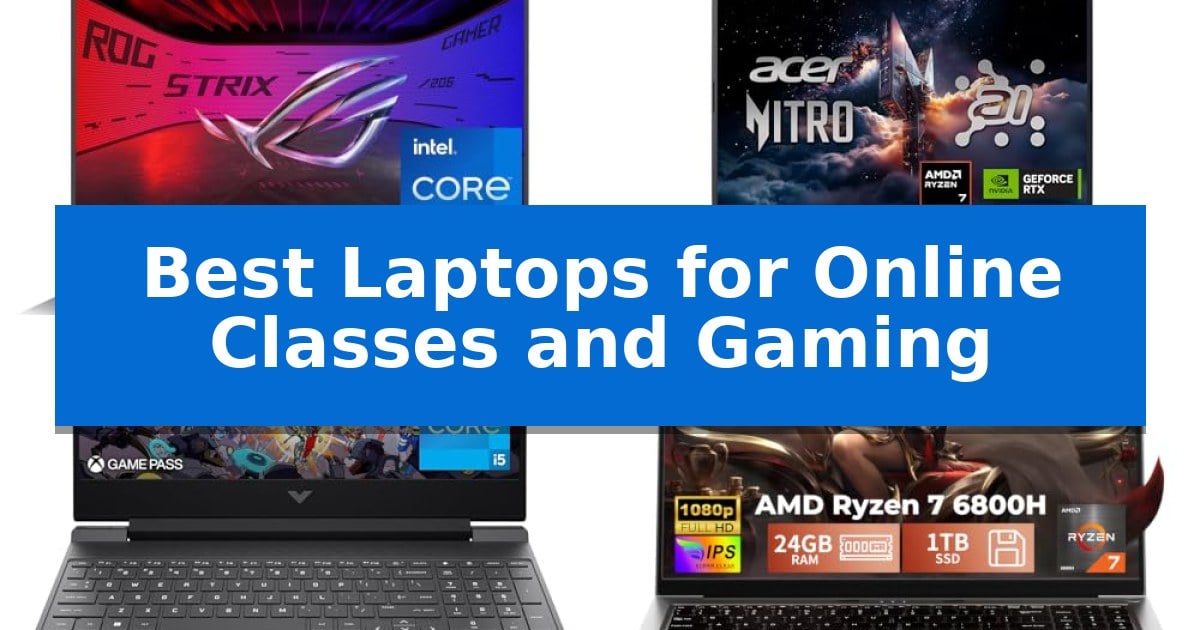
Balancing the demands of a rigorous academic schedule with the need for high-performance entertainment requires a machine that does not compromise. Finding the Best Laptops for Online Classes and Gaming means identifying hardware that handles multitasking, video conferencing, and intensive graphics without thermal throttling or sluggish response times.
Whether you are attending back-to-back virtual lectures or diving into the latest titles, the right laptop must bridge the gap between productivity and play. We have analyzed current market options to help you select a device that fits your specific workflow, budget, and lifestyle requirements.
Best Laptops for Online Classes and Gaming in 2026
Quick Comparison
| Product | Best For | Key Strength | Score |
|---|---|---|---|
| ASUS ROG Strix G16 Gaming Laptop | Best Overall | High-refresh 165Hz display with contrast-enhancing ACR film. | 4.9 |
| Acer Nitro V 16S Gaming Laptop | AI-Enhanced Performance for Students | High-refresh 180Hz display with full sRGB color coverage. | 4.9 |
| HP Victus 15.6 Gaming Laptop | Balanced Choice for Budget Gamers | 144Hz refresh rate display for smooth visual performance. | 4.9 |
| HILLSUSU 15.6 Gaming Laptop | Portable Design for Campus Life | Powerful AMD Ryzen 7 6800H processor for efficient multitasking. | 4.4 |
| msi Crosshair 18 HX Gaming Laptop | Ultimate Desktop Replacement Power | High-performance Intel Core Ultra 9 processor with 24 cores for demanding tasks. | 4.6 |
How We Chose
- Processing power and multitasking capability via modern CPU architectures.
- Graphics performance for smooth frame rates in gaming and creative applications.
- Display quality, specifically refresh rates and color accuracy for visual tasks.
- Thermal management systems to maintain consistent performance during long sessions.
- Portability and build quality for daily transit between classes and home.
1 ASUS ROG Strix G16 Gaming Laptop — High-Refresh Gaming and Study Power
The ASUS ROG Strix G16 (2025) centers its utility around a high-refresh 165Hz FHD+ display featuring a specialized ACR film designed to enhance contrast and minimize glare, providing a clear visual environment for both academic tasks and fast-paced gaming. This 16-inch, 16:10 aspect ratio screen offers the vertical workspace often preferred for document editing and online class materials.
Under the hood, the system is driven by an Intel Core i7 Processor 14650HX paired with an NVIDIA GeForce RTX 5060 Laptop GPU. This hardware combination utilizes the NVIDIA Blackwell architecture and DLSS 4 technology, which helps maintain frame rates in demanding titles while providing the necessary compute power for multitasking between browser-heavy research and creative software.
Thermal management is handled by ROG Intelligent Cooling, which incorporates an end-to-end vapor chamber and tri-fan technology. By applying Conductonaut extreme liquid metal to the chipset, the system aims to maintain stable performance during extended study sessions or gaming marathons. For users who need to transition between roles, the Stealth Mode allows the user to disable the 360° RGB light bar and keyboard lighting for a professional, understated appearance.
Connectivity and storage are optimized for modern workflows with Wi-Fi 7 support for stable network access during remote lectures and a 1TB PCIe Gen 4 SSD for rapid file loading. The inclusion of 16GB of DDR5-5600MHz memory ensures that switching between multiple open applications remains fluid, supporting a balanced approach to productivity and entertainment.
Best for: Students who require a high-performance machine capable of handling intensive gaming sessions alongside demanding academic multitasking.
Skip if: Users prioritizing extreme portability or a lightweight form factor, as the 5.84-pound weight and gaming-focused cooling system are designed for stationary power rather than travel.
PROS
- High-refresh 165Hz display with contrast-enhancing ACR film.
- Advanced ROG Intelligent Cooling with liquid metal thermal interface.
- Wi-Fi 7 connectivity for reliable high-speed networking.
- Versatile Stealth Mode for professional environments.
CONS
- Heavier chassis design at 5.84 pounds may limit portability.
- 16GB RAM may require future upgrades for heavy professional creative workloads.
2 Acer Nitro V 16S Gaming Laptop — AI-Enhanced Performance for Students
The Acer Nitro V 16S Gaming Laptop integrates the AMD Ryzen 7 260 processor, which utilizes up to 38 AI Overall TOPS to balance the demands of intensive gaming and academic workloads. This hardware foundation is designed to support both high-fidelity entertainment and complex AI-driven tasks, making it a versatile tool for students who require a machine capable of switching between classroom productivity and gaming.
Visual performance is anchored by a 16-inch WUXGA display that covers 100% of the sRGB color gamut, ensuring color accuracy for creative projects. The 180Hz refresh rate provides fluid motion for fast-paced gaming, while the inclusion of the NVIDIA GeForce RTX 5060 Laptop GPU—powered by the Blackwell architecture—brings advanced ray tracing and neural rendering capabilities to the system.
To handle modern software and gaming libraries, the device is equipped with 32GB of DDR5 5600MHz memory and a 1TB PCIe Gen 4 SSD. The internal layout includes two PCIe M.2 slots, with one slot remaining available for future storage expansion, providing a practical upgrade path for users who accumulate large datasets or game files over time.
The integration of DLSS 4 technology, supported by fifth-generation Tensor Cores, allows the system to utilize AI to enhance frame rates and image resolution. This feature set is intended to provide a consistent experience across various applications, from streaming 4K HDR content to managing demanding software environments.
Best for: Students who need a high-performance machine that transitions effectively between academic assignments and modern gaming.
Skip if: Users who prioritize extreme portability or a lightweight form factor, as this 16-inch device is built primarily for performance and desktop-replacement utility.
PROS
- High-refresh 180Hz display with full sRGB color coverage.
- 32GB of DDR5 memory provides substantial headroom for multitasking.
- AI-accelerated performance via AMD Ryzen 7 and NVIDIA RTX 5060 hardware.
- Expandable storage with an available PCIe M.2 slot.
CONS
- 4.63-pound weight may be cumbersome for frequent daily transport.
- 16-inch footprint occupies significant desk space compared to smaller ultrabooks.
3 HP Victus 15.6 Gaming Laptop — Balanced Choice for Budget Gamers
Balancing the demands of academic coursework with the graphical requirements of modern gaming requires a machine that handles both multitasking and visual fidelity. The HP Victus 15.6 Gaming Laptop centers its performance on an Intel Core i5-12450H processor, providing the necessary clock speed for responsive application switching during lectures and smooth frame rates during play.
Visual clarity is managed by a 15.6-inch FHD IPS Micro-Edge Anti-Glare display, which features a 144Hz refresh rate. This high refresh rate is a significant benefit for gaming, as it minimizes motion blur, while the anti-glare coating helps maintain visibility in various lighting conditions typical of study environments.
Graphics processing is handled by the NVIDIA GeForce RTX 3050 6GB GDDR6 card. This dedicated hardware ensures that gaming visuals remain stable and detailed, preventing the system from relying solely on integrated graphics. For memory-intensive tasks, the system supports up to 64GB of DDR4-3200 RAM, allowing users to scale their multitasking capabilities as their project requirements grow.
Storage and connectivity are designed to support a modern workflow. The laptop includes a PCIe SSD that can be expanded up to 2TB, ensuring fast data access for large files or game installations. With Wi-Fi 6 integration, the device is equipped to maintain stable network connections, which is essential for attending online classes without interruption.
Best for: Students who need a reliable, dual-purpose machine capable of handling academic software and entry-to-mid-level gaming.
Skip if: Users requiring a lightweight, ultra-portable device for frequent travel, as the 7-pound weight makes this model better suited for stationary desk setups.
PROS
- 144Hz refresh rate display for smooth visual performance.
- Dedicated NVIDIA RTX 3050 graphics for reliable gaming.
- Expandable memory up to 64GB DDR4-3200 RAM.
- Wi-Fi 6 support for stable online connectivity.
CONS
- Substantial weight of 7 pounds limits portability.
- DDR4 memory standard is slower than newer DDR5 alternatives.
4 HILLSUSU 15.6 Gaming Laptop — Portable Design for Campus Life
Balancing academic demands with entertainment requires a machine that handles both multitasking and graphical output efficiently. The HILLSUSU 2026 Flagship 15.6" Gaming Laptop addresses this with an AMD Ryzen 7 6800H processor, featuring 8 cores and 16 threads, which provides the necessary compute power for both intensive coursework and gaming sessions.
The device is built for versatility, pairing its processor with 24GB of LPDDR5 RAM to ensure smooth transitions between research applications and gaming environments. Storage is handled by a 1TB NVMe SSD, offering rapid boot times and significant space for large game files and academic projects. The inclusion of a dual fan and dual heat pipe cooling system is specifically designed to maintain thermal stability under high loads, preventing performance dips during extended use.
Visuals are rendered on a 15.6-inch FHD IPS display that boasts 450 nits of brightness and a 100% sRGB color gamut, making it suitable for both color-accurate content creation and immersive gaming. Portability is a key focus, as the laptop weighs only 3.5 pounds, allowing students to move between classrooms or study spaces without significant burden.
Connectivity is robust, featuring two full-function Type-C ports that support PD fast charging and 4K video output, alongside standard USB and HDMI interfaces. The 57.75Wh battery provides up to 8 hours of web browsing, and the system supports fast charging to reach 80% capacity in approximately 1.5 hours, ensuring the device remains ready for long days on campus.
Best for: Students who need a lightweight, portable machine capable of handling both academic multitasking and gaming performance.
Skip if: Users who require dedicated high-end discrete graphics for professional-grade 3D rendering or competitive eSports at ultra-settings.
PROS
- Powerful AMD Ryzen 7 6800H processor for efficient multitasking.
- Lightweight 3.5lb design enhances campus portability.
- 100% sRGB color gamut display provides accurate visuals.
- Dual fan cooling prevents thermal throttling during heavy workloads.
CONS
- Integrated Radeon 680M graphics may limit performance in the most demanding AAA gaming titles.
- Limited to WiFi 5 connectivity standard.
5 msi Crosshair 18 HX Gaming Laptop — Ultimate Desktop Replacement Power
The msi Crosshair 18 HX Gaming Laptop is built for users who require a high-performance machine capable of handling both intensive academic workloads and demanding gaming sessions. At its core, the device features an Intel Core Ultra 9 Processor 275HX with 24 cores, providing the necessary processing power for complex multitasking, while the 32GB DDR5 5600MHz RAM ensures smooth operation across multiple applications.
Visual fidelity is prioritized through an 18-inch QHD+ (2560×1600) IPS display that supports a 240Hz refresh rate and 100% DCI-P3 color gamut. This combination provides fluid motion for gaming and color accuracy for creative projects. The inclusion of an NVIDIA GeForce RTX 5070 with 8GB GDDR7 memory facilitates advanced ray tracing and AI-accelerated rendering, making it a capable tool for modern graphical tasks.
For connectivity and communication, the laptop integrates Intel Wi-Fi 6E AX211 and Bluetooth 5.3 to maintain reliable network and peripheral links. The system also includes a 720p HD webcam with a privacy shutter for secure video conferencing, complemented by a 2x Dynaudio 2W speaker and 2x 2W woofer audio setup for immersive sound output.
Storage needs are addressed by a 2TB NVMe SSD, which offers significant space for large game libraries and project files while enabling rapid data access. The design is sleek and modern, omitting an optical drive to maintain a streamlined profile, though users should note the unit's substantial footprint and weight, which reflects its status as a high-performance desktop replacement.
Best for: Students and gamers who need a high-performance desktop replacement that can handle both heavy multitasking and modern gaming.
Skip if: Users who prioritize portability and a lightweight form factor for frequent travel will find the 18-inch size and weight of this unit challenging to transport.
PROS
- High-performance Intel Core Ultra 9 processor with 24 cores for demanding tasks.
- 240Hz QHD+ display with 100% DCI-P3 color gamut for vibrant and smooth visuals.
- NVIDIA RTX 5070 graphics with GDDR7 memory for advanced rendering.
- Large 2TB NVMe SSD for extensive storage and fast boot times.
CONS
- Significant physical weight and large dimensions limit portability.
- 720p webcam resolution is basic for a high-end machine.
Best Laptops for Online Classes and Gaming Buying Guide
Processing Power and Multitasking
The central processor is the heart of your laptop. For students who also game, look for multi-core processors that can handle background applications like web browsers and communication software while simultaneously running demanding games.
Higher core counts and efficient thread management ensure that your system remains responsive during intensive tasks. Prioritize models with recent generation CPUs to ensure compatibility with modern software and future-proofing for your academic career.
Graphics and Visual Fidelity
A dedicated graphics processing unit (GPU) is essential for gaming, but it also benefits creative students working with video editing or 3D modeling. Look for GPUs that support DLSS or ray tracing technologies to enhance visual realism and frame rates.
The display itself is equally important. A high refresh rate—typically 144Hz or higher—provides fluid motion in games, while accurate color gamuts like sRGB are vital for academic projects involving design or media production.
Thermal Management
Gaming laptops generate significant heat, which can lead to performance drops if not managed correctly. Look for advanced cooling solutions such as vapor chambers, liquid metal thermal compounds, and multi-fan designs.
Effective thermal management keeps the chassis cool and quiet, which is particularly important when using your laptop in a quiet library or classroom setting. Proper airflow prevents thermal throttling, ensuring you get the performance you paid for.
Memory and Storage Standards
Modern multitasking requires substantial DDR5 memory to keep multiple applications open without slowdowns. Aim for at least 16GB of RAM to ensure a smooth experience across both study and gaming environments.
Storage speed is just as critical. A PCIe Gen 4 SSD significantly reduces boot times and game loading screens. Ensure your chosen model offers enough capacity for your files, or check if the storage is upgradeable for future expansion.
Portability and Connectivity
As a student, you will likely carry your laptop frequently. Consider the weight and dimensions of the device to ensure it fits comfortably in your backpack. A balance between a large screen and a manageable form factor is key.
Connectivity options like Wi-Fi 7 or 6E are vital for stable online classes and low-latency gaming. Additionally, ensure the laptop has sufficient ports, such as USB-C with power delivery, to connect external monitors or peripherals without needing multiple dongles.
Frequently Asked Questions
How much RAM do I need for online classes and gaming?
For a balanced experience, 16GB of DDR5 RAM is the recommended minimum to handle modern games and heavy multitasking for schoolwork.
Is a high refresh rate display necessary for students?
While not strictly necessary for academic work, a high refresh rate (144Hz+) significantly improves the gaming experience and makes general system navigation feel smoother.
Can I use a gaming laptop in a professional classroom?
Yes, many modern gaming laptops feature 'Stealth' or 'Silent' modes that disable RGB lighting and reduce fan noise, making them suitable for professional or academic environments.
What is the benefit of a vapor chamber cooling system?
A vapor chamber provides more efficient heat dissipation than traditional heat pipes, helping to maintain peak performance during long gaming sessions and preventing thermal throttling.
Are gaming laptops too heavy for daily campus use?
Weight varies significantly by model. While some desktop replacements are heavy, many 15.6-inch and 16-inch gaming laptops are designed with portability in mind, weighing under 5 pounds.
Conclusion: Our Top Pick
Selecting the right hardware for both academic and gaming needs requires balancing raw performance with practical design. The ASUS ROG Strix G16 Gaming Laptop stands out as a top choice due to its high-refresh display, advanced cooling system, and powerful internal components that handle both tasks with ease.
While other models offer specific advantages like AI-enhanced performance or extreme portability, this device provides a well-rounded experience. Ensure you consider your specific storage and connectivity needs before finalizing your purchase to ensure the machine serves your academic and gaming goals for years to come.