
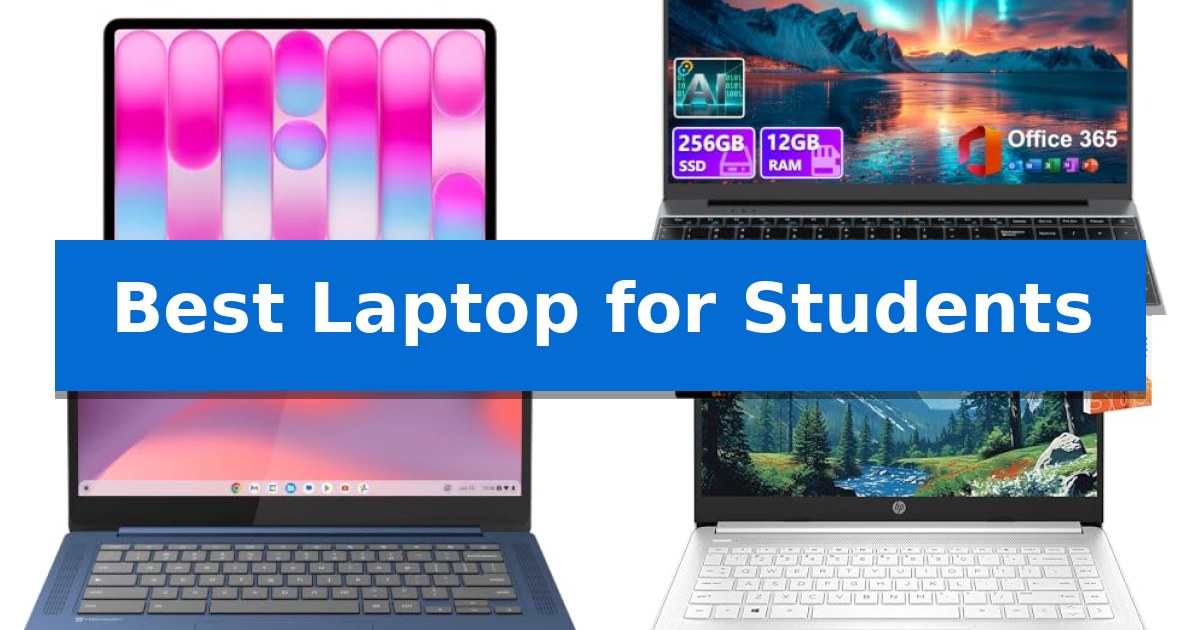
Finding the right machine for your academic journey is essential for staying organized and meeting deadlines. Whether you are drafting research papers, attending virtual lectures, or managing complex schedules, the Best Laptop for Students should balance portability with the processing power needed for daily tasks.
We have evaluated several options to help you navigate the current market. From lightweight designs that fit easily in a backpack to models optimized for long study sessions, our guide highlights key features to consider before you make your next investment.
Best Laptop for Students in 2026: Choosing Reliable Campus Tech
Quick Comparison
| Product | Best For | Key Strength | Score |
|---|---|---|---|
| Apple MacBook Neo 13-inch Laptop | Best Overall | Up to 16 hours of battery life for all-day use. | 4.9 |
| DRKAKO 15.6-inch Student Laptop | Large Screen for Research | Pre-installed Office 365 and AI assistant for immediate academic productivity. | 4.3 |
| Lenovo Flagship Chromebook | Touchscreen Navigation | 14-inch Full HD IPS touchscreen for clear, interactive navigation. | 4.8 |
| HP 14-inch Ultra-Light Laptop | Extended Battery for Campus | Ultra-lightweight design for easy portability on campus. | 4.5 |
| HP Chromebook 14 Laptop | Reliable Daily Academic Companion | 14-hour battery life supports all-day academic use. | 4.8 |
How We Chose
- Battery life and power efficiency for all-day campus use.
- Portability and weight for easy transport between classes.
- Display quality and resolution for comfortable reading and research.
- Connectivity options including ports and wireless standards.
- Integrated software and AI-ready capabilities for academic workflows.
1 Apple MacBook Neo 13-inch Laptop — Premium AI-Ready Performance
The Apple MacBook Neo 13-inch Laptop is designed for portability and efficiency, featuring a durable recycled aluminum enclosure that reaches 60 percent recycled content by weight. This machine is powered by the A18 Pro chip, enabling users to handle everyday assignments, create presentations, and utilize AI-driven tools for summarizing notes or writing tasks.
Equipped with a vibrant 13-inch Liquid Retina display that supports 1 billion colors, this laptop ensures crisp text and vivid visuals for study materials and media. The device includes a 1080p FaceTime HD camera and a dual-mic array, providing clear audio and video quality for remote classes or group projects.
With up to 16 hours of battery life, the laptop is built to last through long study sessions without requiring a power outlet. It also integrates seamlessly with other Apple devices, allowing users to control their iPhone directly from the laptop, share content across devices, and manage calls without switching hardware.
The integration of macOS ensures that built-in applications run efficiently, while the inclusion of Apple Intelligence provides privacy-focused tools to assist with productivity. Available in four colors with color-coordinated keyboards, the device balances functional performance with a compact, lightweight design.
Best for: Students who need a portable, AI-ready device with long battery life and seamless integration with the Apple ecosystem.
Skip if: Users who require specialized professional software not optimized for macOS or those who need more than 256GB of internal storage for large media libraries.
PROS
- Up to 16 hours of battery life for all-day use.
- A18 Pro chip provides dedicated performance for AI-driven tasks.
- Durable recycled aluminum design that is both portable and environmentally conscious.
- Seamless integration with iPhone for cross-device productivity.
CONS
- 256GB SSD storage may be limited for users with extensive local file storage needs.
- 8GB Unified Memory may constrain intensive multitasking compared to higher-spec configurations.
2 DRKAKO 15.6-inch Student Laptop — Large Screen for Research
The DRKAKO 15.6-inch Student Laptop provides a specialized solution for academic workflows by including a one-year subscription to Office 365, allowing immediate access to Word, Excel, and PowerPoint. This device integrates an AI assistant designed to streamline the research process by drafting essays, summarizing complex readings, and organizing meeting notes.
Engineered for daily academic tasks, the laptop features a J4105 quad-core processor paired with 12GB of DDR4 RAM to support multitasking across web browsers and online learning platforms. Storage is handled by a 256GB SSD, which facilitates fast system startups and file access, with the added flexibility of expansion up to 2TB via SSD or 1TB through a microSD card.
The visual experience is defined by a 15.6-inch FHD IPS display with a 1920×1080 resolution, framed by ultra-narrow bezels to maximize screen real estate. For collaborative environments, the chassis includes a 180-degree lay-flat hinge, making it simple to share content during group presentations or study sessions.
Portability is a primary focus, with the unit weighing 3.7 lbs and measuring 0.79 inches thin. It is equipped with a 53.2Wh battery rated for up to 6 hours of use, and connectivity is supported by dual-band Wi-Fi 5, Bluetooth, and a versatile port selection including USB-C for data, video, and charging, along with USB 3.2 and Mini HDMI.
Best for: Students requiring a budget-friendly, portable device with pre-installed productivity software for research and document management.
Skip if: Users who require high-performance hardware for intensive tasks like video editing, 3D rendering, or modern gaming.
PROS
- Pre-installed Office 365 and AI assistant for immediate academic productivity.
- 180-degree lay-flat hinge for convenient screen sharing.
- Expandable storage options up to 2TB SSD.
- Versatile connectivity including USB-C for charging and video output.
CONS
- 6-hour battery life may require frequent charging during long school days.
- J4105 processor is optimized for light productivity rather than heavy computational workloads.
3 Lenovo Flagship Chromebook — Touchscreen Navigation
Navigating academic demands requires a reliable device, and the Lenovo Flagship Chromebook simplifies this with its 14-inch Full HD touchscreen. This display utilizes IPS technology to provide clear, wide-angle visuals, making it well-suited for reading digital textbooks or participating in remote learning sessions via the integrated 720p HD webcam.
At the heart of this laptop is the MediaTek Kompanio 520 octa-core processor, which is engineered to balance performance with power efficiency. This configuration supports everyday student tasks, from managing browser-based research to handling document creation, while maintaining a slim profile that measures only 0.73 inches in height and weighs 2.86 pounds.
The device comes equipped with 4GB of RAM and 64GB of eMMC storage, providing a responsive environment for multitasking across multiple browser tabs. Connectivity is handled by Wi-Fi 6 and Bluetooth 5.1, ensuring stable network access for cloud-based applications and peripheral integration. For added utility, it includes a USB-A 3.2 Gen 1 port, a USB-C 3.2 Gen 1 port, and a microSD card reader.
Running on Google Chrome OS, the laptop offers a streamlined interface with built-in security features and automatic cloud backups. The inclusion of a privacy shutter on the webcam provides a physical measure of control for students concerned about digital privacy during online classes.
Best for: Students who prioritize a lightweight, portable device for web-based research, cloud-based document editing, and remote learning.
Skip if: Users who require significant local storage capacity or need to run specialized, high-performance desktop software that is not compatible with Chrome OS.
PROS
- 14-inch Full HD IPS touchscreen for clear, interactive navigation.
- Slim and lightweight design at 2.86 lbs for easy portability.
- Integrated privacy shutter on the webcam for enhanced security.
- Wi-Fi 6 compatibility for fast and reliable network connectivity.
CONS
- Limited 64GB eMMC storage may require reliance on cloud services.
- 4GB RAM may constrain performance during heavy multitasking.
4 HP 14-inch Ultra-Light Laptop — Extended Battery for Campus
The HP 14-inch Ultra-Light Laptop is designed for students who require a portable, entry-level machine for daily academic tasks and remote learning. Weighing just 3.24 pounds, this device prioritizes mobility, making it easy to transport between classes or study sessions.
Performance is driven by an Intel Celeron N4500 processor paired with 4GB of DDR4 RAM, providing sufficient power for light workloads like document editing and web research. The laptop includes a one-year subscription to Microsoft 365, which provides immediate access to Word, Excel, and PowerPoint for coursework.
The display features a 14-inch micro-edge, anti-glare screen with a 62.5% sRGB color gamut, intended for comfortable viewing during extended study periods. Users can expand their workspace by connecting up to two external monitors via the HDMI 1.4b or USB-C 3.2 Gen 1 ports, supporting resolutions up to FHD at 60Hz.
Connectivity is handled by Wi-Fi 6E and Bluetooth 5.4, ensuring stable wireless performance for online classes and video conferencing. The system includes a HP True Vision HD camera for clear video communication, and the battery supports HP fast charge to minimize downtime throughout the day.
The device comes with Windows 11 Home in S mode for enhanced security, though users have the option to switch to standard Windows 11 Home. Storage is provided via a 128GB configuration, split between 64GB eMMC and a 64GB SD card, which is backed by a 3-year warranty from the supplier.
Best for: Students needing a lightweight, portable laptop for basic productivity, online classes, and document management.
Skip if: Users who require high-performance hardware for video editing, heavy multitasking, or gaming, as the 4GB RAM and Celeron processor are limited to light workloads.
PROS
- Ultra-lightweight design for easy portability on campus.
- Wi-Fi 6E and Bluetooth 5.4 for modern, stable wireless connectivity.
- Versatile display output supporting two external monitors.
- Included 1-year Microsoft 365 subscription for academic software needs.
CONS
- Limited 4GB RAM may restrict heavy multitasking.
- Entry-level processor not suitable for demanding creative or gaming applications.
5 HP Chromebook 14 Laptop — Reliable Daily Academic Companion
Balancing academic demands requires a reliable tool that handles daily assignments while maintaining portability for campus life. The HP Chromebook 14 Laptop is built for this environment, featuring a 14-inch micro-edge, anti-glare HD display that provides a clear workspace for research and writing while remaining thin enough to slide into a backpack.
Under the hood, this device utilizes a quad-core Intel Celeron N4120 processor paired with 4 GB of RAM, offering a stable foundation for web-based tasks and multitasking. The inclusion of 64 GB of flash-based eMMC storage ensures quick access to saved files, while Intel UHD Graphics 600 supports streaming high-definition content for study breaks or media consumption.
Designed for long days, the laptop boasts up to 14 hours of battery life, minimizing the need to hunt for power outlets between lectures. When a boost is necessary, HP Fast Charge technology restores the battery from 0 to 50% in approximately 45 minutes. Connectivity is handled through a Wi-Fi and Bluetooth combo, ensuring stable links for remote collaboration and online research.
The user experience is enhanced by a full-size keyboard and a multi-touch touchpad that supports four-finger gestures for efficient navigation. As an ENERGY STAR certified and EPEAT Silver registered device, it aligns with sustainable design standards, making it a practical and environmentally conscious choice for students.
Best for: Students who prioritize long battery life and portability for web-based academic tasks and streaming.
Skip if: Users who require high-performance local storage, intensive video editing software, or specialized applications not available on Chrome OS.
PROS
- 14-hour battery life supports all-day academic use.
- HP Fast Charge provides a 50% charge in 45 minutes.
- Thin and lightweight design is ideal for travel and campus mobility.
- Micro-edge anti-glare display reduces eye strain during long study sessions.
CONS
- 64 GB eMMC storage is limited for large local file collections.
- 4 GB RAM may restrict heavy multitasking compared to higher-spec machines.
Best Laptop for Students Buying Guide
Prioritizing Battery Life
For most students, the ability to work away from a power outlet is a top priority. A laptop with extended battery life ensures you can move from morning lectures to evening library sessions without the stress of finding an available wall socket.
Look for models that offer fast charging capabilities, which can be a lifesaver during short breaks between classes. Efficient processors and optimized operating systems are the primary drivers of this longevity.
Portability and Form Factor
A student laptop needs to be lightweight and compact enough to carry alongside textbooks and other supplies. Devices under three pounds are generally considered ideal for daily commuting.
Consider the chassis material and build quality, as a durable enclosure protects your investment from the inevitable bumps and scrapes of campus life. A slim profile also ensures it slides easily into most standard backpacks.
Display and Visual Comfort
You will likely spend hours reading documents and watching educational videos, making the display a critical factor. A high-resolution screen with anti-glare technology helps reduce eye strain during long study sessions.
IPS panels are often preferred for their wide viewing angles, which are useful when collaborating on group projects or sharing your screen during presentations.
Connectivity and Ports
While cloud storage is common, having the right physical ports remains important for connecting to projectors, external drives, and peripherals. A mix of USB-C and USB-A ports provides the best versatility for older and newer devices.
Modern wireless standards like Wi-Fi 6 or 6E are essential for maintaining stable connections in crowded campus networks, ensuring your online classes and research sessions remain uninterrupted.
Performance for Academic Tasks
The processor and memory (RAM) determine how well your laptop handles multitasking. For standard academic work like word processing, web research, and video conferencing, a balanced quad-core processor is usually sufficient.
If your coursework involves data analysis or creative projects, look for higher RAM capacity to keep your system responsive. Solid-state drive (SSD) storage is highly recommended for faster boot times and quicker file access compared to traditional hard drives.
Frequently Asked Questions
How much RAM do I really need for school?
For basic tasks like web browsing, writing papers, and streaming, 4GB to 8GB of RAM is typically sufficient. If you plan to run multiple heavy applications simultaneously, 8GB or more is recommended.
Is a touchscreen necessary for a student laptop?
A touchscreen is not strictly necessary but can be helpful for navigating documents, scrolling through research, or using specific educational apps. It is a matter of personal preference.
Should I choose a Chromebook or a Windows/Mac laptop?
Chromebooks are excellent for web-based tasks and are generally more affordable. Windows and Mac laptops offer broader software compatibility, which may be required for specific academic programs.
How important is the weight of the laptop?
Weight is very important if you carry your laptop daily. A lighter device reduces physical strain, making it easier to transport between home, the library, and classrooms.
Can I upgrade the storage on these laptops later?
Upgradeability varies by model. Some laptops allow for SSD or RAM upgrades, while others have components soldered to the motherboard. Always check the specific model's documentation.
Conclusion: Our Top Pick
Selecting the right laptop depends on your specific field of study and your daily mobility needs. For students who require a balance of high-end performance, AI-integrated tools, and exceptional battery life, the Apple MacBook Neo 13-inch Laptop stands out as a versatile and reliable choice.
While other models offer specific advantages like larger screens or budget-friendly pricing, the combination of the A18 Pro chip and a durable, portable design makes it a strong long-term investment for academic success.