
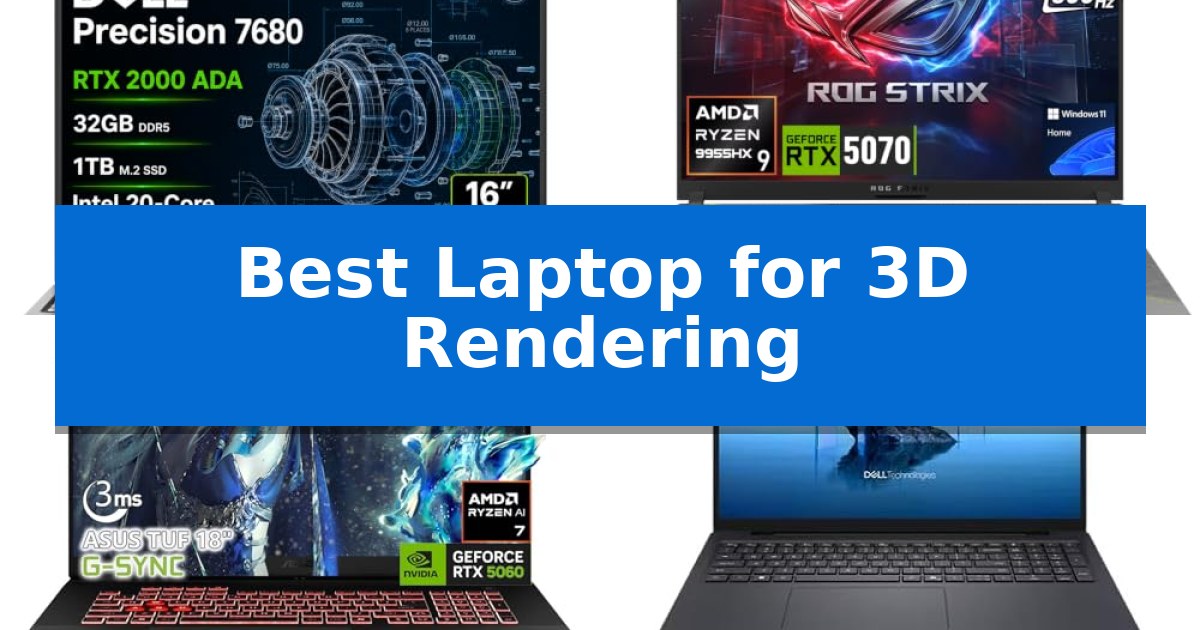
Finding the Best Laptop for 3D Rendering requires balancing raw computational power with thermal management and display accuracy. Whether you are an architect drafting complex CAD models or a digital artist working on high-poly character animation, your machine must handle intense graphical loads without throttling.
Our guide focuses on mobile workstations and high-performance hardware that prioritizes stability and specialized graphics processing. We have analyzed current market offerings to help you identify which machine aligns with your specific creative workflow and professional demands.
Best Laptop for 3D Rendering in 2026
Quick Comparison
| Product | Best For | Key Strength | Score |
|---|---|---|---|
| Dell Precision 7680 Laptop | Best Overall | NVIDIA RTX 2000 Ada 8GB GPU provides dedicated power for 3D rendering. | 4.9 |
| ASUS ROG Strix G16 Laptop | High-Speed Ray Tracing Performance | GeForce RTX 5070 8GB GDDR7 GPU for accelerated 3D rendering and creative workflows. | 4.9 |
| ASUS TUF A18 Gaming Laptop | Large Screen for Creative Workflows | Expansive 18-inch WUXGA display with 144Hz refresh rate and G-SYNC. | 4.8 |
| Dell Pro Max 16 Laptop | Professional Grade Graphics Engine | NVIDIA RTX PRO 3000 Blackwell GPU with 12GB GDDR7 memory for high-end rendering. | 4.3 |
| Dell Precision 3490 Laptop | Portable Workstation for Professionals | Lightweight 3.09 lb design that meets MIL-STD 810H standards. | 4.4 |
How We Chose
- Graphics Processing Unit (GPU) performance for ray tracing and viewport acceleration.
- Processor (CPU) core count and clock speeds for multi-threaded simulation and rendering.
- Memory (RAM) capacity and bandwidth to handle complex scene geometry and textures.
- Display color accuracy and resolution for precise visual output.
- Thermal design and cooling efficiency to maintain performance during long render times.
1 Dell Precision 7680 Laptop — Workstation Power for Complex Rendering
The Dell Precision 7680 Laptop is engineered for demanding professional workflows, featuring the NVIDIA RTX 2000 Ada 8GB GPU to provide the graphical power necessary for complex 3D rendering, CAD design, and simulation tasks. This mobile workstation is built to handle intensive creative projects while maintaining the reliability required for engineering and architectural environments.
At the core of its performance is the Intel Core i7-13850HX vPro Processor, paired with 32GB DDR5 CAMM RAM. The use of CAMM technology allows for a thinner laptop profile without compromising on memory speed or multitasking efficiency. With a 1TB PCIe NVMe M.2 SSD, the system ensures fast storage access for large project files and assets.
The device features a 16" FHD+ (1920 x 1200) Anti-Glare display, providing a clear workspace for detailed design work. Its connectivity suite is extensive, including 2x Thunderbolt 4 ports, USB-C, USB-A, and HDMI, supporting the connection of up to four external monitors at 4K resolution. This versatility is essential for creators who require multi-monitor setups for complex rendering pipelines.
Designed for durability, the laptop has undergone MIL-STD-810H testing to ensure it can withstand the rigors of studio or on-site work. It comes pre-installed with Windows 11 Pro, which includes AI-powered Copilot to assist in streamlining professional tasks. With ISV certifications, the hardware is optimized for dependable compatibility with industry-standard professional applications.
Best for: Professional architects, engineers, and 3D creators who require a portable, ISV-certified workstation for heavy rendering and simulation workloads.
Skip if: Users who prioritize a lightweight, ultra-portable form factor or those who do not require professional-grade GPU rendering capabilities will find this 5.9-pound workstation excessive for their needs.
PROS
- NVIDIA RTX 2000 Ada 8GB GPU provides dedicated power for 3D rendering.
- CAMM DDR5 memory architecture enables high performance in a thinner chassis.
- Extensive connectivity supports up to four external 4K monitors.
- MIL-STD-810H durability ensures reliability for professional environments.
CONS
- Heavy 5.9-pound weight may limit portability for some users.
- FHD+ display resolution may be lower than some high-end creative alternatives.
2 ASUS ROG Strix G16 Laptop — High-Speed Ray Tracing Performance
When tackling demanding creative workflows like 3D rendering and video editing, the ASUS ROG Strix G16 Laptop provides a specialized foundation through its GeForce RTX 5070 8GB GDDR7 GPU. This hardware configuration is engineered to accelerate complex rendering tasks while leveraging AI-enhanced DLSS 4 technology to maintain efficiency during intensive design sessions.
The system is powered by an AMD Ryzen 9 9955HX processor, featuring 16 cores and 32 threads, which offers the multi-threaded processing power necessary for heavy multitasking. To ensure this performance remains consistent, the laptop utilizes an optimized thermal design that manages heat dissipation, preventing performance throttling during prolonged rendering projects.
Visual precision is managed by a 16-inch QHD+ 2.5K IPS display with a 300Hz refresh rate. This high-resolution panel provides the clarity required for detailed 3D modeling, while the high refresh rate ensures smooth navigation through complex viewports and timelines.
Connectivity is tailored for professional productivity, featuring two USB 4 Type-C ports that support DisplayPort and power delivery with data speeds up to 40Gbps. These ports allow for seamless integration with external high-resolution monitors and high-speed peripherals, while the inclusion of Wi-Fi 6E and a dedicated RJ45 LAN port ensures stable network access for cloud-based rendering or large file transfers.
Security and stability are integrated through Firmware TPM and BIOS password protection, safeguarding project data. The device is supported by a 90Wh battery and a 280W adapter, providing the necessary power overhead to sustain high-performance operations in various work environments.
Best for: Professional creators and 3D artists who require high-performance GPU acceleration and multi-threaded CPU power for complex rendering workflows.
Skip if: Users who prioritize a lightweight, ultra-portable form factor for travel, as the 5.51-pound weight and 280W power brick are optimized for stationary workstation performance.
PROS
- GeForce RTX 5070 8GB GDDR7 GPU for accelerated 3D rendering and creative workflows.
- AMD Ryzen 9 9955HX processor with 16 cores for heavy multitasking.
- High-speed connectivity via dual 40Gbps USB 4 ports.
- Optimized thermal management to maintain stable performance under load.
CONS
- Significant weight of 5.51 pounds may limit portability.
- Requires a large 280W power adapter for full performance.
3 ASUS TUF A18 Gaming Laptop — Large Screen for Creative Workflows
When tackling complex 3D modeling and rendering, the ASUS TUF A18 Gaming Laptop serves as a specialized workstation designed to replace bulky desktop setups. Its expansive 18-inch WUXGA display provides the necessary screen real estate for intricate creative workflows, while the integration of adaptive G-SYNC technology and a 144Hz refresh rate ensures fluid visual feedback during high-intensity rendering tasks.
The system is built around the AMD Ryzen 7 260 processor and an NVIDIA GeForce RTX 5060 GPU, a configuration specifically chosen to handle AI-accelerated creative applications. This hardware pairing is designed to provide the computational power required for high-FPS rendering and multitasking, making it a viable portable solution for power users who need desktop-level performance on the go.
For data-heavy projects, the device is equipped with 32GB of RAM and a 1TB PCIe SSD, facilitating quick data access and efficient project management. Connectivity is equally robust, featuring Thunderbolt 4, USB Type-C, and Wi-Fi 6E, which allow for seamless integration with external high-speed storage and professional peripherals.
To maintain stability during sustained rendering sessions, the chassis incorporates upgraded thermal cooling technology. While this contributes to a powerful machine, the 18-inch form factor and 5.19-pound weight reflect a design choice that prioritizes maximum screen area and performance over extreme portability, making it best suited for users who value a stationary, high-performance workspace.
Best for: Creators and power users who require a large 18-inch display and dedicated GPU performance for 3D rendering and multitasking.
Skip if: Users who prioritize a lightweight, highly portable device for frequent travel will likely find the 18-inch form factor and 5.19-pound weight too cumbersome.
PROS
- Expansive 18-inch WUXGA display with 144Hz refresh rate and G-SYNC.
- High-performance hardware featuring AMD Ryzen 7 260 and NVIDIA RTX 5060.
- Generous 32GB RAM and 1TB PCIe SSD for large project files.
- Comprehensive connectivity including Thunderbolt 4 and Wi-Fi 6E.
CONS
- Large physical footprint may limit portability for mobile users.
- Professional SSD upgrades require opening the factory seal.
4 Dell Pro Max 16 Laptop — Professional Grade Graphics Engine
The Dell Pro Max 16 Laptop is engineered for high-stakes professional environments, anchored by the NVIDIA RTX PRO 3000 Blackwell dedicated GPU. With 12GB of GDDR7 graphics memory, this workstation provides the necessary bandwidth to manage complex geometry and high-fidelity textures, making it a capable tool for 3D rendering and intensive CAD workflows.
At the heart of the system lies the Intel Core Ultra 7 265HX processor, a chip specifically optimized for demanding multitasking and engineering applications. This processing power is complemented by 32GB of DDR5 6400 MT/s RAM and a 1TB PCIe Gen4 performance SSD, ensuring that large project files load rapidly and remain responsive during complex operations.
The visual experience is defined by a 16-inch FHD+ display that balances clarity with color precision, offering 100% DCI-P3 color coverage and 500-nit brightness. The 120Hz VRR refresh rate ensures fluid motion during viewport navigation, while the integrated Intel Arc Pro 140T GPU provides additional support for professional content creation tasks.
Built for the modern office, the workstation includes high-speed Wi-Fi 7 connectivity and an 8MP RGB + IR camera for clear video conferencing. The device is powered by a 96Wh battery and includes a 280W USB-C power adapter, ensuring consistent performance under load while running Windows 11 Pro.
Best for: Professional engineers and 3D artists requiring a dedicated workstation for rendering, CAD, and complex content creation.
Skip if: Users seeking an ultra-portable or lightweight device, as this workstation prioritizes high-performance cooling and hardware over compact dimensions.
PROS
- NVIDIA RTX PRO 3000 Blackwell GPU with 12GB GDDR7 memory for high-end rendering.
- Intel Core Ultra 7 265HX processor optimized for demanding professional workloads.
- 120Hz VRR display with 100% DCI-P3 color accuracy for precise visual work.
- Wi-Fi 7 and 96Wh battery for modern, high-speed connectivity and extended uptime.
CONS
- Non-touch display may limit input options for certain creative workflows.
- Heavy-duty hardware configuration results in a larger physical footprint.
5 Dell Precision 3490 Laptop — Portable Workstation for Professionals
The Dell Precision 3490 Laptop is engineered for professionals who require a balance of workstation-grade power and mobility, featuring a lightweight 3.09 lb chassis that meets MIL-STD 810H military standards for durability. This device is built to handle demanding technical workflows, including 3D rendering, CAD design, and simulation, without the excessive weight of traditional desktop-replacement workstations.
At the core of its performance is the Intel Core Ultra 5 135H processor, which provides the necessary computational overhead for multitasking and creative applications. The system is configured with 64GB of DDR5 RAM and a 2TB SSD, ensuring that large project files and complex assets load efficiently. Integrated Intel graphics and AI-assisted productivity tools via Windows 11 Pro further streamline professional tasks.
Visual clarity and connectivity are prioritized through a 14-inch FHD display and a versatile port selection. Users can expand their workspace by connecting up to three external monitors at 4K@60Hz using the two Thunderbolt 4 ports and HDMI output. For remote collaboration, the integrated 1080p FHD HDR RGB webcam includes a privacy shutter, while Wi-Fi 6 and Bluetooth support ensure stable peripheral and network connections.
Designed for long-term reliability, the laptop includes ISV certifications, which help ensure compatibility with professional software suites. The inclusion of a backlit keyboard and enterprise-grade security features makes this a practical choice for architects, engineers, and developers working across diverse environments, from the office to on-site project locations.
Best for: Professionals and engineers who need a portable, ISV-certified workstation for 3D rendering and CAD tasks on the go.
Skip if: Users who require dedicated high-end discrete graphics for complex real-time ray tracing or extreme-scale 3D modeling environments.
PROS
- Lightweight 3.09 lb design that meets MIL-STD 810H standards.
- 64GB DDR5 RAM and 2TB SSD for high-capacity multitasking.
- Dual Thunderbolt 4 ports supporting up to three external 4K monitors.
- ISV certifications for reliable compatibility with professional software.
CONS
- Integrated graphics may limit performance in highly complex, GPU-intensive 3D rendering scenarios.
- 14-inch FHD display may be restrictive for users requiring high-resolution color-critical workspace.
Best Laptop for 3D Rendering Buying Guide
Prioritizing GPU and VRAM
The GPU is the most critical component for 3D rendering. Look for dedicated graphics cards that support hardware-accelerated ray tracing, as these significantly reduce the time required to generate final frames. The amount of VRAM is equally important; larger scenes with high-resolution textures require more memory to prevent crashes or slow performance.
Professional-grade GPUs often include ISV certifications, which ensure the hardware is tested for stability with industry-standard software like Maya, Blender, or AutoCAD. While gaming GPUs are powerful, they may lack the driver optimizations found in workstation-class cards.
CPU Multi-Threading Capabilities
While the GPU handles the visual rendering, the CPU is responsible for physics simulations, geometry processing, and background tasks. A processor with a high core count is essential for multi-threaded workloads, allowing you to keep your system responsive while a render is running in the background.
Look for processors with high Turbo frequencies to ensure that single-threaded tasks, such as modeling or viewport manipulation, remain fluid. Modern mobile workstation chips are designed to balance power consumption with the sustained performance needed for long-duration tasks.
Memory and Storage Speed
3D rendering is memory-intensive. A minimum of 32GB of RAM is recommended for most professional workflows, as complex scenes can quickly exhaust available memory. Advanced memory technologies like CAMM or high-speed DDR5 can offer performance improvements by reducing latency and increasing bandwidth.
Fast storage is vital for loading large project files and asset libraries. PCIe NVMe SSDs provide the necessary read/write speeds to ensure that your software and assets load instantly, preventing bottlenecks that can disrupt your creative flow.
Display Quality and Color Accuracy
A high-resolution display with accurate color reproduction is non-negotiable for designers. Look for panels that offer a wide color gamut, such as 100% DCI-P3, to ensure your renders look consistent across different devices and print media.
Brightness and contrast ratios also play a role in how well you can perceive fine details in shadows or highlights. Anti-glare coatings are a practical addition for studio environments where overhead lighting might otherwise cause distracting reflections.
Thermal Management and Portability
High-performance components generate significant heat. A laptop's ability to dissipate this heat determines whether it can maintain its peak speed during a long render. Look for designs that feature robust cooling systems, including multiple heat pipes and efficient exhaust vents.
There is always a trade-off between power and portability. While thinner laptops are easier to carry, they may struggle to cool high-wattage components. Consider whether you need a desktop-replacement workstation or a lighter, more mobile device for on-site work.
Frequently Asked Questions
Do I need a workstation GPU for 3D rendering?
Workstation GPUs offer stability and ISV certifications that are beneficial for professional environments. However, modern high-end gaming GPUs are often sufficient for many freelance and hobbyist rendering tasks.
How much RAM is enough for 3D rendering?
For professional 3D work, 32GB is the recommended baseline. If you work with extremely high-poly models or complex simulations, 64GB or more may be necessary to avoid performance degradation.
Is a 4K display necessary for 3D rendering?
While 4K provides more screen real estate, a high-quality FHD+ or QHD+ display with excellent color accuracy is often more important than raw pixel count for most rendering workflows.
Can I upgrade the RAM and SSD on these laptops?
Many mobile workstations allow for component upgrades, but it varies by model. Always check the specific laptop's documentation to see if the RAM is soldered or if there are accessible slots for storage expansion.
Why is thermal management so important for rendering?
Rendering is a sustained load that keeps the CPU and GPU at high usage for extended periods. If the cooling system cannot keep up, the laptop will 'throttle' or reduce its speed to prevent overheating, which significantly increases render times.
Conclusion: Our Top Pick
For professionals requiring the highest level of reliability and performance, the Dell Precision 7680 Laptop stands out as the premier choice. Its integration of workstation-grade components and efficient thermal design makes it a dependable workhorse for complex 3D projects.
While other options offer specialized benefits like larger screens or gaming-focused features, the Precision 7680 provides the consistent power and professional compatibility necessary for demanding creative workflows. It is an investment in stability and long-term productivity for any serious 3D artist or engineer.