
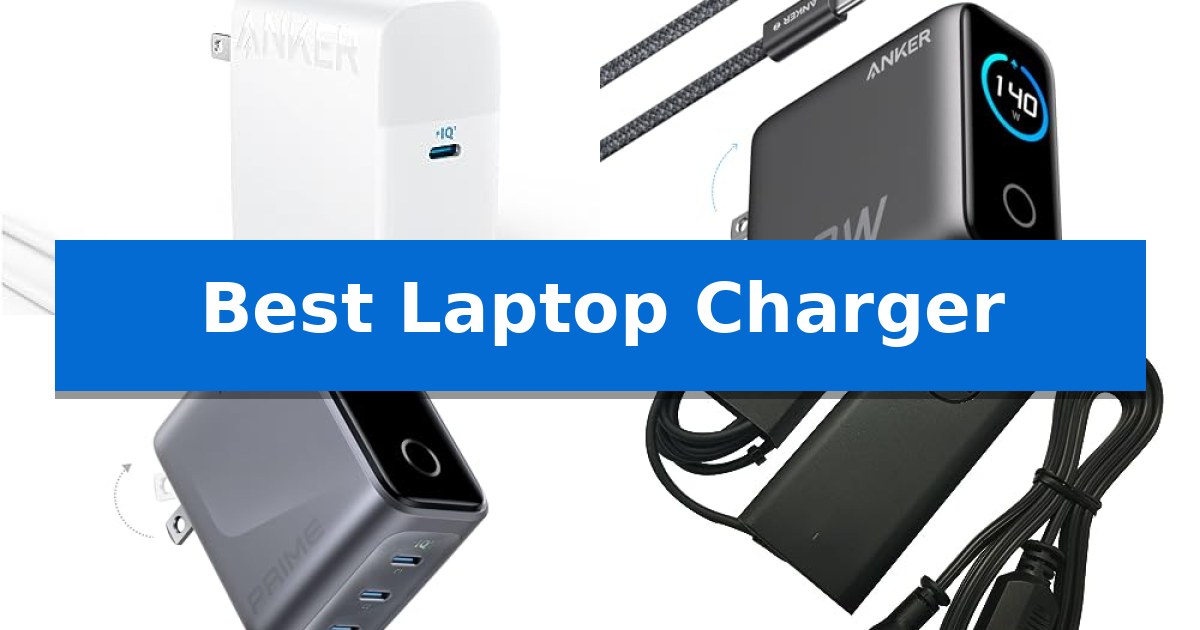
Finding the Best Laptop Charger is essential for maintaining productivity, whether you are working from a home office or traveling between meetings. A reliable power source ensures your device stays charged without risking battery health or performance drops during critical tasks.
With a variety of modern USB-C standards and legacy barrel-tip requirements, choosing the right adapter depends heavily on your specific laptop model and power needs. We have analyzed current market options to help you identify the most efficient and compatible solution for your daily routine.
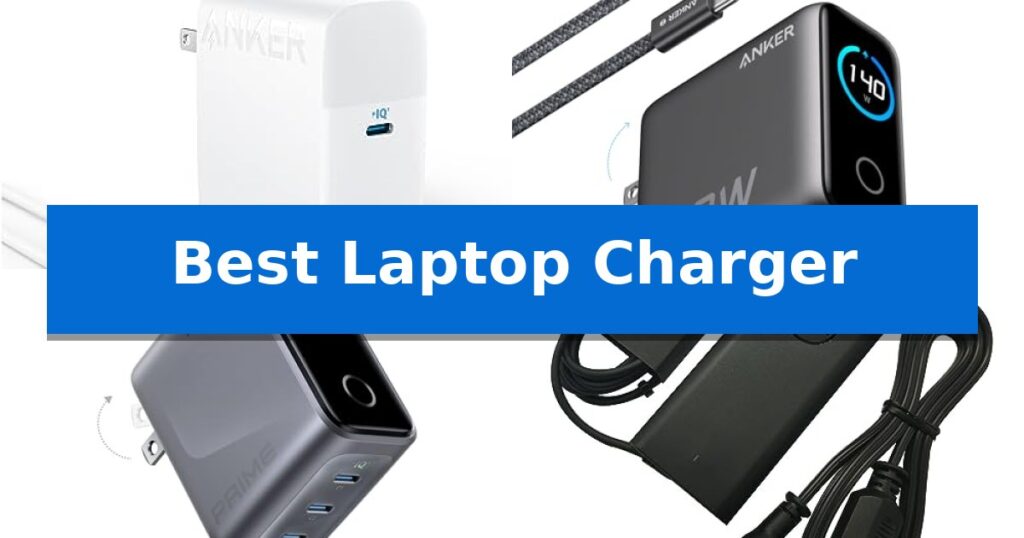
Best Laptop Charger in 2026: Fast Power for Any Device
Quick Comparison
| Product | Best For | Key Strength | Score |
|---|---|---|---|
| Anker 100W USB C Charger | Best Overall | 100W high-speed output for rapid laptop charging | 4.9 |
| Anker 140W 4-Port GaN Charger | Power Multiple Devices Simultaneously | High-speed charging with 140W output on dual USB-C ports. | 4.9 |
| Anker Prime 160W GaN Charger | Compact High-Output Power Solution | 160W total power output in a highly portable, compact design. | 4.8 |
| Dell 65W USB C Laptop Charger | Reliable OEM Replacement for Dell | Genuine Dell OEM hardware ensures compatibility and build quality. | 4.7 |
| HIBBO 65W Blue Tip Laptop Charger | Best for Legacy Barrel-Tip Laptops | Wide compatibility with numerous HP Elitebook, ProBook, and Pavilion series models. | 4.9 |
How We Chose
- Wattage Output: Ensuring the adapter meets or exceeds the minimum power requirements for your specific laptop model.
- Port Versatility: Evaluating whether a single-port or multi-port design better serves your peripheral ecosystem.
- Portability and Build: Assessing the weight, size, and cable length for travel-friendly setups.
- Safety Standards: Prioritizing chargers with integrated thermal monitoring and short-circuit protection.
- Connector Compatibility: Verifying support for USB-C Power Delivery or specific legacy barrel-tip interfaces.
1 Anker 100W USB C Charger — Fastest Charging for Modern Laptops
Modern mobile workflows often demand a reliable power source that can keep up with high-performance hardware. The Anker 100W USB C Charger addresses this need by utilizing a single high-output port capable of delivering 100W of power, allowing for efficient charging of demanding devices like the MacBook Pro 16-inch. By providing enough energy to reach a full charge in approximately 80 minutes, it serves as a practical solution for professionals who need to minimize downtime.
Beyond raw power, this charger incorporates PowerIQ 3.0 technology, which optimizes the power delivery to ensure compatibility across a wide range of mobile devices, including smartphones, tablets, and laptops. This versatility allows users to consolidate their charging gear, replacing multiple adapters with one compact unit. The inclusion of a 6ft USB-C to USB-C cable further enhances the utility of the package right out of the box.
Design considerations prioritize portability and safety. The foldable plug mechanism allows the charger to fit easily into bags or pockets without snagging, making it a suitable companion for travel. To address concerns regarding heat management during extended use, the device features ActiveShield safety technology, which provides continuous temperature monitoring to help protect both the charger and the connected hardware.
This charger is engineered for those who prioritize a balance of high-speed performance and portability. While it excels at powering a variety of devices, users should ensure their specific hardware supports USB-C Power Delivery to take full advantage of the 100W output. With an 18-month warranty included, it offers a straightforward, reliable option for maintaining a productive setup.
Best for: Professionals and travelers who need a compact, high-wattage charger capable of powering modern USB-C laptops and mobile devices simultaneously.
Skip if: Users who require multiple simultaneous charging ports for several high-power devices will need a charger with more than one output.
PROS
- 100W high-speed output for rapid laptop charging
- Compact, foldable design ideal for portability
- PowerIQ 3.0 for broad device compatibility
- ActiveShield technology for 24/7 temperature monitoring
CONS
- Single port configuration limits charging multiple devices at once
2 Anker 140W 4-Port GaN Charger — Power Multiple Devices Simultaneously
Managing multiple devices at a desk requires a reliable power source that can handle high-wattage demands without cluttering your workspace. The Anker 140W 4-Port GaN Charger addresses this by consolidating power delivery into a single, compact block, utilizing advanced GaN technology to maintain efficiency while powering up to four devices simultaneously.
This charger is engineered for high-performance needs, featuring two USB-C ports capable of delivering a maximum output of 140W each. This capacity allows for rapid charging, such as reaching 50% battery on a 15-inch MacBook Air in just 30 minutes. The inclusion of a 5 ft 240W USB-C to USB-C cable ensures you have the necessary hardware to support these high-speed connections right out of the box.
Usability is enhanced by a high-definition color display, which provides real-time feedback on charging status, temperature, and port-specific details. This visual monitoring is paired with the Activeshield 4.0 system, which actively monitors device temperatures over 10 million times a day to maintain operational safety during extended use.
Measuring 2.72 x 2.72 x 1.42 inches and weighing 9.7 ounces, the unit is designed to fit into professional setups without occupying excessive desk space. While it offers significant power, users should ensure their specific devices support the PD 3.1 standard to fully utilize the maximum 140W output capabilities.
Best for: Users who need to charge multiple high-power devices like laptops and tablets simultaneously from a single, monitored power source.
Skip if: Users who only require a basic, low-wattage charger for a single smartphone or accessory and do not need advanced status monitoring or high-output ports.
PROS
- High-speed charging with 140W output on dual USB-C ports.
- Integrated color display for real-time monitoring of power and temperature.
- Advanced safety via the Activeshield 4.0 temperature monitoring system.
- Compact GaN design that powers four devices from one outlet.
CONS
- Requires specific device compatibility with PD 3.1 to achieve maximum 140W speeds.
- Larger footprint compared to single-port wall adapters.
3 Anker Prime 160W GaN Charger — Compact High-Output Power Solution
Managing multiple devices with a single power source is a common challenge for mobile professionals. The Anker Prime 160W GaN Charger addresses this by delivering a substantial 160W total output in a form factor comparable to an AirPods Pro case, utilizing advanced GaN technology to achieve a high power density of 1.35W/cm³.
This charger is engineered for efficiency, featuring a 140W single-port output that allows for rapid charging of high-demand hardware like a 16-inch MacBook Pro, reaching 50% capacity in approximately 25 minutes. With PowerIQ 5.0 technology, the device intelligently manages power distribution across its three ports, enabling simultaneous charging of a laptop, smartphone, and tablet without the need for multiple bulky adapters.
Usability is enhanced through the integrated AnkerSense View, a smart display that provides real-time power monitoring. Users can adjust charging modes and access custom settings via Bluetooth connectivity using the companion app, offering granular control over how power is allocated to connected peripherals.
Designed for those who prioritize portability without sacrificing performance, this charger simplifies travel setups by consolidating power delivery into one compact unit. It includes a 24-month warranty, ensuring long-term support for its high-output capabilities.
Best for: Professionals who need a compact, high-wattage power solution to charge multiple devices, including high-performance laptops, simultaneously.
Skip if: Users who do not require high-speed laptop charging or those who prefer a traditional, non-smart charger without app-based controls.
PROS
- 160W total power output in a highly portable, compact design.
- Dedicated 140W single-port charging for high-performance laptops.
- Smart power distribution via PowerIQ 5.0 for efficient multi-device charging.
- Integrated smart display and Bluetooth app control for real-time monitoring.
CONS
- No charging cable included in the package.
- Requires app and Bluetooth setup to access advanced custom charging modes.
4 Dell 65W USB C Laptop Charger — Reliable OEM Replacement for Dell
Maintaining a reliable power connection for your laptop is essential for productivity, and the Dell 65W USB C Laptop Charger provides a dedicated solution for a wide range of Dell hardware. This genuine original Dell AC adapter is engineered to deliver consistent power, featuring a versatile USB Type-C tip that supports multiple output profiles, including 65W (20V-3.25A), 45W, 27W, and 15W, ensuring compatibility with various power requirements.
Designed for convenience and portability, the unit includes a 3-foot power cord and maintains a compact form factor measuring approximately 4.3 inches in length and 1.1 inches in height. This makes it a practical replacement or travel companion for users of Dell Latitude and XPS series laptops, such as the Latitude 5440, 7440, and XPS 13 models. The adapter is built to meet specific factory standards, including models LA65NM190 and HKA65NM200.
Beyond its core functionality, this charger is backed by a 1-year warranty, providing assurance for your hardware investment. Whether you are replacing a lost cable or keeping a spare in your bag, the Dell 65W USB C Laptop Charger integrates seamlessly into your existing setup, utilizing the industry-standard USB-C interface to power your compatible devices efficiently without the need for proprietary barrel-style connectors.
Best for: Owners of compatible Dell Latitude and XPS laptops seeking a reliable, genuine OEM replacement power adapter.
Skip if: Users who require a higher wattage output for power-hungry workstations or those who prefer a longer integrated power cable.
PROS
- Genuine Dell OEM hardware ensures compatibility and build quality.
- Versatile USB Type-C output supports multiple wattage profiles.
- Includes a 1-year warranty for added peace of mind.
- Compact dimensions suitable for travel and portability.
CONS
- Non-retail packaging may lack premium presentation.
- Limited 3-foot power cord length may restrict placement options.
5 HIBBO 65W Blue Tip Laptop Charger — Best for Legacy Barrel-Tip Laptops
Maintaining a reliable power connection for legacy hardware requires a charger that meets specific electrical standards to ensure both safety and compatibility. The HIBBO 65W Blue Tip Laptop Charger is engineered to support a wide range of HP devices, utilizing a 4.5 x 3.0mm connector to deliver a steady 19.5V output. By providing a versatile 65W capacity that is also compatible with 45W requirements, this adapter serves as a functional replacement for aging or damaged power supplies.
Designed with portability in mind, the unit features a lightweight build that fits easily into travel bags or pockets. The HIBBO 65W Blue Tip Laptop Charger is built to comply with industry standards, incorporating integrated safety mechanisms such as protection against short-circuiting, overvoltage, overcurrent, and internal overheating. These features are intended to provide a stable power delivery environment for your hardware during daily use.
Compatibility is a primary focus for this adapter, as it supports various HP series including Elitebook, ProBook, Pavilion x360, and Chromebook models. The HIBBO 65W Blue Tip Laptop Charger operates across a broad input voltage range of 110-240V, making it a practical solution for those who need a consistent power source for their specific barrel-tip laptop models. The inclusion of a lifetime exchange policy for defective units adds a layer of support for long-term ownership.
Best for: Users with legacy HP laptops requiring a 4.5 x 3.0mm blue-tip connector and 65W or 45W power input.
Skip if: Users with newer USB-C charging laptops or HP models that require a different connector size or higher wattage.
PROS
- Wide compatibility with numerous HP Elitebook, ProBook, and Pavilion series models.
- Integrated safety protections against overheating, overvoltage, and short-circuiting.
- Lightweight and portable design suitable for travel.
- Lifetime exchange policy for defective units.
CONS
- Specific connector type limits use to older HP models with the 4.5 x 3.0mm blue tip.
Best Laptop Charger Buying Guide
Understanding Power Delivery Standards
Modern laptops increasingly rely on USB-C Power Delivery (PD), a standard that allows for faster charging and universal compatibility across different devices. When selecting a charger, it is vital to check if your laptop supports this standard and what its maximum wattage requirement is.
Using a charger with higher wattage than your laptop requires is generally safe, as the device will only draw the power it needs. However, using a lower-wattage charger may result in slower charging speeds or the device failing to charge entirely while in use.
The Benefits of GaN Technology
Gallium Nitride (GaN) technology has revolutionized the design of power adapters by allowing them to be significantly smaller and more efficient than traditional silicon-based chargers. These chargers generate less heat, enabling manufacturers to pack more power into a compact, travel-ready form factor.
If you frequently carry your laptop between locations, a GaN charger is often the most practical choice. These units provide high power output without the bulk associated with older, heavier power bricks.
Multi-Port vs. Single-Port Adapters
Choosing between a single-port and a multi-port charger depends on how many devices you need to power simultaneously. Multi-port chargers are ideal for users who need to charge a laptop, smartphone, and tablet at the same time from a single wall outlet.
Keep in mind that multi-port chargers often distribute power dynamically. When multiple devices are plugged in, the total wattage is shared, which might decrease the charging speed for your laptop compared to using a dedicated single-port charger.
Legacy Barrel-Tip Compatibility
Many older or specific enterprise-grade laptops still utilize proprietary barrel-tip connectors rather than USB-C. If you own an older machine, you must ensure the replacement charger matches the exact voltage, amperage, and tip size of your original equipment.
Using an incompatible barrel-tip charger can lead to poor connections or, in worst-case scenarios, electrical damage to your laptop. Always verify the part number or specific model compatibility listed by the manufacturer.
Safety and Thermal Management
A high-quality charger should include built-in safety mechanisms such as overvoltage protection, short-circuit prevention, and temperature monitoring. These features protect both the charger and your laptop from potential electrical faults.
Look for products that explicitly mention safety certifications or proprietary thermal management systems. These technologies, such as active temperature monitoring, ensure that the charger remains safe even during extended work sessions.
Frequently Asked Questions
Can I use a 100W charger with a laptop that only needs 65W?
Yes, you can safely use a higher-wattage charger. Your laptop will regulate the power intake and only draw the amount of electricity it requires.
What is the main advantage of GaN chargers?
GaN chargers are more efficient and compact than traditional chargers, allowing for high power output in a significantly smaller and lighter physical design.
How do I know if my laptop supports USB-C charging?
Check your laptop's manual or manufacturer specifications. If your laptop has a USB-C port that supports Power Delivery (PD), it can typically be charged via a compatible USB-C adapter.
Does the length of the charging cable affect charging speed?
For most standard lengths, the cable itself does not significantly impact speed, provided the cable is rated to handle the wattage output of your charger.
Why does my multi-port charger slow down when I plug in a second device?
Most multi-port chargers distribute power dynamically. When you add another device, the charger splits the total available wattage across all active ports, which may reduce the power delivered to your laptop.
Conclusion: Our Top Pick
For most users, the Anker 100W USB C Charger stands out as the most versatile and efficient choice. Its combination of high-speed power delivery, compact foldable design, and wide compatibility with modern devices makes it an excellent companion for both home and travel.
While multi-port options offer more convenience for those managing multiple gadgets, the 100W single-port model provides the most consistent performance for demanding laptop tasks. Always ensure your specific device supports USB-C Power Delivery before making your final selection.