
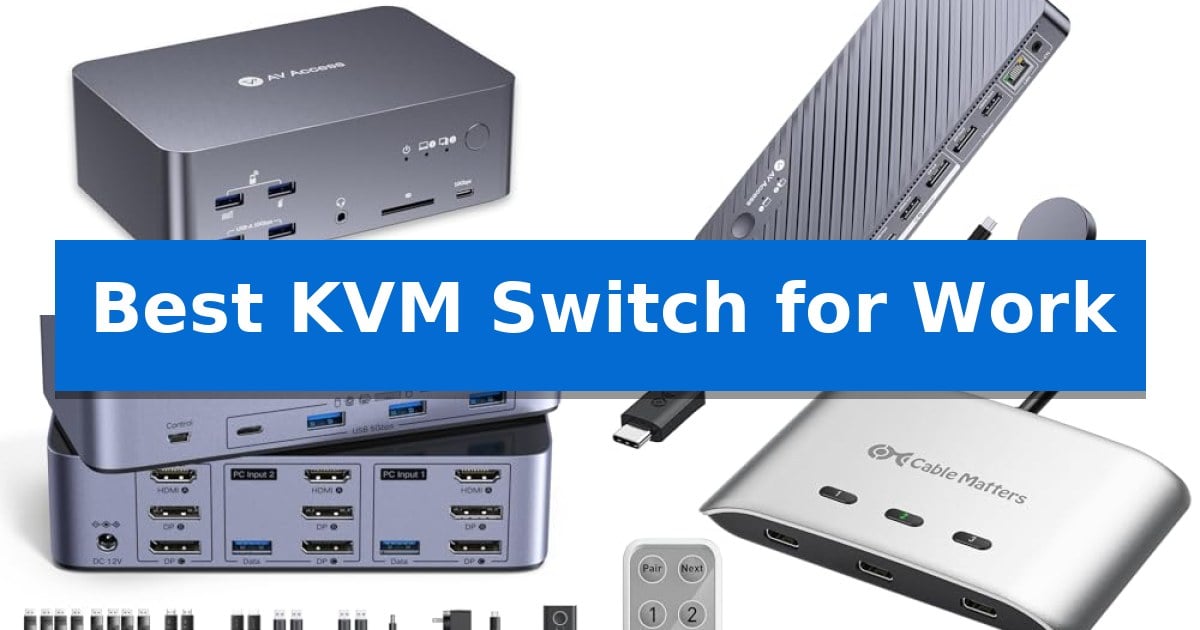
Managing multiple computers at a single desk often leads to a cluttered workspace filled with redundant peripherals and tangled cables. A high-quality KVM switch allows you to consolidate your setup, enabling seamless control over your laptop and desktop using a single set of input devices and displays.
Finding the Best KVM Switch for Work requires balancing your specific display requirements, peripheral needs, and computer connectivity. Whether you need to drive triple-monitor arrays or require high-speed data transfer for professional tasks, the right hub can significantly improve your daily productivity.
Best KVM Switch for Work in 2026
Quick Comparison
| Product | Best For | Key Strength | Score |
|---|---|---|---|
| AV Access iDock B23 KVM Switch | Best Overall | 100W Power Delivery via a single USB-C cable for laptop charging. | 4.9 |
| AV Access iDock B10 KVM Switch | Streamlined Dual-Monitor Workstation Hub | 100W Power Delivery via single USB-C cable | 4.3 |
| UGREEN 8K Triple Monitor KVM Switch | High-Resolution Multi-Display Productivity | Supports high-resolution output up to 8K@60Hz and 4K@240Hz. | 4.4 |
| Cable Matters 20Gbps USB-C KVM Switch | Fast Charging for USB-C Laptops | 140W Power Delivery for fast-charging the active device. | 4.6 |
| UGREEN 4-Port HDMI KVM Switch | Centralized Control for Four Computers | EDID Emulation prevents window rearrangement and resolution loss during switching. | 4.6 |
How We Chose
- Display resolution and refresh rate support for high-fidelity workflows.
- Compatibility with USB-C, HDMI, and DisplayPort interfaces for diverse hardware.
- Power delivery capabilities to maintain laptop battery life during operation.
- Peripheral port count and data transfer speeds for external storage and accessories.
- Switching reliability and the inclusion of convenient remote control options.
1 AV Access iDock B23 KVM Switch — Best Triple-Monitor Docking Solution
Managing a multi-monitor workstation often results in a tangled mess of cables and constant device swapping. The AV Access iDock B23 KVM Switch addresses this by acting as a central hub that allows you to control three displays and various peripherals across both a desktop PC and a USB-C laptop. By utilizing a single 100W Power Delivery connection for your laptop, it eliminates the need for separate chargers and cable clutter, streamlining your desk into a unified command center.
Beyond simple switching, this device functions as a full-featured docking station. It supports high-resolution workflows, with the desktop connection capable of 8K@60Hz or 4K@165Hz, while the laptop interface supports up to 4K@60Hz. For those who prioritize fluid motion, it also handles high-refresh rates like 1080p@480Hz for the desktop, making it suitable for both high-intensity productivity and gaming.
Connectivity is a major strength, featuring three 10Gbps USB ports for rapid data transfer to external drives, alongside three additional 5Gbps USB-A ports for standard peripherals like keyboards and mice. The inclusion of a 1Gb Ethernet port ensures that both computers maintain a stable network connection even when they are not the active input, allowing background tasks like file downloads or remote access to continue uninterrupted.
Usability is enhanced by the top-mounted control button and an included wired remote, providing quick access to switch between systems. The unit also integrates an SDXC card reader and a 3.5mm headset jack, further reducing the need for external adapters. It is a versatile solution for professionals who need to bridge the gap between a high-performance desktop and a portable laptop without sacrificing screen real estate or peripheral connectivity.
Best for: Professionals and gamers who need to share three monitors and multiple high-speed peripherals between a desktop PC and a USB-C laptop.
Skip if: Users who require independent extended display output on MacBooks, as this device only supports mirrored displays for macOS.
PROS
- 100W Power Delivery via a single USB-C cable for laptop charging.
- Triple-monitor support with high-refresh rate capabilities.
- 1Gb Ethernet pass-through keeps both systems connected to the network.
- 10Gbps high-speed data transfer ports for external storage.
CONS
- Limited macOS compatibility regarding extended display mode.
- Requires USB-C video output support on the host laptop.
2 AV Access iDock B10 KVM Switch — Streamlined Dual-Monitor Workstation Hub
The AV Access iDock B10 KVM Switch simplifies complex desk setups by integrating a dual-monitor KVM switch with an 11-in-1 USB-C docking station. This device allows users to share two monitors, a keyboard, a mouse, and high-speed peripherals between a laptop and a desktop PC, eliminating the need for constant cable swapping.
Designed for high-performance workflows, the unit supports up to dual 8K@60Hz or dual 4K@165Hz display resolutions on the desktop side, with VRR, FreeSync, G-Sync, and HDR compatibility for smooth visuals. For laptop users, a single USB-C cable provides dual 4K@60Hz video output, 10Gbps data transfer, and 100W Power Delivery to keep devices charged during the workday.
Beyond display management, the AV Access iDock B10 KVM Switch functions as a central hub with Gigabit Ethernet, SD card support, and multiple USB ports. It features 4x 10Gbps USB ports for fast storage or capture devices and 2x 5Gbps USB-A ports for standard peripherals. A unique advantage is that both computers remain connected to the network even when not actively selected, ensuring background tasks like downloads or remote sessions continue uninterrupted.
The package includes a wired remote controller for convenient switching, along with essential cables such as HDMI 2.1, DP 1.4a, and USB-C to USB-C. While it offers extensive connectivity, Mac users should note that macOS supports mirrored displays rather than extended dual displays via this unit, making it best suited for Windows or Linux environments where extended desktop functionality is required.
Best for: Hybrid workers and power users who need to seamlessly switch a dual-monitor, high-speed peripheral setup between a USB-C laptop and a desktop PC.
Skip if: Mac users who require two independently extended external displays, as this unit mirrors screens on macOS.
PROS
- 100W Power Delivery via single USB-C cable
- Dual 8K@60Hz or 4K@165Hz display support
- Gigabit Ethernet remains active for both computers
- 11-in-1 docking functionality with 10Gbps ports
CONS
- macOS limitation restricts dual monitors to mirroring
- Requires specific cable configurations for Mac mini setups
3 UGREEN 8K Triple Monitor KVM Switch — High-Resolution Multi-Display Productivity
Managing multiple high-resolution displays across different workstations requires a reliable interface that maintains signal integrity without constant cable swapping. The UGREEN 8K Triple Monitor KVM Switch addresses this by allowing users to toggle between two computers while sharing three monitors and four USB 3.0 peripherals through a single, centralized hub.
This device supports high-bandwidth video output, featuring two DisplayPort 1.4 ports and one HDMI 2.1 port. It is engineered to handle resolutions up to 8K@60Hz or 4K@240Hz, ensuring compatibility with high-refresh-rate gaming or professional design workflows. The inclusion of VRR, FreeSync, and G-Sync support helps maintain visual consistency by minimizing screen tearing and stuttering during intensive tasks.
Usability is enhanced by the choice between direct button switching on the unit or using the included desktop controller, which allows for a cleaner workspace by keeping the main switch tucked away. The unit is designed for a straightforward setup, operating as a driver-free, plug-and-play solution for Windows and Linux environments. It includes a comprehensive package of cables, including DisplayPort and HDMI options, to facilitate immediate integration.
Potential users should note that this switch does not support EDID emulation or keyboard hotkey toggles. Furthermore, achieving a triple-monitor setup requires that both connected computers possess the necessary hardware to output to three displays simultaneously. Users must ensure their cables are within the recommended 2-meter length to maintain signal quality at peak resolutions.
Best for: Professionals and creators who need to switch two computers between a triple-monitor setup and multiple USB peripherals.
Skip if: You require keyboard hotkey switching or EDID emulation, as this model relies on physical button or controller-based input.
PROS
- Supports high-resolution output up to 8K@60Hz and 4K@240Hz.
- Includes a dedicated desktop controller for convenient switching.
- Features four USB 3.0 ports for seamless peripheral sharing.
- Comprehensive included cable kit for immediate setup.
CONS
- Does not support keyboard hotkey toggles.
- Lacks EDID emulation for advanced display management.
4 Cable Matters 20Gbps USB-C KVM Switch — Fast Charging for USB-C Laptops
Managing multiple computers with a single monitor or docking station requires a reliable interface, and the Cable Matters 20Gbps USB-C KVM Switch offers a streamlined solution for this task. This device allows users to share a high-resolution USB-C or Thunderbolt 4 display and a docking station across three separate computers, effectively consolidating workspace hardware.
The switch supports impressive visual performance, including 8K resolution at 30Hz or 4K at 144Hz on Windows systems, ensuring high clarity for professional tasks. For macOS users, the device supports a single external display at 4K resolution and 60Hz. Its 20 Gbps data transfer bandwidth facilitates efficient file movement, while the 140W Power Delivery capability ensures the active laptop remains charged during operation.
Usability is enhanced by the included RF remote control, which enables switching between connected devices without requiring additional software or drivers. This hardware-based approach keeps the setup clean and minimizes cable clutter. The switch is compatible with a wide range of popular docking stations, such as the CalDigit TS4 and various Lenovo ThinkPad models, provided they feature a detachable host cable.
Potential users should note specific compatibility requirements to ensure optimal performance. The system is designed to function exclusively with the provided USB4 20 Gbps cables; using Thunderbolt 3, 4, or 5 cables may cause instability. Furthermore, the device is not compatible with docking stations that utilize captive or pigtail cables, and users should be aware that only the currently active computer receives power delivery.
Best for: Professionals who need to share a single high-resolution USB-C monitor and docking station across three computers with convenient remote switching.
Skip if: Users who rely on docking stations with captive pigtail cables or those requiring 40 Gbps bandwidth for specific high-speed Thunderbolt peripherals.
PROS
- 140W Power Delivery for fast-charging the active device.
- RF remote control for seamless, software-free switching.
- 8K video support for high-resolution display setups.
- Broad compatibility with major detachable-cable docking stations.
CONS
- Strict cable requirements limit usage to the included USB4 cables.
- 20 Gbps bandwidth limitation may reduce stability with certain high-bandwidth docks.
- Incompatibility with captive cable docks restricts hardware choices.
5 UGREEN 4-Port HDMI KVM Switch — Centralized Control for Four Computers
Managing multiple workstations requires a streamlined approach to hardware, and the UGREEN 4-Port HDMI KVM Switch simplifies this by allowing four computers to share a single monitor and six USB peripherals. By centralizing control, this device eliminates the need for redundant keyboards, mice, and webcams, significantly reducing desk clutter while maintaining a high-resolution display output.
The switch supports 4K@60Hz resolution, ensuring that visual clarity remains sharp across all connected hosts. It is compatible with HDMI 2.0 and HDCP 2.2/1.4, which helps maintain consistent image quality. For data-heavy tasks, the unit features four USB 3.0 ports capable of transfer speeds up to 5Gbps, alongside two additional USB 2.0 ports for standard input devices.
A standout feature is the EDID Emulation mode, which can be enabled by holding the primary switch button. This functionality allows connected computers to retain monitor identification and display configurations, preventing the common issue of windows rearranging or resolution drops when switching between sources. The device offers flexible control options, including a simple one-button interface or an included wired desktop controller for easier access.
To ensure reliable operation, the switch requires a stable power source and specific cable connections, including USB A to C data cables for each computer. It is designed for broad compatibility across Windows, MacOS, and Linux systems. Users should note that this unit is not intended for use with docking stations and requires all connected devices to be active to function correctly.
Best for: Professionals who need to manage four separate computers using a single monitor and a shared set of high-speed USB peripherals.
Skip if: Users who rely on docking stations or require a plug-and-play solution without the need for dedicated USB data cabling to each host.
PROS
- EDID Emulation prevents window rearrangement and resolution loss during switching.
- Includes four USB 3.0 ports for high-speed data transfer up to 5Gbps.
- Supports 4K@60Hz resolution for clear, high-definition display output.
- Provides two switching methods via a button or a convenient wired desktop controller.
CONS
- Requires USB A to C cables for every connected computer to enable peripheral functionality.
- Not compatible with docking stations, limiting setup flexibility for some users.
Best KVM Switch for Work Buying Guide
Understanding Display Compatibility
The most critical factor when selecting a switch is ensuring it supports your monitor configuration. Many modern switches use MST (Multi-Stream Transport) to drive multiple displays, but compatibility varies significantly between operating systems like Windows and macOS.
Always verify if your laptop's USB-C port supports video output, often labeled as DisplayPort Alt Mode. Without this, the switch may fail to extend your desktop across multiple screens, limiting you to mirrored displays or a single output.
Power Delivery and Cable Management
A major benefit of modern KVM docking stations is Power Delivery (PD). By using a single USB-C cable, you can charge your laptop while simultaneously transmitting video and data, which drastically reduces desk clutter.
Check the wattage rating of the switch to ensure it meets your laptop's power requirements. A switch providing 100W or more is generally sufficient for most professional laptops, ensuring they remain charged during intensive work sessions.
Peripheral Connectivity and Data Speed
Consider the number and type of USB ports available for your peripherals. If you frequently transfer large files, look for switches that offer USB 3.2 or 10Gbps ports to ensure fast data throughput for external SSDs and high-speed storage.
For standard office setups, ensure there are enough ports for your keyboard, mouse, and other essentials. Some models include dedicated audio jacks or SD card readers, which can be invaluable for creative professionals and those who frequently move media between devices.
Switching Mechanisms
The method of switching between computers impacts your daily workflow. While most units feature a physical button on the device, many also include a wired remote controller.
A remote controller allows you to hide the switch under your desk or behind a monitor, keeping your workspace clean while maintaining quick access to toggle control between your connected systems.
Network and Background Connectivity
Advanced KVM switches often include a Gigabit Ethernet port. This allows both computers to maintain a stable, wired network connection even when one is not the active focus of your peripherals.
This is particularly useful for users who need to keep background tasks, such as large downloads, software updates, or remote access sessions, running on a secondary machine without interruption.
Frequently Asked Questions
Can I use a KVM switch with a MacBook to extend my desktop across multiple monitors?
Most KVM docking stations support extended displays on Windows via MST, but macOS typically limits external monitor support to mirrored mode. Check the specific product documentation for Mac compatibility.
Do I need to install software to use these KVM switches?
Most modern KVM switches are plug-and-play devices that do not require specialized software drivers, making them easy to integrate into corporate or home office environments.
Will my laptop charge through the KVM switch?
If the switch supports Power Delivery (PD) and is connected to a power source, it can charge your laptop through the same USB-C cable used for video and data, provided your laptop supports USB-C charging.
What is the benefit of EDID emulation?
EDID emulation helps your computer 'remember' the monitor's resolution and configuration even when you switch away. This prevents windows from rearranging or resizing every time you toggle between computers.
Can I use a wireless keyboard and mouse with these switches?
Yes, most KVM switches support wireless peripherals by plugging the USB receiver into one of the available USB-A ports on the switch.
Conclusion: Our Top Pick
For users seeking the most robust and versatile solution, the AV Access iDock B23 KVM Switch stands out as the premier choice. It combines high-resolution triple-monitor support with a comprehensive docking station feature set, including 100W power delivery and high-speed 10Gbps data ports.
By centralizing your display, power, and peripheral management into one device, it effectively eliminates the need for multiple hubs and cable swapping. While compatibility should always be verified against your specific laptop's port capabilities, its ability to keep both computers online via Gigabit Ethernet makes it an ideal tool for demanding professional workflows.