
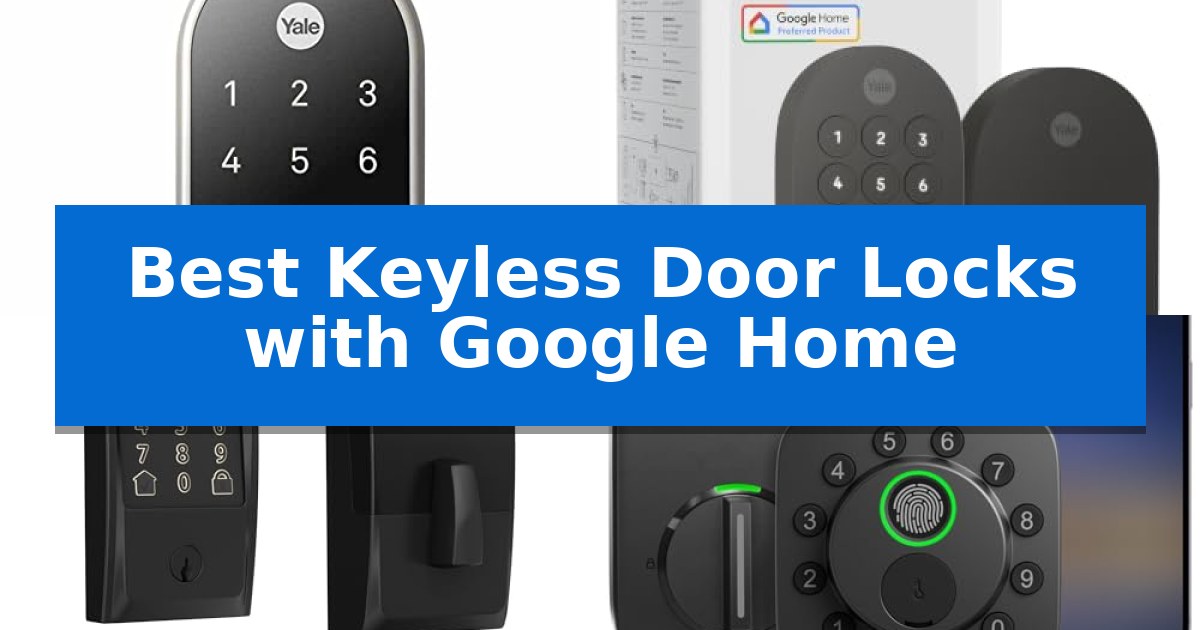
Finding the right smart lock can transform how you manage your home's entry, providing both convenience and peace of mind. The Best Keyless Door Locks with Google Home allow you to integrate your front door security directly into your existing smart home ecosystem, enabling voice commands and remote management without needing multiple apps.
Whether you are looking for biometric access, Matter-enabled connectivity, or a simple keypad interface, these devices offer flexible ways to secure your property. We have analyzed the leading options to help you identify which lock best fits your specific door hardware and smart home requirements.
Best Keyless Door Locks with Google Home in 2026: Unlock Smarter
Quick Comparison
| Product | Best For | Key Strength | Score |
|---|---|---|---|
| Google Nest x Yale Smart Lock | Best Overall | Keyless entry via LED keypad eliminates the need for physical keys. | 4.9 |
| Yale Smart Lock Deadbolt | Seamless Matter and Google Integration | Matter over Thread support for efficient connectivity and battery longevity. | 4.9 |
| Schlage Encode Smart WiFi Deadbolt | Reliable Performance for Busy Homes | Built-in WiFi eliminates the need for a separate smart home hub. | 4.6 |
| Ultraloq Bolt SE Smart Deadbolt | Longest Battery Life | 7-in-1 keyless entry including fingerprint, app, and voice control options. | 4.5 |
| Philips Wi-Fi Smart Deadbolt | Fast Biometric Access | Biometric fingerprint scanner for rapid, keyless entry. | 4.6 |
How We Chose
- Google Home ecosystem compatibility and voice control responsiveness.
- Access methods including fingerprint, keypad, app, and mechanical key backup.
- Physical installation requirements and compatibility with standard door hardware.
- Battery efficiency and the availability of low-battery alerts.
- Connectivity protocols such as Wi-Fi, Matter, and Thread support.
1 Google Nest x Yale Smart Lock — Best for Native Google Ecosystem
Modern home security relies on seamless integration, and the Google Nest x Yale Smart Lock simplifies access by replacing your existing deadbolt with a keyless LED keypad. This device allows you to manage your front door entry through a dedicated interface, providing a streamlined way to secure your home without the need for physical keys.
The lock offers robust control options, including the ability to unlock the door from anywhere using the Nest app. For added convenience, you can assign unique passcodes to family members and guests, while setting schedules to determine exactly when those codes remain active. If you require extra security, Privacy Mode disables the keypad entirely, preventing entry via code until you choose to re-enable it.
Integration with your existing smart home setup is a primary focus, allowing you to check the status of your door lock remotely or utilize auto-lock functionality to ensure the door secures itself when you are away. The system provides real-time alerts for locking and unlocking events, as well as notifications if someone attempts to tamper with the hardware, keeping you informed of your home's security status.
Installation is designed to be straightforward, as the unit is built to swap out with your current deadbolt hardware. Before purchasing, it is essential to measure your door's backset, cross bore, and thickness to confirm compatibility with your specific door configuration, ensuring a proper fit for the lock's dimensions.
Best for: Homeowners already invested in the Google Nest ecosystem who want a secure, keyless entry solution with remote app management.
Skip if: Users who require physical key backup as a primary entry method or those whose door specifications do not align with the required backset and cross bore measurements.
PROS
- Keyless entry via LED keypad eliminates the need for physical keys.
- Remote access and status monitoring through the Nest app.
- Customizable passcodes and scheduling for family and guests.
- Tamper alerts provide immediate notification of unauthorized activity.
CONS
- No physical key override means entry depends entirely on the keypad or app.
- Strict installation requirements necessitate precise measurement of door dimensions.
2 Yale Smart Lock Deadbolt — Seamless Matter and Google Integration
Managing home access becomes significantly more streamlined with the Yale Smart Lock Deadbolt, which offers multiple entry methods including phone-based unlocking, a physical keypad, and voice commands via Google Assistant. This device is specifically engineered to integrate into existing smart home setups, providing a cohesive way to monitor and control entry points.
The inclusion of Matter technology allows this lock to communicate across various platforms, including Google TV and Nest Hub, without forcing users into a single ecosystem. By utilizing Matter over Thread, the lock benefits from an energy-efficient mesh network that helps preserve battery life, ensuring the device remains operational for longer periods between maintenance.
Designed for versatility, the lock is BHMA Grade 2 certified and built to withstand temperatures ranging from -22 to 140°F, making it suitable for diverse climates. Users can manage access, share entry permissions, and track activity directly through the Yale Access App or the Google Home interface, keeping security management centralized.
While the lock offers robust digital features, it also includes a backup key for manual entry, providing a reliable fail-safe. Its matte black finish and compact dimensions make it a discreet addition to most front door aesthetics, balancing modern connectivity with traditional hardware reliability.
Best for: Homeowners who want a secure, keyless entry system that integrates natively with Google Home and Matter-enabled smart devices.
Skip if: Users who do not have a Matter-compatible hub or a Google Home ecosystem will not be able to utilize the full range of remote access and smart features.
PROS
- Matter over Thread support for efficient connectivity and battery longevity.
- Multiple entry methods including keypad, app, voice, and physical key.
- Seamless integration with Google Home and other Matter-enabled ecosystems.
- BHMA Grade 2 certification for verified durability.
CONS
- Remote access requires a Matter hub, which is sold separately.
- Google Home features are currently restricted to US and Canada users.
3 Schlage Encode Smart WiFi Deadbolt — Reliable Performance for Busy Homes
Managing home security requires a reliable, integrated solution that fits into your existing digital ecosystem. The Schlage Encode Smart WiFi Deadbolt streamlines entry by offering built-in WiFi compatibility, allowing you to monitor and control your door lock directly from the Schlage Home app without needing a separate hub.
This device is designed for convenience, supporting voice control through Google Home and Alexa for hands-free operation. Users can manage up to 100 unique access codes, making it a practical choice for households that need to grant temporary or permanent access to family members or guests. The system also provides customizable notifications and detailed lock history, ensuring you stay informed about your home's security status in real-time.
Durability and ease of installation are central to its design. The lock features a fingerprint-resistant touchscreen and is certified for high residential security and durability by BHMA experts. Its Snap ‘n Stay design simplifies the installation process, allowing you to secure the deadbolt to the door using only a screwdriver. The unit is powered by four AA batteries, which offer up to six months of typical use, and includes a low-battery indicator to prevent lockouts.
For added peace of mind, the Schlage Encode Smart WiFi Deadbolt includes a built-in, customizable alarm that detects forced entry attempts or door movement. The auto-lock functionality can be configured with various time delays or disabled entirely, providing flexibility for different daily routines. While it relies on battery power, the inclusion of a physical backup key ensures you maintain manual access if necessary.
Best for: Homeowners seeking a robust, WiFi-enabled deadbolt that integrates directly with Google Home for remote management and voice control.
Skip if: Users who prefer a lock that relies on Z-Wave or Zigbee protocols rather than a direct WiFi connection, or those who require a lock compatible with doors thinner than 1-3/8 inches.
PROS
- Built-in WiFi eliminates the need for a separate smart home hub.
- Voice control integration with Google Home and Alexa.
- High-security certification with a built-in forced entry alarm.
- Easy installation with the Snap ‘n Stay design.
CONS
- Battery-dependent operation requires monitoring for replacement.
- Limited to standard door thicknesses between 1-3/8 and 1-3/4 inches.
4 Ultraloq Bolt SE Smart Deadbolt — Longest Battery Life
Securing your home with the ULTRALOQ Bolt SE Smart Deadbolt offers a versatile entry experience, featuring a 7-in-1 keyless entry system that includes fingerprint recognition for up to 50 users and remote management via a smartphone app. This deadbolt is engineered for modern convenience, allowing you to grant access to guests or service providers through temporary or scheduled codes without needing to be physically present.
Built for seamless smart home integration, this lock supports Matter over Thread, ensuring a stable and responsive connection when paired with a compatible Thread Border Router. By utilizing this low-energy mesh network, the device achieves an ultra-long 18-month battery life, reducing the frequency of maintenance. It integrates directly with major ecosystems, enabling voice control through Google Assistant, Alexa, and Apple Home.
The hardware is constructed from solid zinc alloy and carries an ANSI BHMA certification, providing a durable, weather-resistant build suitable for exterior doors with an IP65 waterproof rating. Installation is designed to be a straightforward DIY task, typically requiring only 10 minutes to complete with the provided instructions.
For those seeking a reliable, hub-free experience, the built-in WiFi allows for remote locking, unlocking, and activity monitoring directly from your phone. Whether you are managing access for family or automating your home security, this deadbolt provides a robust, future-ready solution that prioritizes both connectivity and physical security.
Best for: Homeowners who want a versatile, keyless entry system with long battery life and seamless integration into a Matter-enabled smart home ecosystem.
Skip if: Users who do not have a 2.4 GHz Wi-Fi network or a compatible Matter over Thread hub, as these are required for remote connectivity and advanced smart features.
PROS
- 7-in-1 keyless entry including fingerprint, app, and voice control options.
- 18-month battery life enabled by efficient Thread mesh networking.
- Durable zinc alloy construction with IP65 weather resistance.
- Hub-free remote management via built-in 2.4 GHz Wi-Fi.
CONS
- Requires a Thread Border Router to utilize Matter-over-Thread functionality.
- 2.4 GHz Wi-Fi only compatibility for direct app control.
5 Philips Wi-Fi Smart Deadbolt — Fast Biometric Access
The Philips Wi-Fi Smart Deadbolt streamlines home security by offering multiple entry methods, including a backlit touchscreen for passcodes and a biometric fingerprint scanner for instant, one-touch access. This device integrates directly with Google Home and Alexa, allowing for voice-controlled locking and unlocking without the need for an additional hub.
Designed for versatility, this lock supports up to 100 custom passcodes, making it suitable for managing access for family members, guests, or service providers. The built-in Wi-Fi connectivity enables remote access via a smartphone app, providing real-time alerts and a full history of door activity so you can monitor your home from anywhere.
For added convenience, the Auto-Lock feature can be configured to secure the door automatically after 10 to 180 seconds, ensuring the home remains locked even when you are in a rush. When traveling, the Away Mode provides an extra layer of security by disabling all unlock methods except for the master code.
Installation is straightforward, requiring only a screwdriver to fit doors between 1-3/8" and 2" thick. The unit operates on AA alkaline batteries and includes a physical key backup, ensuring that you maintain access even if the electronic systems are unavailable. The Philips support team provides dedicated assistance for setup and troubleshooting.
Best for: Homeowners seeking a versatile, keyless entry solution with integrated voice control and remote monitoring capabilities.
Skip if: Users who require a door sensor for status monitoring or those who prefer a system that does not rely on a 2.4GHz Wi-Fi network.
PROS
- Biometric fingerprint scanner for rapid, keyless entry.
- Built-in Wi-Fi eliminates the need for a separate smart home hub.
- Flexible access options including app, voice, code, and physical key.
- Remote management and real-time activity notifications.
CONS
- Requires 2.4GHz network and proximity to the router for optimal remote performance.
- Lacks a built-in door sensor to detect if the door is physically open or closed.
Best Keyless Door Locks with Google Home Buying Guide
Understanding Smart Lock Connectivity
Smart locks utilize different protocols to communicate with your home network and Google Home. Wi-Fi-enabled locks typically connect directly to your router, offering remote access without the need for an additional hub. This simplifies the setup process but can sometimes lead to higher battery consumption.
Newer devices supporting Matter and Thread provide a more energy-efficient and reliable mesh network. These locks are designed to work seamlessly across different platforms, ensuring your smart home remains responsive even if one device goes offline.
Installation and Door Compatibility
Before purchasing, it is critical to measure your door's backset, cross bore, and thickness. Most smart deadbolts are designed to replace standard hardware, but checking these dimensions ensures the lock will fit securely without requiring professional modification.
Consider whether you want a full replacement of your existing deadbolt or an add-on device. A full deadbolt replacement usually offers a cleaner aesthetic and more robust security features, while add-on units may preserve your existing exterior key hardware.
Access Methods and Security Features
The primary benefit of a keyless lock is the variety of entry options. Biometric fingerprint scanners provide the fastest access, while LED keypads allow for guest codes that can be scheduled or revoked remotely. This is particularly useful for managing access for service providers or visitors.
Look for security-focused features like auto-lock timers and tamper alerts. These tools ensure your door is never left unlocked accidentally and notify you immediately if someone attempts to force entry or manipulate the lock.
Battery Life and Maintenance
Smart locks are battery-operated, so longevity is a key factor in daily usability. Locks utilizing Thread technology often boast significantly longer battery life compared to standard Wi-Fi models, reducing the frequency of maintenance.
Always monitor the low-battery indicators provided in your app. Most locks also include a physical backup key or external terminals to jump-start the lock with a 9V battery, ensuring you are never locked out if the internal power fails.
Privacy and Data Management
When integrating a lock with Google Home, consider how your access logs and user data are managed. High-quality smart locks provide encrypted connections to protect your entry history and passcode data from unauthorized access.
Review the app permissions and settings to ensure you are comfortable with how your lock shares information with your smart home hub. Many systems allow you to disable certain features like remote unlocking if you prefer a more localized security setup.
Frequently Asked Questions
Do I need a hub for these smart locks?
It depends on the model. Some locks feature built-in Wi-Fi for direct connection, while others require a Matter hub or specific bridge to communicate with Google Home.
Can I still use a physical key?
Most of the locks listed include a physical keyway as a backup, though some minimalist designs prioritize keyless entry entirely.
How do I manage guest access?
Most smart locks allow you to generate unique passcodes or digital keys via their respective apps, which you can share with guests and revoke at any time.
What happens if my Wi-Fi goes down?
The keypad and physical key will continue to function, ensuring you are not locked out of your home during an internet outage.
Are these locks weather-resistant?
Many models are designed for exterior use with weather-resistant ratings, but always verify the specific IP rating or temperature range for your climate.
Conclusion: Our Top Pick
For those seeking the most reliable integration with their existing smart home, the Google Nest x Yale Smart Lock stands out as the premier choice. Its native compatibility with the Google ecosystem ensures a smooth setup and consistent performance, making it an ideal upgrade for users already invested in Nest products.
While other models offer advanced features like fingerprint scanning or Matter support, the Google Nest x Yale Smart Lock provides a balance of security and ease of use that is hard to beat. Ensure you verify your door's dimensions before installation to guarantee a perfect fit.