
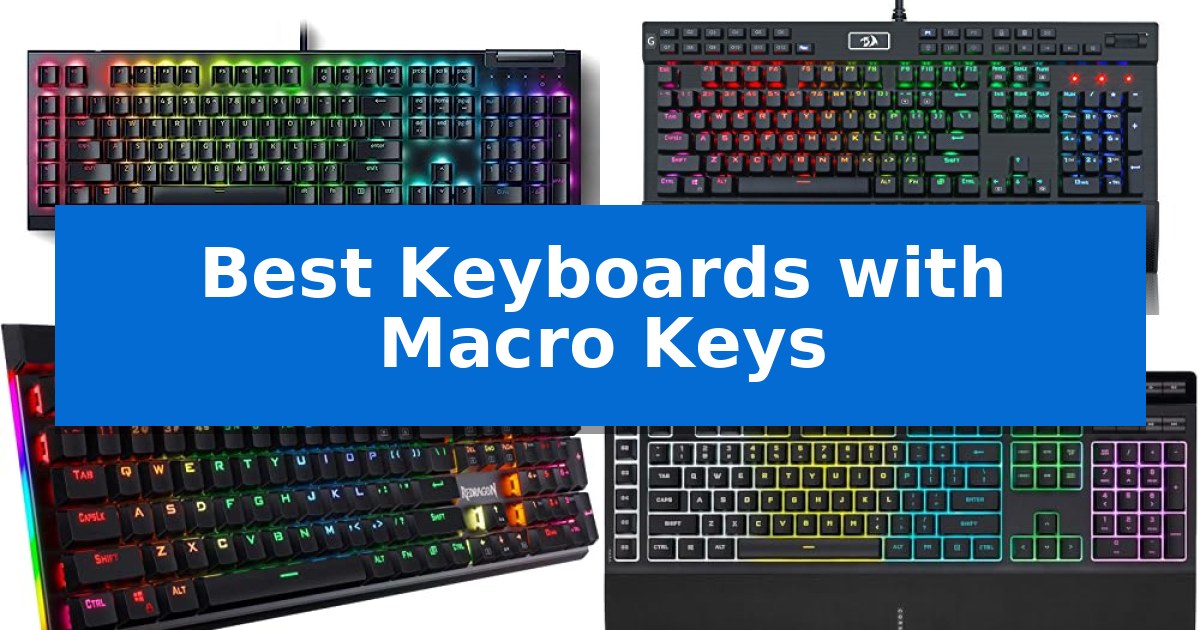
Finding the right input device can significantly impact your efficiency, whether you are managing complex gaming combos or repetitive professional tasks. The Best Keyboards with Macro Keys provide dedicated hardware to trigger these actions instantly, reducing the need for cumbersome menu navigation or multi-key shortcuts.
Selecting a model requires balancing switch feel, software flexibility, and physical layout. We have analyzed five distinct keyboards to help you identify which features—such as on-the-fly recording or dedicated software integration—best suit your specific workspace and performance requirements.
Best Keyboards with Macro Keys in 2026
Quick Comparison
| Product | Best For | Key Strength | Score |
|---|---|---|---|
| Razer BlackWidow V4 X Mechanical Keyboard | Best Overall | Six dedicated macro keys for customizable command execution. | 4.9 |
| Redragon K550 Mechanical Gaming Keyboard | Twelve dedicated macro keys onboard | 12 dedicated onboard macro keys for immediate, software-free programming. | 4.6 |
| Redragon K580 Mechanical Gaming Keyboard | Tactile switches with macro binding | On-the-fly macro recording eliminates the need for software. | 4.8 |
| Corsair K55 RGB PRO Gaming Keyboard | Stream-ready with Elgato integration | Six dedicated macro keys for efficient command execution. | 4.5 |
| Redragon K512 Membrane Gaming Keyboard | Software-free on-the-fly macro recording | On-the-fly macro recording requires no software or drivers. | 4.3 |
How We Chose
- Macro Accessibility: We assessed whether the keyboard offers dedicated physical keys or requires complex software remapping.
- Switch and Key Feel: We compared mechanical and membrane options to identify the tactile feedback and noise levels provided by each model.
- Build Durability: We looked for features like aluminum top plates, double-shot keycaps, and spill-resistant designs that ensure long-term reliability.
- Integration and Control: We examined the presence of media wheels, rollers, and software compatibility for advanced lighting and command customization.
- Connectivity and Setup: We evaluated the ease of installation and the inclusion of useful extras like USB pass-through ports or wrist rests.
1 Razer BlackWidow V4 X Mechanical Keyboard — Rapid-fire inputs with dedicated macros
The Razer BlackWidow V4 X Mechanical Keyboard streamlines complex workflows and gaming commands through six dedicated, programmable macro keys. By placing these inputs within easy reach, it allows for rapid execution of custom sequences without requiring complex key combinations or software-heavy workarounds.
This keyboard utilizes Yellow Mechanical Linear Switches, which feature a 1.2mm actuation point and a 45g force requirement. These switches are designed for instant input response and include built-in sound dampeners to maintain a quiet typing environment. The internal construction is further refined with a layer of acoustic foam and lubricated stabilizers to minimize noise during intense use.
For media and system control, the device incorporates a multi-function roller alongside secondary media keys. These controls allow for immediate adjustments to volume or brightness without interrupting the primary task. The board is built with doubleshot ABS keycaps, which utilize a molding process to ensure that labels remain legible even after extended periods of heavy use.
Visual customization is managed through Chroma RGB per-key lighting, which supports over 16.8 million colors. The switch housing is specifically engineered to promote brighter, more even illumination across the board, including dynamic lighting effects that integrate with supported software titles.
Best for: Gamers and power users who require dedicated, programmable keys to execute complex macro sequences quickly.
Skip if: Users who prefer a compact or tenkeyless form factor, as the inclusion of macro keys and a full-size layout results in a larger physical footprint.
PROS
- Six dedicated macro keys for customizable command execution.
- Yellow linear switches provide a quiet, rapid-fire typing experience.
- Multi-function roller offers convenient, tactile media and system control.
- Doubleshot ABS keycaps ensure long-term label durability.
CONS
- Full-size layout occupies significant desk space compared to smaller alternatives.
2 Redragon K550 Mechanical Gaming Keyboard — Twelve dedicated macro keys onboard
Managing complex workflows and gaming inputs requires hardware that responds instantly, and the Redragon K550 RGB Gaming Keyboard addresses this by integrating 12 dedicated, programmable macro keys (G1-G12). These keys operate independently of external software, allowing for immediate assignment and execution of shortcuts directly on the device, which is ideal for users who need to switch profiles without interrupting their workflow.
The keyboard is constructed with a solid aluminum metal top plate featuring a brushed finish, providing a stable and rigid typing platform. It utilizes custom-developed clicky purple switches that require a 55g actuation force and feature a 1.1mm pretravel distance, engineered to deliver a distinct tactile response and audible feedback with every keystroke.
For connectivity and convenience, the unit includes an extra USB pass-through port, enabling users to connect mice or wireless receivers directly to the keyboard to reduce cable clutter. Dedicated media controls, including a physical scroll bar for system volume, allow for adjustments without exiting active applications.
While the keyboard functions out of the box, users can utilize the available pro software to further customize keybindings, lighting modes, and effects. This combination of hardware-level macro support and robust build materials makes it a versatile tool for both intensive gaming and productivity tasks.
Best for: Users who require dedicated, hardware-based macro keys for gaming or productivity without relying on constant software interaction.
Skip if: Users who prefer a compact or tenkeyless layout, as the inclusion of 12 macro keys and a full-size frame results in a larger footprint.
PROS
- 12 dedicated onboard macro keys for immediate, software-free programming.
- Durable aluminum top plate provides a stable and premium typing feel.
- Integrated USB pass-through port for convenient peripheral connectivity.
- Dedicated media controls including a volume scroll bar for quick adjustments.
CONS
- Larger physical footprint due to the inclusion of dedicated macro columns and full-size layout.
3 Redragon K580 Mechanical Gaming Keyboard — Tactile switches with macro binding
Efficient workflow management often hinges on having the right tools at your fingertips, and the Redragon K580 Wired RGB Mechanical Gaming Keyboard provides a dedicated hardware solution for those who rely on complex inputs. Featuring five dedicated macro keys (G1-G5), this board allows users to record and save intricate combos or shortcuts directly on the device without needing to install companion software.
Designed for durability and tactile feedback, the keyboard utilizes Brown switches that offer a gentle bump during actuation while maintaining a quieter profile than clicky alternatives. The hot-swappable socket design adds a layer of versatility, allowing users to replace switches without soldering, while the double-shot keycaps are engineered to resist fading over years of heavy use.
For gamers and power users, the board supports full anti-ghosting, ensuring that all 104 keys register accurately during rapid-fire sequences. While the keyboard is fully functional as a plug-and-play device, those who prefer deeper customization can utilize optional software to manage advanced RGB lighting effects and more complex macro profiles.
The inclusion of dedicated media controls—including a convenient media wheel—further enhances utility by allowing for quick adjustments to playback without interrupting the primary task. With a robust build rated for 50 million keystrokes, this keyboard is a practical choice for users who prioritize hardware-level macro control and long-term reliability in their setup.
Best for: Gamers and professionals who require on-the-fly macro recording and tactile switch feedback without relying on constant software interaction.
Skip if: Users who prefer a compact tenkeyless (TKL) or ultra-minimalist footprint, as the full-size layout and dedicated macro/media keys require significant desk space.
PROS
- On-the-fly macro recording eliminates the need for software.
- Hot-swappable switch sockets allow for easy maintenance and customization.
- Dedicated media wheel provides immediate control over audio playback.
- Full anti-ghosting ensures reliable input registration for complex commands.
CONS
- Full-size layout occupies a larger desk footprint compared to compact models.
- Wired-only connectivity limits placement flexibility for some setups.
4 Corsair K55 RGB PRO Gaming Keyboard — Stream-ready with Elgato integration
The Corsair K55 RGB PRO Gaming Keyboard simplifies complex workflows by offering six dedicated macro keys that allow for one-stroke activation of shortcuts and commands. Designed for versatility, this membrane keyboard integrates directly with Elgato Stream Deck software, enabling users to trigger streaming actions without navigating through multiple menus.
Beyond its macro capabilities, the keyboard features IP42-rated dust and spill resistance, providing a layer of protection against minor accidents during intense sessions. The inclusion of a detachable palm rest with a textured surface helps maintain hand comfort, while the five-zone dynamic RGB backlighting allows for visual customization through CORSAIR iCUE software.
Media management is handled by dedicated volume and media keys, which permit on-the-fly adjustments without requiring a pause in activity. The Corsair K55 RGB PRO Gaming Keyboard is engineered for compatibility across PC, Mac, and Xbox platforms, making it a functional choice for users managing multiple devices.
While the membrane switch design offers a distinct feel compared to mechanical alternatives, the keyboard remains a focused tool for those prioritizing macro accessibility and spill protection. The two-year manufacturer warranty provides additional peace of mind for long-term use.
Best for: Users who require dedicated macro keys and spill protection for streaming or productivity tasks.
Skip if: Users who prefer the tactile feedback and actuation characteristics of mechanical switches.
PROS
- Six dedicated macro keys for efficient command execution.
- IP42-rated protection against dust and liquid spills.
- Elgato Stream Deck integration for streamlined streaming control.
- Detachable palm rest included for improved ergonomics.
CONS
- Membrane switch architecture may not satisfy users seeking mechanical key feedback.
5 Redragon K512 Membrane Gaming Keyboard — Software-free on-the-fly macro recording
The Redragon K512 Membrane Gaming Keyboard streamlines complex inputs by offering six dedicated macro keys that allow for on-the-fly recording without requiring any driver installations or software configuration. This design choice enables users to assign instant in-game combos or productivity shortcuts directly to the G1-G6 keys, making it a practical tool for those who prioritize immediate setup and hardware-level control.
Built for durability and extended use, the keyboard features double-shot injection molded keycaps designed to resist fading over years of daily operation. The inclusion of a detachable magnetic wrist rest provides ergonomic support during long sessions, while the 26 anti-ghosting keys ensure that multiple simultaneous inputs are registered accurately without conflict.
The integrated dedicated media controls allow for quick playback adjustments, including play, pause, and track skipping, directly from the keyboard surface. For users interested in aesthetics, the device offers True RGB lighting with 13 modes, ranging from 7 presets to 6 customizable slots, with adjustable brightness levels that can be dimmed or turned off entirely.
While the keyboard is fully functional without any external software, it provides an optional companion application for power users who prefer deeper macro customization or more complex backlight effects. This balance between plug-and-play simplicity and optional advanced configuration makes the Redragon K512 Membrane Gaming Keyboard a versatile option for varied computing environments.
Best for: Gamers and power users who need quick, software-free macro recording and dedicated media controls.
Skip if: Users who prefer the tactile feedback and specific actuation points of mechanical switches will find this membrane-based keyboard less suitable.
PROS
- On-the-fly macro recording requires no software or drivers.
- 26 anti-ghosting keys prevent input conflicts during intense use.
- Dedicated media wheel and controls for instant audio management.
- Fade-resistant double-shot keycaps ensure long-term legibility.
CONS
- Membrane switch architecture lacks the distinct tactile feel of mechanical alternatives.
Best Keyboards with Macro Keys Buying Guide
Switch Types and Typing Feel
The choice between mechanical and membrane switches is fundamental to your typing experience. Mechanical switches, such as the linear yellow or tactile brown options, offer distinct actuation points and durability, making them ideal for high-speed gaming and heavy typing.
Membrane keyboards, conversely, often provide a quieter, softer feel. While they may lack the crisp feedback of mechanical switches, they are frequently more resistant to spills and offer a cost-effective solution for users who prioritize comfort and quiet operation over mechanical precision.
Macro Implementation
Macro keys are designed to save time by executing complex sequences with a single press. Some keyboards allow for on-the-fly macro recording, which lets you bind commands directly on the hardware without needing to open external software.
Other models rely on dedicated software suites to manage advanced profiles and keybindings. If you frequently switch between different games or professional applications, software-based management often provides deeper customization and the ability to save multiple profiles for different tasks.
Ergonomics and Comfort
Extended sessions at your desk require proper support to prevent fatigue. Keyboards that include detachable palm rests or wrist supports help maintain a neutral wrist position, reducing strain during long hours of work or play.
Consider the physical footprint of the keyboard as well. Larger boards with extra macro columns can take up significant desk space, while more compact designs may be better suited for smaller workstations where mouse movement is a priority.
Media and System Controls
Modern keyboards often feature dedicated media controls, such as volume rollers or play/pause buttons, which allow you to adjust system settings without minimizing your active window. These controls are essential for maintaining focus during intense gaming or multitasking.
Look for additional features like USB pass-through ports, which provide a convenient connection point for your mouse or wireless receivers, helping to keep your desk setup clean and organized.
Durability and Maintenance
Investing in a keyboard with double-shot ABS keycaps ensures that the labels will not fade over time, even with heavy use. This molding process creates durable keycaps that withstand the friction of daily typing.
Additionally, features like IP42 dust and spill resistance or aluminum top plates add a layer of protection against accidental damage. These construction choices contribute to a longer lifespan, ensuring your peripheral remains functional through years of use.
Frequently Asked Questions
Do I need software to use macro keys?
It depends on the model. Some keyboards support on-the-fly recording, allowing you to program macros directly on the device, while others require companion software for full functionality.
What is the benefit of a mechanical switch?
Mechanical switches provide consistent tactile feedback, faster actuation, and higher durability compared to membrane switches, which is preferred by many gamers and typists.
Can I use these keyboards on consoles?
Many wired gaming keyboards are compatible with consoles like Xbox, but functionality may vary depending on the game and the specific keyboard's software requirements.
Are macro keys only for gaming?
No, macro keys are highly useful for productivity, allowing you to trigger complex shortcuts in creative software, office applications, or streaming tools.
What does a USB pass-through port do?
A USB pass-through port acts as an extension, allowing you to plug a mouse or other USB device directly into the keyboard rather than reaching for your PC tower.
Conclusion: Our Top Pick
When selecting the right tool for your desk, the Razer BlackWidow V4 X Mechanical Keyboard stands out for its combination of rapid-fire linear switches and dedicated macro keys. Its focus on acoustics and build quality makes it a reliable choice for those who need both speed and comfort.
While other options offer unique features like software-free recording or spill resistance, the Razer model provides a balanced, high-performance experience that integrates well into most gaming and productivity setups. Its dedicated media controls and durable keycaps ensure it remains a practical investment for long-term use.