
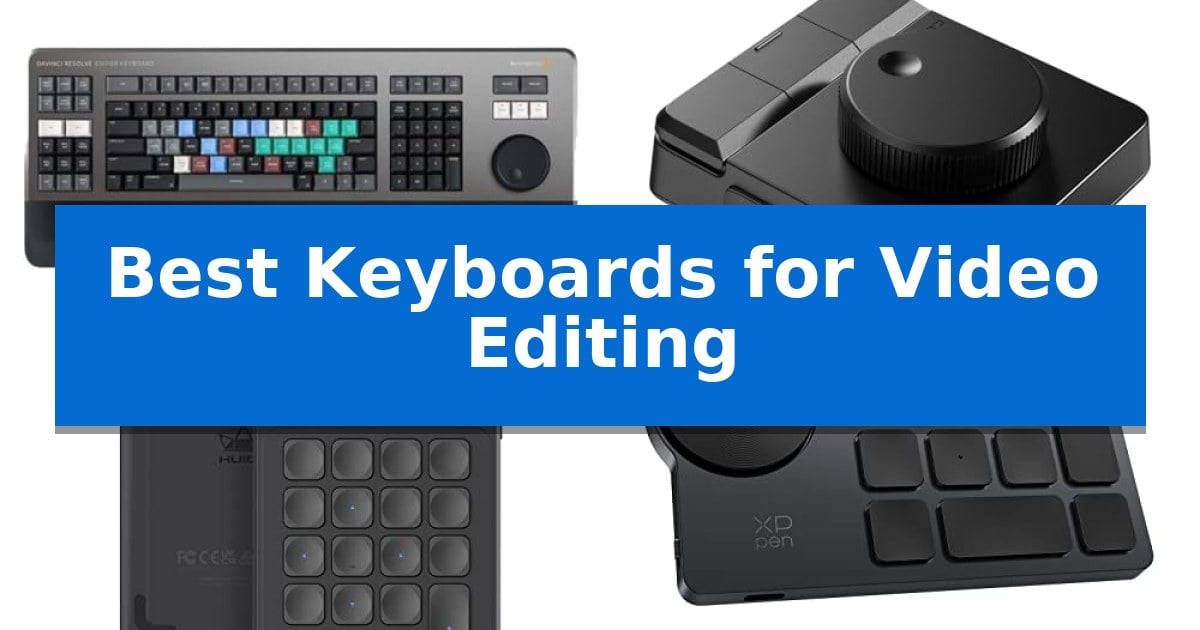
Video editing requires more than just a standard typing interface; it demands precise control over timelines, color grading, and complex shortcut chains. Finding the Best Keyboards for Video Editing involves balancing tactile feedback with the ability to map repetitive tasks to dedicated keys or dials, reducing the strain of long editing sessions.
Whether you are a professional colorist or a content creator, the right hardware can significantly reduce the time spent navigating software menus. We have analyzed current editing controllers and macro pads to help you identify which tools best integrate with your specific software environment and desk setup.
Best Keyboards for Video Editing in 2026
Quick Comparison
| Product | Best For | Key Strength | Score |
|---|---|---|---|
| Blackmagic Design DaVinci Resolve Editor Keyboard | Best Overall | Integrated search wheel for tactile, precise timeline scrubbing. | 4.9 |
| Ulanzi D100H Wireless Editing Keyboard | Haptic Dial for Precision | High-precision haptic dial for tactile timeline and color grading control. | 4.3 |
| Huion Keydial Mini Keypad | Compact Shortcut Control | Programmable dial controller for precise timeline and brush adjustments. | 4.9 |
| XPPen Mini Keydial ACK05 | Wireless Dial Workflow | Tactile dial control with click feedback for precise adjustments. | 4.9 |
| MOSHOU Knob Macro Pad | Dual Knob Editing Efficiency | Dual physical knobs for intuitive control over timeline and zoom. | 4.4 |
How We Chose
- Software Integration: Compatibility with industry-standard applications like DaVinci Resolve, Premiere Pro, and Photoshop.
- Control Versatility: The presence of dedicated dials, knobs, or programmable keys for timeline scrubbing and parameter adjustment.
- Connectivity Options: Availability of wired, Bluetooth, or wireless receiver modes to suit different desk configurations.
- Customization Depth: The ability to create, save, and switch between multi-layer shortcuts or application-specific macros.
- Ergonomic Design: The physical footprint and layout, ensuring the device fits comfortably alongside a primary keyboard.
1 Blackmagic Design DaVinci Resolve Editor Keyboard — Professional Timeline Scrubbing
The Blackmagic Design USB Davinci Resolve Editor Keyboard is engineered specifically for professional editors who need to work faster and turn over projects quickly. By integrating hardware controls directly into the typing surface, it bridges the gap between traditional keyboard shortcuts and dedicated editing consoles.
At the heart of this device is an integrated search wheel, which allows for precise timeline scrubbing and navigation within DaVinci Resolve 16. This physical control provides a tactile method for frame-by-frame adjustments, enabling editors to manage complex sequences without relying solely on mouse movements.
Designed with a focus on high-volume production, the keyboard layout is optimized to keep essential tools within reach. The physical build is substantial, weighing approximately 6.6 pounds, which provides a stable base for intensive editing sessions. Its dimensions are tailored to fit professional desk setups where screen real estate and ergonomic access to timeline controls are prioritized.
While it offers significant advantages for those deeply embedded in the DaVinci Resolve ecosystem, the keyboard is a specialized tool. Its design is purpose-built for a specific software environment, meaning its unique functionality is most effectively utilized when paired with the intended editing suite.
Best for: Professional video editors who use DaVinci Resolve and require a dedicated, hardware-integrated solution for faster timeline navigation and scrubbing.
Skip if: Casual users or editors who work across multiple software platforms and require a general-purpose keyboard without specialized, software-specific hardware controls.
PROS
- Integrated search wheel for tactile, precise timeline scrubbing.
- Optimized layout specifically designed to speed up professional editing workflows.
- Sturdy, professional-grade build that ensures stability on the desk.
CONS
- Software-specific design limits its utility outside of DaVinci Resolve.
- Heavy, large footprint may not be suitable for compact or mobile workstations.
2 Ulanzi D100H Wireless Editing Keyboard — Haptic Dial for Precision
Achieving precise control over a video editing timeline often requires more than a standard keyboard and mouse. The Ulanzi D100H Wireless Editing Keyboard introduces a high-precision aluminum alloy dial driven by a linear motor, providing immersive haptic feedback that allows creators to scrub through frames or adjust color saturation with tactile confirmation.
This device functions as a versatile creative hub, featuring 7 customizable keys that support both offline and online modes. In online mode, the Ulanzi D100H Wireless Editing Keyboard automatically detects active applications like DaVinci Resolve or Adobe Lightroom, switching key assignments dynamically to streamline complex workflows without manual reconfiguration.
Beyond editing, the unit serves as a bridge to your workspace environment. Through the Ulanzi Connect software, the dial can adjust brightness and color temperature for compatible lighting setups, including Ulanzi panels, Philips Hue, and Nanoleaf, allowing for seamless ambiance control during late-night sessions.
Designed for a clean desk, the Ulanzi D100H Wireless Editing Keyboard utilizes Bluetooth BLE 5.0 for a cable-free experience with up to 33 feet of range. It supports multi-device pairing for up to three stations, while the 1000mAh battery provides up to 60 days of standby time, ensuring the controller remains ready for extended projects.
Best for: Creators who need a tactile, haptic-enabled dial for precise timeline scrubbing and integrated lighting control across multiple editing applications.
Skip if: Users who require a full-sized QWERTY keyboard or those working on older macOS versions without Bluetooth 5.0 connectivity.
PROS
- High-precision haptic dial for tactile timeline and color grading control.
- Automatic application switching via Ulanzi Studio for seamless workflow transitions.
- Integrated lighting ecosystem control for managing studio ambiance directly from the dial.
- Multi-device connectivity via Bluetooth 5.0 for up to three separate workstations.
CONS
- Limited OS compatibility for older macOS versions and lack of wired-only operation.
- Requires Bluetooth 5.0 adapter if the host computer lacks native support.
3 Huion Keydial Mini Keypad — Compact Shortcut Control
Streamlining complex editing workflows often requires moving beyond standard keyboard shortcuts to more tactile, dedicated controls. The Huion Keydial Mini Keypad addresses this by integrating a physical dial controller alongside 18 programmable keys, allowing editors to map specific timeline navigation or brush adjustments directly to a dedicated interface.
Designed for portability and efficiency, this device connects via Bluetooth 5.0, providing a cable-free workspace with a range of up to 10 meters. Its thin, lightweight frame houses a battery rated for 70 hours of use, making it a viable option for editors who move between different workstations or need a compact tool that fits alongside a drawing tablet.
The 18 programmable keys offer significant customization, enabling users to trigger complex macros with a single tap. To assist with memory, the Setting Preview function allows users to map a button to display a popup on-screen, showing the current function assignments for both the keys and the dial. This feature helps maintain focus on the creative software rather than memorizing custom layouts.
Compatibility extends across Windows and Mac OS, ensuring integration with major creative suites like Premiere Pro, DaVinci Resolve, and Photoshop. The inclusion of anti-ghosting technology for up to 5 keys ensures that simultaneous inputs are registered reliably, which is essential for rapid shortcut execution during intensive editing sessions.
Best for: Digital artists and video editors who need a portable, dedicated macro pad to supplement their primary keyboard and mouse.
Skip if: Users who require a full-sized mechanical keyboard or those who prefer to keep their hands on a single input device rather than integrating a secondary peripheral.
PROS
- Programmable dial controller for precise timeline and brush adjustments.
- Bluetooth 5.0 wireless connectivity for a clutter-free desk.
- Setting Preview function to easily track custom key assignments.
- Compact and lightweight design suitable for mobile editing setups.
CONS
- Requires Huion driver installation to configure custom shortcuts.
- Shortcut functionality depends on the specific creative software's support for custom key mapping.
4 XPPen Mini Keydial ACK05 — Wireless Dial Workflow
Streamlining complex editing timelines requires precise control, and the XPPen Mini Keydial ACK05 provides this through a dedicated, tactile dial control. With every 1/24th turn, the dial offers clear click feedback, allowing editors to adjust brush sizes, zoom into timelines, or rotate canvases with physical precision that mouse-based adjustments often lack.
This wireless shortcut keyboard is built for efficiency, featuring ten customizable keys that support up to forty unique shortcuts across four programmable sets. The integration of Bluetooth 5.0 ensures a clean, cable-free workspace, though users can also opt for a USB cable or Bluetooth dongle connection depending on their specific hardware setup.
Designed for portability and long-term use, the device weighs only 75g and houses a 1000 mAh battery capable of providing approximately 300 hours of continuous operation. The inclusion of anti-ghosting technology across all ten keys ensures that complex multi-key commands are registered accurately during intensive editing sessions.
Compatibility is broad, supporting Windows, macOS, and Linux, with specific driver software required to unlock full customization. For those working on iPad or iOS devices, the Shortcut Remote app is necessary for configuration, ensuring the hardware remains a versatile tool across different creative platforms.
Best for: Editors and digital artists who require a compact, programmable physical interface to manage complex software shortcuts and timeline navigation.
Skip if: Users who prefer a full-sized mechanical keyboard layout or those who do not wish to install driver software to manage custom key assignments.
PROS
- Tactile dial control with click feedback for precise adjustments.
- High-capacity 1000 mAh battery offering up to 300 hours of use.
- Flexible connectivity options including Bluetooth 5.0, dongle, and USB.
- Customizable workflow supporting up to 40 shortcuts via four sets.
CONS
- Driver installation required for key customization and programming.
- Specific charging limits (5V-2A) require careful selection of power sources.
5 MOSHOU Knob Macro Pad — Dual Knob Editing Efficiency
The MOSHOU Knob Macro Pad simplifies complex editing workflows by integrating dual knob controls directly into your workspace. This dedicated shortcut device allows for precise adjustments to timeline navigation, volume, zoom, and brush size, providing a tactile alternative to standard keyboard shortcuts.
Designed for versatility, the MOSHOU Knob Macro Pad features a 3-layer programmable architecture. Users can define distinct shortcut groups for different applications like Premiere Pro, DaVinci Resolve, or Photoshop, and switch between them to maintain efficiency without cluttering the desk. Configuration is straightforward, requiring initial setup in wired mode via the downloadable software.
Connectivity is a core strength, offering tri-mode flexibility with Bluetooth, 2.4G wireless, and wired options. This ensures the device integrates seamlessly into various setups, from desktop workstations to mobile editing rigs. The aluminum alloy body provides a stable, compact footprint that holds up to daily use while maintaining a clean aesthetic.
The inclusion of RGB lighting serves as more than just a visual accent; it provides responsive feedback during operation, which is particularly useful in dim creative environments. With broad compatibility across Windows, macOS, iOS, and Android, this macro pad acts as a specialized interface for creators who need to streamline repetitive tasks.
Best for: Video editors and creative professionals who require tactile, programmable controls to speed up timeline navigation and shortcut execution.
Skip if: Users who prefer a full-sized keyboard layout or those who do not wish to manage custom software configurations for their shortcuts.
PROS
- Dual physical knobs for intuitive control over timeline and zoom.
- 3-layer programmability for managing multiple application-specific workflows.
- Tri-mode connectivity including Bluetooth and 2.4G wireless.
- Durable aluminum alloy construction for desktop stability.
CONS
- Wired mode required for initial configuration and saving custom settings.
- Software setup necessary for full functionality on non-Windows/Mac platforms.
Best Keyboards for Video Editing Buying Guide
Understanding Programmable Macro Pads
A macro pad is a secondary input device that allows you to offload complex shortcut combinations from your main keyboard. By assigning multi-step actions to a single key, you can execute commands like 'cut and ripple delete' or 'apply color grade' instantly, which is essential for maintaining a fast-paced editing rhythm.
When selecting a macro pad, consider the number of programmable keys available. More keys allow for more complex setups, but ensure the device software is intuitive enough to manage these assignments without requiring extensive technical knowledge.
The Role of Dial and Knob Controllers
Dials and knobs are arguably the most important feature for video editors. They provide analog control over timeline scrubbing, zoom levels, and color wheel adjustments, offering a level of precision that mouse clicks or keyboard shortcuts simply cannot match.
Look for dials that offer haptic feedback or tactile clicks. This physical confirmation allows you to make adjustments by feel, meaning you can keep your eyes on the monitor rather than looking down at your controller.
Connectivity and Desk Space
The choice between wired and wireless connectivity often comes down to your desk layout. Wired connections, typically via USB-C, offer the most reliable performance and eliminate the need for battery management, which is ideal for permanent editing stations.
Wireless options, including Bluetooth 5.0, provide a cleaner workspace and the flexibility to move the controller to your preferred position. If you choose a wireless device, prioritize models with long battery life to avoid mid-session interruptions.
Software Compatibility and Drivers
Before purchasing, verify that the device's software supports your specific operating system and editing suite. Some controllers require specific drivers or companion apps to function correctly, while others offer 'offline mode' where settings are stored directly on the hardware.
Advanced controllers often feature automatic application switching, which detects the active software and updates the key assignments accordingly. This is a massive time-saver if you frequently jump between editing, design, and audio software.
Build Quality and Durability
Because editing controllers are used intensively, build quality is a critical factor. Devices constructed with aluminum alloy or high-grade plastics tend to be more stable on the desk and can withstand the repetitive pressure of daily use.
Consider the weight and footprint of the unit. A heavier base prevents the controller from sliding during rapid adjustments, while a compact design ensures it does not interfere with your primary typing or mouse movements.
Frequently Asked Questions
Do I need special software to use these editing keyboards?
Most programmable keyboards require specific driver software to map shortcuts and macros. Some models allow you to store these settings on the device so they work on different computers without needing the software installed.
Can I use these controllers with multiple editing programs?
Yes, many modern macro pads and editing keyboards support multi-layer programming or automatic profile switching, allowing you to use the same device for DaVinci Resolve, Premiere Pro, and Photoshop.
Are wireless editing controllers reliable for professional work?
Modern wireless controllers using Bluetooth 5.0 or dedicated 2.4G receivers offer very low latency, making them suitable for most professional workflows. However, wired connections remain the standard for maximum reliability.
What is the benefit of a dial over a mouse?
A dial provides continuous, analog control, which is much more precise for scrubbing through a timeline or adjusting color parameters than the incremental steps of a mouse or keyboard shortcut.
Will these devices work with my existing keyboard?
Yes, these are designed as secondary input devices. They are intended to sit alongside your standard keyboard, acting as a dedicated control interface for your editing software.
Conclusion: Our Top Pick
For editors seeking the most integrated experience, the Blackmagic Design DaVinci Resolve Editor Keyboard stands out as a purpose-built solution. Its design is specifically tailored for high-speed timeline navigation, featuring an integrated search wheel that provides professional-level control for those deeply invested in the DaVinci Resolve ecosystem.
While it is a significant investment compared to smaller macro pads, its dedicated functionality and build quality make it a powerful tool for those who need to work faster and turn over projects quickly. If your workflow is centered on Resolve, this keyboard provides a level of efficiency that general-purpose controllers cannot match.