
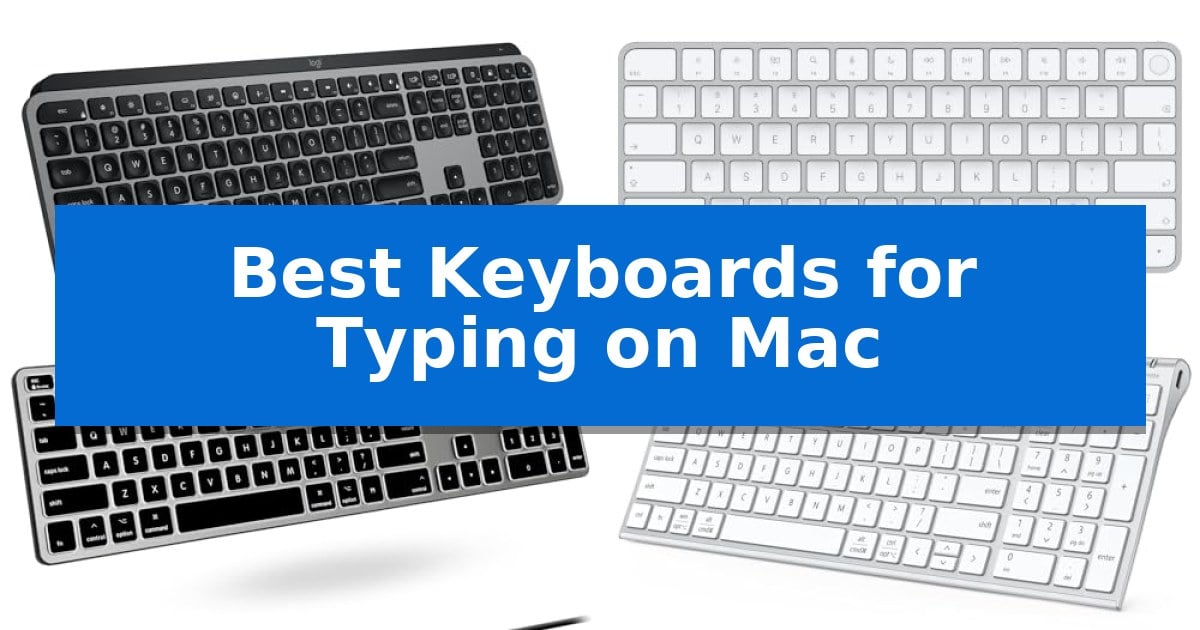
Finding the right peripheral for your desktop can significantly impact your daily output. When searching for the Best Keyboards for Typing on Mac, you need a device that respects the unique layout and functional requirements of macOS while providing a tactile experience that suits your personal preferences.
Whether you prioritize a seamless wireless connection, the reliability of a wired interface, or specific features like biometric security, selecting the right model is essential. We have analyzed current market offerings to help you navigate the trade-offs between connectivity, ergonomics, and build quality to ensure your next keyboard integrates perfectly with your Mac.
Best Keyboards for Typing on Mac in 2026: Optimized for Apple Workflows
Quick Comparison
| Product | Best For | Key Strength | Score |
|---|---|---|---|
| Logitech MX Keys S Mac Keyboard | Best Overall | Dedicated Mac layout with matching Apple-inspired finishes. | 4.9 |
| Apple Magic Keyboard with Touch ID | Seamless Secure Authentication | Integrated Touch ID for fast and secure authentication. | 4.5 |
| Macally Backlit Mac Keyboard | Visibility in Any Lighting | Always-on wired connection eliminates battery charging and pairing issues. | 4.5 |
| iClever BK10 SE Bluetooth Keyboard | Multi-Device Wireless Switching | Multi-device switching across three devices with automatic system recognition. | 4.3 |
| Macally USB-C Wired Keyboard | Modern Direct Connectivity | Dual USB-A and USB-C connectivity for broad system compatibility. | 4.5 |
How We Chose
- Native macOS layout compatibility and dedicated function key support.
- Connection stability, including Bluetooth multi-device switching and wired reliability.
- Typing mechanics, focusing on key travel, switch type, and overall tactile feedback.
- Build materials and design, specifically regarding desk footprint and aesthetic alignment with Apple hardware.
- Power management, including battery life, charging standards, and wake-from-sleep performance.
1 Logitech MX Keys S Mac Keyboard — Fluid Typing with Smart Automation
The Logitech MX Keys S Mac Wireless Keyboard is engineered specifically for the Apple ecosystem, featuring a dedicated Mac key layout and a refined aesthetic that complements existing hardware. Its standout feature is the spherically dished key design, which mimics the natural shape of fingertips to provide a fluid, laptop-like typing experience that emphasizes precision and comfort.
Designed with a low-profile form factor, the keyboard maintains an optimum angle intended to support wrist posture during extended sessions. The integrated smarter illumination system detects when hands approach, automatically adjusting the backlight intensity based on environmental conditions. Users can further customize these lighting profiles and manage device settings through the Logi Options+ app.
Productivity is enhanced via Smart Actions shortcuts, allowing users to trigger multiple complex tasks with a single keystroke. For those managing multiple devices, the keyboard supports 3-device Bluetooth Low Energy pairing, enabling seamless switching between macOS, iPadOS, and iOS devices. When paired with an MX Master 3S for Mac, users can transfer text and files between three connected Apple computers.
The hardware is built with sustainability in mind, incorporating certified post-consumer recycled plastic—26% in the Space Gray model. It is USB-C rechargeable and offers a 10-day battery life on a full charge, ensuring reliable performance without the need for frequent battery replacements. The unit includes a 1-year limited hardware warranty for added peace of mind.
Best for: Users seeking a dedicated Mac-layout keyboard with multi-device switching and customizable automation shortcuts.
Skip if: Users who prefer the tactile feedback and deep travel distance of mechanical switches or those who require a wired-only connection.
PROS
- Dedicated Mac layout with matching Apple-inspired finishes.
- Spherically dished keys for a fluid and precise typing feel.
- Smart Actions for automating repetitive multi-step tasks.
- Multi-device connectivity across three Apple devices via Bluetooth.
- Auto-adjusting backlighting that responds to hand proximity.
CONS
- Low-profile design lacks the mechanical switch travel preferred by some typists.
- Non-removable battery requires USB-C charging rather than swappable cells.
2 Apple Magic Keyboard with Touch ID — Seamless Secure Authentication
Integrating biometric security directly into your desktop workspace, the Apple Magic Keyboard with Touch ID provides a streamlined method for authenticating logins and authorizing purchases on Mac models equipped with Apple silicon. By moving the authentication process to the keyboard, this peripheral eliminates the need to manually type passwords, offering a more efficient workflow for daily tasks.
The device is engineered for a remarkably comfortable and precise typing experience, maintaining the low-profile design synonymous with Apple's keyboard lineup. Its wireless and rechargeable nature ensures a clean desk setup, supported by an internal battery designed to last for about a month or more on a single charge. Users can easily manage power needs using the included woven USB-C Charge Cable.
Setup is designed to be immediate, as the keyboard pairs automatically with your Mac upon connection. The inclusion of a USB-C port ensures compatibility with modern charging standards, allowing you to charge the keyboard directly from your computer. Measuring 12.13 inches in length and weighing 0.92 pounds, it maintains a compact footprint suitable for various desk configurations.
While the keyboard excels in integration and security, it is specifically optimized for Apple silicon-based Macs. The hardware is backed by a one-year limited warranty, providing a standard level of support for the integrated components.
Best for: Users of Apple silicon-based Macs who prioritize biometric security and a seamless, wireless desk aesthetic.
Skip if: Users who require a mechanical typing feel, specific ergonomic layouts, or those using non-Apple silicon Mac models.
PROS
- Integrated Touch ID for fast and secure authentication.
- Automatic pairing functionality for immediate use.
- Long-lasting internal battery providing over a month of use.
- USB-C charging compatibility with included woven cable.
CONS
- Limited compatibility restricted to Mac models with Apple silicon.
- Fixed low-profile design may not suit users preferring mechanical switch travel.
3 Macally Backlit Mac Keyboard — Visibility in Any Lighting
The Macally Backlit Mac Keyboard simplifies your workspace with a reliable, wired connection that eliminates the need for pairing or battery management. By plugging directly into your Mac via a 5-foot USB-A cable, this keyboard ensures an always-on connection, making it a straightforward choice for users who prioritize consistency and immediate functionality.
Designed specifically for the Apple ecosystem, this 107-key full-size keyboard features the familiar Mac layout, including dedicated Command, Option, and Control keys. It streamlines your workflow with 16 integrated macOS shortcuts, providing quick access to essential functions like Mission Control, Launchpad, and volume control. The inclusion of a full number pad further enhances its utility for productivity-focused tasks.
The keyboard features backlit keys with 3 brightness levels, ensuring visibility in various lighting conditions. Its low-profile design, finished in space gray aluminum, is crafted to complement the aesthetic of modern iMacs, MacBooks, and Mac minis. The slim profile maintains a familiar typing feel for those accustomed to standard Apple hardware.
Compatibility is broad, supporting any Mac equipped with a USB-A port or a compatible USB-C adapter. While optimized for macOS, it also functions with Windows PCs and iPads, offering versatility for multi-device setups. The device requires no driver installation or software downloads, allowing for a true plug-and-play experience.
Best for: Users who require a reliable, wired, full-size keyboard with backlighting that integrates seamlessly with a Mac setup.
Skip if: Users who prefer a wireless, clutter-free desk or those who specifically require a compact, portable keyboard without a number pad.
PROS
- Always-on wired connection eliminates battery charging and pairing issues.
- Backlit keys with 3 brightness levels improve visibility in low-light environments.
- Dedicated macOS shortcuts provide quick control over system functions.
- Full-size layout includes a number pad for enhanced productivity.
CONS
- Wired-only design limits desk placement flexibility compared to wireless models.
- USB-A connection may require an adapter for newer Mac models lacking legacy ports.
4 iClever BK10 SE Bluetooth Keyboard — Multi-Device Wireless Switching
Maintaining a clean and efficient workspace requires hardware that respects your desk real estate while providing a reliable typing experience. The iClever BK10 SE Bluetooth Keyboard addresses this by integrating a full-size layout into an ultra-slim frame, measuring just 0.16 inches at its thinnest point. Its construction combines premium stainless steel with durable ABS, ensuring a rigid feel that resists flexing during extended typing sessions.
Designed for versatility, this keyboard features multi-device connectivity, allowing you to pair and switch between up to three devices—such as a Mac, iPad, or iPhone—at the press of a button. The Nordic chipset provides high power efficiency, supporting up to 180 days of use on a single charge via USB-C. To preserve battery, the device enters sleep mode after two hours of inactivity and wakes instantly upon the next keystroke.
The typing experience is defined by 15mm full-size keycaps and low-profile scissor-switch keys, which are engineered for quiet operation and improved accuracy. While the layout is compact, it retains a numeric keypad and integrates navigation keys to maintain full functionality. A perforated base design ensures consistent Bluetooth signal strength, preventing the connectivity issues often associated with metal-bodied peripherals.
This keyboard is a practical choice for users who prioritize a minimalist aesthetic without sacrificing the utility of a dedicated number pad. By optimizing the size of the arrow keys and integrating navigation functions, it provides a balanced tool for both productivity and travel.
Best for: Users who need a slim, multi-device wireless keyboard that includes a numeric keypad for Mac and mobile ecosystems.
Skip if: Users who prefer the tactile feedback and travel distance of mechanical switches or require a full-sized, non-compact key layout.
PROS
- Multi-device switching across three devices with automatic system recognition.
- Ultra-slim stainless steel construction provides a modern, durable aesthetic.
- USB-C rechargeable battery with up to 180 days of standby time.
- Quiet scissor-switch keys designed for comfortable, low-noise typing.
CONS
- Integrated navigation keys within the number pad may require an adjustment period for heavy users.
- Compact arrow key design is optimized for space rather than traditional spacing.
5 Macally USB-C Wired Keyboard — Modern Direct Connectivity
Maintaining a clean, efficient workspace often requires hardware that minimizes clutter without sacrificing functionality. The Macally USB-C Wired Keyboard addresses this by integrating a slim, space-efficient design that retains all essential keys while occupying a smaller footprint on your desk. This makes it a practical choice for minimalist setups or environments where desk real estate is at a premium.
Connectivity is a primary focus for this device, featuring a dual USB-A and USB-C connection. This design ensures direct compatibility with both modern Mac systems and legacy hardware, eliminating the need for external adapters. Because it is a wired peripheral, it offers plug and play reliability, removing the concerns associated with battery management or wireless signal dropouts during critical tasks.
The typing experience is defined by responsive scissor switch keys. These low-profile switches provide stable, tactile feedback with reduced noise and shorter key travel, which is engineered to mimic the feel of a standard MacBook keyboard. For users who prefer a consistent, quiet typing sensation, this mechanism provides a familiar and comfortable interface.
Productivity is further supported by 13 dedicated shortcut keys. These controls provide immediate access to essential macOS functions, including Mission Control, brightness adjustments, and media playback. By placing these controls directly on the keyboard, the device streamlines daily workflows, allowing for faster interaction with the operating system.
Best for: Users who require a reliable, wired connection for their Mac and prefer a space-saving, low-profile typing experience.
Skip if: Users who prioritize a wireless, clutter-free desk or those who prefer the deep travel and mechanical feel of traditional mechanical switches.
PROS
- Dual USB-A and USB-C connectivity for broad system compatibility.
- Slim, space-saving design ideal for minimalist or small workspaces.
- 13 dedicated shortcut keys for quick access to macOS functions.
- Responsive scissor switch keys for quiet, stable typing.
CONS
- Wired-only connection lacks the portability and desk-clearing benefits of wireless alternatives.
Best Keyboards for Typing on Mac Buying Guide
Connectivity and Compatibility
The primary consideration for any Mac peripheral is how it connects to your machine. Bluetooth connectivity offers a clean, cable-free desk, but requires reliable battery management. Conversely, wired USB-C or USB-A connections eliminate the need for charging and ensure zero-latency input, which is ideal for stationary workstations.
Ensure your chosen keyboard supports the specific ports available on your Mac. While many modern keyboards include USB-C charging, some wired models may require adapters if your Mac only features Thunderbolt ports. Always verify that the keyboard firmware is optimized for macOS to ensure all media and system shortcuts function as intended.
Typing Feel and Ergonomics
The physical experience of typing is subjective but largely dictated by the switch mechanism. Scissor-switch keys are common in low-profile keyboards, offering a shallow, snappy feel similar to laptop keyboards. These are often preferred by users who want a consistent experience between their MacBook and their external desktop setup.
Consider the keyboard angle and height as well. A low-profile design can help maintain a neutral wrist posture, potentially reducing strain during long typing sessions. Look for keyboards that offer an optimal typing angle to support your natural hand position throughout the workday.
Layout and Functionality
A true Mac-compatible keyboard features the standard Command, Option, and Control keys in their correct positions. Beyond the basic layout, look for dedicated media and system shortcut keys that allow you to control brightness, volume, and Mission Control without needing to navigate through system settings.
If your workflow involves heavy data entry, a full-size layout with a numeric keypad is indispensable. However, if desk space is at a premium, a compact or tenkeyless (TKL) design might be more appropriate. Evaluate your specific needs for navigation keys like Home, End, and Page Up/Down before committing to a smaller footprint.
Backlighting and Visibility
Backlit keys are a significant advantage for users who work in low-light environments. Some advanced models feature smart illumination that detects your hands as they approach, automatically adjusting brightness to suit the ambient light. This not only saves battery life but also ensures your keys are always visible.
When choosing a backlit keyboard, consider the level of customization available. Some models allow you to adjust brightness levels manually, while others offer automated sensors. Ensure the lighting is consistent across all keys to prevent eye strain during extended use.
Build Quality and Sustainability
The materials used in your keyboard affect both its durability and its aesthetic appeal. Keyboards constructed from aluminum or high-grade plastics often provide a more stable typing platform that resists flexing. Many modern manufacturers are also incorporating recycled plastics into their designs, which is a factor for environmentally conscious buyers.
A well-built keyboard should feel substantial on your desk, preventing it from sliding during rapid typing. Check for anti-slip feet or a weighted base to ensure the device remains stationary, providing a consistent and reliable foundation for your work.
Frequently Asked Questions
Do I need specific software to use these keyboards with my Mac?
Most keyboards will function as basic input devices immediately upon connection. However, to utilize advanced features like custom shortcut mapping or smart automation, you may need to install manufacturer-specific software.
Can I use a Windows keyboard on my Mac?
You can, but the key mapping will be different. You will need to manually adjust your system settings to swap the Command and Option keys, and some media shortcuts may not function correctly without third-party software.
How long do wireless keyboards typically last on a single charge?
Battery life varies significantly based on usage and backlighting settings. Many modern rechargeable keyboards can last anywhere from ten days to several months, depending on whether the backlight is active.
Is it better to choose a wired or wireless keyboard?
Wired keyboards are ideal for users who want a 'set it and forget it' experience without worrying about charging. Wireless keyboards are better for those who value a minimalist desk setup and need to switch between multiple devices.
What is the benefit of Touch ID on a keyboard?
Touch ID allows for fast, secure authentication for system logins, app installations, and online purchases directly from your keyboard, eliminating the need to type your password manually.
Conclusion: Our Top Pick
Choosing the right keyboard for your Mac is a balance of functional requirements and personal preference. For most users, the Logitech MX Keys S Mac Keyboard stands out as the most versatile option, offering a refined typing experience, smart backlighting, and seamless multi-device switching that integrates perfectly into any Apple-centric workspace.
If your priority is native security and deep system integration, the Apple Magic Keyboard with Touch ID remains an excellent choice for its compact design and biometric authentication. Regardless of your final selection, ensuring your keyboard matches your specific workflow needs will make a tangible difference in your daily productivity.