
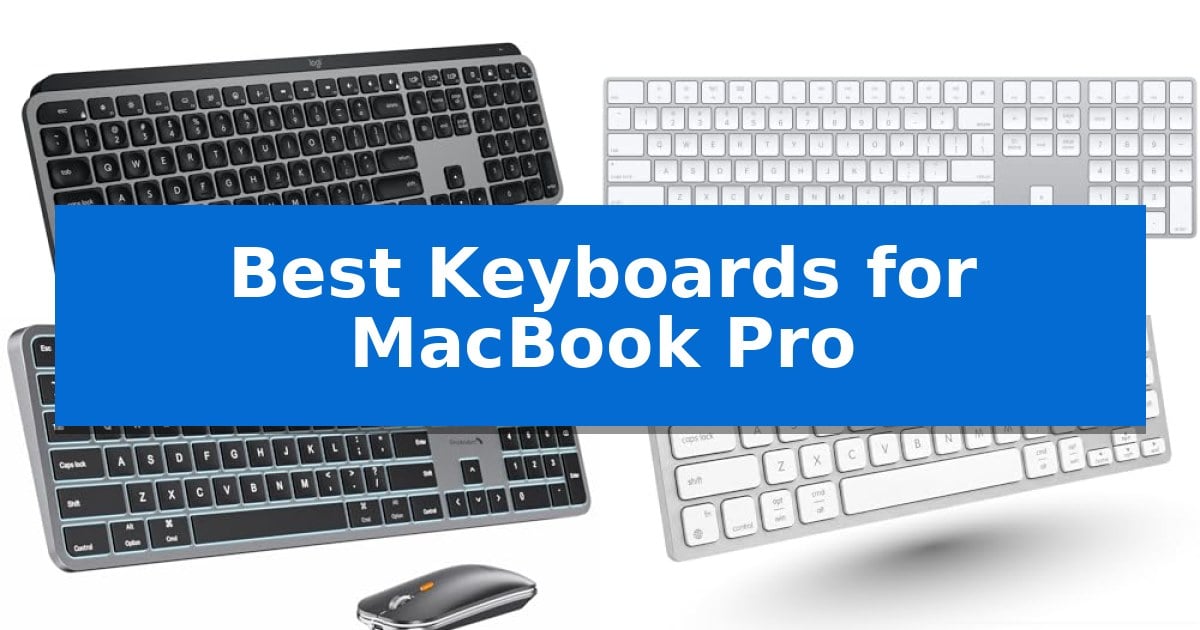
Finding the right peripheral for your Apple setup requires balancing native functionality with physical comfort. The Best Keyboards for MacBook Pro must offer seamless integration with macOS while providing a tactile experience that enhances your daily workflow.
Whether you prioritize a compact footprint for minimalist desks or a full-size layout for data-heavy tasks, selecting the right model depends on your specific connectivity needs and ergonomic preferences. We have analyzed the leading options to help you identify which keyboard aligns with your professional requirements.
Best Keyboards for MacBook Pro in 2026: Elevate Typing Precision
Quick Comparison
| Product | Best For | Key Strength | Score |
|---|---|---|---|
| Logitech MX Keys S Mac Keyboard | Best Overall | Mac-specific layout with matching Apple finishes. | 4.9 |
| Apple Magic Keyboard with Keypad | Seamless native Apple integration | Integrated numeric keypad for efficient data entry | 4.9 |
| ProtoArc KM100-A Backlit Keyboard | Full-size layout for ergonomic comfort | Full-size Mac layout with a dedicated numeric keypad for increased data entry efficiency. | 4.7 |
| Macally USB C Wired Keyboard | Reliable connection without battery management | Dual USB-C and USB-A connectivity for broad compatibility. | 4.6 |
| Macally Bluetooth Mini Keyboard | Compact footprint for minimalist desks | Multi-device pairing for up to three devices. | 4.7 |
How We Chose
- Native macOS compatibility and shortcut key support.
- Connectivity options including Bluetooth stability and wired reliability.
- Ergonomic design features such as key shape, travel, and profile.
- Battery management and charging convenience for wireless models.
- Layout efficiency and the inclusion of specialized keys for Apple users.
1 Logitech MX Keys S Mac Keyboard — Fluid typing with smart illumination
The Logitech MX Keys S Mac Keyboard streamlines professional workflows through its dedicated Mac-specific key layout and seamless integration with Apple hardware. Designed with a low-profile, laptop-like form factor, this keyboard features spherically dished keys that align with natural fingertip contours to support fluid, precise typing sessions.
Beyond its physical design, the keyboard introduces Smart Actions shortcuts via the Logi Options+ app, allowing users to automate repetitive tasks with a single keystroke. The integrated smarter illumination system detects approaching hands, automatically adjusting backlighting intensity based on ambient light conditions to maintain visibility without manual intervention.
Connectivity is a primary focus for multi-device environments, as the unit supports Bluetooth Low Energy pairing with up to three devices across macOS, iPadOS, and iOS. When paired with an MX Master 3S for Mac mouse, users can leverage the software to transfer text and files between three distinct Apple computers, creating a unified ecosystem.
Built for extended use, the keyboard features an optimized angle designed to promote better wrist posture. It is USB-C rechargeable and constructed using a percentage of certified post-consumer recycled plastic, balancing modern utility with material considerations for the workspace.
Best for: Users who require a dedicated Mac layout with multi-device switching and customizable automation shortcuts for a streamlined Apple workspace.
Skip if: Users who prefer mechanical switches with high-travel tactile feedback or those who require a wired-only connection for their setup.
PROS
- Mac-specific layout with matching Apple finishes.
- Smart Actions for automating complex, repetitive workflows.
- Multi-device connectivity for up to three Apple devices.
- Proximity-sensing backlighting that adapts to ambient conditions.
CONS
- Non-mechanical key switches may not suit users seeking traditional tactile feedback.
- Fixed low-profile design lacks adjustable height legs.
2 Apple Magic Keyboard with Keypad — Seamless native Apple integration
The Apple Magic Keyboard with Keypad streamlines data-heavy workflows by integrating a dedicated numeric keypad into a slim, wireless form factor. Designed to pair seamlessly with macOS, iPadOS, and iOS devices, this keyboard offers a reliable typing experience for users who frequently switch between spreadsheets, financial applications, and general document navigation.
Engineered for convenience, the keyboard connects via Bluetooth, eliminating the need for cables during daily use. Its internal rechargeable battery is designed to last for about a month or more on a single charge, depending on usage patterns. When power runs low, the included Lightning to USB cable allows for simultaneous charging and pairing through a Mac USB port.
The extended layout provides full-size arrow keys and specific document navigation controls, which assist in efficient scrolling and data entry. The low-profile design maintains a consistent aesthetic with Apple hardware while ensuring a stable, precise feel under the fingers. It is compatible with Bluetooth-enabled Macs running macOS 10.12.4 or later, iPads with iPadOS 13.4 or later, and iPhones with iOS 10.3 or later.
While the keyboard excels in productivity, its footprint is larger than standard compact models due to the integrated keypad. Users who prioritize portability or minimal desk space may find the extended length a trade-off compared to the standard Magic Keyboard, though the trade-off is necessary for the added numeric functionality.
Best for: Users who require a dedicated numeric keypad for spreadsheet management and financial tasks on Apple devices.
Skip if: Users who prioritize a compact, space-saving footprint or who do not require a numeric keypad for their daily workflow.
PROS
- Integrated numeric keypad for efficient data entry
- Long-lasting rechargeable battery lasting weeks per charge
- Seamless Bluetooth connectivity with Mac, iPad, and iPhone
- Full-size arrow keys and dedicated navigation controls
CONS
- Larger footprint compared to compact keyboard models
3 ProtoArc KM100-A Backlit Keyboard — Full-size layout for ergonomic comfort
The ProtoArc KM100-A Backlit Keyboard offers a full-size layout with a dedicated numeric keypad, specifically designed to mirror the familiar experience of a Mac keyboard while providing a more ergonomic, flat typing surface. This wireless peripheral is built to support a neutral wrist position, which can help reduce strain during extended work sessions on your MacBook Pro.
Equipped with soft white LED backlighting, this keyboard features three adjustable brightness levels, ensuring visibility in low-light environments without causing eye fatigue. The keys utilize a responsive scissor switch mechanism, which enables quiet and efficient typing suitable for professional office settings or shared workspaces.
Versatility is a core strength of this model, as it supports multi-device connectivity via three independent Bluetooth channels. You can toggle between your MacBook Pro, iPad, or other compatible Apple devices with a simple button press. The included mouse features adjustable DPI sensitivity (1000/1600/2400) to match your preferred cursor speed.
Power management is handled by built-in rechargeable batteries for both the keyboard (1200mAh) and mouse (300mAh). To conserve energy, the system automatically enters sleep mode after 60 minutes of inactivity. While this setup significantly enhances productivity, users should ensure they have sufficient desk space to accommodate the full-size dimensions of the hardware.
Best for: Users who require a full-size, backlit keyboard with a numeric keypad and multi-device Bluetooth switching for a Mac-centric workspace.
Skip if: Users with limited desk space or those who prefer a compact, tenkeyless design for portability.
PROS
- Full-size Mac layout with a dedicated numeric keypad for increased data entry efficiency.
- Triple-channel Bluetooth connectivity allows seamless switching between three devices.
- Adjustable LED backlighting provides three brightness levels for comfortable low-light use.
- Ergonomic flat design promotes a neutral wrist position to minimize discomfort.
CONS
- Requires significant desk space due to the full-size form factor.
- Bluetooth-only connection means no USB dongle is included for non-Bluetooth devices.
4 Macally USB C Wired Keyboard — Reliable connection without battery management
Maintaining a consistent workflow requires hardware that eliminates the friction of battery management and wireless connectivity issues. The Macally USB C Wired Keyboard addresses this by providing a direct, plug-and-play connection that functions immediately upon being connected to your MacBook Pro, iMac, or Mac Mini.
Designed for those who prioritize desk space, this keyboard features a slim, space-efficient profile that fits easily into minimalist setups or travel bags. Despite its compact footprint, it retains essential functionality through 13 dedicated shortcut keys, which provide one-touch access to system-level controls like Mission Control, screen brightness, and media playback.
The typing experience is defined by responsive scissor switch keys. These low-profile switches are engineered to provide stable, tactile feedback with reduced noise and shorter key travel, mimicking the feel of a standard MacBook keyboard. This design choice ensures that users transitioning from a laptop to an external setup maintain a familiar typing rhythm.
Reliability is the core benefit of this wired interface. By removing the need for batteries or charging cables, the keyboard ensures an uninterrupted connection that is immune to the signal dropouts sometimes associated with wireless peripherals. With its dual USB-C and USB-A connectivity, it remains compatible with both modern and legacy hardware without requiring additional adapters.
Best for: Users who require a reliable, battery-free typing experience and want to avoid the complexity of wireless pairing or charging.
Skip if: Users who prefer a mechanical switch feel, full-sized number pads, or the freedom of a wireless desk setup.
PROS
- Dual USB-C and USB-A connectivity for broad compatibility.
- No batteries or charging required for consistent uptime.
- Slim, space-saving design ideal for minimalist workspaces.
- Responsive scissor switches for a familiar, low-profile typing feel.
CONS
- Wired-only connection limits desk placement flexibility compared to wireless models.
5 Macally Bluetooth Mini Keyboard — Compact footprint for minimalist desks
Managing multiple devices on a single workstation requires a reliable input solution that minimizes clutter. The Macally Bluetooth Mini Keyboard addresses this by offering seamless multi-device connectivity, allowing users to pair and switch between up to three Bluetooth-enabled devices, such as a MacBook Pro, iPad, or smartphone, within a 30-foot range.
Designed with a compact 78-key layout and 13 dedicated shortcut keys, this keyboard is built to maximize desk space while maintaining essential functionality for macOS users. The inclusion of a built-in kickstand promotes a more comfortable typing angle, which is particularly beneficial during extended work sessions.
Versatility is a core strength of this device, as it features auto OS detection to instantly recognize and connect to Mac, PC, iOS, iPadOS, Android, and SmartTV platforms. This eliminates the need for complex setup procedures, making it a straightforward choice for users who frequently transition between different hardware ecosystems.
Productivity is supported by an 800 mAh rechargeable battery that provides up to 2 months of use on a single charge. When power runs low, the included USB-C cable allows for fast recharging, ensuring that the keyboard remains ready for use without the constant need for disposable batteries.
Best for: Users who need a compact, multi-device keyboard that switches easily between a MacBook Pro and other mobile devices.
Skip if: Users who require a full-sized keyboard with a dedicated numeric keypad for heavy data entry tasks.
PROS
- Multi-device pairing for up to three devices.
- Rechargeable 800 mAh battery with up to 2 months of life.
- Compact 78-key design with a built-in kickstand.
- Auto OS detection for broad device compatibility.
CONS
- Lacks a numeric keypad due to the compact form factor.
Best Keyboards for MacBook Pro Buying Guide
Understanding Layout and Compatibility
The most critical factor when choosing a keyboard for a MacBook Pro is ensuring the layout is optimized for macOS. Look for models that include dedicated Command, Option, and Control keys in the correct positions, as well as functional shortcuts for Mission Control and Brightness adjustments.
Some keyboards offer auto-OS detection, which simplifies the pairing process. Always verify if the device supports the specific version of macOS you are running to ensure all media and system shortcuts function as intended without requiring complex software workarounds.
Connectivity: Wireless vs. Wired
Wireless keyboards provide a clean, cable-free desk environment and often support multi-device pairing. This allows you to switch between your MacBook Pro, iPad, or iPhone with a single button press. Bluetooth stability is essential, so prioritize models that utilize modern Bluetooth standards.
Wired keyboards, conversely, offer plug-and-play reliability. They eliminate the need for battery management or charging, making them ideal for stationary setups where desk clutter is less of a concern. Modern wired options often feature USB-C connectivity to match the ports on your MacBook Pro.
Ergonomics and Typing Feel
The physical profile of the keys significantly impacts long-term comfort. Spherically dished keys or low-profile scissor switches are common in high-quality Mac-compatible keyboards, as they mimic the feel of a laptop keyboard while providing more travel and tactile feedback.
Consider the angle of the keyboard. A flat design or a built-in kickstand can help maintain a more neutral wrist position. If you spend hours typing, look for models that emphasize a low-profile build to reduce strain during extended work sessions.
Backlighting and Illumination
Backlit keyboards are invaluable for working in dimly lit environments. Advanced models feature smart illumination that detects your hands as they approach the keys, adjusting brightness automatically to save power and improve visibility.
Customizable lighting levels allow you to tailor the intensity to your environment. While backlighting is a convenient feature, remember that it will impact the overall battery life of wireless models, so look for efficient LED implementations.
Space and Portability
Your available desk space dictates whether you should opt for a full-size keyboard with a numeric keypad or a compact mini layout. A full-size keyboard is superior for spreadsheets and financial tasks, but it occupies significantly more real estate.
Compact keyboards are excellent for minimalist setups or for users who travel frequently. They strip away the numeric keypad to reduce the footprint, ensuring your mouse or trackpad stays closer to your keyboard for better ergonomic alignment.
Frequently Asked Questions
Do I need special software for these keyboards to work with my MacBook Pro?
Most keyboards function immediately via Bluetooth or USB. However, some models offer companion apps that allow you to customize shortcut keys or manage smart actions, which may require installation for full feature access.
Can I use a Windows-layout keyboard with my Mac?
While you can technically connect a Windows keyboard, the key mapping will differ. You will need to manually remap keys in macOS settings, and you may lose access to specific Apple-native shortcuts.
How long do the batteries typically last on wireless Mac keyboards?
Battery life varies significantly based on usage and backlighting. Many modern rechargeable keyboards offer several weeks or even months of battery life on a single charge, depending on your daily typing volume.
Are these keyboards compatible with iPad and iPhone?
Many Bluetooth-enabled keyboards designed for Mac are also compatible with iPadOS and iOS. Check the specific product specifications to confirm multi-device support if you plan to switch between your Apple devices.
What is the benefit of a scissor-switch mechanism?
Scissor switches provide a stable, low-profile typing experience with short key travel. They are favored for their quiet operation and responsiveness, making them a popular choice for users transitioning from a MacBook laptop keyboard.
Conclusion: Our Top Pick
Selecting the right peripheral transforms your workspace into a more efficient environment. For most users, the Logitech MX Keys S Mac Keyboard stands out as the most versatile option, offering a refined typing feel, smart illumination, and seamless multi-device switching that caters to the modern professional.
While other models provide specific advantages—such as the native integration of the Apple Magic Keyboard or the compact portability of the Macally Mini—the Logitech model balances these features with robust software support and a design specifically tailored for the Apple aesthetic.