
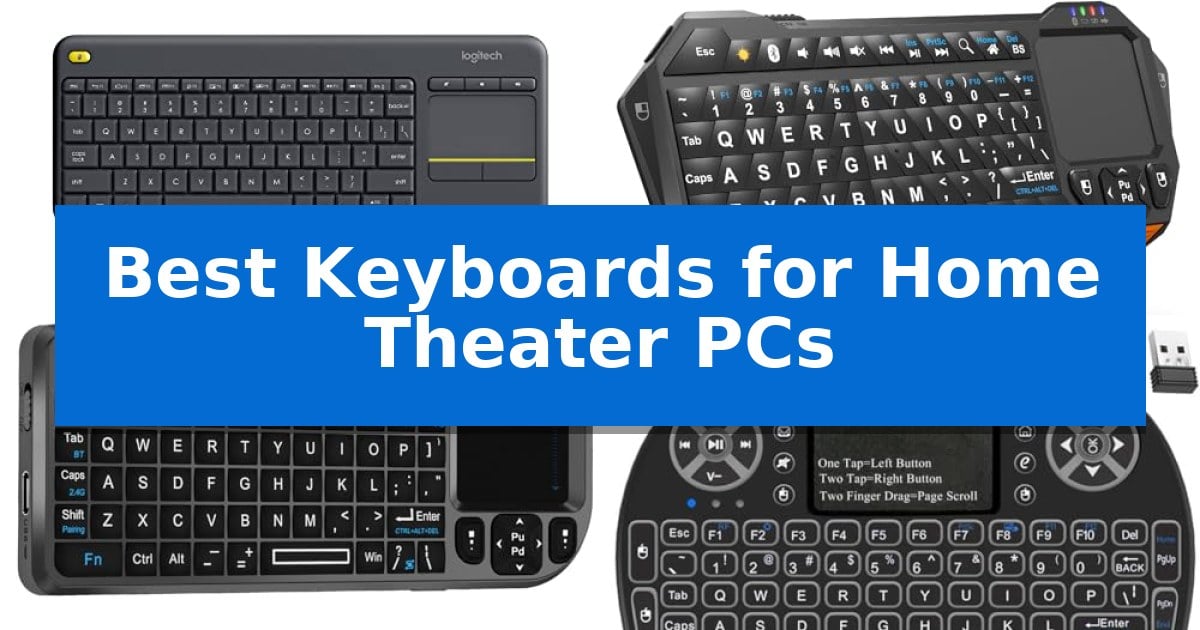
Managing a media center often involves juggling multiple remotes, which can quickly clutter your living room and complicate simple tasks like searching for a movie or adjusting volume. Finding the Best Keyboards for Home Theater PCs is essential for consolidating these controls into a single, reliable device that sits comfortably on your lap.
Whether you need a full-sized board with an integrated touchpad or a compact, palm-sized controller for quick navigation, the right hardware transforms your entertainment setup. We have analyzed the leading options to help you identify which keyboard best fits your specific media consumption habits and living room layout.
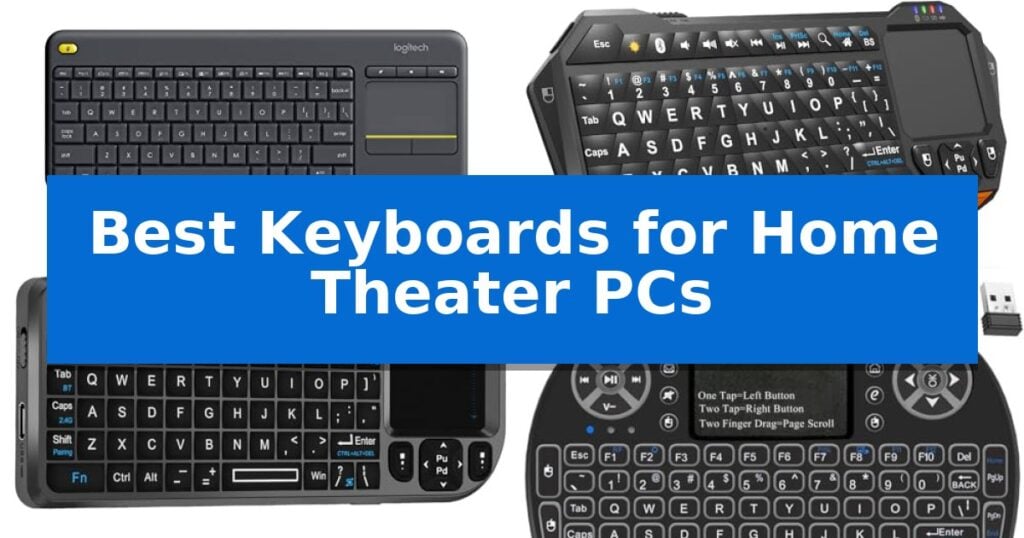
Best Keyboards for Home Theater PCs in 2026
Quick Comparison
| Product | Best For | Key Strength | Score |
|---|---|---|---|
| Logitech K400 Plus Wireless Keyboard | Best Overall | Integrated touchpad eliminates the need for a separate mouse. | 4.9 |
| Fosmon Mini Wireless Keyboard | Compact Palm-Sized Media Control | Dual connectivity via 5.2 Bluetooth and 2.4GHz USB dongle. | 4.9 |
| MRSVI A8 Mini Wireless Keyboard | Rotating Touchpad for Versatile Navigation | Dual-mode wireless connectivity (Bluetooth and 2.4GHz) for broad device compatibility. | 4.4 |
| IDEALROYAL Wireless Mini Keyboard | Backlit Keys for Dark Theater Rooms | 7-colors RGB backlighting for high visibility in dark rooms. | 4.5 |
How We Chose
- Connectivity reliability and wireless range to ensure consistent performance from your couch.
- Ergonomic design, focusing on integrated touchpads or trackballs that eliminate the need for a separate mouse.
- Compatibility with common operating systems like Windows, Android, and Chrome OS.
- Size and portability, prioritizing form factors that are easy to store and comfortable to hold.
- Backlighting and key visibility for use in darkened theater environments.
1 Logitech K400 Plus Wireless Keyboard — Integrated Touchpad for Living Rooms
Managing a home theater PC setup requires a streamlined interface that removes the need for a separate mouse and keyboard cluttering your living space. The Logitech K400 Plus Wireless Touch TV Keyboard addresses this by integrating a built-in touchpad directly into the chassis, allowing for seamless navigation of media menus and web content from the comfort of your couch.
This device utilizes a plug-and-play design, connecting via a single Unifying receiver that plugs into any available USB port. With a wireless range of up to 33 feet, it provides reliable connectivity for most living room configurations. The keyboard features quiet keys and a large touchpad to ensure that navigation remains unobtrusive during movie nights or casual browsing sessions.
Designed for longevity, the unit boasts a battery life of up to 18 months, supported by a physical on/off button to conserve power when not in use. Its spill-resistant design adds a layer of durability against minor accidents, making it a practical choice for a shared home entertainment environment.
Compatibility is broad, supporting Windows, Android, and Chrome OS devices. For users who require more advanced features like backlighting or multi-device Bluetooth connectivity, the manufacturer offers the K830 as an alternative, but for standard HTPC control, the Logitech K400 Plus Wireless Touch TV Keyboard offers a balanced, all-in-one solution.
Best for: Users seeking an all-in-one, space-saving solution for navigating PC-connected televisions from a distance.
Skip if: Users who require backlit keys for dark rooms or those who prefer a full-sized mechanical typing experience.
PROS
- Integrated touchpad eliminates the need for a separate mouse.
- 33-foot wireless range provides reliable connectivity in living room settings.
- 18-month battery life reduces the frequency of maintenance.
- Spill-resistant design enhances durability for home use.
CONS
- Lacks backlighting for use in completely dark environments.
- USB receiver connectivity only; does not support Bluetooth.
2 Fosmon Mini Wireless Keyboard — Compact Palm-Sized Media Control
Navigating a home theater PC setup requires a compact input solution that bridges the gap between traditional typing and media navigation. The Fosmon Mini Wireless Keyboard addresses this by integrating a full QWERTY layout with a built-in touchpad, allowing users to control cursors and media playback directly from the palm of their hand.
This device offers versatile connectivity through both 5.2 Bluetooth and a 2.4GHz nano USB dongle, ensuring compatibility with a wide range of hardware including HTPCs, Android TV boxes, and gaming consoles like the PS5. With a 33ft/10m wireless range, it provides the flexibility needed to operate a home theater system from the comfort of a couch.
Designed for low-light environments, the backlit keyboard ensures visibility during movie nights or gaming sessions. The unit is powered by a 500mAh rechargeable lithium-ion battery, which supports up to 10 days of continuous use or 50 days of standby time. Charging is handled via a standard USB-C cable, simplifying maintenance.
While the Fosmon Mini Wireless Keyboard excels in portability and multi-device support, users should verify the Bluetooth capabilities of their specific television or smart device before purchase, as compatibility can vary across different smart TV platforms.
Best for: Users seeking a compact, all-in-one wireless input device for controlling media centers, smart TVs, and gaming consoles from a distance.
Skip if: Users who require a full-sized mechanical keyboard for heavy typing tasks or those whose smart TV lacks Bluetooth support and requires a specific proprietary remote.
PROS
- Dual connectivity via 5.2 Bluetooth and 2.4GHz USB dongle.
- Integrated touchpad eliminates the need for a separate mouse.
- Backlit keys for improved visibility in dark home theater settings.
- Rechargeable battery provides up to 10 days of continuous use.
CONS
- Limited compatibility with certain smart TV models.
- Not compatible with Xbox series consoles.
3 MRSVI A8 Mini Wireless Keyboard — Rotating Touchpad for Versatile Navigation
Navigating a home theater PC setup requires a controller that balances compact dimensions with versatile input methods, and the MRSVI A8 Mini Wireless Keyboard addresses this by integrating a rotating touchpad directly into its slim 15.3 x 5.9 x 1.3 cm frame. This design allows users to switch between vertical and horizontal orientations with a simple shortcut, ensuring the cursor movement matches the screen layout whether you are browsing on a smart TV or a connected PC.
Connectivity is handled through a dual-mode wireless system, offering both Bluetooth and a 2.4GHz USB receiver for compatibility with older systems or devices lacking native wireless support. The inclusion of 7-color backlighting ensures visibility in darkened media rooms, while the built-in laser pointer adds utility for those using the device for presentations or navigating complex menus from a distance.
The device is designed for convenience, featuring auto sleep/wake functionality to preserve the internal battery, which is rechargeable via a USB-C port. Its broad compatibility across Windows, macOS, Android, and Linux makes it a flexible tool for managing multiple streaming devices, tablets, and computers without needing to switch between different remotes.
While the compact size is ideal for portability and storage, users should note that the keyboard layout is condensed to fit the small form factor. It is a practical solution for those who prioritize a single, handheld interface for media control and light input tasks over a full-sized typing experience.
Best for: Users who need a compact, handheld controller with a rotating touchpad for navigating media menus and light typing on smart TVs or home theater PCs.
Skip if: Users who require a full-sized keyboard for extended typing sessions or those who prefer a traditional mouse for high-precision cursor control.
PROS
- Dual-mode wireless connectivity (Bluetooth and 2.4GHz) for broad device compatibility.
- Rotating touchpad design allows for flexible orientation based on the screen format.
- 7-color backlight improves usability in low-light home theater environments.
- Compact, slim profile makes it easy to store or carry.
CONS
- Condensed keyboard layout may not be suitable for heavy typing tasks.
- Small form factor requires adjustment for those accustomed to standard desktop peripherals.
4 IDEALROYAL Wireless Mini Keyboard — Backlit Keys for Dark Theater Rooms
Navigating a home theater PC setup often requires a compact, intuitive control interface that functions reliably from a distance. The IDEALROYAL Wireless Mini Keyboard addresses this need by integrating a full QWERTY layout with a responsive touchpad, allowing users to manage media playback and system navigation without needing a separate mouse.
Designed specifically for convenience in dim environments, this device features 7-colors RGB backlighting that can be toggled via a simple shortcut. The keys are evenly illuminated, ensuring visibility when operating your HTPC or smart TV in a darkened theater room. The inclusion of 8 multimedia function keys—such as dedicated buttons for browser home, mute, and search—further streamlines the user experience by reducing the need for complex menu navigation.
Connectivity is handled through a 2.4 GHz wireless USB dongle, which provides a plug-and-play experience across various platforms including Windows, Android TV boxes, and smart TVs. The integrated touchpad supports multi-finger gestures, enabling single-finger clicks for left-click actions, two-finger clicks for right-click functions, and two-finger dragging for scrolling through long lists or web pages.
The unit is powered by a rechargeable battery, which helps minimize the clutter of disposable cells. Its compact, all-in-one design makes it a practical solution for those who want to maintain a clean living space while retaining full control over their digital media library.
Best for: Users seeking an all-in-one, backlit wireless input device for managing media playback and system navigation on HTPCs or smart TVs from a distance.
Skip if: Users who require a full-sized mechanical keyboard for heavy typing or those whose devices lack a USB port and cannot accommodate a USB adapter.
PROS
- 7-colors RGB backlighting for high visibility in dark rooms.
- 3-in-1 multifunction design combining keyboard, mouse, and multimedia controls.
- Plug and play 2.4 GHz wireless connectivity with no driver requirements.
- Multi-finger touchpad gestures for intuitive screen navigation.
CONS
- Small form factor may not be suitable for extended typing sessions.
- Requires a USB port or adapter for wireless connectivity.
Best Keyboards for Home Theater PCs Buying Guide
Connectivity and Range
The most critical factor for any living room keyboard is its wireless connectivity. Most models utilize a 2.4GHz USB dongle, which provides a stable, plug-and-play connection that is less prone to interference than some Bluetooth setups. Always ensure your chosen keyboard offers a range of at least 30 feet to maintain responsiveness from across the room.
Some modern keyboards now offer dual-mode connectivity, allowing you to switch between a USB receiver for your PC and Bluetooth for tablets or smart TVs. This flexibility is invaluable if you frequently move your input device between different entertainment hardware.
Integrated Navigation
Because a traditional mouse is impractical on a couch, an integrated touchpad is a standard requirement for home theater use. Look for touchpads that support multi-finger gestures, as these allow you to scroll through long lists or zoom in on content without needing dedicated buttons for every action.
For users with limited space, some specialized mini-keyboards feature rotating touchpads or trackballs. These allow you to change the orientation of the cursor control to match your screen's aspect ratio, ensuring that your navigation remains intuitive regardless of how you hold the device.
Backlighting for Dark Rooms
Home theater setups are often used in low-light conditions, making standard keyboards difficult to read. A backlit keyboard is a significant upgrade, providing clear visibility of keys without requiring you to turn on overhead lights.
When selecting a backlit model, check for adjustable brightness levels or multiple color options. This allows you to dim the light to a level that doesn't distract from the screen while still providing enough illumination to find specific media shortcuts.
Size and Ergonomics
The physical footprint of your keyboard dictates how it fits into your living space. Full-sized keyboards with touchpads offer a familiar typing experience, which is beneficial if you frequently use your HTPC for web browsing or writing.
Conversely, mini-keyboards are designed to be held in both hands, similar to a game controller. These are excellent for quick searches and volume adjustments but may be less comfortable for extended typing sessions. Choose based on whether your primary use is passive media consumption or active PC interaction.
Battery Life and Power
Since you don't want to be tethered to a charging cable, battery longevity is paramount. Many modern units feature rechargeable lithium-ion batteries that can last for weeks on a single charge, often replenished via USB-C.
Alternatively, some keyboards use standard AA or AAA batteries, which can provide months of usage. Always look for devices with an auto-sleep function, which preserves power by turning the keyboard off when it hasn't been used for a set period.
Frequently Asked Questions
Do I need special software to use these keyboards?
Most home theater keyboards are plug-and-play devices that work immediately upon inserting the USB receiver. Some manufacturers offer optional software to customize touchpad gestures or function keys, but it is rarely required for basic operation.
Are these keyboards compatible with gaming consoles?
Many wireless keyboards are compatible with consoles like the PS5 or Nvidia Shield, provided they support standard USB HID devices. However, compatibility can vary by console and specific game title, so it is best to verify your console's support for external keyboards.
Can I use a Bluetooth keyboard if my PC lacks Bluetooth?
If your PC does not have built-in Bluetooth, you will need to use a keyboard that includes a 2.4GHz USB dongle. Alternatively, you can purchase a separate USB Bluetooth adapter to enable connectivity for Bluetooth-only devices.
How do I clean a keyboard with an integrated touchpad?
Use a soft, lint-free cloth lightly dampened with isopropyl alcohol to wipe down the keys and the touchpad surface. Avoid using excessive liquid, as moisture can damage the internal electronics, especially in spill-resistant models.
What is the benefit of a rotating touchpad?
A rotating touchpad allows you to change the orientation of the cursor movement. This is particularly useful on mini-keyboards held in a vertical or portrait orientation, ensuring that moving your thumb up on the pad translates to upward movement on the screen.
Conclusion: Our Top Pick
Selecting the right input device for your home theater setup depends on whether you prioritize a full typing experience or the compact convenience of a handheld remote. For most users, the Logitech K400 Plus Wireless Keyboard stands out as the most balanced choice, offering a reliable 33-foot wireless range, a large integrated touchpad, and a spill-resistant design that handles the rigors of living room use.
While compact, palm-sized alternatives are excellent for minimalist setups, the Logitech K400 Plus provides the most familiar and efficient interface for navigating PC-based media. Its long battery life and broad compatibility make it a dependable hub for your entertainment system, ensuring you spend more time watching and less time troubleshooting your input devices.