
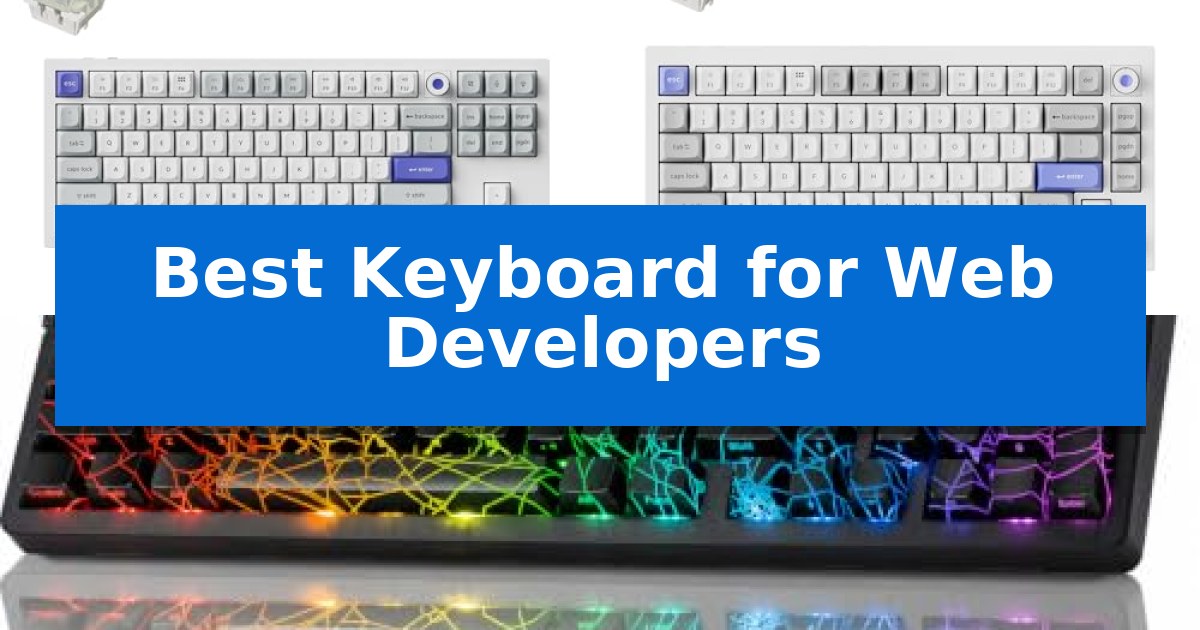
For those spending hours writing code, the right hardware is essential for both comfort and productivity. The Best Keyboard for Web Developers must offer a balance of tactile feedback, reliable connectivity, and the ability to handle complex key combinations without fatigue.
Whether you prioritize a compact footprint to save desk space or need full-size functionality for data-heavy tasks, selecting the right tool can significantly impact your daily output. We have evaluated several mechanical options to help you determine which features align with your specific coding environment.
Best Keyboard for Web Developers in 2026
Quick Comparison
| Product | Best For | Key Strength | Score |
|---|---|---|---|
| Keychron Q3 HE Mechanical Keyboard | Best Overall | Adjustable actuation points from 0.01 mm to 3.35 mm for personalized typing. | 4.9 |
| Keychron Q1 HE Mechanical Keyboard | Compact Layout for Efficient Work | 8K polling rate ensures near-instantaneous input registration. | 4.8 |
| ZORNHER ZH980 Mechanical Keyboard | Full Functionality in Small Space | 95% layout retains full functionality while saving desk space. | 4.3 |
How We Chose
- Switch responsiveness and actuation precision for accurate input.
- Layout efficiency, including support for function rows and navigation keys.
- Customization options for remapping keys and creating complex macros.
- Cross-platform compatibility for seamless switching between macOS, Windows, and Linux.
- Build quality and material durability for intensive daily use.
1 Keychron Q3 HE Mechanical Keyboard — Precision Control for Coding
Precision is the cornerstone of efficient coding, and the Keychron Q3 HE Mechanical Keyboard addresses this by integrating a high-performance MCU with 1MB of flash memory, providing developers with the flexibility to customize their workflow extensively. This wired keyboard is engineered to support an 8K polling rate, which ensures rapid input registration, while its magnetic switches allow for granular control over the typing feel.
The Ultra-Fast Lime Magnetic Switches are pre-lubed and constructed from POM material, offering a stable and consistent keystroke that is particularly beneficial for long coding sessions. A standout feature is the adjustable actuation point, which can be fine-tuned from 0.01 mm to 3.35 mm with 0.01 mm sensitivity. This allows users to configure shallow keypresses for rapid shortcuts or deeper engagement to prevent accidental inputs.
Software integration is handled through the Keychron Launcher web app, enabling users to remap keys, define macros, and manage magnetic switch settings without complex local installations. The keyboard is designed for versatility, featuring a system toggle and included keycaps to ensure seamless compatibility across macOS, Windows, and Linux environments.
The hardware is built for those who prioritize responsiveness, featuring a 3-position polling rate switch that lets you toggle between 1000Hz, 2000Hz, and 8000Hz. While the Keychron Q3 HE Mechanical Keyboard is a wired-only device, its robust build and deep customization options make it a specialized tool for developers who demand high-fidelity control over their input hardware.
Best for: Web developers who require precise, customizable actuation points and high-speed input registration for their coding environment.
Skip if: Users who prioritize wireless connectivity or a compact, portable form factor will find this wired, full-sized layout less suitable for their needs.
PROS
- Adjustable actuation points from 0.01 mm to 3.35 mm for personalized typing.
- 8K polling rate support for high-speed input responsiveness.
- Keychron Launcher web app for easy macro and key remapping.
- Cross-platform compatibility with dedicated toggles for macOS and Windows.
CONS
- Wired-only connection limits desk placement flexibility.
- Full-sized footprint occupies more desk space than compact alternatives.
2 Keychron Q1 HE Mechanical Keyboard — Compact Layout for Efficient Work
Precision and responsiveness are the primary requirements for any development workflow, and the Keychron Q1 HE Mechanical Keyboard addresses this with its groundbreaking 8K polling rate. By utilizing a powerful internal MCU, this keyboard ensures near-instantaneous input registration, providing a level of consistency that is essential for developers managing complex codebases or executing rapid-fire terminal commands.
The hardware is built around Keychron Ultra-Fast Lime Magnetic Switches, which are pre-lubed and constructed from POM material to offer a distinct, satisfying typing feel. These magnetic switches support Dynamic Rapid Trigger technology, allowing users to define actuation and reset points based on travel distance rather than fixed positions. This level of customization is managed through the Keychron Launcher web app, where developers can remap keys, configure macros, and adjust switch sensitivity to match their specific coding environment.
Designed with a 75% compact layout, the keyboard saves valuable desk space while maintaining a full-metal build for durability. It is engineered for cross-platform versatility, featuring a system toggle and dedicated keycaps for macOS, Windows, and Linux. This allows developers to maintain a consistent input experience regardless of the operating system they are working in, supported by the ability to switch between custom layouts seamlessly.
While the Keychron Q1 HE Mechanical Keyboard provides significant performance advantages, it is a wired-only device, which may be a consideration for those prioritizing a cable-free workspace. However, for users who require the highest level of input stability and the flexibility of magnetic switch customization, this keyboard offers a robust, high-performance solution for professional development tasks.
Best for: Developers who require high-precision input, customizable actuation points, and a compact, durable mechanical keyboard for professional workflows.
Skip if: Users who prioritize a wireless, battery-powered setup or those who prefer a full-sized keyboard layout with a dedicated number pad.
PROS
- 8K polling rate ensures near-instantaneous input registration.
- Dynamic Rapid Trigger allows for customizable key actuation and reset points.
- Hot-swappable magnetic switches provide a premium, consistent typing experience.
- Keychron Launcher web app enables deep customization of macros and key mapping.
CONS
- Wired-only connectivity may limit desk setup flexibility.
- 75% layout lacks a dedicated number pad, which may be a drawback for data-heavy tasks.
3 ZORNHER ZH980 Mechanical Keyboard — Full Functionality in Small Space
The ZORNHER ZH980 Mechanical Keyboard integrates a 95% layout that preserves the full number pad, F-row, and navigation keys within a space-saving footprint, making it a functional choice for developers who require a complete command set without the bulk of a full-sized board. Its design focuses on both aesthetics and utility, featuring a spider web theme with shine-through legends molded into high-purity PBT keycaps.
Performance is driven by factory-lubed creamy linear switches housed in a gasket-mounted structure, which provides a distinct, rhythmic typing sound. The board offers extensive connectivity options, including Bluetooth 5.0, 2.4GHz wireless, and USB-C, allowing users to switch between up to 5 devices. A large 6000mAh battery supports extended usage, while the included 1.8m nylon cable ensures reliable power for wired sessions.
Customization is a core component of this model, as the PCB is hot-swappable and supports both 3-pin and 5-pin mechanical switches, eliminating the need for soldering. Users can further tailor the experience through driver software to remap keys, create macros, and adjust the 22 preset RGB lighting modes, which are enhanced by the transparent case design.
Ergonomics and durability are addressed through a dual-angle kickstand and OEM-profile keycaps, designed to reduce strain during long coding sessions. The build quality is reinforced by high-density materials and a 40.5 oz weight, ensuring stability on the desk. Every unit includes a 2-year manufacturer warranty.
Best for: Developers who need a full-sized layout with a number pad in a compact, customizable, and multi-device wireless form factor.
Skip if: Users who require an ultra-silent typing experience or those who prefer a traditional 100% full-sized keyboard layout.
PROS
- 95% layout retains full functionality while saving desk space.
- Triple-mode connectivity supports switching between 5 devices.
- Hot-swappable PCB allows for easy switch customization without soldering.
- 6000mAh battery provides long-lasting wireless performance.
CONS
- Not suited for ultra-silent environments due to the audible nature of the creamy linear switches.
Best Keyboard for Web Developers Buying Guide
Understanding Switch Types and Actuation
Mechanical switches are the foundation of a developer's typing experience. Linear switches, often described as creamy or smooth, provide a consistent keystroke without a tactile bump, which can be beneficial for rapid typing. Conversely, tactile switches offer a physical 'click' or bump that confirms a keypress, helping to reduce errors during long coding sessions.
Advanced features like adjustable actuation points allow you to customize how deep a key must be pressed to register. For developers, setting a shallower actuation can lead to faster input, while a deeper setting can prevent accidental triggers during intense work.
Layouts and Form Factors
The physical layout of your keyboard dictates how much desk space you have for your mouse and other peripherals. A 95% or full-size layout is ideal if you frequently use a number pad for data entry or require dedicated navigation keys. These layouts ensure that no function is lost, which is critical for complex IDE shortcuts.
Compact layouts, such as 75% designs, remove redundant keys to save space while retaining the essential F-row and arrow keys. These are often preferred by developers who want to keep their hands closer together to improve ergonomic posture and reduce shoulder strain.
Programmability and Macro Support
The ability to remap keys is a game-changer for workflow optimization. Many modern mechanical keyboards support web-based configuration tools, allowing you to create custom layers for different applications. This means you can assign complex terminal commands or IDE-specific shortcuts to a single keypress.
Look for keyboards that support on-the-fly macro recording or deep software integration. This allows you to tailor your hardware to your specific coding environment, ensuring that your most-used functions are always within reach.
Connectivity and Multi-Device Use
Developers often work across multiple machines, such as a primary workstation and a laptop. Keyboards offering triple-mode connectivity—Bluetooth, 2.4GHz wireless, and USB-C—provide the flexibility to switch between devices instantly. This eliminates the need for multiple peripherals and keeps your desk clean.
Wired connections remain the standard for those who prioritize the lowest possible latency and consistent power. If you choose a wireless model, ensure it has a high-capacity battery to avoid frequent charging interruptions during critical project phases.
Build Quality and Keycap Materials
A keyboard is a long-term investment, and build quality matters. Keyboards with full metal housings offer a stable, heavy feel that prevents sliding during intense typing. This stability is often complemented by high-quality keycaps, such as those made from PBT plastic, which resist the shine and wear that develop on cheaper ABS keycaps over time.
Consider the aesthetic and functional design of the keycaps, such as shine-through legends for low-light environments. These features ensure that your keyboard remains legible and visually appealing throughout its lifespan.
Frequently Asked Questions
Why are mechanical keyboards preferred by developers?
Mechanical keyboards offer superior tactile feedback, durability, and customization compared to standard membrane keyboards, which helps reduce typing fatigue and improves accuracy.
What is an actuation point?
The actuation point is the distance a key must travel before the signal is registered by the computer. Adjustable actuation allows you to customize this distance for faster or more deliberate typing.
Is a 75% layout enough for coding?
Yes, a 75% layout retains the essential function row and arrow keys, making it a popular choice for developers who want a compact footprint without sacrificing necessary navigation controls.
What is the benefit of hot-swappable switches?
Hot-swappable PCBs allow you to change your mechanical switches without soldering. This gives you the freedom to experiment with different switch types to find your perfect typing feel.
Do I need 8K polling for programming?
While 8K polling is primarily marketed for competitive gaming to reduce input latency, it ensures near-instantaneous registration of every keystroke, which some developers appreciate for a highly responsive feel.
Conclusion: Our Top Pick
After reviewing the options, the Keychron Q3 HE Mechanical Keyboard stands out as the top choice for developers who demand precision and customization. Its combination of magnetic switches, adjustable actuation, and robust build quality provides a reliable foundation for any coding setup.
This keyboard excels by offering deep software integration through the Keychron Launcher, allowing you to tailor every aspect of your input to your specific workflow. While it is a wired-only device, its performance and build quality make it a dependable tool for long-term professional use.