
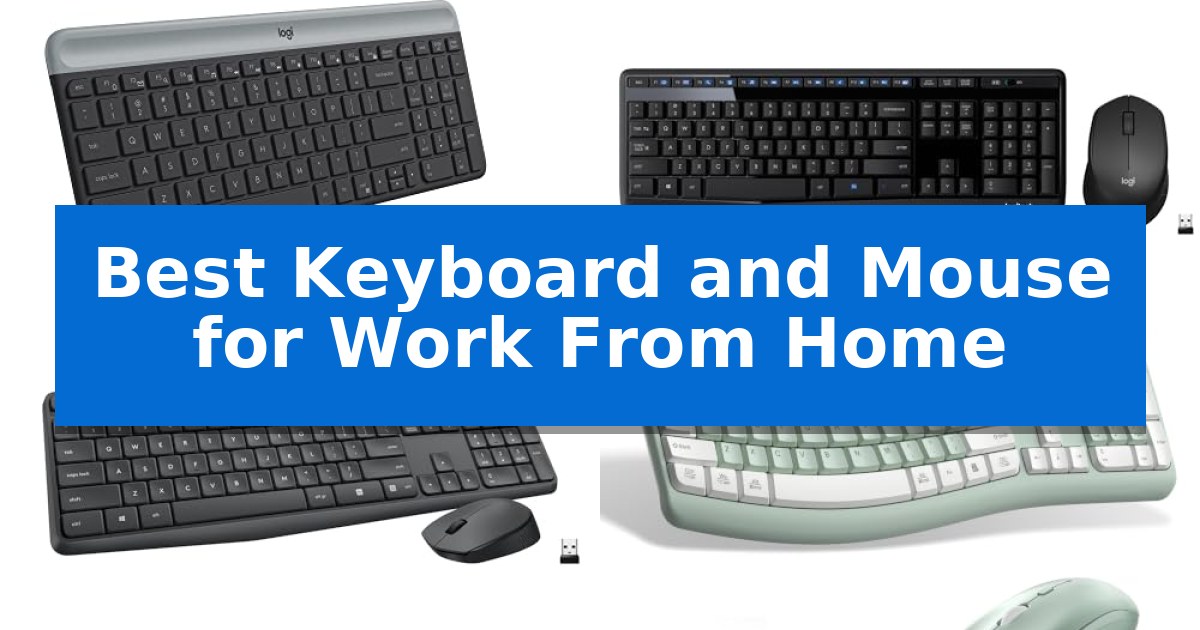
Creating a productive home office starts with the right input devices. Finding the Best Keyboard and Mouse for Work From Home requires balancing comfort, reliable connectivity, and the physical footprint of your workspace.
Whether you are working from a small dedicated desk or a shared table, the right tools can help reduce fatigue and streamline your daily tasks. We have analyzed several popular wireless combos to help you identify which setup aligns with your specific needs and desk layout.

Best Keyboard and Mouse for Work From Home in 2026
Quick Comparison
| Product | Best For | Key Strength | Score |
|---|---|---|---|
| Logitech MK470 Slim Wireless Combo | Best Overall | Ultra-thin, compact design saves valuable desk space. | 4.9 |
| Logitech MK345 Wireless Keyboard and Mouse | Reliable Full-Size Daily Driver | Long-lasting battery life of up to 3 years for the keyboard and 18 months for the mouse. | 4.8 |
| Logitech MK235 Wireless Keyboard and Mouse | Durable Spill-Resistant Design | Extended battery life of up to 3 years for the keyboard. | 4.8 |
| RECCAZR Wireless Keyboard and Mouse Combo | Ergonomic Curved Typing Comfort | Ergonomic curved layout for improved typing comfort. | 4.8 |
| MARVO Wireless Keyboard and Mouse Combo | Includes Integrated Phone Holder | Integrated phone and tablet holder for improved device visibility. | 4.4 |
How We Chose
- Connectivity stability and range
- Ergonomic design and typing comfort
- Physical footprint and space efficiency
- Battery longevity and power management
- Compatibility with major operating systems
1 Logitech MK470 Slim Wireless Combo — Compact Pick for Tight Spaces
Maximizing desk real estate while maintaining a clean aesthetic is often the primary challenge for home office setups. The Logitech MK470 Slim Wireless Combo addresses this with an ultra-thin, compact design that integrates a full-sized keyboard, including a number pad, into a footprint optimized for smaller workspaces.
Performance is driven by a 2.4 GHz wireless connection facilitated by a simple plug-and-play USB nano receiver, providing a reliable range of up to 10 meters. The keyboard utilizes low-profile scissor keys for a responsive feel, while the included ambidextrous 3-button mouse features high-precision optical tracking at 1000 DPI and a mechanical scroll wheel.
Designed for a distraction-free environment, both the keyboard and mouse are engineered to be whisper-quiet, reducing noise for the user and those nearby. Productivity can be further tailored using Logi Options software, which allows users to customize the 12 FN keys for specific shortcuts and workflows.
Efficiency is a core component of this combo, featuring an auto-sleep function that extends battery life significantly, supporting up to 36 months for the keyboard and 18 months for the mouse. The hardware is compatible with Windows and ChromeOS, offering a streamlined solution for professional tasks.
Best for: Users with limited desk space who prioritize a quiet, minimalist, and low-profile wireless setup for standard productivity tasks.
Skip if: Users who require mechanical switches, backlighting, or multi-device Bluetooth connectivity, as this model relies exclusively on a USB receiver.
PROS
- Ultra-thin, compact design saves valuable desk space.
- Whisper-quiet typing and clicking minimizes noise in shared or home environments.
- Extended battery life with up to 36 months for the keyboard and 18 months for the mouse.
- Customizable FN keys via Logi Options software for personalized productivity.
CONS
- USB receiver only connectivity lacks Bluetooth support for tablets or mobile devices.
- Non-backlit keys may be difficult to see in low-light conditions.
2 Logitech MK345 Wireless Keyboard and Mouse — Reliable Full-Size Daily Driver
Maintaining a clutter-free workspace while ensuring reliable input performance is a common challenge for remote professionals. The Logitech MK345 Wireless Keyboard and Mouse addresses this by combining a full-size, spill-resistant keyboard with a contoured, right-handed mouse, both connected via a single USB-A Nano Receiver.
The keyboard features a familiar layout with an integrated palm rest for comfort during extended typing sessions, alongside dedicated media keys for quick access to volume and playback controls. Its spill-resistant design adds a layer of durability against accidental liquid exposure at your desk.
Navigation is handled by the included wireless mouse, which utilizes a contoured shape designed for all-day use. It provides smooth, precise tracking, making it a functional companion for daily office tasks and general navigation.
Setup is straightforward with Plug and Play functionality, ensuring compatibility across Windows, macOS, and ChromeOS. The system relies on a dependable 2.4 GHz wireless connection with a range of up to 10 meters, allowing for a clean, cable-free desk setup.
Efficiency is further supported by the power management of this combo. The keyboard is rated for a battery life of up to 3 years, while the mouse offers up to 18 months of usage, minimizing the frequency of battery replacements.
Best for: Remote workers seeking a reliable, full-size, and low-maintenance wireless peripheral solution for their home office.
Skip if: Users who require a compact, tenkeyless design for limited desk space or those who prefer Bluetooth connectivity over a USB-A receiver.
PROS
- Long-lasting battery life of up to 3 years for the keyboard and 18 months for the mouse.
- Single USB-A Nano Receiver simplifies connectivity and keeps desk space organized.
- Full-size layout with an integrated palm rest and dedicated media keys for enhanced comfort.
- Spill-resistant construction provides added protection for daily office use.
CONS
- USB-A receiver requirement may necessitate adapters for modern laptops lacking legacy ports.
- Full-size footprint occupies more desk space compared to compact or tenkeyless alternatives.
3 Logitech MK235 Wireless Keyboard and Mouse — Durable Spill-Resistant Design
Maintaining a clean and reliable workspace is essential for productivity, and the Logitech MK235 Wireless Keyboard and Mouse addresses this with a spill-resistant design and anti-fading treatment on the keys. This full-size keyboard includes a dedicated number pad and 15 shortcut keys, providing a familiar layout that supports efficient data entry and navigation.
The included compact optical mouse features an ambidextrous design, making it suitable for both left- and right-handed users. Both devices connect via a single USB-A receiver, which utilizes a reliable wireless connection up to 33 feet away. This plug-and-play setup eliminates the need for complex pairing or additional software installations.
Longevity is a core strength of this combo, with the keyboard offering up to 3 years of battery life and the mouse providing up to 1 year. The keyboard also features sturdy tilt legs for adjustable typing angles, ensuring comfort during extended work sessions. Additionally, the construction incorporates certified post-consumer recycled plastic, with 75% used in the mouse and 51% in the keyboard.
While this combo offers robust durability, it is a basic peripheral set designed for standard office tasks. Users requiring advanced customization, such as programmable macro buttons or specialized ergonomic palm rests, may find the feature set limited compared to higher-end models like the Logitech MK540.
Best for: Home office users seeking a durable, long-lasting, and simple wireless input solution that works immediately upon connection.
Skip if: Users who require advanced ergonomic features, customizable shortcut keys, or a multi-device Bluetooth connection will find this basic model insufficient.
PROS
- Extended battery life of up to 3 years for the keyboard.
- Spill-resistant design and anti-fading key treatment for increased durability.
- Plug-and-play simplicity with a single USB-A receiver.
- Full-size layout including a number pad and 15 shortcut keys.
CONS
- Limited customization options for keys and buttons.
- Basic ergonomic design lacks specialized palm rests or contoured shapes.
4 RECCAZR Wireless Keyboard and Mouse Combo — Ergonomic Curved Typing Comfort
Maintaining a natural typing posture during extended office hours is simplified by the RECCAZR Wireless Keyboard and Mouse Combo, which features a scientific curved key layout designed for easy finger access. This setup is specifically engineered to minimize hand strain, making it a practical choice for those spending long periods at a desk.
The combo utilizes a single nano USB receiver to provide a stable, lag-free connection up to 10 meters, effectively reducing cable clutter on your workspace. Both the keyboard and the mouse are designed for quiet operation, with soft membrane keys and a silent mouse click mechanism that ensures a distraction-free environment for home or office use.
Customization and ergonomics are central to the design, as the keyboard includes front and back double adjustable tilt legs to accommodate different table heights and personal typing preferences. The accompanying optical mouse offers three adjustable DPI settings (800/1200/1600), allowing users to toggle sensitivity levels based on their specific task requirements.
Compatibility is broad, supporting Windows, Mac OS, Chrome OS, and Linux systems through a simple plug-and-play interface that requires no additional software. With nine independent shortcut keys, this bundle is built to streamline daily workflows while maintaining a compact, lightweight footprint.
Best for: Home office users seeking an ergonomic, quiet, and space-saving input solution that minimizes desk clutter.
Skip if: Users who require mechanical switches for tactile feedback or those who prefer a dedicated Bluetooth connection without using a USB port.
PROS
- Ergonomic curved layout for improved typing comfort.
- Silent operation for both keyboard and mouse.
- Single nano receiver simplifies connectivity.
- Adjustable tilt legs for customized typing angles.
CONS
- Requires a USB-A port for the nano receiver.
- Membrane keys may not satisfy users who prefer mechanical tactile response.
5 MARVO Wireless Keyboard and Mouse Combo — Includes Integrated Phone Holder
Maintaining an organized desk is essential for productivity, and the MARVO Wireless Keyboard and Mouse Combo simplifies this by featuring an integrated 9.84-inch phone and tablet holder. This design choice allows users to keep their mobile devices upright and visible while working, reducing clutter and keeping notifications within reach.
The combo utilizes a 2.4G wireless connection to maintain a clean workspace without the restriction of cables. The full-size keyboard includes six multimedia keys for quick navigation, while the accompanying silent mouse offers adjustable sensitivity with 800, 1200, and 1600 DPI settings to suit different task requirements. The mouse is equipped with six buttons, providing additional control options for standard office applications.
Compatibility is straightforward, as the set is designed to work with Windows XP, Vista, 7, 8, 10, and macOS operating systems. The hardware includes a power indicator light that blinks for 5-8 seconds upon connection to signal status, and it also serves as a low-battery alert during operation. The unit weighs approximately 1.68 pounds, providing a stable footprint for daily use.
This set is a practical solution for those seeking a unified input system that accommodates mobile devices alongside a computer. While it requires external batteries, the inclusion of a dedicated device stand and silent operation makes it a functional addition to a home office environment.
Best for: Home office users who need a full-size input solution with an integrated stand for mobile devices.
Skip if: Users who require Bluetooth connectivity or rechargeable internal batteries, as this model relies on 2.4G wireless and external batteries.
PROS
- Integrated phone and tablet holder for improved device visibility.
- Silent mouse operation to minimize noise in shared workspaces.
- Adjustable DPI settings (800/1200/1600) for customizable cursor control.
- Full-size keyboard layout with dedicated multimedia keys.
CONS
- Batteries are not included with the purchase.
- 2.4G wireless only, lacking Bluetooth multi-device switching.
Best Keyboard and Mouse for Work From Home Buying Guide
Connectivity and Wireless Standards
Most home office combos utilize a 2.4 GHz USB nano receiver for a stable, plug-and-play connection. This standard is typically reliable, offering a range of up to 10 meters, which is sufficient for most desk environments.
When selecting your hardware, ensure the receiver is compatible with your computer's available ports. Some modern setups may require an adapter if your device only features USB-C, so check your hardware interface before purchasing.
Ergonomics and Typing Posture
Ergonomics is critical for preventing strain during long shifts. Look for keyboards with adjustable tilt legs or curved layouts that promote a more natural wrist position.
A mouse with a contoured, hand-friendly shape can significantly reduce tension in your palm and fingers. If you work long hours, prioritize models that offer a balance between a compact size and a supportive grip.
Space-Saving Design
If your workspace is limited, a compact keyboard with a slim profile is an excellent choice. These models often remove unnecessary spacing while retaining essential keys like the number pad.
Consider the total footprint of the keyboard and mouse combined. A slim, low-profile design not only saves physical space but also makes your desk look cleaner and more organized.
Battery Life and Maintenance
Wireless efficiency is a major factor for a hassle-free experience. Many modern combos feature auto-sleep technology that helps extend battery life to months or even years.
Check the expected battery life for both the keyboard and mouse. Models that offer long-lasting power allow you to focus on your work without the constant need for battery replacements.
Compatibility and Shortcut Keys
Ensure the combo is compatible with your operating system, whether you use Windows, macOS, or ChromeOS. Many keyboards include customizable function keys that can be programmed to launch apps or control media.
These shortcuts can significantly improve your workflow efficiency. Verify that the software required for customization supports your specific computer environment.
Frequently Asked Questions
Do these keyboard and mouse combos require special software?
Most of these devices are plug-and-play, meaning they work immediately upon inserting the USB receiver. However, some models offer optional software to customize shortcut keys.
Can I use these on both Windows and Mac?
Yes, most of these wireless combos are compatible with Windows, macOS, and ChromeOS, though some specific shortcut keys may function differently depending on the OS.
How do I connect both devices to one computer?
These combos typically share a single USB nano receiver. This allows you to connect both the keyboard and mouse using only one USB port on your computer.
Are these keyboards spill-resistant?
Some models, such as the Logitech MK235, are specifically designed with spill-resistant features to protect against minor accidents, but you should always check the individual product specifications.
What is the typical range for these wireless devices?
Most of these 2.4 GHz wireless combos offer a reliable connection range of up to 10 meters (33 feet), which is more than enough for a standard home office setup.
Conclusion: Our Top Pick
After reviewing the available options, the Logitech MK470 Slim Wireless Combo stands out as the most versatile choice for a variety of home office environments. Its combination of a whisper-quiet, low-profile keyboard and a slim, ambidextrous mouse makes it ideal for those who value both aesthetics and a quiet work experience.
While it is highly effective for small desk spaces, users who prefer a full-sized layout with a dedicated palm rest might consider other options. However, for most remote workers, the balance of battery efficiency, compact design, and reliable connectivity makes this the top recommendation for your daily workflow.