
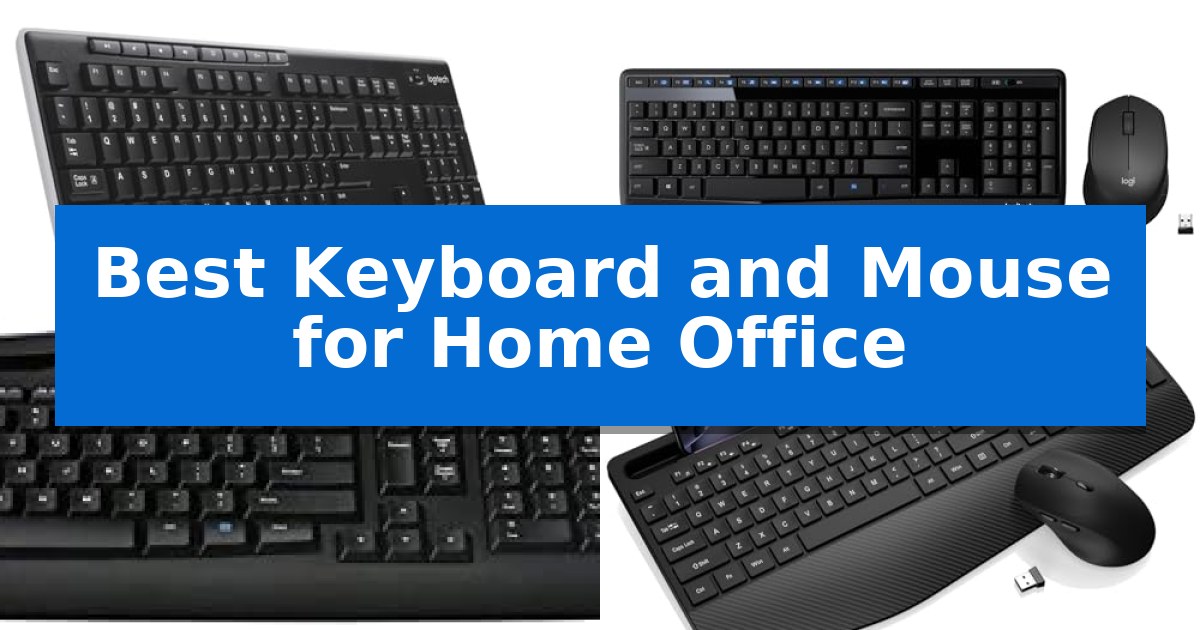
Creating an efficient workspace starts with the tools you use every day. Finding the Best Keyboard and Mouse for Home Office setups requires balancing long-term comfort with reliable connectivity to ensure your workflow remains uninterrupted throughout the workday.
Whether you are managing spreadsheets, drafting documents, or navigating complex software, the right peripheral combination can significantly reduce physical strain. This guide evaluates five popular wireless bundles to help you identify which features—such as ergonomic layouts, quiet keys, or integrated palm rests—best suit your specific professional needs.
Best Keyboard and Mouse for Home Office in 2026: Reliable Daily Input
Quick Comparison
| Product | Best For | Key Strength | Score |
|---|---|---|---|
| Logitech MK270 Wireless Keyboard and Mouse | Best Overall | Single USB-A Nano Receiver for simplified connectivity | 4.9 |
| Logitech MK345 Wireless Keyboard and Mouse | Integrated Palm Rest Comfort | Single USB-A Nano Receiver for a simplified, clutter-free connection. | 4.3 |
| Logitech MK335 Wireless Keyboard and Mouse | Whisper Quiet Typing | Advanced 2.4 GHz wireless connectivity ensures a reliable connection with minimal delays. | 4.4 |
| Trueque KM23 Wireless Keyboard and Mouse | Built-in Phone Holder | Integrated phone holder for improved multitasking visibility. | 4.6 |
| RECCAZR Wireless Keyboard and Mouse | Ergonomic Curved Layout | Ergonomic curved layout for natural typing posture. | 4.8 |
How We Chose
- Wireless connectivity range and reliability
- Ergonomic design features including palm rests and key layouts
- Battery efficiency and power management
- Typing acoustics and tactile feedback
- Compatibility with standard operating systems
1 Logitech MK270 Wireless Keyboard and Mouse — Reliable Plug and Play
Maintaining a clutter-free workspace often begins with minimizing cable management, and the Logitech MK270 Wireless Keyboard and Mouse addresses this by utilizing a single USB-A Nano Receiver for both peripherals. This setup provides a reliable wireless connection up to 33 feet, allowing for a clean desk layout without the need for multiple dongles or wired connections.
The keyboard features a full-size layout, including a number pad and dedicated F-keys, designed to support standard office tasks. Its spill-resistant design and adjustable tilt legs offer durability and ergonomic flexibility for extended typing sessions. Additionally, the inclusion of 8 multimedia hotkeys provides quick access to volume control, email, and playback functions, streamlining daily workflows.
The accompanying compact mouse is built with an ambidextrous shape, ensuring it remains comfortable for both left- and right-handed users. It offers smooth cursor navigation across most surfaces, making it a versatile choice for standard office environments. Both devices are equipped with individual on/off switches to manage power consumption effectively.
Efficiency is a core focus for this combo, with the keyboard boasting a 36-month battery life and the mouse offering 12 months of usage. By incorporating 49% post-consumer recycled plastic in the mouse and 54% in the keyboard, the design balances functionality with material considerations. This combination serves as a straightforward, plug-and-play solution for users seeking to simplify their home office hardware.
Best for: Users seeking a reliable, clutter-free, and long-lasting wireless input solution for standard home office tasks.
Skip if: Users who require advanced ergonomic features like palm rests, scooped keys, or customizable software-driven shortcuts.
PROS
- Single USB-A Nano Receiver for simplified connectivity
- Extended battery life of up to 36 months for the keyboard
- Spill-resistant design for increased durability
- Ambidextrous mouse shape suitable for all users
CONS
- Lacks advanced ergonomic features like a dedicated palm rest
- Standard key design without specialized scooped comfort
2 Logitech MK345 Wireless Keyboard and Mouse — Integrated Palm Rest Comfort
Maintaining a clutter-free and efficient workspace often begins with the right peripherals. The Logitech MK345 Wireless Keyboard and Mouse simplifies your setup by utilizing a single USB-A Nano Receiver to connect both devices, reducing the number of ports occupied on your workstation.
The keyboard features a full-size layout with an integrated palm rest, designed to support comfortable typing sessions during long work hours. Its spill-resistant design adds a layer of durability against accidental liquid exposure, while dedicated media keys provide quick access to volume and playback controls.
Complementing the keyboard is a contoured right-handed mouse engineered for smooth tracking and precise navigation. Both devices operate on a reliable 2.4 GHz wireless connection, offering a range of up to 10 meters, which allows for flexibility in how you arrange your desk.
Maintenance is minimal thanks to the impressive power efficiency of this combo. The keyboard supports a battery life of up to 3 years, while the mouse lasts up to 18 months, ensuring you spend more time working and less time managing power levels. This plug-and-play solution is compatible with Windows, macOS, and ChromeOS, making it a versatile choice for various home office environments.
Best for: Users seeking a reliable, low-maintenance, and comfortable full-size keyboard and mouse combo that connects via a single USB receiver.
Skip if: Users who require a compact, tenkeyless design, Bluetooth connectivity, or a mouse specifically shaped for left-handed use.
PROS
- Single USB-A Nano Receiver for a simplified, clutter-free connection.
- Long battery life with up to 3 years for the keyboard and 18 months for the mouse.
- Integrated palm rest and contoured mouse shape for enhanced comfort.
- Spill-resistant design for added durability in a home office setting.
CONS
- USB-A receiver requires an available Type-A port or an adapter for modern devices lacking legacy ports.
- Full-size footprint may be too large for users with limited desk space.
3 Logitech MK335 Wireless Keyboard and Mouse — Whisper Quiet Typing
Maintaining a clutter-free workspace often begins with minimizing cable management, and the Logitech MK335 Wireless Keyboard and Mouse addresses this by utilizing a single plug-and-forget nano-receiver for both peripherals. This combo is designed for users who prioritize a clean desk aesthetic without sacrificing the reliability of a wired connection, thanks to its advanced 2.4 GHz wireless technology.
The keyboard features a low-profile, whisper-quiet key design intended to provide a comfortable typing experience during extended work sessions. For added utility, it includes 11 dedicated hot keys and 4 programmable F-keys, allowing for quick access to multimedia controls and common applications directly from the board.
Complementing the keyboard is an ambidextrous, contoured mouse equipped with rubberized side grips to support comfortable handling. The mouse is designed for portability, featuring a storage slot for the nano-receiver, which ensures the components stay together when moving between different workstations.
Power management is a core focus of this set, with the keyboard rated for up to 24 months of battery life and the mouse for up to 12 months, depending on usage conditions. This efficiency reduces the frequency of maintenance, making it a practical choice for a consistent home office setup.
Best for: Home office users seeking a reliable, quiet, and low-maintenance wireless peripheral combo that minimizes desk clutter.
Skip if: Users who require mechanical switches for tactile feedback or those who need Bluetooth connectivity for tablets and mobile devices.
PROS
- Advanced 2.4 GHz wireless connectivity ensures a reliable connection with minimal delays.
- Whisper-quiet keys provide a comfortable and unobtrusive typing experience.
- Long battery life with up to 24 months for the keyboard and 12 months for the mouse.
- Integrated multimedia hot keys allow for efficient control of media and applications.
CONS
- Lacks Bluetooth connectivity, requiring a USB port for the nano-receiver.
- Fixed low-profile design may not suit users who prefer the travel and feel of mechanical switches.
4 Trueque KM23 Wireless Keyboard and Mouse — Built-in Phone Holder
Maintaining a clutter-free workspace while managing multiple devices is simplified by the Trueque KM23 Wireless Keyboard and Mouse, which features a built-in phone holder to keep mobile devices within view during calls or tasks. This design choice allows for seamless multitasking, ensuring that your phone or small tablet remains accessible without occupying additional desk space.
The full-size keyboard layout includes a dedicated number pad, making it a practical choice for spreadsheet management and data entry. To enhance comfort during extended periods of use, the unit incorporates a built-in palm rest and adjustable tilt legs, which help support a more natural typing posture.
Efficiency is further supported by quick-access hotkeys that provide immediate control over media, volume, and calculator functions. The accompanying 6-button mouse is designed to facilitate navigation, including forward and backward browsing, which streamlines web research and general office workflows.
Connectivity is handled by a single 2.4GHz USB receiver, eliminating the need for multiple dongles or complex driver installations. The system is compatible with Windows and Mac environments and features a smart sleep mode that automatically engages during idle periods to preserve battery life, waking instantly upon input.
Best for: Home office users who need a full-sized, ergonomic input solution with integrated mobile device management.
Skip if: Users requiring multi-device Bluetooth switching or mechanical key switches will find this 2.4GHz-only membrane setup insufficient for their needs.
PROS
- Integrated phone holder for improved multitasking visibility.
- Full-size layout with a dedicated number pad for data entry.
- Ergonomic design featuring a built-in palm rest and adjustable tilt.
- Single USB receiver for simplified plug-and-play connectivity.
CONS
- 2.4GHz connectivity only, lacking Bluetooth support for mobile-only devices.
- Membrane key switches may not satisfy users who prefer mechanical tactile feedback.
5 RECCAZR Wireless Keyboard and Mouse — Ergonomic Curved Layout
Maintaining a comfortable posture during long hours at a desk is essential, and the RECCAZR Wireless Keyboard and Mouse addresses this with a scientific curved keys design. This layout promotes a more natural typing position, helping to reduce strain while you navigate your daily tasks.
The combo prioritizes a quiet environment, utilizing a silent structure for the membrane keys and a click-free mouse. This makes the RECCAZR Wireless Keyboard and Mouse a practical choice for shared office spaces or home setups where minimizing noise is a priority. The mouse also features 3 adjustable DPI settings (800/1200/1600) for personalized sensitivity control.
Efficiency is supported by a single nano USB receiver that connects both devices, saving valuable ports on your computer. With front and back double adjustable tilt legs, the keyboard allows you to customize the angle to match your desk height or sitting preference, further supporting ergonomic comfort throughout the workday.
Compatibility is broad, as the plug-and-play system works across Windows, Mac OS, Chrome OS, and Linux without requiring additional software. The inclusion of 9 independent shortcut keys provides quick access to essential functions, streamlining your workflow for both professional and personal use.
Best for: Home office users seeking an ergonomic, quiet, and space-saving input solution that works across multiple operating systems.
Skip if: Users who prefer the tactile feedback and audible click of mechanical switches or those who require a full-sized numeric keypad layout might find this membrane-based, compact design less suitable.
PROS
- Ergonomic curved layout for natural typing posture.
- Silent operation for both keyboard and mouse.
- Shared nano USB receiver to save port space.
- Adjustable DPI settings on the mouse for precision control.
CONS
- Membrane key switches may not satisfy users who prefer mechanical tactile feedback.
- Shared USB receiver requires a free USB-A port, which may necessitate an adapter for some modern laptops.
Best Keyboard and Mouse for Home Office Buying Guide
Connectivity and Wireless Standards
Most home office bundles utilize 2.4 GHz wireless technology via a USB-A nano receiver. This standard is favored for its stability and minimal latency, ensuring that your typing and mouse movements remain responsive without the need for complex pairing processes.
When selecting a combo, consider how the receiver is stored. Many models include a dedicated slot within the mouse or keyboard, which is essential for maintaining a tidy desk and preventing the loss of the small USB dongle during travel or desk reorganization.
Ergonomics and Typing Comfort
Comfort is paramount for those spending eight or more hours at a desk. Look for integrated palm rests or curved key layouts that encourage a more natural wrist position. These features are designed to mitigate fatigue during extended typing sessions.
The physical profile of the keys also plays a significant role in comfort. Low-profile keys often provide a quieter, more fluid typing experience, while standard-height keys may offer more tactile feedback for users who prefer a traditional mechanical feel.
Battery Life and Power Management
A reliable home office setup should not require frequent battery changes. Many modern wireless combos feature long-lasting battery life, with some keyboards lasting up to 36 months and mice up to 18 months on a single set of batteries.
Look for devices that include physical on/off switches and smart sleep modes. These features help preserve power when the devices are not in use, ensuring they are ready to perform whenever you start your workday.
Layout and Productivity Shortcuts
Productivity is often enhanced by the inclusion of multimedia hotkeys. Dedicated buttons for volume control, email access, and media playback allow you to manage your digital environment without navigating through software menus.
A full-size layout that includes a dedicated number pad is a critical requirement for many professionals working in finance or data entry. Ensure the layout matches your workflow requirements before committing to a compact or tenkeyless design.
Durability and Workspace Maintenance
Home offices are often multi-purpose spaces, making spill-resistant designs a valuable feature. This construction helps protect internal components from accidental liquid exposure, extending the lifespan of your hardware.
Consider the build quality of the mouse as well, particularly the side grips and button responsiveness. Ambidextrous shapes offer versatility for different hand sizes, while contoured right-handed mice may provide better support for specific grip styles.
Frequently Asked Questions
Do these wireless combos work with Mac and Windows?
Yes, most wireless keyboard and mouse combos are plug-and-play compatible with Windows, macOS, and ChromeOS, requiring no additional drivers.
How do I connect both devices with one receiver?
These combos are designed to pair both the keyboard and mouse to a single shared USB-A nano receiver, which saves available ports on your computer.
What is the benefit of a spill-resistant design?
A spill-resistant design is engineered to allow liquids to drain out of the keyboard, protecting the internal circuitry from accidental spills during daily use.
Are these keyboards quiet enough for shared office spaces?
Many models feature low-profile, quiet keys specifically designed to reduce noise, making them suitable for shared environments or home offices where silence is preferred.
Can I use the mouse and keyboard separately?
Yes, in most cases, the keyboard and mouse can be used independently, though they will both rely on the same USB receiver for their wireless connection.
Conclusion: Our Top Pick
For most home office users, the Logitech MK270 Wireless Keyboard and Mouse stands out as the most reliable choice due to its proven plug-and-play functionality and impressive battery longevity. Its combination of a spill-resistant, full-size layout and a comfortable, ambidextrous mouse makes it a versatile solution for a wide range of professional tasks.
While other options offer specialized features like phone holders or ergonomic curves, the MK270 provides the most consistent performance for daily use. It is an ideal entry point for those seeking a durable, no-nonsense setup that prioritizes connectivity and ease of operation.