
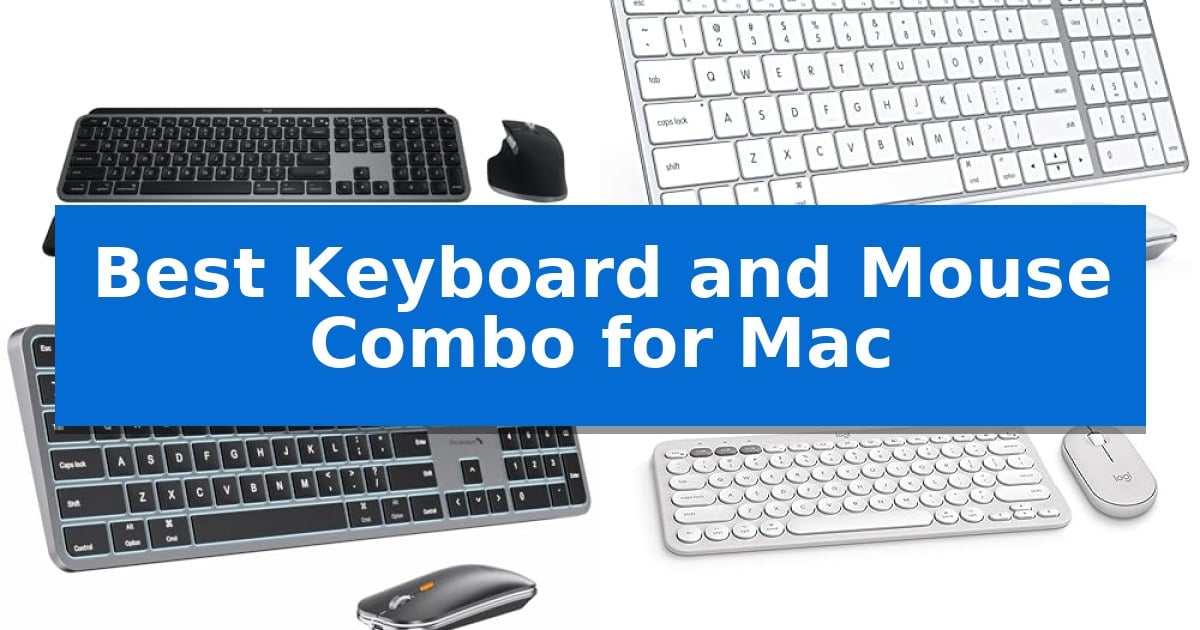
Finding the right input devices for your Apple workstation can significantly impact your daily comfort and efficiency. Whether you are navigating complex creative software or managing everyday tasks, the Best Keyboard and Mouse Combo for Mac should offer seamless connectivity and a layout that feels natural with macOS.
Our guide focuses on identifying reliable peripherals that respect the specific needs of Apple users, from dedicated function keys to multi-device switching capabilities. We have evaluated five distinct options to help you determine which setup aligns best with your desk space and workflow requirements.
Best Keyboard and Mouse Combo for Mac in 2026
Quick Comparison
| Product | Best For | Key Strength | Score |
|---|---|---|---|
| Logitech MX Keys S Combo | Best Overall | Mac-specific layout and aesthetic integration. | 4.9 |
| seenda SKM64-2 Keyboard and Mouse | Slim Design for Apple Ecosystems | Multi-device Bluetooth switching across three channels. | 4.4 |
| ProtoArc KM100-A Keyboard and Mouse | Full-Size Layout with Backlit Keys | Full-size layout with a dedicated numeric keypad for increased productivity. | 4.3 |
| Logitech Pebble 2 Combo | Ultra-Portable for Minimalist Setups | Multi-device connectivity via Bluetooth for up to three Apple devices. | 4.3 |
| Macally Wired Keyboard and Mouse | Reliable Plug-and-Play Wired Connection | Plug-and-play USB-A connectivity eliminates the need for batteries or charging. | 4.8 |
How We Chose
- Native macOS layout support and dedicated function keys.
- Reliability of wireless connectivity or wired interface stability.
- Ergonomic design and typing comfort for extended sessions.
- Multi-device switching capabilities for users with multiple Apple devices.
- Build quality and material durability for long-term use.
1 Logitech MX Keys S Combo — Premium Performance for Apple Pros
Achieving a seamless workflow on your desk requires peripherals that understand your specific environment. The Logitech MX Keys S Combo is engineered specifically for the Apple ecosystem, featuring a dedicated Mac key layout and a sophisticated Space Grey finish that integrates visually with your MacBook Pro, MacBook Air, or iMac.
At the heart of this set is the MX Keys S keyboard, which utilizes a laptop-like profile with spherically dished keys designed to match the shape of your fingertips. This design promotes a fluid, precise typing experience. The keyboard also features smarter illumination that activates as your hands approach, with adjustable brightness and duration settings available through the Logi Options+ software.
The included MX Master 3S wireless mouse offers high-performance navigation with its MagSpeed scroll wheel, capable of scrolling 1,000 lines per second. It is equipped with an 8K DPI sensor that maintains tracking accuracy on virtually any surface, including glass. Both devices are built for ergonomic support, with the keyboard offering an optimum typing angle and the mouse featuring a sculpted shape to encourage better wrist posture during extended work sessions.
Connectivity is a primary strength, as both devices support Bluetooth Low Energy and allow you to pair with up to three Apple devices simultaneously. You can switch between your Mac, iPad, or other compatible hardware with the push of a button. The combo also prioritizes sustainability, incorporating certified post-consumer recycled plastic into its construction.
Best for: Professionals using multiple Apple devices who require a high-precision, ergonomic, and aesthetically integrated input solution.
Skip if: Users who prefer mechanical switches with deep key travel or those who require a wired connection for their peripherals.
PROS
- Mac-specific layout and aesthetic integration.
- MagSpeed scrolling and 8K DPI tracking on the mouse.
- Multi-device connectivity for up to three Apple devices.
- Proximity-sensing backlighting on the keyboard.
CONS
- Non-mechanical key switches may not suit users preferring tactile, high-travel typing.
2 seenda SKM64-2 Keyboard and Mouse — Slim Design for Apple Ecosystems
Maintaining a clean desk while managing multiple devices is a common challenge for Apple users, and the seenda SKM64-2 Keyboard and Mouse addresses this with a slim, stainless steel and premium ABS construction. Measuring just 0.12 inches thick for the keyboard and 0.9 inches for the mouse, this set is designed for portability and a modern aesthetic.
The combo is built specifically for the Apple ecosystem, supporting macOS 10.12+, iPadOS 13.0+, and iOS 13.0+. It utilizes three Bluetooth channels to allow seamless switching between a Mac, MacBook, and iPad, which is helpful for students and professionals who multitask across devices. Note that this system requires Bluetooth 4.0 or above and does not include a USB receiver.
For those working in shared environments, the keys are engineered to be whisper-quiet while maintaining tactile responsiveness. The inclusion of Type-C rechargeability eliminates the need for disposable batteries, offering up to 200 hours of standby time. Power management is further supported by an auto-sleep function and a physical on/off switch.
This set is a practical choice for users who prioritize a consistent Apple-standard layout and a clutter-free workspace. Because it relies entirely on Bluetooth connectivity, it is best suited for devices with built-in Bluetooth capabilities and is not fully compatible with Windows systems.
Best for: Apple ecosystem users who need a slim, multi-device wireless setup for Mac, MacBook, and iPad.
Skip if: Users who require a USB receiver, need Windows OS compatibility, or prefer a full-sized mechanical keyboard.
PROS
- Multi-device Bluetooth switching across three channels.
- Type-C rechargeable design with 200-hour standby.
- Whisper-quiet keys for noise-sensitive environments.
- Ultra-thin metal construction for easy portability.
CONS
- No USB receiver or wired connection option included.
- Not fully compatible with Windows operating systems.
3 ProtoArc KM100-A Keyboard and Mouse — Full-Size Layout with Backlit Keys
The ProtoArc KM100-A Backlit Bluetooth Keyboard and Mouse provides a dedicated full-size layout for Mac users, complete with a numeric keypad and a flat, ergonomic profile designed to keep wrists in a neutral position. This setup is specifically engineered to mirror the familiar feel of a standard Mac keyboard while offering the convenience of wireless connectivity.
Equipped with soft white LED backlighting, the keyboard features three adjustable brightness levels, making it suitable for low-light environments. The keys utilize a responsive scissor switch mechanism, which is designed to provide a quiet typing experience. For navigation, the included mouse offers three adjustable DPI settings—1000, 1600, and 2400—allowing users to customize cursor sensitivity to their preference.
Efficiency is a core focus of this combo, as it supports multi-device connectivity via three Bluetooth channels. Users can switch between a MacBook, iPad, or iPhone with a single click of a mode switch button. Both the keyboard and mouse are rechargeable, featuring 1200mAh and 300mAh batteries respectively, and include an automatic sleep mode that activates after 60 minutes of inactivity to preserve power.
While the full-size design enhances productivity, it requires more desk space than compact alternatives. The system is compatible with Mac OS 10.12 or later and iOS/iPadOS 13.0 or above, though it is not compatible with older Mac models from before 2013, Windows, or Linux systems.
Best for: Mac users who require a full-size, backlit keyboard with a numeric keypad and the ability to switch between three different Apple devices.
Skip if: Users with limited desk space or those who require compatibility with Windows, Linux, or Mac computers manufactured before 2013.
PROS
- Full-size layout with a dedicated numeric keypad for increased productivity.
- Multi-device connectivity allows switching between three Bluetooth devices.
- Adjustable backlighting with three brightness levels for varied lighting conditions.
- Rechargeable batteries for both the keyboard and mouse.
CONS
- Larger footprint may not be suitable for small or crowded workspaces.
- Limited compatibility as it does not support Windows, Linux, or older Mac hardware.
4 Logitech Pebble 2 Combo — Ultra-Portable for Minimalist Setups
The Logitech Pebble 2 Combo prioritizes a minimalist workspace by pairing an ultra-slim keyboard and mouse that share a single, cohesive design language. Measuring just 11 by 5 inches, this set is engineered for users who need to maintain a portable, clutter-free desk while working across multiple Apple devices.
Connectivity is managed via Bluetooth, allowing you to toggle between three paired devices using dedicated Easy-Switch buttons. The keyboard features quiet, laptop-like typing, while the mouse utilizes Silent Touch Technology to reduce noise during operation. Both peripherals are constructed with a significant portion of certified post-consumer recycled plastic, with the keyboard containing at least 49% and the mouse at least 58%.
Customization is handled through the Logi Options+ App, which enables users to remap 10 Fn keys on the keyboard and the middle button on the mouse for specific shortcuts like screen capture or search. For power, the system is designed for longevity, with the keyboard rated for up to 3 years of battery life and the mouse for 2 years, with batteries included in the box.
This combo is specifically optimized for macOS, iPadOS, and iOS, ensuring a seamless experience for those integrated into the Apple ecosystem. Its compact, lightweight footprint makes it a practical choice for users who frequently transition between home, office, or mobile setups.
Best for: Users seeking a compact, multi-device wireless input solution for Mac and iPad environments.
Skip if: Users who require a full-sized keyboard layout with a dedicated number pad or high-performance mechanical switches.
PROS
- Multi-device connectivity via Bluetooth for up to three Apple devices.
- Long battery life with 3 years for the keyboard and 2 years for the mouse.
- Quiet operation through Silent Touch Technology and laptop-style keys.
- Customizable controls via the Logi Options+ App.
CONS
- Compact footprint lacks a dedicated numeric keypad.
- Fixed ergonomic profile without adjustable tilt legs.
5 Macally Wired Keyboard and Mouse — Reliable Plug-and-Play Wired Connection
Maintaining a clean and efficient workspace often starts with the right peripherals, and the Macally USB Wired Keyboard and Mouse Combo offers a streamlined solution for users who prefer the reliability of a direct connection. Designed with a compact footprint, this set integrates seamlessly into environments where desk space is at a premium, providing a functional alternative to cluttered wireless setups.
The keyboard features 78 low-profile scissor-switch keys that provide a tactile typing experience, complemented by 13 dedicated shortcut keys for one-touch commands on Mac and Windows systems. These shortcuts allow for quick adjustments and navigation, enhancing daily productivity without requiring complex software configurations.
Included in the set is an optical mouse featuring an ambidextrous design and a scroll wheel, engineered with silent click technology that reduces noise by 90%. Users can toggle between four sensitivity settings—800, 1200, 1600, or 2400 DPI—to match their preferred cursor speed and precision requirements.
Setup is straightforward, relying on a simple plug-and-play USB-A connection that ensures immediate compatibility across various computer models. With a 2-year warranty included, this combo provides a consistent, battery-free experience for those who prioritize stability and ease of use in their daily computing tasks.
Best for: Users who require a reliable, battery-free, and compact input solution for a Mac or PC workspace.
Skip if: Users who prefer wireless freedom or require specific ergonomic contours beyond a standard ambidextrous mouse shape.
PROS
- Plug-and-play USB-A connectivity eliminates the need for batteries or charging.
- Silent click technology in the mouse reduces operational noise by 90%.
- Compact 78-key layout saves valuable desk space.
- Adjustable DPI settings (800/1200/1600/2400) allow for customized cursor control.
CONS
- Wired connection limits the range of movement compared to wireless alternatives.
- USB-A interface may require adapters for newer Macs that only feature USB-C ports.
Best Keyboard and Mouse Combo for Mac Buying Guide
Connectivity and Compatibility
The most critical factor for any Mac peripheral is how it communicates with your computer. While Bluetooth is the standard for a clean, wireless desk, ensure the device supports the specific Bluetooth version required by your Mac to avoid latency or pairing issues.
Some users prefer wired connections for absolute reliability and to avoid battery management. If you choose a wired option, confirm that your Mac has the necessary ports or that you have a compatible adapter, as many modern Macs rely exclusively on USB-C.
Layout and Ergonomics
A true Mac-compatible keyboard features the Command and Option keys in their traditional positions. Using a keyboard designed for Windows can lead to constant frustration when trying to execute standard macOS shortcuts.
Consider the physical profile of the keyboard. Low-profile, scissor-switch keys often mimic the feel of a MacBook, while full-size layouts with numeric keypads are better suited for data-heavy tasks. A flat, neutral wrist position is essential to prevent strain during long work hours.
Multi-Device Functionality
Many modern professionals work across multiple devices, such as a MacBook, an iPad, and an iMac. Look for combos that offer dedicated 'Easy-Switch' buttons, allowing you to toggle your input between devices with a single click.
This feature eliminates the need to re-pair your devices constantly. Ensure the mouse also supports multi-device switching if you want a truly unified control experience across your entire Apple workspace.
Power and Battery Management
Rechargeable batteries via USB-C have become the standard for high-end peripherals, reducing environmental waste and the inconvenience of replacing AA or AAA cells. Check the estimated battery life, as some models can last for months on a single charge.
If you prefer not to manage charging, some wired models draw power directly from your Mac, providing a 'set it and forget it' experience. However, this comes at the cost of cable clutter on your desk.
Mouse Precision and Features
The mouse is your primary tool for navigation. Look for adjustable DPI settings if you need to switch between high-speed movement and precision work. Ergonomic shaping is vital to support your hand and reduce wrist fatigue.
Additional features like fast-scrolling wheels or silent-click technology can significantly improve your workflow in quiet environments. Ensure the mouse sensor is capable of tracking on the surfaces you typically use, such as a desk mat or directly on a glass surface.
Frequently Asked Questions
Do I need a special driver for these keyboards to work on Mac?
Most modern Mac-compatible keyboards are plug-and-play. However, to customize function keys or button assignments, you may need to download manufacturer-specific software like Logi Options+.
Can I use a Windows keyboard with my Mac?
Yes, but the key mapping will be different. The Windows key will function as the Command key, and the Alt key as the Option key, which can be confusing if you are used to the standard Apple layout.
How do I know if a keyboard is compatible with my specific Mac model?
Check the manufacturer's specifications for the required macOS version. Most current models support macOS 10.12 or later, but older Macs may have limitations with newer Bluetooth standards.
Are mechanical keyboards better for Mac users?
It depends on your preference. Mechanical keyboards offer tactile feedback and durability, while scissor-switch or membrane keyboards are generally quieter and lower profile, similar to the built-in MacBook keyboard.
What is the benefit of a full-size keyboard over a compact one?
A full-size keyboard includes a dedicated numeric keypad, which is essential for accounting, data entry, and spreadsheet work. Compact keyboards save desk space and are more portable.
Conclusion: Our Top Pick
Selecting the right peripheral set depends heavily on your specific workspace needs, whether you prioritize portability, full-size functionality, or a wired connection. For most users looking for a balance of performance and Mac-specific features, the Logitech MX Keys S Combo stands out as the most versatile choice.
The Logitech MX Keys S Combo provides a refined typing experience, a highly precise mouse, and seamless multi-device switching that integrates perfectly with the Apple ecosystem. While it is a premium investment, its build quality and software support make it a reliable long-term solution for professionals.