
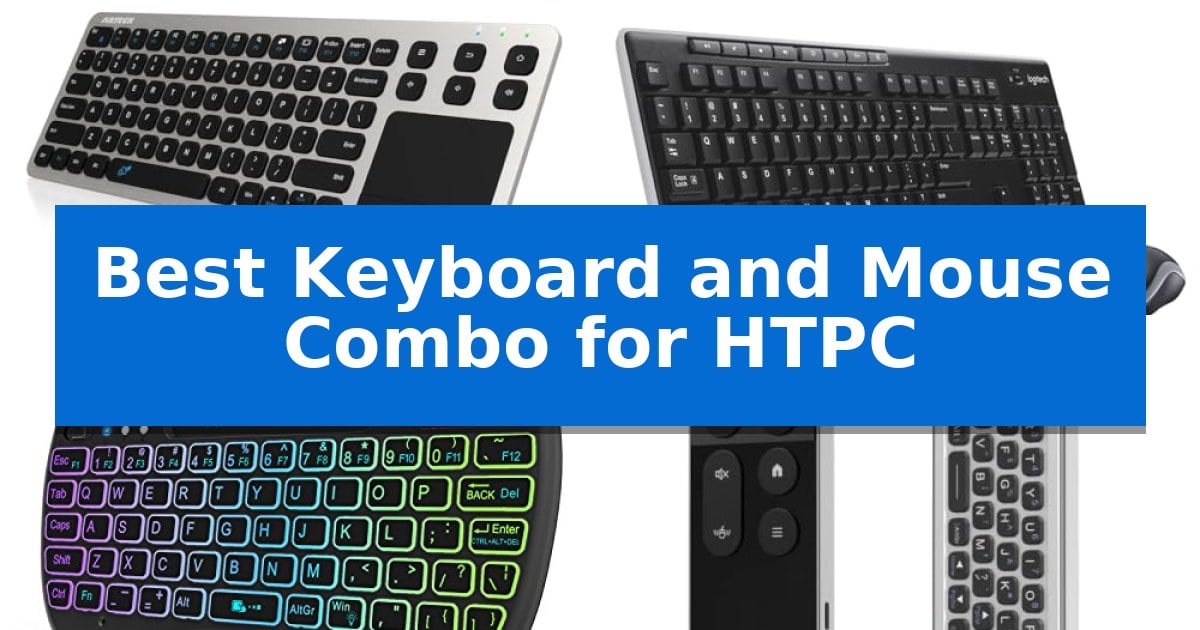
Navigating a home theater PC from your couch requires a specialized input device that balances comfort with functionality. A standard desktop keyboard often feels cumbersome in a living room, leading many users to seek a more streamlined solution.
The Best Keyboard and Mouse Combo for HTPC must provide reliable wireless connectivity and intuitive cursor control without requiring a flat desk surface. We have evaluated five distinct options to help you find the right balance of ergonomics and media-focused features for your entertainment space.
Best Keyboard and Mouse Combo for HTPC in 2026
Quick Comparison
| Product | Best For | Key Strength | Score |
|---|---|---|---|
| Arteck 2.4G Wireless Touch TV Keyboard | Best Overall | Built-in touchpad eliminates the need for a separate mouse. | 4.9 |
| Logitech MK270 Wireless Keyboard and Mouse | Reliable Full-Size Desktop Experience | 33-foot wireless range via a single USB-A receiver | 4.4 |
| Rii X8 Mini Wireless Keyboard | Backlit Keys for Dark Rooms | Integrated multi-touch touchpad eliminates the need for a separate mouse. | 4.8 |
| iPazzPort Bluetooth Air Mouse Keyboard | Intuitive Motion-Based Cursor Control | 6-axis gyroscope for intuitive motion-based cursor control | 4.8 |
| Goeasily Mini Handheld Trackball Keyboard | Precise Thumb-Operated Cursor Navigation | Integrated trackball eliminates the need for a separate mouse surface. | 4.5 |
How We Chose
- Wireless connectivity range and stability
- Integration of mouse functionality (touchpad, trackball, or air mouse)
- Ergonomic design for handheld or lap-based use
- Compatibility with common HTPC operating systems and hardware
- Presence of dedicated media hotkeys for playback control
1 Arteck 2.4G Wireless Touch TV Keyboard — Ultra-Slim Design for Couch Comfort
Navigating a home theater PC setup requires a reliable input method that functions effectively from the comfort of a couch, and the Arteck 2.4G Wireless Touch TV Keyboard addresses this by integrating a full-size layout with a built-in touchpad mouse. This design choice eliminates the need for a separate desk surface, allowing for seamless navigation of media interfaces directly from your living room seating.
The device utilizes a 2.4G wireless connection via a nano USB receiver, providing a range of up to 10 meters (33 feet). This distance ensures stable control for most standard living room configurations. The inclusion of media hot keys further simplifies the experience, offering quick access to common playback functions without requiring complex menu navigation.
Built with a solid stainless construction, the unit maintains an ultra-compact profile that is only 0.67 inches thick. This build quality provides a sturdy feel while remaining lightweight enough for extended use. The plug-and-play setup is straightforward: simply insert the receiver into your HTPC, smart TV, or TV-connected computer to establish a connection immediately.
Compatibility is broad, supporting Windows 10, 8, 7, and Chrome OS, making it a versatile choice for various media-centric hardware. The package includes the necessary 2 X AAA batteries and is backed by a 24-months warranty, providing long-term support for your home entertainment configuration.
Best for: Users seeking an all-in-one, space-saving input solution for HTPC or smart TV media navigation from a distance.
Skip if: Users who require a mechanical typing experience or a high-precision gaming mouse for competitive tasks.
PROS
- Built-in touchpad eliminates the need for a separate mouse.
- 10-meter wireless range provides reliable couch-side control.
- Ultra-compact stainless steel design is both durable and portable.
- Easy plug-and-play setup with the included nano USB receiver.
CONS
- Requires AAA batteries rather than a rechargeable internal battery.
- Non-mechanical keys may not suit users preferring tactile feedback.
2 Logitech MK270 Wireless Keyboard and Mouse — Reliable Full-Size Desktop Experience
Managing a home theater setup often requires a reliable interface that works from the comfort of your couch. The Logitech MK270 Wireless Keyboard and Mouse provides this through a single USB-A Nano Receiver, which establishes a wireless connection up to 33 feet away, ensuring you can navigate your media library without being tethered to the hardware.
This combo is built for consistent use, featuring a spill-resistant design and sturdy tilt legs that allow for adjustable typing angles. The keyboard includes a full-size layout with dedicated 8 multimedia hotkeys, providing instant access to volume, play/pause, and internet navigation, which simplifies controlling media playback directly from your living room seating.
Efficiency is a core component of this set, as it is designed for longevity with a 36-month keyboard battery life and 12-month mouse battery life. Both devices include on/off switches to preserve power during periods of inactivity, reducing the frequency of maintenance.
The included compact, ambidextrous mouse is engineered for smooth cursor control on most surfaces, making it suitable for use on coffee tables or armrests. By utilizing 49% post-consumer recycled plastic in the mouse and 54% in the keyboard, this set balances functional design with material considerations.
Best for: Users seeking a reliable, long-range wireless input solution for media control from a distance.
Skip if: Users who require a backlit keyboard for low-light viewing environments or those who prefer a compact, tenkeyless layout for smaller spaces.
PROS
- 33-foot wireless range via a single USB-A receiver
- Long battery life with 36 months for the keyboard and 12 months for the mouse
- Multimedia hotkeys for convenient media playback control
- Spill-resistant design for increased durability
CONS
- Lacks backlighting for use in dark home theater rooms
- Full-size layout may be larger than desired for some living room setups
3 Rii X8 Mini Wireless Keyboard — Backlit Keys for Dark Rooms
Navigating a home theater setup often requires managing multiple peripherals, but the Rii X8 Mini Wireless Keyboard consolidates these needs into a single, handheld interface. By combining a 2.4GHz wireless QWERTY keyboard with a multi-touch touchpad, this device allows users to control media playback, browse menus, and input text without needing a separate mouse. It connects via a simple plug-and-play USB dongle, making it a practical solution for HTPC, Android TV boxes, and Raspberry Pi systems.
Designed specifically for dim living room environments, the unit features 8-color RGB backlighting that ensures keys remain visible during movie nights. The layout is optimized for media consumption, incorporating dedicated multi-media buttons, direction keys, and a scroll wheel for efficient navigation. Its compact, ergonomic shape is intended for handheld use, providing a comfortable alternative to full-sized peripherals that often feel cumbersome in a couch-based setup.
Power management is handled by a built-in rechargeable lithium-ion battery, which removes the ongoing expense and waste associated with disposable batteries. While the device is highly compatible with most media hardware, users of Amazon Fire TV 4K or Fire Stick should note that a Micro USB host OTG cable is required to establish a connection. The package includes the keyboard, USB dongle, charging cable, and user manual, providing everything necessary to get started immediately.
Best for: Users needing a compact, all-in-one handheld controller for HTPC, Android TV, or Raspberry Pi media navigation in dark rooms.
Skip if: Users who prefer a full-sized tactile typing experience or those who do not have an available USB port for the wireless dongle.
PROS
- Integrated multi-touch touchpad eliminates the need for a separate mouse.
- 8-color RGB backlit keys improve visibility in dim home theater environments.
- Rechargeable lithium-ion battery reduces long-term maintenance costs.
- Compact, handheld design is optimized for living room use.
CONS
- Requires OTG adapter for specific devices like Amazon Fire TV sticks.
- Small form factor may not be suitable for extended typing sessions.
4 iPazzPort Bluetooth Air Mouse Keyboard — Intuitive Motion-Based Cursor Control
Navigating a home theater PC setup requires input devices that bridge the gap between desktop precision and couch-side convenience. The iPazzPort Bluetooth Air Mouse Keyboard addresses this by integrating a high-precision 6-axis gyroscope sensor, allowing for intuitive, motion-based cursor control directly from your seating area.
This device features a dual-sided design that packs a full QWERTY keyboard on one side and a minimalist remote controller on the other. It supports both Bluetooth and 2.4GHz wireless connections, providing flexible, lag-free input across various platforms including Android TV boxes, Windows, and Mac systems. The inclusion of a rechargeable battery with a Type-C port ensures an eco-friendly power solution, eliminating the need for frequent battery swaps.
For users looking to consolidate their peripheral clutter, this all-in-one solution replaces bulky separate keyboards and mice. It also includes an IR learning key, which can be programmed to handle basic television functions like power, volume, and channel selection. While it excels in versatility, users should note that it lacks a backlight function and may have limited compatibility with specific proprietary smart TV software, such as certain LG or Samsung models.
The slim, ergonomic grip is designed for one-handed operation, making it well-suited for browsing, theater navigation, and casual gaming. By combining motion control with tactile typing, the unit provides a streamlined interface for managing media libraries and smart home entertainment systems without the need for a flat surface.
Best for: Users seeking a compact, all-in-one motion-controlled input device for HTPC and Android TV navigation from the couch.
Skip if: Users who require a backlit keyboard for dark environments or those using proprietary smart TV platforms that may not support third-party input devices.
PROS
- 6-axis gyroscope for intuitive motion-based cursor control
- Dual-mode connectivity supporting both Bluetooth and 2.4GHz wireless
- Rechargeable battery with convenient Type-C charging
- Dual-sided design combining a QWERTY keyboard and remote
CONS
- No backlight function for use in low-light conditions
- Limited compatibility with some proprietary smart TV software
- Charging cable not included in the package
5 Goeasily Mini Handheld Trackball Keyboard — Precise Thumb-Operated Cursor Navigation
Navigating a home theater PC setup from the couch requires a device that consolidates input without the clutter of a full-sized keyboard and mouse. The Goeasily Mini Handheld Trackball Keyboard addresses this by integrating a thumb-operated trackball directly into a compact, handheld frame, allowing for precise cursor control without needing a flat surface.
Designed for versatility, this unit features a built-in scroll wheel that enables Easy Zoom Control via simple key combinations. This functionality is particularly useful for adjusting the visibility of small text or interface elements on a television screen from a distance. The layout also includes dedicated media keys to streamline playback management across various entertainment platforms.
The device utilizes a 2.4GHz wireless connection via an included USB receiver, ensuring a plug-and-play experience without the need for driver installations. Its internal Nordic chipset is engineered for power efficiency, helping to manage battery consumption during extended use. The ergonomic, handheld form factor is built to accommodate both one-handed and two-handed operation.
Compatibility is broad, supporting Windows, Android, Linux, Smart TVs, and gaming consoles like the PS4. Whether managing an HTPC, navigating an Android TV box, or handling industrial control tasks, this keyboard provides a consolidated interface for diverse hardware environments.
Best for: Users who need a compact, all-in-one handheld controller for navigating HTPC or Smart TV interfaces from a couch.
Skip if: Users who require a full-sized keyboard for heavy typing tasks or those who prefer Bluetooth connectivity over a USB receiver.
PROS
- Integrated trackball eliminates the need for a separate mouse surface.
- Easy Zoom Control via scroll wheel simplifies viewing small text on TVs.
- Plug-and-play 2.4GHz wireless setup requires no drivers.
- Compact, ergonomic design suitable for one-handed use.
CONS
- No Bluetooth support; relies exclusively on the included USB receiver.
- Small form factor may not be suitable for extended typing sessions.
Best Keyboard and Mouse Combo for HTPC Buying Guide
Connectivity and Range
Most HTPC input devices rely on 2.4GHz wireless technology via a USB nano receiver. This standard typically offers a stable connection up to 33 feet, which is sufficient for most living room environments. Ensure your receiver has a clear line of sight or is connected to a front-facing USB port to minimize interference.
Some advanced models offer Bluetooth connectivity, allowing for a cleaner setup without occupying a USB port. However, verify that your HTPC or smart TV supports the specific Bluetooth version to avoid pairing issues or input lag during media playback.
Cursor Control Methods
The way you move the cursor is the most critical design choice for a living room keyboard. Built-in touchpads offer a familiar laptop-like experience, making them ideal for web browsing and precise clicking. They are generally flat and easy to store.
Alternatively, trackball keyboards or air mouse remotes allow for one-handed operation. Trackballs provide high precision without requiring surface movement, while air mice use gyroscopic sensors to track hand gestures, which can be more intuitive for navigating media-centric interfaces.
Form Factor and Ergonomics
Living room keyboards are often used while sitting on a couch, meaning they must be lightweight and compact. Ultra-slim designs with integrated touchpads are easy to balance on your lap, whereas handheld mini-keyboards are designed for two-handed thumb typing.
Consider the weight and build quality. A stainless steel or reinforced plastic chassis provides durability, but heavier units may become uncomfortable during extended browsing sessions. Look for rounded edges and a slim profile for better portability.
Media Control Features
Dedicated media hotkeys significantly improve the HTPC experience by allowing you to adjust volume, play/pause, or skip tracks without navigating through software menus. Some keyboards include specific buttons for launching web browsers or email clients.
If you frequently watch content in low-light conditions, look for backlit keys. This feature ensures you can see your inputs clearly without needing to turn on overhead lights, which is a major convenience for movie nights.
Compatibility and Setup
Before purchasing, confirm that the device is compatible with your specific operating system, such as Windows, Chrome OS, or Android TV. While most USB-based devices are plug-and-play, some advanced features like gesture control may require specific driver support.
Check if your HTPC requires an OTG (On-The-Go) cable for connection, especially with streaming sticks or certain Android TV boxes. A simple plug-and-play setup is usually the most reliable for home theater environments.
Frequently Asked Questions
Do I need a separate mouse with these keyboards?
No, all the products featured in this guide include integrated cursor control, such as a touchpad, trackball, or air mouse functionality, specifically designed to eliminate the need for a separate mouse.
Will these work with my Smart TV?
Most of these devices are compatible with Smart TVs that support standard USB keyboards and mice. However, compatibility can vary based on the TV's proprietary operating system, so checking your TV's manual is recommended.
How do I connect these to a streaming stick?
Streaming sticks often require a Micro USB host OTG cable to connect a USB receiver. Once the OTG cable is connected to the stick, you can plug the keyboard's nano receiver into the USB port.
Are these keyboards suitable for gaming?
These devices are optimized for media navigation and casual browsing. While they can function for basic tasks, they lack the high-polling rates and mechanical switches preferred for competitive gaming.
How long do the batteries typically last?
Battery life varies significantly by model. Some use standard AAA batteries that can last for months, while others feature rechargeable lithium-ion batteries that require periodic charging via USB.
Conclusion: Our Top Pick
Choosing the right input device for your home theater depends on your preferred navigation style and the layout of your living space. For those who prioritize a slim, durable design that mimics a standard keyboard while offering integrated mouse control, the Arteck 2.4G Wireless Touch TV Keyboard stands out as the most versatile option.
Its stainless steel build and compact footprint make it an excellent choice for couch-based use. While other options like air mice or trackball units offer unique advantages for specific navigation tasks, the Arteck provides a balanced, reliable experience for most HTPC users.