
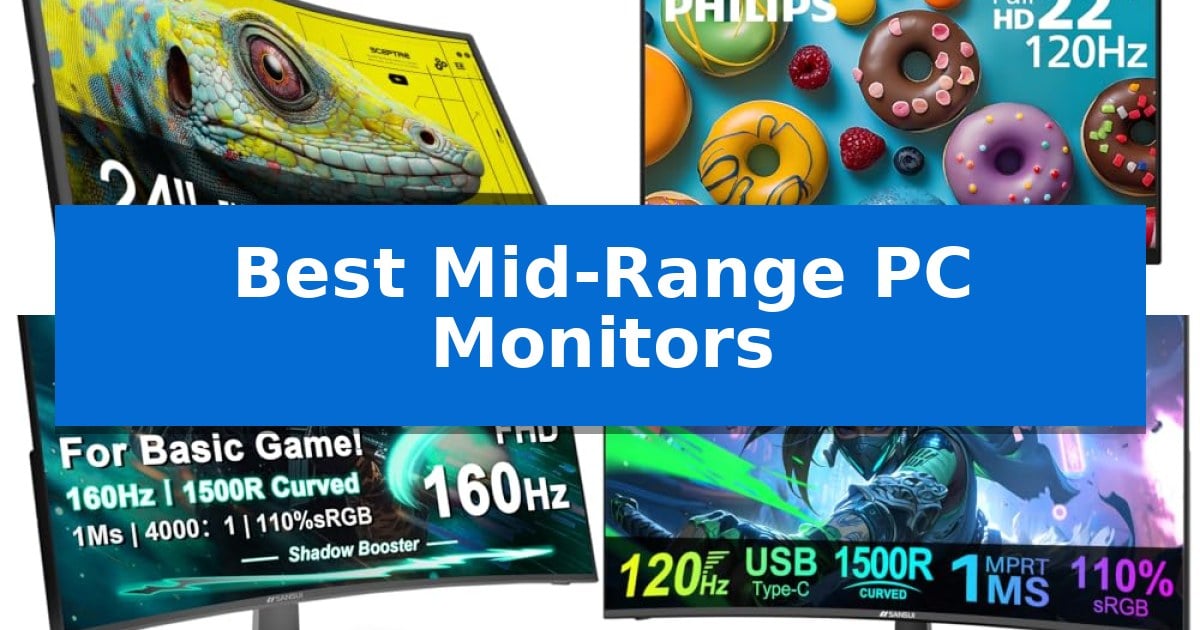
Finding the right balance between performance and price is essential when upgrading your workstation or gaming rig. The Best Mid-Range PC Monitors offer a sweet spot for users who need more than basic office functionality but aren't looking for professional-grade color grading or extreme enthusiast specs.
Whether you prioritize high refresh rates for fluid motion or ergonomic flexibility for long hours at your desk, the current market provides diverse options. This guide evaluates five distinct models to help you identify which display best aligns with your specific daily computing needs.
You may also want to compare Best Mid-Range On-Ear Wireless Headphones, Best Mid-Range On-Ear Headphones, and Best Mid-Range OLED TVs.
Best Mid-Range PC Monitors
Quick Comparison
| Product | Best For | Key Strength | Score |
|---|---|---|---|
| Sceptre C248B-FW180T Curved Gaming Monitor | Best Overall | 180Hz overclocked refresh rate for smooth motion. | 4.9 |
| Philips 22E2N1100 Computer Monitor | Reliable IPS for daily productivity | Overclockable 120Hz refresh rate for smooth visual performance. | 4.9 |
| SANSUI ES-G27C1L Curved Gaming Monitor | High refresh rate for fast action | 160Hz refresh rate with 1ms MPRT for fluid motion. | 4.5 |
| SANSUI ES-27C1 USB-C Computer Monitor | Single-cable connectivity for laptops | USB Type-C connectivity simplifies cable management for laptop users. | 4.7 |
| MNNM MN238100FHD Computer Monitor | Ergonomic design for flexible viewing | Highly adjustable stand with pivot, swivel, height, and tilt options. | 4.5 |
How We Chose
- Display performance, including resolution, refresh rate, and panel technology.
- Connectivity options such as HDMI, DisplayPort, and USB-C for device compatibility.
- Ergonomic adjustability, including tilt, swivel, and VESA mounting support.
- Integrated features like built-in speakers and eye-care technologies.
- Design aesthetics, specifically bezel thickness and footprint for multi-monitor setups.
1 Sceptre C248B-FW180T Curved Gaming Monitor — Curved display for immersive gaming
The Sceptre C248B-FW180T Curved Gaming Monitor centers its design around a 1500R curvature, intended to provide an immersive viewing experience for both gaming and multimedia tasks. This 24-inch display is built to handle high-motion content with an overclocked refresh rate of up to 180Hz and a 1ms blur reduction feature, aiming to minimize motion artifacts during fast-paced sequences.
Visual accuracy is supported by 100% sRGB color gamut performance, which helps ensure consistent color reproduction across creative and entertainment applications. The monitor features a nearly bezel-free design, a choice that facilitates cleaner dual-monitor setups by reducing the physical gap between screens. For user comfort, the integrated Blue-Light Shift technology is designed to mitigate eye strain during extended sessions by adjusting blue light emissions.
Connectivity is handled through a versatile array of ports, including two HDMI inputs and two DisplayPort connections, allowing for multiple device links simultaneously. The inclusion of built-in speakers provides an integrated audio solution, helping to maintain a clutter-free desk environment. An audio-out jack is also available for those who prefer external sound systems.
This monitor balances its gaming-focused specifications with practical features for daily use. While the 1080p resolution is standard for this screen size, the combination of high refresh rates and color accuracy makes it a functional choice for users who transition between work and play.
Best for: Gamers and multimedia users seeking a high-refresh-rate curved display with versatile connectivity for a compact desk setup.
Skip if: Users requiring higher than 1080p resolution for professional-grade graphic design or those who prefer a flat panel display for specific productivity workflows.
PROS
- 180Hz overclocked refresh rate for smooth motion.
- 100% sRGB color gamut for accurate color representation.
- 1500R curved design to enhance visual immersion.
- Versatile connectivity with dual HDMI and dual DisplayPort inputs.
CONS
- 1080p resolution may lack the pixel density preferred for larger screens or detailed professional work.
- Integrated speakers may not match the audio fidelity of dedicated external sound systems.
2 Philips 22E2N1100 Computer Monitor — Reliable IPS for daily productivity
Achieving fluid motion and consistent color accuracy in a compact workspace requires a display that balances high-speed performance with everyday utility. The Philips 22E2N1100 Computer Monitor addresses this by pairing a 22-inch Full HD IPS panel with an overclockable 120Hz refresh rate, providing a responsive experience for both casual gaming and high-frame-rate desktop navigation.
Designed for long-term comfort, this monitor integrates LowBlue Mode and Flicker-Free technology to minimize eye strain during extended work sessions. The inclusion of EasyRead mode further enhances usability by creating a paper-like reading experience, which is particularly beneficial for document-heavy workflows.
The physical design emphasizes versatility through an Ultra Slim Bezel, which facilitates seamless multi-monitor configurations. With VESA mount compatibility (100x100mm) and standard HDMI connectivity, the unit integrates easily into various desk setups, while the 1ms MPRT response time and Adaptive-Sync technology work to eliminate screen tearing and motion blur during fast-paced content.
Backed by a 4-year advance replacement warranty, this monitor offers a reliable solution for users who prioritize longevity and consistent performance. While its 22-inch form factor is optimized for space-constrained environments, the combination of high refresh rates and IPS color reproduction makes it a capable choice for a wide range of daily computing tasks.
Best for: Users seeking a compact, high-refresh-rate display for a mix of productivity and casual gaming in space-limited environments.
Skip if: Users who require a larger screen size or higher resolution than 1080p for professional creative work or immersive media consumption.
PROS
- Overclockable 120Hz refresh rate for smooth visual performance.
- IPS panel technology providing wide viewing angles and accurate color.
- Eye-care features including LowBlue and Flicker-Free modes.
- 4-year advance replacement warranty for added peace of mind.
- Ultra Slim Bezel design ideal for multi-monitor setups.
CONS
- 22-inch screen size may be too small for users preferring expansive desktop real estate.
- Limited port selection primarily focused on HDMI and VGA connectivity.
3 SANSUI ES-G27C1L Curved Gaming Monitor — High refresh rate for fast action
The SANSUI ES-G27C1L Curved Gaming Monitor provides a 1500R curvature designed to minimize image distortion and reduce eye fatigue during extended sessions. This 27-inch display features a 160Hz refresh rate and a 1ms MPRT response time, ensuring smooth motion for fast-paced gaming environments.
Equipped with a 4000:1 contrast ratio and 110% sRGB color coverage, the monitor delivers deep blacks and vibrant color reproduction. It includes a suite of gamer-centric tools such as a shadow booster for black level adjustment, on-screen crosshairs, and a built-in timer, all accessible through the OSD menu.
Connectivity options include HDMI 2.0 and DP 1.4 ports, both supporting the maximum 160Hz refresh rate. The monitor also features an audio jack for external sound output, as it does not include integrated speakers. Users can adjust the tilt between -5° and 15° to suit their desk setup, and the unit is compatible with VESA 100x100mm mounts.
The display supports FreeSync to help synchronize refresh rates with compatible hardware, reducing screen tearing. An HDR mode is available when connected via HDMI, and the monitor includes low blue light and anti-flicker technology to support comfortable viewing for both work and entertainment.
Best for: Gamers seeking a high-refresh-rate curved display with integrated shadow-boosting tools and wide color coverage.
Skip if: Users who require built-in speakers or a monitor with a wider range of ergonomic adjustments beyond simple tilt.
PROS
- 160Hz refresh rate with 1ms MPRT for fluid motion.
- 1500R curvature for improved immersion and reduced eye strain.
- 4000:1 contrast ratio providing deep, clear image quality.
- Gamer-centric OSD features including crosshairs and shadow boosters.
CONS
- No integrated speakers, requiring external audio solutions.
- Limited ergonomic adjustment restricted to tilt only.
4 SANSUI ES-27C1 USB-C Computer Monitor — Single-cable connectivity for laptops
Streamlining a desk setup often begins with reducing cable clutter, and the SANSUI ES-27C1 USB-C Computer Monitor addresses this by integrating a single-cable solution for both data and power delivery to compatible laptops. This 27-inch curved display is built to balance utility across business tasks, creative work, and gaming, utilizing a 1500R curvature to provide a more immersive viewing experience.
The panel features a 120Hz refresh rate paired with a 1ms (MPRT) response time, which helps maintain fluid motion during fast-paced activity. With a 4000:1 contrast ratio and 110% sRGB color gamut coverage, the display is designed to produce vibrant imagery. It also includes built-in 2W speakers, removing the immediate need for external audio hardware for basic daily tasks.
Ergonomics and eye comfort are addressed through a -5° to 15° tilt adjustment and a suite of protective features, including anti-glare coating, anti-flicker technology, and a low blue light mode. The ultra-thin bezel design maximizes screen real estate, while the 100 x 100mm VESA mount compatibility allows for flexible installation on monitor arms or wall mounts.
Connectivity is centered around a versatile USB Type-C port, supplemented by an HDMI 1.4 input. This configuration is intended for users who frequently switch between laptop and desktop environments. The monitor comes with a 30-day money-back guarantee and lifetime technical support, providing a safety net for new users.
Best for: Users who require a versatile, curved display with single-cable USB-C connectivity for a clean, multi-purpose desk setup.
Skip if: Users who require high-resolution 4K output or professional-grade color accuracy for specialized design work.
PROS
- USB Type-C connectivity simplifies cable management for laptop users.
- 120Hz refresh rate and 1ms response time support fluid motion.
- 1500R curved design enhances immersion for work and gaming.
- VESA mount compatibility allows for flexible ergonomic positioning.
CONS
- HDMI 1.4 port may limit bandwidth for certain high-resolution or high-refresh configurations.
- 2W built-in speakers are limited in volume and audio depth.
5 MNNM MN238100FHD Computer Monitor — Ergonomic design for flexible viewing
The MNNM MN238100FHD Computer Monitor offers a versatile workspace solution by combining a 100Hz refresh rate with a three-sided borderless design, making it a practical choice for users balancing productivity and entertainment. Its VA panel technology provides deep contrast, while the inclusion of AMD FreeSync helps manage visual clarity during motion-heavy tasks.
Designed with ergonomics in mind, the monitor features a highly adjustable stand capable of tilt, pivot, height, and swivel movements. This flexibility allows the display to function effectively as a primary desktop screen or a secondary vertical monitor, accommodating various desk setups and posture requirements.
For connectivity, the unit includes an HDMI port and a VGA input, ensuring compatibility with both modern PCs and legacy hardware. The addition of built-in dual speakers and an Audio Out jack provides convenient options for sound management without requiring extra desk clutter.
The display is built for extended use, incorporating Low Blue Light technology and TÜV Eye Care certification to support visual comfort. With 100% sRGB color coverage and HDR support, it delivers accurate color reproduction suitable for creative work and media consumption.
Best for: Users seeking an ergonomic, multi-adjustable monitor that balances productivity tasks with casual gaming and media consumption.
Skip if: Professional designers requiring higher than 1080p resolution or users who need specialized connectivity beyond HDMI and VGA.
PROS
- Highly adjustable stand with pivot, swivel, height, and tilt options.
- 100Hz refresh rate paired with AMD FreeSync for smooth visuals.
- 100% sRGB color coverage provides accurate color for daily tasks.
- Three-sided borderless design maximizes screen real estate.
CONS
- Limited connectivity options restricted to HDMI and VGA ports.
- 1080p resolution may be insufficient for users needing high-density pixel counts.
Best Mid-Range PC Monitors Buying Guide
Understanding Panel Types
The panel technology—typically IPS or VA—dictates your viewing experience. IPS panels are generally preferred for their wide viewing angles and accurate color reproduction, making them ideal for creative tasks and general productivity.
Conversely, VA panels often provide higher contrast ratios, which can result in deeper blacks. This makes them a strong choice for immersive gaming or watching movies in darker environments, though they may have different color characteristics compared to IPS.
Refresh Rates and Motion
A monitor's refresh rate, measured in Hz, determines how many times per second the screen updates. While 60Hz is standard for office work, moving to 100Hz, 120Hz, or 180Hz significantly improves the smoothness of cursor movement, scrolling, and gaming.
When choosing a higher refresh rate, ensure your computer's hardware can support the output. Features like Adaptive Sync or FreeSync are also valuable, as they synchronize the monitor's refresh rate with your graphics card to prevent screen tearing.
Connectivity and Integration
Modern monitors should offer versatile input options. HDMI and DisplayPort remain the industry standards for connecting PCs and consoles. If you use a laptop, look for USB-C connectivity, which can often handle video signals and data through a single cable.
Integrated features like built-in speakers and audio jacks can help reduce desk clutter. While these speakers are rarely a replacement for high-end audio systems, they are convenient for casual media consumption and system alerts.
Ergonomics and Setup
Your monitor's stand significantly impacts your comfort. Look for models that offer tilt, swivel, pivot, and height adjustments. These features allow you to align the screen with your eye level, which is critical for maintaining good posture during extended sessions.
If the included stand does not meet your needs, check for VESA mount compatibility. This allows you to attach the monitor to a third-party monitor arm or wall mount, freeing up valuable desk space and providing even greater positioning flexibility.
Eye Care Technologies
Extended screen time can lead to eye fatigue. Many modern displays include Blue-Light Shift or Low Blue Light modes, which reduce the emission of high-energy blue light. These features are particularly beneficial for late-night work or long study sessions.
Flicker-Free technology is another important inclusion, as it minimizes screen flickering that can be imperceptible to the eye but still contribute to strain. Combined with anti-glare coatings, these features help create a more comfortable viewing environment.
Frequently Asked Questions
What is the benefit of a curved monitor?
A curved screen, such as a 1500R display, is designed to wrap slightly around your field of vision. This can reduce image distortion at the edges and create a more immersive experience, particularly for gaming or wide-angle productivity tasks.
Do I need a high refresh rate for office work?
While not strictly necessary, a higher refresh rate like 100Hz or 120Hz makes the desktop interface feel more responsive. Scrolling through documents and moving windows becomes noticeably smoother compared to a standard 60Hz display.
Can I use a gaming monitor for professional work?
Yes, many gaming monitors offer excellent color accuracy, such as 100% sRGB coverage. As long as the monitor meets your color requirements, the high refresh rate and fast response times can actually be an advantage for productivity.
What does VESA mount compatibility mean?
VESA compatibility means the monitor has a standardized pattern of screw holes on the back, allowing it to be attached to universal monitor arms, wall mounts, or desk stands instead of using the included base.
Is USB-C connectivity better than HDMI?
USB-C is often more convenient for laptop users because it can carry video, data, and sometimes power over a single cable. HDMI is a more universal standard for desktop PCs and game consoles, so the 'better' option depends on your specific devices.
Conclusion: Our Top Pick
Selecting the right monitor involves balancing your specific needs for motion clarity, color accuracy, and desk ergonomics. For those seeking an immersive experience with high-speed performance, the Sceptre C248B-FW180T Curved Gaming Monitor stands out due to its 180Hz refresh rate and 1ms response time, which provide a highly responsive feel for both gaming and fast-paced tasks.
While this model excels in performance, users who prioritize different form factors or specific connectivity needs, such as single-cable USB-C setups or highly adjustable ergonomic stands, may find other options in this list more suitable for their particular workspace requirements.